
史上最简单的SpringCloud教程 | 第十三篇: 断路器聚合监控(Hystrix Turbine)(Finchley版本)
转载请标明出处:
原文首发于:https://www.fangzhipeng.com/springcloud/2018/08/30/sc-f13-turbine/
本文出自方志朋的博客
上一篇文章讲述了如何利用Hystrix Dashboard去监控断路器的Hystrix command。当我们有很多个服务的时候,这就需要聚合所以服务的Hystrix Dashboard的数据了。这就需要用到Spring Cloud的另一个组件了,即Hystrix Turbine。
一、Hystrix Turbine简介
看单个的Hystrix Dashboard的数据并没有什么多大的价值,要想看这个系统的Hystrix Dashboard数据就需要用到Hystrix Turbine。Hystrix Turbine将每个服务Hystrix Dashboard数据进行了整合。Hystrix Turbine的使用非常简单,只需要引入相应的依赖和加上注解和配置就可以了。
二、准备工作
本文使用的工程为上一篇文章的工程,在此基础上进行改造。因为我们需要多个服务的Dashboard,所以需要再建一个服务,取名为service-lucy,它的基本配置同service-hi,具体见源码,在这里就不详细说明。
三、创建service-turbine
引入相应的依赖:
 <dependencies>

        <dependency>

            <groupId>org.springframework.cloud</groupId>

            <artifactId>spring-cloud-starter-netflix-eureka-client</artifactId>

        </dependency>

        <dependency>

            <groupId>org.springframework.boot</groupId>

            <artifactId>spring-boot-starter-web</artifactId>

        </dependency>

        <dependency>

            <groupId>org.springframework.boot</groupId>

            <artifactId>spring-boot-starter-actuator</artifactId>

        </dependency>

        <dependency>

            <groupId>org.springframework.cloud</groupId>

            <artifactId>spring-cloud-starter-netflix-hystrix</artifactId>

        </dependency>

        <dependency>

            <groupId>org.springframework.cloud</groupId>

            <artifactId>spring-cloud-starter-netflix-hystrix-dashboard</artifactId>

        </dependency>

        <dependency>

            <groupId>org.springframework.cloud</groupId>

            <artifactId>spring-cloud-starter-netflix-turbine</artifactId>

        </dependency>

    </dependencies>
在其入口类ServiceTurbineApplication加上注解@EnableTurbine,开启turbine,@EnableTurbine注解包含了@EnableDiscoveryClient注解,即开启了注册服务。
@SpringBootApplication

@EnableEurekaClient

@EnableDiscoveryClient

@RestController

@EnableHystrix

@EnableHystrixDashboard

@EnableCircuitBreaker

@EnableTurbine

public class ServiceTurbineApplication {

    /**

     * http://localhost:8764/turbine.stream

     */

    public static void main(String[] args) {

        SpringApplication.run( ServiceTurbineApplication.class, args );

    }

}
配置文件application.yml:
server:

  port: 8764

spring:

  application:

    name: service-turbine

eureka:

  client:

    serviceUrl:

      defaultZone: http://localhost:8761/eureka/

management:

  endpoints:

    web:

      exposure:

        include: "*"

      cors:

        allowed-origins: "*"

        allowed-methods: "*"

turbine:

  app-config: service-hi,service-lucy

  aggregator:

    clusterConfig: default

  clusterNameExpression: new String("default")

  combine-host: true

  instanceUrlSuffix:

    default: actuator/hystrix.stream
配置文件注解写的很清楚。
四、Turbine演示
依次开启eureka-server、service-hi、service-lucy、service-turbine工程。
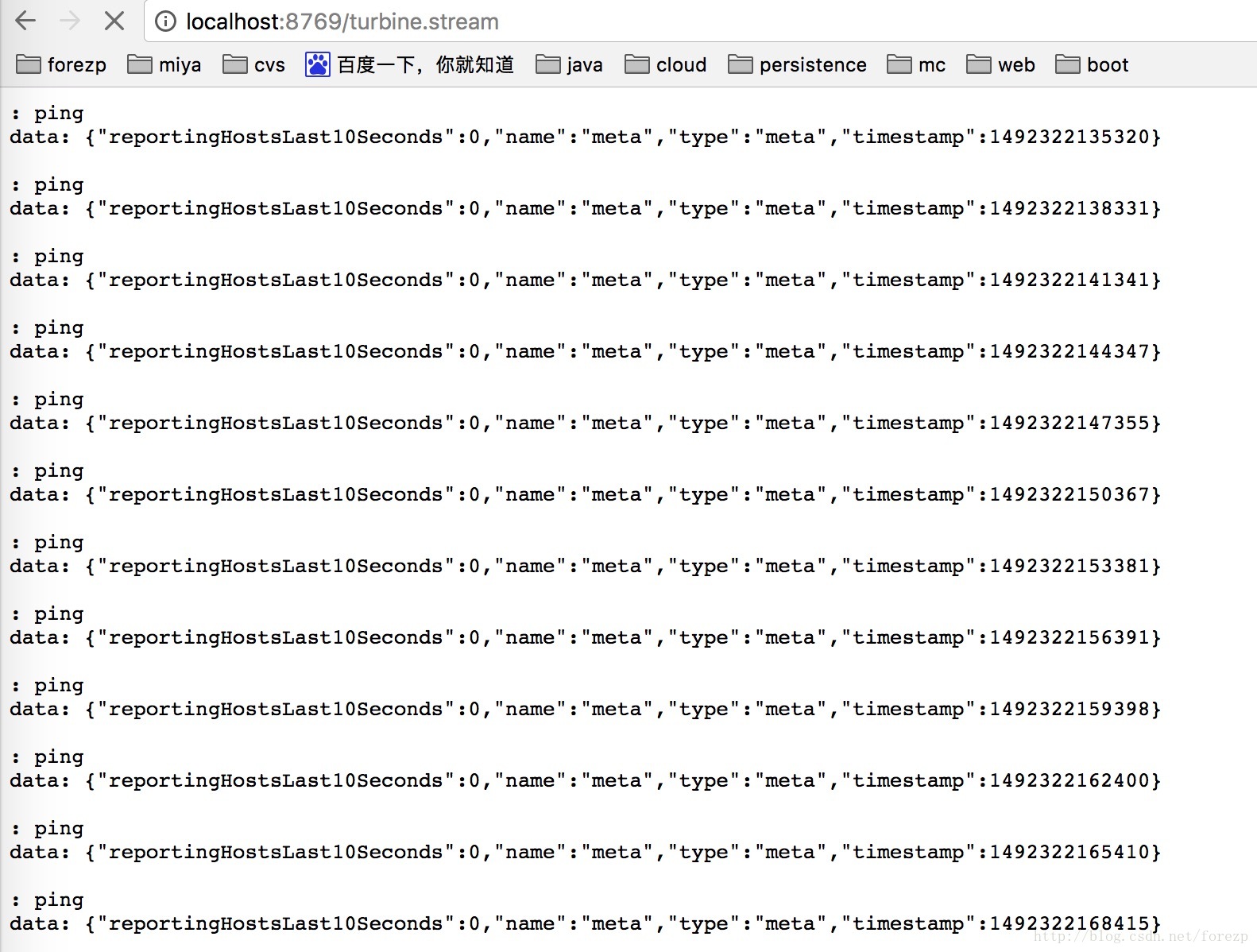
打开浏览器输入:http://localhost:8764/turbine.stream,界面如下:
依次请求:
http://localhost:8763/hi?name=forezp
打开:http://localhost:8763/hystrix,输入监控流http://localhost:8764/turbine.stream
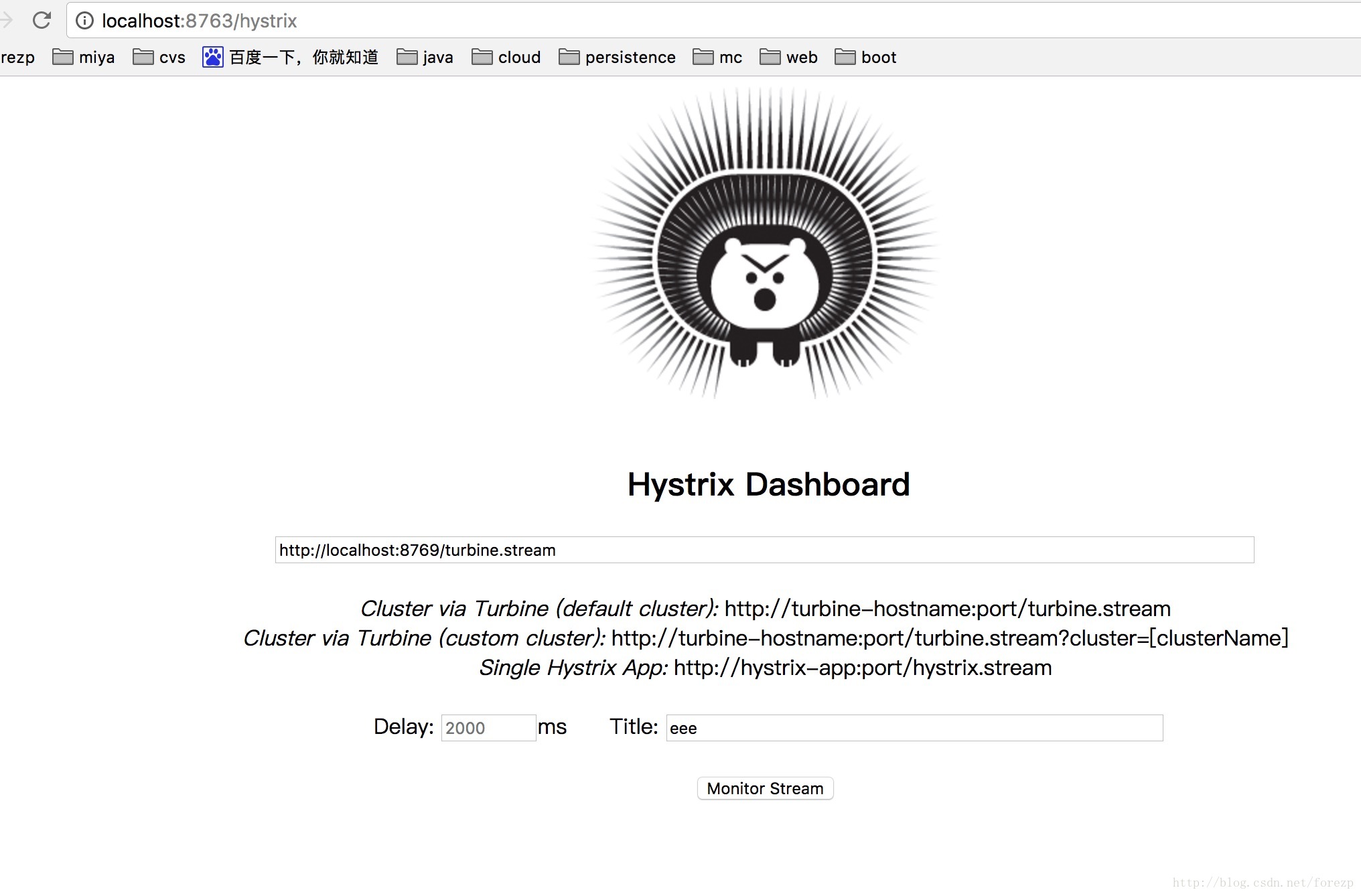
点击monitor stream 进入页面:

可以看到这个页面聚合了2个service的hystrix dashbord数据。
源码下载:
https://github.com/forezp/SpringCloudLearning/tree/master/sc-f-chapter13
五、参考文献
扫码关注有惊喜

(转载本站文章请注明作者和出处 方志朋的博客)
史上最简单的SpringCloud教程 | 第十三篇: 断路器聚合监控(Hystrix Turbine)(Finchley版本)的更多相关文章
- SpringCloud教程 | 第十三篇: 断路器聚合监控(Hystrix Turbine)
版权声明:本文为博主原创文章,欢迎转载,转载请注明作者.原文超链接 ,博主地址:http://blog.csdn.net/forezp. http://blog.csdn.net/forezp/art ...
- 史上最简单的SpringCloud教程 | 第三篇: 服务消费者(Feign)(Finchley版本)
转载请标明出处: 原文首发于:https://www.fangzhipeng.com/springcloud/2018/08/30/sc-f3-feign/ 本文出自方志朋的博客 上一篇文章,讲述了如 ...
- 原 史上最简单的SpringCloud教程 | 第八篇: 消息总线(Spring Cloud Bus)(Finchley版本)
转载请标明出处: 原文首发于:https://www.fangzhipeng.com/springcloud/2018/08/30/sc-f8-bus/ 本文出自方志朋的博客 转载请标明出处: Spr ...
- SpringCloud 教程 (六)断路器聚合监控(Hystrix Turbine)
一.Hystrix Turbine简介 看单个的Hystrix Dashboard的数据并没有什么多大的价值,要想看这个系统的Hystrix Dashboard数据就需要用到Hystrix Turbi ...
- 史上最简单的SpringCloud教程 | 第四篇:断路器(Hystrix)
在微服务架构中,根据业务来拆分成一个个的服务,服务与服务之间可以相互调用(RPC),在Spring Cloud可以用RestTemplate+Ribbon和Feign来调用.为了保证其高可用,单个服务 ...
- 史上最简单的SpringCloud教程 | 第四篇:断路器(Hystrix)(Finchley版本)
转载请标明出处: 原文首发于:https://www.fangzhipeng.com/springcloud/2018/08/30/sc-f4-hystrix/ 本文出自方志朋的博客 在微服务架构中, ...
- 史上最简单的SpringCloud教程 | 第三篇: 服务消费者(Feign)
转载请标明出处: https://www.fangzhipeng.com/springcloud/2017/07/12/sc03-feign/ 本文出自方志朋的博客 最新Finchley版本请访问: ...
- 史上最简单的SpringCloud教程 | 第十篇: 高可用的服务注册中心(Finchley版本)
转载请标明出处: 原文首发于 https://www.fangzhipeng.com/springcloud/2018/08/30/sc-f10-eureka/ 本文出自方志朋的博客 文章 史上最简单 ...
- 史上最简单的 SpringCloud 教程 | 终章
https://blog.csdn.net/forezp/article/details/70148833转载请标明出处:http://blog.csdn.net/forezp/article/det ...
随机推荐
- 监听css3的animation动画和transition事件
webkit-animation动画有三个事件: 开始事件: webkitAnimationStart 结束事件: webkitAnimationEnd 重复运动事件: webkitAnimation ...
- JavaScript里面的居民们2-字符串
基于HTML,实现需求 按照HTML中按钮的描述以此实现功能 计算结果显示在 id 为 result 的 P 标签中 <!DOCTYPE html> <html> <he ...
- ArcSDE10.2.2使用SQL操作ST_Geometry时报ORA-28579或ORA-20006错误
ArcSDE10.2.2使用SQL操作ST_Geometry时报ORA-28579或ORA-20006错误 1.测试环境说明 ArcSDE版本:10.2.2 Oracle版本:12.1.0.1和11. ...
- 基础架构之日志管理平台及钉钉&邮件告警通知
接上一篇,我们继续解释如何把ELK跟钉钉及发送邮件功能结合起来,让我们及时的了解重要日志并快速反馈. Sentinel 安装,项目介绍在https://github.com/sirensolution ...
- Android 友盟统计的集成与使用(包含多渠道打包配置)
前言 app上线后,一般公司都希望跟踪app在市场上的使用情况.包括新增用户.活跃用户.渠道信息.错误信息等,还有例如商城类的app,需要跟踪用户最喜欢浏览哪种类型的店铺或商品.这些都可以通过集成友盟 ...
- mysql 12小时和24小时转换
1.12小时显示 SimpleDateFormat dateFormat = new SimpleDateFormat("yyyy-MM-dd hh:mm:ss"); String ...
- spring文章
单元测试 spring +Junit 完美组合:https://blog.csdn.net/shan9liang/article/details/40452469#
- Linux ->> uname命令 -- 查看当前系统信息
uname命令是用来打印当前Linux操作系统的信息,如果操作系统内核版本,操作系统是32位还是64位,计算机名字,操作系统安装时间,Linux操作系统类型 1) 操作系统是32位还是64位,感觉-m ...
- 【Leetcode】【Medium】Convert Sorted Array to Binary Search Tree
Given an array where elements are sorted in ascending order, convert it to a height balanced BST. 解题 ...
- Redis 缓存穿透
Redis 缓存穿透 https://www.cnblogs.com/jiekzou/p/9212114.html 场景描述:我们在项目中使用缓存通常都是先检查缓存中是否存在,如果存在直接返回缓存内容 ...