
Ubuntu系统下安装并配置hive-2.1.0
说在前面的话
默认情况下,Hive元数据保存在内嵌的Derby数据库中,只能允许一个会话连接,只适合简单的测试。实际生产环境中不使用,为了支持多用户会话,
则需要一个独立的元数据库,使用MySQL作为元数据库,Hive内部对MySQL提供了很好的支持。
在Ubuntu系统下安装并配置hive详细正确步骤如下!
一、mysql-server和mysql-client的下载
root@SparkSingleNode:/usr/local# sudo apt-get install mysql-server mysql-client (Ubuntu版本)
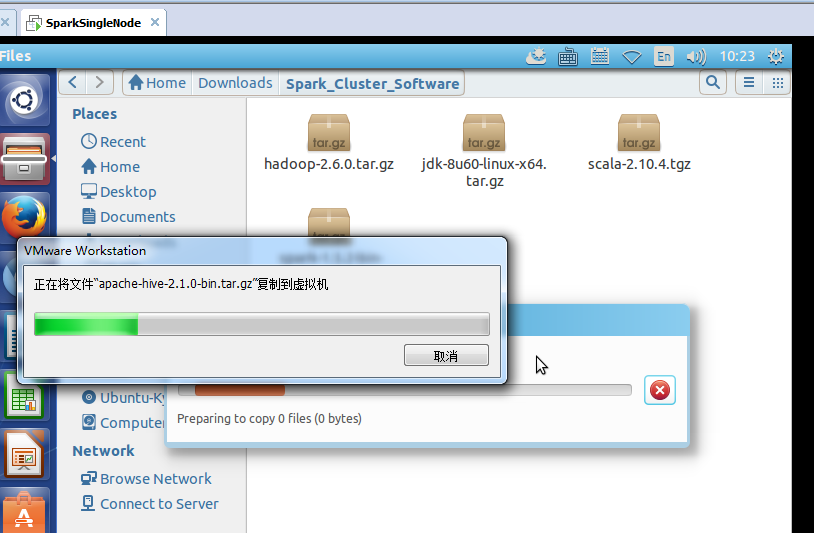
我这里,root密码,为rootroot。
二、启动MySQL服务

root@SparkSingleNode:/usr/local# sudo /etc/init.d/mysql start (Ubuntu版本)
* Starting MySQL database server mysqld [ OK ]
root@SparkSingleNode:/usr/local#
附加说明,
sudo /etc/init.d/mysql restart 这是重启
sudo /etc/init.d/mysql stop 这是停止
三、进入mysql服务
Ubuntu里 的mysql里有个好处,直接自己对root@下的所有,自己默认设置好了
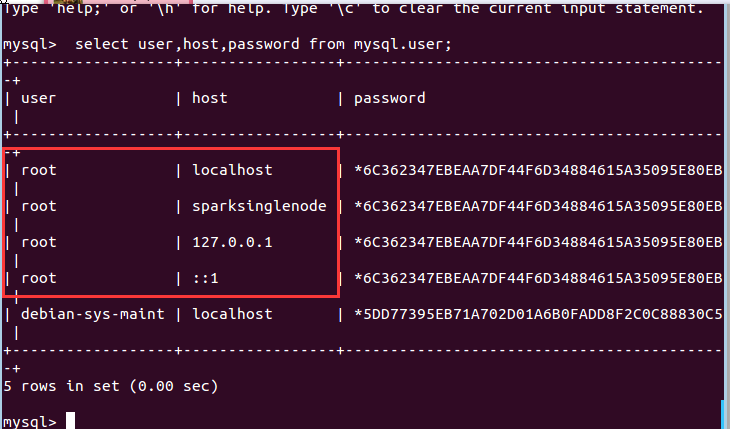
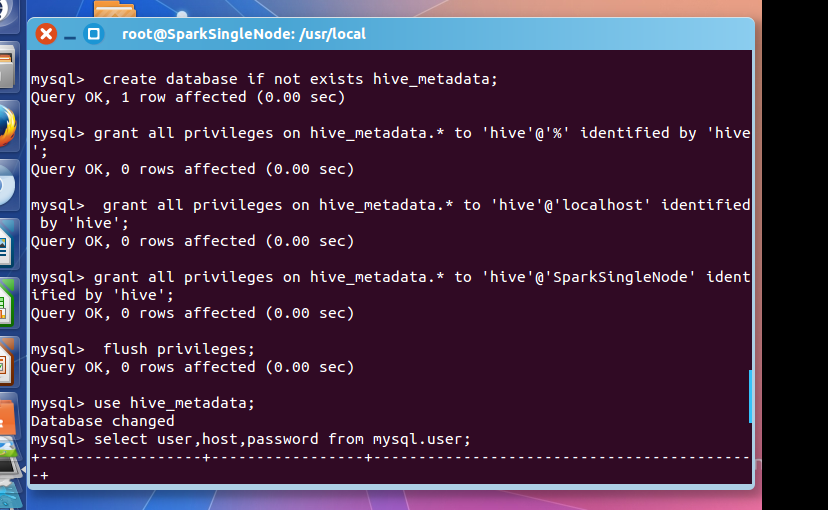
root@SparkSingleNode:/usr/local# mysql -uroot -p
Enter password: //输入rootroot
Welcome to the MySQL monitor. Commands end with ; or \g.
Your MySQL connection id is 43
Server version: 5.5.53-0ubuntu0.14.04.1 (Ubuntu)
Copyright (c) 2000, 2016, Oracle and/or its affiliates. All rights reserved.
Oracle is a registered trademark of Oracle Corporation and/or its
affiliates. Other names may be trademarks of their respective
owners.
Type 'help;' or '\h' for help. Type '\c' to clear the current input statement.
mysql> CREATE USER 'hive'@'%' IDENTIFIED BY 'hive';
mysql> GRANT ALL PRIVILEGES ON *.* TO 'hive'@'%' WITH GRANT OPTION;
mysql> flush privileges;
Query OK, 0 rows affected (0.00 sec)
mysql> use hive;
Database changed
mysql> select user,host,password from mysql.user;
+------------------+-----------------+-------------------------------------------+
| user | host | password |
+------------------+-----------------+-------------------------------------------+
| root | localhost | *6C362347EBEAA7DF44F6D34884615A35095E80EB |
| root | sparksinglenode | *6C362347EBEAA7DF44F6D34884615A35095E80EB |
| root | 127.0.0.1 | *6C362347EBEAA7DF44F6D34884615A35095E80EB |
| root | ::1 | *6C362347EBEAA7DF44F6D34884615A35095E80EB |
| debian-sys-maint | localhost | *5DD77395EB71A702D01A6B0FADD8F2C0C88830C5 |
| hive | % | *4DF1D66463C18D44E3B001A8FB1BBFBEA13E27FC |
+------------------+-----------------+-------------------------------------------+
8 rows in set (0.00 sec)
mysql> exit;
Bye
root@SparkSingleNode:/usr/local#
在ubuntu系统里,默认情况下MySQL只允许本地登录,所以需要修改配置文件将地址绑定注释。
sudo gedit /etc/mysql/my.cnf
找到 # bind-address = 127.0.0.1 注释掉这一行就可以啦
重启mysql服务
sudo service mysqld restart
然后,建立Hive专用的元数据库,记得用我们刚创建的"hive"账号登录。
mysql -u hive -p hive
CREATE DATABASE hive_metadata
四、安装hive
这里,很简单,不多赘述。
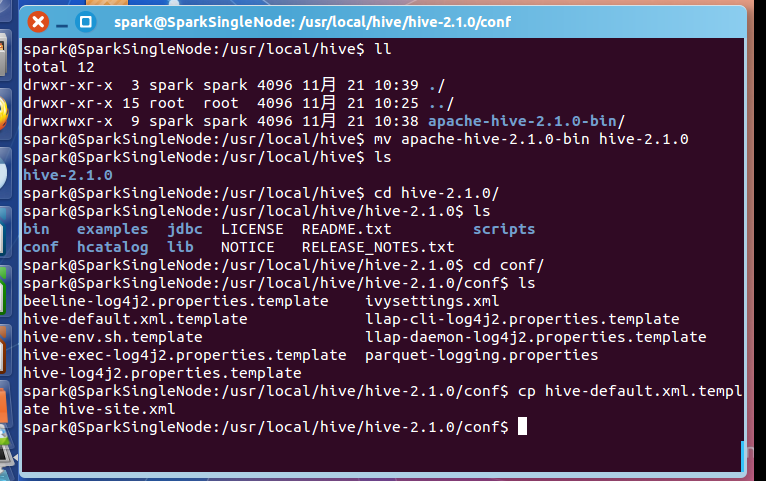
spark@SparkSingleNode:/usr/local/hive$ ll
total 12
drwxr-xr-x 3 spark spark 4096 11月 21 10:39 ./
drwxr-xr-x 15 root root 4096 11月 21 10:25 ../
drwxrwxr-x 9 spark spark 4096 11月 21 10:38 apache-hive-2.1.0-bin/
spark@SparkSingleNode:/usr/local/hive$ mv apache-hive-2.1.0-bin hive-2.1.0
spark@SparkSingleNode:/usr/local/hive$ ls
hive-2.1.0
spark@SparkSingleNode:/usr/local/hive$ cd hive-2.1.0/
spark@SparkSingleNode:/usr/local/hive/hive-2.1.0$ ls
bin examples jdbc LICENSE README.txt scripts
conf hcatalog lib NOTICE RELEASE_NOTES.txt
spark@SparkSingleNode:/usr/local/hive/hive-2.1.0$ cd conf/
spark@SparkSingleNode:/usr/local/hive/hive-2.1.0/conf$ ls
beeline-log4j2.properties.template ivysettings.xml
hive-default.xml.template llap-cli-log4j2.properties.template
hive-env.sh.template llap-daemon-log4j2.properties.template
hive-exec-log4j2.properties.template parquet-logging.properties
hive-log4j2.properties.template
spark@SparkSingleNode:/usr/local/hive/hive-2.1.0/conf$ cp hive-default.xml.template hive-site.xml
spark@SparkSingleNode:/usr/local/hive/hive-2.1.0/conf$
五、配置hive
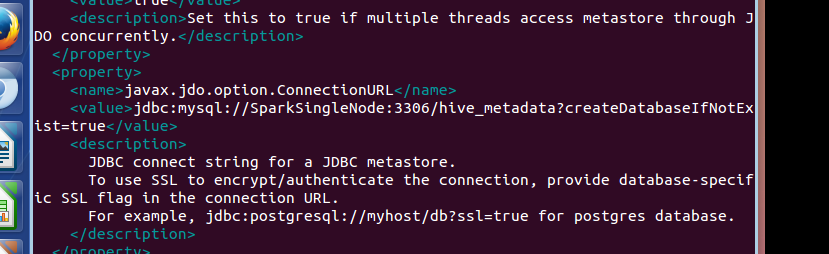
<property>
<name>javax.jdo.option.ConnectionURL</name>
<value>jdbc:mysql://192.168.80.128:3306/hive_metadata?createDatabaseIfNotExist=true</value>
<description>
JDBC connect string for a JDBC metastore.
To use SSL to encrypt/authenticate the connection, provide database-specific SSL flag in the connection URL.
For example, jdbc:postgresql://myhost/db?ssl=true for postgres database.
</description>

<property>
<name>javax.jdo.option.ConnectionDriverName</name>
<value>com.mysql.jdbc.Driver</value>
<description>Driver class name for a JDBC metastore</description>
</property>

<property>
<name>javax.jdo.option.ConnectionUserName</name>
<value>hive</value>
<description>Username to use against metastore database</description>
</property>

<property>
<name>javax.jdo.option.ConnectionPassword</name>
<value>hive</value>
<description>password to use against metastore database</description>
</property>
spark@SparkSingleNode:/usr/local/hive/hive-2.1.0/conf$ cp hive-env.sh.template hive-env.sh
spark@SparkSingleNode:/usr/local/hive/hive-2.1.0/conf$ vim hive-env.sh
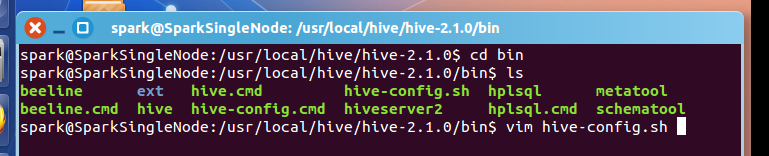
spark@SparkSingleNode:/usr/local/hive/hive-2.1.0/bin$ vim hive-config.sh
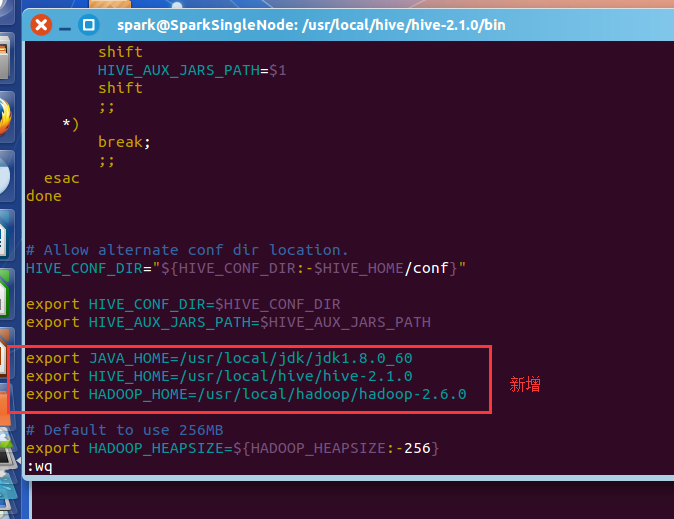
export JAVA_HOME=/usr/local/jdk/jdk1.8.0_60
export HIVE_HOME=/usr/local/hive/hive-2.1.0
export HADOOP_HOME=/usr/local/hadoop/hadoop-2.6.0
vim /etc/profile
#hive
export HIVE_HOME=/usr/local/hive/hive-2.1.0
export PATH=$PATH:$HIVE_HOME/bin
source /etc/profile
将mysql-connector-java-***.jar,复制到hive安装目录下的lib下。
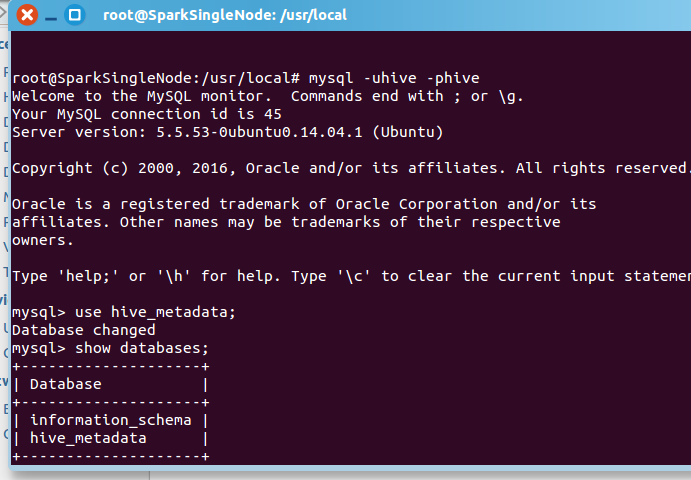
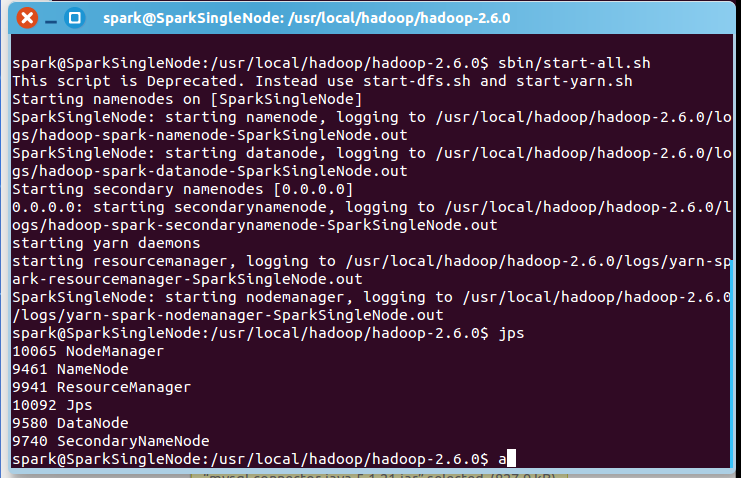
spark@SparkSingleNode:/usr/local/hadoop/hadoop-2.6.0$ sbin/start-all.sh
一般,上面,就可以足够安装正确了!
附赠问题
mysql-connector-java-5.1.21-bin.jar换成较高版本的驱动如mysql-connector-java-6.0.3-bin.jar
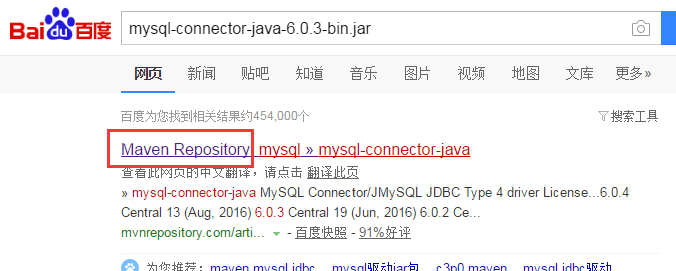
试过了,不是这个问题。

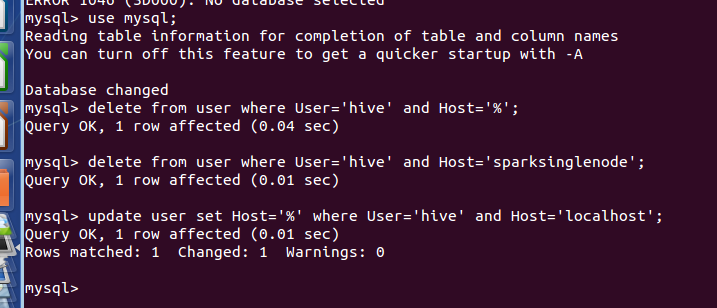
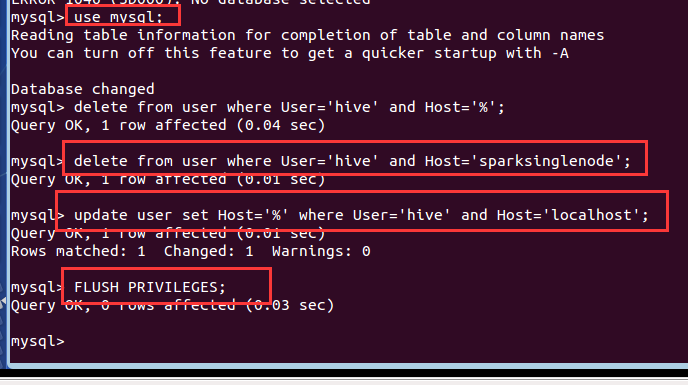
mysql> use mysql;
Reading table information for completion of table and column names
You can turn off this feature to get a quicker startup with -A
Database changed
mysql> delete from user where User='hive' and Host='%';
Query OK, 1 row affected (0.04 sec)
mysql> delete from user where User='hive' and Host='sparksinglenode';
Query OK, 1 row affected (0.01 sec)
mysql> update user set Host='%' where User='hive' and Host='localhost';
Query OK, 1 row affected (0.01 sec)
Rows matched: 1 Changed: 1 Warnings: 0
mysql> FLUSH PRIVILEGES;
Query OK, 0 rows affected (0.03 sec)
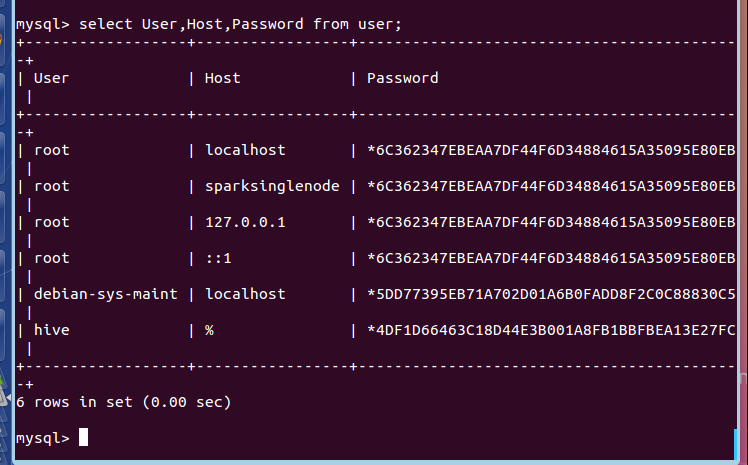
mysql> select User,Host,Password from user;
+------------------+-----------------+-------------------------------------------+
| User | Host | Password |
+------------------+-----------------+-------------------------------------------+
| root | localhost | *6C362347EBEAA7DF44F6D34884615A35095E80EB |
| root | sparksinglenode | *6C362347EBEAA7DF44F6D34884615A35095E80EB |
| root | 127.0.0.1 | *6C362347EBEAA7DF44F6D34884615A35095E80EB |
| root | ::1 | *6C362347EBEAA7DF44F6D34884615A35095E80EB |
| debian-sys-maint | localhost | *5DD77395EB71A702D01A6B0FADD8F2C0C88830C5 |
| hive | % | *4DF1D66463C18D44E3B001A8FB1BBFBEA13E27FC |
+------------------+-----------------+-------------------------------------------+
6 rows in set (0.00 sec)
mysql>

mysql> exit;
Bye
root@SparkSingleNode:/usr/local#‘’
root@SparkSingleNode:/usr/local# mysql -uroot -p
Enter password:
Welcome to the MySQL monitor. Commands end with ; or \g.
Your MySQL connection id is 39
Server version: 5.5.53-0ubuntu0.14.04.1 (Ubuntu)
Copyright (c) 2000, 2016, Oracle and/or its affiliates. All rights reserved.
Oracle is a registered trademark of Oracle Corporation and/or its
affiliates. Other names may be trademarks of their respective
owners.
Type 'help;' or '\h' for help. Type '\c' to clear the current input statement.
mysql> select user,host,password from mysql.user;
+------------------+-----------------+-------------------------------------------+
| user | host | password |
+------------------+-----------------+-------------------------------------------+
| root | localhost | *6C362347EBEAA7DF44F6D34884615A35095E80EB |
| root | sparksinglenode | *6C362347EBEAA7DF44F6D34884615A35095E80EB |
| root | 127.0.0.1 | *6C362347EBEAA7DF44F6D34884615A35095E80EB |
| root | ::1 | *6C362347EBEAA7DF44F6D34884615A35095E80EB |
| debian-sys-maint | localhost | *5DD77395EB71A702D01A6B0FADD8F2C0C88830C5 |
| hive | % | *4DF1D66463C18D44E3B001A8FB1BBFBEA13E27FC |
| hive | localhost | *4DF1D66463C18D44E3B001A8FB1BBFBEA13E27FC |
| hive | sparksinglenode | *4DF1D66463C18D44E3B001A8FB1BBFBEA13E27FC |
+------------------+-----------------+-------------------------------------------+
8 rows in set (0.00 sec)
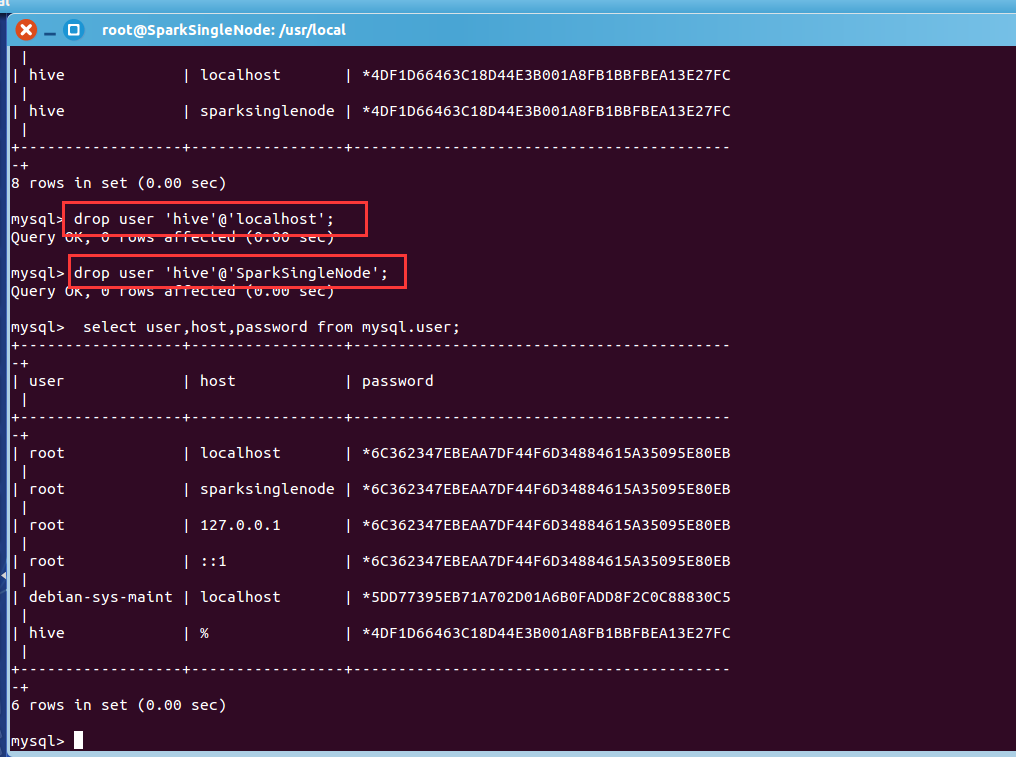
mysql> drop user 'hive'@'localhost';
Query OK, 0 rows affected (0.00 sec)
mysql> drop user 'hive'@'SparkSingleNode';
Query OK, 0 rows affected (0.00 sec)
mysql> select user,host,password from mysql.user;
+------------------+-----------------+-------------------------------------------+
| user | host | password |
+------------------+-----------------+-------------------------------------------+
| root | localhost | *6C362347EBEAA7DF44F6D34884615A35095E80EB |
| root | sparksinglenode | *6C362347EBEAA7DF44F6D34884615A35095E80EB |
| root | 127.0.0.1 | *6C362347EBEAA7DF44F6D34884615A35095E80EB |
| root | ::1 | *6C362347EBEAA7DF44F6D34884615A35095E80EB |
| debian-sys-maint | localhost | *5DD77395EB71A702D01A6B0FADD8F2C0C88830C5 |
| hive | % | *4DF1D66463C18D44E3B001A8FB1BBFBEA13E27FC |
+------------------+-----------------+-------------------------------------------+
6 rows in set (0.00 sec)
mysql>
mysql> flush privileges;
Query OK, 0 rows affected (0.00 sec)
mysql> exit;
Bye
root@SparkSingleNode:/usr/local#

Ubuntu系统下安装并配置hive-2.1.0的更多相关文章
- ubuntu系统下安装pyspider:搭建pyspider服务器新手教程
首先感谢“巧克力味腺嘌呤”的博客和Debian 8.1 安装配置 pyspider 爬虫,本人根据他们的教程在ubuntu系统中进行了实际操作,发现有一些不同,也出现了很多错误,因此做此教程,为新手服 ...
- CentOS和Ubuntu系统下安装 HttpFS (助推Hue部署搭建)
不多说,直接上干货! 我的集群机器情况是 bigdatamaster(192.168.80.10).bigdataslave1(192.168.80.11)和bigdataslave2(192.168 ...
- ubuntu系统下安装pip3及第三方库的安装
ubuntu系统下会自带python2.x和python3.x坏境,不需要我们去安装.并且ubuntu系统下还会自动帮助我们安装python2.x坏境下的pip安装工具, 但是没有python3.x坏 ...
- CentOS和Ubuntu系统下安装vsftp(助推大数据部署搭建)
不多说,直接上干货! 同时,声明,我这里安装的vsftp,仅仅只为我的大数据着想,关于网上的复杂安装,那是服务和运维那块.我不多牵扯,也不多赘述. 一.CentOS系统里安装vsftp 第一步:使用y ...
- ubuntu系统下安装pyspider:安装命令集合。
本篇内容的前提是你已安装好python 3.5.在ubuntu系统中安装pyspider最大的困难是要依赖组件经常出错,特别是pycurl,但把对应的依赖组件安装好,简单了.下面直接上代码,所有的依赖 ...
- Windows7 x64 系统下安装 Nodejs 并在 WebStorm 9.0.1 下搭建编译 LESS 环境
1. 打开Nodejs官网http://www.nodejs.org/,点“DOWNLOADS”,点64-bit下载“node-v0.10.33-x64.msi”. 2. 下载好后,双击“node-v ...
- 一看就懂的Ubuntu系统下samba服务器安装配置教程
文章目录 前言 环境搭建 安装 配置 Examples 1 创建共享(任何人都可以访问) 2 单用户权限(需要密码访问) 添加samba用户 配置参数 3 支持游客访问(单用户拥有管理员权限) 前言 ...
- Python 基础之在ubuntu系统下安装双版本python
前言:随着python升级更新,新版本较于老版本功能点也有不同地方,作为一个初学者应该了解旧版本的规则,也要继续学习新版本的知识.为了能更好去学习python,我在ubuntu安装python2和py ...
- ubuntu系统下安装gstreamer的ffmpeg支持
当您在安装gstreamer到您的ubuntu系统中时,为了更好地进行流媒体开发,需要安装ffmpeg支持,但一般情况下,直接使用 sudo apt-get install gstreamer0.10 ...
随机推荐
- Python之安装第三方扩展库
PyPI 地址:https://pypi.python.org/pypi 如果你知道你要找的库的名字,那么只需要在右上角搜索栏查找即可. 1.pip安装扩展库 (1)安装最新版本的扩展库: cmd&g ...
- C#反射(转载)
转载原文出处忘了,一直保存在本地(勿怪) 前期准备 在VS2012中新建一个控制台应用程序(我的命名是ReflectionStudy),这个项目是基于.net 4.0.接着我们打开Program.cs ...
- ManualResetEvent 线程通信
using System; using System.Threading; namespace ConsoleApp1 { class MyThread { Thread t = null; Manu ...
- WordCloud 简介
WordCloud 简介 GitHub GitHub:https://github.com/amueller/word_cloud example:https://github.com/amuelle ...
- IOC简洁说明
what is ioc: 控制注入,是一种设计模式 the benefits of using this: 降低耦合度 什么是DI 什么是依赖? 当一个类需要另一个类协作来完成工作的时候就产生了依赖 ...
- php 多维数据根据某个或多个字段排序
实现多维数组的指定多个字段排序 上面的实例讲解了如何实现多维数组指定一个字段排序,但如果要实现指定多个字段来对数组进行排序该如何思考? 多个字段是几个?2个,3个或更多,所以这个不确定的因素需要排除. ...
- windows测试登陆
测试工具我使用2种(Medusa和hydra): 第一种:Medusa支持端口登录但是不支持rdp协议,意思就是可以验证密码是否正确,新用户不会创建家目录: 使用方法: medusa -M smbnt ...
- python 小点
python中列表不能除以列表,列表不能除以整数.浮点数. numpy数组可以实现数组除以整数.
- spring-第二章-AOP
一,回顾 1.控制反转(IOC) 以前创建对象,由我们自己决定,现在我们把管理对象的声明周期权力交给spring; 2.依赖注入(DI) A对象需要B对象的支持,spring就把B注入给A,那么A就拥 ...
- jQuery判断表单input
<!DOCTYPE html> <html lang="en"> <head> <meta charset="UTF-8&quo ...