
UITableView的headerView展开缩放动画
UITableView的headerView展开缩放动画
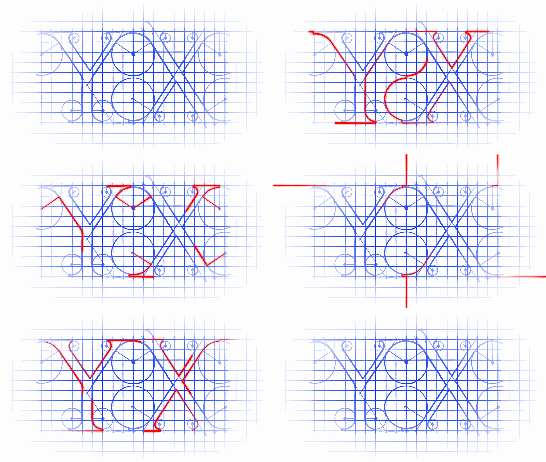
效果
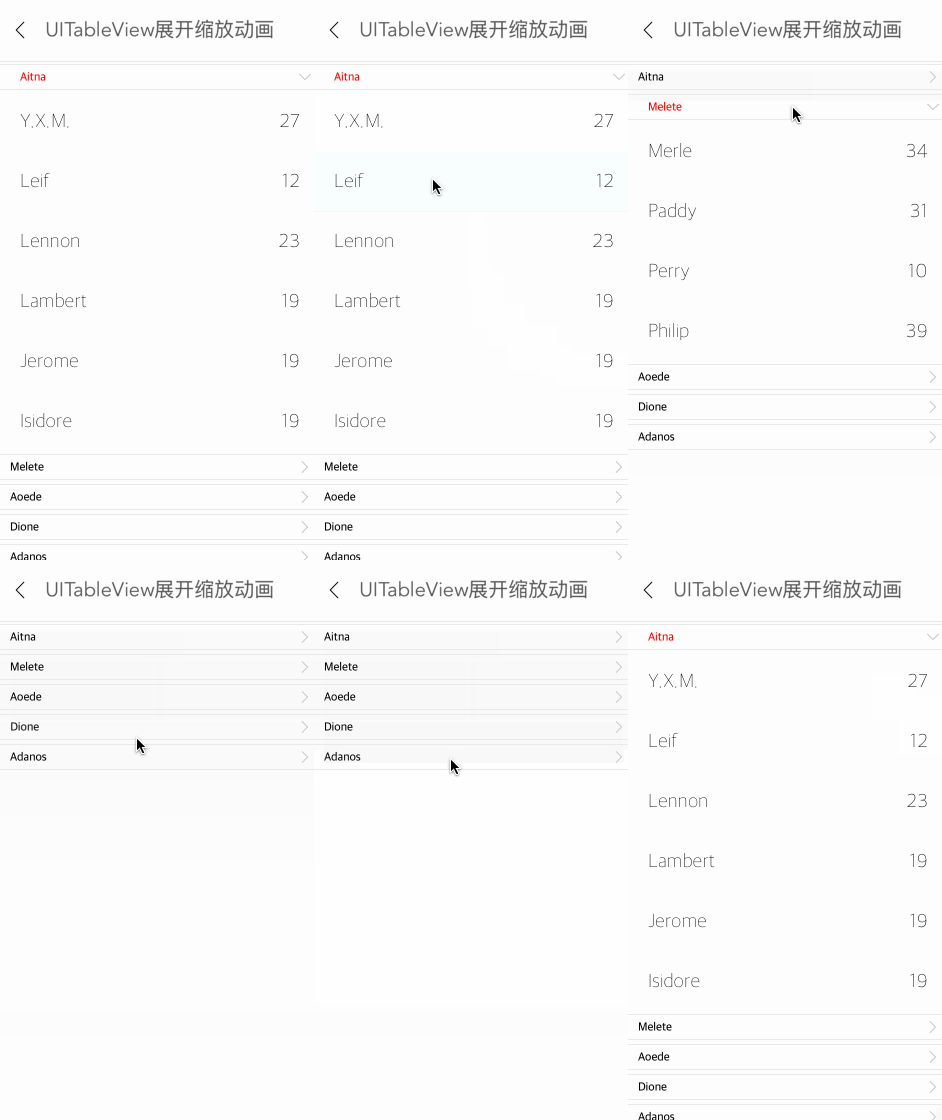
源码
https://github.com/YouXianMing/Animations
//

//  HeaderViewTapAnimationController.m

//  Animations

//

//  Created by FrankLiu on 15/11/30.

//  Copyright © 2015年 YouXianMing. All rights reserved.

//

#import "HeaderViewTapAnimationController.h"

#import "ClassModel.h"

#import "StudentInfoCell.h"

#import "ClassHeaderView.h"

#import "WxHxD.h"

#import "GCD.h"

static NSString *infoCellFlag = @"BaseTableViewCell";

static NSString *infoHeadFlag = @"ClassHeaderView";

@interface HeaderViewTapAnimationController () <UITableViewDataSource, UITableViewDelegate, CustomHeaderFooterViewDelegate>

@property (nonatomic, strong) NSMutableArray  *classModels;

@property (nonatomic, strong) UITableView     *tableView;

@property (nonatomic) BOOL                     sectionFirstLoad;

@property (nonatomic, weak)   ClassHeaderView *tmpHeadView;

@end

@implementation HeaderViewTapAnimationController

- (void)viewDidLoad {

    [super viewDidLoad];

}

- (void)setup {

    [super setup];

    [self createDatas];

    [self createTableView];

    [self bringTitleViewToFront];

    [self firstLoadDataAnimation];

}

#pragma mark - 数据源相关

- (void)createDatas {

    NSArray *datas = @[@{@"className" : @"Aitna",

                         @"students"  : @[@{@"name" : @"Y.X.M.",   @"age" : @()},

                                          @{@"name" : @"Leif",     @"age" : @()},

                                          @{@"name" : @"Lennon",   @"age" : @()},

                                          @{@"name" : @"Lambert",  @"age" : @()},

                                          @{@"name" : @"Jerome",   @"age" : @()},

                                          @{@"name" : @"Isidore",  @"age" : @()}]},

                       @{@"className" : @"Melete",

                         @"students"  : @[@{@"name" : @"Merle",    @"age" : @()},

                                          @{@"name" : @"Paddy",    @"age" : @()},

                                          @{@"name" : @"Perry",    @"age" : @()},

                                          @{@"name" : @"Philip",   @"age" : @()}]},

                       @{@"className" : @"Aoede",

                         @"students"  : @[@{@"name" : @"Verne",    @"age" : @()},

                                          @{@"name" : @"Vincent",  @"age" : @()},

                                          @{@"name" : @"Walter",   @"age" : @()},

                                          @{@"name" : @"Zachary",  @"age" : @()}]},

                       @{@"className" : @"Dione",

                         @"students"  : @[@{@"name" : @"Timothy",  @"age" : @()},

                                          @{@"name" : @"Roderick", @"age" : @()},

                                          @{@"name" : @"Quentin",  @"age" : @()},

                                          @{@"name" : @"Paddy",    @"age" : @()}]},

                       @{@"className" : @"Adanos",

                         @"students"  : @[@{@"name" : @"Mortimer", @"age" : @()},

                                          @{@"name" : @"Michael",  @"age" : @()},

                                          @{@"name" : @"Kevin",    @"age" : @()},

                                          @{@"name" : @"Jeremy",   @"age" : @()}]},];

    self.classModels = [[NSMutableArray alloc] init];

    for (int count = ; count < datas.count; count++) {

        ClassModel *classModel = [[ClassModel alloc] initWithDictionary:datas[count]];

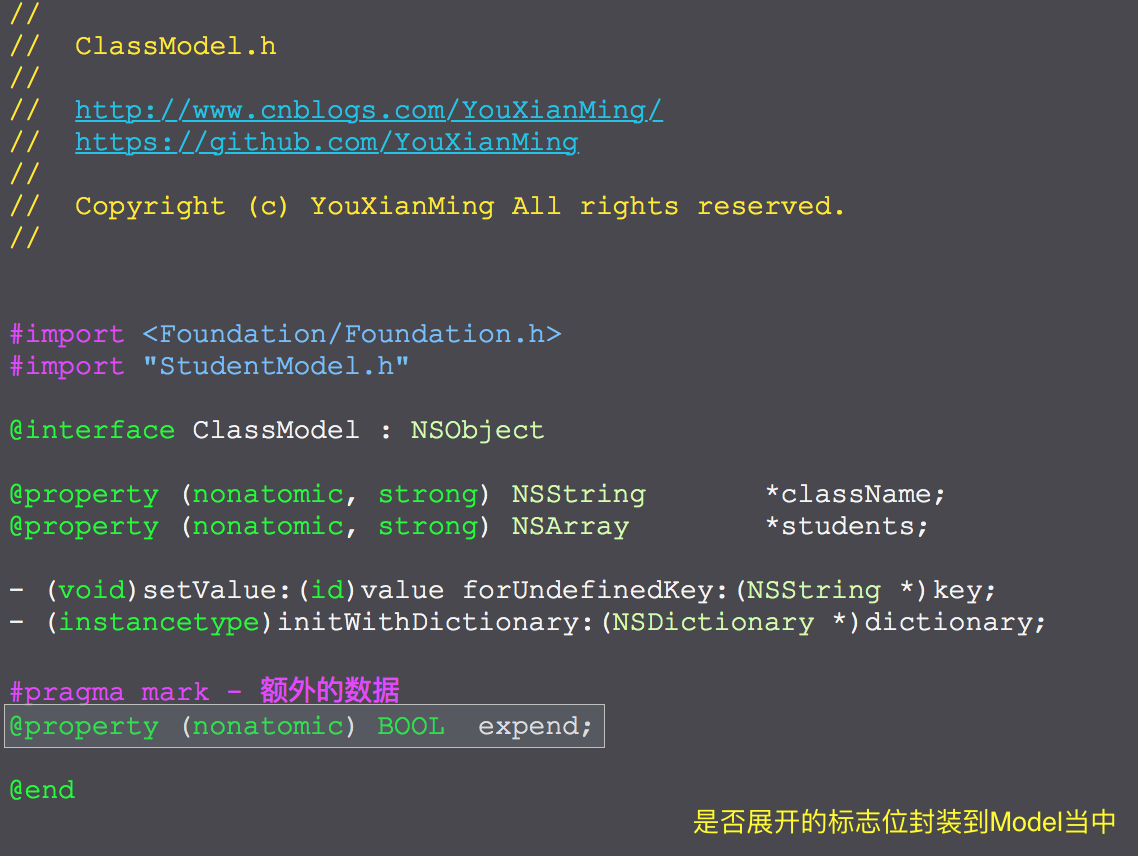
        classModel.expend      = NO;

        [self.classModels addObject:classModel];

    }

}

#pragma mark - tableView相关

- (UITableView *)createTableViewWithDelegate:(id)delegate frame:(CGRect)frame {

    UITableView *tableView   = [[UITableView alloc] initWithFrame:frame style:UITableViewStylePlain];

    tableView.delegate       = delegate;

    tableView.dataSource     = delegate;

    tableView.separatorStyle = UITableViewCellSeparatorStyleNone;

    tableView.showsHorizontalScrollIndicator = NO;

    tableView.showsVerticalScrollIndicator   = NO;

    [tableView registerClass:[StudentInfoCell class] forCellReuseIdentifier:infoCellFlag];

    [tableView registerClass:[ClassHeaderView class] forHeaderFooterViewReuseIdentifier:infoHeadFlag];

    return tableView;

}

- (void)createTableView {

    self.tableView = [[UITableView alloc] initWithFrame:CGRectMake(, , Width, Height - ) style:UITableViewStylePlain];

    self.tableView.delegate                       = self;

    self.tableView.dataSource                     = self;

    self.tableView.separatorStyle                 = UITableViewCellSeparatorStyleNone;

    self.tableView.showsHorizontalScrollIndicator = NO;

    self.tableView.showsVerticalScrollIndicator   = NO;

    [self.tableView registerClass:[StudentInfoCell class] forCellReuseIdentifier:infoCellFlag];

    [self.tableView registerClass:[ClassHeaderView class] forHeaderFooterViewReuseIdentifier:infoHeadFlag];

    [self.view addSubview:self.tableView];

}

- (NSInteger)tableView:(UITableView *)tableView numberOfRowsInSection:(NSInteger)section {

    ClassModel *model = _classModels[section];

    if (model.expend == YES) {

        return [model.students count];

    } else {

        return ;

    }

}

- (NSInteger)numberOfSectionsInTableView:(UITableView *)tableView {

    if (self.sectionFirstLoad == NO) {

        return ;

    } else {

        return [_classModels count];

    }

}

- (UITableViewCell *)tableView:(UITableView *)tableView cellForRowAtIndexPath:(NSIndexPath *)indexPath {

    CustomCell *cell = [tableView dequeueReusableCellWithIdentifier:infoCellFlag];

    ClassModel   *classModel   = _classModels[indexPath.section];

    StudentModel *studentModel = classModel.students[indexPath.row];

    cell.data                  = studentModel;

    cell.indexPath             = indexPath;

    [cell loadContent];

    return cell;

}

- (UIView *)tableView:(UITableView *)tableView viewForHeaderInSection:(NSInteger)section {

    ClassHeaderView *titleView = [tableView dequeueReusableHeaderFooterViewWithIdentifier:infoHeadFlag];

    titleView.delegate         = self;

    titleView.data             = _classModels[section];

    titleView.section          = section;

    [titleView loadContent];

    if (section == ) {

        self.tmpHeadView = titleView;

    }

    ClassModel *model = _classModels[section];

    if (model.expend == YES) {

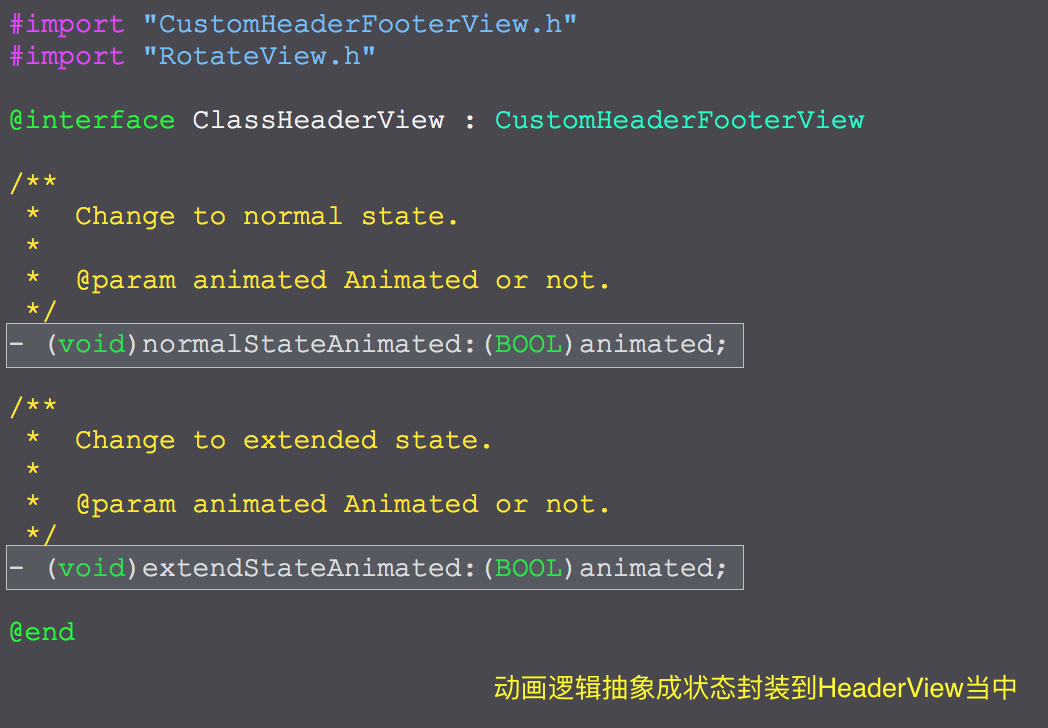
        [titleView extendStateAnimated:NO];

    } else {

        [titleView normalStateAnimated:NO];

    }

    return titleView;

}

- (CGFloat)tableView:(UITableView *)tableView heightForRowAtIndexPath:(NSIndexPath *)indexPath {

    return ;

}

- (CGFloat)tableView:(UITableView *)tableView heightForHeaderInSection:(NSInteger)section {

    return ;

}

- (void)tableView:(UITableView *)tableView didSelectRowAtIndexPath:(NSIndexPath *)indexPath {

    StudentInfoCell *cell = [tableView cellForRowAtIndexPath:indexPath];

    [cell showSelectedAnimation];

    [tableView deselectRowAtIndexPath:indexPath animated:YES];

}

- (void)customHeaderFooterView:(CustomHeaderFooterView *)customHeaderFooterView event:(id)event {

    NSInteger section = customHeaderFooterView.section;

    ClassModel *model = _classModels[section];

    ClassHeaderView *classHeaderView = (ClassHeaderView *)customHeaderFooterView;

    if (model.expend == YES) {

        // 缩回去

        model.expend = NO;

        [classHeaderView normalStateAnimated:YES];

        NSMutableArray *indexPaths = [NSMutableArray array];

        for (int i = ; i < model.students.count; i++) {

            [indexPaths addObject:[NSIndexPath indexPathForItem:i inSection:section]];

        }

        [self.tableView deleteRowsAtIndexPaths:indexPaths withRowAnimation:UITableViewRowAnimationFade];

    } else {

        // 显示出来

        model.expend = YES;

        [classHeaderView extendStateAnimated:YES];

        NSMutableArray *indexPaths = [NSMutableArray array];

        for (int i = ; i < model.students.count; i++) {

            [indexPaths addObject:[NSIndexPath indexPathForItem:i inSection:section]];

        }

        [self.tableView insertRowsAtIndexPaths:indexPaths withRowAnimation:UITableViewRowAnimationFade];

    }

}

- (void)firstLoadDataAnimation {

    [GCDQueue executeInMainQueue:^{

        // Extend sections.

        self.sectionFirstLoad = YES;

        NSIndexSet *indexSet  = [NSIndexSet indexSetWithIndexesInRange:NSMakeRange(, self.classModels.count)];

        [self.tableView insertSections:indexSet withRowAnimation:UITableViewRowAnimationFade];

        [GCDQueue executeInMainQueue:^{

            // Extend cells.

            [self customHeaderFooterView:self.tmpHeadView event:nil];

        } afterDelaySecs:0.4f];

    } afterDelaySecs:0.3f];

}

@end
细节
UITableView的headerView展开缩放动画的更多相关文章
- Swift - UITableView展开缩放动画
Swift - UITableView展开缩放动画 效果 源码 https://github.com/YouXianMing/Swift-Animations // // HeaderViewTapA ...
- 仿Inshot分享页图片圆形展开缩放动画
版权声明:本文为xing_star原创文章,转载请注明出处! 本文同步自http://javaexception.com/archives/221 圆形展开缩放动画 关键代码: final Anima ...
- Android实现Layout缩放动画
最近看到Any.do的缩放效果很酷,看到一篇讲Layout缩放动画实现的文章,记录一下: http://edison-cool911.iteye.com/blog/704812
- 动画--问题追踪:ImageView执行缩放动画ScaleAnimation之后,图像显示不全的问题。
http://www.bkjia.com/Androidjc/929473.html: 问题追踪:ImageView执行缩放动画ScaleAnimation之后,图像显示不全的问题., 问题:我有一个 ...
- iOS开发笔记10:圆点缩放动画、强制更新、远程推送加语音提醒及UIView截屏
1.使用CAReplicatorLayer制作等待动画 CALayer+CABasicAnimation可以制作很多简单的动画效果,之前的博客中介绍的“两个动画”,一个是利用一张渐变色图片+CABas ...
- AndroidUI 视图动画-缩放动画效果 (ScaleAnimation)
放动画效果,可以使用ScaleAnimation: <Button android:id="@+id/btnScale2" android:layout_width=&quo ...
- AndroidTv Home界面实现原理(二)——Leanback 库的主页卡位缩放动画源码解析
先看个效果图: 上一篇中,我们留了问题,在 Tv Home 界面这种很常见聚焦卡位放大动画效果,我们这一篇就来看看 Leanback 库是怎么实现的. 如果要我们自己实现的话,思路应该不难,就是写个放 ...
- Android缩放动画
Android缩放动画 核心方法 public void startAnimation(Animation animation) 执行动画,参数可以是各种动画的对象,Animation的多态,也可以是 ...
- UI设计篇·入门篇·简单动画的实现,透明动画/旋转动画/移动动画/缩放动画,混合动画效果的实现,为动画设置监听事件,自定义动画的方法
基本的动画构成共有四种:透明动画/旋转动画/移动动画/缩放动画. 配置动画的方式有两种,一种是直接使用代码来配置动画效果,另一种是使用xml文档配置动画效果 相比而言,用xml文档写出来的动画效果,写 ...
随机推荐
- 利用Metrics+influxdb+grafana构建监控平台
https://blog.csdn.net/fishmai/article/details/51817429
- Linux 中 &、jobs、fg、bg 等命令
参考 Unix 或 Linux 中 &.jobs.fg.bg 等命令的使用方法 对之前文章的一个补充: linux 命令后台运行 这篇还是比较简单的,稍微一带而过 fg.bg.jobs.&a ...
- 【LOJ】#2445. 「NOI2011」道路修建
题解 看完题目我的第一个反应是--要求最小花费的方案?!怎么求??? 然后我把题读完了.好吧. 记录一下size就行,比NOIP普及组还要不如的题= = 代码 #include <iostrea ...
- [MySQL-笔记]创建高性能索引
索引,MySQL中也叫“键”,是存储引擎中用于快速找到记录的一种数据结构,具体的工作方式就像书本中的索引一样,但是具体的实现方式会有差别. 一.索引分类 B-Tree索引: 优点: MyISAM中,索 ...
- new Date 兼容性问题
IOS 11.1.2 iphoneX 下面解析 // 下面的代码会报错 var d = new Date('2018-09-20 19:20:32'); alert(d.getTime()); 必 ...
- BZOJ 2653: middle 主席树 二分
https://www.lydsy.com/JudgeOnline/problem.php?id=2653 因为是两个方向向外延伸所以不能对编号取前缀和(这里只有前缀和向后传递的性质,不是实际意义的和 ...
- POJ 2891 Strange Way to Express Integers 中国剩余定理 数论 exgcd
http://poj.org/problem?id=2891 题意就是孙子算经里那个定理的基础描述不过换了数字和约束条件的个数…… https://blog.csdn.net/HownoneHe/ar ...
- hdu 4545 贪心 *
题意:小明和他的好朋友小西在玩一个新的游戏,由小西给出一个由小写字母构成的字符串,小明给出另一个比小西更长的字符串,也由小写字母组成,如果能通过魔法转 换使小明的串和小西的变成同一个,那么他们两个人都 ...
- http状态码学习笔记
当浏览者访问一个网页时,浏览者的浏览器会向网页所在服务器发出请求.当浏览器接收并显示网页前,此网页所在的服务器会返回一个包含HTTP状态码的信息头(server header)用以响应浏览器的请求. ...
- centos7安装zookeeper3.4.9集群
本篇文章目的:以最小成本学习zookeeper的集群安装. zookeeper的三要素: 1.一致,能够保证数据的一致性 2.有头,始终有一个leader,node/2+1个节点有效,就能正常工作 3 ...