
关于ArcGIS API for JavaScript中basemap的总结介绍(一)
实际上basemap这个概念并不只在arcgis中才有,在Python中有一个matplotlib basemap toolkit(https://pypi.python.org/pypi/basemap),是用来实现地理信息可视化的。其中,matplotlib是Python常用的数据绘制包,basemap是matplotlib的一个子包,用来进行地图绘制。本文所指的basemap是指esri提供的基础底图图层。
正式使用basemap是在前一阵做webgis开发的时候,需要在自己的矢量图层下面加一个底图图层,发现网上的相关文档不多,所以整理了一下帮助文档和demo,分享给大家。
首先,看一下arcgis帮助文档中对GIS basemap的介绍(http://resources.arcgis.com/zh-cn/help/main/10.1/index.html#/na/00s500000017000000/),因为重点介绍arcgis API,所以关于arcmap的操作方法和步骤不再赘述,只是简单介绍一下基础底图的概念:
底图图层属于一类地图图层,提供了一个可显示动态操作信息的框架。底图显示性能非常强大。由于底图图层相对稳定,不常发生变化,因此其显示只需计算一次,然后便可以多次重复使用。首次以特定的地图比例访问某个区域时,会对底图图层的显示进行计算。以后再以此地图比例访问该区域时,可调出该显示。众多 ArcMap 应用程序中都包括可用于显示和使用操作性信息、观测值和从分析模型中获取的信息的底图。底图用于位置参考,并为用户提供叠加或聚合业务图层、执行任务以及可视化地理信息的框架。底图是执行所有后续操作和地图制图的基础,它为地理信息的使用提供了环境和框架。底图相对稳定,并且在典型设置下,并不需要经常更新。此外,底图常常可在多种地图比例下使用。在各种地图比例范围内,底图都可以描绘出对应的内容。
接下来,重点介绍一下arcgis API for JS中esri提供的已有的17种basemap(包括"satellite","hybrid","streets","topo","osm"和"national-geographic"等等),包括代码和示例。
在下载的arcgis_js_api包中有一个basemaps.js文件(路径为arcgis_js_api\3.17\esri),里面定义了esri提供的全部的basemap,下面贴出了这个js文件中的详细代码:
 // All material copyright ESRI, All Rights Reserved, unless otherwise specified.

 // See http://js.arcgis.com/3.17/esri/copyright.txt for details.

 //>>built

 define("esri/basemaps", ["require", "dojo/has", "./kernel", "dojo/i18n!./nls/jsapi"], function(a, c, d, b) {

     a = {

         streets: {

             title: b.basemaps.streets,

             thumbnailUrl: a.toUrl("./images/basemap/streets.jpg"),

             itemId: "d8855ee4d3d74413babfb0f41203b168",

             baseMapLayers: [{

                     url: "http://services.arcgisonline.com/ArcGIS/rest/services/World_Street_Map/MapServer"

                 }

             ]

         },

         satellite: {

             title: b.basemaps.satellite,

             thumbnailUrl: a.toUrl("./images/basemap/satellite.jpg"),

             itemId: "86de95d4e0244cba80f0fa2c9403a7b2",

             baseMapLayers: [{

                     url: "http://services.arcgisonline.com/ArcGIS/rest/services/World_Imagery/MapServer"

                 }

             ]

         },

         hybrid: {

             title: b.basemaps.hybrid,

             thumbnailUrl: a.toUrl("./images/basemap/hybrid.jpg"),

             itemId: "413fd05bbd7342f5991d5ec96f4f8b18",

             baseMapLayers: [{

                     url: "http://services.arcgisonline.com/ArcGIS/rest/services/World_Imagery/MapServer"

                 }, {

                     url: "http://services.arcgisonline.com/ArcGIS/rest/services/Reference/World_Boundaries_and_Places/MapServer",

                     isReference: !0

                 }

             ]

         },

         terrain: {

             title: b.basemaps.terrain,

             thumbnailUrl: a.toUrl("./images/basemap/terrain.jpg"),

             itemId: "aab054ab883c4a4094c72e949566ad40",

             baseMapLayers: [{

                     url: "http://services.arcgisonline.com/ArcGIS/rest/services/World_Terrain_Base/MapServer"

                 }, {

                     url: "http://services.arcgisonline.com/ArcGIS/rest/services/Reference/World_Reference_Overlay/MapServer",

                     isReference: !0

                 }

             ]

         },

         topo: {

             title: b.basemaps.topo,

             thumbnailUrl: a.toUrl("./images/basemap/topo.jpg"),

             itemId: "6e03e8c26aad4b9c92a87c1063ddb0e3",

             baseMapLayers: [{

                     url: "http://services.arcgisonline.com/ArcGIS/rest/services/World_Topo_Map/MapServer"

                 }

             ]

         },

         gray: {

             title: b.basemaps.gray,

             thumbnailUrl: a.toUrl("./images/basemap/gray.jpg"),

             itemId: "8b3b470883a744aeb60e5fff0a319ce7",

             baseMapLayers: [{

                     url: "http://services.arcgisonline.com/ArcGIS/rest/services/Canvas/World_Light_Gray_Base/MapServer"

                 }, {

                     url: "http://services.arcgisonline.com/ArcGIS/rest/services/Canvas/World_Light_Gray_Reference/MapServer",

                     isReference: !0

                 }

             ]

         },

         "dark-gray": {

             title: b.basemaps["dark-gray"],

             thumbnailUrl: a.toUrl("./images/basemap/dark-gray.jpg"),

             itemId: "da65bacab5bd4defb576f839b6b28098",

             baseMapLayers: [{

                     url: "http://services.arcgisonline.com/ArcGIS/rest/services/Canvas/World_Dark_Gray_Base/MapServer"

                 }, {

                     url: "http://services.arcgisonline.com/ArcGIS/rest/services/Canvas/World_Dark_Gray_Reference/MapServer",

                     isReference: !0

                 }

             ]

         },

         oceans: {

             title: b.basemaps.oceans,

             thumbnailUrl: a.toUrl("./images/basemap/oceans.jpg"),

             itemId: "48b8cec7ebf04b5fbdcaf70d09daff21",

             baseMapLayers: [{

                     url: "http://services.arcgisonline.com/arcgis/rest/services/Ocean/World_Ocean_Base/MapServer"

                 }, {

                     url: "http://services.arcgisonline.com/arcgis/rest/services/Ocean/World_Ocean_Reference/MapServer",

                     isReference: !0

                 }

             ]

         },

         "national-geographic": {

             title: b.basemaps["national-geographic"],

             thumbnailUrl: a.toUrl("./images/basemap/national-geographic.jpg"),

             itemId: "509e2d6b034246d692a461724ae2d62c",

             baseMapLayers: [{

                     url: "http://services.arcgisonline.com/ArcGIS/rest/services/NatGeo_World_Map/MapServer"

                 }

             ]

         },

         osm: {

             title: b.basemaps.osm,

             thumbnailUrl: a.toUrl("./images/basemap/osm.jpg"),

             itemId: "5d2bfa736f8448b3a1708e1f6be23eed",

             baseMapLayers: [{

                     type: "OpenStreetMap"

                 }

             ]

         },

         "dark-gray-vector": {

             title: b.basemaps["dark-gray"],

             thumbnailUrl: a.toUrl("./images/basemap/dark-gray.jpg"),

             itemId: "850db44b9eb845d3bd42b19e8aa7a024",

             baseMapLayers: [{

                     url: "http://www.arcgis.com/sharing/rest/content/items/850db44b9eb845d3bd42b19e8aa7a024/resources/styles/root.json",

                     type: "VectorTile"

                 }

             ]

         },

         "gray-vector": {

             title: b.basemaps.gray,

             thumbnailUrl: a.toUrl("./images/basemap/gray.jpg"),

             itemId: "0e02e6f86d02455091796eaae811d9b5",

             baseMapLayers: [{

                     url: "http://www.arcgis.com/sharing/rest/content/items/0e02e6f86d02455091796eaae811d9b5/resources/styles/root.json",

                     type: "VectorTile"

                 }

             ]

         },

         "streets-vector": {

             title: b.basemaps.streets,

             thumbnailUrl: a.toUrl("./images/basemap/streets.jpg"),

             itemId: "4e1133c28ac04cca97693cf336cd49ad",

             baseMapLayers: [{

                     url: "http://www.arcgis.com/sharing/rest/content/items/4e1133c28ac04cca97693cf336cd49ad/resources/styles/root.json",

                     type: "VectorTile"

                 }

             ]

         },

         "topo-vector": {

             title: b.basemaps.topo,

             thumbnailUrl: a.toUrl("./images/basemap/topo.jpg"),

             itemId: "6f65bc1351b7411588a8cb43fe23dad7",

             baseMapLayers: [{

                     url: "http://www.arcgis.com/sharing/rest/content/items/6f65bc1351b7411588a8cb43fe23dad7/resources/styles/root.json",

                     type: "VectorTile"

                 }

             ]

         },

         "streets-night-vector": {

             title: b.basemaps["streets-night-vector"],

             thumbnailUrl: a.toUrl("./images/basemap/streets-night.jpg"),

             itemId: "bf79e422e9454565ae0cbe9553cf6471",

             baseMapLayers: [{

                     url: "http://www.arcgis.com/sharing/rest/content/items/bf79e422e9454565ae0cbe9553cf6471/resources/styles/root.json",

                     type: "VectorTile"

                 }

             ]

         },

         "streets-relief-vector": {

             title: b.basemaps["streets-relief-vector"],

             thumbnailUrl: a.toUrl("./images/basemap/streets-relief.jpg"),

             itemId: "2e063e709e3446459f8538ed6743f879",

             baseMapLayers: [{

                     url: "http://www.arcgis.com/sharing/rest/content/items/2e063e709e3446459f8538ed6743f879/resources/styles/root.json",

                     type: "VectorTile"

                 }

             ]

         },

         "streets-navigation-vector": {

             title: b.basemaps["streets-navigation-vector"],

             thumbnailUrl: a.toUrl("./images/basemap/streets-navigation.jpg"),

             itemId: "dcbbba0edf094eaa81af19298b9c6247",

             baseMapLayers: [{

                     url: "http://www.arcgis.com/sharing/rest/content/items/dcbbba0edf094eaa81af19298b9c6247/resources/styles/root.json",

                     type: "VectorTile"

                 }

             ]

         }

     };

     c("extend-esri") && (d.basemaps = a);

     return a

 });
(basemaps.js)
然后是官方帮助文档中对这17种basemap的简单介绍(https://developers.arcgis.com/javascript/3/jsapi/esri.basemaps-amd.html):
| Name | Type | Summary |
|---|---|---|
| dark-gray | Object |
The Dark Gray Canvas basemap is designed to be used as a soothing background map for overlaying and focus attention on other map layers. |
| dark-gray-vector | Object |
This vector tile layer provides a detailed basemap for the world featuring a neutral background style with minimal colors, labels, and features. |
| gray | Object |
The Light Gray Canvas basemap is designed to be used as a neutral background map for overlaying and emphasizing other map layers. |
| gray-vector | Object |
This vector tile layer provides a detailed basemap for the world featuring a neutral background style with minimal colors, labels, and features. |
| hybrid | Object |
The World Imagery map is a detailed imagery map layer and labels that is designed to be used as a basemap for various maps and applications. |
| national-geographic | Object |
The National Geographic basemap is designed to be used as a general reference map for informational and educational purposes. |
| oceans | Object |
The Ocean Basemap is designed to be used as a basemap by marine GIS professionals and as a reference map by anyone interested in ocean data. |
| osm | Object |
The OpenStreetMap is a community map layer that is designed to be used as a basemap for various maps and applications. |
| satellite | Object |
The World Imagery map is a detailed imagery map layer that is designed to be used as a basemap for various maps and applications. |
| streets | Object |
The Streets basemap presents a multiscale street map for the world. |
| streets-navigation-vector | Object |
This vector tile layer provides a detailed basemap for the world featuring a custom navigation map style. |
| streets-night-vector | Object |
This vector tile layer provides a detailed basemap for the world featuring a custom "night time" street map style. |
| streets-relief-vector | Object |
This vector tile layer provides a detailed basemap for the world featuring a classic Esri street map style designed for use with a relief map. |
| streets-vector | Object |
This vector tile layer provides a detailed basemap for the world featuring a classic Esri street map style. |
| terrain | Object |
The Terrain with Labels basemap is designed to be used to overlay and emphasize other thematic map layers. |
| topo | Object |
The Topographic map includes boundaries, cities, water features, physiographic features, parks, landmarks, transportation, and buildings. |
| topo-vector | Object |
This vector tile layer provides a detailed basemap for the world featuring a classic Esri topographic map style designed for use with a relief map. |
最后,对于GIS开发人员来说,在webgis开发中如果需要使用esri提供的basemap,就可以直接在脚本中通过指定Map构造函数参数中的basemap的值来引用相应的底图图层。下面写了一段代码,可以新建一个html文件,把这段代码拷进去,然后可以在浏览器中运行查看地图显示效果。将代码第20行中的“topo”改成上面表格中其它basemap的名字,可以查看相应basemap的实际效果。
 <!DOCTYPE html>

 <html>

 <head>

     <meta charset="utf-8">

     <title>Basemap Introduction</title>

     <link rel="stylesheet" href="http://js.arcgis.com/3.9/js/esri/css/esri.css">

     <style>

         html, body, #mapDiv {

             padding: 0;

             margin: 0;

             height: 100%;

         }

     </style>

     <script src="http://js.arcgis.com/3.9/"></script>

     <script>

         require(["esri/map","dojo/domReady!"], function (Map) {

             var map=new Map("mapDiv",{

                 center:[120,32],

                 zoom:5,

                 basemap:"topo"

             });

         });

     </script>

 </head>

 <body class="tundra">

     <div id="mapDiv"></div>

 </body>

 </html>
我通过上述方式改动代码并依次运行程序,发现还是有点问题,即这17种basemap中只有8种可以通过上述代码的这种方式调用,其余的不能运行。比如,我把“topo”改成“topo-vector”后运行程序,浏览器中地图不能显示,控制台提示信息是Map.setBasemap: Unable to find basemap definition for: "topo-vector". Try one of these: streets,satellite,hybrid,topo,gray,oceans,national-geographic,osm。后来有查文档和求助大神,不过还是没搞通其余的basemap应该怎么调用,比较遗憾。烦请有知道的朋友告诉我一下,我也要继续研究一下,搞懂之后我再写个续篇吧。
下面是这8种basemap(national-geographic,gray,hybrid,oceans,osm,satellite,streets,topo)的运行效果示例:
| national-geographic |  |
| gray | 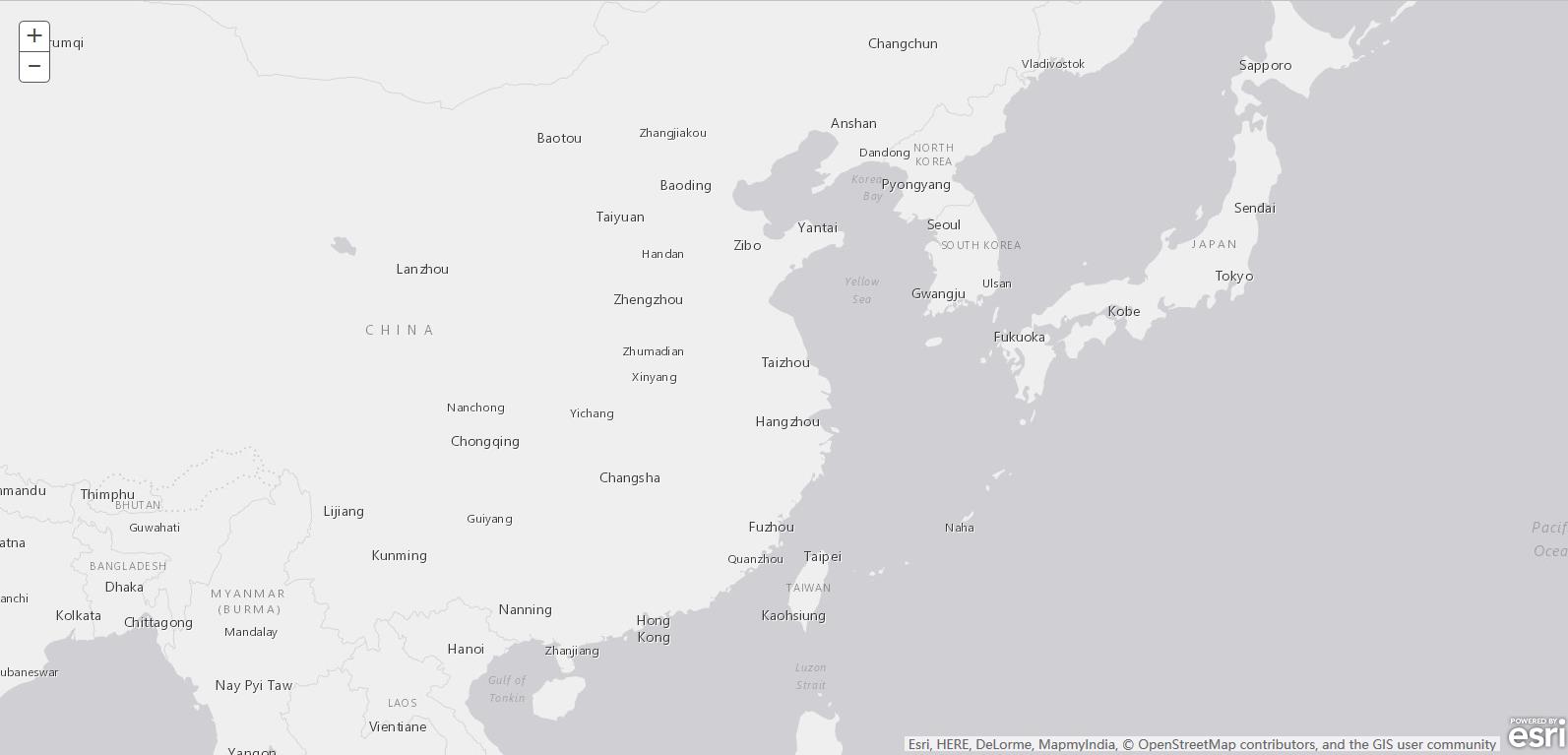 |
| hybrid |  |
| oceans |  |
| osm |  |
| satellite | 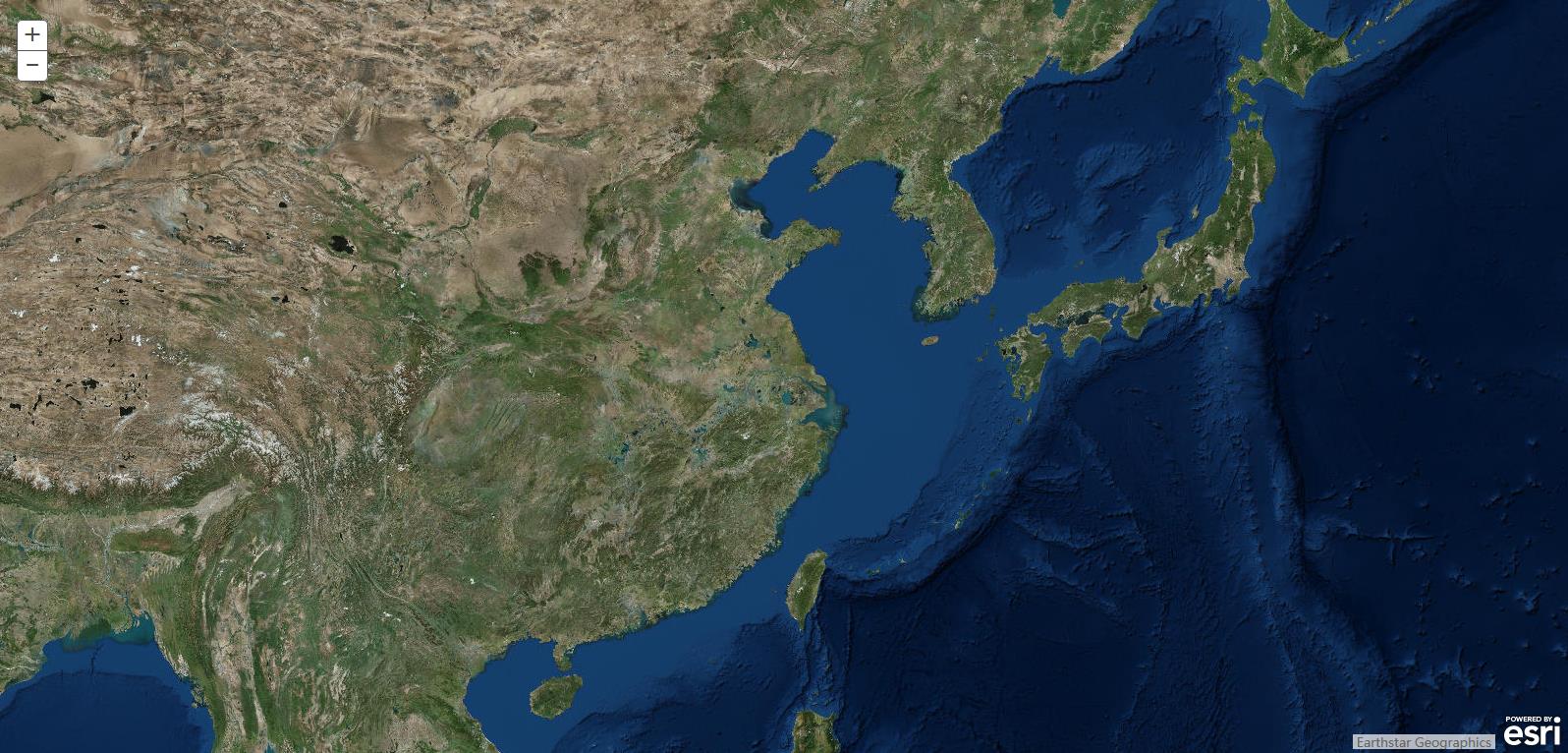 |
| streets | 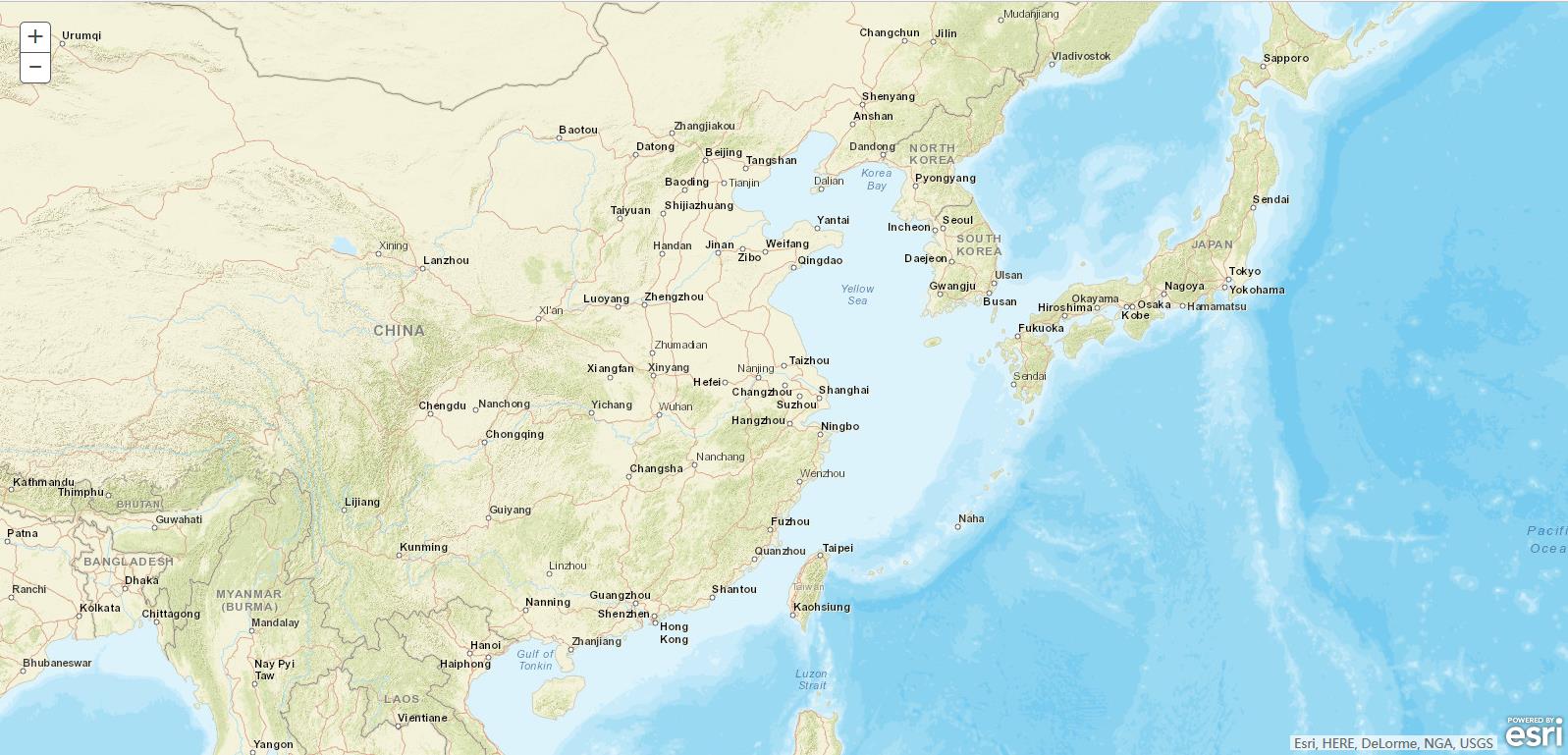 |
| topo | 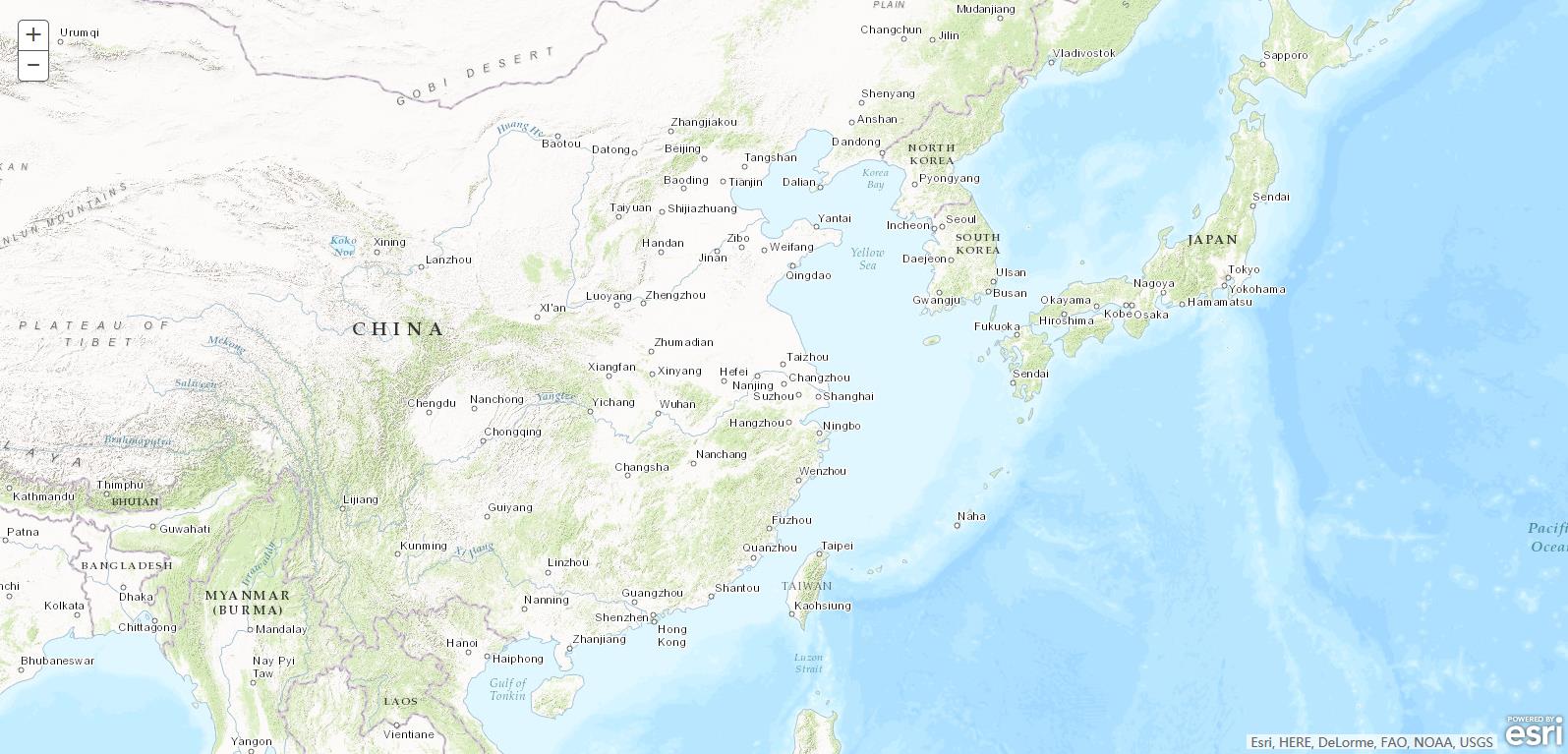 |
关于ArcGIS API for JavaScript中basemap的总结介绍(一)的更多相关文章
- ArcGIS API for JavaScript 中的数据类型【vs】GPServer的数据类型
熟悉GPServer的同学肯定知道,GPServer在10.1的ArcMap后需要执行成功一次才能发布. 发布GPServer,可以是ArcMap的工具箱的工具,也可以是自己写的模型. 不管是ArcM ...
- arcgis api for javascript中使用proxy.jsp
当我们使用arcgis api for javascript 查询arcgis服务时,如果查询的参数很长时,通过get方式提交会查询不到结果,因为get方式提交的参数有长度限制,需要通过代理的方式使用 ...
- ArcGIS API for javascript中搜索框的使用问题
我们在开发中常常需要用搜索框去搜索地图上的某个数据,然后在地图上显示出来.这个时候我们要用到esri.dijit.Search().在设置里面的sources的时候,需要注意一点:必须要使用在线的fe ...
- 本人arcgis api for javascript中常见错误总结
1. 2.对象不支持"replace"属性或方法 解决办法:一般在ie中执行js会报这样的错误,基本问题就是你引用了某个对象中不存在的方法,可能是这个方法本来存在而你写错了,或者调 ...
- ArcGIS API for JavaScript开发环境搭建与发布以及基本功能实现
1.背景介绍 ArcGIS API for JavaScript 咱这就不介绍了,具体可看ESRI中国的介绍:http://support.esrichina.com.cn/2011/0223/960 ...
- ArcGIS API for JavaScript Bookmarks(书签)
说明:本篇博文介绍的是ArcGIS API for JavaScript中的 Bookmarks(书签) ,书签的作用是,把地图放大到一个地方 添加书签,书签名称可以和地图名称一直,单击标签 地图会定 ...
- arcgis api for javascript 学习(四) 地图的基本操作
1.文章讲解的为地图的平移.放大.缩小.前视图.后视图以及全景视图的基本功能操作 2.主要用到的是arcgis api for javascript中Navigation的用法,代码如下: <! ...
- ArcGIS API for JavaScript介绍
ArcGIS API for JavaScript中的类是按照模块组织的,主要包含esri.esri/geometry.esri/renderers.esri/symbols.esri/symbols ...
- ArcGIS API for JavaScript:Layer之间那点儿事
先来看一个模型: |–TiledMapServiceLayer | |–ArcGISTiledMapServiceLayer |–DynamicLayer | |–Dyn ...
随机推荐
- VS2013常用快捷键你敢不会?
F1 帮助文档 F5 运行 F12 跳转到定义 F11 单步调试 Shift+F5 停止调试 Ctrl+滚轮 放大缩小当前视图 Ctrl+L 删除当前行 Ctrl+K,Ctrl+C 注释选中代码 Ct ...
- OpenCASCADE Hidden Line Removal
OpenCASCADE Hidden Line Removal eryar@163.com Abstract. To provide the precision required in industr ...
- 操作系统页面置换算法(opt,lru,fifo,clock)实现
选择调出页面的算法就称为页面置换算法.好的页面置换算法应有较低的页面更换频率,也就是说,应将以后不会再访问或者以后较长时间内不会再访问的页面先调出. 常见的置换算法有以下四种(以下来自操作系统课本). ...
- .Net 转战 Android 4.4 日常笔记(8)--常见事件响应及实现方式
在Andrioid开发中,常见的事件如下 单击事件 OnClickListener 长按事件 OnLongClickListener 滑动事件 OnTouchListenner 键盘事件 OnKeyL ...
- NFS Volume Provider(Part II) - 每天5分钟玩转 OpenStack(63)
上一节我们将 NFS volume provider 配置就绪,本节将创建 volume. 创建 volume 创建 NFS volume 操作方法与 LVM volume 一样,唯一区别是在 vol ...
- QuickContactBadge去掉三角
我们首先来分析一下QuickContactBadge源码 在QuickContactBadge构造函数中会给mOverlay赋值 private Drawable mOverlay; public Q ...
- iOS开发之SQLite--C语言接口规范(三)——Binding Values To Prepared Statements
在前面的博客中已经介绍了如何连接SQLite数据库,并且简单的查询和遍历结果集.在前面用到了sqlite3_stmt *stmt,也就是预编译后的SQL语句.在本篇博客中会了解一下sqlite3_st ...
- canvas的用法介绍
目录 概述 绘图方法 图像处理方法 drawImage方法 getImageData方法,putImageData方法 toDataURL方法 save方法,restore方法 动画 像素处理 灰度效 ...
- C# Excel 为图表添加趋势线、误差线
Excel图表能够将数据可视化,在图表中另行添加趋势线和误差线,可对数据进行进一步的数据分析和统计的可视化处理.Excel中的趋势线可用于趋势预测/回归分析,共6中类型:指数(X),线性(L),对数( ...
- ZOJ Problem Set - 1115 Digital Roots
水题记录: 注:此题题目并没有限定数值的大小,所以要用字符串进行处理 #include <stdio.h> #include <string.h> int main() { ] ...