
C# 推送到极光
https://docs.jiguang.cn/jpush/resources/
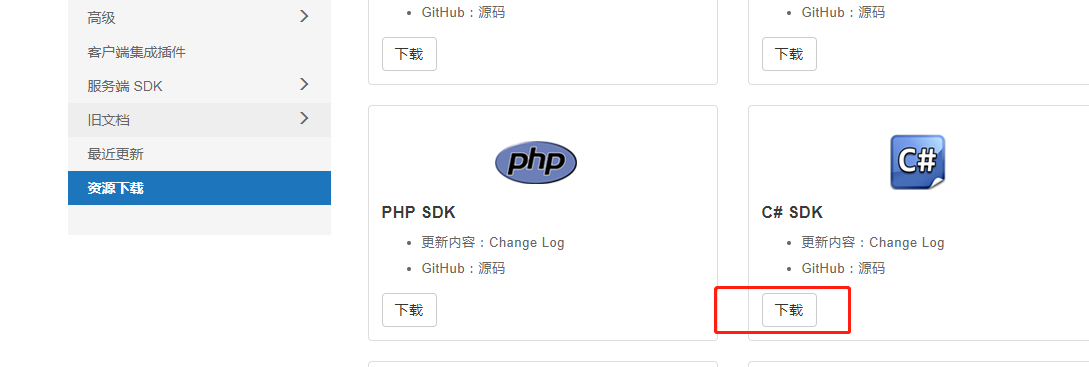
下载后有完整的例子
引用 Jiguang.JPush.dll
using System;

using Jiguang.JPush;

using Jiguang.JPush.Model;

using System.Collections.Generic;

namespace Example

{

    class Example

    {

        private static JPushClient client = new JPushClient("Your AppKey", "Your MasterSecret");

        public static void Main(string[] args)

        {

            ExecutePushExample();

            ExecuteDeviceEample();

            ExecuteReportExample();

            ExecuteScheduleExample();

            Console.ReadLine();

        }

        private static void ExecutePushExample()

        {

            PushPayload pushPayload = new PushPayload()

            {

                Platform = new List<string> { "android", "ios" },

                Audience = "all",

                Notification = new Notification

                {

                    Alert = "hello jpush",

                    Android = new Android

                    {

                        Alert = "android alert",

                        Title = "title"

                    },

                    IOS = new IOS

                    {

                        Alert = "ios alert",

                        Badge = "+1"

                    }

                },

                Message = new Message

                {

                    Title = "message title",

                    Content = "message content",

                    Extras = new Dictionary<string, string>

                    {

                        ["key1"] = "value1"

                    }

                },

                Options = new Options

                {

                    IsApnsProduction = true // 设置 iOS 推送生产环境。不设置默认为开发环境。

                }

            };

            var response = client.SendPush(pushPayload);

            Console.WriteLine(response.Content);

        }

        private static void ExecuteDeviceEample()

        {

            var registrationId = "";

            var devicePayload = new DevicePayload

            {

                Alias = "alias1",

                Mobile = "",

                Tags = new Dictionary<string, object>

                {

                    { "add", new List<string>() { "tag1", "tag2" } },

                    { "remove", new List<string>() { "tag3", "tag4" } }

                }

            };

            var response = client.Device.UpdateDeviceInfo(registrationId, devicePayload);

            Console.WriteLine(response.Content);

        }

        private static void ExecuteReportExample()

        {

            var response = client.Report.GetMessageReport(new List<string> { "" });

            Console.WriteLine(response.Content);

        }

        private static void ExecuteScheduleExample()

        {

            var pushPayload = new PushPayload

            {

                Platform = "all",

                Notification = new Notification

                {

                    Alert = "Hello JPush"

                }

            };

            var trigger = new Trigger

            {

                StartDate = "2017-08-03 12:00:00",

                EndDate = "2017-12-30 12:00:00",

                TriggerTime = "12:00:00",

                TimeUnit = "week",

                Frequency = ,

                TimeList = new List<string>

                {

                    "wed", "fri"

                }

            };

            var response = client.Schedule.CreatePeriodicalScheduleTask("task1", pushPayload, trigger);

            Console.WriteLine(response.Content);

        }

    }

}
C# 推送到极光的更多相关文章
- android推送,极光推送
android中简单易用的消息推送方式之中的一个 -------> 极光推送 首先来介绍一下极光推送. 极光推送:英文简称 JPush,是一个面向普通开发人员免费.开放的第三方消息推送服务,我们 ...
- Android开发之第三方推送JPush极光推送知识点详解 学会集成第三方SDK推送
作者:程序员小冰,CSDN博客:http://blog.csdn.net/qq_21376985 下面是一些知识点介绍,后期将会带领大家进行代码实战: 一.Android实现推送方式解决方案: 1.推 ...
- APP的消息推送(极光推送)
APP的消息推送,使用的第三方平台是极光推送 简单案例(以Thinkphp为例): 1.下载下载PHPSDK 2.把PHPSDK目录下的jpush-api-php-client-3.5.1\src\J ...
- Android消息推送——JPush极光推送
刚看了一篇关于Android消息推送评测总结的博客http://www.cnblogs.com/logan/p/4514635.html: 自己也对原学过的JPush极光进行一下小结,方便后续工作使用 ...
- iOS第三方推送-极光推送
@import url(http://i.cnblogs.com/Load.ashx?type=style&file=SyntaxHighlighter.css);@import url(/c ...
- iOS推送功能极光推送的介绍与实现
1.个人整理操作流程 2.官方使用说明流程 2018iOS极光推送完整流程 极光推送官网
- xamarin.android 消息推送功能--极光推送
最近在使用xamarin.android的消息推送功能,官方使用的例子是FCM方式,按照官方文档,使用FQ软件是可以成功的,但是在国内由于众所周知的原因,在国内服务并不能使用,于是查找国内各自推送平台 ...
- 【android极光推送】—从客户端到后台,一文通吃
sion android:name="android.permission.VIBRATE" /> <uses-permission android:name=&quo ...
- 极光推送-Java后台实现方式一:Http API
Java后台实现极光推送有两种方式,一种是使用极光推送官方提供的推送请求API:https://api.jpush.cn/v3/push,另一种则是使用官方提供的第三方Java APIjar包,这里先 ...
随机推荐
- 阿里C++研发实习二面和三面面经
下午连着面了阿里爸爸的二面和三面,非常不明白别人的三面都是hr了,为什么我还是在技术面,难道面了个假阿里.不管怎么样,来篇面经攒攒人品. 二面 第一次遇到这么严肃的面试官,居然可以全程无表情的,面了这 ...
- 老生常谈-Activity(山东数漫江湖)
对于activity的七个声生命周期回调,总是被大家翻来覆去的说,甚至说的都有些厌烦了,这部分知识虽然基础但也很重要,谁都不想在面试的时候只说出个一知半解,下面的分析是对阅读<安卓开发艺术探索& ...
- 爬虫--requests讲解
什么是requests? Requests是用Python语言编写,基于urllib,采用Apache2 Licensed 开源协议的HTTP库.它比urllib更加方便,可以节约我们大量的工作,完全 ...
- .Net MVC4 上传大文件,并保存表单
1. 前台 cshtml </pre><pre name="code" class="csharp">@model BLL.BLL.Pr ...
- 【DataScience学习笔记】Coursera课程《数据科学家的工具箱》 约翰霍普金斯大学——Week3 Conceptual Issues课堂笔记
Coursera课程<数据科学家的工具箱> 约翰霍普金斯大学 Week3 Conceptual Issues Types of Questions Types of Data Scienc ...
- 【Matlab】使用Matlab运行Windows命令
可以使用Matlab的一些命令来帮助程序运行.比如说 ! calc % 打开计算器 ! mspaint % 打开画图 dos calc % 打开计算器 比如一个程序要运行很长时间,而我们又不能一直守在 ...
- [Leetcode Week13]Search a 2D Matrix
Search a 2D Matrix 题解 原创文章,拒绝转载 题目来源:https://leetcode.com/problems/search-a-2d-matrix/description/ D ...
- 2015多校第6场 HDU 5360 Hiking 贪心,优先队列
题目链接:http://acm.hdu.edu.cn/showproblem.php?pid=5360 题意:给定n个人,现在要邀请这些人去远足,但每个人同意邀请的条件是当前已经同意去远足的人数c必须 ...
- C 封装一个通用链表 和 一个简单字符串开发库
引言 这里需要分享的是一个 简单字符串库和 链表的基库,代码也许用到特定技巧.有时候回想一下, 如果我读书的时候有人告诉我这些关于C开发的积淀, 那么会走的多直啊.刚参加工作的时候做桌面开发, 服务是 ...
- 网站服务器压力Web性能测试(3):http_load:测试web服务器的吞吐量与负载
1.http_load是国外一个博主写的一个基于Linux的性能测工具,小巧轻便,解压缩后不到100k,下载安装方法: wget https://acme.com/software/http_load ...