
Dom关于位置和尺寸的api
parentNode 直接父级//和offsetParent不同
inner2.parentNode
<!DOCTYPE html>

<html id="html">

    <head>

        <meta charset="UTF-8">

        <title></title>

        <style type="text/css">

            #inner2{

                position: absolute;

            }

            #wrap{

                position: relative;

            }

        </style>

    </head>

    <body id="body">

        <div id="wrap">wrap

            <div id="inner1">inner1

                <div id="inner2">inner2</div>

            </div>

        </div>

    </body>

    <script type="text/javascript">

        //hmtl css js

        window.onload=function(){

            //parentNode 直接父级

            var inner2 = document.querySelector("#inner2");

            console.log(inner2.parentNode.id);

        }

    </script>

</html>
offsetParent
a.有点类型于css中包含块(css中的概念)的概念
b.offsetLeft 和 offsetTop都是参照于offsetParent的内边距边界
c.规则(html和body之间的margin被清除)
本身定位为fiexd,不管你父级有没有定位
存在兼容性问题
火狐的offsetParent --> body
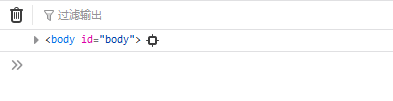
非火狐offsetParent --> null

<!DOCTYPE html>

<html id="html">

    <head>

        <meta charset="UTF-8">

        <title></title>

        <style type="text/css">

            #wrap{position: absolute;}

            #inner1{position: fixed;}

            #inner2{position: relative;}

            #inner3{position: fixed;}

        </style>

    </head>

    <body id="body">

        <div id="wrap">wrap

            <div id="inner1">inner1

                <div id="inner2">inner2

                    <div id="inner3"></div>

                </div>

            </div>

        </div>

    </body>

    <script type="text/javascript">

        /*

        ev||event

        鼠标滚轮

        事件绑定

        offsetParent

            1.父级是否有定位(4种)

            2.本身是否有定位(4种)

            3.浏览器不一样(5大pc浏览器+老祖宗(ie 6 7 8))

            4*4*8 = 128

            本身定位为fixed

                    ==> offsetParent:null(不是火狐)

                    ==> offsetParent:body(火狐)

            本身定位不为fixed

                    父级没有定位

                        ==> offsetParent:body

                    父级有定位

                        ==> offsetParent:定位父级

        */

        window.onload=function(){

            console.log(inner3.offsetParent)

        }

    </script>

</html>
测试代码
非fixed
父级没有定位
offsetParent --> body
父级有定位
offsetParent --> 定位父级
fixed 不管你有没有定位都根据body
    <meta charset="UTF-8">

        <title></title>

        <style type="text/css">

            #wrap{position: absolute;}

            #inner1{position: fixed;}

            #inner2{position: relative;}

            #inner3{position: fixed;}

        </style>

    </head>

    <body id="body">

        <div id="wrap">wrap

            <div id="inner1">inner1

                <div id="inner2">inner2

                    <div id="inner3"></div>

                </div>

            </div>

        </div>

    </body>

    <script type="text/javascript">

        /*

        ev||event

        鼠标滚轮

        事件绑定

        offsetParent

            1.父级是否有定位(4种)

            2.本身是否有定位(4种)

            3.浏览器不一样(5大pc浏览器+老祖宗(ie 6 7 8))

            4*4*8 = 128

            本身定位为fixed

                    ==> offsetParent:null(不是火狐)

                    ==> offsetParent:body(火狐)

            本身定位不为fixed

                    父级没有定位

                        ==> offsetParent:body

                    父级有定位

                        ==> offsetParent:定位父级

        */

        window.onload=function(){

            console.log(inner3.offsetParent)

        }

    </script>

</html>
<!DOCTYPE html>

<html id="html">

    <head>

        <meta charset="UTF-8">

        <title></title>

        <style type="text/css">

            html,body{

                height: %;

                overflow: hidden;

            }

            #wrap{position: absolute;background: pink;left: 100px;top: 50px;}

            #inner1{position: fixed;background: deeppink;left: 50px;top: 150px;}

            #inner2{position: relative;background: hotpink;left: 80px;top: 70px;}

            #inner3{position: fixed;background: yellow;left: 60px;top: 30px;}

            div{

                width: 200px;

                height: 200px;

                padding: 50px;

                border: 10px solid;

            }

        </style>

    </head>

    <body id="body">

        <div id="wrap">wrap

            <div id="inner1">inner1

                <div id="inner2">inner2

                    <div id="inner3">inner3</div>

                </div>

            </div>

        </div>

    </body>

    <script type="text/javascript">

        /*

         *

        ev||event

        鼠标滚轮

        事件绑定

        offsetParent

            1.父级是否有定位(4种)

            2.本身是否有定位(4种)

            3.浏览器不一样(5大pc浏览器+老祖宗(ie 6 7 8))

            4*4*8 = 128

            本身定位为fixed

                    ==> offsetParent:null(不是火狐)

                            offsetTop和offsetLeft也是参照于body的

                    ==> offsetParent:body(火狐)

            本身定位不为fixed

                    父级没有定位

                        ==> offsetParent:body

                    父级有定位

                        ==> offsetParent:定位父级

        */

        window.onload=function(){

            console.log(inner3.offsetTop,inner3.offsetLeft)

        }

    </script>

</html>
Dom关于位置和尺寸的api的更多相关文章
- 获取DOM元素位置和尺寸大小
JavaScript获取DOM元素位置和尺寸大小 在一些复杂的页面中经常会用JavaScript处理一些DOM元素的动态效果,这种时候我们经常会用到一些元素位置和尺寸的计算,浏览器兼容性问题也是不可忽 ...
- JavaScript获取DOM元素位置和尺寸大小
在一些复杂的页面中经常会用JavaScript处理一些DOM元素的动态效果,这种时候我们经常会用到一些元素位置和尺寸的计算,浏览器兼容性问题也是不可忽略的一部分,要想写出预想效果的JavaScri ...
- JS中关于位置和尺寸的api
HTMLElement.offsetParent 由于offsetTop 和 offsetLeft 都是相对于 offsetParent 内边距边界的,故offsetParent的意义十分重大.off ...
- DOM元素的位置、尺寸及更多的信息
一.基本概念 document.documentElement是整个DOM树的根节点,对应的元素就是html.下面将其称作根元素或根节点. document.body,对应的元素是body 二.浏览器 ...
- Windows 系统上用 .NET/C# 查找所有窗口,并获得窗口的标题、位置、尺寸、最小化、可见性等各种状态
原文:Windows 系统上用 .NET/C# 查找所有窗口,并获得窗口的标题.位置.尺寸.最小化.可见性等各种状态 在 Windows 应用开发中,如果需要操作其他的窗口,那么可以使用 EnumWi ...
- IOS中调整UI控件位置和尺寸
1.frame(修改位置和尺寸):以父控件左上角为坐标原点,在其父控件中的位置和尺寸. //frame属性中的坐标点不能直接修改 CGRect tempFrame = self.v.frame; // ...
- jQuery 学习笔记(4)(文本值相关方法、操控CSS方法、位置和尺寸方法)
1.文本值相关方法 .html() == .innerHTML $("div").html("<span> ...</span>") / ...
- jacascript DOM节点——节点获取与选择器API
前言:这是笔者学习之后自己的理解与整理.如果有错误或者疑问的地方,请大家指正,我会持续更新! DOM 操作必须等待 HTML 加载完毕之后,才可以获取节点:有两种方法: 把 script 标签放到代码 ...
- 根据经纬度获取位置描述:百度API与高德API的区别
百度API 使用百度坐标 1.访问方式一 http://api.map.baidu.com/geocoder/v2/?location=35.063592,118.38513&output=j ...
随机推荐
- Django(十四)课程机构列表页数据展示,Django的modelform,关于urls的重新分发
关于urls的重新分发: 如果所有url都配置在根路径的urls.py里,会特别多,而且也不易于修改,Django框架里支持urls的重新分发: 1.在根路径的urls配置上: PS:namespac ...
- WAMP中的mysql设置密码(默认密码为空)及phpmyadmin的配置
来自: http://wenku.baidu.com/link?url=J4K28e1kt-_ykJLsOtS1b5T6hKj5IzL5hXSKIiB133AvPCUXLlxGKScsBsxi0mA ...
- javascript基础入门之js中的结构分支与循环语句
javascript基础入门之js中的结构分支与循环语句 程序的结构①顺序结构:自上而下:②选择(分支)结构:多条路径,根据不同的条件,只执行其中一个:③循环结构:重复某些代码④配合特定的语句实现选择 ...
- (Struts2学习系列五)Struts2默认action
当我们访问项目下一个不存在的Action的时候,页面就会报错,404找不到资源,这样对用户来说是非常不友好的,所以我们设置一个默认的Action,当找不到对应Action的时候,就会跳转到默认Acti ...
- 2019-10-15-从以前的项目格式迁移到-VS2017-新项目格式
title author date CreateTime categories 从以前的项目格式迁移到 VS2017 新项目格式 lindexi 2019-10-15 14:9:27 +0800 20 ...
- Unicode - 16 位统一超级字符集
描述 (DESCRIPTION) 国际标准 ISO 10646 定义了 通用字符集 (Universal Character Set, UCS). UCS 包含所有别的字符集标准里的字符,并且保证了 ...
- windows 修改远程登录端口号
运行regedit.exe打开注册表编辑器,即在cmd的dos窗口输入regedit命令 找到如下注册表子项: HKEY_LOCAL_MACHINE\System\CurrentControlSet\ ...
- Aria2 Centos8 安装配置
使用chkconfig 或者 chkconfig –list就可以看出当前系统已经设置的各个服务在各个运行级别下的开闭状态.如果我们想设置某个服务自启动或者关闭的话,那么只需要按照下面的格式使用即可 ...
- [模板]PAM
模板\([luogu5496]\) 题目 #include<bits/stdc++.h> using namespace std; const int N = 5e5 + 10; char ...
- 原生js如何获取某一元素的高度
三种方法: 1.document.getElementById("id").style.height,这种方法的前提是必须之前已经显示的在css中声明过height,才能取得正确的 ...