
安卓开发_浅谈Android动画(二)
在学习了四个基本动画之后,现在要学习一些更有用的效果
先给出所有的动画xml
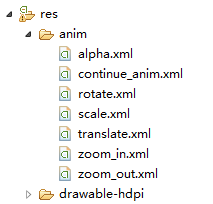
 <?xml version="1.0" encoding="utf-8"?>

 <set xmlns:android="http://schemas.android.com/apk/res/android" >

     <alpha

         android:duration=""

         android:fromAlpha="0.1"

         android:toAlpha="1.0" >

     </alpha>

 </set>
alpha.xml 透明动画
 <?xml version="1.0" encoding="utf-8"?>

 <set xmlns:android="http://schemas.android.com/apk/res/android" >

     <rotate

         android:duration=""

         android:fromDegrees=""

         android:interpolator="@android:anim/accelerate_decelerate_interpolator"

         android:pivotX="50%"

         android:pivotY="50%"

         android:toDegrees="+360" />

 </set>
rotate.xml旋转动画
 <?xml version="1.0" encoding="utf-8"?>

 <set xmlns:android="http://schemas.android.com/apk/res/android" >

     <scale

         android:duration=""

         android:fillAfter="false"

         android:fromXScale="0.0"

         android:fromYScale="0.0"

         android:interpolator="@android:anim/accelerate_decelerate_interpolator"

         android:pivotX="50%"

         android:pivotY="50%"

         android:toXScale="1.0"

         android:toYScale="1.0" />

 </set>
scale.xml缩放动画
 <?xml version="1.0" encoding="utf-8"?>

 <set xmlns:android="http://schemas.android.com/apk/res/android" >

     <translate

         android:duration=""

         android:fromXDelta=""

         android:fromYDelta=""

         android:toXDelta=""

         android:toYDelta="" />

 </set>
translate.xml位移动画
 <?xml version="1.0" encoding="utf-8"?>

 <set xmlns:android="http://schemas.android.com/apk/res/android"

     android:interpolator="@android:anim/decelerate_interpolator" >

   <scale

         android:duration=""

         android:fromXScale="0.1"

         android:fromYScale="0.1"

         android:pivotX="50%"

         android:pivotY="50%"

         android:toXScale="1.0"

         android:toYScale="1.0" />

   <alpha

         android:duration=""

         android:fromAlpha=""

         android:toAlpha="1.0" />

 </set>
zoom_in.xml //activty进入动画
 <?xml version="1.0" encoding="utf-8"?>

 <set xmlns:android="http://schemas.android.com/apk/res/android"

     android:interpolator="@android:anim/decelerate_interpolator"

     android:zAdjustment="top" >

     <scale

         android:duration="@android:integer/config_mediumAnimTime"

         android:fromXScale="1.0"

         android:fromYScale="1.0"

         android:pivotX="50%p"

         android:pivotY="50%p"

         android:toXScale="0.1"

         android:toYScale="0.1" />

     <alpha

         android:duration="@android:integer/config_mediumAnimTime"

         android:fromAlpha="1.0"

         android:toAlpha="" />

 </set>
zoom_out.xml//activity退出动画
 <?xml version="1.0" encoding="utf-8"?>

 <set xmlns:android="http://schemas.android.com/apk/res/android" >

     <alpha

         android:duration=""

         android:fromAlpha="0.2"

         android:toAlpha="1.0" />

     <alpha

         android:duration=""

         android:fromAlpha="1.0"

         android:startOffset=""

         android:toAlpha="0.2" />

 </set>
continue_anim.xml //连续动画
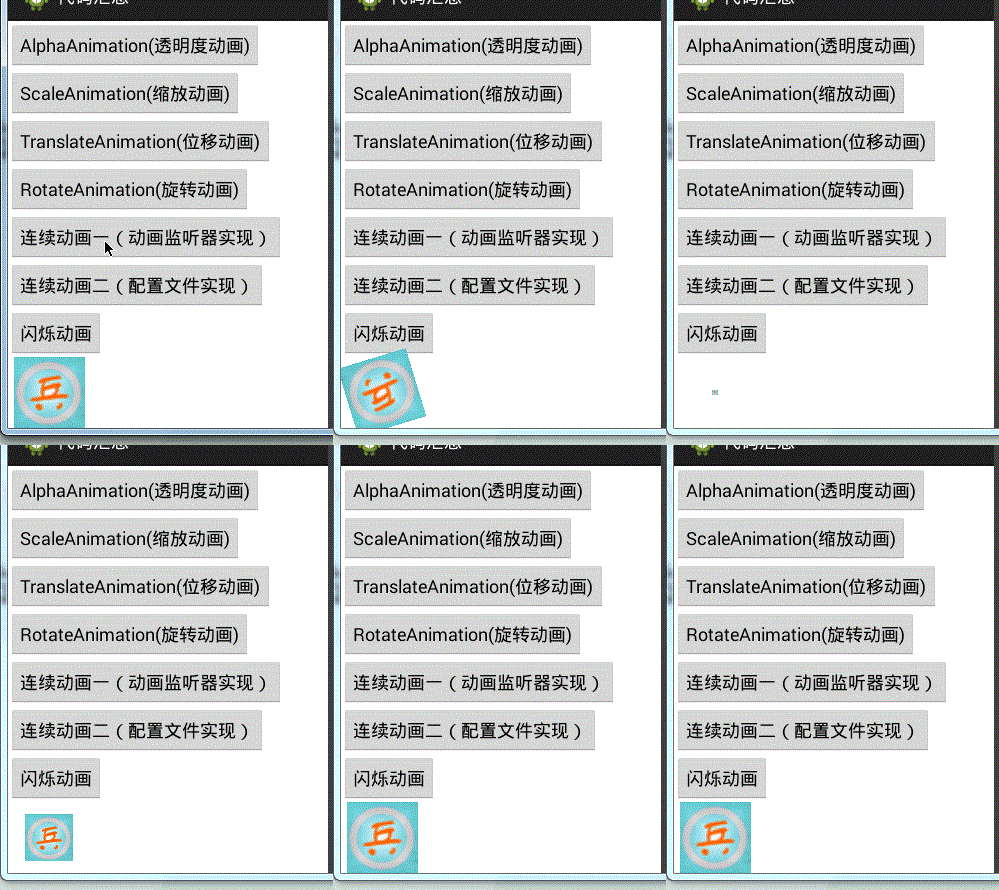
1、连续动画(动画监听器实现)
 Animation loadAnimation = AnimationUtils.loadAnimation(this, R.anim.rotate);//先旋转

             donghua_image.startAnimation(loadAnimation);

             final Animation loadAnimation_2 = AnimationUtils.loadAnimation(this, R.anim.scale);//后缩放

             //动画监听器

             loadAnimation.setAnimationListener(new AnimationListener() {

                 @Override

                 public void onAnimationStart(Animation arg0) {

                     // TODO Auto-generated method stub

                 }

                 @Override

                 public void onAnimationRepeat(Animation arg0) {

                     // TODO Auto-generated method stub

                 }

                 //结束后的操作

                 @Override

                 public void onAnimationEnd(Animation arg0) {

                     // TODO Auto-generated method stub

                     donghua_image.startAnimation(loadAnimation_2);

                 }

             });
效果图:
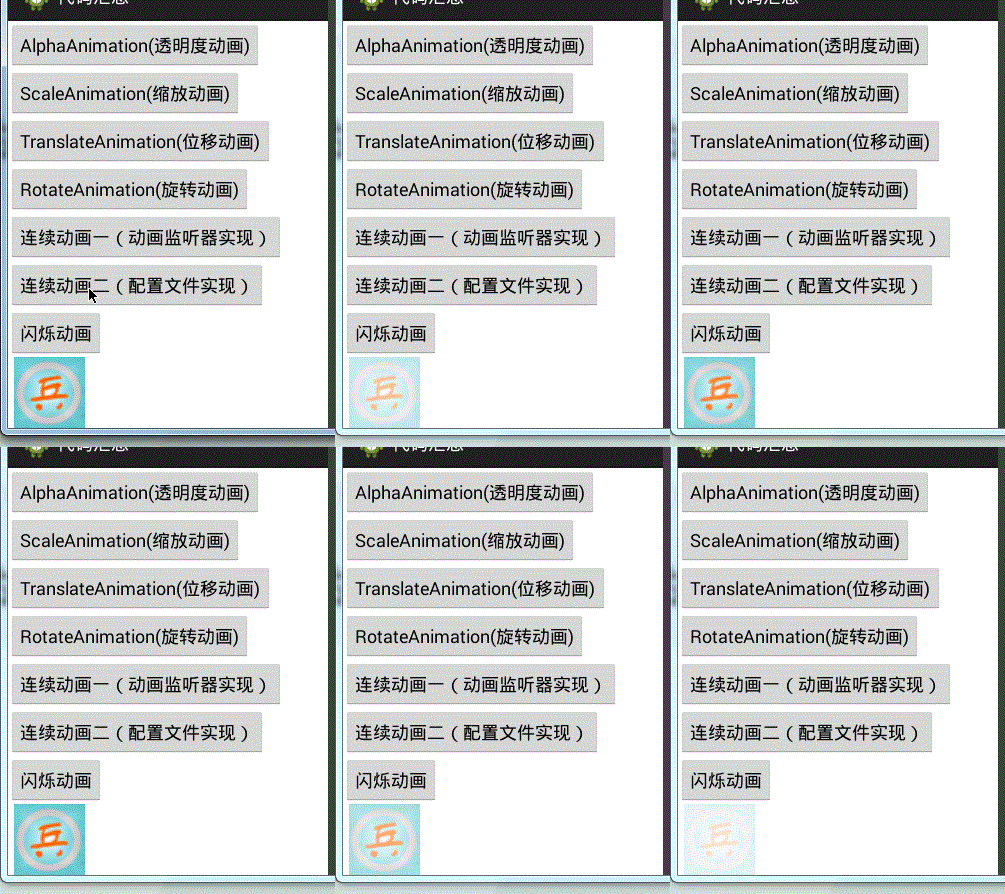
2、连续动画(配置文件实现)
 loadAnimation = AnimationUtils.loadAnimation(this, R.anim.continue_anim);

             donghua_image.startAnimation(loadAnimation);
对应的配置文件
 <?xml version="1.0" encoding="utf-8"?>

 <set xmlns:android="http://schemas.android.com/apk/res/android" >

     <alpha    //先20%透明到100%透明,持续三秒

         android:duration=""

         android:fromAlpha="0.2"

         android:toAlpha="1.0" />

     <alpha     //后100%透明到20%透明,持续三秒,从3秒后开始实现,即第一个动画实现完成后再实现

         android:duration=""

         android:fromAlpha="1.0"

         android:startOffset=""

         android:toAlpha="0.2" />

 </set>
效果图:
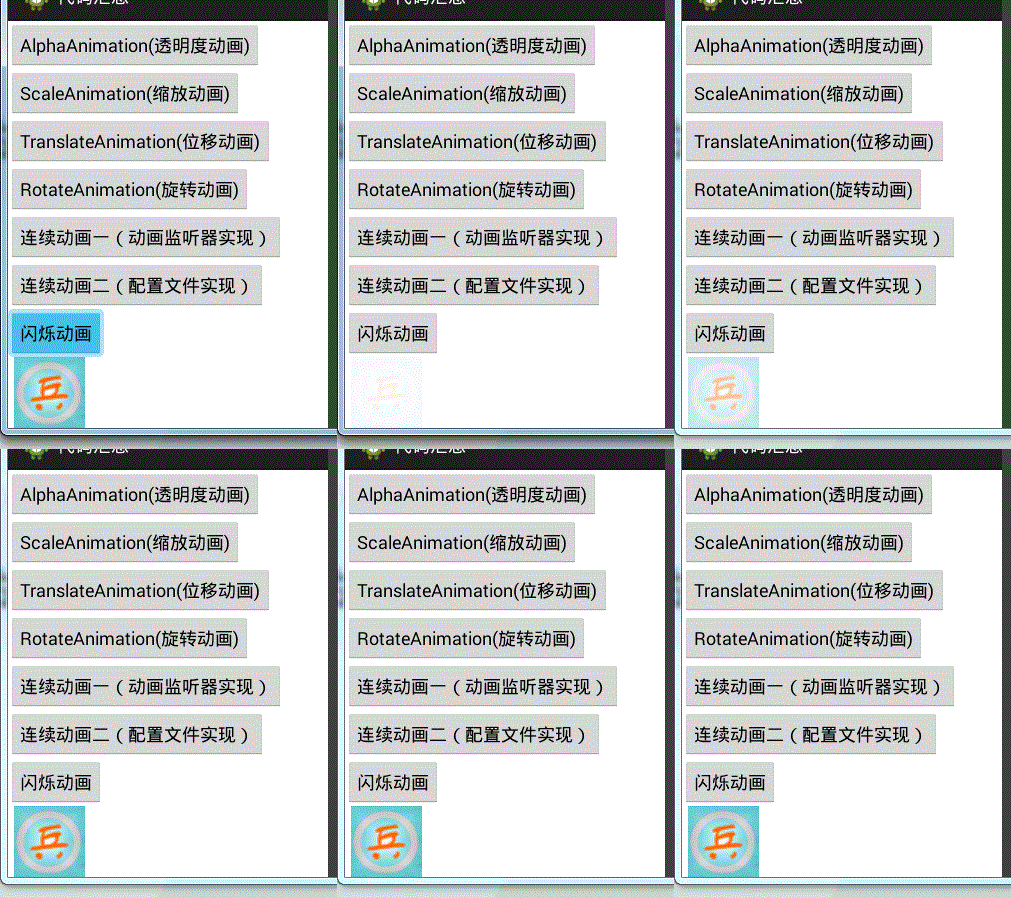
3、闪烁动画效果
       //循环播放透明度动画实现闪烁效果

             //JAVA代码实现

             AlphaAnimation alpha = new AlphaAnimation(0.1f, 1.0f);

             alpha.setDuration();//每次0.1秒内执行完动画

             alpha.setRepeatCount(); //执行10次动画

             //重复方式。倒序Animation.REVERSE,正序Animation.START

             alpha.setRepeatMode(Animation.REVERSE);

             donghua_image.startAnimation(alpha);
效果图:
4、activity切换动画
使用overridePendingTransition方法
参数:第二个activity进入动画
第一个activity退出动画
在startActivity(intent);之后使用
效果图:

完整代码:
 package other;

 import com.example.allcode.ImageTest;

 import com.example.allcode.R;

 import android.app.Activity;

 import android.os.Bundle;

 import android.view.View;

 import android.view.View.OnClickListener;

 import android.view.animation.AlphaAnimation;

 import android.view.animation.Animation;

 import android.view.animation.Animation.AnimationListener;

 import android.view.animation.AnimationUtils;

 import android.widget.Button;

 import android.widget.ImageView;

 public class Donghua extends Activity implements OnClickListener{

     private Button toumingdu;

     private Button suofang;

     private Button weiyi;

     private Button xuanzhuan;

     private Button lianxu_1;

     private Button lianxu_2;

     private Button shanshuo;

     private ImageView donghua_image;

     private Animation loadAnimation;

     @Override

     protected void onCreate(Bundle savedInstanceState) {

         // TODO Auto-generated method stub

         super.onCreate(savedInstanceState);

         setContentView(R.layout.donghua);

         toumingdu = (Button) findViewById(R.id.donghua_touming);

         suofang = (Button) findViewById(R.id.donghua_suofang);

         weiyi= (Button) findViewById(R.id.donghua_weiyi);

         xuanzhuan= (Button) findViewById(R.id.donghua_xuanzhuan);

         lianxu_1= (Button) findViewById(R.id.donghua_lianxu_1);

         lianxu_2= (Button) findViewById(R.id.donghua_lianxu_2);

         shanshuo= (Button) findViewById(R.id.donghua_shanshuo);

         donghua_image = (ImageView) findViewById(R.id.donghua_image);

         toumingdu.setOnClickListener(this);

         donghua_image.setOnClickListener(this);

         suofang.setOnClickListener(this);

         weiyi.setOnClickListener(this);

         xuanzhuan.setOnClickListener(this);

         lianxu_1.setOnClickListener(this);

         lianxu_2.setOnClickListener(this);

         shanshuo.setOnClickListener(this);

     }

     @Override

     public void onClick(View v) {

         // TODO Auto-generated method stub

         switch (v.getId()) {

         case R.id.donghua_touming:

             loadAnimation = AnimationUtils.loadAnimation(this, R.anim.alpha);

             donghua_image.startAnimation(loadAnimation);

             break;

         case R.id.donghua_suofang:

             loadAnimation = AnimationUtils.loadAnimation(this, R.anim.scale);

             donghua_image.startAnimation(loadAnimation);

             break;

         case R.id.donghua_weiyi:

             loadAnimation = AnimationUtils.loadAnimation(this, R.anim.translate);

             donghua_image.startAnimation(loadAnimation);

             break;

         case R.id.donghua_xuanzhuan:

             loadAnimation = AnimationUtils.loadAnimation(this, R.anim.rotate);

             donghua_image.startAnimation(loadAnimation);

             break;

         case R.id.donghua_lianxu_1:

             loadAnimation = AnimationUtils.loadAnimation(this, R.anim.rotate);

             donghua_image.startAnimation(loadAnimation);

             final Animation loadAnimation_2 = AnimationUtils.loadAnimation(this, R.anim.scale);

             //动画监听器

             loadAnimation.setAnimationListener(new AnimationListener() {

                 @Override

                 public void onAnimationStart(Animation arg0) {

                     // TODO Auto-generated method stub

                 }

                 @Override

                 public void onAnimationRepeat(Animation arg0) {

                     // TODO Auto-generated method stub

                 }

                 //结束后的操作

                 @Override

                 public void onAnimationEnd(Animation arg0) {

                     // TODO Auto-generated method stub

                     donghua_image.startAnimation(loadAnimation_2);

                 }

             });

             break;

         case R.id.donghua_lianxu_2:

             loadAnimation = AnimationUtils.loadAnimation(this, R.anim.continue_anim);

             donghua_image.startAnimation(loadAnimation);

             break;

         case R.id.donghua_shanshuo:

             //循环播放透明度动画实现闪烁效果

             //JAVA代码实现

             AlphaAnimation alpha = new AlphaAnimation(0.1f, 1.0f);

             alpha.setDuration();//每次0.1秒内执行完动画

             alpha.setRepeatCount(); //执行10次动画

             //重复方式。倒序Animation.REVERSE,正序Animation.START

             alpha.setRepeatMode(Animation.REVERSE);

             donghua_image.startAnimation(alpha);

             break;

         default:

             break;

         }

     }

 }
Donghua.java
 <?xml version="1.0" encoding="utf-8"?>

 <LinearLayout xmlns:android="http://schemas.android.com/apk/res/android"

     android:layout_width="match_parent"

     android:layout_height="match_parent"

     android:orientation="vertical" >

     <Button

         android:id="@+id/donghua_touming"

         android:layout_width="wrap_content"

         android:layout_height="wrap_content"

         android:text="AlphaAnimation(透明度动画)" />

     <Button

         android:id="@+id/donghua_suofang"

         android:layout_width="wrap_content"

         android:layout_height="wrap_content"

         android:text="ScaleAnimation(缩放动画)" />

     <Button

         android:id="@+id/donghua_weiyi"

         android:layout_width="wrap_content"

         android:layout_height="wrap_content"

         android:text="TranslateAnimation(位移动画)" />

     <Button

         android:id="@+id/donghua_xuanzhuan"

         android:layout_width="wrap_content"

         android:layout_height="wrap_content"

         android:text="RotateAnimation(旋转动画)" />

     <Button

         android:id="@+id/donghua_lianxu_1"

         android:layout_width="wrap_content"

         android:layout_height="wrap_content"

         android:text="连续动画一(动画监听器实现)" />

     <Button

         android:id="@+id/donghua_lianxu_2"

         android:layout_width="wrap_content"

         android:layout_height="wrap_content"

         android:text="连续动画二(配置文件实现)" />

     <Button

         android:id="@+id/donghua_shanshuo"

         android:layout_width="wrap_content"

         android:layout_height="wrap_content"

         android:text="闪烁动画" />

     <ImageView

         android:id="@+id/donghua_image"

         android:layout_width="82dp"

         android:layout_height="wrap_content"

         android:layout_weight="0.16"

         android:src="@drawable/icon_72" />

 </LinearLayout>
donghua.xml
安卓开发_浅谈Android动画(二)的更多相关文章
- 安卓开发_浅谈Android动画(四)
Property动画 概念:属性动画,即通过改变对象属性的动画. 特点:属性动画真正改变了一个UI控件,包括其事件触发焦点的位置 一.重要的动画类及属性值: 1. ValueAnimator 基本属 ...
- 安卓开发_浅谈Android动画(三)
一.LayoutAnimation布局动画 用于为一个layout里面的控件,或者是一个ViewGroup里面的控件设置动画效果 在res-anim文件下新建一个动画xml文件 <?xml ve ...
- 安卓开发_浅谈Android动画(一)
动画效果,针对图片实现 现在学习四种基本的简单动画效果 一.Tween Animation共同属性 1.Duration:动画持续时间(毫秒单位) 2.fillAfter:设置为true,动画转化在动 ...
- 安卓开发_浅谈ListView(SimpleAdapter数组适配器)
安卓开发_浅谈ListView(ArrayAdapter数组适配器) 学习使用ListView组件和SimapleAdapter适配器实现一个带图标的ListView列表 总共3部分 一.MainAc ...
- 安卓开发_浅谈ListView(自定义适配器)
ListView作为一个实际开发中使用率非常高的视图,一般的系统自带的适配器都无法满足开发中的需求,这时候就需要开发人员来自定义适配器使得ListView能够有一个不错的显示效果 有这样一个Demo ...
- 安卓开发_浅谈Fragment之ListFragment
ListFragment,即Fragment的一个子类,当我们用的一个Fragment只需要一个listview视图的时候使用 该类有几个特点: 1.ListFragment 本身具只有一个ListV ...
- 安卓开发_浅谈OptionsMenus(选项菜单)
Android平台下所提供的菜单大体上可分为三类:选项菜单.上下文菜单和子菜单. 当Activity在前台运行时,如果用户按下手机上的Menu键,此时就会在屏幕低端弹出相应的选项菜单.但这个功能需要开 ...
- 安卓开发_浅谈AsyncTask
现在就来学习一下AsyncTask. 一.先介绍一下AsyncTask: 在开发Android移动客户端的时候往往要使用多线程来进行操作,我们通常会将耗时的操作放在单独的线程执行,避免其占用主线程而给 ...
- 安卓开发_浅谈ListView(ArrayAdapter数组适配器)
列表视图(ListView)以垂直的形式列出需要显示的列表项. 实现过程:新建适配器->添加数据源到适配器->视图加载适配器 在安卓中,有两种方法可以在屏幕中添加列表视图 1.直接用Lis ...
随机推荐
- window xp Apache与Tomcat集群配置--转载
转载地址:http://www.cnblogs.com/obullxl/archive/2011/06/09/apache-tomcat-cluster-config.html 一. 环境说明 Win ...
- 读Avoiding the Disk Bottleneck in the Data Domain Deduplication File System
最近在思考和实践怎样应用重复数据删除技术到云存储服务中.找了些论文来读,其中<Avoiding the Disk Bottleneck in the Data Domain Deduplicat ...
- .NET C# 使用S22.Imap.dll接收邮件 并且指定收取的文件夹的未读邮件,并且更改未读准态
string host = Conf.ConfigInfo.POP_Host; int port = Conf.ConfigInfo.POP_Port; string username =Conf.C ...
- 想要愉快入住酒店?缺了它还真不行!(含PPT)
编者注:别想歪了!我们说的是“机器学习”~ 在携程技术中心推出的线上公开课程[携程技术微分享]上,来自携程酒店研发的BI经理潘鹏举,介绍了如何借助大数据和算法,通过机器学习去克服酒店服务行业挑战,给用 ...
- dp - 2015 Multi-University Training Contest 2 1004 Delicious Apples
Delicious Apples Problem's Link: http://acm.hdu.edu.cn/showproblem.php?pid=5303 Mean: 一条长为L的环形路上种着n棵 ...
- 重构第6天:降低字段(Push Down Field)
理解:和提升字段正好相反,跟降低方法类似,就是把基类中,只有部分继承类需要用到的字段,降低到继承类自身去. 详解: 重构前代码: using System; using System.Collecti ...
- UnityShader快速上手指南(一)
简介 引言 其实网上有很多shader教程,但是大概看了下,也不知是网上各位大神已经脱离了代码层面的高度还是啥原因.貌似没有找到从代码方面作为入门讲解的,导致了shader对于苦逼程序员入门有一定要求 ...
- Winform开发框架之客户关系管理系统(CRM)的开发总结系列3-客户分类和配置管理实现
我在本系列随笔的开始,介绍了CRM系统一个重要的客户分类的展示界面,其中包含了从字典中加载分类.从已有数据中加载分类.以及分组列表中加载分类等方式的实现,以及可以动态对这些节点进行配置,实现客户分类的 ...
- 【WP8】扩展CM的WindowManager
14-09-09更新:修复AppBar冲突bug 关于WindowManager,一直都很想写一篇博客分享一下,一直在忙别的,今天抽空把这个分享一下 在弹窗在移动开发是一个很常见的交互,很多时候我们都 ...
- 很震撼的HTML5视频播放器,电影院的感觉
效果很震撼!有电影院的感觉了.呵呵. 看了下代码,依然是 在一个canvas里嵌入<video>然后getImageData 点击这里查看效果 代码: var canvas = docum ...