
[转] cordova-plugin-x-toast
本文转自:https://www.npmjs.com/package/cordova-plugin-x-toast
cordova plugin add https://github.com/EddyVerbruggen/Toast-PhoneGap-Plugin.git
0. Index
1. Description
This plugin allows you to show a native Toast (a little text popup) on iOS, Android and WP8. It's great for showing a non intrusive native notification which is guaranteed always in the viewport of the browser.
- You can choose where to show the Toast: at the top, center or bottom of the screen.
- You can choose two durations: short (approx. 2 seconds), or long (approx. 5 seconds), after which the Toast automatically disappears.
- Compatible with Cordova Plugman.
- Officially supported by PhoneGap Build.
- Minimum iOS version is 6.
Example usages:
- "There were validation errors"
- "Account created successfully"
- "The record was deleted"
- "Login successful"
- "The battery is almost dead"
- "You are now logged out"
- "Connection failure, please try again later"
2. Screenshots
iOS
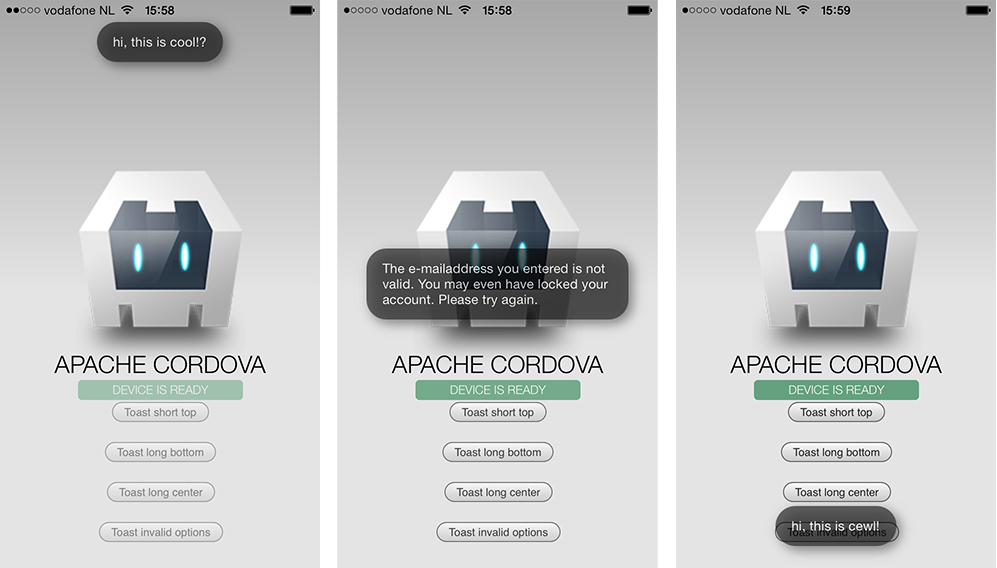
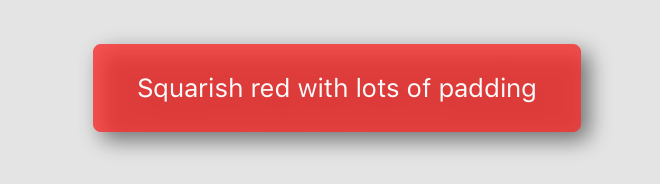
A few styling options

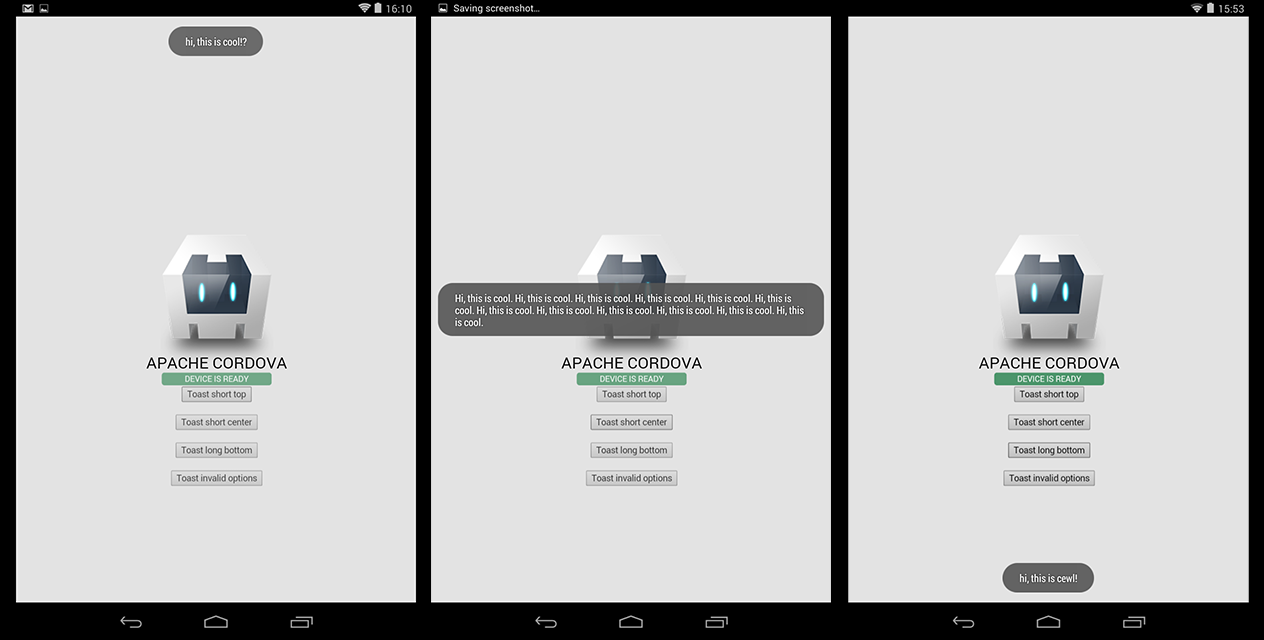
Android
Windows Phone 8
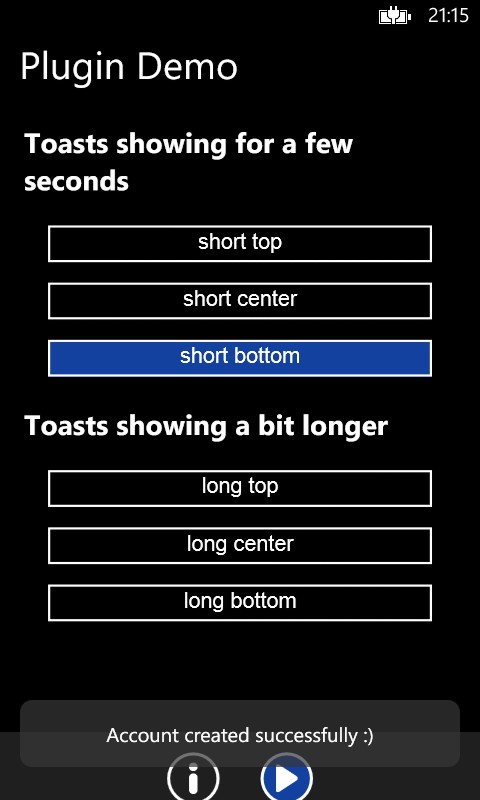
3. Installation
Automatically (CLI / Plugman)
Toast is compatible with Cordova Plugman, compatible with PhoneGap 3.0 CLI, here's how it works with the CLI (backup your project first!):
Using the Cordova CLI and the Cordova Plugin Registry
Or using the phonegap CLI
Toast.js is brought in automatically. There is no need to change or add anything in your html.
Manually
You'd better use the CLI, but here goes:
1. Add the following xml to your config.xml in the root directory of your www folder:
For iOS, you'll need to add the QuartzCore.framework to your project (it's for automatically removing the Toast after a few seconds). Click your project, Build Phases, Link Binary With Libraries, search for and add QuartzCore.framework.
2. Grab a copy of Toast.js, add it to your project and reference it in index.html:
3. Download the source files and copy them to your project.
iOS: Copy the two .h and two .m files to platforms/ios/<ProjectName>/Plugins
Android: Copy Toast.java to platforms/android/src/nl/xservices/plugins (create the folders)
WP8: Copy Toast.cs to platforms/wp8/Plugins/nl.x-services.plugins.toast (create the folders)
PhoneGap Build
Toast works with PhoneGap build too, but only with PhoneGap 3.0 and up.
Just add the following xml to your config.xml to always use the latest version of this plugin:
Toast.js is brought in automatically. There is no need to change or add anything in your html.
4. Usage
Showing a Toast
You have two choices to make when showing a Toast: where to show it and for how long.
- show(message, duration, position)
- duration: 'short', 'long', '3000', 900 (the latter are milliseconds)
- position: 'top', 'center', 'bottom'
You can also use any of these convenience methods:
- showShortTop(message)
- showShortCenter(message)
- showShortBottom(message)
- showLongTop(message)
- showLongCenter(message)
- showLongBottom(message)
You can copy-paste these lines of code for a quick test:
Tweaking the vertical position
Since 2.1.0 you can add pixels to move the toast up or down. Note that showWithOptions can be used instead of the functions above, but it's not useful unless you want to pass addPixelsY.
Hiding a Toast
In case you want to hide a Toast manually, call this:
Receiving a callback when a Toast is tapped
On iOS and Android the success handler of your show function will be notified (again) when the toast was tapped.
So the first time the success handler fires is when the toast is shown, and in case the user taps the toast it will be called again. You can distinguish between those events of course:
Styling
Since version 2.4.0 you can pass an optional styling object to the plugin. The defaults make sure the Toast looks the same as when you would not pass in the styling object at all.
Note that on WP this object is currently ignored.
Tip: if you need to pass different values for iOS and Android you can use fi. the device plugin to determine the platform and pass opacity: isAndroid() ? 0.7 : 0.9.
WP8 quirks
The WP8 implementation needs a little more work, but it's perfectly useable when you keep this in mind:
- You can't show two Toasts simultaneously.
- Wait until the first Toast is hidden before the second is shown, otherwise the second one will be hidden quickly.
- The positioning of the bottom-aligned Toast is not perfect, but keep it down to 1 or 2 lines of text and you're fine.
5. CREDITS
This plugin was enhanced for Plugman / PhoneGap Build by Eddy Verbruggen. The Android code was entirely created by me. For iOS most credits go to this excellent [Toast for iOS project by Charles Scalesse] (https://github.com/scalessec/Toast).
[转] cordova-plugin-x-toast的更多相关文章
- [Cordova] Plugin里使用Android Library
[Cordova] Plugin里使用Android Library 前言 开发Cordova Plugin的时候,在Native Code里使用第三方Library,除了可以加速项目的时程.也避免了 ...
- [Cordova] Plugin开发入门
[Cordova] Plugin开发入门 Overview Cordova的设计概念,是在APP上透过Web控件来呈现Web页面,让Web开发人员可以操作熟悉的语言.工具来开发APP.使用Web页面来 ...
- [Cordova] Plugin里使用iOS Framework
[Cordova] Plugin里使用iOS Framework 前言 开发Cordova Plugin的时候,在Native Code里使用第三方Library,除了可以加速项目的时程.也避免了重复 ...
- [Cordova] Plugin开发架构
[Cordova] Plugin开发架构 问题情景 开发Cordova Plugin的时候,侦错Native Code是一件让人困扰的事情,因为Cordova所提供的错误讯息并没有那么的完整.常常需要 ...
- cordova plugin数据传递概要
cordova plugin数据传递概要: 1.调用pluginManager向所有插件发送消息: PluginManager.postMessage(String id, Object data); ...
- ionic cordova plugin simple demo
要用cordova plugin 的话还是需要设置一下的 1. 下载 ng-cordova.js download the zip file here 2. 在index.html 中引用 (cord ...
- 在meteor中如何使用ionic组件tabs,及如何添加使用cordova plugin inappbrower
更新框架: meteor update meteor框架的优点不言而喻,它大大减轻了App前后端开发的负担,今年5月又获得B轮2000万融资,代表了市场对它一个免费.开源开发框架的肯定.cordova ...
- cordova plugin汇总大全
1.获取当前应用的版本号 cordova plugin add cordova-plugin-app-version 2.获取网络连接信息 cordova plugin add cordova-plu ...
- Cordova plugin
版权声明:本文为博主原创文章,未经博主允许不得转载. https://blog.csdn.net/u010106153/article/details/53418528Cordova plugin工程 ...
- vue+cordova构建跨平台应用集成并使用Cordova plugin
安装 //安装 vue-cil npm install --global vue-cli //安装cordova npm i cordova -g cordova 新建项目 //新建cordova 项 ...
随机推荐
- Android ant自动打包脚本:自动替换友盟渠道、版本号、包名
本文最后修改时间:2014-3-10 Android项目开发时,给公司人员安装,频繁升级,版本号总需要改,太麻烦,跟着时间变,自动升级才方便. Android项目开发新版时,手机上可能要装两个版本,一 ...
- 15款最好的 jQuery Modal(模态窗口)插件
jQuery 模态窗口插件帮助网站开发人员显示网页中的特定内容,让用户聚焦到这个地方.模态窗口是嵌入到当前网页中,不用重定向到新网页的弹出窗口.这种技术可以用在图像画廊,电子商务网站,登陆框,电子邮件 ...
- 推荐10个适合初学者的 HTML5 入门教程
HTML5 作为下一代网站开发技术,无论你是一个 Web 开发人员或者想探索新的平台的游戏开发者,都值得去研究.借助尖端功能,技术和 API,HTML5 允许你创建响应性.创新性.互动性以及令人惊叹的 ...
- 如何使用递归遍历对象获得value值
一般要用到递归,就要判断对象是否和父类型是否一样 这里演示简单的对象递归,还有数组递归类似. var obj = { a:{w:1,y:2,x:3}, b:{s:4,j:5,x:6}, c:{car: ...
- 【小贴士】zepto find元素以及ios弹出键盘可能让你很头疼
前言 在此,我不得不说移动端的兼容问题很多,并且很令人头疼,这不,这个星期又有两个让我逮着了,一个是使用zepto过程中出现的问题,一个是ios虚拟键盘的问题 我这里做一次记录,以免以后忘了,同时希望 ...
- Autodesk的照片建模云服务—Autodesk ReCap 360 photo 的测试数据
之前已经给大家介绍过了Autodesk的照片建模云服务—Autodesk ReCap 360 photo, 你也可以自己登录到http://recap360.autodesk.com/ 自己试一试. ...
- 愚人节大狂欢 – ADN DevBlog谎话连篇友谊赛
愚人节过去了,你被捉弄了没有? :) 借这个机会,ADN的哥们儿也发泄狂欢了一把,我们4月1号当天在ADN DevBlog上发了一堆谎话连篇的blog,没有一个说实话的,哈哈.这是我们team内部进行 ...
- 不直接登录SharePoint服务器,通过远程直接部署WSP解决方案包
在这之前不得不说一下Sysinternals,他最初是一个网站,网站上会经常发布一些有用的系统扩展工具,之后运营这个网站的公司被微软收购.像非常著名的Procmon,AutoRuns.Process ...
- 【Openlayers3】在地图上添加highcharts图表
今天试用了一下ol3,效果很是不错! ol3中有个ol.Overlay,使用这个类我们可以在地图中添加各种html要素. 下面我们在地图中添加一个饼图 html中添加一个div容器: <div ...
- SQL for SQLite
语法 verb + subject + predicate commannds(命令) SQL由命令组成,以分号为结束.命令有token组成,token由white space分隔,包括空格.tab. ...