
shell实战之tomcat看门狗
1、脚本简介
tomcat看门狗,在tomcat进程异常退出时会自动拉起tomcat进程并记录tomcat运行的日志。
 函数说明:

         log_info:打印日志的函数,入参为需要在日志中打印的msg

         start_tom:启动tomcat的函数

         check_tom_run:每隔30s检测tomcat进程是否存在

         log_backup:备份tomcat监控日志
- check_tom_run每隔30s检测tomcat进程是否存在,log_info用于记录tomcat运行日志和操作日志。
- tomcat进程不存在时,执行start_tom去启动。
- 当日志文件大小大于指定大小时,则备份监控日志。
2、前提条件
a、需要一台Linux主机
b、主机上已部署tomcat
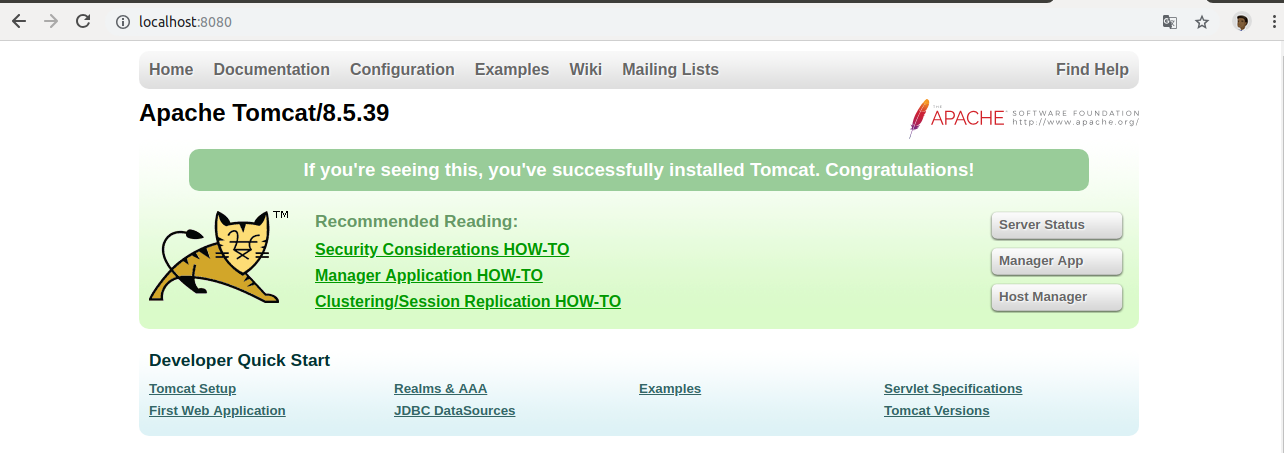
访问地址:http://localhost:8080/ 如果出现以下界面,则说明tomcat已成功启动。
3、脚本代码
脚本代码如下:
 #!/bin/bash

 #以下为多行注释

 : << !

 作用:tomcat watch dog,用于在tomcat进程退出后,自动拉起tomcat

 函数说明:

         log_info:打印日志的函数,入参为需要在日志中打印的msg

         start_tom:启动tomcat的函数

         check_tom_run:每隔10s检测tomcat进程是否存在

         log_backup:备份tomcat监控日志

 !

 curr_path=`pwd`

 #tomcat的安装路径

 tom_path=/home/stephen/InstallPath/apache-tomcat-8.5.

 #定义打印日志的函数

 function log_info(){

 local curr_time=`date "+%Y-%m-%d %H:%M:%S"`

 log_file=${curr_path}/tom_running.log

 #判断日志文件是否存在

 if [ -e ${log_file} ]

    then

    #检测文件是否可写

    if [ -w ${log_file} ]

    then

        #若文件无写权限则使用chmod命令赋予权限

        chmod  ${log_file}

    fi

 else

    #若日志文件不存在则创建

    touch ${log_file}

 fi

 #写日志

 local info=$

 echo "${curr_time}  `whoami` [Info] ${info}">>${log_file}

 }

 function start_tom(){

         log_info "Begin to start tomcat."

         cd ${tom_path}/bin

         log_info "cd ${tom_path}/bin"

         sh  startup.sh

         log_info "sh  startup.sh"

         #使用ps命令+awk获取tomcat的PID

         tom_pid=`ps -aux|grep apache-tomcat|grep -v grep|awk '{print $2}'`

         if  [ -z ${tom_pid} ]

             then

             sh startup.sh

         fi

         log_info "End to start tomcat."

 }

 #如果tomcat_pid为零,则说明tomcat进程不存在,需要去重启

 function check_tom_run()

 {

 tom_pid=`ps -aux|grep apache-tomcat|grep -v grep|awk '{print $2}'`

 echo ${tom_pid}

 if [ -z ${tom_pid} ]

 then

    echo "tomcat process is not running."

    #调用函数start_tom

    start_tom

    log_info "tomcat process is not running."

    #打印日志

 else

    echo "tomcat process is running"

    #打印日志

    log_info  "tomcat process is running"

 fi

 }

 #备份日志

 function log_backup(){

 cd ${curr_path}

 log_name=tom_running.log

 #获取当前日志的大小

 log_size=`ls -all|grep -v ${log_name}.|grep  ${log_name}|awk '{print $5}'`

 echo ${log_size}

 #当日志大于150MB时进行备份并清空旧的日志

 expect_size=`expr  \*  \* `

 echo ${expect_size}

 if [ ${log_size} -gt ${expect_size} ]

    then

    log_info "Begin to backup log."

    local ct=`date "+%Y-%m-%d-%H-%M-%S"`

    cp ${log_name} ${log_name}.${ct}

    log_info "cp ${log_name} ${log_name}.${ct}"

    #使用gzip命令压缩日志

    gzip -q  ${log_name}.${ct}  ${log_name}.${ct}.gz

    #清空旧日志

    cat  /dev/null > ${log_name}

    log_info "cat  /dev/null > ${log_name}"

 fi

 }

 #隔30s循环执行check_tom_1run

 while [  ]

 do

   check_tom_run

   log_backup

   #休眠30s

   sleep

 done
4、运行结果
4.1、运行脚本命令如下
 chmod +x  /tomcatWatchDog.sh
  #&表示脚本后台运行
 ./tomcatWatchDog.sh  &
4.2、新打开一个窗口,杀掉tomcat进程
#获取tomcat的PID

ps -ef|grep  tomcat

#kill进程,PID为tomcat进程ID

kill - PID
4.3、查看tom_running文件,从日志来看tomcat进程已自动拉起。
 -- ::  stephen [Info] tomcat process is running

 -- ::  stephen [Info] tomcat process is running

 -- ::  stephen [Info] tomcat process is running

 -- ::  stephen [Info] tomcat process is running

 -- ::  stephen [Info] Begin to start tomcat.

 -- ::  stephen [Info] cd /home/stephen/InstallPath/apache-tomcat-8.5./bin

 -- ::  stephen [Info] sh  startup.sh

 -- ::  stephen [Info] End to start tomcat.

 -- ::  stephen [Info] tomcat process is not running.

 -- ::  stephen [Info] tomcat process is running

 -- ::  stephen [Info] tomcat process is running
4.4、当日志文件大小大于指定大小时,会备份日志文件。
 -rwxr-xr-x   stephen stephen    4月    : tomcatWatchDog.sh*

 -rwxrwx---   stephen stephen  4月    : tom_running.log*

 -rwxr-x---   stephen stephen    4月    : tom_running.log.-----.g
shell实战之tomcat看门狗的更多相关文章
- linux shell实现守护进程 看门狗 脚本
嵌入式初学者,第一次上传代码.昨天做了一个udhcpd与udhcpc的守护,目前只会用shell模仿编写,还有什么方法可以做守护呢? ? 1 2 3 4 5 6 7 8 9 10 11 12 13 1 ...
- shell 之 用linux定时任务crontab和watchdog.sh脚本做软件看门狗
1.简介 看门狗的作用是定期检测服务正常运行,如果发现服务不在了,会重新拉起服务:linux中可以利用系统的定时任务功能crontab定期的去执行watchdog.sh脚本,而watchdog.sh脚 ...
- Spring Boot 实现看门狗功能 (调用 Shell 脚本)
需要实现看门狗功能,定时检测另外一个程序是否在运行,使用 crontab 仅可以实现检测程序是否正在运行,无法做到扩展,如:手动重启.程序升级(如果只需要实现自动升级功能可以使用 inotify)等功 ...
- 软件看门狗--别让你地程序无响应(使用未公开API函数IsHungAppWindow,知识点较全)
正文一.概述一些重要的程序,必须让它一直跑着:而且还要时时关心它的状态——不能让它出现死锁现象.当然,如果一个主程序会出现死锁,肯定是设计或者编程上的失误.我们首要做的事是,把这个Bug揪出来.但如果 ...
- Linux看门狗脚本 1.4
近期项目的看门狗经历了三个版本号. 第一个版本号: 用ps -ef,假设程序挂了就启动 第二个版本号: 程序因为执行时会出现不再监听7901port,所以不能简单推断机器是不是挂了,而是推断此port ...
- 树莓派 Raspberry 软件源更改 看门狗启用
看门狗无法在pi1上执行,似乎后更高级的pi上面才可用 1.替换脚本 下面脚本请直接复制到终端执行!! 适用于raspbian-stretch(基于Debian9) sudo -s echo -e & ...
- STM32之看门狗(独立与窗口)
广大的互联网网友们,大家早上中午晚上好,我是某某某..对于狗..看过<忠犬八公>的我.无不深深的被狗的义气与灵气所震撼..我也觉得在所有mcu中用看门狗来形容让系统复位的功能是很恰当的.也 ...
- zigbee学习之路(十一):看门狗
一.前言 今天,我们要通过实验学习和认识一下看门狗的使用,看门狗是为了防止防止程序跑飞的,通过不断的喂狗,使看门狗能持续监管程序的运行状态,当程序跑飞时,能及时把程序拽回来. 二.原理与分析 在CPU ...
- S3C2416 看门狗
原理:看门狗自己有个硬件计数器,看门狗开启后,计数器就开始计数,当计数为0时触发,触发事件有两个:系统复位和中断,可设置屏蔽. 在计数器计数到0之前,程序可以重新设置计数器中的数值,称之喟狗.计数器的 ...
随机推荐
- python3.5.2库getpass
getpass的功能是:允许隐式的输入字符串 import getpass _username='vigossr' _password='haha' username=input('username: ...
- VMware Workstation安装Red hat7.0联网问题总结
1.在red hat7当中iconfig命令是被取消了的,开发者用ip addr命令取代了ifconfig命令. 当然也是可以用ifconfig命令的 (前提是你安装的linux是可以联网的): 1) ...
- 在虚拟机中安装Centos系统
1.首先下载VMware 2.然后可以去http://mirrors.aliyun.com下载映像ISO 3.打开VM,点击创建新的虚拟机 4.选择典型模式 5.稍后安装操作系统 6.选择你所要安装的 ...
- 【腾讯海纳】系统未发布时如何获取获取property_id在本地进行测试?
有现成https协议域名使用者,可忽略此文. 直接先上图,明白的人看一眼图片就知道怎么拿了,如下所示: 解释说明: 在完成添加套件,以及测试应用的前提下,按如下操作流程: 1.访问路径:登录“海纳开发 ...
- window7环境下ZooKeeper的安装及运行
简介 ZooKeeper是一个分布式的,开放源码的分布式应用程序协调服务,是Google的Chubby一个开源的实现,是Hadoop和Hbase的重要组件.它是一个为分布式应用提供一致性服务的软件,提 ...
- [LeetCode] Transpose Matrix 转置矩阵
Given a matrix A, return the transpose of A. The transpose of a matrix is the matrix flipped over it ...
- Cheat Engine 6.8 设置中文
下载翻译文件包 https://cheatengine.org/downloads.php 下载后解压到 "Cheat Engine 6.8.3\languages" 下面 修改 ...
- php 跨数据库调取数据
我的这个是thinkphp,我就在 Application -> Common -> Conf -> config.php 文件里面配置数据库的地方,加入了下面这段代码 //'数据库 ...
- JS HTML DOM代码(1)
<!DOCTYPE html> <html> <style type="text/css"> #容器 { width: 400px; heigh ...
- 升讯威微信营销系统开发实践:微信接口的 .NET 封装
GitHub:https://github.com/iccb1013/Sheng.WeixinConstruction因为个人精力时间有限,不会再对现有代码进行更新维护,不过微信接口比较稳定,经测试至 ...