
Spring Boot demo系列(二):简单三层架构Web应用
2021.2.24 更新
1 概述
这是Spring Boot的第二个Demo,一个只有三层架构的极简Web应用,持久层使用的是MyBatis。
2 架构
一个最简单的Spring Boot Web应用分为三层:
Controller层:负责具体业务流程的控制,调用Service层来控制业务逻辑Service层:业务逻辑层,真正执行业务的操作,比如获取用户信息等Dao层:负责数据持久化,在这一层中与各种数据库,比如MySQL、Oracle等打交道
先来简单说一下三层所使用到的注解。
2.1 Controller层
Controller层也是入口层,一般涉及如下注解:
@Controller:@Controller是经典的Controller层注解,@Controller标识的类代表该类是控制器类@RequestMapping:使用@RequestMapping可以对请求进行映射,可以注解在类上或者方法上,在类上的话表示该类所有的方法都是以该地址作为父地址,在方法上就表示可以映射对应的请求到该方法上@GetMapping/@PostMapping:这两者实际上是@RequestMapping对应不同方法的简化版,因为@RequestMapping有一个method属性,如果该method指定为GET那么就相当于@GetMapping,如果指定为POST就相当于@PostMapping@ResponseBody:作用在方法上,将返回的数据进行可能的转换(取决于请求头,转换为JSON或XML等等,默认的情况下比如单纯字符串就直接返回),比如返回语句为return "success";,如果加上了@ResponseBody就直接返回success,如果不加上就会跳转到success.jsp页面@RequestParm:处理Contrent-Type为application/x-www-form-urlencoded的内容,可以接受简单属性类型或者对象,支持GET+POST@RequestBody:处理Content-Type不为application/x-www-form-urlencoded的内容(也就是需要指定Content-Type),不支持GET,只支持POST@PathVariable:可以将占位符的参数传入方法参数,比如/path/1,可以将1传入方法参数中@PathParm:与@RequestParm一样,一般使用@RequestParm@RestController:相当于@Controller+@ResponseBody
2.2 Service层
Service层用于执行主要的业务逻辑,主要就是下面这个注解:
@Serice:是一个增强型的@Component,@Component表示一个最普通的组件,可以被注入到Spring容器进行管理,而@Service是专门用于处理业务逻辑的注解,@Controller类似,也是一个增强型的@Component,专门用于Controller层的处理
2.3 Dao层
Dao是数据持久层,这里进行数据持久化的操作,一般加上@Repository即可:
@Repository:也是一个增强型的@Component,注解在持久层中,具有将具体数据库抛出的异常转为Spring持久层异常的功能
讲完注解了下面就开始实践一下。
3 实践
3.1 新建项目
选择如下依赖:
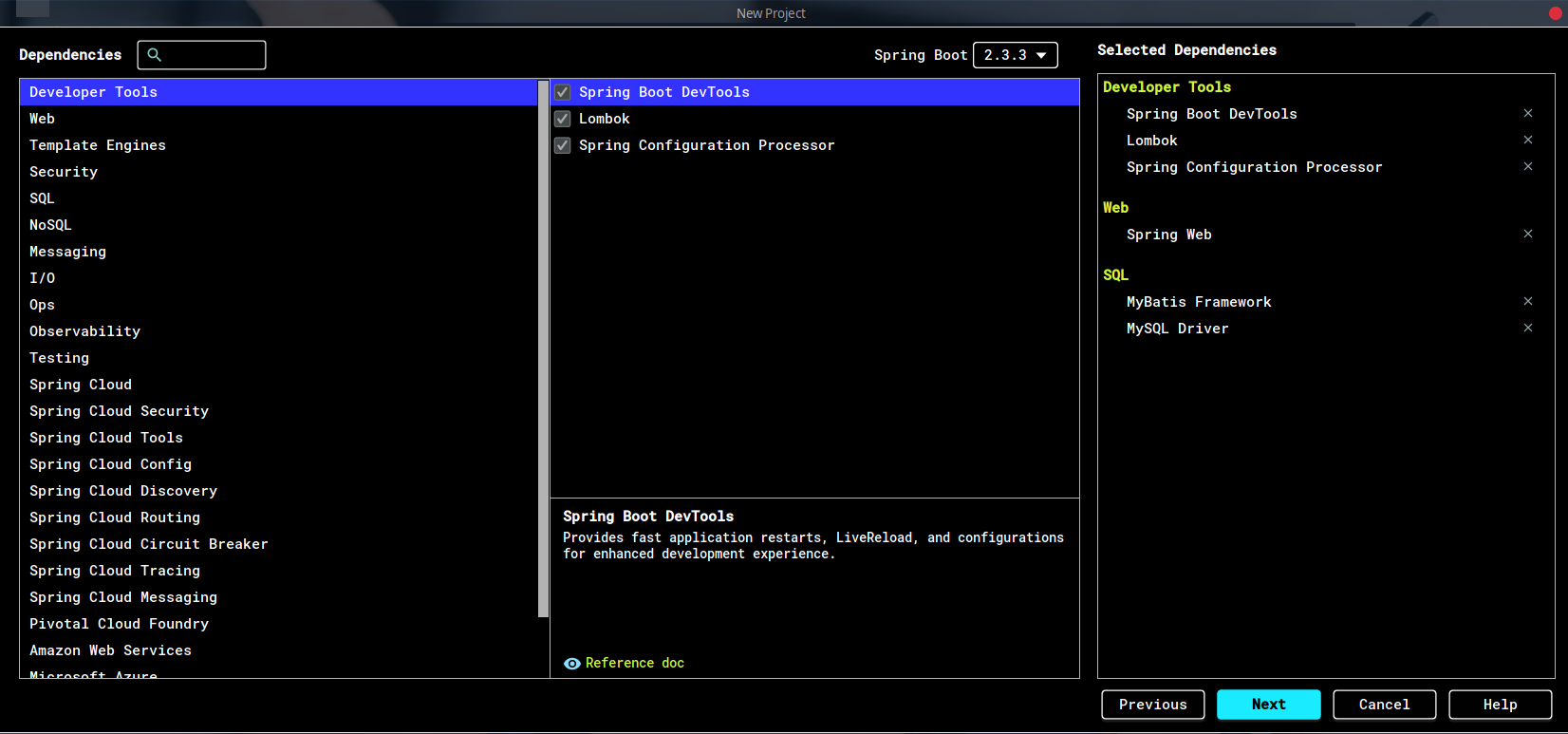
Lombok能简化代码,推荐使用,并且需要IDEA安装插件。ORM框架这里选择MyBatis。
3.2 新建包
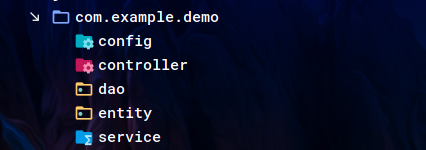
新建如下四个包:
controllerdaoentityserviceconfig
3.3 Controller层
3.3.1 简单Controller
在controller包下新建Controller.java:
@RestController

@RequestMapping("/")

public class Controller {

    @GetMapping("test")

    public String testMethod()

    {

        return "test controller";

    }

}
运行之后,如果出现如下错误:
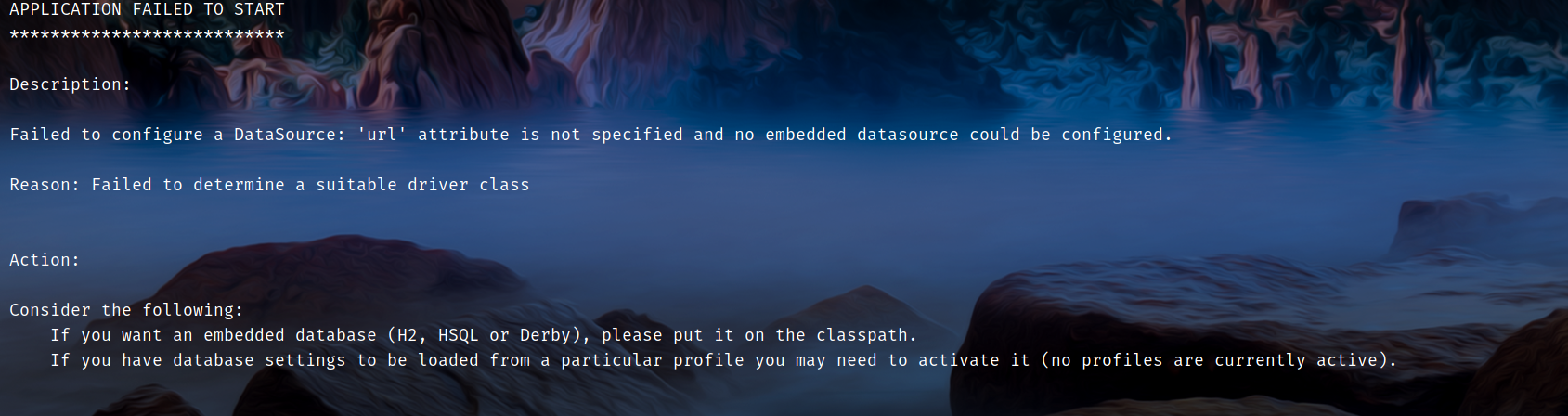
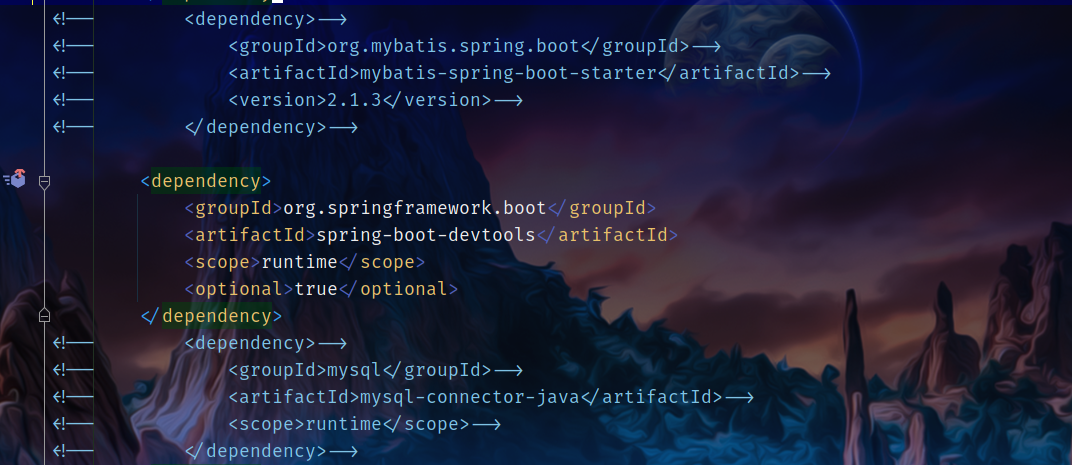
这是因为没有配置数据源,可以先把MySQL和MyBatis的依赖删去:
运行之后在浏览器输入localhost:8080/test会返回test controller:
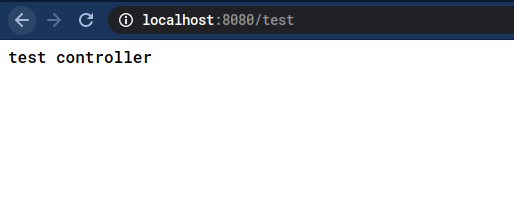
这样一个最简单的Controller就完成了。
3.3.2 @RequestParm
然后下一步是添加参数,可以考虑使用@RequestParm添加:
@GetMapping("withParm")

public String withParm(@RequestParam String id)

{

    return "id:"+id;

}
这样直接访问localhost:8080/withParm是不行的,因为没有携带id参数:
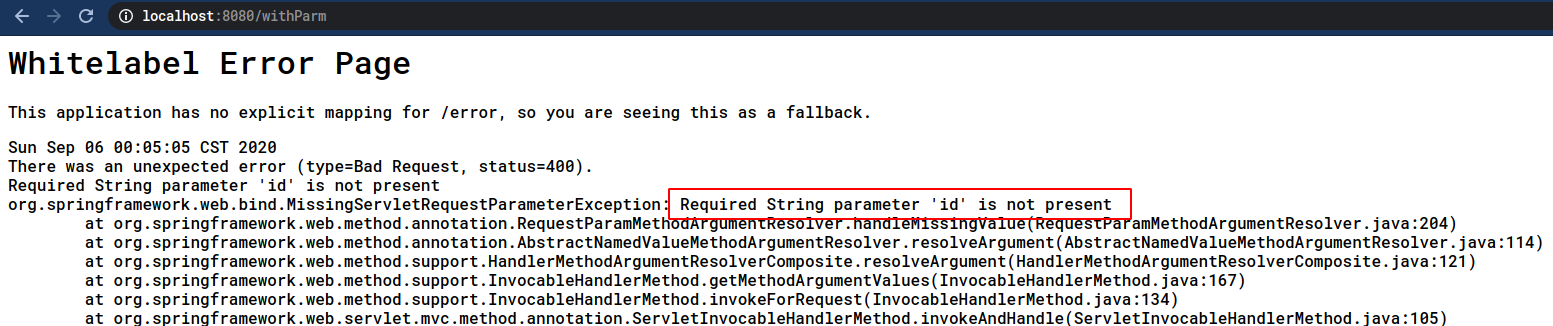
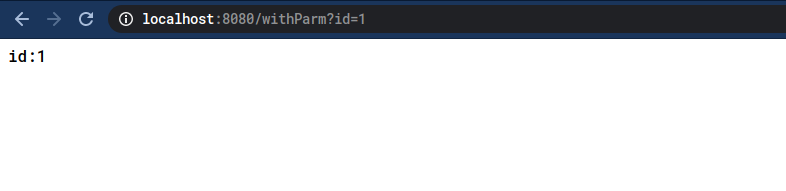
加入参数即可,也就是localhost:8080/withParm?id=1:
3.3.3 @PathVariable
另一种添加参数的方式是使用@PathVariable:
@GetMapping("path1/{id}")

public String path1(@PathVariable("id") String id)

{

    return "id:"+id;

}
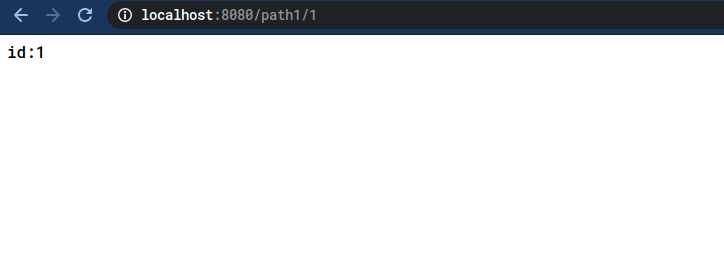
这样不是加入?id=xx,而是直接加入占位符,比如localhost:8080/path1/1:
3.3.4 完整CURD
这里是一个完整的CRUD示例:
@RestController

@RequestMapping("/")

@CrossOrigin("http://localhost:3000")

@RequiredArgsConstructor(onConstructor = @__(@Autowired))

public class CRUDController {

    private final Service service;

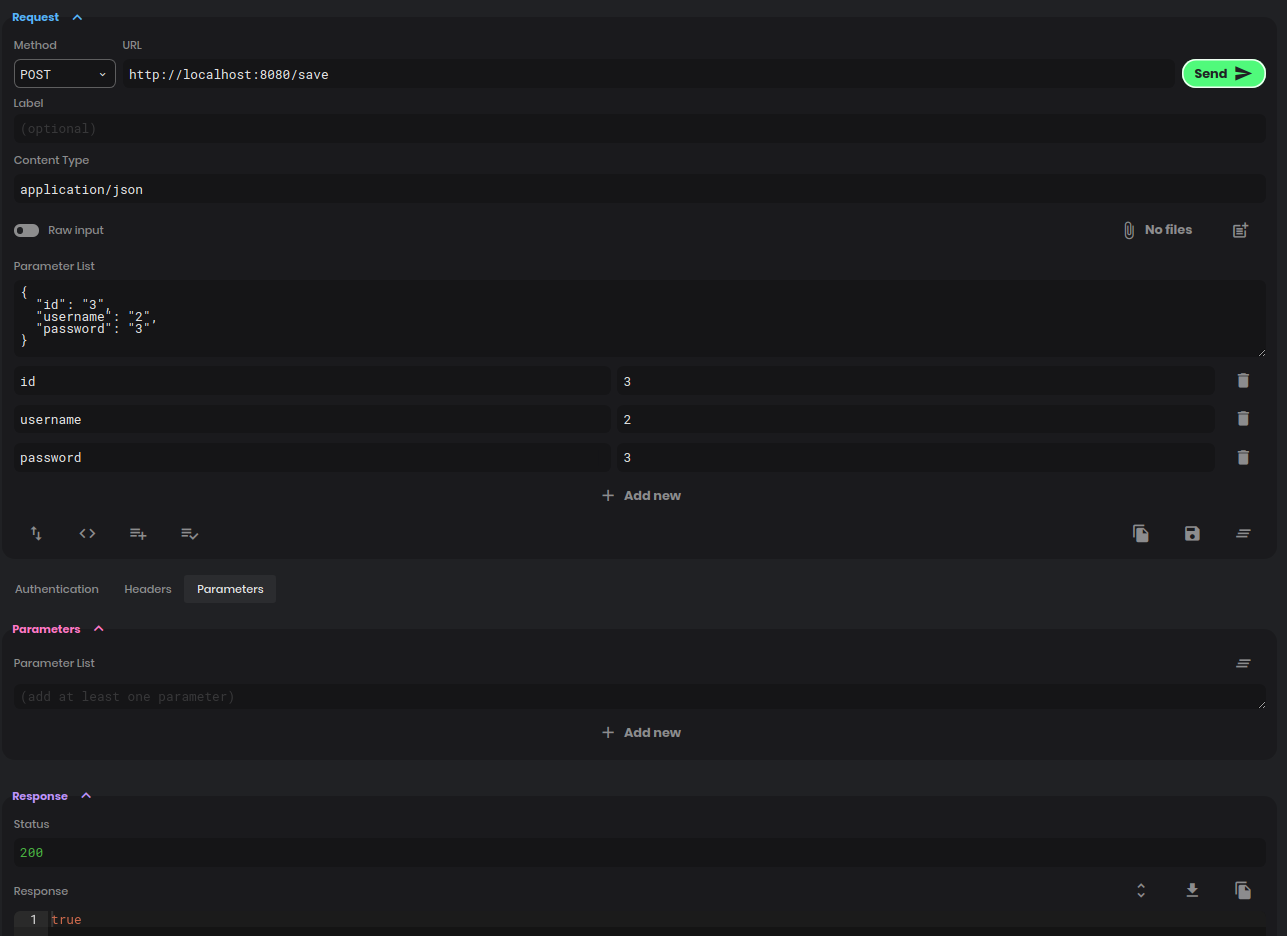
    @PostMapping("save")

    public boolean save(@RequestBody User user)

    {

        return service.save(user);

    }

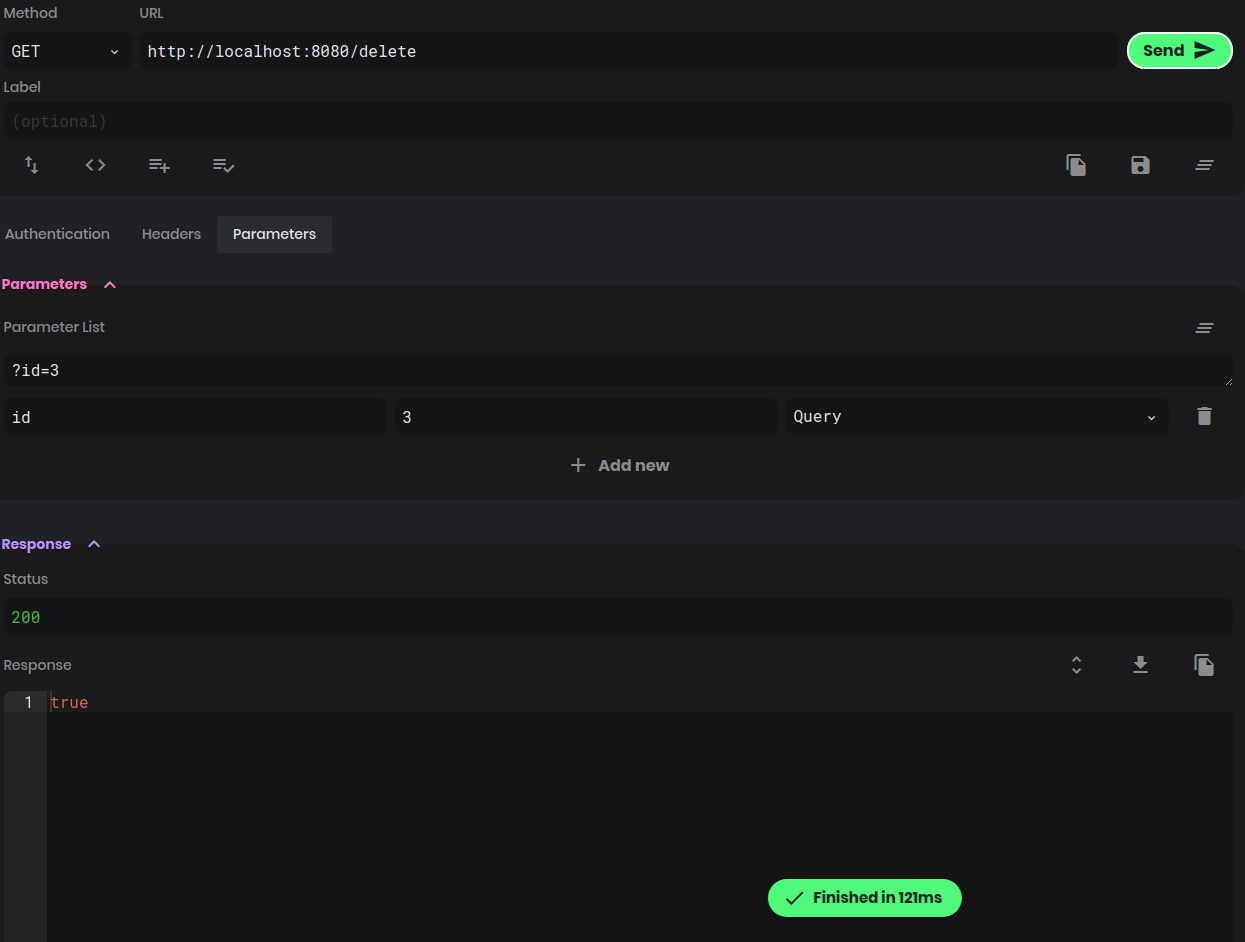
    @GetMapping("delete")

    public boolean delete(@RequestParam String id)

    {

        return service.delete(id);

    }

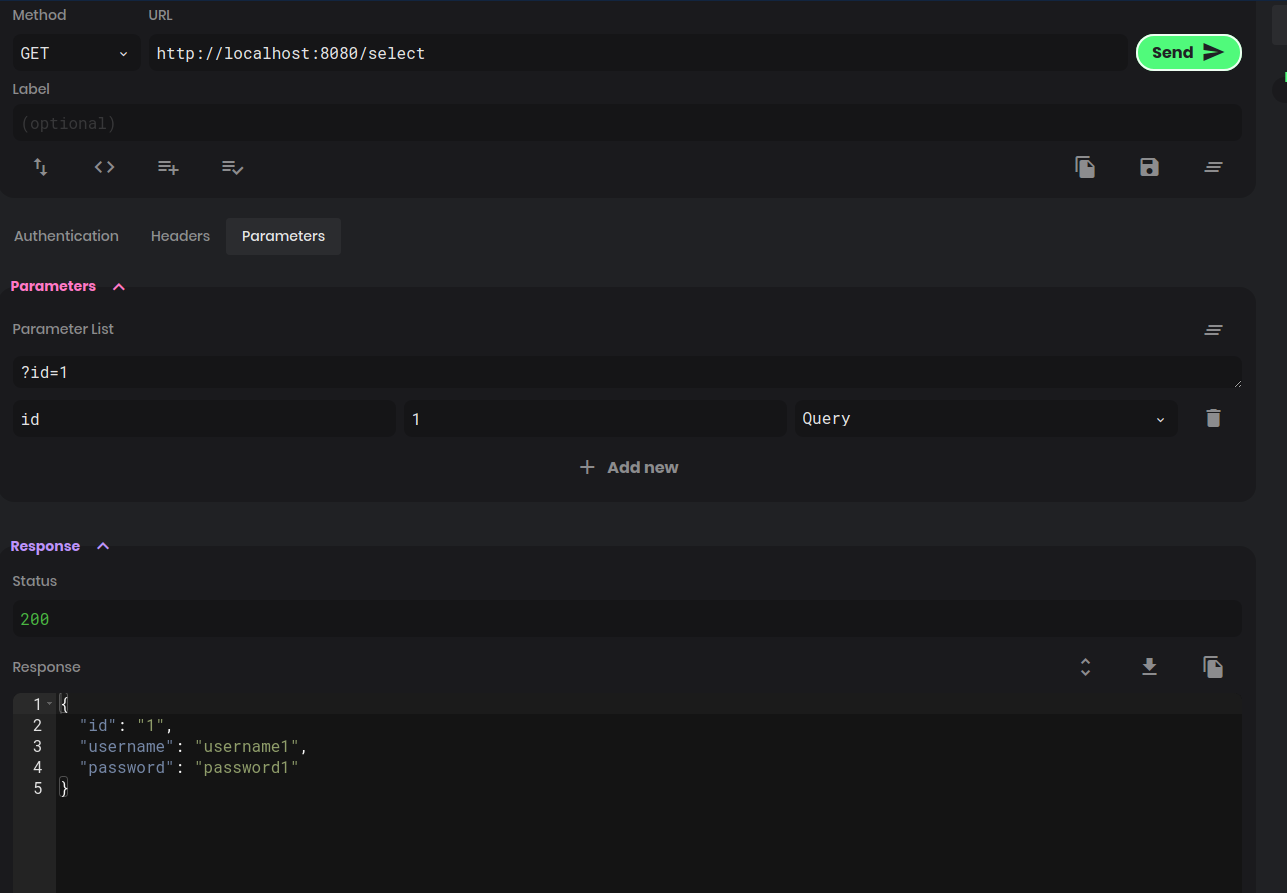
    @GetMapping("select")

    public User select(@RequestParam String id)

    {

        return service.select(id);

    }

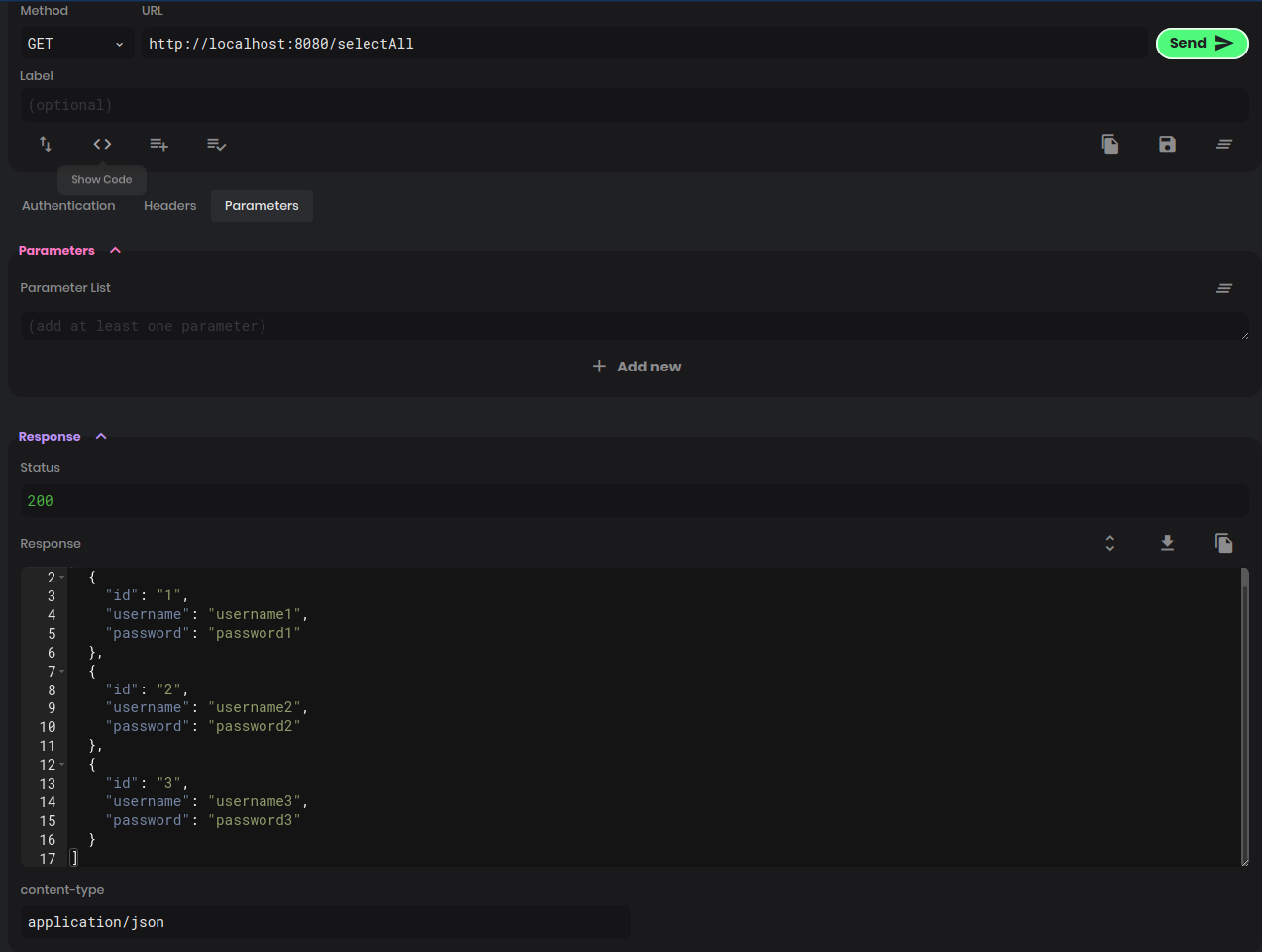
    @GetMapping("selectAll")

    public List<User> selectAll()

    {

        return service.selectAll();

    }

}
注解基本上都在上面说过了,除了下面两个:
@RequiredArgsConstrutcor:这个是Lombok的注解,用来消除直接使用@Autowired出现的警告@CrossOrgin:跨域注解,由于笔者使用Postwoman测试,默认运行端口为3000,因此需要加上该注解,使用Postman测试则不需要
3.4 Service层
@org.springframework.stereotype.Service

@RequiredArgsConstructor(onConstructor = @__(@Autowired))

public class Service {

    private final UserMapper mapper;

    public boolean save(User user)

    {

        String id = user.getId();

        User currentUser = select(id);

        if(currentUser != null)

            return mapper.update(user) == 1;

        return mapper.insert(user) == 1;

    }

    public boolean delete(String id)

    {

        return mapper.deleteById(id) == 1;

    }

    public User select(String id)

    {

        return mapper.selectById(id);

    }

    public List<User> selectAll()

    {

        return mapper.selectAll();

    }

}
简单的CRUD,调用持久层的方法。
3.5 Dao层
由于使用MyBatis,这里的Dao层只有一个Mapper:
@Mapper

@Component

public interface UserMapper{

    @Select("select * from user where id=#{id}")

    User selectById(@Param("id") String id);

    @Select("select * from user")

    List<User> selectAll();

    int insert(@Param("user") User user);

    int deleteById(@Param("id") String id);

    int update(@Param("user") User user);

}
select的sql直接写在了上面,剩下的sql语句写在了xml配置文件,另外@Mapper注解表示在编译后生成对应的接口实现类。
3.6 实体类
@Data

@AllArgsConstructor

public class User {

    private String id;

    private String username;

    private String password;

    @Override

    public String toString()

    {

        return "id:"+id+"\n"+"username"+username+"\npassword"+password+"\n";

    }

}
3.7 配置类
@Configuration

@MapperScan("com.example.demo.dao")

public class MyBatisConfig {

}
@Configuration:定义为配置类@MapperScan:@Mapper的扫描路径
3.8 配置文件
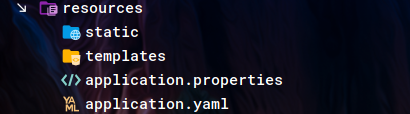
配置文件常用的有properties以及yaml,yaml格式更加简单,这里使用yaml格式:
spring:

  datasource:

    url: jdbc:mysql://127.0.0.1:3306/test

    username: test

    password: test

mybatis:

  configuration:

    map-underscore-to-camel-case: true

  mapper-locations: classpath:mappers/*.xml
分别指定数据库链接,数据库用户名以及密码,还有下划线转驼峰命名以及mapper文件的位置。
另外还需要创建UserMapper.xml:
<?xml version="1.0" encoding="UTF-8"?>

<!DOCTYPE mapper PUBLIC "-//mybatis.org//DTD Mapper 3.0//EN" "http://mybatis.org/dtd/mybatis-3-mapper.dtd">

<mapper namespace="com.example.demo.dao.UserMapper">

    <insert id="insert">

        INSERT INTO `user` (`id`,`username`,`password`)

        VALUES (#{user.id},#{user.username},#{user.password})

    </insert>

    <update id="update">

        UPDATE `user` set `username`=#{user.username} , `password`=#{user.password} where id=#{user.id}

    </update>

    <delete id="deleteById">

        DELETE FROM `user` WHERE `id` = #{id}

    </delete>

</mapper>
就单纯的sql语句。
另外需要准备建表以及建用户的sql:
CREATE DATABASE IF NOT EXISTS test;

CREATE USER IF NOT EXISTS 'test'@'localhost' IDENTIFIED BY 'test';

GRANT ALL ON test.* to 'test'@'localhost';

USE test;

CREATE TABLE user

(

    id char(10) primary key ,

    username varchar (30) not null,

    password varchar (30) not null

);
测试数据:
USE test;

INSERT INTO user(id,username,password) values ('1','username1','password1'),('2','username2','password2');
最终配置文件如下:
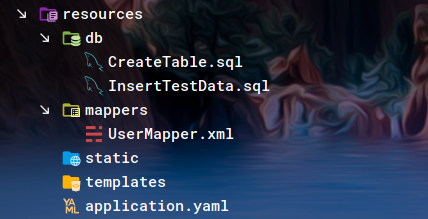
4 其他准备
4.1 建库建表建用户
直接执行上面的脚本即可。
4.2 开启服务
使用相应命令开启数据库服务。
5 测试
5.1 单元测试
修改一下自带的测试类即可:
@SpringBootTest

@RequiredArgsConstructor(onConstructor = @__(@Autowired))

class DemoApplicationTests {

    private final Service service;

    @Test

    void contextLoads() {

    }

    @Test

    void select()

    {

        System.out.println(service.select("1"));

    }

    @Test

    void selectAll()

    {

        service.selectAll().forEach(System.out::println);

    }

//    @Test

//    void delete()

//    {

//        service.delete("3");

//    }

    @Test

    void save()

    {

        service.save(new User("3","username3","password3"));

    }

}
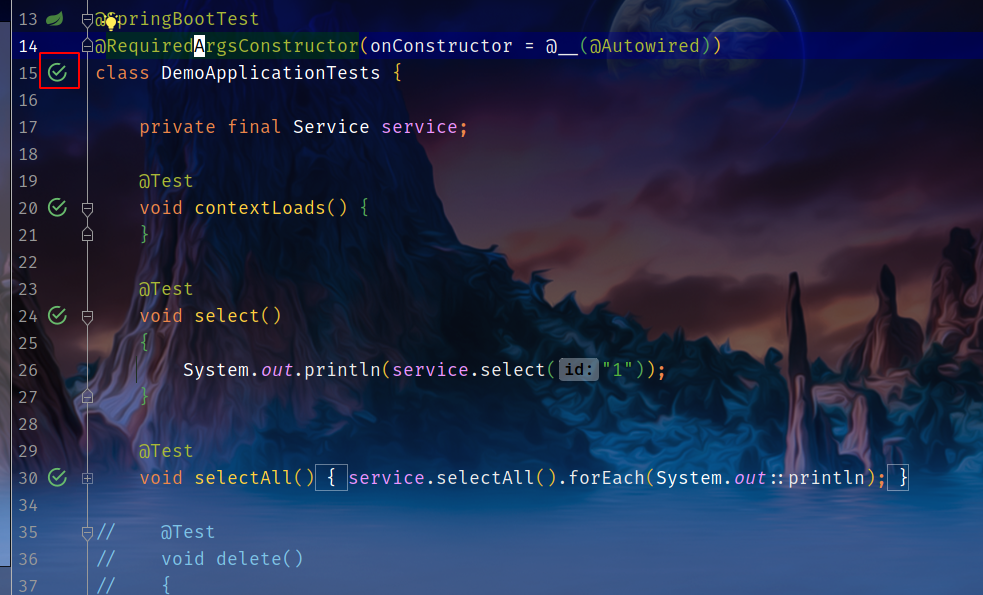
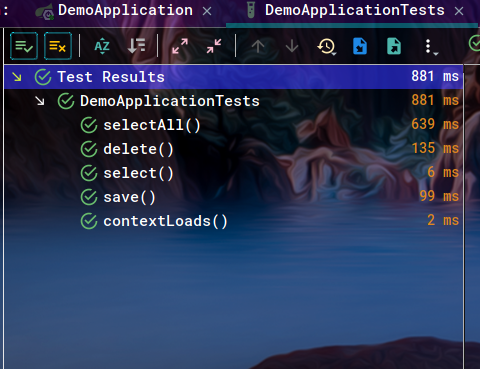
直接点击左边的按钮即可运行,测试通过图如下:
5.2 浏览器测试
由于没有做前端,这里就使用Postwoman模拟前端测试:
6 源码
Java版:
Kotlin版:
7 参考
Spring Boot demo系列(二):简单三层架构Web应用的更多相关文章
- Spring Boot进阶系列二
上一篇文章,主要分析了怎么建立一个Restful web service,系列二主要创建一个H5静态页面使用ajax请求数据,功能主要有添加一本书,请求所有书并且按照Id降序排列,以及查看,删除一本书 ...
- Spring Boot demo系列(五):Docker部署
2021.2.24 更新 1 概述 本文讲述了如何使用Docker部署Spring Boot应用,首先介绍了Docker的安装过程,接着介绍了Docker的一些基础知识,最后讲述了Dockerfile ...
- Spring Boot demo系列(四):Spring Web+Validation
2021.2.24 更新 1 概述 本文主要讲述了如何使用Hibernate Validator以及@Valid/@Validate注解. 2 校验 对于一个普通的Spring Boot应用,经常可以 ...
- Spring Boot demo系列(十):Redis缓存
1 概述 本文演示了如何在Spring Boot中将Redis作为缓存使用,具体的内容包括: 环境搭建 项目搭建 测试 2 环境 Redis MySQL MyBatis Plus 3 Redis安装 ...
- Spring Boot demo系列(九):Jasypt
2021.2.24 更新 1 概述 Jasypt是一个加密库,Github上有一个集成了Jasypt的Spring Boot库,叫jasypt-spring-boot,本文演示了如何使用该库对配置文件 ...
- Spring Boot demo系列(六):HTTPS
2021.2.24 更新 1 概述 本文演示了如何给Spring Boot应用加上HTTPS的过程. 2 证书 虽然证书能自己生成,使用JDK自带的keytool即可,但是生产环境是不可能使用自己生成 ...
- Spring Boot demo系列(一):Hello World
2021.2.24 更新 1 新建工程 打开IDEA选择新建工程并选择Spring Initializer: 可以在Project JDK处选择JDK版本,下一步是选择包名,语言,构建工具以及打包工具 ...
- Spring Boot教程(二十一)开发Web应用(2)
在完成配置之后,举一个简单的例子,在快速入门工程的基础上,举一个简单的示例来通过Thymeleaf渲染一个页面. @Controller public class HelloController { ...
- Spring Boot教程(二十四)Web应用的统一异常处理
我们在做Web应用的时候,请求处理过程中发生错误是非常常见的情况.Spring Boot提供了一个默认的映射:/error,当处理中抛出异常之后,会转到该请求中处理,并且该请求有一个全局的错误页面用来 ...
随机推荐
- SCSS引入通用SCSS
新建通用common.scss .empty { margin-top: 100rpx; text-align: center; .empty-img { width: 220rpx; height: ...
- JAVA 判断一个字符串是否是合法的日期格式?
采用SimpleDateFormat类的parse方法进行判断,如果转换不成功,就会出现异常.另外,还需要判断字符串的长度,若不判断,第二个字符串就会验证通过,实际上也不是合法的.话不多说,且看代码: ...
- Linux文件常用指令
目录 Linux文件常用指令 1.pwd 显示当前目录 2.cd 切换目录 3.mkdir 创建目录 4.touch 修改或创建文件 5.ls 显示目录下的内容 6.cat 查看文件信息 7.echo ...
- 剑指 Offer 31. 栈的压入、弹出序列 + 入栈顺序和出栈顺序的匹配问题
剑指 Offer 31. 栈的压入.弹出序列 Offer_31 题目详情: 解析: 这里需要使用一个栈来模仿入栈操作. package com.walegarrett.offer; /** * @Au ...
- Git 常用命令 和 安装
这年头不会点git还真不能与别人进行代码交流 安装 windowns版下载:https://git-scm.com/download/win ,下载完成后就自己手动安装 ,很简单就不多说. Ubunt ...
- SQLServer 2008快速导出架构和数据脚本
https://jingyan.baidu.com/article/454316ab715218f7a7c03a9d.html
- 对于如何从SM2的pfx证书文件中解析公钥和私钥,并从二次加密的密文中解密
首先呢,由于我的域名之前处理点问题,然后备案第二个网站时候,第一个网站没法访问,所以备案没过,阿里云告诉我要删除一个网站的备案,但是他没告诉我要删除主体,所以我的备案主体成了空壳主体,要传真或者发快递 ...
- WPF 应用 - WPF 播放 GIF 的两种方式
1. 使用 Winform 的 PictureBox 1.1 引用 dll WindowsFormsIntegration.dll System.Windows.Forms.dll System.Dr ...
- Apache配置 1. 默认虚拟主机
编辑httpd.conf搜索httpd-vhosts,去掉#号 # vi /usr/local/apache2.4/conf/httpd.conf Include conf/extra/httpd-v ...
- android底部导航栏小结
android自带的有TabHost,但好像无法满足要求, 本文只记录使用 TabLayout + Fragment 和 android 自带的 BottomNavigationView + Fra ...