
Centos 配置服务器
Centos 配置服务器
(配置服务器 除了Git Bash Here 还可以安装Xshell 网址:https://xshell.en.softonic.com/
Wincp 网址:https://winscp.net/eng/docs/lang:chs)
一.Nginx 安装
1.yum install -y gcc-c++pcre pcre-develzlib zlib-developenssl openssl-devel
2.wget http://nginx.org/download/nginx-1.18.0.tar.gz
3.tar zxvf nginx-1.18.0.tar.gz
4.cd nginx-1.18.0
5. ./configure --prefix=/usr/local/nginx
6. make&&make install
7.启动
cd /usr/local/nginx/sbin
./nginx
8.查看启动状态
- 通过端口查询: lsof -i:80 #nginx默认是80端口
- 通过进程查询: ps -ef | grep nginx
- 访问网页查询 curl 127.0.0.1
9.配置文件详情
进入配置文件
cd /usr/local/nginx/conf/
vi nginx.conf
在 nginx.conf 的注释符号为: #
- #修改完成后,重新加载配置文件
- cd /usr/local/nginx/sbin/
./nginx -s reload
下载并执行脚本:
$ sudo yum -y install curl$ curl -sL https://rpm.nodesource.com/setup_14.x | sudo bash -2.在CentOS 8/7、RHEL 8/7系统上安装Node.js 14版本及以上版本
RHEL 8上的安装与基于RHEL 7的Linux发行版上的安装相同,唯一的区别是,Node.js AppStream存储库已在RHEL/CentOS 8系统上被安装脚本禁用,如果您要安装AppStream版本的Node.js,则需要启用它:
验证node:$ node -v
 验证 npm $ npm -v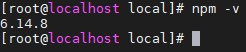
4.安装 Yarn 程序包管理器
$curl -sL https://dl.yarnpkg.com/rpm/yarn.repo | sudo tee /etc/yum.repos.d/yarn.repo<br>// 安装包
$sudo yum install yarn
5.如果需要为Node.js构建本机加载项,请考虑安装开发工具,运行如下命令:
首先查看:rpm -qa|grep -i mysql

( 2 )下载安装
如果无法执行wget命令,则先安装wget:
yum -y install wget
下载MySql:
wget http://dev.mysql.com/get/mysql57-community-release-el7-11.noarch.rpm
安装MySql:
yum localinstall mysql57-community-release-el7-11.noarch.rpm
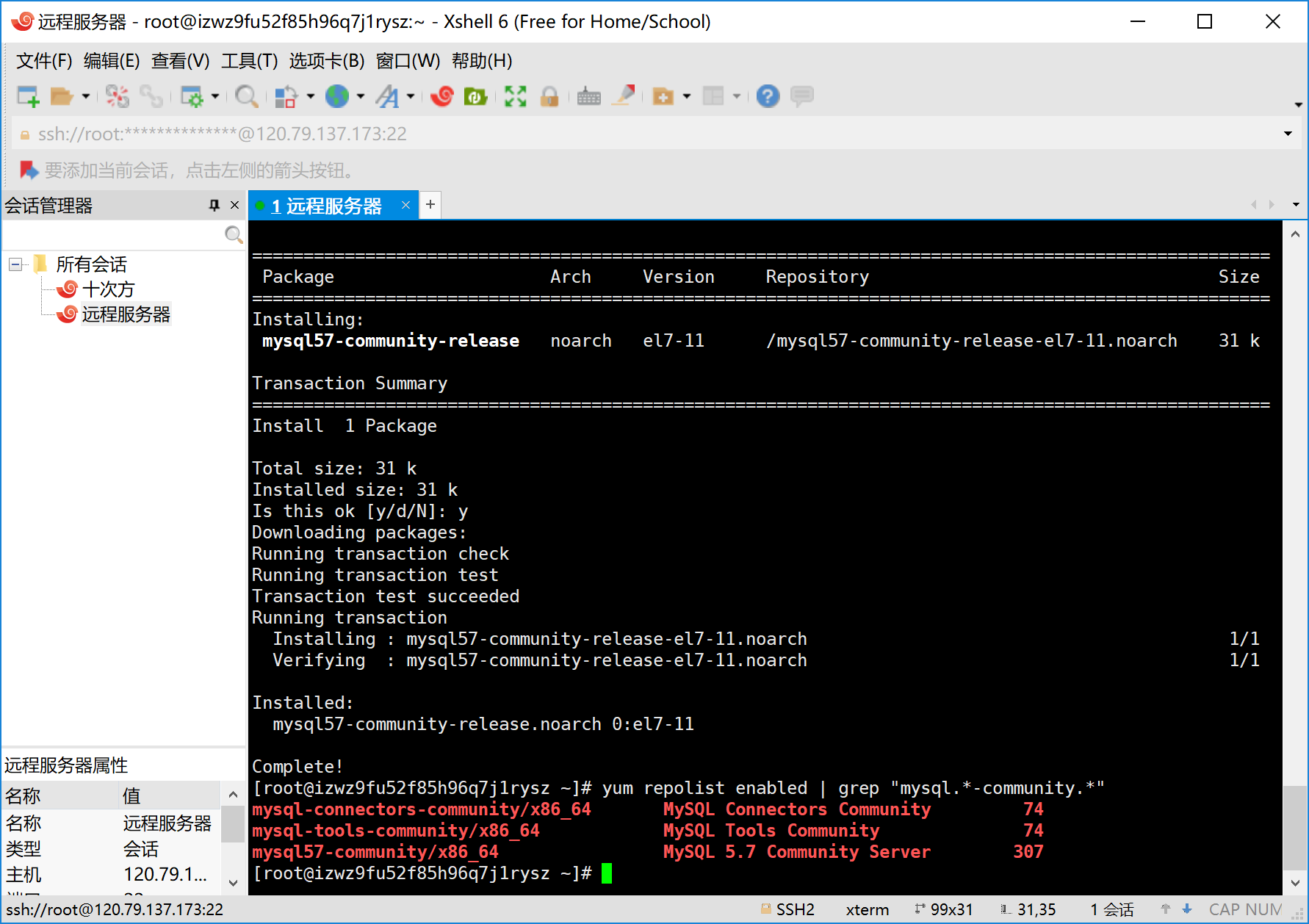
查看是否安装成功:
yum repolist enabled | grep "mysql.*-community.*"
(3) 设置服务
安装mysql:
yum install mysql-community-server
启动mysql:
systemctl start mysqld
关闭mysql:
systemctl stop mysqld
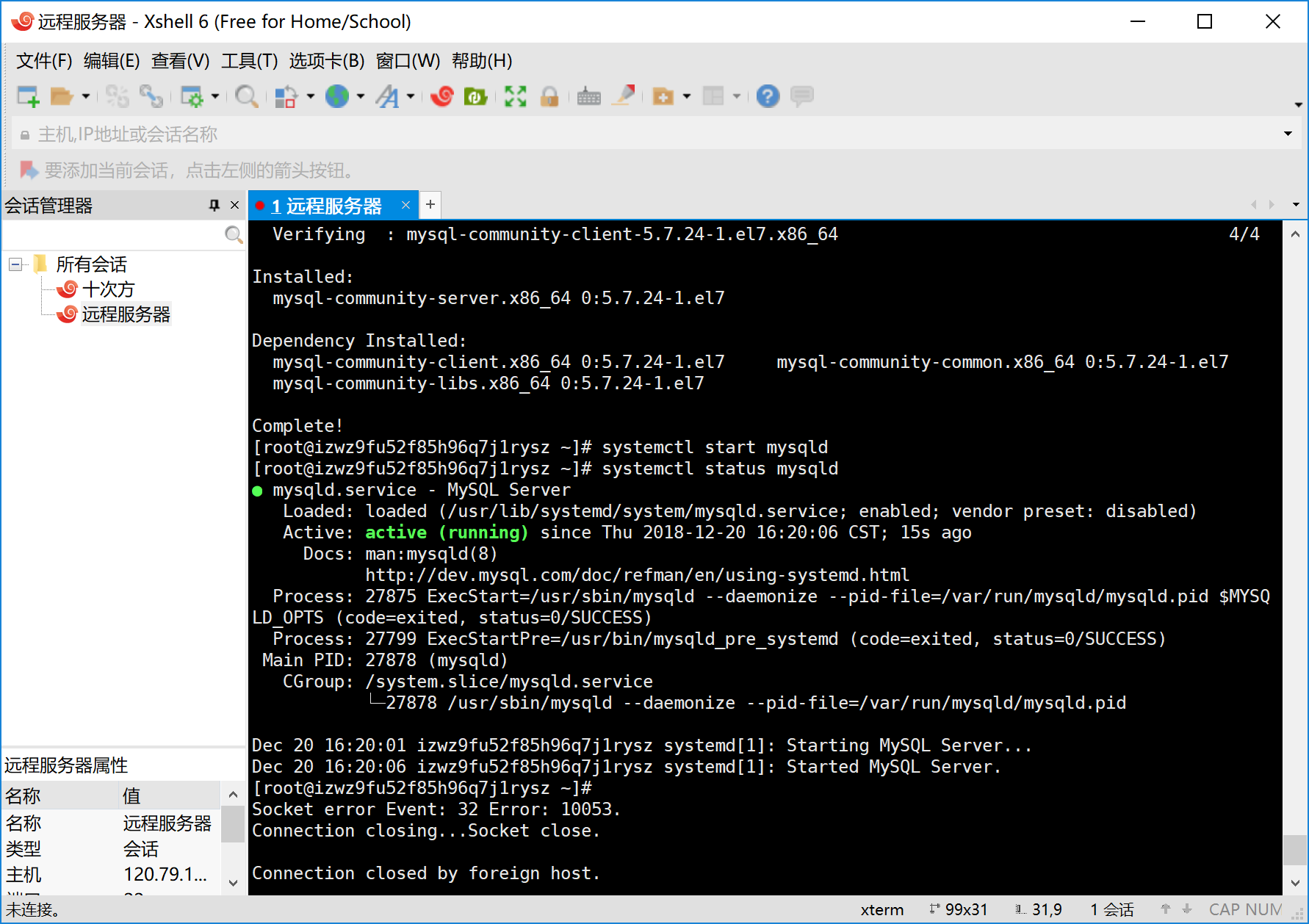
查看是否启动:
systemctl status mysqld
重启mysql:
systemctl restart mysqld
(4)开机自启
设置开机自启:
systemctl enable mysqld
继续执行:
systemctl daemon-reload
(5)修改密码
查看默认密码:
grep 'temporary password' /var/log/mysqld.log
连接数据库:
mysql -u root -p 密码
Mysql密码有安全策略,在/etc/my.cnf中加入 validate_password = off 可以设置关闭密码检验
重启mysql:
systemctl restart mysqld
进入mysql之后,修改密码:
alter user 'root'@'localhost' identified by '新密码';
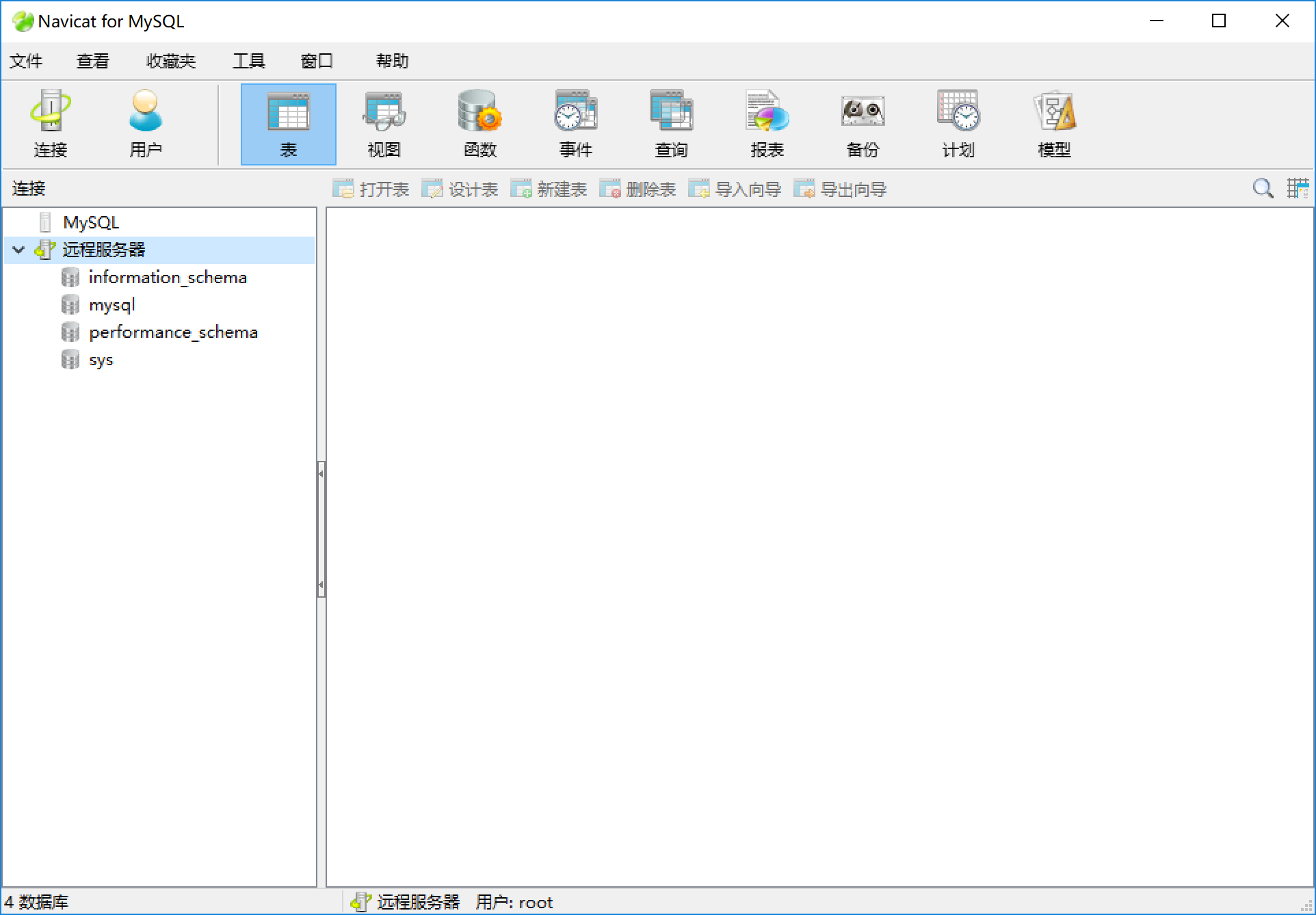
(6)远程连接
远程连接设置:
grant all privileges on *.* to root@'%'identified by '数据库密码';
连接成功
Centos 配置服务器的更多相关文章
- 【转】CentOS 6 服务器安全配置指南
原文连接: CentOS 6 服务器安全配置指南(通用) Linux 是一个开放式系统,可以在网络上找到许多现成的程序和工具,这既方便了用户,也方便了黑客,因为他们也能很容易地找到程序和工具来潜入 L ...
- [转帖]CentOS 6 服务器安全配置指南(通用)
CentOS 6 服务器安全配置指南(通用) http://seanlook.com/2014/09/07/linux-security-general-settings/ 发表于 2014-09- ...
- CENTOS 配置好SVN服务环境后,其他服务器无法访问 Error: Can't connect to host '192.168.1.103': 由于连接方在一段时间后没有正确答复或连接的主机没有反应,连接尝试失败。
CENTOS 配置好SVN服务环境后,其他服务器无法访问 根据 下面的步骤配置好服务后,使用本机可以正常 连接到 SVN 服务, 但是使用局域网的其他服务器访问时出现下面的错误, Error: C ...
- Centos配置多个tomcat服务器,并用nginx实现负载均衡
centos配置tomcat请参见上一篇博文 :http://www.cnblogs.com/nanyangzp/p/4897655.html 一:多tomcat利用不同端口开启服务器 多个tomca ...
- CentOS Linux服务器安全设置
转自:http://www.osyunwei.com/archives/754.html 引言: 我们必须明白:最小的权限+最少的服务=最大的安全 所以,无论是配置任何服务器,我们都必须把不用的服务关 ...
- Centos vsftpd服务器搭建
Centos vsftpd服务器搭建 时间:2016-07-18 1.最为简单的vsftpd服务器搭建 1.安装vsftpd 1.yum 安装 yum install vsftpd 2.rpm文件安装 ...
- 配置服务器有错/usr/libexec/gconf-sanity-check-2的退出状态为256
问题描述: CentOS启动的时候报如下错误:“配置服务器有错/usr/libexec/gconf-sanity-check-2的退出状态为256” 问题原因: 在装hadoop的时候误删了/tmp文 ...
- CentOS配置SSH免密码登录后,仍提示输入密码
CentOS配置SSH无密码登录需要3步: 生成公钥和私钥 导入公钥到认证文件,更改权限 测试 1.生成公钥和私钥 ssh-keygen -t dsa -P '' -f ~/.ssh/id_dsa 默 ...
- CentOS 配置防火墙操作实例(启、停、开、闭端口)CentOS Linux-FTP/对外开放端口(接口)TomCat相关
链接地址:http://blog.csdn.net/jemlee2002/article/details/7042991 CentOS 配置防火墙操作实例(启.停.开.闭端口): 注:防火墙的基本操作 ...
随机推荐
- 17 款程序员必备 Chrome扩展插件,爱了爱了!
整理:小哈学Java 目录 美化 Just Black 午夜黑官方主题 Dark Reader 暗黑主题 为什么你们就是不能加个空格呢? 标签管理 Momentum [新标签页] Tab Manage ...
- AtCoder Grand Contest 055 题解
A 赛时直到最后 10min 才做出这个 A 题,之前猜了一个结论一直没敢写,本来不抱啥希望 AC 的结果比赛结束时交了一发竟然 A 了,由此可见我的水平之菜/dk 考虑每次取出字符串开头字符,不妨设 ...
- Codeforces 1290F - Making Shapes(数位 dp)
Codeforces 题面传送门 & 洛谷题面传送门 数位 dp 好题. 首先,由于是凸包,一但向量集合确定,凸包的形态肯定就已经确定了.考虑什么样的向量集合能够组成符合条件的凸包,我们假设第 ...
- bzoj4036 / P3175 [HAOI2015]按位或
bzoj4036 / P3175 [HAOI2015]按位或 是一个 min-max容斥 的板子题. min-max容斥 式子: $ \displaystyle max(S) = \sum_{T\su ...
- CF#581 (div2)题解
CF#581 题解 A BowWow and the Timetable 如果不是4幂次方直接看位数除以二向上取整,否则再减一 #include<iostream> #include< ...
- [R] cbind和filter函数的坑
最近我用cbind函数整合数据后,再用filter过滤数据,碰到了一个大坑. 以两组独立样本t检验筛选差异蛋白为例进行说明吧. pro2 <- df2[1:6] Pvalue<-c(rep ...
- python函数初体验
函数 函数参数w 形式参数>>>>(被指定具体的值)默认参数, 实际参数是调用时候的实际指定参数 我们把函数⾥⾯的参数叫形式函数,函数实际调⽤的时候,赋予的参数叫实际函数 定义 ...
- MySQL:事务常用语句
Mysql(版本是8)的事务隔离级别 默认是RR:REPEATABLE-READ:可重复读 查看 当前隔离级别 全局隔离级别 修改 -- 当前修改 -- 设置成可重复读 SET transactio ...
- LVS nat模型+dr模型
nat模型 在 rs1 和 rs2 安装httpd 并配置测试页,启动 [root@rs1 ~]# yum install httpd -y[root@rs1 ~]# echo "thi ...
- Redis,Memcache,MongoDb的特点与区别
Redis Redis 简介 Redis 是完全开源免费的,遵守BSD协议,是一个高性能的key-value数据库. Redis 与其他 key - value 缓存产品有以下三个特点: Redis支 ...