
ABP框架源码学习之授权逻辑
asp.net core的默认的几种授权方法参考“雨夜朦胧”的系列博客,这里要强调的是asp.net core mvc中的授权和asp.net mvc中的授权不一样,建议先看前面“雨夜朦胧”的博客。
Abp中Controller里面用到的权限验证类为:AbpMvcAuthorizeAttribute,ApplicationService里面用到的权限验证类为:AbpAuthorizeAttribute(见下图)。
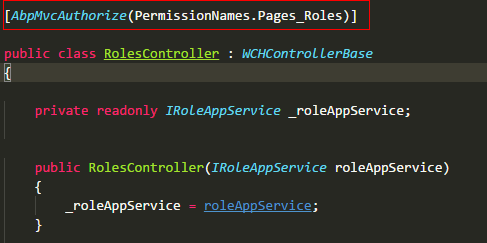
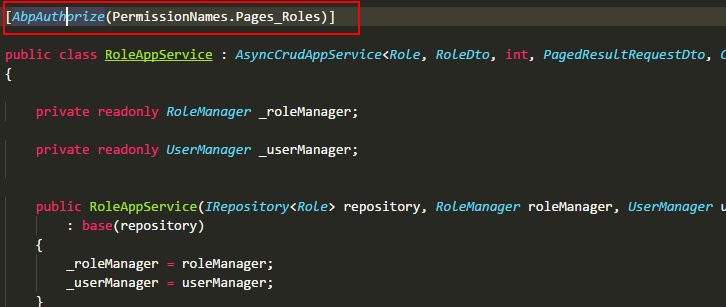
AbpMvcAuthorizeAttribute和AbpAuthorizeAttribute这两个类全部继承自IAbpAuthorizeAttribute(重要!!!),下面是这两个类的源码。
 namespace Abp.Authorization

 {

     /// <summary>

     /// This attribute is used on a method of an Application Service (A class that implements <see cref="IApplicationService"/>)

     /// to make that method usable only by authorized users.

     /// </summary>

     [AttributeUsage(AttributeTargets.Class | AttributeTargets.Method, AllowMultiple = true)]

     public class AbpAuthorizeAttribute : Attribute, IAbpAuthorizeAttribute

     {

         /// <summary>

         /// A list of permissions to authorize.

         /// </summary>

         public string[] Permissions { get; }

         /// <summary>

         /// If this property is set to true, all of the <see cref="Permissions"/> must be granted.

         /// If it's false, at least one of the <see cref="Permissions"/> must be granted.

         /// Default: false.

         /// </summary>

         public bool RequireAllPermissions { get; set; }

         /// <summary>

         /// Creates a new instance of <see cref="AbpAuthorizeAttribute"/> class.

         /// </summary>

         /// <param name="permissions">A list of permissions to authorize</param>

         public AbpAuthorizeAttribute(params string[] permissions)

         {

             Permissions = permissions;

         }

     }

 }
 namespace Abp.AspNetCore.Mvc.Authorization

 {

     /// <summary>

     /// This attribute is used on an action of an MVC <see cref="Controller"/>

     /// to make that action usable only by authorized users.

     /// </summary>

     [AttributeUsage(AttributeTargets.Class | AttributeTargets.Method, AllowMultiple = true)]

     public class AbpMvcAuthorizeAttribute : AuthorizeAttribute, IAbpAuthorizeAttribute

     {

         /// <inheritdoc/>

         public string[] Permissions { get; set; }

         /// <inheritdoc/>

         public bool RequireAllPermissions { get; set; }

         /// <summary>

         /// Creates a new instance of <see cref="AbpMvcAuthorizeAttribute"/> class.

         /// </summary>

         /// <param name="permissions">A list of permissions to authorize</param>

         public AbpMvcAuthorizeAttribute(params string[] permissions)

         {

             Permissions = permissions;

         }

     }

 }
重点来啦!!!
 namespace Abp.AspNetCore.Mvc.Authorization

 {

     public class AbpAuthorizationFilter : IAsyncAuthorizationFilter, ITransientDependency

     {

         public ILogger Logger { get; set; }

         private readonly IAuthorizationHelper _authorizationHelper;

         private readonly IErrorInfoBuilder _errorInfoBuilder;

         private readonly IEventBus _eventBus;

         public AbpAuthorizationFilter(

             IAuthorizationHelper authorizationHelper,

             IErrorInfoBuilder errorInfoBuilder,

             IEventBus eventBus)

         {

             _authorizationHelper = authorizationHelper;

             _errorInfoBuilder = errorInfoBuilder;

             _eventBus = eventBus;

             Logger = NullLogger.Instance;

         }

         public async Task OnAuthorizationAsync(AuthorizationFilterContext context)

         {

             // 判断context中是否有继承IAllowAnoymousFilter,有则跳出方法即验证成功

             if (context.Filters.Any(item => item is IAllowAnonymousFilter))

             {

                 return;

             }

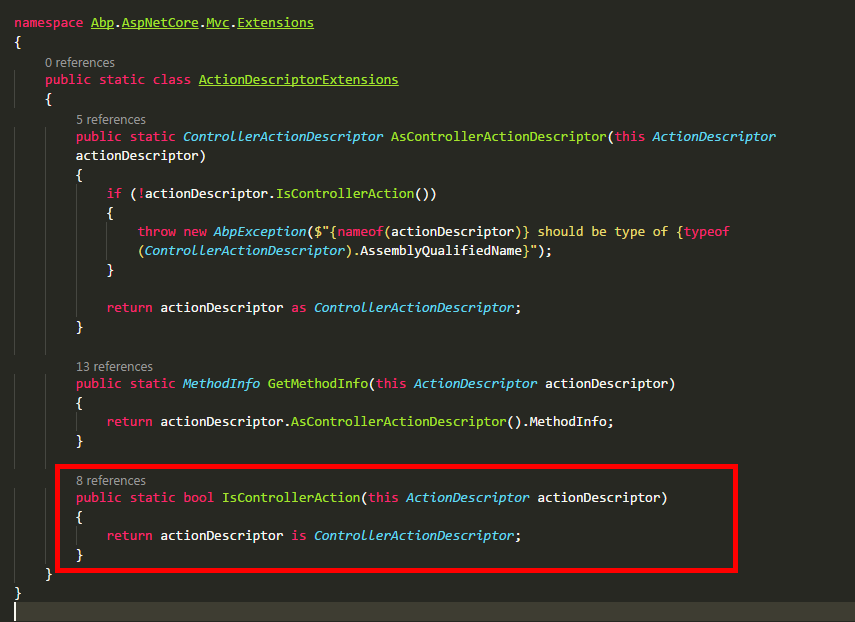
        //判断是否是Controller,具体方法见下面第一张截图

             if (!context.ActionDescriptor.IsControllerAction())

             {

                 return;

             }

             //TODO: Avoid using try/catch, use conditional checking

             try

             {

                 await _authorizationHelper.AuthorizeAsync(

                     context.ActionDescriptor.GetMethodInfo(),

                     context.ActionDescriptor.GetMethodInfo().DeclaringType

                 );

             }

             catch (AbpAuthorizationException ex)

             {

                 Logger.Warn(ex.ToString(), ex);

                 _eventBus.Trigger(this, new AbpHandledExceptionData(ex));

                 if (ActionResultHelper.IsObjectResult(context.ActionDescriptor.GetMethodInfo().ReturnType))

                 {

                     context.Result = new ObjectResult(new AjaxResponse(_errorInfoBuilder.BuildForException(ex), true))

                     {

                         StatusCode = context.HttpContext.User.Identity.IsAuthenticated

                             ? (int) System.Net.HttpStatusCode.Forbidden

                             : (int) System.Net.HttpStatusCode.Unauthorized

                     };

                 }

                 else

                 {

                     context.Result = new ChallengeResult();

                 }

             }

             catch (Exception ex)

             {

                 Logger.Error(ex.ToString(), ex);

                 _eventBus.Trigger(this, new AbpHandledExceptionData(ex));

                 if (ActionResultHelper.IsObjectResult(context.ActionDescriptor.GetMethodInfo().ReturnType))

                 {

                     context.Result = new ObjectResult(new AjaxResponse(_errorInfoBuilder.BuildForException(ex)))

                     {

                         StatusCode = (int) System.Net.HttpStatusCode.InternalServerError

                     };

                 }

                 else

                 {

                     //TODO: How to return Error page?

                     context.Result = new StatusCodeResult((int)System.Net.HttpStatusCode.InternalServerError);

                 }

             }

         }

     }

 }
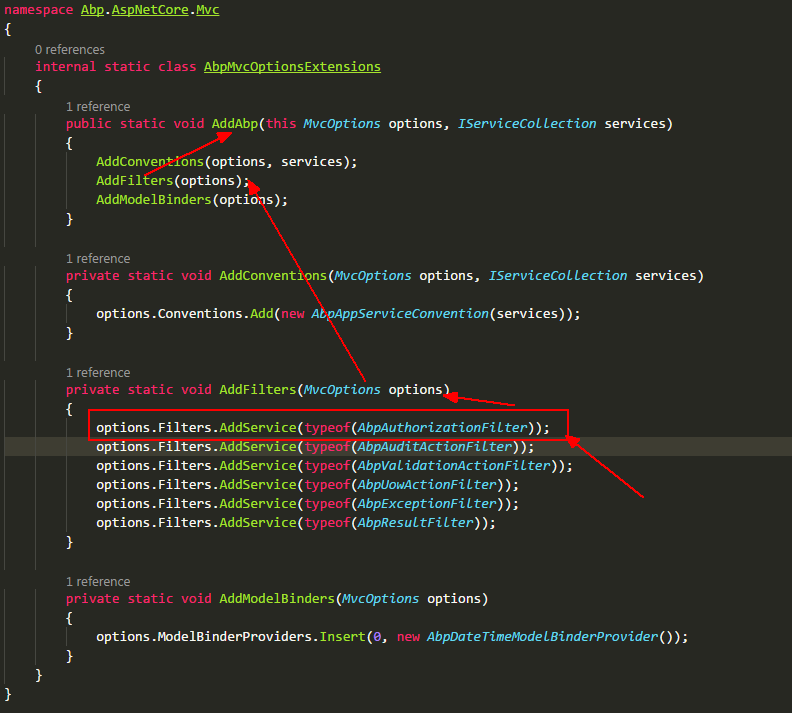
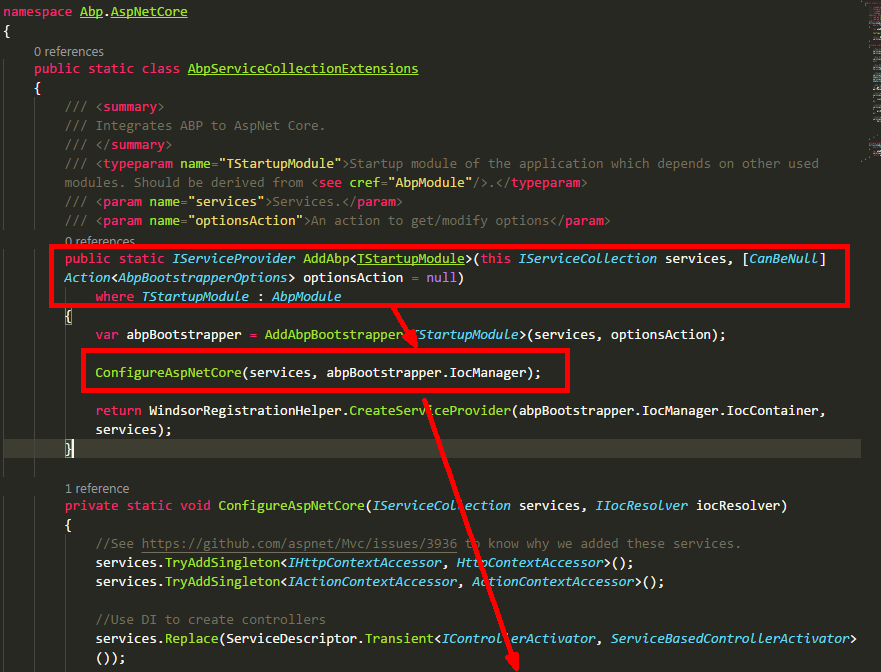
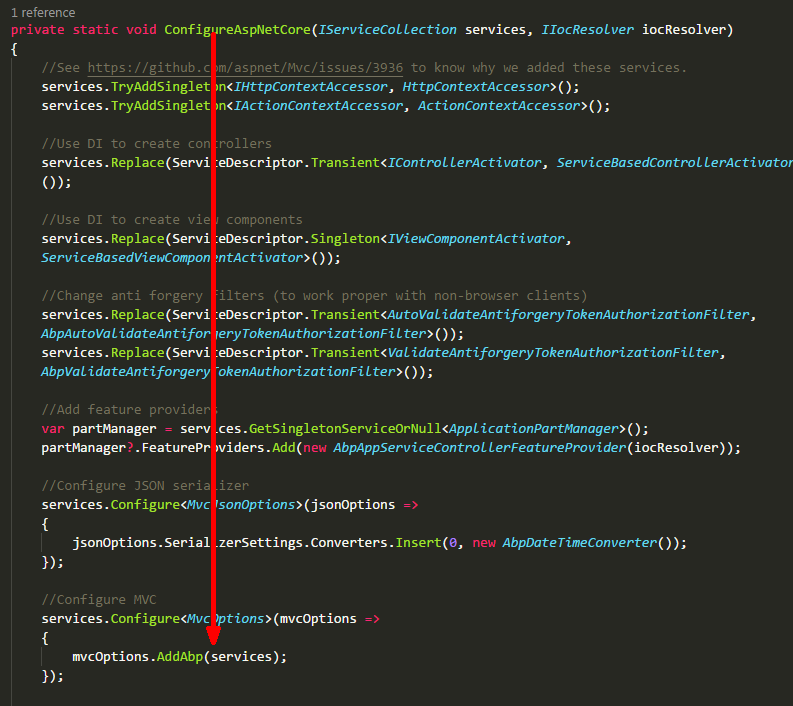
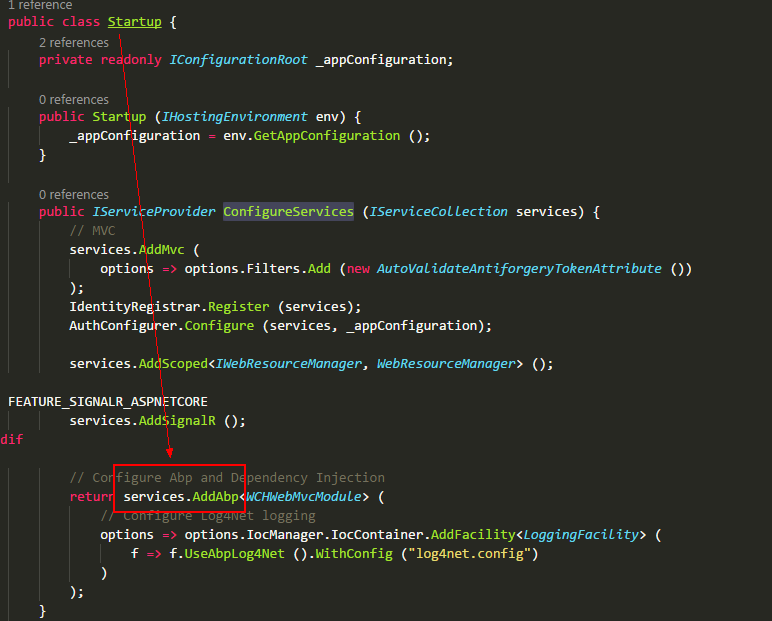
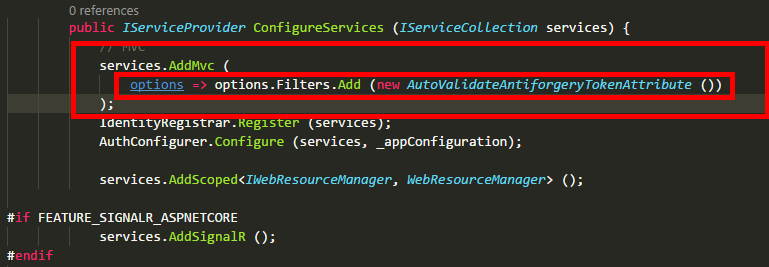
拓展:当我们有某个业务需要用到AOP时,但又不想使用一些第三方框架,我们就可以借鉴上面的方法,定义一个特性,然后定义一个Filter,在Filter里面判断Controller等是否使用这些特性,并且特性的属性是否符合我们的需求,最后在Startup里面AddMvc时将这个Filter添加到FilterCollection里面。例如下图,自动验证AntiforgeryToken
ABP框架源码学习之授权逻辑的更多相关文章
- ABP框架源码学习之修改默认数据库表前缀或表名称
ABP框架源码学习之修改默认数据库表前缀或表名称 1,源码 namespace Abp.Zero.EntityFramework { /// <summary> /// Extension ...
- Golang源码学习:调度逻辑(二)main goroutine的创建
接上一篇继续分析一下runtime.newproc方法. 函数签名 newproc函数的签名为 newproc(siz int32, fn *funcval) siz是传入的参数大小(不是个数):fn ...
- 集合框架源码学习之ArrayList
目录: 0-0-1. 前言 0-0-2. 集合框架知识回顾 0-0-3. ArrayList简介 0-0-4. ArrayList核心源码 0-0-5. ArrayList源码剖析 0-0-6. Ar ...
- CI框架源码学习笔记1——index.php
做php开发一年多了,陆陆续续用过tp/ci/yii框架,一直停留在只会使用的层面上,关于框架内部的结构实际上是不甚了解的.为了深入的学习,决定把CI框架的源码从头到尾的学习一下, 主要因为CI框架工 ...
- axel源码学习(0)——程序逻辑
axel简介 axel是一个命令行下的轻量级http/ftp 下载加速工具,支持多线程下载和断点续传,支持从多个镜像下载同一文件. axel的用法如下: 图 0.1 axel usage axel 粗 ...
- 集合框架源码学习之HashMap(JDK1.8)
目录: 0-1. 简介 0-2. 内部结构分析 0-2-1. JDK18之前 0-2-2. JDK18之后 0-3. LinkedList源码分析 0-3-1. 构造方法 0-3-2. put方法 0 ...
- 集合框架源码学习之LinkedList
0-1. 简介 0-2. 内部结构分析 0-3. LinkedList源码分析 0-3-1. 构造方法 0-3-2. 添加add方法 0-3-3. 根据位置取数据的方法 0-3-4. 根据对象得到索引 ...
- CI框架源码学习笔记7——Utf8.php
愉快的清明节假期结束了,继续回到CI框架学习.这一节我们来看看Utf8.php文件,它主要是用来做utf8编码,废话不多说,上代码. class CI_Utf8 { /** * Class const ...
- CI框架源码学习笔记2——Common.php
上一节我们最后说到了CodeIgniter.php,可是这一节的标题是Common.php,有的朋友可能会觉得很奇怪.事实上,CodeIgniter.php其实包含了ci框架启动的整个流程. 里面引入 ...
随机推荐
- zabbix入门知识
zabbix入门知识 zabbix中文手册 https://www.zabbix.com/documentation/3.4/manual/ 1.zabbix介绍 Zabbix 是一个企业级的分布式开 ...
- [转]sysctl -P 报错解决办法
问题症状 修改 linux 内核文件 #vi /etc/sysctl.conf后执行sysctl -P 报错 error: "net.bridge.bridge-nf-call-ip6ta ...
- python_如何为创建大量实例节省内存?
案例: 某网络游戏中,定义了玩家类Player(id, name, status,....),每有一个在线玩家,在服务器程序内有一个Player的实例,当在线人数很多时,将产生大量实例(百万级别) 需 ...
- mybatis自动生成java代码
SSM框架没有DB+Record模式,写起来特别费劲,只能用下面的方法勉强凑合. 上图中,*.jar为下载的,src为新建的空白目录,.xml配置如下. <?xml version=" ...
- 用Markdown格式写一份前端简历
1. 基本信息 姓名:xxx 手机号码:1380000xxxx 学校:南昌大学 学历:大学本科/硕士/博士 工作经验:3年以上Web前端 电子邮件:xxx@outlook.com 2. 求职意向 工作 ...
- 解决ubuntu系统root用户下Chrome无法启动问题
由于ubuntu16.04系统自带的是Firefox浏览器,需要安装Chrome浏览器,但是在root用户下安装后发现,Chrome无法正常启动.安装及问题解决具体如下: 1. ubuntu上Chro ...
- 跟我一起读postgresql源码(十五)——Executor(查询执行模块之——control节点(上))
控制节点 控制节点用于完成一些特殊的流程执行方式.由于PostgreSQL为査询语句生成二叉树状的査询计划,其中大部分节点的执行过程需要两个以内的输入和一个输出.但有一些特殊的功能为了优化的需要,会含 ...
- python 字符串操作方法详解
字符串序列用于表示和存储文本,python中字符串是不可变对象.字符串是一个有序的字符的集合,用于存储和表示基本的文本信息,一对单,双或三引号中间包含的内容称之为字符串.其中三引号可以由多行组成,编写 ...
- 获取IP Address
public string GetUserIp() { var visitorsIpAddr = string.Empty; if (System.Web.HttpContext.Current.Re ...
- Redis .Net 基本类型使用之南
前言 最近需要使用redis,看了一些文档,也在博客园里面看了很多文章,这里就记录下Redis常用类型的操作. String string是redis基本类型,一般通过Get,Set 命令进行操作,这 ...