
Metasploit (二)
1、测试一台搭建的主机
msf > db_nmap -n -A 10.140.110.16
[*] Nmap: Starting Nmap 7.60 ( https://nmap.org ) at 2018-09-04 20:19 CST
[*] Nmap: Nmap scan report for 10.140.110.16
[*] Nmap: Host is up (0.093s latency).
[*] Nmap: Not shown: 982 closed ports
[*] Nmap: PORT STATE SERVICE VERSION
[*] Nmap: 135/tcp open msrpc Microsoft Windows RPC
[*] Nmap: 139/tcp open netbios-ssn Microsoft Windows netbios-ssn
[*] Nmap: 443/tcp open ssl/http VMware VirtualCenter Web service
[*] Nmap: |_http-title: Site doesn't have a title (text; charset=plain).
[*] Nmap: | ssl-cert: Subject: commonName=VMware/countryName=US
[*] Nmap: | Not valid before: 2017-03-12T12:26:45
[*] Nmap: |_Not valid after: 2018-03-12T12:26:45
[*] Nmap: |_ssl-date: 2018-09-04T12:23:06+00:00; +17s from scanner time.
[*] Nmap: | vmware-version:
[*] Nmap: | Server version: VMware Workstation 10.0.3
[*] Nmap: | Build: 1895310
[*] Nmap: | Locale version: INTL
[*] Nmap: | OS type: win32-x86
[*] Nmap: |_ Product Line ID: ws
[*] Nmap: 445/tcp open microsoft-ds Windows 7 Ultimate 7601 Service Pack 1 microsoft-ds (workgroup: WORKGROUP)
[*] Nmap: 514/tcp filtered shell
[*] Nmap: 902/tcp open nagios-nsca Nagios NSCA
[*] Nmap: 912/tcp open vmware-auth VMware Authentication Daemon 1.0 (Uses VNC, SOAP)
[*] Nmap: 1688/tcp open msrpc Microsoft Windows RPC
[*] Nmap: 3011/tcp open http Tridium Niagara httpd 3.0 (Platform: Windows 7)
[*] Nmap: | http-robots.txt: 1 disallowed entry
[*] Nmap: |_/
[*] Nmap: |_http-server-header: Niagara Web Server/3.0
[*] Nmap: |_http-title: Site doesn't have a title (text/html).
[*] Nmap: 3306/tcp open mysql MySQL (unauthorized)
[*] Nmap: 3389/tcp open ms-wbt-server?
[*] Nmap: 8009/tcp open ajp13 Apache Jserv (Protocol v1.3)
[*] Nmap: |_ajp-methods: Failed to get a valid response for the OPTION request
[*] Nmap: 8080/tcp open http Apache Tomcat/Coyote JSP engine 1.1
[*] Nmap: |_http-favicon: Apache Tomcat
[*] Nmap: |_http-open-proxy: Proxy might be redirecting requests
[*] Nmap: |_http-server-header: Apache-Coyote/1.1
[*] Nmap: |_http-title: Apache Tomcat/7.0.37
[*] Nmap: 49152/tcp open msrpc Microsoft Windows RPC
[*] Nmap: 49153/tcp open msrpc Microsoft Windows RPC
[*] Nmap: 49154/tcp open msrpc Microsoft Windows RPC
[*] Nmap: 49156/tcp open msrpc Microsoft Windows RPC
[*] Nmap: 49163/tcp open msrpc Microsoft Windows RPC
[*] Nmap: Device type: general purpose
[*] Nmap: Running: Microsoft Windows XP|7|2012
[*] Nmap: OS CPE: cpe:/o:microsoft:windows_xp::sp3 cpe:/o:microsoft:windows_7 cpe:/o:microsoft:windows_server_2012
[*] Nmap: OS details: Microsoft Windows XP SP3, Microsoft Windows XP SP3 or Windows 7 or Windows Server 2012
[*] Nmap: Network Distance: 2 hops
[*] Nmap: Service Info: Host: MS-20160714YUJH; OS: Windows; Device: specialized; CPE: cpe:/o:microsoft:windows
[*] Nmap: Host script results:
[*] Nmap: |_clock-skew: mean: 17s, deviation: 0s, median: 16s
[*] Nmap: |_nbstat: NetBIOS name: MS-20160714YUJH, NetBIOS user: <unknown>, NetBIOS MAC: 34:97:f6:90:9e:c9 (Asustek Computer)
[*] Nmap: | smb-os-discovery:
[*] Nmap: | OS: Windows 7 Ultimate 7601 Service Pack 1 (Windows 7 Ultimate 6.1)
[*] Nmap: | OS CPE: cpe:/o:microsoft:windows_7::sp1
[*] Nmap: | Computer name: MS-20160714YUJH
[*] Nmap: | NetBIOS computer name: MS-20160714YUJH\x00
[*] Nmap: | Workgroup: WORKGROUP\x00
[*] Nmap: |_ System time: 2018-09-04T20:23:07+08:00
[*] Nmap: | smb-security-mode:
[*] Nmap: | account_used: guest
[*] Nmap: | authentication_level: user
[*] Nmap: | challenge_response: supported
[*] Nmap: |_ message_signing: disabled (dangerous, but default)
[*] Nmap: | smb2-security-mode:
[*] Nmap: | 2.02:
[*] Nmap: |_ Message signing enabled but not required
[*] Nmap: | smb2-time:
[*] Nmap: | date: 2018-09-04 20:23:06
[*] Nmap: |_ start_date: 2018-09-04 08:28:38
[*] Nmap: TRACEROUTE (using port 80/tcp)
[*] Nmap: HOP RTT ADDRESS
[*] Nmap: 1 0.18 ms 192.168.142.2
[*] Nmap: 2 0.14 ms 10.140.110.16
[*] Nmap: OS and Service detection performed. Please report any incorrect results at https://nmap.org/submit/ .
[*] Nmap: Nmap done: 1 IP address (1 host up) scanned in 233.14 seconds
查询开启的服务
msf > service
[*] exec: service
Usage: service < option > | --status-all | [ service_name [ command | --full-restart ] ]
msf > services
Services
========
host port proto name state info
---- ---- ----- ---- ----- ----
10.140.110.16 135 tcp msrpc open Microsoft Windows RPC
10.140.110.16 139 tcp netbios-ssn open Microsoft Windows netbios-ssn
10.140.110.16 443 tcp ssl/http open VMware VirtualCenter Web service
10.140.110.16 445 tcp microsoft-ds open Windows 7 Ultimate 7601 Service Pack 1 microsoft-ds workgroup: WORKGROUP
10.140.110.16 514 tcp shell filtered
10.140.110.16 902 tcp nagios-nsca open Nagios NSCA
10.140.110.16 912 tcp vmware-auth open VMware Authentication Daemon 1.0 Uses VNC, SOAP
10.140.110.16 1688 tcp msrpc open Microsoft Windows RPC
10.140.110.16 3011 tcp http open Tridium Niagara httpd 3.0 Platform: Windows 7
10.140.110.16 3306 tcp mysql open MySQL unauthorized
10.140.110.16 3389 tcp ms-wbt-server open
10.140.110.16 8009 tcp ajp13 open Apache Jserv Protocol v1.3
10.140.110.16 8080 tcp http open Apache Tomcat/Coyote JSP engine 1.1
10.140.110.16 49152 tcp msrpc open Microsoft Windows RPC
10.140.110.16 49153 tcp msrpc open Microsoft Windows RPC
10.140.110.16 49154 tcp msrpc open Microsoft Windows RPC
10.140.110.16 49156 tcp msrpc open Microsoft Windows RPC
10.140.110.16 49163 tcp msrpc open Microsoft Windows RPC
202.201.39.51 22 tcp ssh open OpenSSH 5.3 protocol 2.0
202.201.39.51 80 tcp http open Apache httpd 2.2.15 (CentOS)
202.201.39.51 135 tcp msrpc filtered
202.201.39.51 139 tcp netbios-ssn filtered
202.201.39.51 445 tcp microsoft-ds filtered
202.201.39.51 514 tcp shell filtered
202.201.39.51 3306 tcp mysql open MySQL unauthorized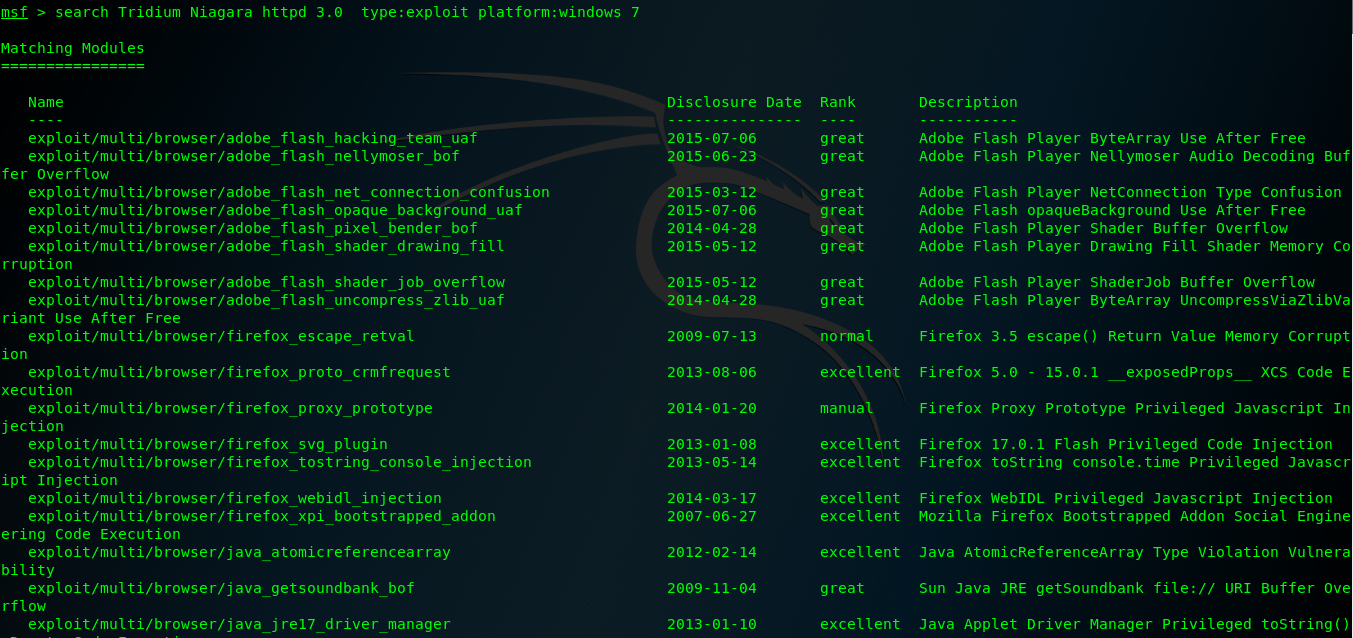
Metasploit (二)的更多相关文章
- Metasploit是一款开源的安全漏洞检测工具,
Metasploit是一款开源的安全漏洞检测工具,可以帮助安全和IT专业人士识别安全性问题,验证漏洞的缓解措施,并管理专家驱动的安全性进行评估,适合于需要核实漏洞的安全专家,同时也适合于强大进攻能力的 ...
- HW弹药库之红队作战手册
红方人员实战手册 声明 Author : By klion Date : 2020.2.15 寄语 : 愿 2020 后面的每一天都能一切安好 分享初衷 一来, 旨在为 "攻击" ...
- ApacheCN Kali Linux 译文集 20211020 更新
Kali Linux 秘籍 中文版 第一章 安装和启动Kali 第二章 定制 Kali Linux 第三章 高级测试环境 第四章 信息收集 第五章 漏洞评估 第六章 漏洞利用 第七章 权限提升 第八章 ...
- 羽翼metasploit第一,二季学习笔记
-----------------第一季-------------------- 启动Metasploit:msfconsole 升级和更新:./msfupdate 直接退出:exit 退回上一级:q ...
- 使用Metasploit渗透攻击windows系统(二)
后渗透攻击: 介绍常用的一些命令: 查看进程:ps 查看当前进程号:getpid 查看系统信息:sysinfo 查看目标机是否为虚拟机:run post/windows/gather/checkvm ...
- metasploit framework(十二):sql server扫描
mssql_ping模块,如果1433端口开放的话,直接连接这个1433端口,如果没开放,就通过UDP的1434去查询TCP的sql server端口 run,就扫描出来了数据库的tcp端口 得到tc ...
- metasploit framework(二):记一次入侵
msfconsole use 其中一个 exploit前台执行注入 后台执行shell 加-j 通过sessions查看后台执行的shell,可以看到这个会话的id号为2 进入会话,sessions ...
- chapter1 渗透测试与metasploit
网络对抗技术课程学习 chapter1 渗透测试与metasploit 一.读书笔记 二.渗透测试 通过模拟恶意攻击者的技术与方法进行攻击,挫败目标系统安全控制措施,取得访问控制权,并发现具备业务影响 ...
- Kali Linux Web 渗透测试— 第十二课-websploit
Kali Linux Web 渗透测试— 第十二课-websploit 文/玄魂 目录 Kali Linux Web 渗透测试— 第十二课-websploit..................... ...
随机推荐
- 帮助类-从tfs获取数据
using JC.Helper; using Microsoft.TeamFoundation.Client; using Microsoft.TeamFoundation.Framework.Cli ...
- vue学习之生命周期和钩子函数
参考文章:Vue2.0 探索之路——生命周期和钩子函数的一些理解 抛出问题: 我们有时候会在几个钩子函数里做一些事情,那么什么时候做,该在哪个函数里做? 生命周期简介 结合代码看el 和 data以及 ...
- 使用RocketMQ实现分布式事务
.. todo ref https://blog.csdn.net/zhejingyuan/article/details/79480128
- mysql 查询优化 ~ 多表查询改写思路
一 简介:在之前我们从基础可知,现在咱们聊一下改写的几种思路二 分类: 1 left join 2 inner join 3 right join三 具体改写思路:思路1 本身不包含子查询,将多 ...
- 强网杯2018 Web签到
Web签到 比赛链接:http://39.107.33.96:10000 比赛的时候大佬对这题如切菜一般,小白我只能空流泪,通过赛后看别人的wp,我知道了还有这种操作. 这个赛题分为3层 第一层 Th ...
- ovs常用操作
1.添加网桥:ovs-vsctl add-br 交换机名 2.删除网桥:ovs-vsctl del-br 交换机名 3.添加端口:ovs-vsctl add-port 交换机名 端口名(网卡名) 4. ...
- python 各种推导式玩法
推导式套路 除了最简单的列表推导式和生成器表达式,其实还有字典推导式.集合推导式等等. 下面是一个以列表推导式为例的推导式详细格式,同样适用于其他推导式. variable = [out_exp_re ...
- ProtonMiner挖矿蠕虫
特征 ProtonMail邮箱地址 利用漏洞 服务 漏洞 Hadoop 未授权访问 Drupal CVE-2018-7600 Redis 未授权访问 Spring Data Commons CVE-2 ...
- Focal Loss
为了有效地同时解决样本类别不均衡和苦难样本的问题,何凯明和RGB以二分类交叉熵为例提出了一种新的Loss----Focal loss 原始的二分类交叉熵形式如下: Focal Loss形式如下: 上式 ...
- Xml 文件读取
.NET 读取Xml文件,用到XmlDocument类. 1.要获取文档的根: DocumentElement. 2.Attributes :获取 XmlAttributeCollection 包含此 ...