
【非专业前端】vue+element+webpack
先点这里(~ ̄▽ ̄)~
环境搭建
默认你已经安装了node.js
下面安装vue和webpack
npm install -g @vue/cli

npm install -g @vue/cli-init

npm install -g webpack

npm install -g webpack-cli
webpack-simple方式
下面找到你的工程根目录,开始创建一个工程
Microsoft Windows [版本 6.1.]

版权所有 (c)  Microsoft Corporation。保留所有权利。

F:\WebstormProjects>vue init webpack-simple my_test

? Project name my_test

? Project description A Vue.js project

? Author admin

? License MIT

? Use sass? Yes

   vue-cli · Generated "my_test".

   To get started:

     cd my_test

     npm install

     npm run dev
按照提示,下面进行初始化
F:\WebstormProjects>cd my_test

F:\WebstormProjects\my_test>npm install

npm WARN deprecated browserslist@1.7.: Browserslist  could fail on reading Bro

wserslist >3.0 config used in other tools.

> node-sass@4.9. install F:\WebstormProjects\my_test\node_modules\node-sass

> node scripts/install.js

Cached binary found at d:\Users\\Application Data\npm-cache\node-sass\4.9.

\win32-x64-57_binding.node

> uglifyjs-webpack-plugin@0.4. postinstall F:\WebstormProjects\my_test\node_mod

ules\uglifyjs-webpack-plugin

> node lib/post_install.js

> node-sass@4.9. postinstall F:\WebstormProjects\my_test\node_modules\node-sass

> node scripts/build.js

Binary found at F:\WebstormProjects\my_test\node_modules\node-sass\vendor\win32-

x64-\binding.node

Testing binary

Binary is fine

npm notice created a lockfile as package-lock.json. You should commit this file.

npm WARN optional SKIPPING OPTIONAL DEPENDENCY: fsevents@1.2. (node_modules\fse

vents):

npm WARN notsup SKIPPING OPTIONAL DEPENDENCY: Unsupported platform for fsevents@

1.2.: wanted {"os":"darwin","arch":"any"} (current: {"os":"win32","arch":"x64"}

)

added  packages in .204s

F:\WebstormProjects\my_test>npm run dev

> my_test@1.0. dev F:\WebstormProjects\my_test

> cross-env NODE_ENV=development webpack-dev-server --open --hot

Project is running at http://localhost:8080/

webpack output is served from /dist/

404s will fallback to /index.html
最后访问

用Webstorm打开,工程目录如下

需要vue-router的话
npm install vue-router --save
这种方式我添加element后,启动失败,所以我放弃了这种方法
F:\WebstormProjects\my_test>vue add element

�  Installing vue-cli-plugin-element...

+ vue-cli-plugin-element@1.0.

added  package in .909s

✔  Successfully installed plugin: vue-cli-plugin-element

? How do you want to import Element? Fully import

? Do you wish to overwrite Element's SCSS variables? Yes

? Choose the locale you want to load zh-CN

 WARN  conflicting versions for project dependency "sass-loader":

- ^6.0. injected by generator "undefined"

- ^7.0. injected by generator "vue-cli-plugin-element"

Using newer version (^7.0.), but this may cause build errors.

�  Invoking generator for vue-cli-plugin-element...

�  Installing additional dependencies...

updated  packages in .277s

⚓  Running completion hooks...

✔  Successfully invoked generator for plugin: vue-cli-plugin-element
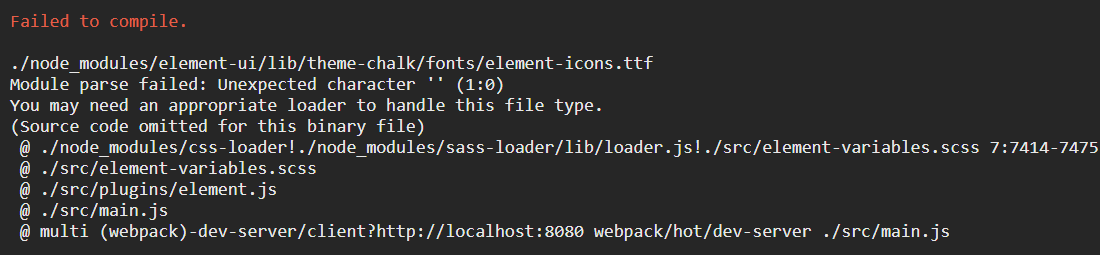
好像是什么字体错了
webpack方式
Microsoft Windows [版本 6.1.]

版权所有 (c)  Microsoft Corporation。保留所有权利。

F:\WebstormProjects>vue init webpack my_hello

? Project name my_hello

? Project description A Vue.js project

? Author admin

? Vue build (Use arrow keys)

? Vue build standalone

? Install vue-router? Yes

? Use ESLint to lint your code? Yes

? Pick an ESLint preset Standard

? Set up unit tests Yes

? Pick a test runner jest

? Setup e2e tests with Nightwatch? Yes? Should we run `npm install` for you after the project has been created? (recommended) npm

   vue-cli · Generated "my_hello".

# Installing project dependencies ...

# ========================

npm WARN deprecated browserslist@2.11.: Browserslist  could fail on reading Browserslist >3.0 config used in other tools.

npm WARN deprecated bfj-node4@5.3.: Switch to the `bfj` package for fixes and new features!

npm WARN deprecated browserslist@1.7.: Browserslist  could fail on reading Browserslist >3.0 config used in other tools.

npm WARN deprecated istanbul-lib-hook@1.2.: 1.2. should have been a major version bump

npm WARN deprecated socks@1.1.: If using .x branch, please upgrade to at least 2.1. to avoid a serious bug with socket data flow and an import issue introduced in 2.1.

npm WARN deprecated @types/commander@2.12.: This is a stub types definition for commander (https://github.com/tj/commander.js). commander provides its own type definitions, so you don't need @types/commander installed!

> chromedriver@2.41. install F:\WebstormProjects\my_hello\node_modules\chromedriver

> node install.js

Downloading https://chromedriver.storage.googleapis.com/2.41/chromedriver_win32.zip

Saving to C:\Users\XXX\AppData\Local\Temp\chromedriver\chromedriver_win32.zip
对,我卡在这里不动了,但是我发现你终止的话也没啥影响(之所以不动是因为连接不上啊,国外的网址)。
后来发现:出现这个是因为选择了e2e,只要你不选择e2e,就不会出现这个
然后添加elementUI组件
F:\WebstormProjects\my_hello>vue add element

�  Installing vue-cli-plugin-element...

+ vue-cli-plugin-element@1.0.

added  package in .093s

✔  Successfully installed plugin: vue-cli-plugin-element

? How do you want to import Element? Fully import

? Do you wish to overwrite Element's SCSS variables? Yes

? Choose the locale you want to load zh-CN

�  Invoking generator for vue-cli-plugin-element...

�  Installing additional dependencies...

> node-sass@4.9. install F:\WebstormProjects\my_hello\node_modules\node-sass

> node scripts/install.js

Cached binary found at d:\Users\\Application Data\npm-cache\node-sass\4.9.

\win32-x64-57_binding.node

> node-sass@4.9. postinstall F:\WebstormProjects\my_hello\node_modules\node-sas

s

> node scripts/build.js

Binary found at F:\WebstormProjects\my_hello\node_modules\node-sass\vendor\win32

-x64-\binding.node

Testing binary

Binary is fine

added  packages in .571s

⚓  Running completion hooks...

✔  Successfully invoked generator for plugin: vue-cli-plugin-element
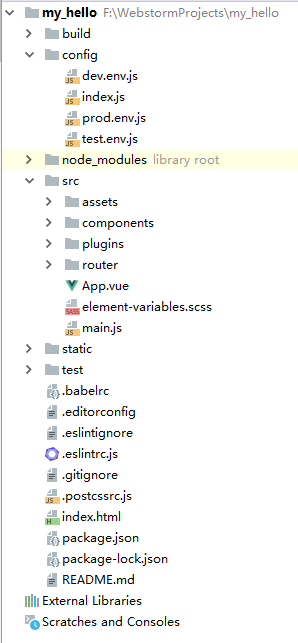
用Webstorm打开项目
..启动项目
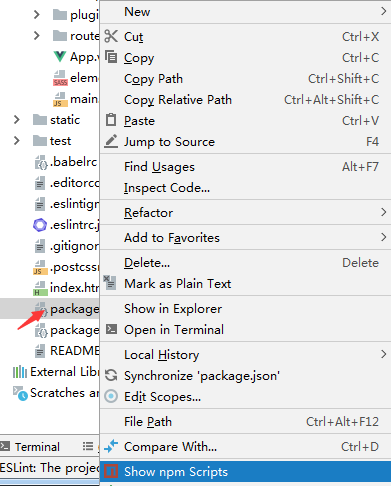
..

..

..
..
后来发现
不设置e2e测试【Setup e2e tests with Nightwatch? No】,,,跑过去了

..

执行最后那两句话:

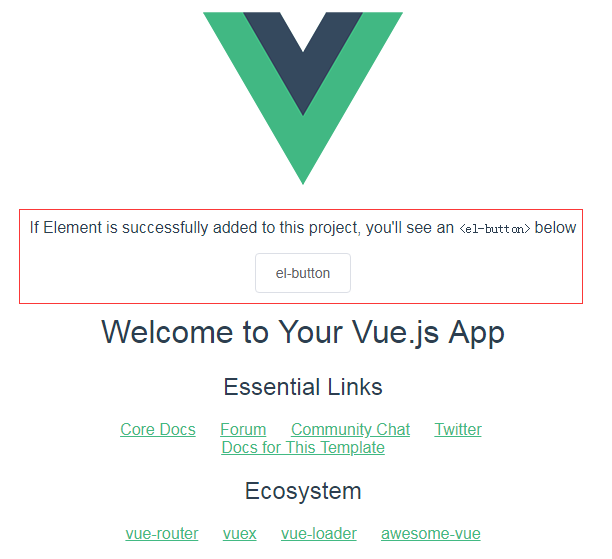
可以访问页面

用Webstorm打开查看目录

最后的摸索
更新npm
npm install npm@latest -g
下面关于webpack

所以说,webpack最好不要全局安装。
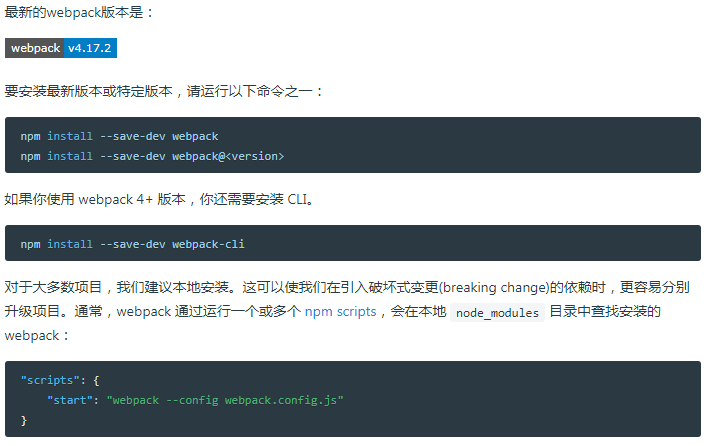
而这仅仅用于手动安装
我把项目全部放在F:\WebstormProjects
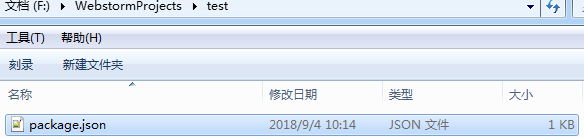
在这个目录下新建一个文件夹用来存放项目,比如test
进入这个目录,先执行npm init 来生成package.json文件,一路回车即可
Microsoft Windows [版本 6.1.]

版权所有 (c)  Microsoft Corporation。保留所有权利。

F:\WebstormProjects\test>npm init

This utility will walk you through creating a package.json file.

It only covers the most common items, and tries to guess sensible defaults.

See `npm help json` for definitive documentation on these fields

and exactly what they do.

Use `npm install <pkg>` afterwards to install a package and

save it as a dependency in the package.json file.

Press ^C at any time to quit.

package name: (test)

version: (1.0.)

description: demo

entry point: (index.js)

test command:

git repository:

keywords:

author:

license: (ISC)

About to write to F:\WebstormProjects\test\package.json:

{

  "name": "test",

  "version": "1.0.0",

  "description": "demo",

  "main": "index.js",

  "scripts": {

    "test": "echo \"Error: no test specified\" && exit 1"

  },

  "author": "",

  "license": "ISC"

}

Is this ok? (yes)

F:\WebstormProjects\test>
你会发现生成了一个json文件,但是你要修改其中的scripts
..
  "scripts": {

    "build": "node build/build.js",

    "dev": "webpack-dev-server --inline --progress --config build/webpack.dev.conf.js",

    "start": "npm run dev"

  }
..然后执行下面两句话【在F:\WebstormProjects\test路径下】
npm install --save-dev webpack

npm install --save-dev webpack-cli
..

..目录下又多了两个东西

..最后安装vue和ElementUI
npm install vue

npm i element-ui -S

你以为这就完了?不!还有很多!比我后端搞个东西还要复杂,我只是告诉你这些命令都是用于手动安装的。
终极版-以后搭建都用它
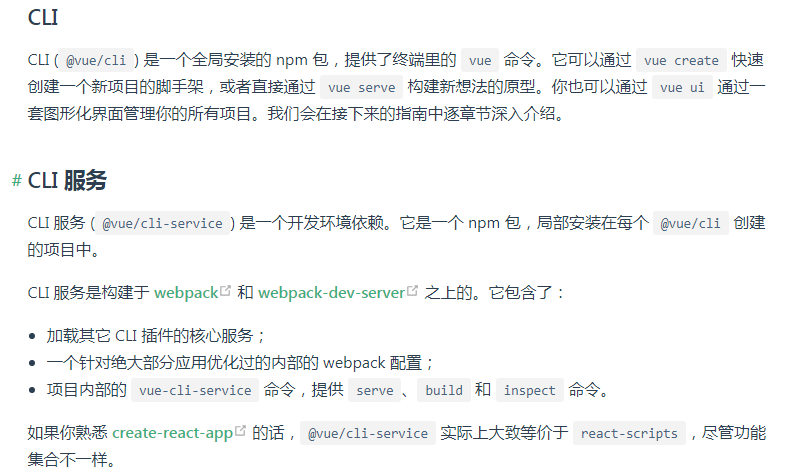
先介绍一下vue的cli
..

..

所以,到这里,我们第一步需要安装cli工具
npm install -g @vue/cli-init
然后创建webpack工程

..

..最后安装elementUI

..启动
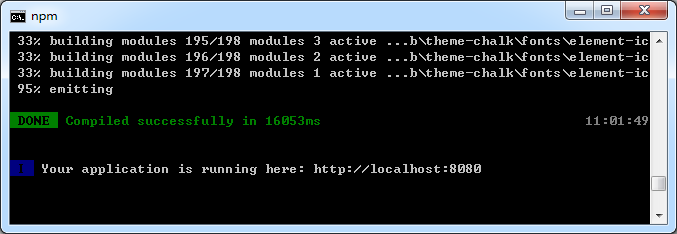
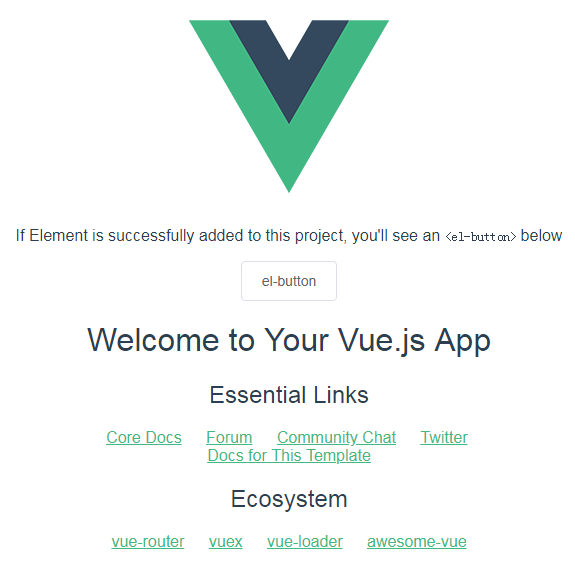
npm run dev

..
.
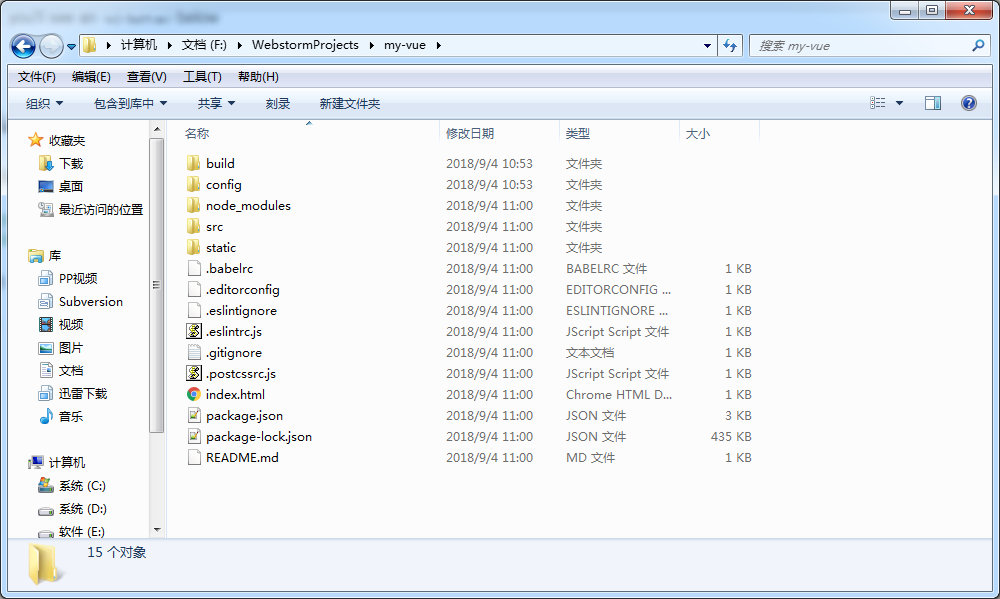
..查看工程目录,你可以用webstorm来打开
完
【非专业前端】vue+element+webpack的更多相关文章
- [坑况]饿了么你是这样的前端——vue+element ui 【this dependency was not found:'element-ui/lib/theme-chalk/index.css'】
element ui 坑况:今日pull代码,潇洒npm run dev ,被告知:this dependency was not found:'element-ui/lib/theme-chalk/ ...
- 循序渐进VUE+Element 前端应用开发(14)--- 根据ABP后端接口实现前端界面展示
在前面随笔<循序渐进VUE+Element 前端应用开发(12)--- 整合ABP框架的前端登录处理>简单的介绍了一个结合ABP后端的登陆接口实现前端系统登陆的功能,本篇随笔继续深化这一主 ...
- 前端小菜鸡使用Vue+Element笔记(一)
关于使用Vue+Element的项目简介~ 最近因为项目组缺前端人员,所以自己现学现做页面,先把前后台功能调通 觉得前端可真的是不容易呀哎呀~ 首先记录一下相关的Vue入门的教程: vue环境搭建示例 ...
- Vue + Element UI 实现权限管理系统 前端篇(一):搭建开发环境
技术基础 开发之前,请先熟悉下面的4个文档 vue.js2.0中文, 优秀的JS框架 vue-router, vue.js 配套路由 vuex,vue.js 应用状态管理库 Element,饿了么提供 ...
- 循序渐进VUE+Element 前端应用开发(2)--- Vuex中的API、Store和View的使用
在我们开发Vue应用的时候,很多时候需要记录一些变量的内容,这些可以用来做界面状态的承载,也可以作为页面间交换数据的处理,处理这些内容可以归为Vuex的状态控制.例如我们往往前端需要访问后端数据,一般 ...
- 循序渐进VUE+Element 前端应用开发(11)--- 图标的维护和使用
在VUE+Element 前端应用中,图标是必不可少点缀界面的元素,因此整合一些常用的图标是非常必要的,还好Element界面组件里面提供了很多常见的图标,不过数量不是很多,应该是300个左右吧,因此 ...
- Vue+Element的动态表单,动态表格(后端发送配置,前端动态生成)
Vue+Element的动态表单,动态表格(后端发送配置,前端动态生成) 动态表单生成 ElementUI官网引导 Element表单生成 Element动态增减表单,在线代码 关键配置 templa ...
- 高性能流媒体服务器EasyDSS前端重构(三)- webpack + vue + AdminLTE 多页面引入 element-ui
接上篇 接上篇<高性能流媒体服务器EasyDSS前端重构(二) webpack + vue + AdminLTE 多页面提取共用文件, 优化编译时间> 本文围绕着实现EasyDSS高性能流 ...
- 循序渐进VUE+Element 前端应用开发(1)--- 开发环境的准备工作
之前一直采用VS进行各种前端后端的开发,随着项目的需要,正逐步融合纯前端的开发模式,开始主要选型为Vue + Element 进行BS前端的开发,后续会进一步整合Vue + AntDesign的界面套 ...
随机推荐
- Java中Optional类的使用
从 Java 8 引入的一个很有趣的特性是 Optional 类.Optional 类主要解决的问题是臭名昭著的空指针异常(NullPointerException) —— 每个 Java 程序员都 ...
- JDK 12 & JAVA
JDK 12 & JAVA js style https://github.com/winterbe https://winterbe.com/posts/2018/09/24/java-11 ...
- WhiteHat Contest 11 : re1-100
ELF文件,运行一下是要求输密码 die查了一下无壳 直接拖入ida 可以发现 这是它的判断函数 也就是说输入的总长度是42位第一个字符是123也就是0x7b 也就是'{'然后10位是"53 ...
- How to mount HFS EFI on macOS
mount_hfs /dev/disk0s1 /volumes/efi
- over-relaxation
逐次超松弛sor 参考1https://blog.csdn.net/lusongno1/article/details/68941137 有各种对比和程序 主要就是取了加权平均,没仔细看
- codeforces659C
Tanya and Toys CodeForces - 659C In Berland recently a new collection of toys went on sale. This col ...
- redis知识汇总
redis是一个内存数据库,使用key-value形式在内存中管理数据. 一.redis使用场景 1.热数据存储.对于需要频繁读写的数据,可以放到redis中,不用频繁的请求数据库.再设置策略持久化到 ...
- BZOJ1503[NOI2004]郁闷的出纳员——treap
OIER公司是一家大型专业化软件公司,有着数以万计的员工.作为一名出纳员,我的任务之一便是统计每位员工的工资.这本来是一份不错的工作,但是令人郁闷的是,我们的老板反复无常,经常调整员工的工资.如果他心 ...
- 用大O记号法测量算法的效率(Algorithm efficiency Asymptotic notation Big O notation)
为什么要了解算法的效率? 一般来说,编程就是把各种已知的算法代入到自己的代码当中,以此来解决问题.因此,了解各种算法的效率对于我们选择一个合适的算法有很大帮助. 算法的效率由什么确定? 从算法分析的理 ...
- 用递归方法判断字符串是否是回文(Recursion Palindrome Python)
所谓回文字符串,就是一个字符串从左到右读和从右到左读是完全一样的.比如:"level" .“aaabbaaa”. "madam"."radar&quo ...