
linux 中varnish服务
在server1中安装两个包
varnish-3.0.5-1.el6.x86_64.rpm
varnish-libs-3.0.5-1.el6.x86_64.rpm
1.在server1中(varnish)配置varnish服务
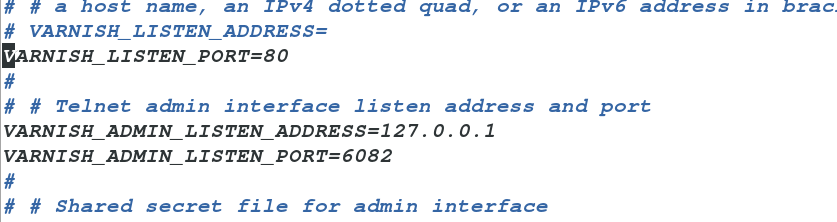
vim /etc/sysconfig/varnish
VARNISH_LISTEN_PORT=80 ##varnish监听端口
backend default {
.host = "172.25.8.2";
.port = "80";
}

然后开启服务
/etc/init.d/varnish start
yum install httpd
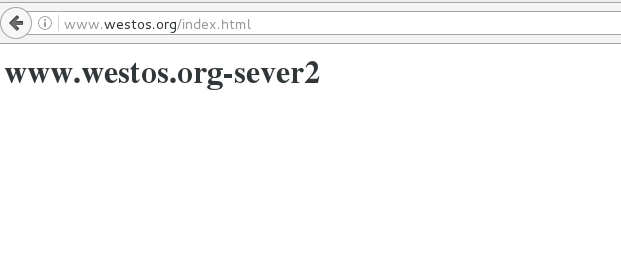
vim /var/www/html/index.html
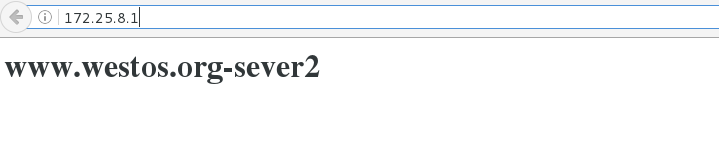
<h1>www.westos.org-sever2</h1>
会出现server2index.html内容
二、缓存命中
vim default.vcl
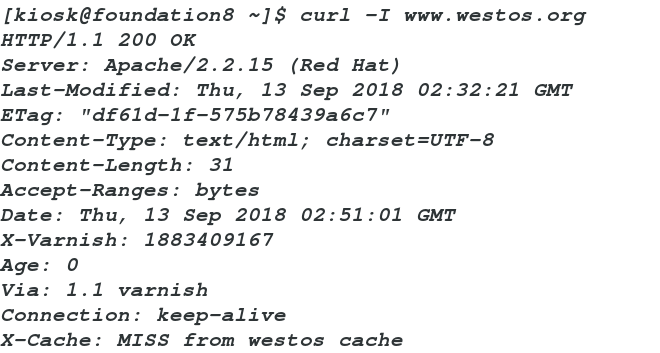
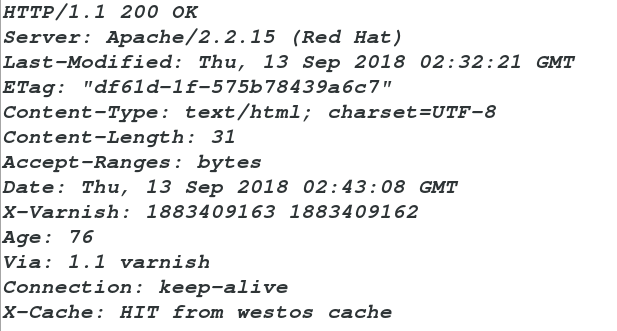
sub vcl_deliver {
if (obj.hits > 0) {
set resp.http.X-Cache = "HIT from westos cache";
}
else {
set resp.http.X-Cache = "MISS from westos cache";
}
return (deliver);
}
www.westos.org-sever2
vim /etc/hosts
172.25.8.1 server1 www.westos.org www.linux.org westos.org ##加入本地解析
varnishadm ban.url .*$ 清除所有
varnishadm ban.url /index.html 清除 index.html 页面缓存
varnishadm ban.url /admin/$ 清除 admin 目录缓存
再开启一台虚拟机(server3)
yum install httpd
vim /var/www/html/index.html
<h1>www.linux.org</h1>
vim default.vcl
.host = "172.25.8.2";
.port = "80";
}
.host = "172.25.8.3";
.port = "80";
}
if (req.http.host ~ "^(www.)?westos.org") {
set req.http.host = "www.westos.org";
set req.backend = lb;
} elsif (req.http.host ~ "^www.linux.org") {
set req.backend = web2;
} else {error 404 "westos cache";
}
}
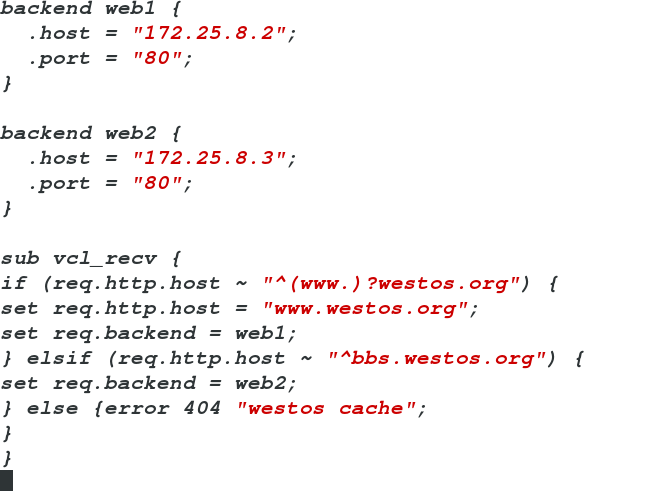
/etc/init.d/varnish reload 重载
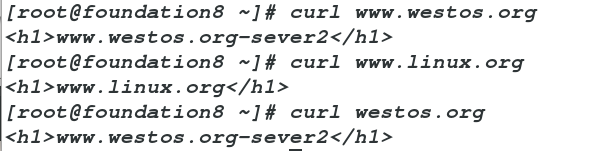
curl www.westos.org
www.westos.org-sever2
curl westos.org
www.westos.org-sever2
curl www.linux.org
www.linux.org
vim /etc/httpd/conf/httpd.conf
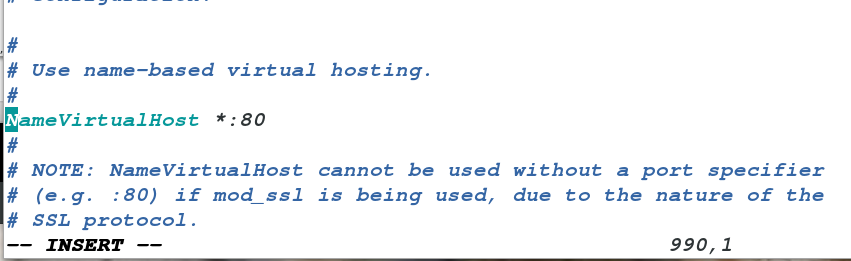
<VirtualHost *:80>
DocumentRoot /var/www/html
ServerName www.linux.org
</VirtualHost>
<VirtualHost *:80>
DocumentRoot /www1
ServerName www.westos.org
</VirtualHost>
mkdir /www1
vim /www1/index.html
<h1>www.westos.org-server3</h1>
[root@server3 ~]# curl www.linux.org
<h1>www.linux.org</h1>
<h1>www.westos.org-server3</h1>
vim default.vcl
backend web1 {
.host = "172.25.8.2";
.port = "80";
}
.host = "172.25.8.3";
.port = "80";
}
{ .backend = web1; }
{ .backend = web2; }
}
if (req.http.host ~ "^(www.)?westos.org") {
set req.http.host = "www.westos.org";
set req.backend = lb;
#return (pass) 加入此行可以更加直观看到实验效果,正常情况下不加
} elsif (req.http.host ~ "^www.linux.org") {
set req.backend = web2;
} else {error 404 "westos cache";
}
}
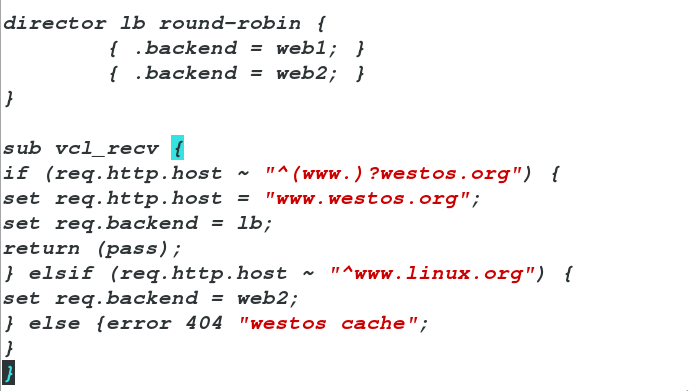
/etc/init.d/varnish reload
<h1>www.westos.org-server3</h1>
[root@foundation8 ~]# curl westos.org/index.html
<h1>www.westos.org-server3</h1>

当server3的httpd闭
[root@foundation8 ~]# curl westos.org/index.html
<h1>www.westos.org-sever2</h1>
[root@foundation8 ~]# curl westos.org/index.html
<h1>www.westos.org-sever2</h1>

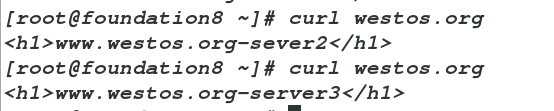
当server2和server3的http都开启
<h1>www.westos.org-server3</h1>
[root@foundation8 ~]# curl westos.org
<h1>www.westos.org-sever2</h1>
[root@foundation8 ~]# curl westos.org
<h1>www.westos.org-server3</h1>
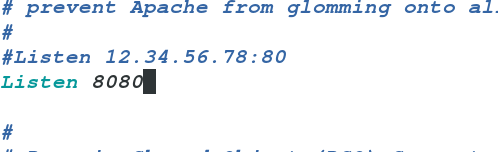
vim /etc/httpd/conf/http.conf
将监听端口改为8080,防止和varnish主机80端口冲突
/etc/init.d/httpd restart
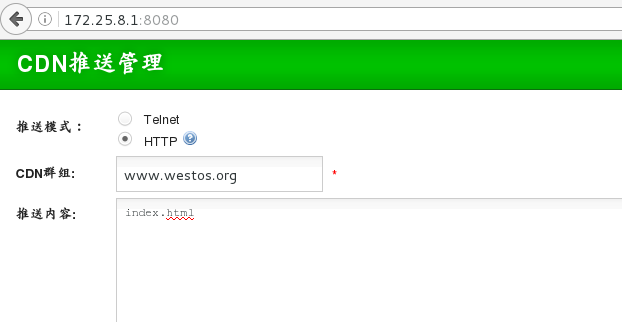
yum install unzip
unzip bansys.zip -d /var/www/html
cd /var/www/html/bansys
mv * ..
cd ..
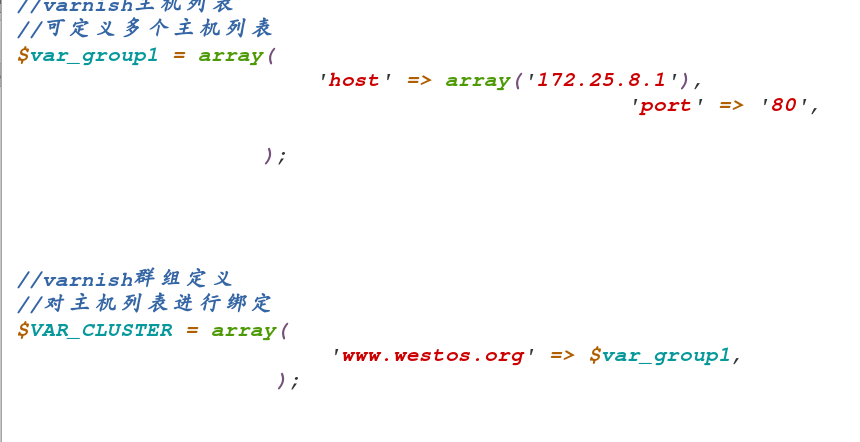
vim config.php
/etc/init.d/httpd start
<?php
//可定义多个主机列表
$var_group1 = array(
'host' => array('172.25.8.1'),
'port' => '80',
);
//对主机列表进行绑定
$VAR_CLUSTER = array(
'www.westos.org' => $var_group1,
);
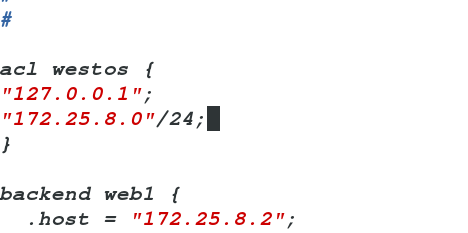
"127.0.0.1";
"172.25.8.0"/24;
}
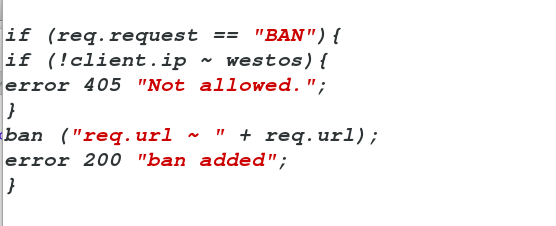
sub vcl_recv {
if (!client.ip ~ westos){
error 405 "Not allowed.";
}
ban ("req.url ~ " + req.url);
error 200 "ban added";
}
linux 中varnish服务的更多相关文章
- Linux中Sshd服务配置文件优化版本(/etc/ssh/sshd_config)
Linux中Sshd服务配置文件优化版本(/etc/ssh/sshd_config) # $OpenBSD: sshd_config,v 1.93 2014/01/10 05:59:19 djm Ex ...
- Spring Boot 如何部署到 Linux 中的服务
打包完成后的 Spring Boot 程序如何部署到 Linux 上的服务? 你可以参考官方的有关部署 Spring Boot 为 Linux 服务的文档. 文档链接如下: https://docs. ...
- 转:Linux中tomcat服务成功发布但局域网浏览器无法访问
转自:http://blog.csdn.net/mooncom/article/details/53168143 昨天,我在搭建Linux中服务器环境时,碰见一个问题,这里和大家分享一下. 问题描述: ...
- Linux中设置服务自启动的三种方式
有时候我们需要Linux系统在开机的时候自动加载某些脚本或系统服务 主要用三种方式进行这一操作: ln -s 在/etc/rc.d/rc*.d目录中建立/e ...
- [转]Linux中设置服务自启动的三种方式
from:http://www.cnblogs.com/nerxious/archive/2013/01/18/2866548.html 有时候我们需要Linux系统在开机的时候自动加载某些脚本或系统 ...
- Linux中crond服务与crontab用法
需要写个在Linux下定时更新系统的脚本,man crondtab 不甚详细,现将网络上的介绍列举如下: crontab是一个很方便的在unix/linux系统上定时(循环)执行某个任务的程序使用cr ...
- Linux中设置服务自启动的三种方式,ln -s 建立启动软连接
有时候我们需要Linux系统在开机的时候自动加载某些脚本或系统服务(http://www.0830120.com) 主要用三种方式进行这一操作: ln -s 在/etc/rc.d/rc*.d目录中建立 ...
- (转)Linux中设置服务自启动的三种方式
有时候我们需要Linux系统在开机的时候自动加载某些脚本或系统服务 主要用三种方式进行这一操作: ln -s 在/etc/rc.d/rc*.d目录中建立/e ...
- 【转发】Linux中设置服务自启动的三种方式
有时候我们需要Linux系统在开机的时候自动加载某些脚本或系统服务 主要用三种方式进行这一操作: ln -s 在/etc/rc.d/rc*.d目录中建立/e ...
随机推荐
- solr的查询语法、查询参数、检索运算符
转载自:http://martin3000.iteye.com/blog/1328931 1.查询语法 solr的一些查询语法 1.1. 首先假设我的数据里fields有:name, tel, add ...
- oracle语法练习汇总
全是自己一个一个敲出来的啊 啊 啊 --(1)查询20号部门的所有员工信息. --(2)查询所有工种为CLERK的员工的工号.员工名和部门名. select e.empno,e.ename,d.dna ...
- Codeforces #505(div1+div2) B Weakened Common Divisor
题意:给你若干个数对,每个数对中可以选择一个个元素,问是否存在一种选择,使得这些数的GCD大于1? 思路:可以把每个数对的元素乘起来,然后求gcd,这样可以直接把所有元素中可能的GCD求出来,从小到大 ...
- ROS Learning-007 beginner_Tutorials ROS节点
ROS Indigo beginner_Tutorials-06 ROS节点 我使用的虚拟机软件:VMware Workstation 11 使用的Ubuntu系统:Ubuntu 14.04.4 LT ...
- Linux shell实现阳历转农历
闲来无事,想在Linux下用shell写一个阳历转农历的脚本,断断续续大概一个星期终于搞定.现在拿出来与大家分享. 缘由 本脚本实现原理是查表法(因为公式有误差):基于农历新年为基准,对农历新年前后两 ...
- 数学基础-3D空间的位置表示
转自:http://www.cnblogs.com/gaoxiang12/p/5113334.html 刚体运动 本篇讨论一个很基础的问题:如何描述机器人的位姿.这也是SLAM研究的一个很基本的问题. ...
- C语言结构体--位域
有些数据在存储时并不需要占用一个完整的字节,只需要占用一个或几个二进制位即可.比如开关只有通电和断电两种状态,用 0 和 1 表示足以,也就是用一个二进位.正是基于这种考虑,C语言又提供了一种叫做位域 ...
- yzm10的职业生涯
yzm10的进阶之路,记录一点一滴的进步,希望与之共勉. 时间 比赛 战绩 2015.11 NOIP2015全国青少年信息学奥林匹克联赛 提高组二等奖 2017.6 青岛大学“六一八杯”校赛个人赛 冠 ...
- 没固定公网 IP 的公司内网实现动态域名解析( 阿里云万网解析 )
情景说明 前段时间应公司需求,需要将内网的服务映射到公网.由于公司使用的是类似家庭宽带的线路,没有固定的公网 IP 地址,所以决定使用域名来完成. 当时有几种方案: 1.花生壳:但是目前需要乱七八糟的 ...
- Python3中开发目录的引用
Python3中开发目录的引用 import os,sys BASE_DIR = os.path.dirname(os.path.dirname(os.path.abspath(__file__))) ...