
zabbix-server端监控MySQL服务
Zabbix 监控MySQL数据库
为server.zabbix,com 添加服务模块
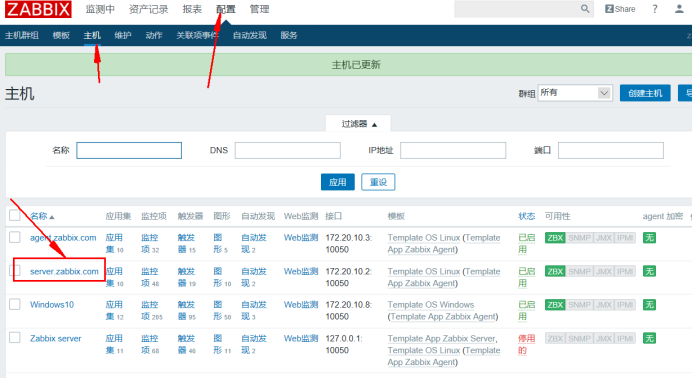
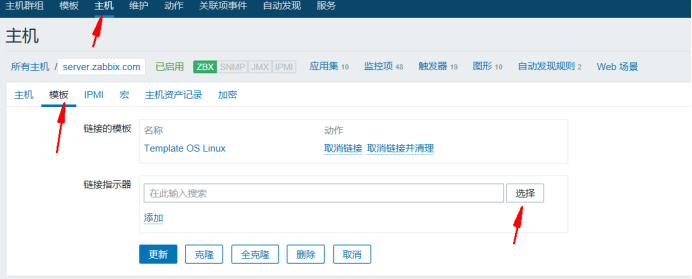
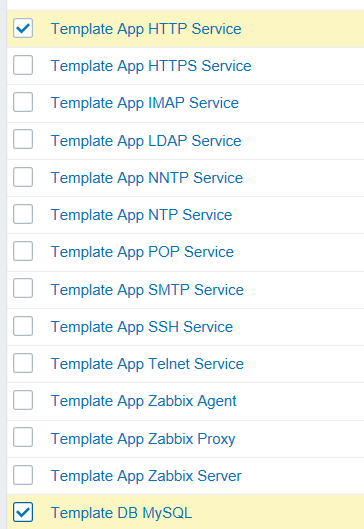
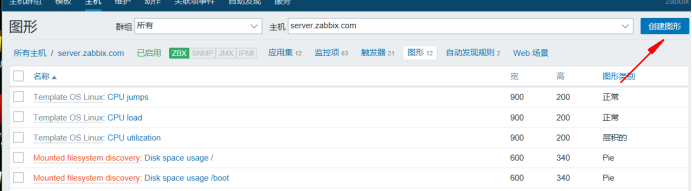
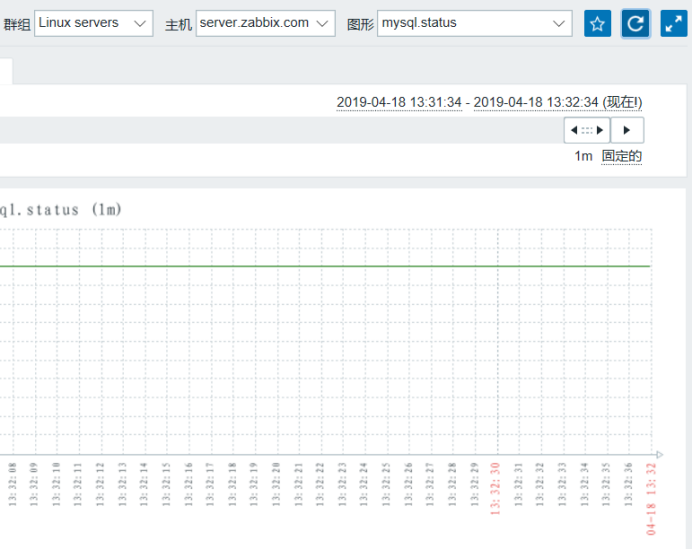
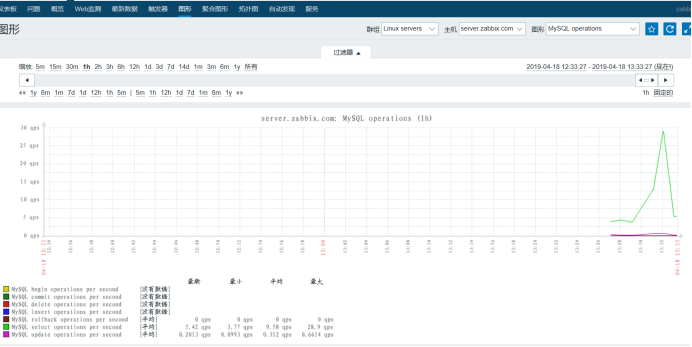
创建MySQL服务图形
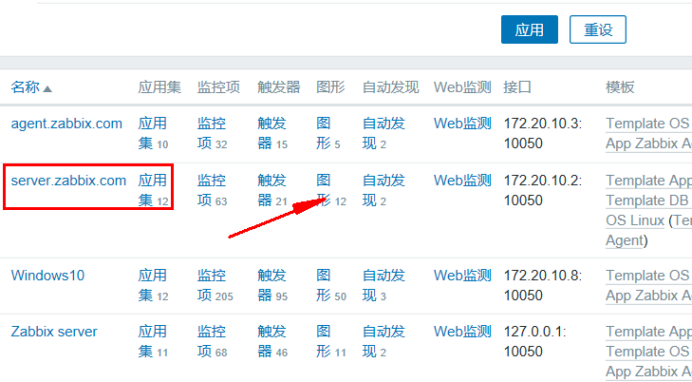
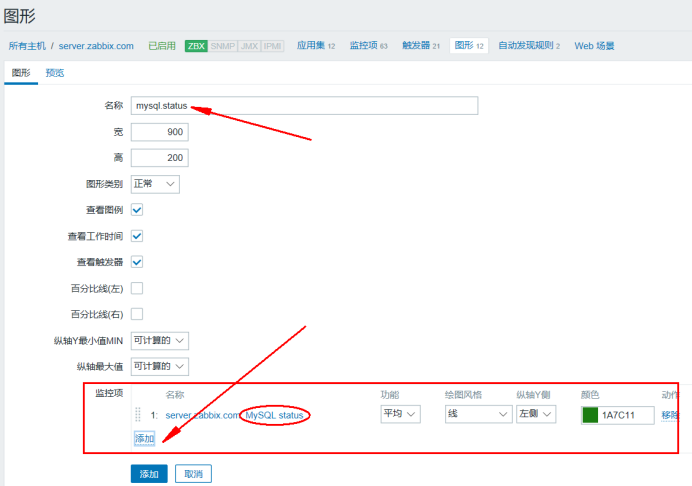
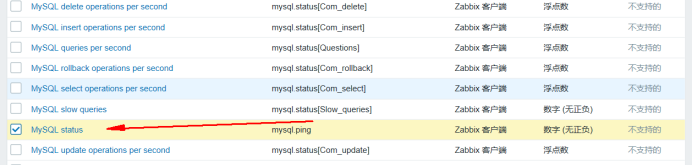
Server.zabbix.com 服务器操作
[root@server ~]# cd /usr/local/zabbix/etc/
[root@server etc]# vim zabbix_agentd.conf
PidFile=/tmp/zabbix_agentd.pid
Server=127.0.0.1,172.20.10.2
ServerActive=172.20.10.2
Hostname=server.zabbix.com
LogFile=/usr/local/zabbix/logs/zabbix_agentd.log
Include=/usr/local/zabbix/etc/zabbix_agentd.conf.d/*.conf
UnsafeUserParameters=1
UserParameter=mysql.version,mysql -V
UserParameter=mysql.status[*],/usr/local/zabbix/etc/chk_mysql.sh $1
UserParameter=mysql.ping,mysqladmin -uroot -p123123 -P3306 -h172.20.10.2 ping | grep -c alive
编辑chk_mysql.sh 脚本
#!/bin/bash
# -------------------------------------------------------------------------------
# FileName: check_mysql.sh
# Revision: 1.0
# Date: 2018/01/05
# Author: SakuraGaara
# Email: mic0601@163.com
# Description:
# Notes: ~
# 用户名
MYSQL_USER='root'
# 密码
MYSQL_PWD='123123'
# 主机地址/IP
MYSQL_HOST='172.20.10.2'
# 端口
MYSQL_PORT='3306'
# 数据连接
MYSQL_CONN="/usr/bin/mysqladmin -u${MYSQL_USER} -p${MYSQL_PWD} -h${MYSQL_HOST} -P${MYSQL_PORT}"
# 参数是否正确
if [ $# -ne "1" ];then
echo "arg error!"
fi
# 获取数据
case $1 in
Uptime)
result=`${MYSQL_CONN} status|cut -f2 -d":"|cut -f1 -d"T"`
echo $result
;;
Com_update)
result=`${MYSQL_CONN} extended-status |grep -w "Com_update"|cut -d"|" -f3`
echo $result
;;
Slow_queries)
result=`${MYSQL_CONN} status |cut -f5 -d":"|cut -f1 -d"O"`
echo $result
;;
Com_select)
result=`${MYSQL_CONN} extended-status |grep -w "Com_select"|cut -d"|" -f3`
echo $result
;;
Com_rollback)
result=`${MYSQL_CONN} extended-status |grep -w "Com_rollback"|cut -d"|" -f3`
echo $result
;;
Questions)
result=`${MYSQL_CONN} status|cut -f4 -d":"|cut -f1 -d"S"`
echo $result
;;
Com_insert)
result=`${MYSQL_CONN} extended-status |grep -w "Com_insert"|cut -d"|" -f3`
echo $result
;;
Com_delete)
result=`${MYSQL_CONN} extended-status |grep -w "Com_delete"|cut -d"|" -f3`
echo $result
;;
Com_commit)
result=`${MYSQL_CONN} extended-status |grep -w "Com_commit"|cut -d"|" -f3`
echo $result
;;
Bytes_sent)
result=`${MYSQL_CONN} extended-status |grep -w "Bytes_sent" |cut -d"|" -f3`
echo $result
;;
Bytes_received)
result=`${MYSQL_CONN} extended-status |grep -w "Bytes_received" |cut -d"|" -f3`
echo $result
;;
Com_begin)
result=`${MYSQL_CONN} extended-status |grep -w "Com_begin"|cut -d"|" -f3`
echo $result
;;
*)
echo "Usage:$0(Uptime|Com_update|Slow_queries|Com_select|Com_rollback|Questions|Com_insert|Com_delete|Com_commit|Bytes_sent|Bytes_received|Com_begin)"
;;
esac
[root@server etc]# chmod 777 chk_mysql.sh
[root@server etc]# mysql -u root -p123123
grant all on *.* to 'root'@'server.zabbix.com'identified by '123123';
flush privileges;
[root@server etc]# killall -9 zabbix_agentd
[root@server etc]# killall -9 zabbix_server
[root@server etc]# /usr/local/zabbix/sbin/zabbix_agentd
[root@server etc]# /usr/local/zabbix/sbin/zabbix_server
[root@server etc]# netstat -anpt |egrep ':10050 |10051'
[root@server etc]# ln -s /usr/local/zabbix/bin/* /usr/local/bin
[root@server etc]# zabbix_get -s 172.20.10.2 -k mysql.ping
1
[root@server etc]# zabbix_get -s 172.20.10.2 -k mysql.status[Com_update]
3540
zabbix-server端监控MySQL服务的更多相关文章
- zabbix server端与agent端源码安装 自定义监控项
ZabbixServer的安装(只有源码装zabbix才能装支持java) 搭建自定义yum仓库并安装支持包 yum -y install createrepo #下载依赖关系命令 createrep ...
- Zabbix(二) : Zabbix Server端配置文件说明
Zabbix Server端配置文件说明 # This is a configuration file for Zabbix Server process # To get more informat ...
- Zabbix Server端配置文件说明
zabbix作为运维邻域不可缺少的一员,它的各种文档可是数不胜数啊,但是关于配置文件的解释与说明就有点少.这里列出zabbix配置文件篇之zabbix_server. Zabbix Server端配置 ...
- Zabbix Server端配置文件
Zabbix Server端配置文件说明 # This is a configuration file for Zabbix Server process # To get more informat ...
- zabbix low-level discovery 监控mysql
当一台服务器上MySQL有多个实例的时候,MySQL占用多个不同端口.利用zabbix的low-level discovery可以轻松监控. 思路参考:http://dl528888.blog.51c ...
- 监控MySQL服务及httpd服务
一:监控MySQL服务 [root@server ~]# vim /usr/local/zabbix/etc/zabbix_agentd.conf PidFile=/tmp/zabbix_agentd ...
- zabbix server端自动发现和zabbix agent端自动注册
一.zabbix自动发现 利用zabbix的discovery功能可以实现自动批量添加主机的功能. Zabbix自动发现实现自定义主机名: 通过自动发现添加的客户端主机的Host name 是以IP地 ...
- zabbix入门之监控MySQL
zabbix入门之监控MySQL 这里使用的是zabbix官方自带的MySQL监控模板. 首先确保在被监控主机安装zabbix-agent.zabbix-sender,并且将主机加入监控节点.具体操作 ...
- shell脚本监控MySQL服务是否正常
监控MySQL服务是否正常,通常的思路为:检查3306端口是否启动,ps查看mysqld进程是否启动,命令行登录mysql执行语句返回结果,php或jsp程序检测(需要开发人员开发程序)等等: 方法1 ...
随机推荐
- Windows环境下制作MACOS X U盘安装盘
前两天在朋友的MAC BOOK AIR上胡乱操作时把原来安装好的双系统搞坏了,一不小心又把硬盘格式化了,导致MAC系统也没了,于是只能重新安装MACOS系统,并根据网友提供的教程,在MACOS安装OK ...
- 一款 App 开发到上架
随着互联网时代的发展,越来越多的 App 诞生啦.App 是手机软件的简称,手机主流的有 iOS.Andriod. 开发一个 App 需要哪些步骤呢?下面我和大家分享一下. 一.APP 的 idea( ...
- Disconf入门指南(1)
Disconf简介 参考: https://github.com/knightliao/disconf/wiki/TutorialSummary 在一个分布式环境中,同类型的服务往往会部署很多实例.这 ...
- ES6标准入门(第三版)学习笔记(1)
ES6声明变量的六种方法 ES5只有两种 var,function命令 ES6新增了let,const,class,import命令 验证var与let用法上的不同 var a = []; for ( ...
- nlogn求逆序对&&陌上花开
前置: nlogn逆序对: 前一个小时我还真的不会这个Orz 这里运用归并排序的思想. 对于一个序列,我们把它先分开,再合并成一个有序序列. 引自https://blog.csdn.net/qq_30 ...
- VS2015使用C++编写DLL,并在C#环境中调用【转】
说明:本文是本人在学习封装DLL时看到的,觉得说得很清楚,为了防止忘记,特意复制下来学习用,原文链接:https://blog.csdn.net/songyi160/article/details/5 ...
- xml01 验证
xml 验证 拥有正确的格式的xml是"形势良好"的xml 通过DTD验证的xml是"合法的"xml
- [using_microsoft_infopath_2010]Chapter 14高级话题
本章提要: 1.剖析表单逻辑 2.从多个表单中合并数据 3.重新连接XML表单到XSN模板文件 4.在repeating table中设置默认值 5.离线填写表单的权衡
- poi读取合并单元格
poi读取合并单元格 学习了:http://blog.csdn.net/ycb1689/article/details/9764191 进行了列合并单元格的修正:原来是我自己找错了地方: import ...
- Shell简单介绍
Shell是一种具备特殊功能的程序.它是介于使用者和linux 操作系统之核心程序(kernel)间的一个接口.为什么我们说 shell 是一种介于系统核心程序与使用者间的中介者呢?读过操作系统概论的 ...