
apiCloud中实现头部与内容分离与操作规范,App头部header固定,头部与内容分离
官方案例
1.头部拆分成一个页面比如news-text
<!doctype html>

<html>

<head>

    <meta charset="utf-8">

    <meta name="viewport" content="initial-scale=1.0,maximum-scale=1.0,minimum-scale=1.0,user-scalable=0, width=device-width"/>

    <title>api</title>

    <link rel="stylesheet" type="text/css" href="../css/api.css" />

    <link rel="stylesheet" type="text/css" href="../css/common.css" />

    <link rel="stylesheet" type="text/css" href="../css/news-text.css" />

</head>

<body>

    <div id="wrap">

        <div id="header">

            <a class="back-icon" tapmode="" onclick="api.closeWin()"></a>

            <h1>热点新闻</h1>

        </div>

    </div>

</body>

<script type="text/javascript" src="../script/api.js"></script>

<script type="text/javascript" src="../script/news-text.js"></script>

</html>
2.内容拆分成另一个页面比如news-textCon
<!doctype html>

<html>

<head>

    <meta charset="utf-8">

    <meta name="viewport" content="initial-scale=1.0,maximum-scale=1.0,minimum-scale=1.0,user-scalable=0, width=device-width"/>

    <title>api</title>

    <link rel="stylesheet" type="text/css" href="../css/api.css" />

    <link rel="stylesheet" type="text/css" href="../css/common.css" />

    <link rel="stylesheet" type="text/css" href="../css/news-text.css" />

</head>

<body>

    <div id="wrap">

        <div id="main">

        	<script id="news-template" type="text/x-dot-template">

                <h1>{{=it.title}}</h1>

                <label>

	                {{? it.from }}

	                	{{=it.from}}

	                {{?}}

	                <em>{{=it.date}}</em>

                </label>

                <div id="summary">

                	{{=it.summary}}

            	</div>

            	<div>

            		{{=it.content}}

            	</div>

            	<a id="fav" class="btn" tapmode="active" news-id="{{=it.id}}" >收藏</a>

            </script>

        	<div id="content"></div>

        </div>

    </div>

</body>

<script type="text/javascript" src="../script/api.js"></script>

<script type="text/javascript" src="../script/common.js"></script>

<script type="text/javascript" src="../script/doT.min.js"></script>

<script type="text/javascript" src="../script/zepto.js"></script>

<script type="text/javascript" src="../script/news-textCon.js"></script>

</html>
以上就是一个非常规范的内容
1.css在头部
引入必要的css,api.css
引入通用的css,common.css
引入页面特有的css,news-text.css
2.js在尾部
引入必要的css,api.js
引入通用的css,common.js
引入页面特有的css,news-text.js
根据页面需要,引入doT模板和zepto(手机端的jQuery替代品)
来看看news-text.js中的内容
apiready = function(){

    var header = $api.byId('header'); // 获取头部

    $api.fixStatusBar(header); // 处理ios兼容

	var newsId = api.pageParam.newsId; // 获取参数

    var pos = $api.offset(header); // 获取位置数据

    api.openFrame({ // 打开Frame

        name: 'news-textCon',

        url: 'news-textCon.html',

        pageParam: {newsId: newsId}, // 传递参数

        rect:{

            x: 0,

            y: pos.h, // 头部留位置

            w: 'auto',

            h: 'auto'

        },

        bounces: true,

        vScrollBarEnabled: false

    });

};
打开frame,保证头部留有位置,同时可以传递参数
再看看news-textCon.js中的内容
apiready = function () {

    var newsId = api.pageParam.newsId; // 获取参数

    var getNewsByIdUrl = '/news/?filter=';

    var urlParam = {where: {id: newsId}};

    api.showProgress({

        title: '加载中...',

        modal: false

    });

    ajaxRequest(getNewsByIdUrl+JSON.stringify(urlParam),'get','',function(ret,err){

        if (ret) {

            api.toast({

                ...

            })

        } else {

            api.toast({

                ...

            })

        }

        api.hideProgress();

    });

};
获取传入的参数,
获取数据与相应的页面处理
我的案例
商品详情拆分
1.goods_detail.html
<!doctype html>

<html>

<head>

    <meta charset="utf-8">

    <meta name="viewport" content="initial-scale=1.0,maximum-scale=1.0,minimum-scale=1.0,user-scalable=0, width=device-width"/>

    <title>api</title>

    <link rel="stylesheet" type="text/css" href="../css/api.css" />

    <link rel="stylesheet" type="text/css" href="../css/aui.2.0.css" />

</head>

<body>

<div id="wrap">

    <div id="main">

        <header class="aui-bar aui-bar-nav fix-status-bar" id="aui-header">

            <a class="aui-btn aui-pull-left" tapmode onclick="api.closeWin();">

                <span class="aui-iconfont aui-icon-left"></span>

            </a>

            <div class="aui-title"><!-- 商品名称 --></div>

        </header>

    </div>

</div>

</body>

<script type="text/javascript" src="../script/api.js"></script>

<script type="text/javascript" src="../script/goods_detail.js"></script>

</html>
2.goods_detailCon.html
移除头部的
<header class="aui-bar aui-bar-nav fix-status-bar" id="aui-header">

            <a class="aui-btn aui-pull-left" tapmode onclick="api.closeWin();">

                <span class="aui-iconfont aui-icon-left"></span>

            </a>

            <div class="aui-title"><!-- 商品名称 --></div>

</header>
3.goods_detail.js
apiready = function(){

    var header = $api.byId('main'); // 获取头部

    $api.fixStatusBar(header); // 处理ios

    var pos = $api.offset(header); // 获取头部位置

    var title  = $api.dom(header,'.aui-title'); // 获取标题位置

    $api.html(title,api.pageParam.title); // 设置标题内容

    api.openFrame({ // 打开内容页,并传递参数

        name: 'goods_detailCon',

        url: 'goods_detailCon.html',

        rect:{

            x: 0,

            y: pos.h,

            w: 'auto',

            h: 'auto'

        },

        bounces: true,

        opaque: true,

        vScrollBarEnabled: false,

        pageParam:{

            goods_id:api.pageParam.goods_id

        }

    });

};
4.goods_detailCon.js
apiready = function(){

    fix_status_bar();// 修复头部

    var goods_id = api.pageParam.goods_id;

    // 获取商品相关信息

    api.ajax({

        url: 'http://zhudianbao.yunlutong.com/?g=Api&m=Goods&a=getGoodsInfo',

        method: 'get',

        data: {

            values: {

                goods_id: goods_id

            }

        }

    }, function(json, err) {

        if (json.status == '1') {

            var interText = doT.template($("#goodstmpl").text());

            $("#info_area").html(interText(json.info));

            var swiper = new Swiper('.swiper-container', {

                pagination: '.swiper-pagination',

                paginationClickable: true,

                spaceBetween: 30,

                centeredSlides: true,

                autoplay: 3500,

                autoplayDisableOnInteraction: false

            });

        } else {

            var toast = new auiToast();

            toast.fail({

                title:json.msg,

                duration:2000

            });

        }

    });

}
获取参数,根据参数获取数据,并使用doT进行页面布局。
看效果
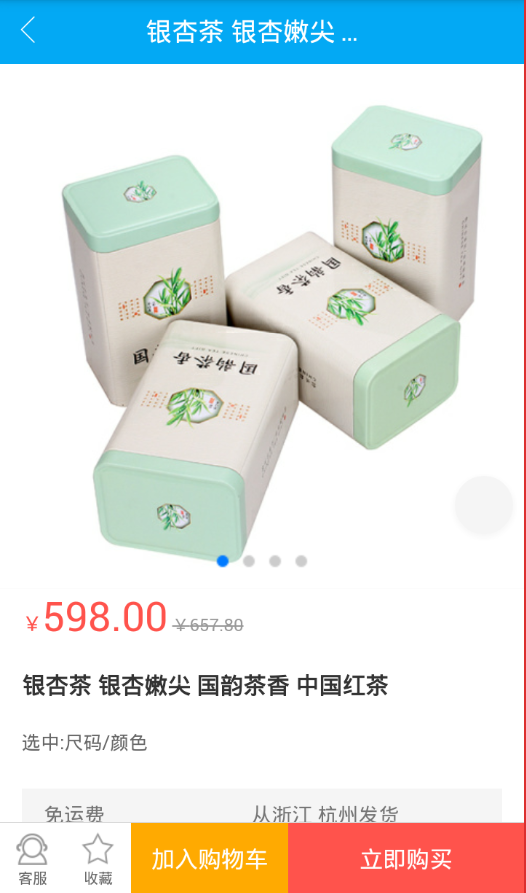
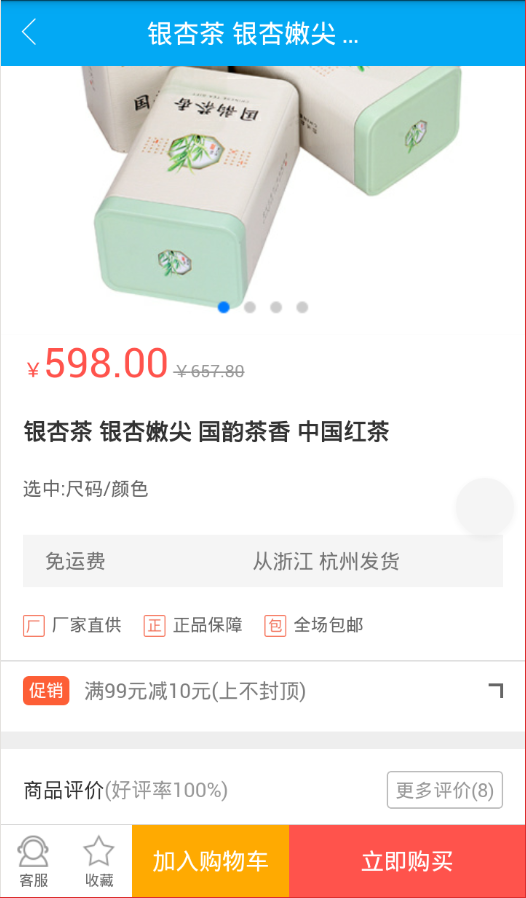
apiCloud中实现头部与内容分离与操作规范,App头部header固定,头部与内容分离的更多相关文章
- 移动端固定头部和固定左边第一列的实现方案(Vue中实现demo)
最近移动端做一份报表,需要左右滚动时,固定左边部分:上下滚动时,固定头部部分. 代码在Vue中简单实现 主要思路是: a.左边部分滚动,实时修改右边部分的滚动条高度 b.头部和内容部分都设置固定高度, ...
- apiCloud中aui获取不到高度,pos.h为0,offsetHeight为0问题
apiCloud中aui获取不到高度,pos.h为0,offsetHeight为0问题 原HTML <div class="row aui-text-center"> ...
- apiCloud中openFrameGroup传参
apiCloud中openFrameGroup传参 1.无效的 api.openFrameGroup({ // 打开 frame 组 name: 'group', scrollEnabled: fal ...
- 在指定的div中搜索内容,并滚动显示到当前搜索到的内容处
我想要的是页面中有个带滚动条的div对象,里面有很多内容,想要用js搜索到div中的某个字符串内容,然后将div的滚动条滚动到搜索到的内容处显示,自动定位.先是查找页面中的内容,然后将找到的内容创建t ...
- apiCloud中api.ajax方法跨域传参获取数据
apiCloud中的ajax方法,可以自动处理跨域访问数据,不必使用jsonp来处理了. 使用ajax方法,必须要在apiready = function() {}方法中 获取参数 var pageP ...
- 嵌入式表单字段中的内容可能被server更改以删除不安全的内容。是否要又一次载入您的页面以查看保存结果?
嵌入式表单字段中的内容可能被server更改以删除不安全的内容.是否要又一次载入您的页面以查看保存结果? 近期有朋友问到,当他在SharePoint首页上进行编辑时.插入一段代码. 完 ...
- 输出内容 document.write() 可用于直接向 HTML 输出流写内容。简单的说就是直接在网页中输出内容
输出内容(document.write) document.write() 可用于直接向 HTML 输出流写内容.简单的说就是直接在网页中输出内容. 第一种:输出内容用""括起,直 ...
- Midnight.js – 实现奇妙的固定头部切换效果
Midnight.js 是一款 jQuery 插件,在页面滚动的时候实现多个头设计之间的切换,所以你总是有一个头与它下面的内容层叠,看起来效果很不错. Midnight.js 可以让你轻松实现这种切换 ...
- 【转载】app测试的过程和重点关注内容
针对 app测试的过程和重点关注内容,做以下梳理和总结: 1 . 首先是测试资源确认及准备 ( 1 ) 产品需求文档.产品原型图.接口说明文档以及设计说明文档等应齐全: ( 2 ) 测试设备及工具 ...
随机推荐
- POJ 3905 Perfect Election(2-sat)
POJ 3905 Perfect Election id=3905" target="_blank" style="">题目链接 思路:非常裸的 ...
- Unity3D脚本编程--基本概念
1. 简单介绍 在Unity3D中,游戏对象(GameObject)的行为是由附加其上的脚本来控制的,游戏开发人员通过编写脚本来控制游戏中的全部对象,如移动Camera等. GameObject能够被 ...
- iOS实现抽屉效果
抽屉效果 在iOS中非常多应用都用到了抽屉效果,比如腾讯的QQ,百度贴吧- --- 1. 终于效果例如以下图所看到的 --- 2.实现步骤 1.開始启动的时候.新建3个不同颜色的View的 1.设置3 ...
- HD-ACM算法专攻系列(23)——Crixalis's Equipment
题目描述: AC源码:此次考察贪心算法,解题思路:贪心的原则是使留下的空间最大,优先选择Bi与Ai差值最大的,至于为什么?这里用只有2个设备为例,(A1,B1)与(A2,B2),假设先搬运A1,搬运的 ...
- net 线程挂起
2013.10.18 通讯组件开发 情景: 主线程添加队列,子线程负责队列中消息发送.当队列中数据为空时,停止发送挂起子线程. 当主线程添加队列时,重新开启子线程进行消息发送. 方案一 但是不采用传 ...
- SQLiteHelp
using System; using System.Collections.Generic; using System.Text; using System.Data.SQLite; using S ...
- UWP 开发相关
OCR 识别问题 ocr.OcrEngine.availableRecognizerLanguages 如果 length 只有 1,有可能只能识别英文,需要安装中文语言包~
- javascript中常用数组方法详细讲解
javascript中数组常用方法总结 1.join()方法: Array.join()方法将数组中所以元素都转化为字符串链接在一起,返回最后生成的字符串.也可以指定可选的字符串在生成的字符串中来分隔 ...
- Object-oriented programming
Object-oriented programming (OOP) is a programming paradigm based on the concept of "objects&qu ...
- day16 闭包以及装饰器(好东西)
目录 闭包 装饰器 最基础的装饰器 完善装饰器 有返回值的 有参数的 装饰器模版 语法糖 登录装饰器 可变类型的局部变量可以修改全局变量 三层装饰器 闭包 首先要理解函数对象的概念,其实函数名就相当于 ...