
WPF的两棵树与绑定
原文:WPF的两棵树与绑定
先建立测试基类
public class VisualPanel : FrameworkElement

{

    protected VisualCollection Children { get; set; }

    public VisualPanel()

    {

        Children = new VisualCollection(this);

    }

    protected override int VisualChildrenCount

    {

        get

        {

            return Children.Count;

        }

    }

    protected override Visual GetVisualChild(int index)

    {

        return Children[index];

    }

    protected override Size ArrangeOverride(Size finalSize)

    {

        if (VisualChildrenCount>0)

        {

            (Children[0] as FrameworkElement).Arrange(new Rect(0, 0, 100, 25));

        }

        return base.ArrangeOverride(finalSize);

    }

}
添加元素,并将加入到Window窗体中
public class  VisualTest  : VisualPanel

{

    public  TextBlock  textblock;

    private void  TestVisual()

    {

        textblock = new  TextBlock() { Text = "Hello", Background = Brushes.Red };

        this.Children.Add(textblock);

    }

    public  VisualTest()

    {

        TestVisual();

    }

}
效果

视觉树绑定测试
//test1

textblock.SetBinding(TextBlock.TextProperty, new Binding("Title")

{

    RelativeSource =

        new RelativeSource() { Mode = RelativeSourceMode.FindAncestor, AncestorType = typeof(Window) }

});

//test2

this.Tag = "Test";

textblock.SetBinding(TextBlock.TextProperty, new Binding("Tag")

{

    RelativeSource =

        new RelativeSource() { Mode = RelativeSourceMode.FindAncestor, AncestorType = typeof(VisualTest) }

});
测试均通过

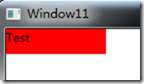
使用ElementName绑定
//test3

this.Name = "VisualTest";

textblock.SetBinding(TextBlock.TextProperty, new Binding("Tag")

{

    ElementName = this.Name

});
可以参考这里
http://www.cnblogs.com/Clingingboy/archive/2010/11/29/1891253.html
结果错误
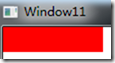
设置NameScope
this.Name = "VisualTest";

NameScope ns = new NameScope();

NameScope.SetNameScope(this, ns);

this.RegisterName(this.Name, this);

textblock.SetBinding(TextBlock.TextProperty, new Binding("Tag")

{

    ElementName = this.Name

});
测试再次未通过
将元素添加到逻辑树当中
this.Name = "VisualTest";

NameScope ns = new NameScope();

NameScope.SetNameScope(this, ns);

this.RegisterName(this.Name, this);

AddLogicalChild(textblock);

textblock.SetBinding(TextBlock.TextProperty, new Binding("Tag")

{

    ElementName = this.Name

});
测试通过
去除视觉树只添加逻辑树的情况
private void TestLogic()

{

    textblock = new TextBlock() { Text = "Hello", Background = Brushes.Red };

    this.Tag = "Test";

    this.Name = "VisualTest";

    NameScope ns = new NameScope();

    NameScope.SetNameScope(this, ns);

    this.RegisterName(this.Name, this);

    AddLogicalChild(textblock);

    textblock.SetBinding(TextBlock.TextProperty, new Binding("Tag")

    {

        ElementName = this.Name

    });

}
现在UI将一片空白,但绑定成功
重写ArrangeOverride方法
protected override Size ArrangeOverride(Size finalSize)

{

    textblock.Arrange(new Rect(0, 0, 100, 25));

    return base.ArrangeOverride(finalSize);

}
即使重写也无效,wpf依赖于VisualChildrenCount和GetVisualChild方法.
总结
绑定的ElementName依赖于NameScope和逻辑树,
FindAncestor的查找方式则依赖于视觉树
测试的父元素逻辑树与视觉树不一致的情况
private void TestTwoTree()

{

    var visual = new VisualTest(string.Empty);

    visual.Name = "InternalPanel";

    textblock = new TextBlock() { Text = "Hello", Background = Brushes.Red };

    visual.AddLogicalChild(textblock);

    this.Children.Add(textblock);

}
现在TextBlock有两个父元素一个是逻辑父元素InternalPanel,一个是外部的VisualTest.
绑定逻辑父元素
private void TestTwoTree()

{

    var visual = new VisualTest(string.Empty);

    visual.Name = "InernalPanel";

    NameScope ns = new NameScope();

    NameScope.SetNameScope(visual, ns);

    visual.RegisterName(visual.Name, visual);

    textblock = new TextBlock() { Text = "Hello", Background = Brushes.Red };

    textblock.SetBinding(TextBlock.TextProperty, new Binding("Name")

    {

        ElementName = visual.Name

    });

    visual.AddLogicalChild(textblock);

    this.Children.Add(textblock);

}
测试结果
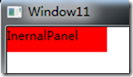
这样就实现了可以在不同父元素的绑定,通过这个例子也可以看到逻辑树与视觉树的不同之处
WPF的两棵树与绑定的更多相关文章
- LeetCode——Same Tree(判断两棵树是否相同)
问题: Given two binary trees, write a function to check if they are equal or not. Two binary trees are ...
- element ui改写实现两棵树
使用element ui组件库实现一个table的两棵树的效果 效果如下,左边树自动展开一级,右边树默认显示楼层,然后可以一个个展开 代码如下 <el-table :data="rel ...
- [51nod1325]两棵树的问题
description 题面 solution 点分治+最小割. 点分必选的重心,再在树上dfs判交,转化为最大权闭合子图. 可以做\(k\)棵树的情况. code #include<iostr ...
- 51 NOD 1325 两棵树的问题
Discription 对于 100% 的数据, N<=50. solution: 发现N比较小,所以我们可以花O(N^2)的代价枚举两颗树的联通块的LCA分别是哪个点,然后现在问题就变成了:选 ...
- 51nod 1325 两棵树的问题(最大权闭合子图)
首先如果点权全都为正,就可以直接选所有的点. 活在梦里.. 考虑枚举一个点\(i\),作为我们选择的集合中的一个点. 然后我们把另一个点\(j\)选入集合的时候必须把两棵树中\(i\)和\(j\)路径 ...
- HDU 6315.Naive Operations-线段树(两棵树合并)(区间单点更新、区间最值、区间求和)+思维 (2018 Multi-University Training Contest 2 1007)
6315.Naive Operations 题意很好理解,但是因为区间求和求的是向下取整的a[i]/b[i],所以直接分数更新区间是不对的,所以反过来直接当a[i]==b[i]的时候,线段树对应的位置 ...
- 判断两棵树是否相等 leecode
很简单 提交代码 https://oj.leetcode.com/problems/same-tree/ iven two binary trees, write a function to chec ...
- WPF 中的逻辑树(Logical Tree)与可视化元素树(Visual Tree)
一.前言 WPF 中有两种"树":逻辑树(Logical Tree)和可视化元素树(Visual Tree). Logical Tree 最显著的特点就是它完全由布局组件和控件 ...
- hdu-3015 Disharmony Trees---离散化+两个树状数组
题目链接: http://acm.hdu.edu.cn/showproblem.php?pid=3015 题目大意: 有一些树,这些树的高度和位置给出.现在高度和位置都按从小到大排序,对应一个新的ra ...
随机推荐
- C#利用反射机制,获取实例的属性和属性值
C#利用反射,遍历获得一个类的所有属性名,以及该类的实例的所有属性的值 对应某个类的实例化的对象tc, 遍历获取所有属性(子成员)的方法(采用反射): Type t = tc.GetType();// ...
- 【习题5-4 UVA-10763】Foreign Exchange
[链接] 我是链接,点我呀:) [题意] 在这里输入题意 [题解] 如果x>y 则num[(x,y)]--; 否则num[(x,y)]++; 看看每一个二元组的num值是不是都为0就好. [代码 ...
- 用Java将字符串的首字母转换大小写
在项目开发的时候会需要统一字符串的格式,比如首字母要求统一大写或小写,那用Java如何实现这一功能?下面一起来学习学习. 话不多说,直接上代码 ? 1 2 3 4 5 6 7 8 9 10 11 12 ...
- Spring资源抽象Resource
JDK操纵底层资源基本就是 java.net.URL .java.io.File .java.util.Properties这些.取资源基本是根据绝对路径或当前类的相对路径来取.从类路径或Web容器上 ...
- Android系统开发(7)——标准I/O与文件锁
一.常用函数 fopen: FILE *fopen(const char *filename, const char *mode); fread: size_t fread(void *ptz, s ...
- 使用vue-cil搭建项目
原文: 简书原文:https://www.jianshu.com/p/1af9b72cf86e 大纲 1.安装NodeJs 2.安装vue-cli 3.创建项目 4.启动项目 5.打包项目 6.项目实 ...
- 16、NOR FLASH驱动框架
mtdram.c是内核自带用内存模拟nor flash程序 physmap.c是内核自带nor flash驱动程序最底层硬件相关层代码 其关键代码是:1.分配一个map_info结构体 2.设置 ...
- 【例题3-5 UVA - 1583】Digit Generator
[链接] 我是链接,点我呀:) [题意] 在这里输入题意 [题解] for (int i = 1;i <= n;i++) { 算出i是哪一个的生成元. 假设是y. 则ans[y] = min(a ...
- jquery如何实现点击标题收缩下面的内容
jquery如何实现点击标题收缩下面的内容 一.总结 一句话总结:怎么做复杂前端任务,先把样式(最简单)做出来,然后在写js. 1.如何取jquery集合中的某个索引号的元素? 不是get(),是eq ...
- CTR深度学习
深度学习在 CTR 中应用 一. Wide&&Deep 模型 首先给出Wide && Deep [1] 网络结构: 本质上是线性模型(左边部分, Wide model) ...