
UWP Background过渡动画
首先说两件事:
1、大爆炸我还记着呢,先欠着吧。。。
2、博客搬家啦,新地址:https://blog.ultrabluefire.cn/
==========下面是正文==========
前些日子看到Xaml Controls Gallery的ToggleTheme过渡非常心水,大概是这样的:
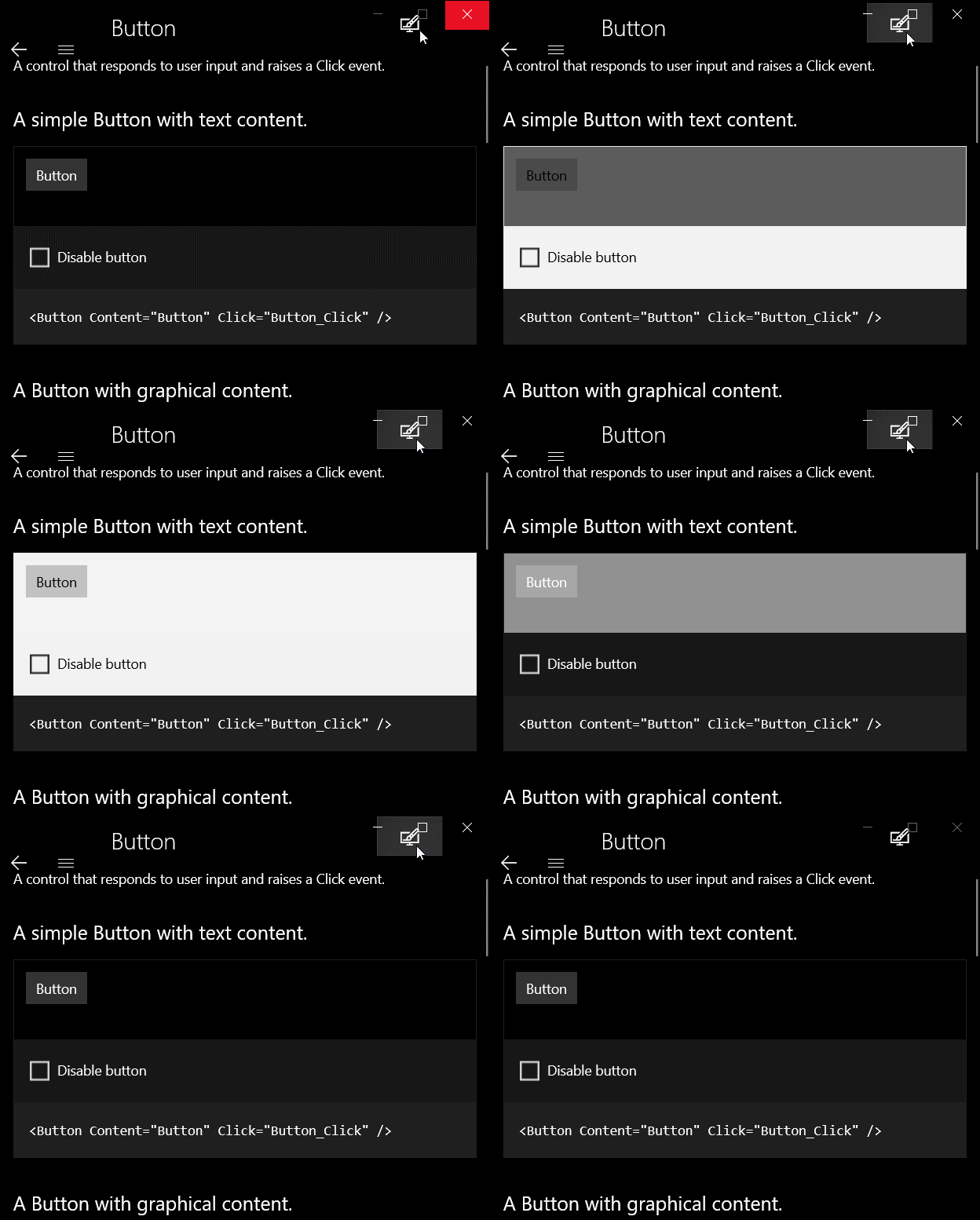
在17134 SDK里写法如下:
 <Grid Background="{ThemeResource ApplicationPageBackgroundThemeBrush}">

     <Grid.BackgroundTransition>

         <BrushTransition Duration="0:0:0.4" />

     </Grid.BackgroundTransition>

 </Grid>
这和我原本的思路完全不同。
我原本的思路是定义一个静态的笔刷资源,然后动画修改他的Color,但是这样就不能和系统的笔刷资源很好的融合了。怎么办呢?
前天半梦半醒间,突然灵光一现,感觉可以用一个附加属性作为中间层,给Background赋临时的笔刷实现过渡。
闲话不多说,开干。
首先我们需要一个画刷,这个画刷要实现以下功能:
- 拥有一个Color属性。
- 对Color属性赋值时会播放动画。
- 动画播放结束触发事件。
- 可以从外部清理事件。
这个可以使用Storyboard,CompositionAnimation手动Start或者ImplicitAnimation实现,在这里我选择了我最顺手的Composition实现。
下面贴代码:
 public class FluentSolidColorBrush : XamlCompositionBrushBase

 {

     Compositor Compositor => Window.Current.Compositor;

     ColorKeyFrameAnimation ColorAnimation;

     bool IsConnected;

     //被设置到控件属性时触发,例RootGrid.Background=new FluentSolidColorBrush();

     protected override void OnConnected()

     {

         if (CompositionBrush == null)

         {

             IsConnected = true;

             ColorAnimation = Compositor.CreateColorKeyFrameAnimation();

             //进度为0的关键帧,表达式为起始颜色。

             ColorAnimation.InsertExpressionKeyFrame(0f, "this.StartingValue");

             //进度为0的关键帧,表达式为参数名为Color的参数。

             ColorAnimation.InsertExpressionKeyFrame(1f, "Color");

             //创建颜色笔刷

             CompositionBrush = Compositor.CreateColorBrush(Color);

         }

     }

     //从属性中移除时触发,例RootGrid.Background=null;

     protected override void OnDisconnected()

     {

         if (CompositionBrush != null)

         {

             IsConnected = false;

             ColorAnimation.Dispose();

             ColorAnimation = null;

             CompositionBrush.Dispose();

             CompositionBrush = null;

             //清除已注册的事件。

             ColorChanged = null;

         }

     }

     public TimeSpan Duration

     {

         get { return (TimeSpan)GetValue(DurationProperty); }

         set { SetValue(DurationProperty, value); }

     }

     public static readonly DependencyProperty DurationProperty =

         DependencyProperty.Register("Duration", typeof(TimeSpan), typeof(FluentSolidColorBrush), new PropertyMetadata(TimeSpan.FromSeconds(0.4d), (s, a) =>

         {

             if (a.NewValue != a.OldValue)

             {

                 if (s is FluentSolidColorBrush sender)

                 {

                     if (sender.ColorAnimation != null)

                     {

                         sender.ColorAnimation.Duration = (TimeSpan)a.NewValue;

                     }

                 }

             }

         }));

     public Color Color

     {

         get { return (Color)GetValue(ColorProperty); }

         set { SetValue(ColorProperty, value); }

     }

     public static readonly DependencyProperty ColorProperty =

         DependencyProperty.Register("Color", typeof(Color), typeof(FluentSolidColorBrush), new PropertyMetadata(default(Color), (s, a) =>

         {

             if (a.NewValue != a.OldValue)

             {

                 if (s is FluentSolidColorBrush sender)

                 {

                     if (sender.IsConnected)

                     {

                         //给ColorAnimation,进度为1的帧的参数Color赋值

                         sender.ColorAnimation.SetColorParameter("Color", (Color)a.NewValue);

                         //创建一个动画批,CompositionAnimation使用批控制动画完成。

                         var batch = sender.Compositor.CreateScopedBatch(CompositionBatchTypes.Animation);

                         //批内所有动画完成事件,完成时如果画刷没有Disconnected,则触发ColorChanged

                         batch.Completed += (s1, a1) =>

                         {

                             if (sender.IsConnected)

                             {

                                 sender.OnColorChanged((Color)a.OldValue, (Color)a.NewValue);

                             }

                         };

                         sender.CompositionBrush.StartAnimation("Color", sender.ColorAnimation);

                         batch.End();

                     }

                 }

             }

         }));

     public event ColorChangedEventHandler ColorChanged;

     private void OnColorChanged(Color oldColor, Color newColor)

     {

         ColorChanged?.Invoke(this, new ColorChangedEventArgs()

         {

             OldColor = oldColor,

             NewColor = newColor

         });

     }

 }

 public delegate void ColorChangedEventHandler(object sender, ColorChangedEventArgs args);

 public class ColorChangedEventArgs : EventArgs

 {

     public Color OldColor { get; internal set; }

     public Color NewColor { get; internal set; }

 }
这样这个笔刷在每次修改Color的时候就能自动触发动画了,这完成了我思路的第一步,接下来我们需要一个Background属性设置时的中间层,用来给两个颜色之间添加过渡,这个使用附加属性和Behavior都可以实现。
我开始选择了Behavior,优点是可以在VisualState的Storyboard节点中赋值,而且由于每个Behavior都是独立的属性,可以存储更多的非公共属性、状态等;但是缺点也非常明显,使用Behavior要引入"Microsoft.Xaml.Behaviors.Uwp.Managed"这个包,使用的时候也要使用至少三行代码。
而附加属性呢,优点是原生和短,缺点是不能存储过多状态,也不能在Storyboard里使用,只能用Setter控制。
不过对于我们的需求呢,只需要Background和Duration两个属性,综上所述,最终我选择了附加属性实现。
闲话不多说,继续贴代码:
 public class TransitionsHelper : DependencyObject

 {

     public static Brush GetBackground(FrameworkElement obj)

     {

         return (Brush)obj.GetValue(BackgroundProperty);

     }

     public static void SetBackground(FrameworkElement obj, Brush value)

     {

         obj.SetValue(BackgroundProperty, value);

     }

     public static TimeSpan GetDuration(FrameworkElement obj)

     {

         return (TimeSpan)obj.GetValue(DurationProperty);

     }

     public static void SetDuration(FrameworkElement obj, TimeSpan value)

     {

         obj.SetValue(DurationProperty, value);

     }

     public static readonly DependencyProperty BackgroundProperty =

         DependencyProperty.RegisterAttached("Background", typeof(Brush), typeof(TransitionsHelper), new PropertyMetadata(null, BackgroundPropertyChanged));

     public static readonly DependencyProperty DurationProperty =

         DependencyProperty.RegisterAttached("Duration", typeof(TimeSpan), typeof(TransitionsHelper), new PropertyMetadata(TimeSpan.FromSeconds(0.6d)));

     private static void BackgroundPropertyChanged(DependencyObject d, DependencyPropertyChangedEventArgs e)

     {

         if (e.NewValue != e.OldValue)

         {

             if (d is FrameworkElement sender)

             {

                 //拿到New和Old的Brush,因为Brush可能不是SolidColorBrush,这里不能使用强制类型转换。

                 var NewBrush = e.NewValue as SolidColorBrush;

                 var OldBrush = e.OldValue as SolidColorBrush;

                 //下面分别获取不同控件的Background依赖属性。

                 DependencyProperty BackgroundProperty = null;

                 if (sender is Panel)

                 {

                     BackgroundProperty = Panel.BackgroundProperty;

                 }

                 else if (sender is Control)

                 {

                     BackgroundProperty = Control.BackgroundProperty;

                 }

                 else if (sender is Shape)

                 {

                     BackgroundProperty = Shape.FillProperty;

                 }

                 if (BackgroundProperty == null) return;

                 //如果当前笔刷是FluentSolidColorBrush,就将当前笔刷设置成旧笔刷,触发FluentSolidColorBrush的OnDisconnected,

                 //OnDisconnected中会清理掉ColorChanged上注册的事件,防止笔刷在卸载之后,动画完成时触发事件,导致运行不正常。

                 if (sender.GetValue(BackgroundProperty) is FluentSolidColorBrush tmp_fluent)

                 {

                     sender.SetValue(BackgroundProperty, OldBrush);

                 }

                 //如果OldBrush或者NewBrush中有一个为空,就不播放动画,直接赋值

                 if (OldBrush == null || NewBrush == null)

                 {

                     sender.SetValue(BackgroundProperty, NewBrush);

                     return;

                 }

                 var FluentBrush = new FluentSolidColorBrush()

                 {

                     Duration = GetDuration(sender),

                     Color = OldBrush.Color,

                 };

                 FluentBrush.ColorChanged += (s, a) =>

                 {

                     sender.SetValue(BackgroundProperty, NewBrush);

                 };

                 sender.SetValue(BackgroundProperty, FluentBrush);

                 FluentBrush.Color = NewBrush.Color;

             }

         }

     }

 }
调用的时候就不能直接设置Background了:
 <Grid helper:TransitionsHelper.Background="{ThemeResource ApplicationPageBackgroundThemeBrush}">

     <Button x:Name="ToggleTheme" Click="ToggleTheme_Click">ToggleTheme</Button>

 </Grid>
在Style里调用方法也类似:
 <!-- Element中 -->

 <Grid x:Name="RootGrid" helper:TransitionsHelper.Background="{TemplateBinding Background}">

     ...

 </Grid>

 <!-- VisualState中 -->

 <VisualState x:Name="TestState">

     <VisualState.Setter>

         <Setter Target="RootGrid.(helper:TransitionsHelper.Background)" Value="{Binding RelativeSource={RelativeSource TemplatedParent},Path=SecondBackground}" />

     </VisualState.Setter>

 </VisualState>
这里还有个点要注意,在VisualState中,不管是Storyboard还是Setter,如果要修改模板绑定,直接写Value="{TemplateBinding XXX}"会报错,正确的写法是Value="{Binding RelativeSource={RelativeSource TemplatedParent},Path=SecondBackground}"。
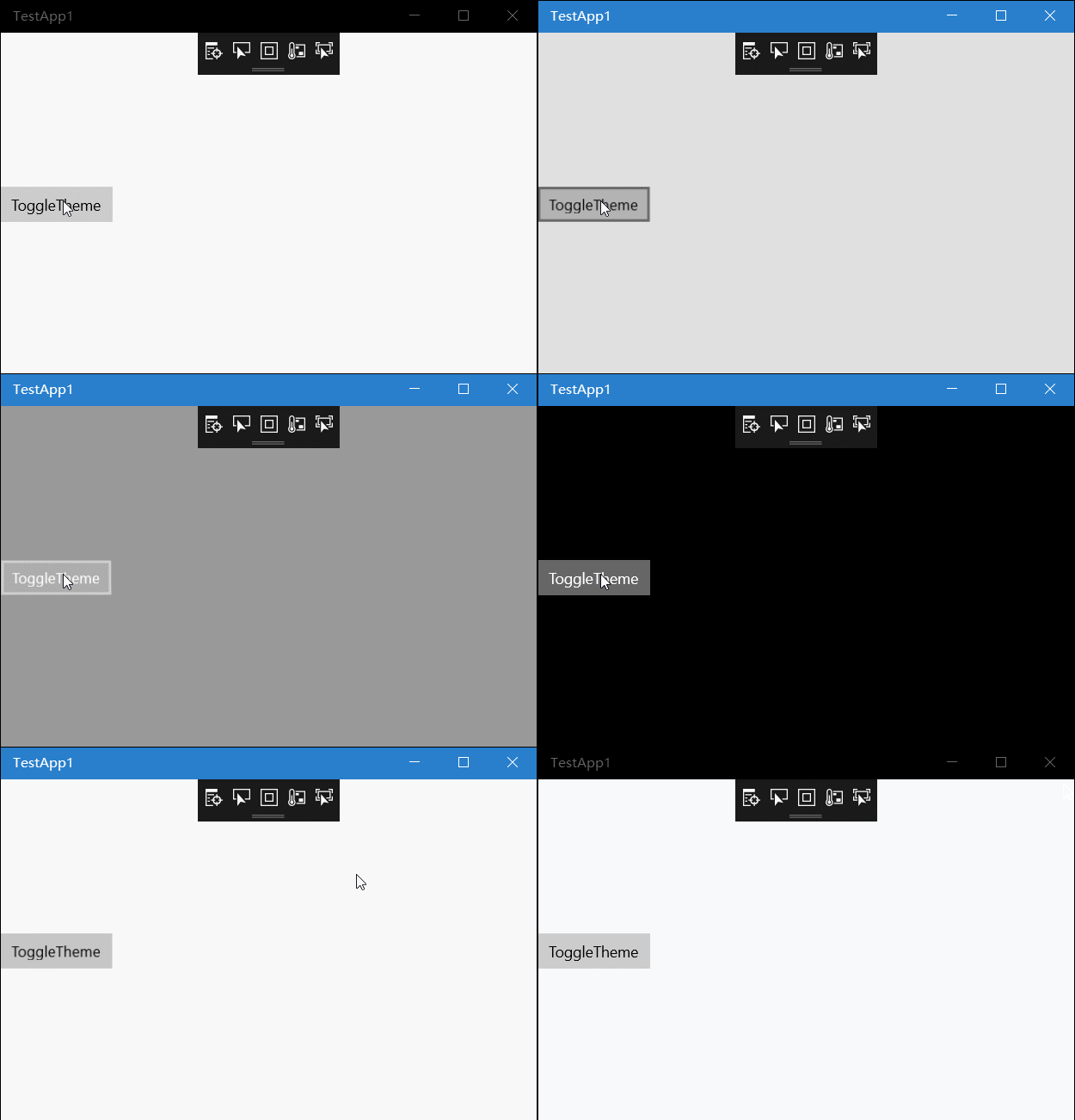
最后附一张效果图:
原文地址:https://blog.ultrabluefire.cn/archives/13.html
UWP Background过渡动画的更多相关文章
- transtion:过渡动画
p.p1 { margin: 0.0px 0.0px 0.0px 0.0px; font: 17.0px Monaco; color: #4f5d66 } p.p2 { margin: 0.0px 0 ...
- 用js触发CSS3-transition过渡动画
用js触发CSS3-transition过渡动画 经过这几天的工作,让我进一步的了解到CSS3的强大,原本许多需要js才能实现的动画效果,现在通过CSS3就能轻易实现了,但是CSS3也有自身的不足,例 ...
- CSS基础篇之背景、过渡动画
background-origin(背景原点) 设置元素背景图片的原始起始位置.必须保证背景是background-repeat为no-repeat属性才能生效. background-origin: ...
- CSS3初学篇章_5(背景样式/列表样式/过渡动画)
背景样式 1.背景颜色语法:background-color : transparent | color body { background-color:#CCCCCC;} 2.渐变色彩语法:back ...
- Css中的变形及过渡动画
在css3的标准中新增加了变形样式,这些样式使得网页中各元素的位置形状的变换变得更加容易.其语法如下: transform:none | <transform-function>+ 其中对 ...
- 遇到的一个移动端从下往上过渡的弹框,在Android下过渡动画的优化问题。
优化之前: /* 分享弹框样式 */ .popUpDiv { width: 100vw; height: 100vh; transition: all 0.5s ease; position: fix ...
- 属性动画和Activity、Fragment过渡动画等
主题是关于动画的,但是不是什么动画的内容都包括.先泛泛的介绍一下,然后详细的介绍一下翻代码找见的一个好玩的动画的使用.以下的内容包括Android 3和Android 3.1等引入的API,在使用中请 ...
- react过渡动画效果的实现,react-transition-group
本文介绍react相关的过渡动画效果的实现 有点类似vue的transition组件,主要用于组件mount和unmount之前切换时应用动画效果 安装 cnpm install react-tran ...
- css3-12 transition+css或transform实现过渡动画
css3-12 transition+css或transform实现过渡动画 一.总结 一句话总结:首先要设置hover后的效果,然后在transition里面指定执行哪些样式和执行时间为多长. 1. ...
随机推荐
- 初步认识linux的top命令
今天学习了一下top命令,强大无比啊! top命令涉及到的东西很多.用来监视系统的运行状态,top打印包括cpu.内存.进程使用情况的统计信息,还打印出进程列表. 输入top命令,不带任何参数,默认打 ...
- 494. Target Sum - Unsolved
https://leetcode.com/problems/target-sum/#/description You are given a list of non-negative integers ...
- input.file样式修改
<!DOCTYPE html PUBLIC "-//W3C//DTD XHTML 1.0 Transitional//EN" "http://www.w3.org/ ...
- python学习 day21 (3月28日)----(抽象类 多态 nametuple dump)
不要因为走的路太久了,而忘记了为了什么而出发. 提前作准备了吗?把思维导图的东西做了吗? 和工作了几年的人,相比,是不是相同的水平,如果要写简历的话. 一边学习,一边复习. 小就是大,少就是多. 1. ...
- 2019.02.09 bzoj1042: [HAOI2008]硬币购物(完全背包+容斥原理)
传送门 题意简述:有四种面值的硬币,现在qqq次询问(q≤1000)(q\le1000)(q≤1000),每次给出四种硬币的使用上限问最后刚好凑出sss块钱的方案数(s≤100000)(s\le100 ...
- poj-3067(树状数组)
题目链接:传送门 题意:日本有东城m个城市,西城m个城市,东城与西城相互连线架桥,判断这些桥相交的次数. 思路:两个直线相交就是(x1-x2)*(y1-y2)<0,所以,对x,y进行排序,按照x ...
- Win7 VS2015及MinGW环境编译FFMPEG-20160326
因为又要弄MinGW了,所以顺便把FFMPEG编译了,文章主要参考这篇,防抽所以复制一遍,顺便加些自己的内容 http://blog.csdn.net/finewind/article/details ...
- MFC连接MySQL C API方法
1.首先下载一个32位的MySQL,因为vc的版本是32位了,不用32 位的MySQL会出现无效的机械码错误. MySQL安装地址:https://dev.mysql.com/downloads/my ...
- DocumentType类型
并不常用 nodeType 10 nodeName doctype的名称 NodeValue 值为null parentNode Document 不支持子节点 DocumentType不能动态创建, ...
- python psutil简单示例
python psutil简单示例 利用psutil编写简单的检测小脚本 0.安装psutil模块 ...