
electron安装到第一个实例
1、node.js下载,然后安装。下载地址:链接:http://pan.baidu.com/s/1o7TONhS 密码:fosa
2、cmd下输入:npm install electron-prebuilt -g
3、 解压这个文件,然后双击exe
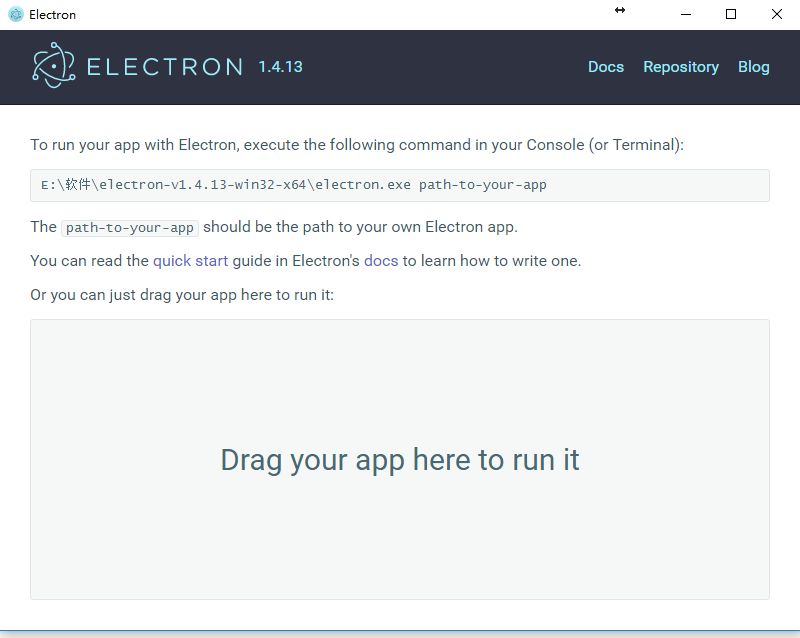
4、创建一个文件夹,里面创建三个文件
package.json,main.js,index.html
内容:
package.json

{

  "name"    : "your-app",

  "version" : "0.1.0",

  "main"    : "main.js"

}

main.js

const electron = require('electron');

// Module to control application life.

const {app} = electron;

// Module to create native browser window.

const {BrowserWindow} = electron;

// Keep a global reference of the window object, if you don't, the window will

// be closed automatically when the JavaScript object is garbage collected.

let win;

function createWindow() {

  // Create the browser window.

  win = new BrowserWindow({width: , height: });

  // and load the index.html of the app.

  win.loadURL(`file://${__dirname}/index.html`);

  // Open the DevTools.

  win.webContents.openDevTools();

  // Emitted when the window is closed.

  win.on('closed', () => {

    // Dereference the window object, usually you would store windows

    // in an array if your app supports multi windows, this is the time

    // when you should delete the corresponding element.

    win = null;

  });

}

// This method will be called when Electron has finished

// initialization and is ready to create browser windows.

// Some APIs can only be used after this event occurs.

app.on('ready', createWindow);

// Quit when all windows are closed.

app.on('window-all-closed', () => {

  // On OS X it is common for applications and their menu bar

  // to stay active until the user quits explicitly with Cmd + Q

  if (process.platform !== 'darwin') {

    app.quit();

  }

});

app.on('activate', () => {

  // On OS X it's common to re-create a window in the app when the

  // dock icon is clicked and there are no other windows open.

  if (win === null) {

    createWindow();

  }

});

// In this file you can include the rest of your app's specific main process

// code. You can also put them in separate files and require them here.

index.html

<!DOCTYPE html>

<html>

  <head>

    <meta charset="UTF-8">

    <title>Hello World!</title>

  </head>

  <body>

    <h1>Hello World!</h1>

    We are using node <script>document.write(process.versions.node)</script>,

    Chrome <script>document.write(process.versions.chrome)</script>,

    and Electron <script>document.write(process.versions.electron)</script>.

  </body>

</html>
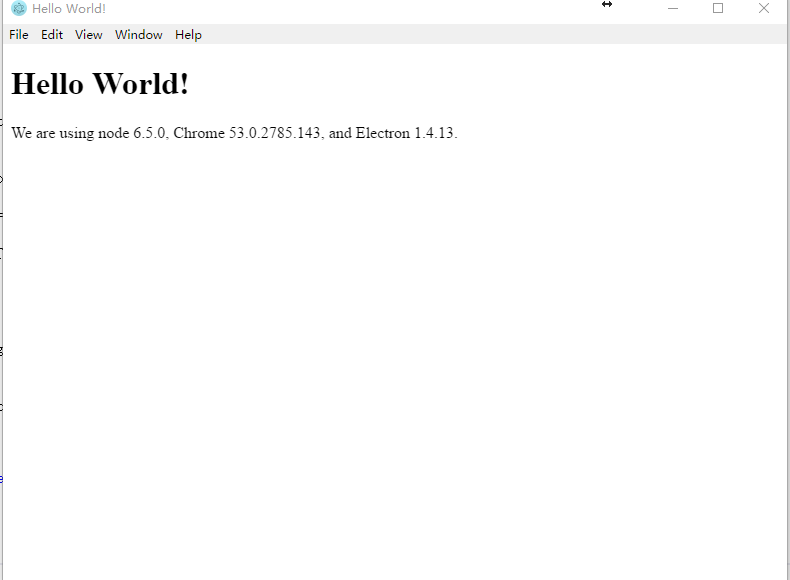
然后将整个文件夹,拖到Electron.exe中,显示效果如下图所示:
我学习的地址是:
http://blog.csdn.net/xuexiiphone/article/details/51445369
感谢技术朋友分享
electron安装到第一个实例的更多相关文章
- 【C# -- OpenCV】Emgu CV 第一个实例
原文 [C# -- OpenCV]Emgu CV 第一个实例 Emgu CV下载地址 http://sourceforge.net/projects/emgucv/files/ 找最新的下就行了,傻瓜 ...
- Vue.js学习和第一个实例
第一个实例效果图: 1.node.js下载,然后安装.下载地址:链接:http://pan.baidu.com/s/1o7TONhS 密码:fosa 2.下载Vue.js.链接:http://pan. ...
- Activity工作流(2)-入门安装运行第一个例子
转: Activity工作流(2)-入门安装运行第一个例子 置顶 2017年05月24日 15:58:50 li_ch_ch 阅读数:24432 版权声明:本文为博主原创文章,未经博主允许不得转载 ...
- JAVA-MyEclipse第一个实例
相关资料: <21天学通Java Web开发> 实例代码: MyEclipse第一个实例1.打开MyEclipse程序.2.在PacKage视图->右击->New|Web Pr ...
- Windows上安装多个MySQL实例(转)
在学习和开发过程中有时候会用到多个MySQL数据库,比如Master-Slave集群.分库分表,开发阶段在一台机器上安装多个MySQL实例就显得方便不少. 在 MySQL教程-基础篇-1.1-Wind ...
- 小白的springboot之路(一)、环境搭建、第一个实例
小白的springboot之路(一).环境搭建.第一个实例 0- 前言 Spring boot + spring cloud + vue 的微服务架构技术栈,那简直是爽得不要不要的,怎么爽法,自行度娘 ...
- 在一台Linux服务器上安装多个MySQL实例(一)--使用mysqld_multi方式
(一)MySQL多实例概述 实例是进程与内存的一个概述,所谓MySQL多实例,就是在服务器上启动多个相同的MySQL进程,运行在不同的端口(如3306,3307,3308),通过不同的端口对外提供服务 ...
- Electron安装过程深入解析(读完此文解决Electron应用无法启动,无法打包的问题)
1. 安装Electron依赖包 开发者往往通过npm install(或 yarn add)指令完成为Node.js工程安装依赖包的工作, 安装Electron也不例外,下面是npm和yarn的安装 ...
- 第四课 Grid Control实验 GC Agent安装(第一台机器部署) 及卸载
3.GC Agent安装(第一台机器部署) 安装Agent 拷贝agent,现在ocm2机器上查找agent.linux 查找文件的方法: find ./ -name agent*linux 把ag ...
随机推荐
- 2.Linux技能要求
Linux嵌入式工程师技能要求: 1.C语言 具备C语言基础.理解C语言基础编程及高级编程,包括:数据类型.数组.指针.结构体.链表.文件操作.队列.栈. ...
- PAT 乙级 1019 数字黑洞 (20) C++版
1019. 数字黑洞 (20) 时间限制 100 ms 内存限制 65536 kB 代码长度限制 8000 B 判题程序 Standard 作者 CHEN, Yue 给定任一个各位数字不完全相同的4位 ...
- 使用Apache Mesos和Consul实现服务的注册发现
为保证基于Docker应用程序和服务都具有高性能和可用性,设计出一种具有服务发现,高可用性和容错能力的解决方案非常重要. 我们使用Apache Mesos 和Mesosphere的 Marathon实 ...
- python:数据类型set
一.集合 集合是无序的,不重复的数据集合,它里面的元素是可哈希的(不可变数据类型),但是集合本身是不可哈希(所以集合做不了字典的键)的.以下是集合最重要的两点: 去重,把一个列表变成集合,就自动去重了 ...
- git知识讲解
git初始化 1.设置名字和邮箱 git config --global user.name "zhangsan" git config --global user.email & ...
- MySql 索引优化实例
查询语句 SELECT customer_id,title,content FROM `product_comment` WHERE audit_status=1 AND product_id=199 ...
- 机器学习简要笔记(三)-KNN算法
#coding:utf-8 import numpy as np import operator def classify(intX,dataSet,labels,k): ''' KNN算法 ''' ...
- Google C++命令规范
最近发现自己在开发程序的过程中,经常会将好几种命名规范进行混用,这样使得程序的可读性下降,于是乎依然决定学习并使用Google的命令规范,并且坚持使用. copy from https://www.c ...
- 《Linux 性能及调优指南》1.6 了解Linux性能指标
翻译:飞哥 (http://hi.baidu.com/imlidapeng) 版权所有,尊重他人劳动成果,转载时请注明作者和原始出处及本声明. 原文名称:<Linux Performance a ...
- Python三级菜单增删改查
#主要知识点是,字典,列表是使用menu = {'北京':{ '朝阳':{ '国贸':{ 'CICC':{}, 'HP':{}, '渣打银行':{}, 'CCTV':{} }, '望京':{ '陌陌' ...