
Electron: 如何以 Vue.js, Vuetify 开始应用
- Electron: 使用 JavaScript, HTML 和 CSS 等 Web 技术创建原生程序的框架
- Vue.js: Web 前端用于构建用户界面的渐进式框架
- Vuetify: Vue.js 的 Material Design 组件框架
看完以上介绍,也明白了本文要做的事:用 Vue.js 与 Vuetify 组件,基于 Electron 来创建原生桌面应用。
- 环境准备
- Visual Studio Code
- Node.js
- Yarn
- Vue CLI
- 创建 Vue.js 应用
- 添加 Vuetify 组件
- 添加 Electron 构建
- 发布 Electron 应用
- 参考
- 结语
环境准备
Visual Studio Code
建议使用的 VS Code 编辑代码,下载地址: https://code.visualstudio.com/ 。
同时可安装如下些扩展:
- ESLint: 代码检查
- Prettier - Code formatter: 代码格式化
- Vetur: Vue 代码工具
- Vue 2 Snippets: Vue 代码提示(可选)
查看 VS Code 版本:
$ code -v

1.46.1

cd9ea6488829f560dc949a8b2fb789f3cdc05f5d

x64
Node.js
Node.js 开发环境,下载地址: https://nodejs.org/en/download/ 。
建议选择 Latest LTS Version ,因为 Electron v9 仍旧使用的 Node.js v12 。
查看 Node, NPM 版本:
$ node -v

v12.18.1

$ npm -v

6.14.5
Yarn
Yarn 包管理工具,相比 NPM 而言: Fast, Reliable, Secure 。
GitHub: https://github.com/yarnpkg/yarn
全局安装 Yarn :
npm config set registry https://registry.npm.taobao.org

npm install -g yarn
查看 Yarn 版本:
$ yarn -v

1.22.4
Vue CLI
Vue CLI 是 Vue.js 开发的标准工具。
GitHub: https://github.com/vuejs/vue-cli
全局安装 Vue CLI :
yarn global add @vue/cli
查看 Vue CLI 版本:
$ vue -V

@vue/cli 4.4.6
创建 Vue.js 应用
vue create my-app
跟随引导进行工程配置,如下:
Vue CLI v4.4.6

? Please pick a preset: Manually select features

? Check the features needed for your project: Babel, TS, Router, Vuex, Linter

? Use class-style component syntax? Yes

? Use Babel alongside TypeScript (required for modern mode, auto-detected polyfills, transpiling JSX)? Yes

? Use history mode for router? (Requires proper server setup for index fallback in production) Yes

? Pick a linter / formatter config: Prettier

? Pick additional lint features: Lint on save

? Where do you prefer placing config for Babel, ESLint, etc.? In dedicated config files

? Save this as a preset for future projects? No

? Pick the package manager to use when installing dependencies: Yarn
~/.vuerc 会保存一些可复用的 preset :
$ cat ~/.vuerc

{

  "useTaobaoRegistry": true,

  "packageManager": "yarn"

}
运行应用:
cd my-app

yarn serve
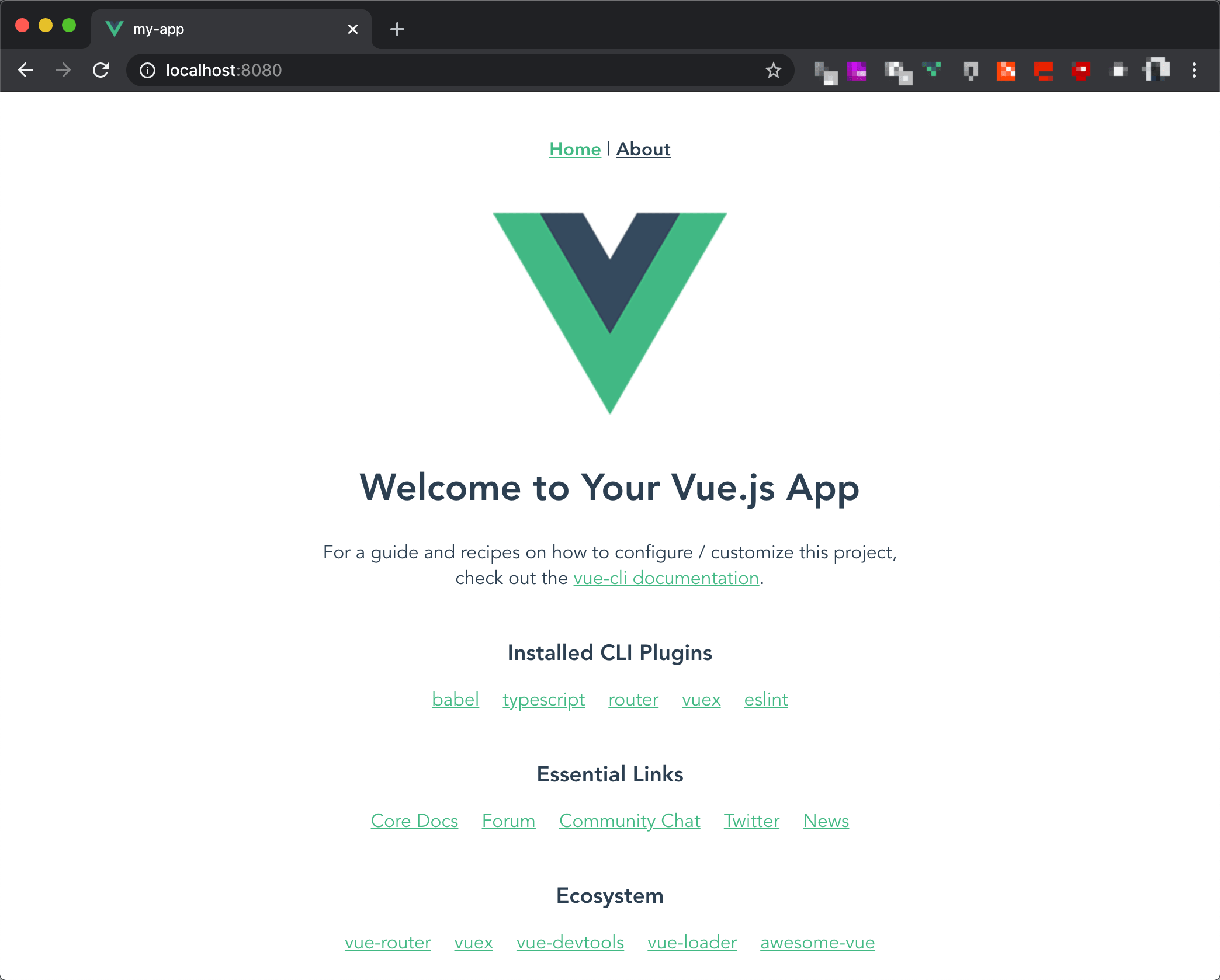
浏览器打开 http://localhost:8080/ :
添加 Vuetify 组件
Vuetify 是 Vue.js 的 Material Design 组件库。也可以换用其他的,如 Element 等。
GitHub: https://github.com/vuetifyjs/vuetify
添加 Vuetify :
cd my-app

vue add vuetify
preset 选择 Default :
? Choose a preset: Default (recommended)
添加完成后,编辑下 tsconfig.json :
{

  "compilerOptions": {

    ...

    "types": [

-      "webpack-env"

+      "webpack-env",

+      "vuetify"

    ],

    ...

  },

  ...

}
运行应用:
yarn serve
浏览器打开 http://localhost:8080/ :

编辑 tsconfig.json 是为了修正如下错误
ERROR in /Users/John/Codes/ikuokuo/start-electron/my-app/src/plugins/vuetify.ts(2,21):

2:21 Could not find a declaration file for module 'vuetify/lib'. '/Users/John/Codes/ikuokuo/start-electron/my-app/node_modules/vuetify/lib/index.js' implicitly has an 'any' type.

  Try `npm install @types/vuetify` if it exists or add a new declaration (.d.ts) file containing `declare module 'vuetify/lib';`

    1 | import Vue from "vue";

  > 2 | import Vuetify from "vuetify/lib";

      |                     ^

    3 |

    4 | Vue.use(Vuetify);

    5 |
添加 Electron 构建
如果你可以建一个网站,你就可以建一个桌面应用程序。 Electron 负责将 Web 构建成原生桌面应用。
而将 Vue.js 应用构建成 Electron 应用,现在用 Vue CLI Plugin Electron Builder 即可。
首先,指明下 node 版本:
yarn add @types/node@12 --dev
之后,添加 Electron Builder :
cd my-app

vue add electron-builder
Electron 版本选择 9.0.0 :
? Choose Electron Version ^9.0.0
添加完成后,编辑下 src/router/index.ts :
...

const router = new VueRouter({

-  mode: "history",

+  mode: process.env.IS_ELECTRON ? "hash" : "history",

  base: process.env.BASE_URL,

  routes

});

export default router;
运行应用:
yarn electron:serve
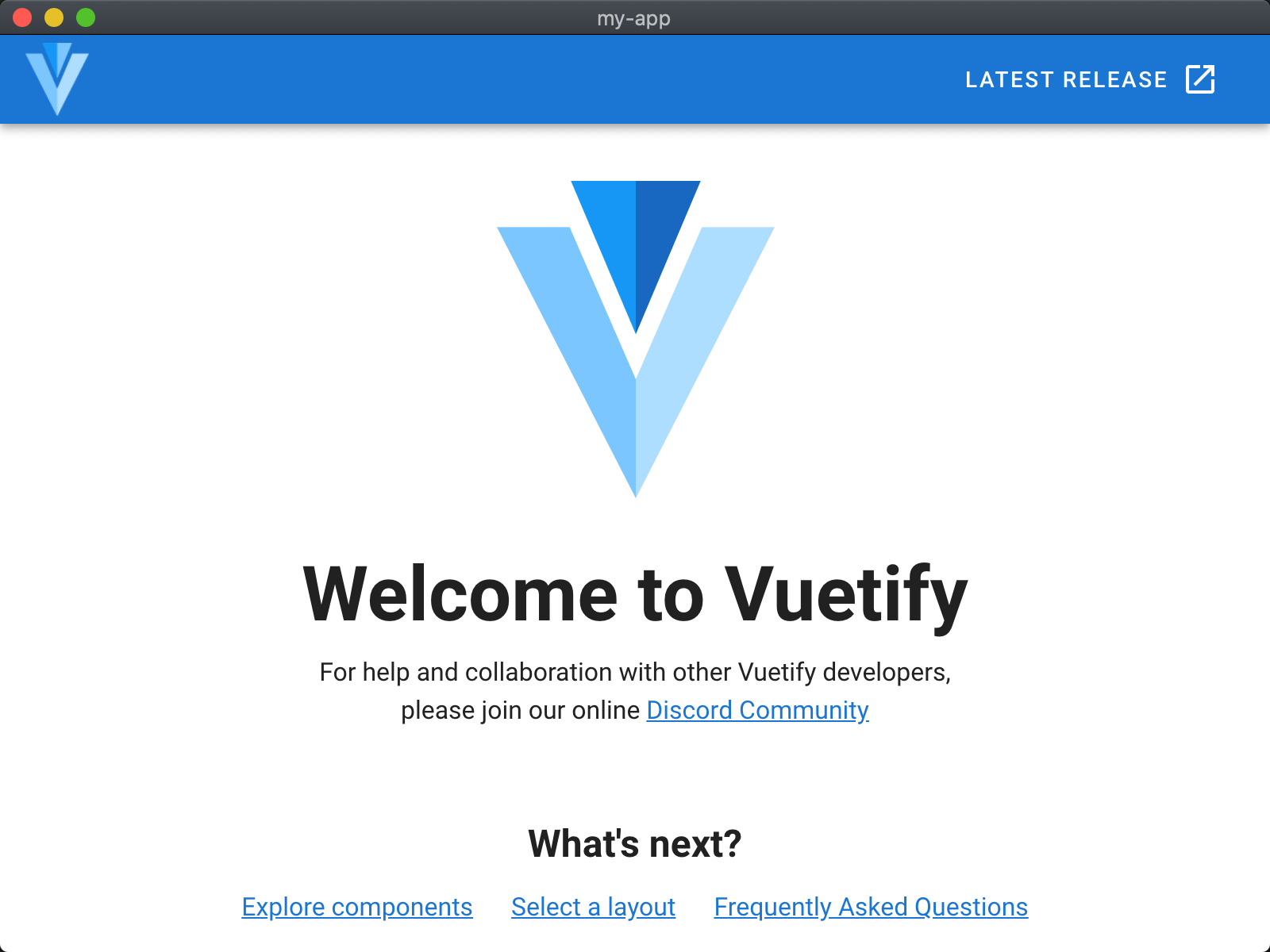
现在是桌面窗口了:
命令定义在了 package.json :
{

  ...

  "scripts": {

    "serve": "vue-cli-service serve",

    "build": "vue-cli-service build",

    "lint": "vue-cli-service lint",

    "electron:build": "vue-cli-service electron:build",

    "electron:serve": "vue-cli-service electron:serve",

    "postinstall": "electron-builder install-app-deps",

    "postuninstall": "electron-builder install-app-deps"

  },

  ...

}
yarn 执行即可,如下:
$ yarn lint

yarn run v1.22.4

$ vue-cli-service lint

 DONE  No lint errors found!

  Done in 3.17s.
yarn add @types/node@12 --dev 是为了修正如下错误
ERROR in /Users/John/Codes/ikuokuo/start-electron/my-app/node_modules/electron/electron.d.ts(1659,31):

1659:31 Cannot extend an interface 'NodeJS.EventEmitter'. Did you mean 'implements'?

...
编辑 src/router/index.ts 是为了修正如下警告
WARN It is detected that you are using Vue Router. If you are using history mode, you must push the default route when the root component is loaded. Learn more at https://goo.gl/GM1xZG .
发布 Electron 应用
Vue 应用了 Electron Builder 插件,所以直接用此工具即可。
GitHub: https://github.com/electron-userland/electron-builder
yarn electron:build 编译发布:
# 淘宝镜像,国内下载 Electron 更快

export ELECTRON_MIRROR="https://cdn.npm.taobao.org/dist/electron/"

# macOS 下禁用签名。若要签名,见最后参考

export CSC_IDENTITY_AUTO_DISCOVERY=false

cd my-app

yarn electron:build
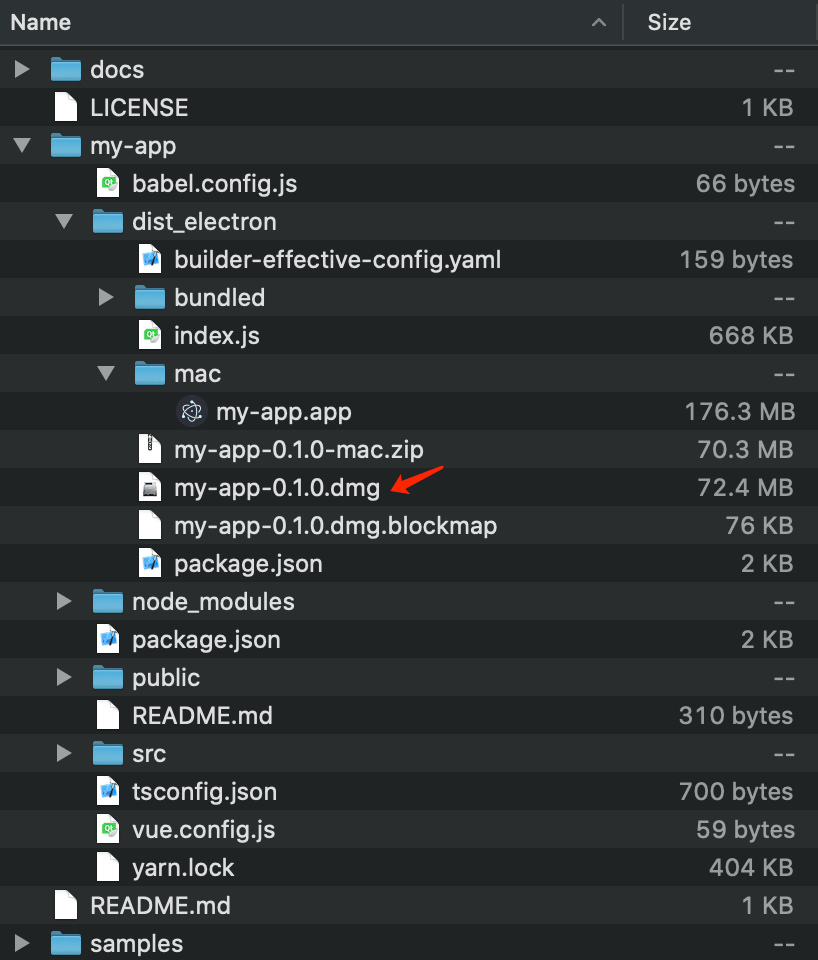
dist_electron/ 下即是发布内容。
例如 macOS 可见打包好的 dmg :
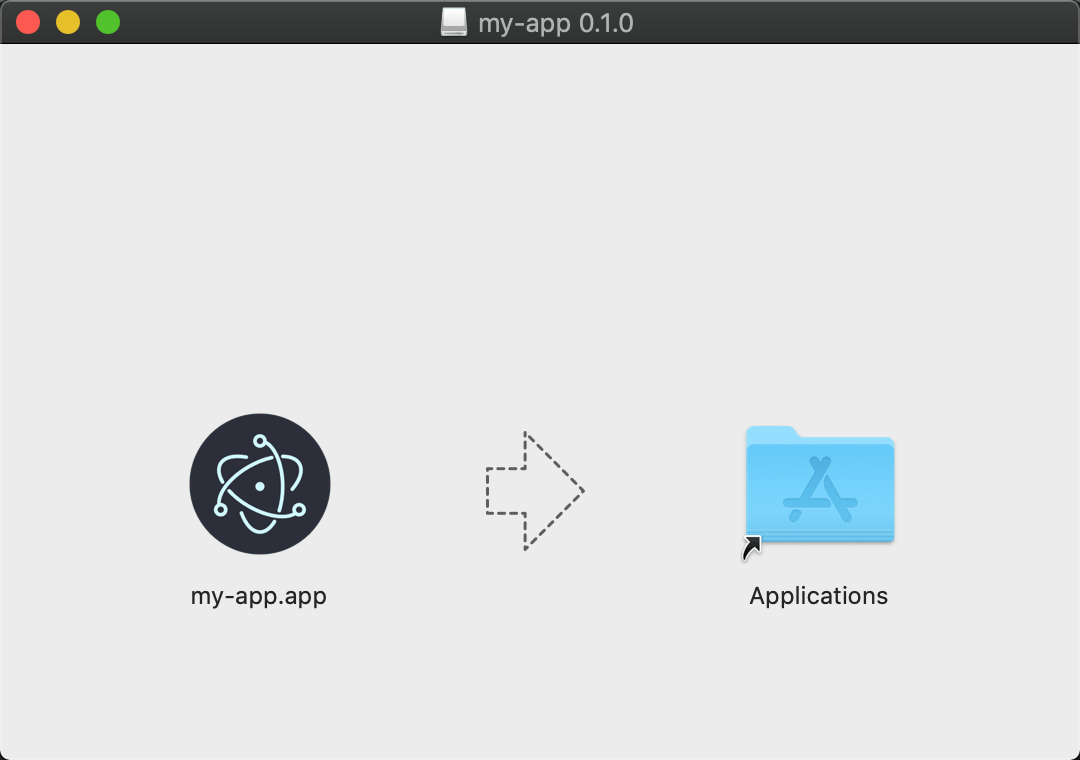
双击 dmg 试用或安装:
若要修改发布格式或内容,见 Electron Builder 文档: https://www.electron.build/ 。
export CSC_IDENTITY_AUTO_DISCOVERY=false 是为了避免如下错误
...

  • signing         file=dist_electron/mac/my-app.app identityName=gdb_codesign identityHash=BC899AF362F80B3FDB39F966A1601E2AFAFA100B provisioningProfile=none

(node:10223) UnhandledPromiseRejectionWarning: Error: Command failed: codesign --sign BC899AF362F80B3FDB39F966A1601E2AFAFA100B --force --timestamp --options runtime --entitlements /Users/John/Workspace/Codes/start-electron/my-app/node_modules/app-builder-lib/templates/entitlements.mac.plist /Users/John/Workspace/Codes/start-electron/my-app/dist_electron/mac/my-app.app/Contents/Frameworks/Electron Framework.framework/Versions/A/Helpers/chrome_crashpad_handler

error: The specified item could not be found in the keychain.

...

(node:10223) UnhandledPromiseRejectionWarning: Unhandled promise rejection. This error originated either by throwing inside of an async function without a catch block, or by rejecting a promise which was not handled with .catch(). To terminate the node process on unhandled promise rejection, use the CLI flag `--unhandled-rejections=strict` (see https://nodejs.org/api/cli.html#cli_unhandled_rejections_mode). (rejection id: 1)

(node:10223) [DEP0018] DeprecationWarning: Unhandled promise rejections are deprecated. In the future, promise rejections that are not handled will terminate the Node.js process with a non-zero exit code.
参考
结语
Go coding!
Electron: 如何以 Vue.js, Vuetify 开始应用的更多相关文章
- [译]基于Vue.js的10个最佳UI框架,用于构建移动应用程序
原文查看10 Best Vue.js based UI Frameworks for Building Mobile Apps 如果您期待使用Vue.js构建移动应用程序,那么您可以选择许多可用的UI ...
- electron-vue:Vue.js 开发 Electron 桌面应用
相信很多同学都知道 Electron 可以帮助开发人员使用前端技术开发桌面客户端应用,今天介绍的 electron-vue 框架是一套基于 Vue.js 开发 Electron 桌面应用的脚手架,该项 ...
- Electron、Node.js、JavaScript、JQuery、Vue.js、Angular.js,layui,bootstrap
转载:https://blog.csdn.net/meplusplus/article/details/79033786 layui :是基于jquery库的封装开发. bootstrap:同样基于 ...
- 【Vue】转-Vue.js经典开源项目汇总
版权声明:本文为EnweiTech原创文章,未经博主允许不得转载. https://blog.csdn.net/English0523/article/details/88694219 Vue是什么? ...
- vue.js相关UI组件收集
内容 UI组件 开发框架 实用库 服务端 辅助工具 应用实例 Demo示例 ###UI组件 element ★9689 - 饿了么出品的Vue2的web UI工具套件 Vux ★6927 - 基于Vu ...
- 【前端】Vue.js经典开源项目汇总
Vue.js经典开源项目汇总 原文链接:http://www.cnblogs.com/huyong/p/6517949.html Vue是什么? Vue.js(读音 /vjuː/, 类似于 view) ...
- Vue.js经典开源项目汇总
Vue.js经典开源项目汇总 原文链接:http://www.cnblogs.com/huyong/p/6517949.html Vue是什么? Vue.js(读音 /vjuː/, 类似于 view) ...
- Vue.js经典开源项目汇总-前端参考资源
Vue.js经典开源项目汇总 原文链接:http://www.cnblogs.com/huyong/p/6517949.html Vue是什么? Vue.js(读音 /vjuː/, 类似于 view) ...
- GitHub趋势:Vue.js大有超过TensorFlow之势!
2月,Github上第二受欢迎的项目是Flutter.Flutter的第一个测试版本是作为2018年世界移动通信大会的一部分而开始的. Flutter是一款移动UI框架,旨在帮助开发人员在iOS和An ...
随机推荐
- Rocket - tilelink - SourceShrinker
https://mp.weixin.qq.com/s/1vyfhZuF4RyRE5Qjj6AGWA 简单介绍SourceShrinker的实现. 1. 基本介绍 用于把上游节点的 ...
- Java实现 LeetCode 630 课程表 III(大小堆)
630. 课程表 III 这里有 n 门不同的在线课程,他们按从 1 到 n 编号.每一门课程有一定的持续上课时间(课程时间)t 以及关闭时间第 d 天.一门课要持续学习 t 天直到第 d 天时要完成 ...
- Java实现 蓝桥杯VIP 算法训练 求完数
问题描述 如果一个自然数的所有小于自身的因子之和等于该数,则称为完数.设计算法,打印1-9999之间的所有完数. 样例输出 与上面的样例输入对应的输出. 例: 数据规模和约定 1-9999 publi ...
- java实现BellmanFord算法
1 问题描述 何为BellmanFord算法? BellmanFord算法功能:给定一个加权连通图,选取一个顶点,称为起点,求取起点到其它所有顶点之间的最短距离,其显著特点是可以求取含负权图的单源最短 ...
- java实现第三届蓝桥杯源码变换
源码变换 这道题因为有一些html语言在编写的时候不会显示出来,所以就用代码格式把题目写出来 [编程题](满分22分) 超文本标记语言(即HTML),是用于描述网页文档的一种标记语言. HTML通过文 ...
- Linux文件搜索命令locate、which、grep详解
命令locate详解 命令locate,其基本功能是在文件资料库中可以快速的搜索系统文件,占用系统资源很少,例如:locate my.cnf 还可以使用locate -i [文件名],不区分大小写进行 ...
- pi-star 升级固件命令
单天线热点: sudo pistar-mmdvmhshatflash hs_hat 双天线热点: sudo pistar-mmdvmhshatflash hs_dual_hat 命令: wget ht ...
- iOS-MapKit的使用笔记
对于地图和定位,苹果公司提供给了两个框架: MapKit:用于地图展示 Core Location :用于地理定位 这次总结MapKit: 同样,在使用MapKit时首先要导入头文件: 与 ...
- 手把手带你入门numpy,从此数据处理不再慌【四】
本文始发于个人公众号:TechFlow,原创不易,求个关注 今天是numpy专题的第四篇文章,numpy中的数组重塑与三元表达式. 首先我们来看数组重塑,所谓的重塑本质上就是改变数组的shape.在保 ...
- pytorch入门2.2构建回归模型初体验(开始训练)
pytorch入门2.x构建回归模型系列: pytorch入门2.0构建回归模型初体验(数据生成) pytorch入门2.1构建回归模型初体验(模型构建) pytorch入门2.2构建回归模型初体验( ...