
如何实现图像搜索,文搜图,图搜图,CLIP+faiss向量数据库实现图像高效搜索
如何实现图像搜索,文搜图,图搜图,CLIP+faiss向量数据库实现图像高效搜索
这是AIGC的时代,各种GPT大模型生成文本,还有多模态图文并茂大模型,
以及stable diffusion和stable video diffusion 图像生成视频生成等新模型,
层出不穷,如何生成一个图文并貌的文章,怎么在合适的段落加入图像,图像用什么方式获取,
图像可以使用搜索的形式获取,也可以使用stable diffusion生成
今天说说怎么使用搜索的形式获取,这种方式更高效,节省算力,更容易落地
clip模型,详细可以查看知乎
https://zhuanlan.zhihu.com/p/511460120
或论文https://arxiv.org/pdf/2103.00020.pdf
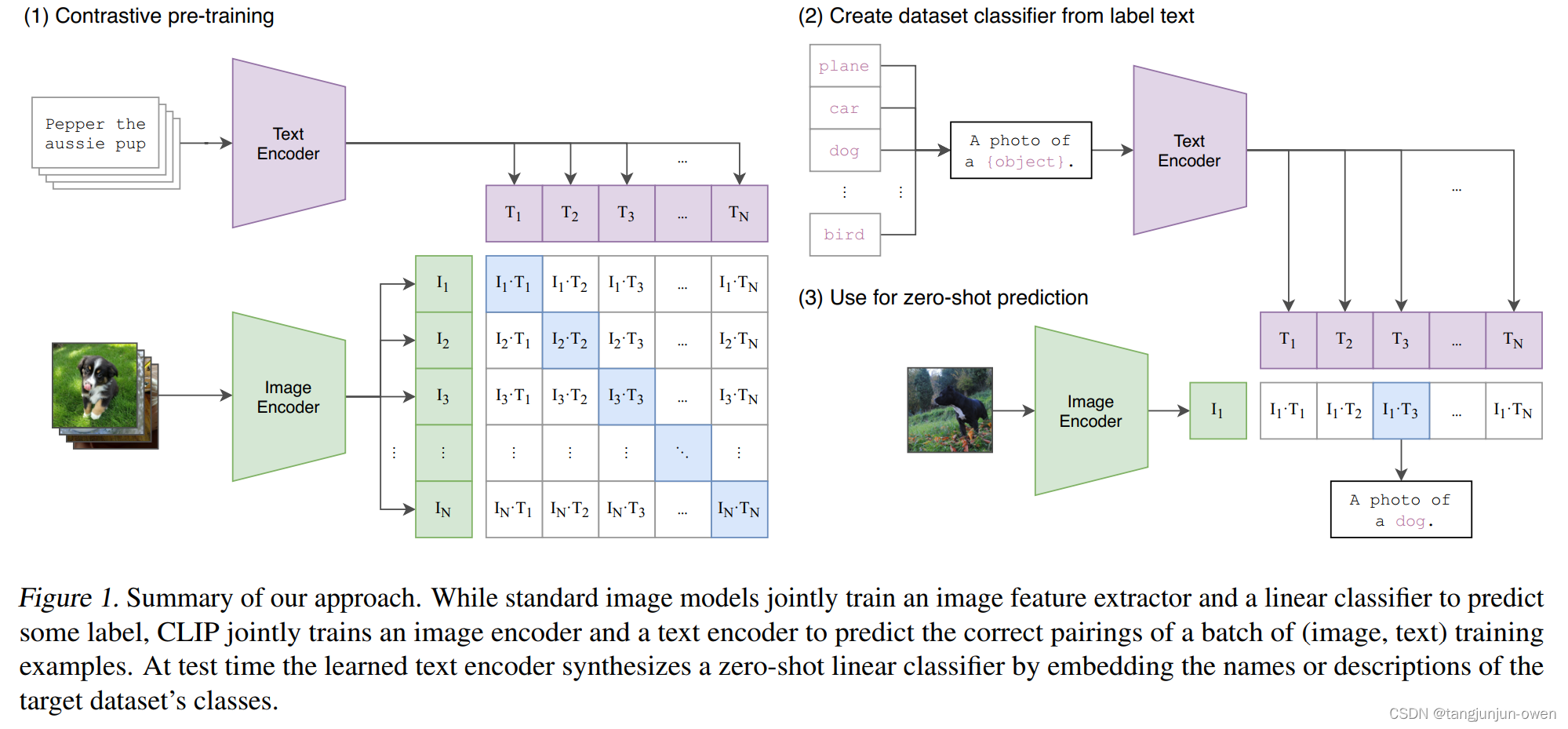
什么是faiss数据库
Faiss的全称是Facebook AI Similarity Search,是FaceBook的AI团队针对大规模相似度检索问题开发的一个工具,使用C++编写,有python接口,对10亿量级的索引可以做到毫秒级检索的性能。
简单来说,Faiss的工作,就是把我们自己的候选向量集封装成一个index数据库,它可以加速我们检索相似向量TopK的过程,其中有些索引还支持GPU构建,可谓是强上加强。
https://engineering.fb.com/2017/03/29/data-infrastructure/faiss-a-library-for-efficient-similarity-search/
1.huggingface下载clip模型,默认是英文版,也有中文版,英文版的效果会更好些
英文版
from PIL import Image

import requests

from transformers import CLIPProcessor, CLIPModel

model = CLIPModel.from_pretrained("openai/clip-vit-base-patch32")

processor = CLIPProcessor.from_pretrained("openai/clip-vit-base-patch32")

# url = "http://images.cocodataset.org/val2017/000000039769.jpg"

# image = Image.open(requests.get(url, stream=True).raw)

# inputs = processor(text=["a photo of a cat", "a photo of a dog"], images=image, return_tensors="pt", padding=True)

# image_features = model.get_image_features(inputs["pixel_values"])

# text_features = model.get_text_features(inputs["input_ids"],inputs["attention_mask"])

# outputs = model(**inputs)

# logits_per_image = outputs.logits_per_image # this is the image-text similarity score

# probs = logits_per_image.softmax(dim=1) # we can take the softmax to get the label probabilities

# print(probs)
中文版
from PIL import Image

import requests

from transformers import ChineseCLIPProcessor, ChineseCLIPModel

import torch

device = torch.device("mps")

model = ChineseCLIPModel.from_pretrained("OFA-Sys/chinese-clip-vit-base-patch16")

processor = ChineseCLIPProcessor.from_pretrained("OFA-Sys/chinese-clip-vit-base-patch16")

# url = "https://clip-cn-beijing.oss-cn-beijing.aliyuncs.com/pokemon.jpeg"

# image = Image.open(requests.get(url, stream=True).raw)

# Squirtle, Bulbasaur, Charmander, Pikachu in English

# texts = ["杰尼龟", "妙蛙种子", "小火龙", "皮卡丘"]

# # compute image feature

# inputs = processor(images=image, return_tensors="pt")

# image_features = model.get_image_features(**inputs)

# image_features = image_features / image_features.norm(p=2, dim=-1, keepdim=True)  # normalize

# # compute text features

# inputs = processor(text=texts, padding=True, return_tensors="pt")

# text_features = model.get_text_features(**inputs)

# text_features = text_features / text_features.norm(p=2, dim=-1, keepdim=True)  # normalize

# # compute image-text similarity scores

# inputs = processor(text=texts, images=image, return_tensors="pt", padding=True)

# outputs = model(**inputs)

# logits_per_image = outputs.logits_per_image  # this is the image-text similarity score

# probs = logits_per_image.softmax(dim=1)  # probs: [[1.2686e-03, 5.4499e-02, 6.7968e-04, 9.4355e-01]]
2.可以爬一些图片,做图像库,搜索也是在这个图像库中搜索,这个爬取的图像内容和业务场景相关,
比如你想获取动物的图像,那主要爬动物的就可以,这是我随便下载的一些图片
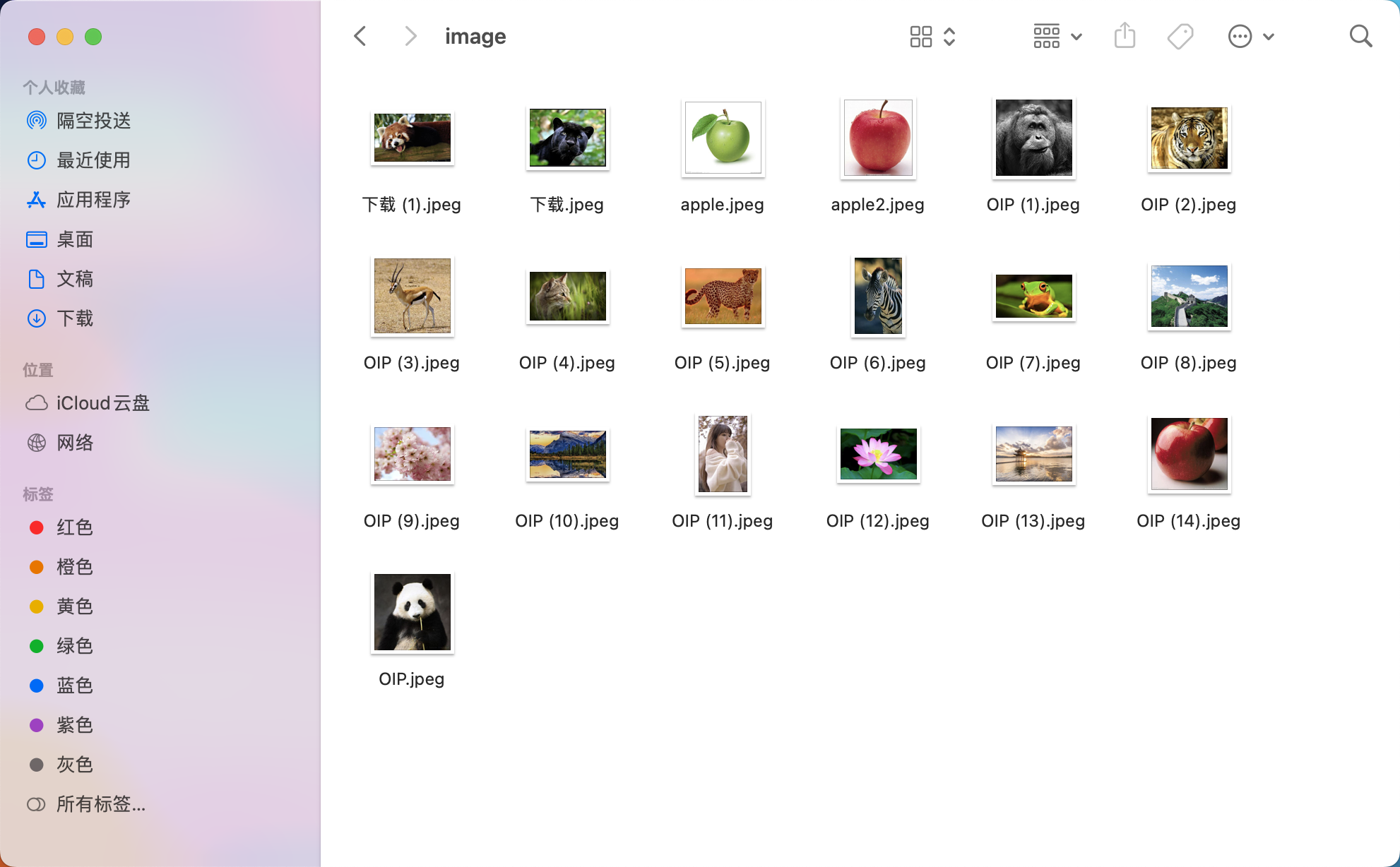
3.把图像映射成向量,存储在向量数据库faiss中
# from clip_model import model,processor

import faiss

from PIL import Image

import os

import json

from chinese_clip import model,processor

from tqdm import tqdm

d = 512

index = faiss.IndexFlatL2(d)   # 使用 L2 距离

# 文件夹路径

# folder_path = '/Users/smzdm/Downloads/Animals_with_Attributes2 2/JPEGImages'

folder_path = "image"

# 遍历文件夹

file_paths = []

for root, dirs, files in os.walk(folder_path):

    for file in files:

        # 检查文件是否为图片文件(这里简单地检查文件扩展名)

        if file.lower().endswith(('.png', '.jpg', '.jpeg', '.gif')):

            file_path = os.path.join(root, file)

            file_paths.append(file_path)

id2filename = {idx:x for idx,x in enumerate(file_paths)}

# 保存为 JSON 文件

with open('id2filename.json', 'w') as json_file:

    json.dump(id2filename, json_file)

for file_path in tqdm(file_paths,total=len(file_paths)):

    # 使用PIL打开图片

    image = Image.open(file_path)

    inputs = processor(images=image, return_tensors="pt", padding=True)

    image_features = model.get_image_features(inputs["pixel_values"])

    image_features = image_features / image_features.norm(p=2, dim=-1, keepdim=True)  # normalize

    image_features = image_features.detach().numpy()

    index.add(image_features)

    # 关闭图像,释放资源

    image.close()

faiss.write_index(index, "image.faiss")
4.加载数据库文件和索引文件,使用文本搜索图像或图像搜索图像
# from clip_model import model,processor

import faiss

from PIL import Image

import os

import json

from chinese_clip import model,processor

d = 512

index = faiss.IndexFlatL2(d)   # 使用 L2 距离

# 保存为 JSON 文件

with open('id2filename.json', 'r') as json_file:

    id2filename = json.load(json_file)

index = faiss.read_index("image.faiss")

def text_search(text,k=1):

    inputs = processor(text=text, images=None, return_tensors="pt", padding=True)

    text_features = model.get_text_features(inputs["input_ids"],inputs["attention_mask"])

    text_features = text_features / text_features.norm(p=2, dim=-1, keepdim=True)  # normalize

    text_features = text_features.detach().numpy()

    D, I = index.search(text_features, k)  # 实际的查询

    filenames = [[id2filename[str(j)] for j in i] for i in I]

    return text,D,filenames

def image_search(img_path,k=1):

    image = Image.open(img_path)

    inputs = processor(images=image, return_tensors="pt")

    image_features = model.get_image_features(**inputs)

    image_features = image_features / image_features.norm(p=2, dim=-1, keepdim=True)  # normalize

    image_features = image_features.detach().numpy()

    D, I = index.search(image_features, k)  # 实际的查询

    filenames = [[id2filename[str(j)] for j in i] for i in I]

    return img_path,D,filenames

if __name__ == "__main__":

    text = ["雪山","熊猫","长城","苹果"]

    text,D,filenames = text_search(text)

    print(text,D,filenames)

    # img_path = "image/apple2.jpeg"

    # img_path,D,filenames = image_search(img_path,k=2)

    # print(img_path,D,filenames)
比如用文字搜索
["雪山","熊猫","长城","苹果"]
返回结果:
['雪山', '熊猫', '长城', '苹果'] [[1.2182312]
[1.1529984]
[1.1177421]
[1.1656866]] [['image/OIP (10).jpeg'], ['image/OIP.jpeg'], ['image/OIP (8).jpeg'], ['image/apple2.jpeg']]
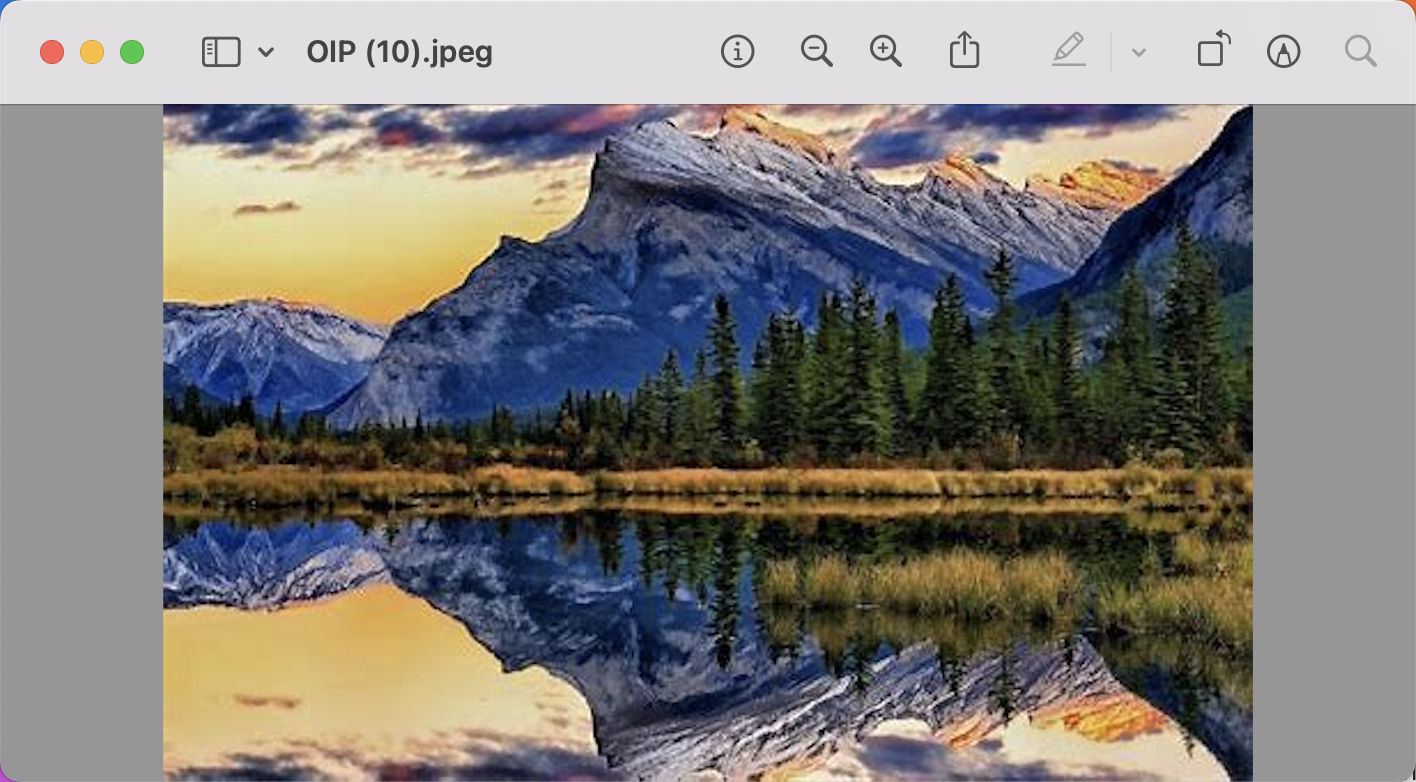

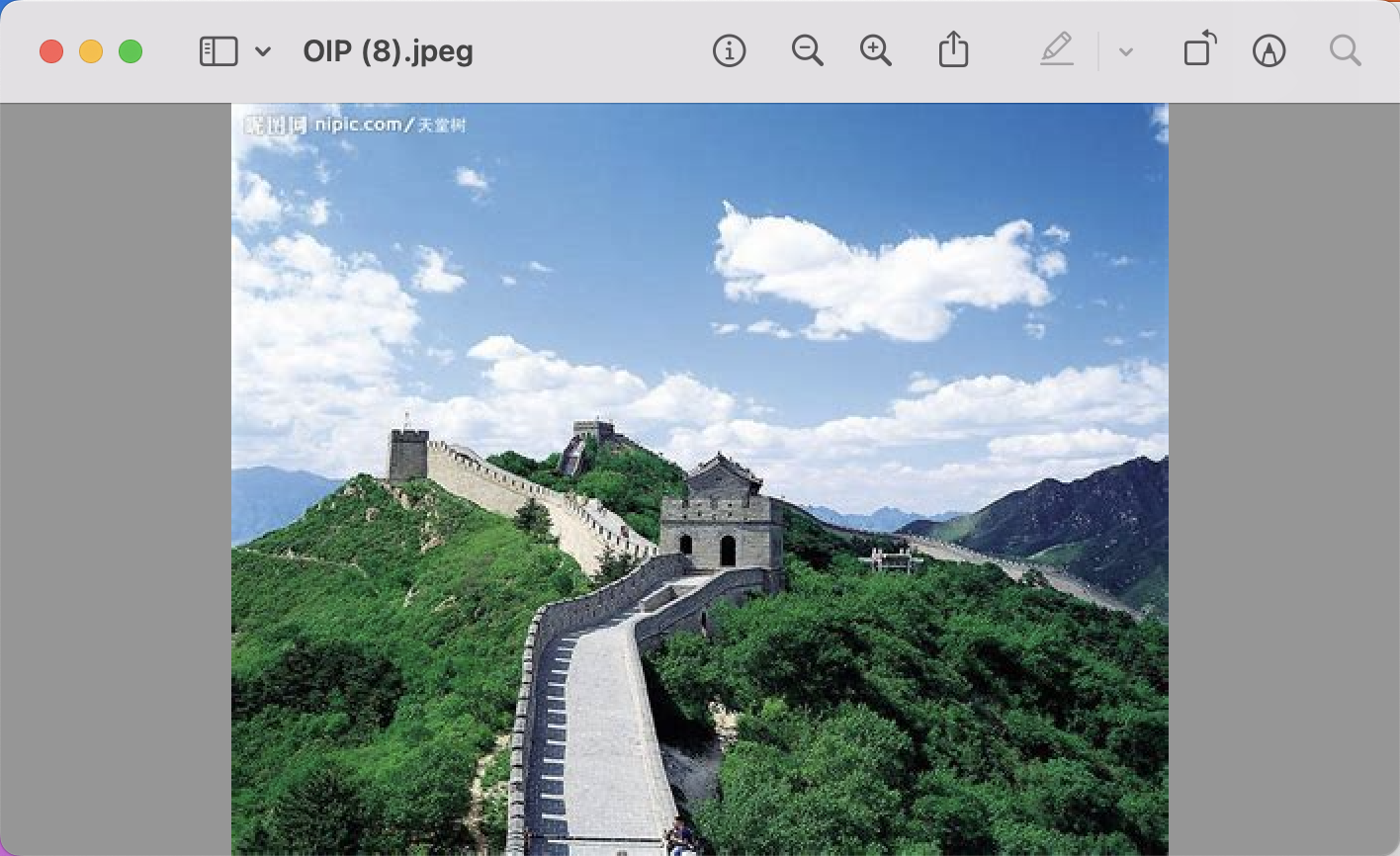
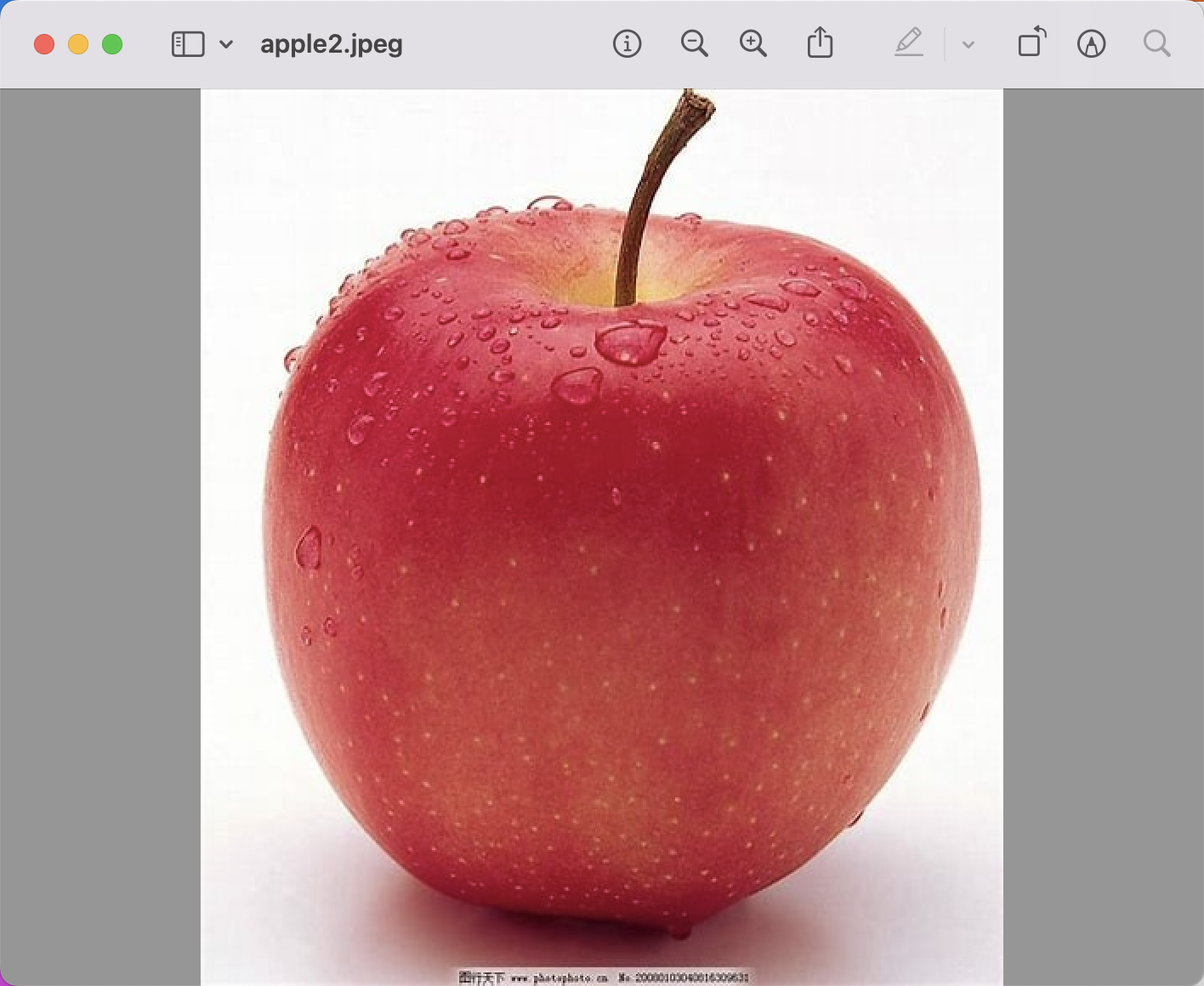
还可以使用图片搜图片,打开下面的注释
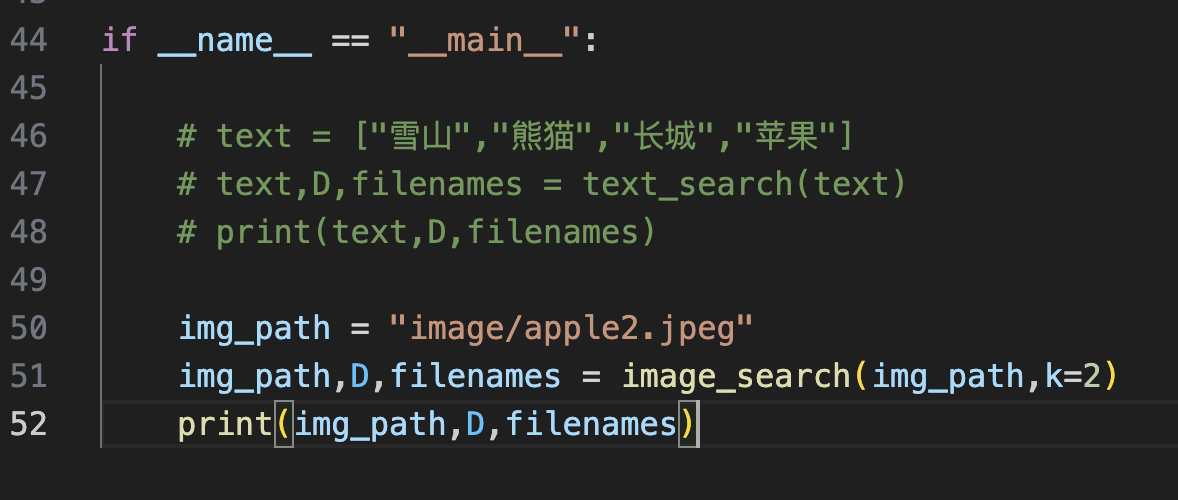
返回结果
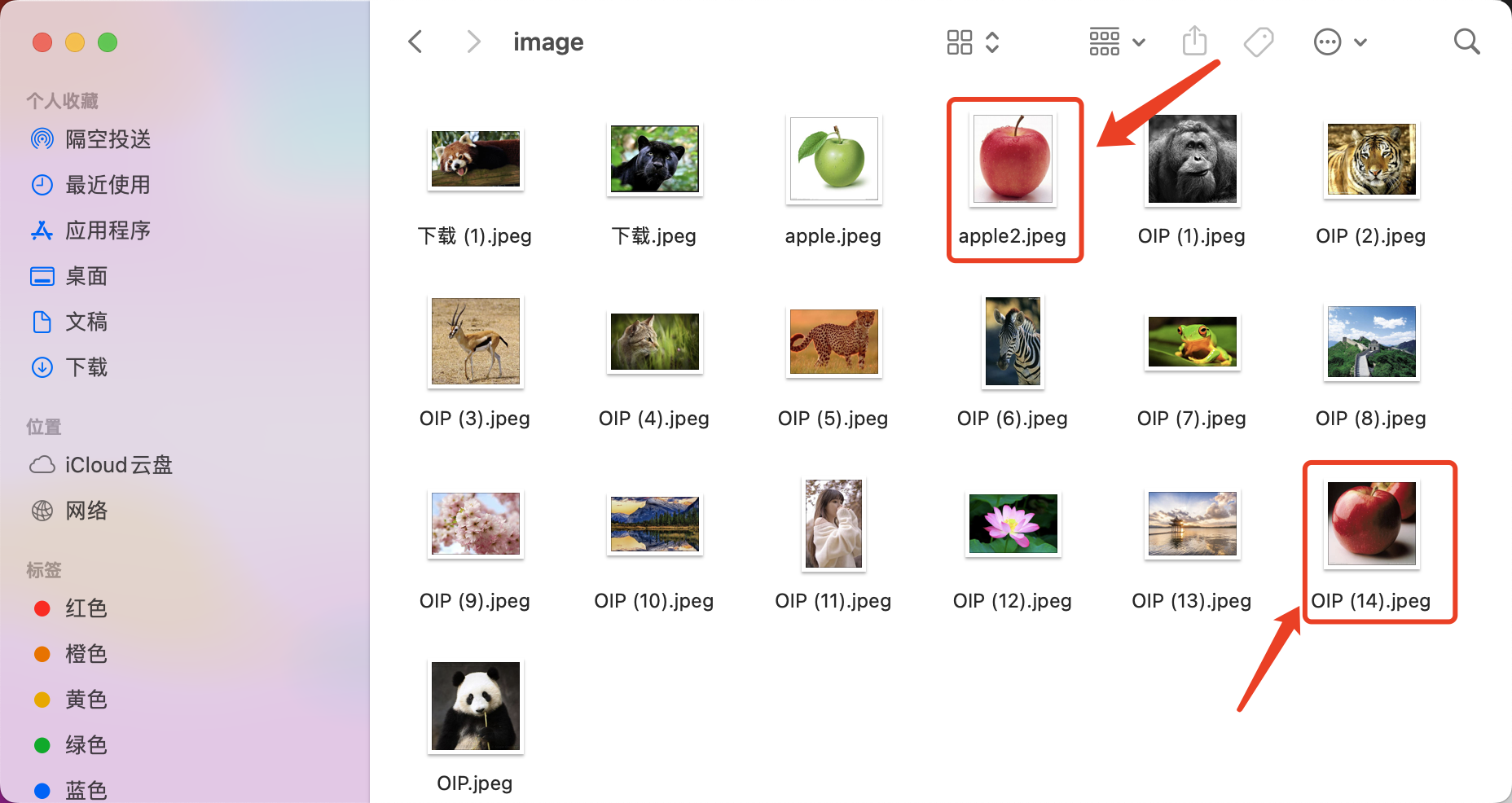
image/apple2.jpeg [[0. 0.11877532]] [['image/apple2.jpeg', 'image/OIP (14).jpeg']]
第一张图像是本身,完全相似,第二张可以看到是一个苹果
如何实现图像搜索,文搜图,图搜图,CLIP+faiss向量数据库实现图像高效搜索的更多相关文章
- 算法与数据结构(四) 图的物理存储结构与深搜、广搜(Swift版)
开门见山,本篇博客就介绍图相关的东西.图其实就是树结构的升级版.上篇博客我们聊了树的一种,在后边的博客中我们还会介绍其他类型的树,比如红黑树,B树等等,以及这些树结构的应用.本篇博客我们就讲图的存储结 ...
- 软件毕业设计文档流程与UML图之间的关系
每个模型都是用一种或者多种UML图来描述的,映射关系如下: 1.用例模型:使用用例图.顺序图.通信图.活动图和状态图来描述. 2.分析模型:使用类图和对象图(包括子系统和包).顺序图(时序图).通信图 ...
- Css Sprite(雪碧图、精灵图)<图像拼合技术>
一.精灵图使用场景: 二.Css Sprite(优点) 减少图片的字节. 减少网页的http请求,从而大大的提高页面的性能. 解决了网页设计师在图片命名上的困扰,只需对一张集合的图片上命名就可以了,不 ...
- 从 Java 代码逆向工程生成 UML 类图和序列图
from:http://blog.itpub.net/14780914/viewspace-588975/ 本文面向于那些软件架构师,设计师和开发人员,他们想使用 IBM® Rational® Sof ...
- R & ggplot2 & Excel绘图(直方图/经验分布图/QQ图/茎叶图/箱线图)实例
持续更新~ 散点图 条形图 文氏图 饼图 盒型图 频率直方图 热图 PCA图 3D图 火山图 分面图 分面制作小多组图 地图 练习数据: year count china Ame jap '12 2. ...
- 心智图/思维导图(Mind Map/Mind Mapping),思维导图介绍
心智图(Mind Map),又称脑图.心智地图.脑力激荡图.思维导图.灵感触发图.概念地图.树状图.树枝图或思维地图,是一种图像式思维的工具以及一种利用图像式思考辅助工具来表达思维的工具. 心智图 ...
- 图机器学习(GML)&图神经网络(GNN)原理和代码实现(前置学习系列二)
项目链接:https://aistudio.baidu.com/aistudio/projectdetail/4990947?contributionType=1 欢迎fork欢迎三连!文章篇幅有限, ...
- Paddle Graph Learning (PGL)图学习之图游走类模型[系列四]
Paddle Graph Learning (PGL)图学习之图游走类模型[系列四] 更多详情参考:Paddle Graph Learning 图学习之图游走类模型[系列四] https://aist ...
- PGL图学习之图神经网络GNN模型GCN、GAT[系列六]
PGL图学习之图神经网络GNN模型GCN.GAT[系列六] 项目链接:一键fork直接跑程序 https://aistudio.baidu.com/aistudio/projectdetail/505 ...
- UML部署图和图九组件图
前言 UML大部分描写叙述了逻辑和设计方面的信息.实现图用来描写叙述实现方面的信息.实现图包含部署图和构件图. 构件图 1. 概念 构件图从软件架构的角度来描写叙述一个系统的 ...
随机推荐
- go-zero 是如何做路由管理的?
原文链接: go-zero 是如何做路由管理的? go-zero 是一个微服务框架,包含了 web 和 rpc 两大部分. 而对于 web 框架来说,路由管理是必不可少的一部分,那么本文就来探讨一下 ...
- wineqq中接收文件的查看与移动
在Ubuntu等linux系统中安装QQ都需要安装wine支持,而在使用时,会遇到qq接收到的文件无法直接进行操作等问题. 这时,我们发现直接对文件进行复制后,无法在Ubuntu目录中进行粘贴. 其实 ...
- java学习阶段一
扩展名默认没有打开 FIRST APP public class HelloWorld { public static void main (String[] args){ System.out.pr ...
- 【SQL】所谓的连表查询
连表查询 外连接 外连接分为两种,左(外)连接和右(外)连接 基本语法如下: SELECT 字段列表 FROM 表1 LEFT JOIN 表2 ON 条件; 这是左连接,因此以表1中的 [字段列表] ...
- 日志开源组件(六)Adaptive Sampling 自适应采样
业务背景 有时候日志的信息比较多,怎么样才可以让系统做到自适应采样呢? 拓展阅读 日志开源组件(一)java 注解结合 spring aop 实现自动输出日志 日志开源组件(二)java 注解结合 s ...
- 深入了解商品详情API接口的使用方法与数据获取
作为程序员,了解和熟悉如何调用API接口获取淘宝商品数据是非常重要的.在现今的电商环境中,准确.及时地获取商品详情信息对于开发者和商家来说至关重要.本文将以程序员的视角,详细介绍如何调用API接口 ...
- 命令行安装ipa包
我们可以通过ssh连接我们的iphone,来使用命令行安装ipa包 itunnel_mux.exe --lport 9993 --iport 22 itunnel_mux.exe --lport 99 ...
- 【krpano】 ASP点赞插件
简述 这是一个Asp版krpano点赞案例,运用asp+xml读写.存储数据,结合krpano代码实现的功能:现将案例上传网站供大家学习研究,希望对大家有所帮助. 功能 用户在网页可点赞后显示已点赞数 ...
- PYQT5学习(13):QMidArea同时显示多个窗口,创建多个独立的窗口
QMidArea 参考文章:https://blog.csdn.net/jia666666/article/details/81670569 一种同时显示多个窗口的方法,创建多个独立的窗口,这些独立 ...
- 小札 Maximum Weight Closure of a Graph
1. Introduction Define a closure of a directed graph \(G=(V,E)\) as an induced set of vertexes of ...