
Golang : Forwarding a local port to a remote server example
原文:https://socketloop.com/tutorials/golang-forwarding-a-local-port-to-a-remote-server-example
端口转发, 本地的端口转发到远端服务器的80端口。
------------------------------------------------------------------------------------------------------------------------------------------------
Got a strange request yesterday. A friend who is an IT manager in his company needs to implement some control over his local network. He needs to block all the staffs(his co-workers) access to Facebook during working hours, but at the same time open up a "secret" door access to Facebook for his boss.
It is pretty trivial to configure the local network firewall to block access to certain websites nowadays. However, he prefers not to configure the "secret" door in the local network firewall. The next best solution is to implement a local port forwarding to remote server.
Below is a simple port forwarding solution in Golang that will initiate a bi-directional communication with a remote server(Facebook for example).
Here you go!
 package main

 import (

 	"io"

 	"log"

 	"net"

 )

 var localServerHost = "localhost:8880"

 var remoteServerHost = "www.facebook.com:80"

 func main() {

 	ln, err := net.Listen("tcp", localServerHost)

 	if err != nil {

 		log.Fatal(err)

 	}

 	log.Println("Port forwarding server up and listening on ", localServerHost)

 	for {

 		conn, err := ln.Accept()

 		if err != nil {

 			log.Fatal(err)

 		}

 		go handleConnection(conn)

 	}

 }

 func forward(src, dest net.Conn) {

 	defer src.Close()

 	defer dest.Close()

 	io.Copy(src, dest)

 }

 func handleConnection(c net.Conn) {

 	log.Println("Connection from : ", c.RemoteAddr())

 	remote, err := net.Dial("tcp", remoteServerHost)

 	if err != nil {

 		log.Fatal(err)

 	}

 	log.Println("Connected to ", remoteServerHost)

 	// go routines to initiate bi-directional communication for local server with a

 	// remote server

 	go forward(c, remote)

 	go forward(remote, c)

 }
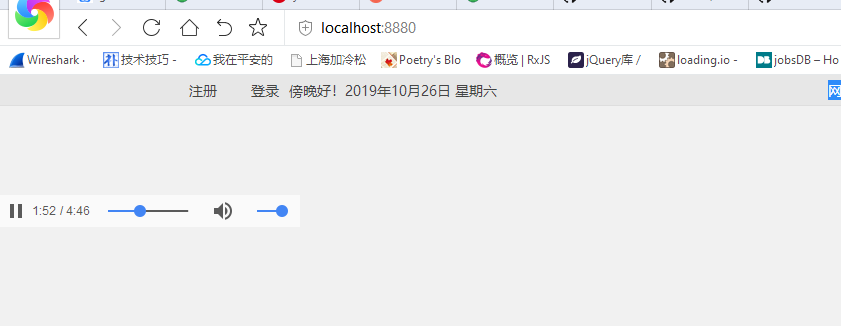
Sample output:
1) Run the program at the background and
2) On the browser, enter localhost:8880 in the address bar.

References:
https://www.socketloop.com/tutorials/golang-simple-client-server-example
Golang : Forwarding a local port to a remote server example的更多相关文章
- CHECK_NRPE: Received 0 bytes from daemon. Check the remote server logs for error messages.
今天,在用icinga服务器端测试客户端脚本时,报如下错误: [root@mysql-server1 etc]# /usr/local/icinga/libexec/check_nrpe -H 192 ...
- WinRM不起作用 Connecting to remote server failed with the following error message : WinRM cannot complete the operation
当我运行下面的 powershell 脚本时: $FarmAcct = 'domain\user' $secPassword = ConvertTo-SecureString 'aaa' -AsP ...
- lr11录制时报“Request Connection: Remote Server @ 0.0.0.0:1080 (Service=?) NOT PROXIED! )”解决方法
在录制脚本的时候出现如下现象: 解决方法: LoadRunner录制脚本时出现:Unable to connect to remote server),有事件没有脚本的问题 1.首先要查看IE浏览 ...
- selenium Remote Server 实现原理
selenium作为一个出色的web automation框架,被越来越多的企业采用究其原因,框架设计的比较remarkable, 作为一个开源的框架,能够开辟出一套协议,以至于针对app测试的app ...
- System.Net.WebException : The remote server returned an error: (415) UNSUPPORTED MEDIA TYPE
I am having problems with a bit of code that accesses a restful web service. Running this code, it e ...
- Call Azure Queue get "The remote server returned an error: (400) Bad Request."
这几天开始研究Windows Azure, 在使用Azure Queue 的时候,CreateInfNotExists 总是抛出异常 "The remote server returned ...
- Request Connection: Remote Server @ 192.229.145.200:80
录制Loadrunner脚本时,提示: Request Connection: Remote Server @ 192.229.145.200:80 NOT INTERCEPTED!(REASON ...
- WebService:The remote server returned an error: (400) Bad Request
开发工具:VS2010.开发组件:WebService.运行环境:Windows 今天一个同事在进行计费接口联调试时,发现了一个非常奇怪的问题:接口在家里环境测试,一切正常,但是部署到现网环境之后,连 ...
- Get-CrmSetting返回Unable to connect to the remote server的解决办法
摘要: 微软动态CRM专家罗勇 ,回复302或者20190125可方便获取本文,同时可以在第一间得到我发布的最新博文信息,follow me!我的网站是 www.luoyong.me . 在Dynam ...
随机推荐
- java面试 (六)
1 String.split(String regex), 传入的参数是正则表达式,有一些特殊字符(比如.[]()\| 等)需要转义. 2 关于枚举类型,一般用作常量,理想情况下,枚举中的属性字段是 ...
- Spring Boot拦截器实现并和swagger集成后使用拦截器的配置问题
1. 定义拦截器 LoginInterceptor LoginInterceptor.java是整个登录认证模块中的核心类之一,它实现了HandlerInterceptor类,由它来拦截并过滤到来的每 ...
- python time模块(13)
python time模块主要包含各种提供日期.时间功能的相关函数.time模块既提供了把日期.时间格式化为字符串的功能,也提供了从字符串恢复日期.时间的功能. 一.前言 在 time 模块内提供了很 ...
- Beta版本的发布
1.团队成员列表 成员姓名 成员学号 秦裕航 201731062432(组长) 刘东 201731062227 张旭 201731062129 王伟 201731062214 2.解决了那些在Alph ...
- XML解析详解|乐字节
大家好,乐字节的小乐又来了,Java技术分享哪里少的了小乐!上次我们说了可扩展标记语言XML之二:XML语言格式规范.文档组成,本文将介绍重点——XML解析. 基本的解析方式有两种:一种叫 SAX ...
- 使用qmlscene命令来快速查看编辑的qml文件的实际效果图
一片金灿灿的树叶落下来,仿佛飞来了许许多多翩翩起舞的黄蝴蝶. Qt SDK 提供 了 一个 命令行 环境, 给那些 有 特殊 需求 的 开发者, 方便 他们 在 不 使用 Qt Creator 集成 ...
- C++标准异常与自定义异常
参见https://www.runoob.com/cplusplus/cpp-exceptions-handling.html C++ 标准的异常 C++ 提供了一系列标准的异常,定义在 中,我们可以 ...
- gitlab升级备份
一.备份有关备份和恢复的操作,详见我的另一篇博客:Gitlab的备份与恢复在开始升级之前,一定要做好备份工作,并记录好版本号.1.查看当前Gitlab的版本号 [root@gitlab ~]# cat ...
- watchdog监控文件变化使用总结——转载
原文链接地址:https://blog.csdn.net/xufive/article/details/93847372 概述 首先声明,本文讨论的 watchdog,不是单片机里的 watchdog ...
- tomcat-修改端口--号
1.背景 在默认情况下,tomcat的端口是8080,使用了两个tomcat,那么就需要修改其中的一个的端口号才能使得两个同时工作. 2.方法 2.1改动一 那么,如何修改tomcat的端口号呢?首先 ...