
高级UI-CardView
CardView是在Android 5.0推出的新控件,为了兼容之前的版本,将其放在了v7包里面,在现在扁平化设计潮流的驱使下,越来越多的软件使用到了CardView这一控件,那么这篇文章就来看看CardView怎么使用吧
CardView的特有属性
cardBackgroundColor 背景色
cardCornerRadius 边缘弧度数
cardElevation 高度
cardMaxElevation 最大高度
cardUseCompatPadding 设置内边距
cardPreventCornerOverlap 防止卡片内容和边角的重叠
contentPadding 内边距
contentPaddingLeft 内左边距
contentPaddingRight 内右边距
contentPaddingTop 内上边距
contentPaddingBottom 内下边距
CardView使用
由于CardView的使用比较简单,这里不再过多描述
使用前导入依赖
implementation 'com.android.support:cardview-v7:25.4.0'
文字
<LinearLayout xmlns:android="http://schemas.android.com/apk/res/android"

    xmlns:app="http://schemas.android.com/apk/res-auto"

    xmlns:tools="http://schemas.android.com/tools"

    android:layout_width="match_parent"

    android:layout_height="match_parent"

    android:gravity="center"

    tools:context=".MainActivity">

    <android.support.v7.widget.CardView

        android:layout_width="300dp"

        android:layout_height="200dp"

        app:cardBackgroundColor="@android:color/holo_green_light"

        app:cardCornerRadius="8dp"

        app:cardElevation="10dp"

        app:contentPadding="20dp"

		android:layout_margin="0dp">

        <TextView

            android:layout_width="match_parent"

            android:layout_height="match_parent"

            android:background="@android:color/darker_gray"

            android:text="card view text"

            android:textColor="@android:color/white" />

    </android.support.v7.widget.CardView>

</LinearLayout>
效果如下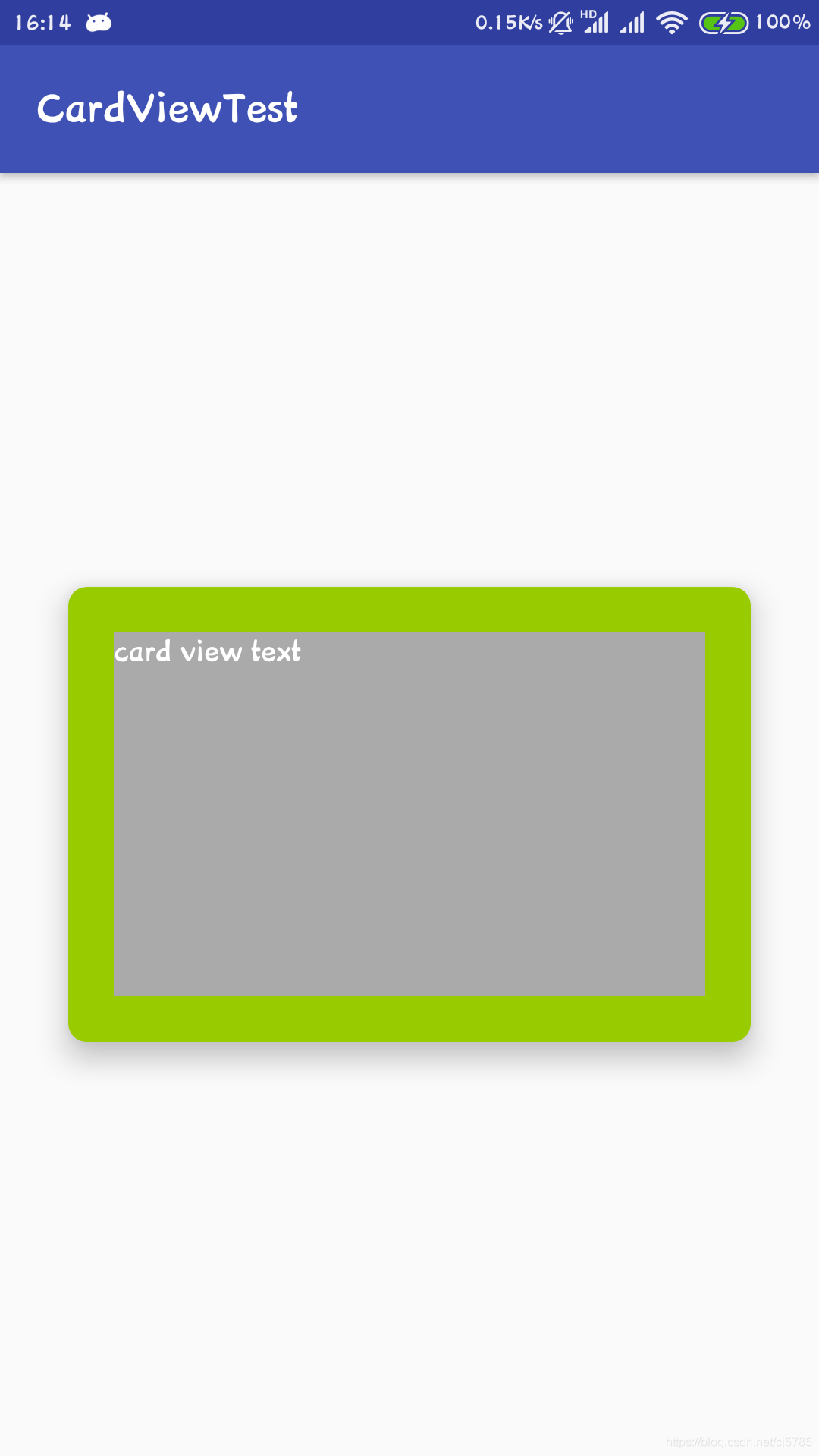
图片
<LinearLayout xmlns:android="http://schemas.android.com/apk/res/android"

    xmlns:app="http://schemas.android.com/apk/res-auto"

    xmlns:tools="http://schemas.android.com/tools"

    android:layout_width="match_parent"

    android:layout_height="match_parent"

    android:gravity="center"

    tools:context=".MainActivity">

    <android.support.v7.widget.CardView

        android:layout_width="wrap_content"

        android:layout_height="wrap_content"

        app:cardCornerRadius="8dp"

        app:cardElevation="10dp"

        app:contentPadding="20dp">

        <ImageView

            android:layout_width="wrap_content"

            android:layout_height="wrap_content"

            android:scaleType="centerCrop"

            android:src="@mipmap/ic_launcher" />

    </android.support.v7.widget.CardView>

</LinearLayout>
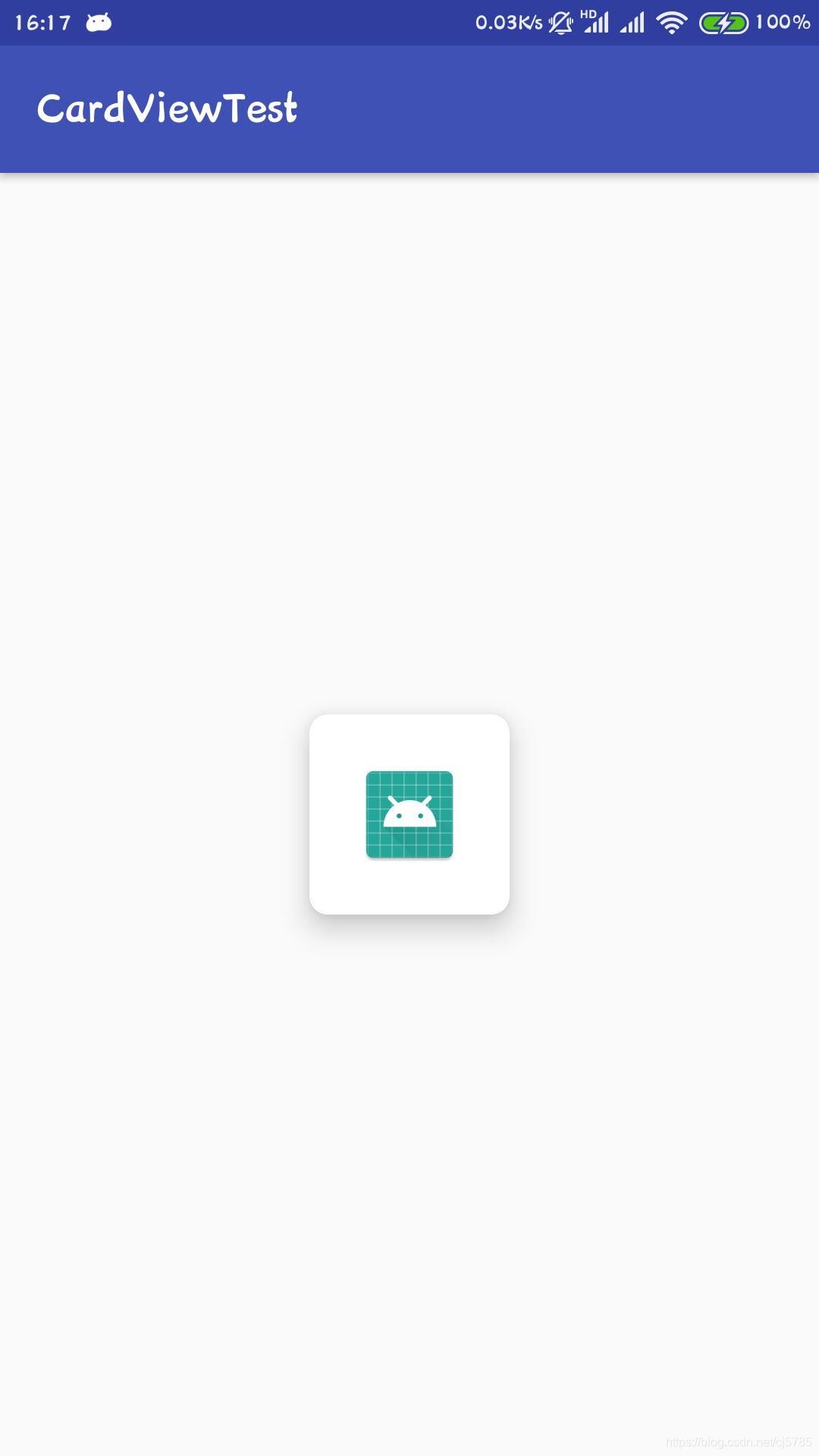
效果如下
适配注意点
- 边框圆角效果
5.x 图片和布局都可以很好的呈现圆角效果,图片也变圆角了
4.x 图不能变成圆角,如果要做成5.x一样的效果:通过加载图片的时候自己去处理成圆角 - 阴影效果
app:cardCornerRadius="10dp"<!--圆角(半径值越大圆角就越明显)-->

app:cardElevation="10dp" <!--阴影效果(值越大阴影效果越明显)-->
- 5.x上有Ripple水波纹效果(低版本自定义)
android:foreground="?attr/selectableItemBackground"

android:clickable="true"
- 5.x实现按下的互动效果下沉,松开弹起 - Z轴位移效果(低版本自定义)
android:stateListAnimator="@drawable/translation"

android:clickable="true"
- 可以设置内容的内边距
app:contentPadding="5dp"
细节:
5.x上面,边距阴影比较小,需要手动添加边距16dp
4.x上面,边距太大, 手动修改边距0dp(原因:兼容包里面设置阴影效果自动设置了margin来处理16dp)
translation.xml
<?xml version="1.0" encoding="utf-8"?>

<selector xmlns:android="http://schemas.android.com/apk/res/android">

    <item android:state_pressed="true">

        <objectAnimator

           android:duration="@android:integer/config_shortAnimTime"

           android:propertyName="translationZ"

           android:valueTo="10dp"

           android:valueType="floatType" />

    </item>

    <item>

        <objectAnimator

           android:duration="@android:integer/config_shortAnimTime"

           android:propertyName="translationZ"

           android:valueTo="0dp"

           android:valueType="floatType" />

    </item>

</selector>
高级UI-CardView的更多相关文章
- firefox 扩展开发笔记(三):高级ui交互编程
firefox 扩展开发笔记(三):高级ui交互编程 前言 前两篇链接 1:firefox 扩展开发笔记(一):jpm 使用实践以及调试 2:firefox 扩展开发笔记(二):进阶开发之移动设备模拟 ...
- Android 高级UI设计笔记07:RecyclerView 的详解
1. 使用RecyclerView 在 Android 应用程序中列表是一个非常重要的控件,适用场合非常多,如新闻列表.应用列表.消息列表等等,但是从Android 一出生到现在并没有非常 ...
- iOS开发——高级UI&带你玩转UITableView
带你玩装UITableView 在实际iOS开发中UITableView是使用最多,也是最重要的一个控件,如果你不会用它,那别说什么大神了,菜鸟都不如. 其实关于UItableView事非常简单的,实 ...
- 高级UI晋升之自定义View实战(六)
更多Android高级架构进阶视频学习请点击:https://space.bilibili.com/474380680本篇文章将从Android 自定义属性动画&Camera动画来介绍自定义V ...
- 高级UI晋升之布局ViewGroup(四)
更多Android高级架构进阶视频学习请点击:https://space.bilibili.com/474380680本篇文章将从LinearLayout.RelativeLayout.FrameLa ...
- 高级UI晋升之常用View(三)中篇
更多Android高级架构进阶视频学习请点击:https://space.bilibili.com/474380680本篇文章将从ViewPager来介绍常用View:文章目录 一.简介 二.基本使用 ...
- 高级UI晋升之常用View(三)上篇
更多Android高级架构进阶视频学习请点击:https://space.bilibili.com/474380680本篇文章将先从以下两个内容来介绍常用View: [RecycleView] [Ca ...
- 高级UI晋升之View渲染机制(二)
更多Android高级架构进阶视频学习请点击:https://space.bilibili.com/474380680 优化性能一般从渲染,运算与内存,电量三个方面进行,今天开始说聊一聊Android ...
- 高级UI晋升之触摸事件分发机制(一)
更多Android高级架构进阶视频学习请点击:https://space.bilibili.com/474380680 0. 前言 鉴于安卓分发机制较为复杂,故分为多个层次进行讲解,分别为基础篇.实践 ...
- Android 高级UI设计笔记21:Android SegmentView(分段选择控件)
1. 分段控制(SegmentView) 首先我们先看看什么是SegmentView的效果,如下: 分段控制这个View控件是ios7的分段控制,和QQ消息页面顶部的效果一样,android没有这个控 ...
随机推荐
- 【mysql】知识点
mysql执行原理 只要是B/S架构,都是会有客户端与服务端,mysql也不例外. 首先客户端发出一个请求,这个请求就是一个查询请求(Select),而它请求的对象就是服务端,服务端是怎么处理这项查询 ...
- fft相关的复习
任意长度卷积 CZT 就是一波推导 \[ \begin{aligned} b_i &= \sum_{j=0}^{n-1} \omega^{ij}a_j \\ &= \sum_{j=0} ...
- AtCoder Grand Contest 008题解
传送门 \(A\) 分类讨论就行了 然而我竟然有一种讨论不动的感觉 int x,y; inline int min(R int x,R int y){return x<y?x:y;} inlin ...
- HTML meta pragma no-cache 页面缓存
HTML meta pragma no-cache 页面缓存不缓存页面(为了提高速度一些浏览器会缓存浏览者浏览过的页面,通过下面的定义,浏览器一般不会缓存页面,而且浏览器无法脱机浏览.) <me ...
- comobox在datagrid里,当滚动scrollbar时,会导致comobox选中项被重置的解决办法
VirtualizingStackPanel.IsVirtualizing="False"
- C# 复制数组容易踩到的坑--引用类型与值类型
原文链接:https://my.oschina.net/u/3744313/blog/1794235 笔者近期做的项目里大量使用了数组,而在使用过程中,笔者曾经遇到了一个比较低级的问题:如何将一个数组 ...
- PCR | RT-PCR 的原理及应用
生物的东西必须要主动去了解,否则视野容易受到限制,尤其是分子生物学的核心技术. PCR - 聚合酶链式反应 The Complete Guide to PCR (How it Works, Prime ...
- fork 可能导致subprocess崩溃
https://docs.python.org/zh-cn/3/library/multiprocessing.html 在 3.8 版更改: 对于 macOS,spawn 启动方式是默认方式. 因为 ...
- 场景图(Scene Graph)
场景(Scene) · GitBook https://docs.cocos.com/cocos2d-x/manual/zh/basic_concepts/scene.html 场景图(Scene G ...
- TextFX Notepad++
textFx Notepad++ - 国内版 Bing https://cn.bing.com/search?FORM=U227DF&PC=U227&q=textFx+Notepad% ...