
SpringMVC框架——文件的上传与下载
使用SpringMVC框架做个小练习,需求:
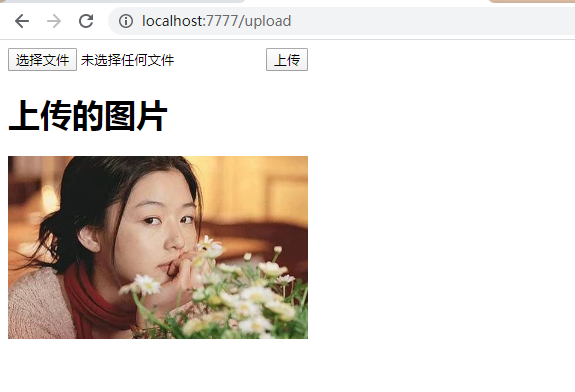
1、单个图片上传并显示到页面中;
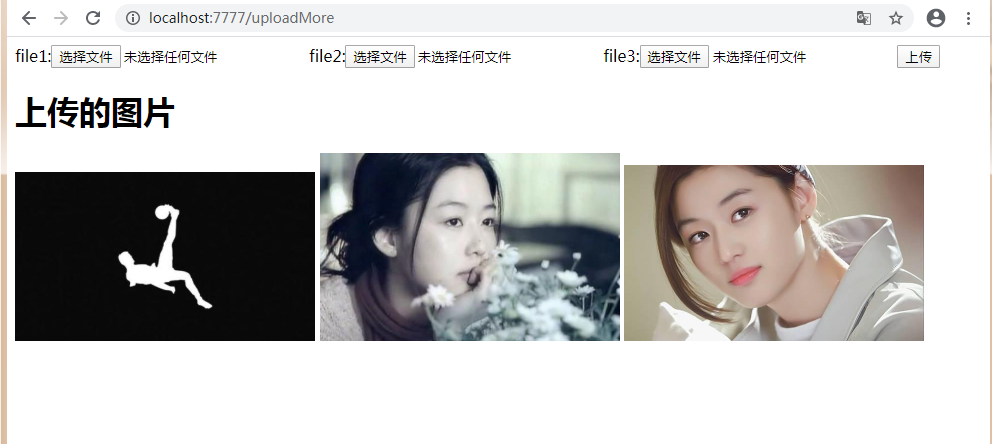
2、多个图片上传并显示到页面中;
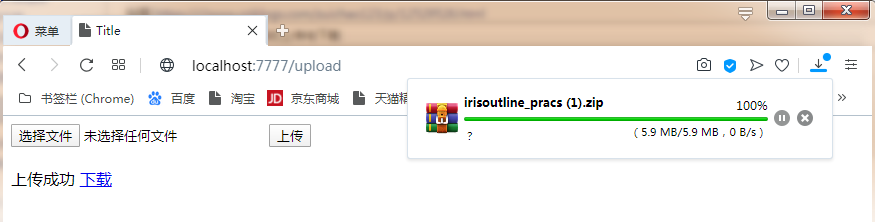
3、上传文件后下载文件;
1、pom.xml中添加依赖
    <!-- 文件上传 -->
    <dependency>
      <groupId>commons-io</groupId>
      <artifactId>commons-io</artifactId>
      <version>2.6</version>
    </dependency>
    <dependency>
      <groupId>commons-fileupload</groupId>
      <artifactId>commons-fileupload</artifactId>
      <version>1.3.3</version>
    </dependency>

    <!--jstl-->
    <dependency>
    <groupId>jstl</groupId>
    <artifactId>jstl</artifactId>
    <version>1.2</version>
    </dependency>
  </dependencies>
2、编写JSP页面
- input 的 type 设置为 file
- form 表单的 method 设置为 post
- form 表单的 enctype 设置为 multipart/form-data
- 单文件上传页面upload.jsp
<!DOCTYPE html>
<%@ page contentType="text/html; charset=UTF-8" language="java" %>
<%@ page isELIgnored="false" %>
<%@ taglib prefix="c" uri="http://java.sun.com/jsp/jstl/core" %>
<html lang="en">
<head>
    <meta charset="UTF-8">
    <title>Title</title>
</head>
<body>
<form action="/upload" method="post" enctype="multipart/form-data">
    <input type="file" name="img"/>
    <input type="submit" value="上传"/><br/><br/>

    <c:if test="${filePath!=null && filePath!=''}">
        上传成功
        <a href="/download?filePath=${filePath}">下载</a>
    </c:if>
</form>
</body>
</html>
- 多文件上传页面uploadMore.jsp
<!DOCTYPE html>
<%@ page contentType="text/html; charset=UTF-8" language="java" %>
<%@ page isELIgnored="false" %>
<%@ taglib prefix="c" uri="http://java.sun.com/jsp/jstl/core" %>
<html lang="en">
<head>
    <meta charset="UTF-8">
    <title>Title</title>
</head>
<body>
<form action="/uploadMore" method="post" enctype="multipart/form-data">
    file1:<input type="file" name="imgs"/>
    file2:<input type="file" name="imgs"/>
    file3:<input type="file" name="imgs"/>
    <input type="submit" value="上传"/><br/>
    <c:if test="${filePath!=null && filePath!=''}">
        <h1>上传的图片</h1>
        <c:forEach items="${filePaths}" var="img">
            <img src="${img}" style="width: 300px;">
        </c:forEach>
    </c:if>
</form>
</body>
</html>
3、编写controller
package com.sunjian.controller;

import org.apache.commons.io.FileUtils;
import org.springframework.stereotype.Controller;
import org.springframework.web.bind.annotation.PathVariable;
import org.springframework.web.bind.annotation.RequestMapping;
import org.springframework.web.bind.annotation.RequestParam;
import org.springframework.web.multipart.MultipartFile;
import java.io.*;
import java.util.ArrayList;
import java.util.List;
import javax.servlet.ServletOutputStream;
import javax.servlet.http.HttpServletRequest;
import javax.servlet.http.HttpServletResponse;

/**
 * @author sunjian
 * @date 2020/3/20 8:07
 */
@Controller
public class UploadController {
    @RequestMapping("/upload")
    public String upload(@RequestParam("img")MultipartFile img, HttpServletRequest request){

        if(img.getSize() > 0){
            // 获取target目录下的文件保存路径
            String path = (String) request.getSession().getServletContext().getRealPath("files");

            String fileName = img.getOriginalFilename();// 获取原始文件名
            File file = new File(path, fileName); // 创建空文件

            try {
                img.transferTo(file); // 将img中的内容转移到file这个空文件中
            } catch (IOException e) {
                e.printStackTrace();
            }
            request.setAttribute("filePath", "/files/"+fileName);
        }
        return "upload";
    }

    @RequestMapping("/uploadMore")
    public String uploadMore(@RequestParam("imgs") MultipartFile[] imgs, HttpServletRequest request){
        List<String> filePaths = new ArrayList<>();
        for(MultipartFile img:imgs){
            if(img.getSize() > 0){
                String path = request.getSession().getServletContext().getRealPath("files");
                String fileName = img.getOriginalFilename();

                File file = new File(path, fileName);// 创建文件
                try {
                    img.transferTo(file);
                    filePaths.add("/files/" + fileName); // 将文件路径添加到list中
                } catch (IOException e) {
                    e.printStackTrace();
                }
            }
        }
        request.setAttribute("filePaths", filePaths);
        return "uploadMore";
    }

    @RequestMapping("/download")
    public void download(String filePath, HttpServletRequest request, HttpServletResponse response){

        // 文件名处理
        filePath = filePath.split("/")[2];

        // 设置响应流文件进行下载
        response.setHeader("Content-Disposition", "attachment;filename=" + filePath);
        try {
            ServletOutputStream servletOutputStream = response.getOutputStream();
            File file = new File(request.getSession().getServletContext().getRealPath("files"), filePath);

            byte[] bytes = FileUtils.readFileToByteArray(file);
            servletOutputStream.write(bytes);
            servletOutputStream.flush();
            servletOutputStream.close();
        } catch (IOException e) {
            e.printStackTrace();
        }
    }
}
4、在springmvc.xml中添加配置
<?xml version="1.0" encoding="UTF-8"?>
<beans xmlns="http://www.springframework.org/schema/beans"
       xmlns:xsi="http://www.w3.org/2001/XMLSchema-instance"
       xmlns:context="http://www.springframework.org/schema/context"
       xmlns:mvc="http://www.springframework.org/schema/mvc"
       xsi:schemaLocation="http://www.springframework.org/schema/beans http://www.springframework.org/schema/beans/spring-beans.xsd http://www.springframework.org/schema/context http://www.springframework.org/schema/context/spring-context.xsd
       http://www.springframework.org/schema/mvc
       http://www.springframework.org/schema/mvc/spring-mvc-3.2.xsd">

    <!-- 配置自动扫描 -->
    <context:component-scan base-package="com.sunjian"></context:component-scan>

    <!-- 配置视图解析器 -->
    <bean class="org.springframework.web.servlet.view.InternalResourceViewResolver">
        <property name="prefix" value="/"></property>
        <property name="suffix" value=".jsp"></property>
    </bean>

    <!-- 消息转换器 -->
    <mvc:annotation-driven>
        <mvc:message-converters register-defaults="true">
            <bean class="com.alibaba.fastjson.support.spring.FastJsonHttpMessageConverter"></bean>
        </mvc:message-converters>
    </mvc:annotation-driven>

    <!-- 自定义数据类型转换器 -->
    <bean id="conversionService" class="org.springframework.context.support.ConversionServiceFactoryBean">
        <property name="converters">
            <list>
                <bean class="com.sunjian.converter.DataConverter">
                    <constructor-arg type="java.lang.String" value="yyyy-MM-dd"></constructor-arg>
                </bean>
                <bean class="com.sunjian.converter.goodsConverter"></bean>
            </list>
        </property>
    </bean>

    <!--文件上传-->
    <bean id="multipartResolver" class="org.springframework.web.multipart.commons.CommonsMultipartResolver">
        <!-- 处理文件名中文乱码 -->
        <property name="defaultEncoding" value="utf-8"></property>
        <!-- 多文件上传总⼤小的上限 100M -->
        <property name="maxUploadSize" value="104857600"></property>
        <!-- 单文件大小的上限 10M -->
        <property name="maxUploadSizePerFile" value="10485760"></property>
    </bean>

    <mvc:annotation-driven conversion-service="conversionService"></mvc:annotation-driven>
</beans>
5、启动项目,访问页面上传图片
http://localhost:7777/upload.jsp
http://localhost:7777/uploadMore.jsp
下载
OK.
SpringMVC框架——文件的上传与下载的更多相关文章
- 使用springmvc进行文件的上传和下载
文件的上传 SpringMVC支持文件上传组件,commons-fileupload,commons-fileupload依赖commons-io组件 配置步骤说明 第一步:导入包 commons-f ...
- SpringMVC 实现文件的上传与下载
一 配置SpringMVC ,并导入与文件上传下载有关的jar包(在此不再赘述) 二 新建 相应 jsp 和controller FileUpAndDown.jsp <%@ page lang ...
- SpringMVC下文件的上传与下载以及文件列表的显示
1.配置好SpringMVC环境-----SpringMVC的HelloWorld快速入门! 导入jar包:commons-fileupload-1.3.1.jar和commons-io-2.4.ja ...
- springMVC实现文件的上传和下载
文件的下载功能 @RequestMapping("/testDown")public ResponseEntity<byte[]> testResponseEntity ...
- 基于struts2框架文件的上传与下载
在开发一些社交网站时,需要有允许用户上传自己本地文件的功能,则需要文件的上传下载代码. 首先考虑的是文件的储存位置,这里不考虑存在数据库,因为通过数据库查询获取十分消耗资源与时间,故需将数据存储在服务 ...
- Spring MVC 实现文件的上传和下载
前些天一位江苏经贸的学弟跟我留言问了我这样一个问题:“用什么技术来实现一般网页上文件的上传和下载?是框架还是Java中的IO流”.我回复他说:“使用Spring MVC框架可以做到这一点,因为Spri ...
- 在SpringMVC框架下实现文件的 上传和 下载
在eclipse中的javaEE环境下:导入必要的架包 web.xml的配置文件: <?xml version="1.0" encoding="UTF-8" ...
- 文件的上传和下载--SpringMVC
文件的上传和下载是项目开发中最常用的功能,例如图片的上传和下载.邮件附件的上传和下载等. 接下来,将对Spring MVC环境中文件的上传和下载进行详细的讲解. 一.文件上传 多数文件上传都是通过表单 ...
- SpringMVC+Ajax实现文件批量上传和下载功能实例代码
需求: 文件批量上传,支持断点续传. 文件批量下载,支持断点续传. 使用JS能够实现批量下载,能够提供接口从指定url中下载文件并保存在本地指定路径中. 服务器不需要打包. 支持大文件断点下载.比如下 ...
随机推荐
- CIA Hive Beacon Infrastructure复现1——使用Apache mod_rewrite实现http流量分发
0x00 前言 2017年11月9日维基解密公布一个代号为Vault8的文档,包含服务器远程控制工具Hive的源代码和开发文档.开发文档中的框架图显示Hive支持流量分发功能,若流量有效,转发至Hon ...
- web压测工具http_load
1.什么是http_loadhttp_load是一款基于Linux平台的web服务器性能测试工具,用于测试web服务器的吞吐量与负载,web页面的性能. 2.http_load的安装1)下载地址:ht ...
- [洛谷P4388] 付公主的矩形
18.09.09模拟赛T1. 一道数学题. 题目传送门 首先把对角线当成是某个点的移动轨迹,从左下到右上. 那么这个点每上升一个单位长度,就穿过一个格子. 每右移一个单位长度,也会穿过一个格子. 例外 ...
- HBase完全分布式集群搭建
HBase完全分布式集群搭建 hbase和hadoop一样也分为单机版,伪分布式版和完全分布式集群版,此文介绍如何搭建完全分布式集群环境搭建.hbase依赖于hadoop环境,搭建habase之前首先 ...
- 多线程的lock功能
import threading def job1(): global A, lock lock.acquire() for i in range(10): A += 1 print('job1', ...
- Flutter混合开发:Android接入Flutter
Flutter Google推出已经已经一年多了,单个 Flutter 项目的开发流程已经很成熟了.对与个人开发者来说使用 Flutter 开发一个跨平台的App挺有意思.但是对于现有的项目改造来说还 ...
- CS229 Lesson 13 高斯混合模型
课程视频地址:http://open.163.com/special/opencourse/machinelearning.html 课程主页:http://cs229.stanford.edu/ 更 ...
- 线程中断 interrupt 和 LockSupport
本文章将要介绍的内容有以下几点,读者朋友也可先自行思考一下相关问题: 线程中断 interrupt 方法怎么理解,意思就是线程中断了吗?那当前线程还能继续执行吗? 判断线程是否中断的方法有几个,它们之 ...
- LeetCode---二叉树3-总结例题
二叉树-总结例题 1-从中序与后序遍历序列构造二叉树 给定二叉树的后序遍历和二叉树的中序遍历 想法: 先根据后序遍历的最后一个元素构造根节点 寻找根节点在中序遍历中的位置 递归构建根节点的左右子树 / ...
- 攻防世界Mobile5 EasyJNI 安卓逆向CTF
EasyJNI 最近正好在出写JNI,正好看到了一道JNI相关的较为简单明了的CTF,就一时兴起的写了,不得不说逆向工程和正向开发确实是可以互补互相加深的 JNI JNI(Java Native In ...