
RTSP客户端接收存储数据(live555库中的testRTSPClient实例)
1、testRTSPClient简介
testRTSPClient是个简单的客户端实例,这个实例对rtsp数据交互作了详细的描述,其中涉及到rtsp会话的两个概念Source和Sink.
Source是生产数据,Sink是消费数据.
testRTSPClient非常简洁,除了接收服务端发送过来的数据,什么都没干,所以我们很方便在这个基础上改造,做我们自己的项目.
2、testRTSPClient编译,运行
在linux下编译运行更方便,鉴于我的电脑太渣,虚拟机跑起来费劲,就转到windows下来折腾.
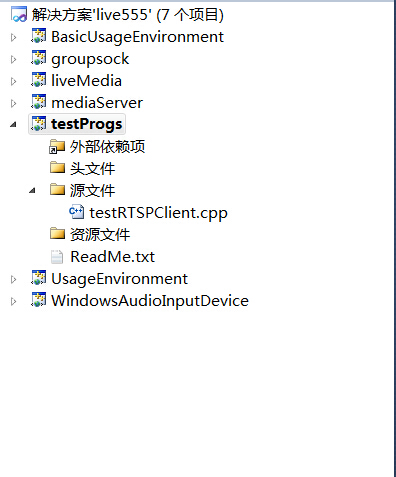
在windows下只需要加载这一个文件就可以编译,我们以mediaServer为服务端,以testRTSPClient为客户端。
当然也可以用支持rtsp协议的摄像机或其他实体设备作为服务端。

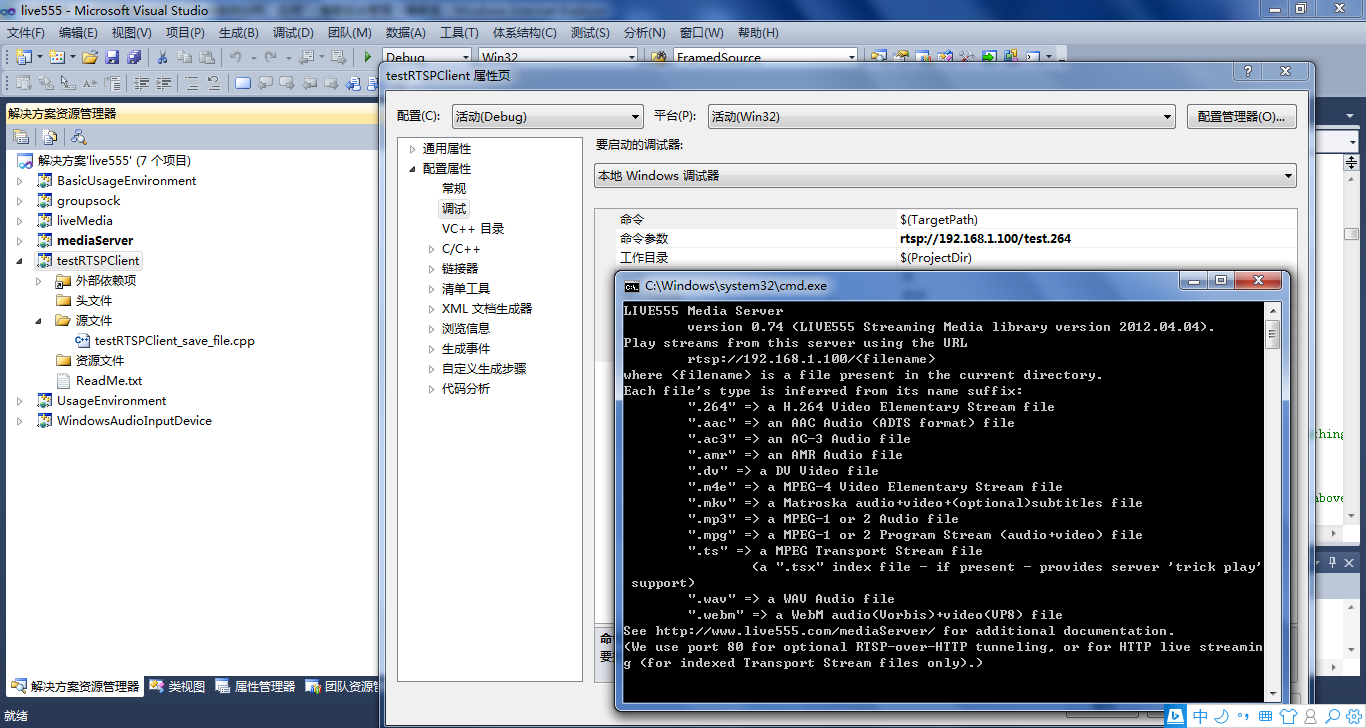
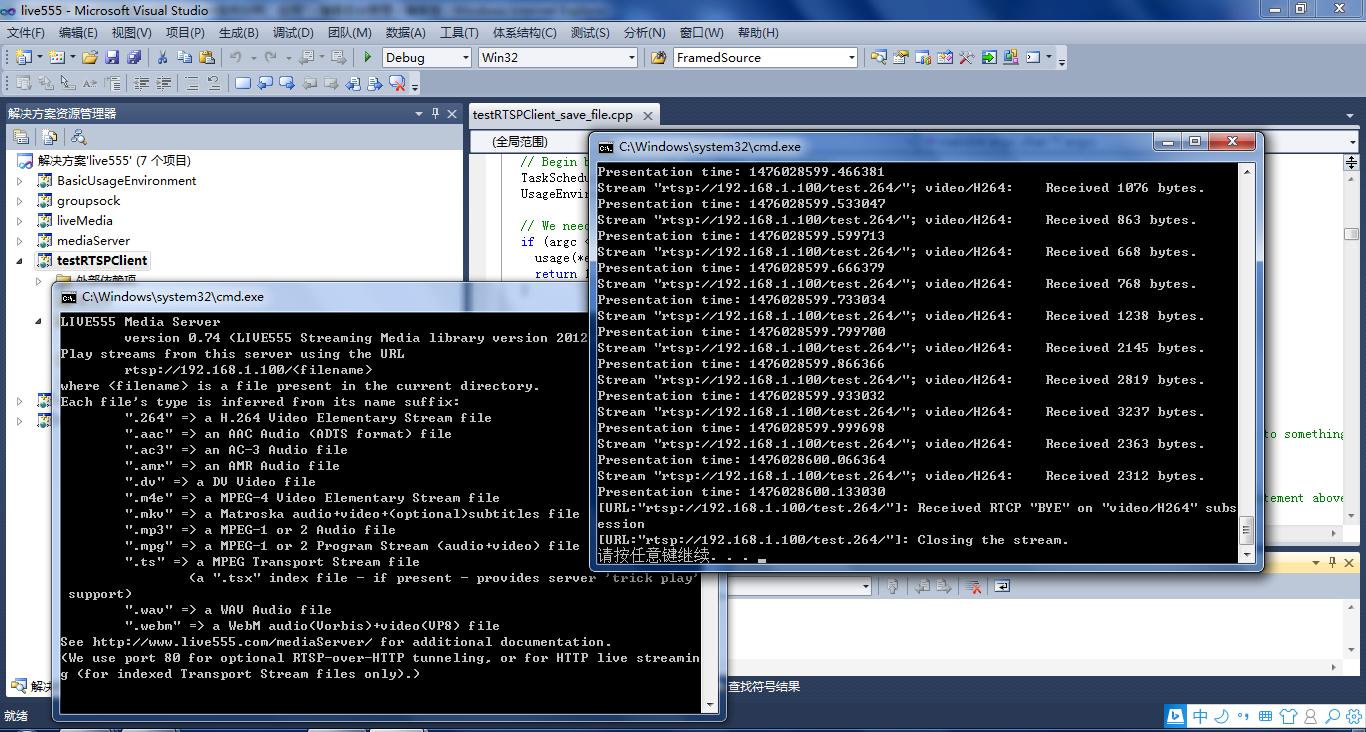
先启动mediaServer,然后在testRTSPClient项目的命令菜单里填入mediaServer 提示的IP, 再启动testRTSPClient即可。
3、testRTSPClient核心代码解读
1)看代码之前可以大致浏览一下总体的框架,这位博主画了个流程图http://blog.csdn.net/smilestone_322/article/details/17297817
void DummySink::afterGettingFrame(unsigned frameSize, unsigned numTruncatedBytes,

                  struct timeval presentationTime, unsigned /*durationInMicroseconds*/) {

  // We've just received a frame of data.  (Optionally) print out information about it:

#ifdef DEBUG_PRINT_EACH_RECEIVED_FRAME

  if (fStreamId != NULL) envir() << "Stream \"" << fStreamId << "\"; ";

  envir() << fSubsession.mediumName() << "/" << fSubsession.codecName() << ":\tReceived " << frameSize << " bytes";

  if (numTruncatedBytes > 0) envir() << " (with " << numTruncatedBytes << " bytes truncated)";

  char uSecsStr[6+1]; // used to output the 'microseconds' part of the presentation time

  sprintf(uSecsStr, "%06u", (unsigned)presentationTime.tv_usec);

  envir() << ".\tPresentation time: " << (unsigned)presentationTime.tv_sec << "." << uSecsStr;

  if (fSubsession.rtpSource() != NULL && !fSubsession.rtpSource()->hasBeenSynchronizedUsingRTCP()) {

    envir() << "!"; // mark the debugging output to indicate that this presentation time is not RTCP-synchronized

  }

  envir() << "\n";

#endif

  // Then continue, to request the next frame of data:

  continuePlaying();

}

Boolean DummySink::continuePlaying() {

  if (fSource == NULL) return False; // sanity check (should not happen)

  // Request the next frame of data from our input source.  "afterGettingFrame()" will get called later, when it arrives:

  fSource->getNextFrame(fReceiveBuffer, DUMMY_SINK_RECEIVE_BUFFER_SIZE,

                        afterGettingFrame, this,

                        onSourceClosure, this);

  return True;

}
2)有网友在testRTSPClient基础上,把接收的数据写成h264文件了http://blog.csdn.net/occupy8/article/details/36426821
void DummySink::afterGettingFrame(void* clientData, unsigned frameSize, unsigned numTruncatedBytes,

                  struct timeval presentationTime, unsigned durationInMicroseconds) {

  DummySink* sink = (DummySink*)clientData;

  sink->afterGettingFrame(frameSize, numTruncatedBytes, presentationTime, durationInMicroseconds);

}

// If you don't want to see debugging output for each received frame, then comment out the following line:

#define DEBUG_PRINT_EACH_RECEIVED_FRAME 1

void DummySink::afterGettingFrame(unsigned frameSize, unsigned numTruncatedBytes,

 struct timeval presentationTime, unsigned /*durationInMicroseconds*/) {

  // We've just received a frame of data.  (Optionally) print out information about it:

#ifdef DEBUG_PRINT_EACH_RECEIVED_FRAME

  if (fStreamId != NULL) envir() << "Stream \"" << fStreamId << "\"; ";

  envir() << fSubsession.mediumName() << "/" << fSubsession.codecName() << ":\tReceived " << frameSize << " bytes";

  if (numTruncatedBytes > 0) envir() << " (with " << numTruncatedBytes << " bytes truncated)";

  char uSecsStr[6+1]; // used to output the 'microseconds' part of the presentation time

  sprintf(uSecsStr, "%06u", (unsigned)presentationTime.tv_usec);

  envir() << ".\tPresentation time: " << (unsigned)presentationTime.tv_sec << "." << uSecsStr;

  if (fSubsession.rtpSource() != NULL && !fSubsession.rtpSource()->hasBeenSynchronizedUsingRTCP()) {

    envir() << "!"; // mark the debugging output to indicate that this presentation time is not RTCP-synchronized

  }

  envir() << "\n";

#endif

  //todo one frame

  //save to file

  if(!strcmp(fSubsession.mediumName(), "video"))

  {

     if(firstFrame)

     {

         unsigned int num;

         SPropRecord *sps = parseSPropParameterSets(fSubsession.fmtp_spropparametersets(), num);

         // For H.264 video stream, we use a special sink that insert start_codes:

         struct timeval tv= {0,0};

         unsigned char start_code[4] = {0x00, 0x00, 0x00, 0x01};

         FILE *fp = fopen("test.264", "a+b");

         if(fp)

         {

             fwrite(start_code, 4, 1, fp);

             fwrite(sps[0].sPropBytes, sps[0].sPropLength, 1, fp);

             fwrite(start_code, 4, 1, fp);

             fwrite(sps[1].sPropBytes, sps[1].sPropLength, 1, fp);

             fclose(fp);

             fp = NULL;

         }

         delete [] sps;

         firstFrame = False;

     }

     char *pbuf = (char *)fReceiveBuffer;

     char head[4] = {0x00, 0x00, 0x00, 0x01};

     FILE *fp = fopen("test.264", "a+b");

     if(fp)

     {

         fwrite(head, 4, 1, fp);

         fwrite(fReceiveBuffer, frameSize, 1, fp);

         fclose(fp);

         fp = NULL;

     }

  }

  // Then continue, to request the next frame of data:

  continuePlaying();

}

Boolean DummySink::continuePlaying() {

  if (fSource == NULL) return False; // sanity check (should not happen)

  // Request the next frame of data from our input source.  "afterGettingFrame()" will get called later, when it arrives:

  fSource->getNextFrame(fReceiveBuffer, DUMMY_SINK_RECEIVE_BUFFER_SIZE,

                        afterGettingFrame, this,

                        onSourceClosure, this);

  return True;

}
testRTSPClient接收的fReceiveBuffer缓存没有起始码,start_code[4] = {0x00, 0x00, 0x00, 0x01}; 写成文件或者播放都需要自行加上。
3)testRTSPClient这个实例还支持多路录放,网上搜到有人已经实现了,搬过来.
http://blog.chinaunix.net/uid-15063109-id-4482932.html
——缺什么补什么
RTSP客户端接收存储数据(live555库中的testRTSPClient实例)的更多相关文章
- RTSP客户端接收存储数据(live555库中的openRTSP实例)
一.openRTSP编译运行 a)windows下编译运行 还是以mediaServer作为服务端,openRTSP作为客户端 b)Linux下编译运行 转自http://kuafu80.blog.1 ...
- live555库中的testRTSPClient实例
1.testRTSPClient简介 testRTSPClient是个简单的客户端实例,这个实例对rtsp数据交互作了详细的描述,其中涉及到rtsp会话的两个概念Source和Sink. Source ...
- live555库中的openRTSP实例
一.openRTSP编译运行 a)windows下编译运行 还是以mediaServer作为服务端,openRTSP作为客户端 b)Linux下编译运行 转自http://kuafu80.blog.1 ...
- live555库中的testH264VideoStreamer实例
1.h264文件的推送 testH264VideoStreamer.cpp文件的开头就定义了 char const* inputFileName = "test.264"; 后面接 ...
- JVM存储位置分配——java中局部变量、实例变量和静态变量在方法区、栈内存、堆内存中的分配
Java中的变量根据不同的标准可以分为两类,以其引用的数据类型的不同来划分可分为“原始数据类型变量和引用数据类型变量”,以其作用范围的不同来区分可分为“局部变量,实例变量和静态变量”. 根据“Java ...
- RTSP服务端转发服务(live555库中的testH264VideoStreamer.cpp和testOnDemandRTSPServer.cpp实例)
1.h264文件的推送 testH264VideoStreamer.cpp文件的开头就定义了 char const* inputFileName = "test.264"; 后面接 ...
- 【JAVA】使用 jedis操作redis——连接、存储数据、切库等
本篇运用Java调用jedis包(jedis在线文档API ),做简单操作实例. 安装jedis 1. 2.9.0 jar 版本下载: jedis-2.9.0.jar 2. 新建项目,添加该驱动包 连 ...
- 转 RTSP客户端模拟器(TCP方式,Python实现)
转自: http://www.cnblogs.com/MikeZhang/archive/2012/10/29/rtspTcpClient_DSS_20121029.html 由于某种需求,工作中需要 ...
- Netty 如何高效接收网络数据?一文聊透 ByteBuffer 动态自适应扩缩容机制
本系列Netty源码解析文章基于 4.1.56.Final版本,公众号:bin的技术小屋 前文回顾 在前边的系列文章中,我们从内核如何收发网络数据开始以一个C10K的问题作为主线详细从内核角度阐述了网 ...
随机推荐
- go context包的WithTimeout和WithCancel的使用
1.WaitGroup 它是一种控制并发的方式,它的这种方式是控制多个goroutine同时完成. func main() { var wg sync.WaitGroup wg.Add(2) go f ...
- Linq Mysql GroupBy语句的问题处理
语句如下: var resumeList = db.ChannelResume.Where(model); var groupValues = resumeList.GroupBy(t => n ...
- flutter 环境
以下内容copy 于 https://www.cnblogs.com/lovelyYakir/p/7610396.html 原文请参考此 我只是做个记录 第一步:安装Git 你需要安装Git作为Flu ...
- Hive学习笔记——基本配置及测试
1.什么是Hive Hive 是建立在 Hadoop上的数据仓库基础构架.它提供了一系列的工具,可以用来进行数据提取转化加载(ETL),这是一种可以存储.查询和分析存储在Hadoop中的大规模数据的机 ...
- 编写Nginx启停服务脚本
在/etc/init.d/目录下创建脚本 vim /etc/init.d/nginx 编写脚本内容:(其中下面2行需要根据情况自行修改) nginxd=/opt/nginx/sbin/nginx ng ...
- MonoTouch
本文为2012年4月19日Xamarin研讨会OLO在线咨询高级软件工程师Greg Shackles的一份的演讲资料. 本文为2012年4月19日Xamarin研讨会OLO在线咨询高级软件工程师Gre ...
- UML类图简单说明,学习编程思路的必会技能
摘抄记录学习用 先看一张图,图片资源来自于大话设计模式,接下来我要跟着这本书一起走,如侵权,立即删除. 看见上图估计没学过或者不是本专业的没接触过的人,看这一堆估计就不想看了,但别怕一个一个分析. 一 ...
- python爬取网站数据保存使用的方法
这篇文章主要介绍了使用Python从网上爬取特定属性数据保存的方法,其中解决了编码问题和如何使用正则匹配数据的方法,详情看下文 编码问题因为涉及到中文,所以必然地涉及到了编码的问题,这一次借这 ...
- 用HTML创建表格
本章目标:了解掌握表格的基本结构<table><tr><th><td> 掌握跨行.跨列属性colspan rowspan 掌握表格相关修饰属性borde ...
- json DateTime转换
前台: function ChangeDateFormat(jsondate) { jsondate = jsondate.replace("/Date(", "&quo ...