
live555库中的testRTSPClient实例
1、testRTSPClient简介
testRTSPClient是个简单的客户端实例,这个实例对rtsp数据交互作了详细的描述,其中涉及到rtsp会话的两个概念Source和Sink.
Source是生产数据,Sink是消费数据.
testRTSPClient非常简洁,除了接收服务端发送过来的数据,什么都没干,所以我们很方便在这个基础上改造,做我们自己的项目.
2、testRTSPClient编译,运行
在linux下编译运行更方便,鉴于我的电脑太渣,虚拟机跑起来费劲,就转到windows下来折腾.
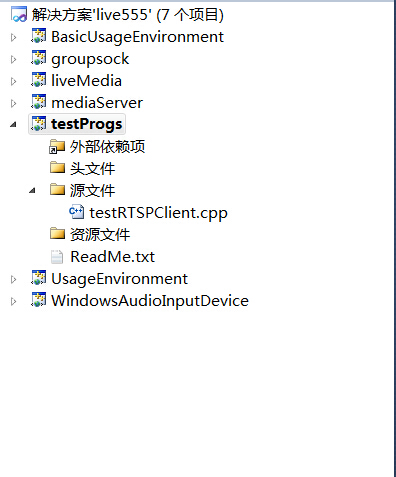
在windows下只需要加载这一个文件就可以编译,我们以mediaServer为服务端,以testRTSPClient为客户端。
当然也可以用支持rtsp协议的摄像机或其他实体设备作为服务端。

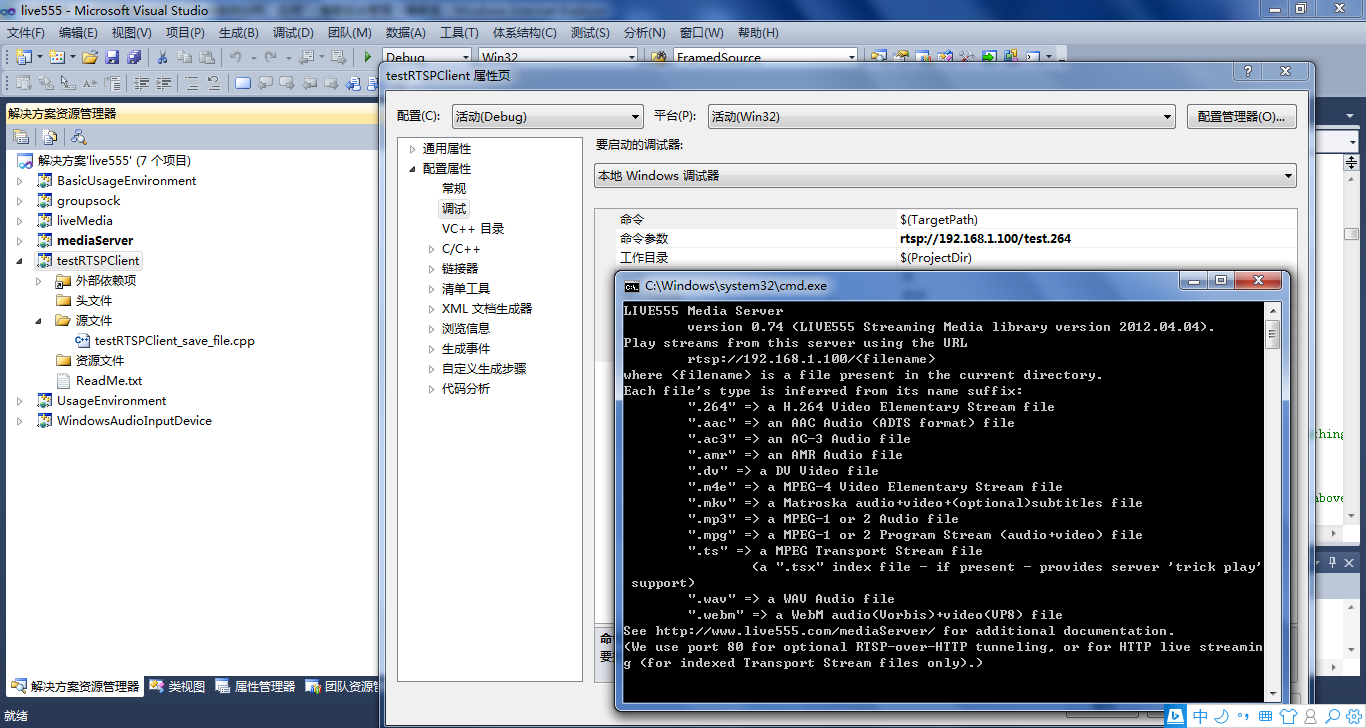
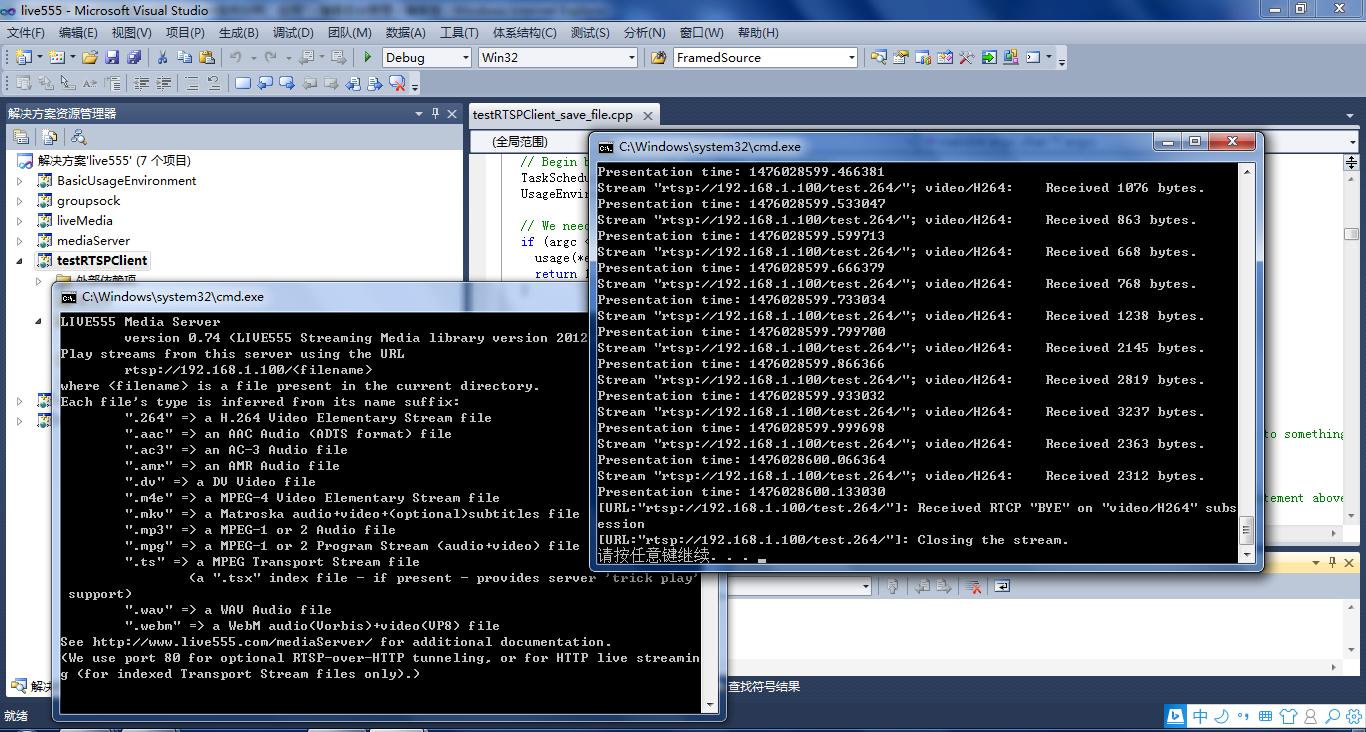
先启动mediaServer,然后在testRTSPClient项目的命令菜单里填入mediaServer 提示的IP, 再启动testRTSPClient即可。
3、testRTSPClient核心代码解读
1)看代码之前可以大致浏览一下总体的框架,这位博主画了个流程图http://blog.csdn.net/smilestone_322/article/details/17297817
void DummySink::afterGettingFrame(unsigned frameSize, unsigned numTruncatedBytes,

                  struct timeval presentationTime, unsigned /*durationInMicroseconds*/) {

  // We've just received a frame of data.  (Optionally) print out information about it:

#ifdef DEBUG_PRINT_EACH_RECEIVED_FRAME

  if (fStreamId != NULL) envir() << "Stream \"" << fStreamId << "\"; ";

  envir() << fSubsession.mediumName() << "/" << fSubsession.codecName() << ":\tReceived " << frameSize << " bytes";

  if (numTruncatedBytes > 0) envir() << " (with " << numTruncatedBytes << " bytes truncated)";

  char uSecsStr[6+1]; // used to output the 'microseconds' part of the presentation time

  sprintf(uSecsStr, "%06u", (unsigned)presentationTime.tv_usec);

  envir() << ".\tPresentation time: " << (unsigned)presentationTime.tv_sec << "." << uSecsStr;

  if (fSubsession.rtpSource() != NULL && !fSubsession.rtpSource()->hasBeenSynchronizedUsingRTCP()) {

    envir() << "!"; // mark the debugging output to indicate that this presentation time is not RTCP-synchronized

  }

  envir() << "\n";

#endif

  // Then continue, to request the next frame of data:

  continuePlaying();

}

Boolean DummySink::continuePlaying() {

  if (fSource == NULL) return False; // sanity check (should not happen)

  // Request the next frame of data from our input source.  "afterGettingFrame()" will get called later, when it arrives:

  fSource->getNextFrame(fReceiveBuffer, DUMMY_SINK_RECEIVE_BUFFER_SIZE,

                        afterGettingFrame, this,

                        onSourceClosure, this);

  return True;

}
2)有网友在testRTSPClient基础上,把接收的数据写成h264文件了http://blog.csdn.net/occupy8/article/details/36426821
void DummySink::afterGettingFrame(void* clientData, unsigned frameSize, unsigned numTruncatedBytes,

                  struct timeval presentationTime, unsigned durationInMicroseconds) {

  DummySink* sink = (DummySink*)clientData;

  sink->afterGettingFrame(frameSize, numTruncatedBytes, presentationTime, durationInMicroseconds);

}

// If you don't want to see debugging output for each received frame, then comment out the following line:

#define DEBUG_PRINT_EACH_RECEIVED_FRAME 1

void DummySink::afterGettingFrame(unsigned frameSize, unsigned numTruncatedBytes,

 struct timeval presentationTime, unsigned /*durationInMicroseconds*/) {

  // We've just received a frame of data.  (Optionally) print out information about it:

#ifdef DEBUG_PRINT_EACH_RECEIVED_FRAME

  if (fStreamId != NULL) envir() << "Stream \"" << fStreamId << "\"; ";

  envir() << fSubsession.mediumName() << "/" << fSubsession.codecName() << ":\tReceived " << frameSize << " bytes";

  if (numTruncatedBytes > 0) envir() << " (with " << numTruncatedBytes << " bytes truncated)";

  char uSecsStr[6+1]; // used to output the 'microseconds' part of the presentation time

  sprintf(uSecsStr, "%06u", (unsigned)presentationTime.tv_usec);

  envir() << ".\tPresentation time: " << (unsigned)presentationTime.tv_sec << "." << uSecsStr;

  if (fSubsession.rtpSource() != NULL && !fSubsession.rtpSource()->hasBeenSynchronizedUsingRTCP()) {

    envir() << "!"; // mark the debugging output to indicate that this presentation time is not RTCP-synchronized

  }

  envir() << "\n";

#endif

  //todo one frame

  //save to file

  if(!strcmp(fSubsession.mediumName(), "video"))

  {

     if(firstFrame)

     {

         unsigned int num;

         SPropRecord *sps = parseSPropParameterSets(fSubsession.fmtp_spropparametersets(), num);

         // For H.264 video stream, we use a special sink that insert start_codes:

         struct timeval tv= {0,0};

         unsigned char start_code[4] = {0x00, 0x00, 0x00, 0x01};

         FILE *fp = fopen("test.264", "a+b");

         if(fp)

         {

             fwrite(start_code, 4, 1, fp);

             fwrite(sps[0].sPropBytes, sps[0].sPropLength, 1, fp);

             fwrite(start_code, 4, 1, fp);

             fwrite(sps[1].sPropBytes, sps[1].sPropLength, 1, fp);

             fclose(fp);

             fp = NULL;

         }

         delete [] sps;

         firstFrame = False;

     }

     char *pbuf = (char *)fReceiveBuffer;

     char head[4] = {0x00, 0x00, 0x00, 0x01};

     FILE *fp = fopen("test.264", "a+b");

     if(fp)

     {

         fwrite(head, 4, 1, fp);

         fwrite(fReceiveBuffer, frameSize, 1, fp);

         fclose(fp);

         fp = NULL;

     }

  }

  // Then continue, to request the next frame of data:

  continuePlaying();

}

Boolean DummySink::continuePlaying() {

  if (fSource == NULL) return False; // sanity check (should not happen)

  // Request the next frame of data from our input source.  "afterGettingFrame()" will get called later, when it arrives:

  fSource->getNextFrame(fReceiveBuffer, DUMMY_SINK_RECEIVE_BUFFER_SIZE,

                        afterGettingFrame, this,

                        onSourceClosure, this);

  return True;

}
testRTSPClient接收的fReceiveBuffer缓存没有起始码,start_code[4] = {0x00, 0x00, 0x00, 0x01}; 写成文件或者播放都需要自行加上。
3)testRTSPClient这个实例还支持多路录放,网上搜到有人已经实现了,搬过来.
http://blog.chinaunix.net/uid-15063109-id-4482932.html
——缺什么补什么
live555库中的testRTSPClient实例的更多相关文章
- RTSP客户端接收存储数据(live555库中的testRTSPClient实例)
1.testRTSPClient简介 testRTSPClient是个简单的客户端实例,这个实例对rtsp数据交互作了详细的描述,其中涉及到rtsp会话的两个概念Source和Sink. Source ...
- live555库中的testH264VideoStreamer实例
1.h264文件的推送 testH264VideoStreamer.cpp文件的开头就定义了 char const* inputFileName = "test.264"; 后面接 ...
- live555库中的openRTSP实例
一.openRTSP编译运行 a)windows下编译运行 还是以mediaServer作为服务端,openRTSP作为客户端 b)Linux下编译运行 转自http://kuafu80.blog.1 ...
- RTSP客户端接收存储数据(live555库中的openRTSP实例)
一.openRTSP编译运行 a)windows下编译运行 还是以mediaServer作为服务端,openRTSP作为客户端 b)Linux下编译运行 转自http://kuafu80.blog.1 ...
- RTSP服务端转发服务(live555库中的testH264VideoStreamer.cpp和testOnDemandRTSPServer.cpp实例)
1.h264文件的推送 testH264VideoStreamer.cpp文件的开头就定义了 char const* inputFileName = "test.264"; 后面接 ...
- 宣布在 Azure 镜像库中正式推出 Windows Server 2012 R2 并降低 Windows Azure 的实例定价
我们今天将宣布两条消息,为使用基础结构服务的客户提供更多选择和成本节约:在镜像库中推出 Windows Server 2012 R2 以及降低 Memory Intensive 计算实例定价. 虚拟机 ...
- NSClassFromString 实例话静态库中的类
Class myClass = NSClassFromString("StaticLibyClassName"); StaticLibyClassName是从静态库中实例化一个Cl ...
- Solr的原理及在项目中的使用实例.
前面已经讲过 如果安装及配置Solr服务器了, 那么现在我们就来正式在代码中使用Solr.1,这里Solr主要是怎么使用的呢? 当我们在前台页面搜索商品名称关键词时, 我们这时是在Solr库中去查找 ...
- linux静态与动态库创建及使用实例
一,gcc基础语法: 基本语法结构:(由以下四部分组成) gcc -o 可执行文件名 依赖文件集(*.c/*.o) 依赖库文件及其头文件集(由-I或-L与-l指明) gcc 依赖文件集(*.c/*.o ...
随机推荐
- fiddler使用教程
转载地址:写得很不错的fildder教程 http://kb.cnblogs.com/page/130367/ Fiddler的基本介绍 Fiddler的官方网站: www.fiddler2.c ...
- 自定义cell的一些知识
1.要往cell里面添加一个自定义的子控件,都是添加到cell的contentView,不是添加到cell里面. 2.通过xib自定义cell * 添加tableView * 加载团购数据 * 新建x ...
- Python 中文编码问题小结
1. 下面的语句要放在代码开头,指定文件编码, 可以识别 脚本中的所有字符和中文. # -*- coding:utf-8 -*- 2. codecd 编码转换 如果想要读取文本中的中文,需要借助于co ...
- ng-学习笔记1
1.ng-model绑定输入域的数据到控制器的属性.修改输入域的值,属性的值也将修改(双向绑定) 2.ng-repeat可用于创建表格,使用 <td>{{ $index + 1 }}< ...
- Linux下的IO模式
对于一次IO访问(以read举例),数据会先被拷贝到操作系统内核的缓冲区中,然后才会从操作系统内核的缓冲区拷贝到应用程序的地址空间.所以说,当一个read操作发生时,它会经历两个阶段:1. 等待数据准 ...
- 【BZOJ-4592】脑洞治疗仪 线段树
4592: [Shoi2015]脑洞治疗仪 Time Limit: 20 Sec Memory Limit: 256 MBSubmit: 69 Solved: 38[Submit][Status] ...
- bzoj2219: 数论之神
#include <iostream> #include <cstdio> #include <cstring> #include <cmath> #i ...
- WHMCS系统API调用
WHMCS:域名管理系统,现在网络上很多借助此系统Shadowsocks插件+ShadowsocksR多用户服务端进行VPN的售卖,能做到流量控制等. 在对接此系统的API时,我发现了很多功能都已经实 ...
- Hash Length Extension Attacks
catalogue . Hash函数的内部原理 . 漏洞原理 1. Hash函数的内部原理 0x1: 分组.Padding 哈希函数以区块为单位操作数据.比如说,MD5, SHA1, SHA256的区 ...
- magento app/design/adminhtml/default/default/template/sales/order/view/info.phtml XSS Vul
catalogue . 漏洞描述 . 漏洞触发条件 . 漏洞影响范围 . 漏洞代码分析 . 防御方法 . 攻防思考 1. 漏洞描述 Relevant Link: http://www.freebuf. ...