
Bootstrap入门(五)表单
<link href="css/bootstrap.min.css" rel="stylesheet">
.form-control 类的 <input>、<textarea> 和 <select> 元素都将被默认设置宽度属性为 width: 100%;。<form> 元素添加 .form-inline 类可使其内容左对齐并且表现为 inline-block 级别的控件。只适用于视口至少在 768px 宽度时(视口宽度再小的话就会使表单折叠)。width: 100%; 宽度。在内联表单,我们将这些元素的宽度设置为 width: auto;,因此,多个控件可以排列在同一行。根据你的布局需求,可能需要一些额外的定制化组件。label 标签:label 标签,屏幕阅读器将无法正确识别。对于这些内联表单,你可以通过为label 设置 .sr-only 类将其隐藏。<form role="form" class="form-inline">
...
</form>
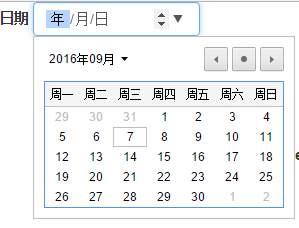
            <div class="form-group">

                <label>日期</label>

                <input type="date" class="form-control">

            </div>
            <div class="form-group">

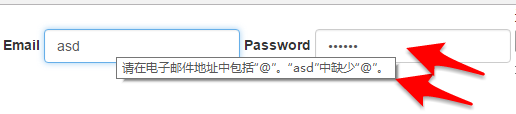
                <label>Email</label>

                <input type="email" class="form-control" placeholder="email">

                <label>Password</label>

                <input type="password" class="form-control" placeholder="password">

            </div>

            <div class="form-group">

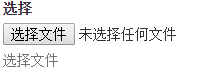
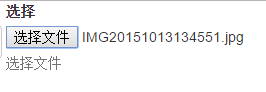
                <label>选择</label>

                <input type="file">

                <p class="help-block">选择文件</p>

            </div>
            <div class="radio">

                <label>

                    <input type="radio"> Check me out 1

                </label>

                <label>

                    <input type="radio"> Check me out2

                </label>

                <label>

                    <input type="radio"> Check me out3

                </label>

            </div>

            <br>

            <div class="checkbox">

                <label>

                    <input type="checkbox"> Check me out 1

                </label>

                <label>

                    <input type="checkbox"> Check me out2

                </label>

                <label>

                    <input type="checkbox"> Check me out3

                </label>

            </div>
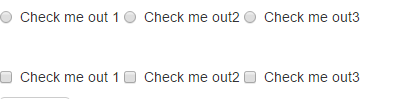
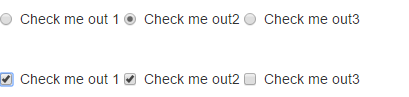
.png)
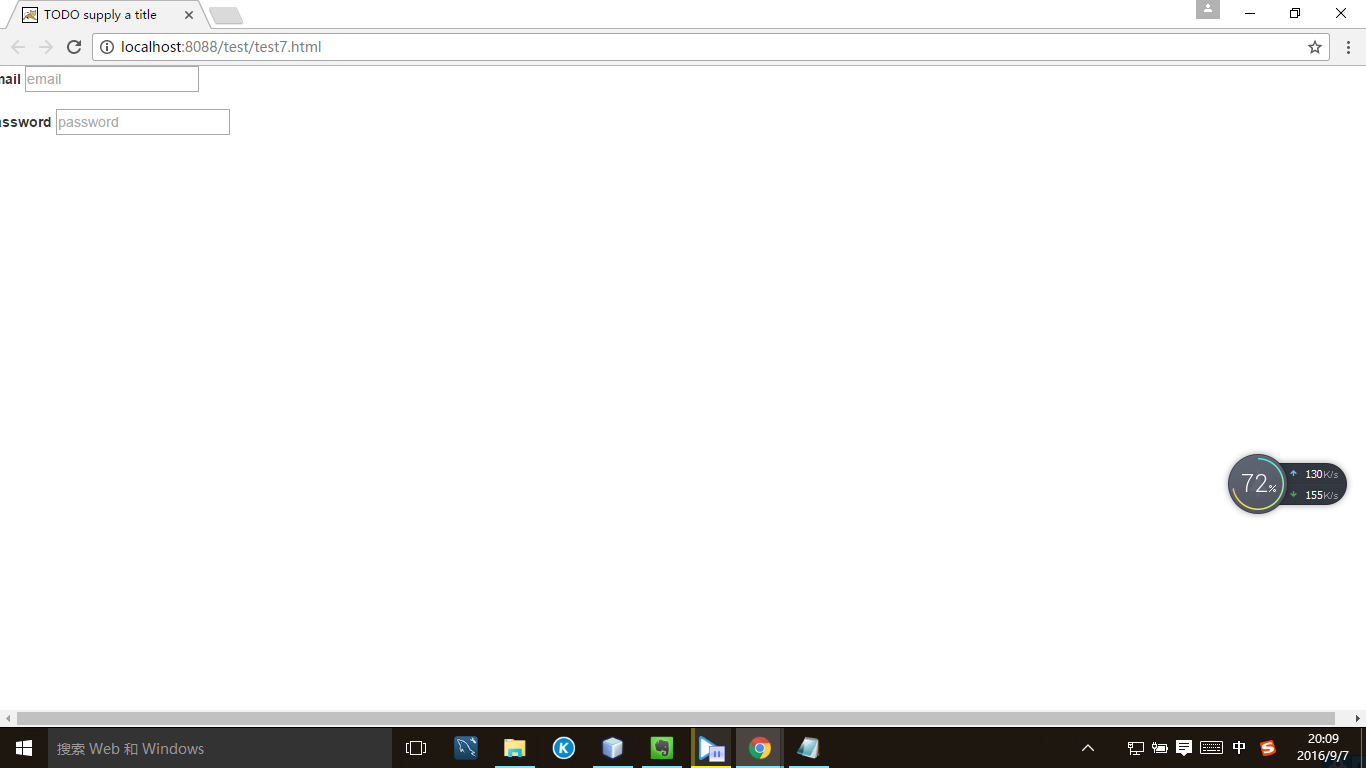
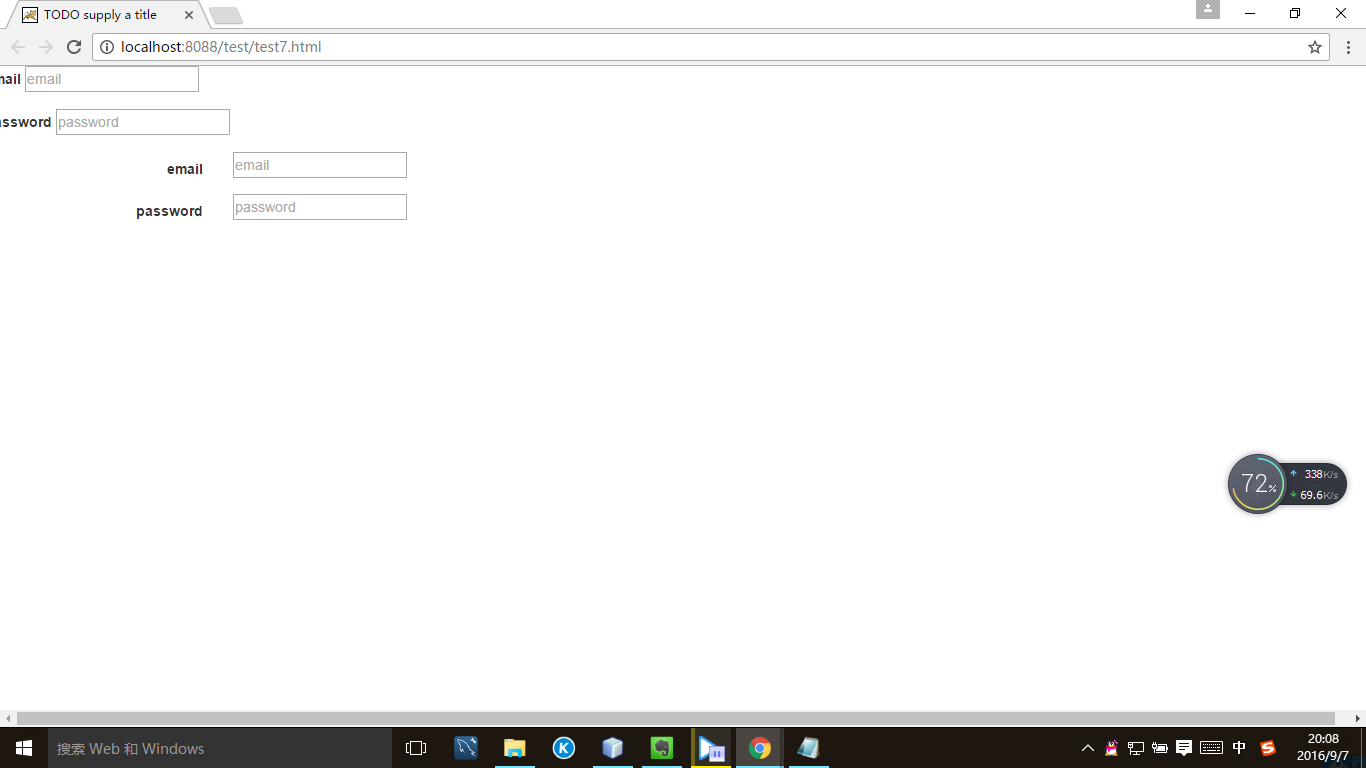
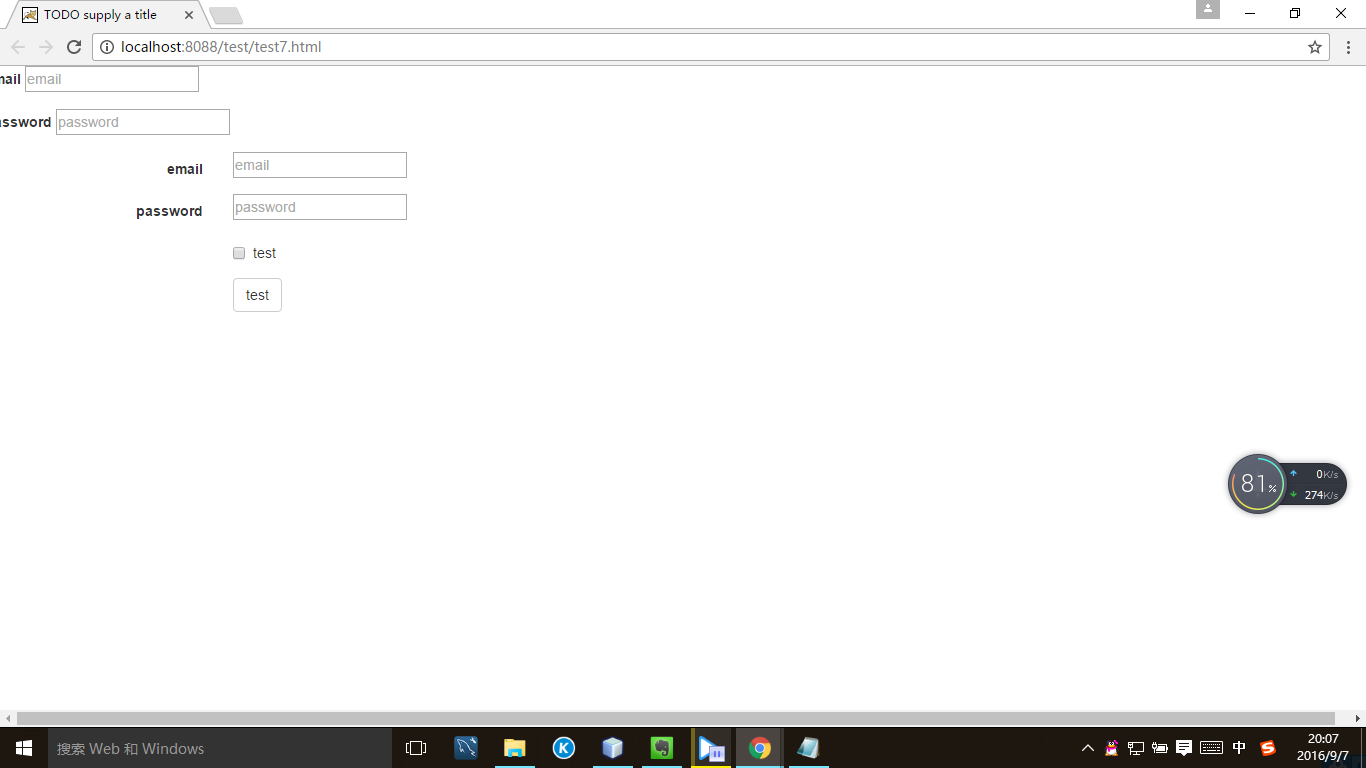
.form-horizontal 类,并联合使用 Bootstrap 预置的栅格类,可以将 label 标签和控件组水平并排布局。<form class="form-horizontal">
...
</form>
添加第一个内容
            <div class="form-group">

                <label>email</label>

                <input type='email' placeholder="email">

            </div>

            <div class="form-group">

                <label>password</label>

                <input type='password' placeholder="password">

            </div>
           <div class="form-group">

                <label class="col-sm-2 control-label">email</label>

                <div class="col-sm-10">

                    <input type='email' placeholder="email">

                </div>

            </div>

            <div class="form-group">

                <label class="col-sm-2 control-label">password</label>

                <div class="col-sm-10">

                <input type='password' placeholder="password">

                </div>

            </div>
            <div class="form-group">

                <div class='col-sm-offset-2 col-sm-10'>

                    <div class='checkbox'>

                        <label>

                            <input type='checkbox'>test

                        </label>

                    </div>

                </div>

            </div>

            <div class='form-group'>

                <div class='col-sm-offset-2 col-sm-10'>

                    <button type='submit' class="btn btn-default">test</button>

                </div>

            </div>
            <input type="text" class='form-control' placeholder="asd">

            <input type="text" class='form-control' placeholder="asd" disabled>

            <textarea class="form-control" rows='5'>ASD</textarea>

        <form role="form">

          ...

        </form>
         <form role="form">

            <div class="form-group">

                <label>test</label>

                <input class="form-control" type="text">

            </div>

            <div class="form-group">

                <label>test</label>

                <input class="form-control" type="text">

            </div>

            <div class="form-group">

                <label>test</label>

                <input class="form-control" type="text">

            </div>

        </form>
.png)

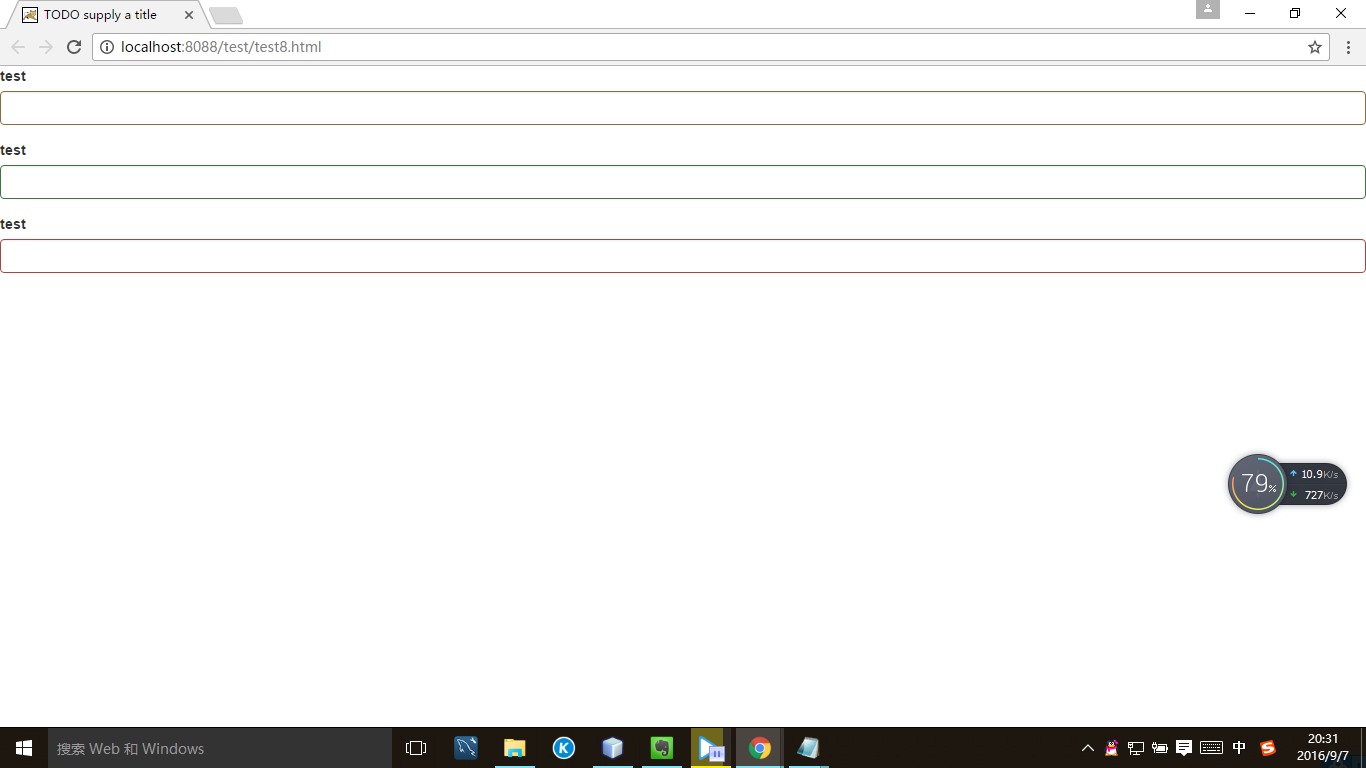
         <form role="form">

             <div class="form-group has-warning">

                <label>test</label>

                <input class="form-control" type="text">

            </div>

            <div class="form-group has-success">

                <label>test</label>

                <input class="form-control" type="text">

            </div>

            <div class="form-group has-error">

                <label>test</label>

                <input class="form-control" type="text">

            </div>

        </form>
.png)
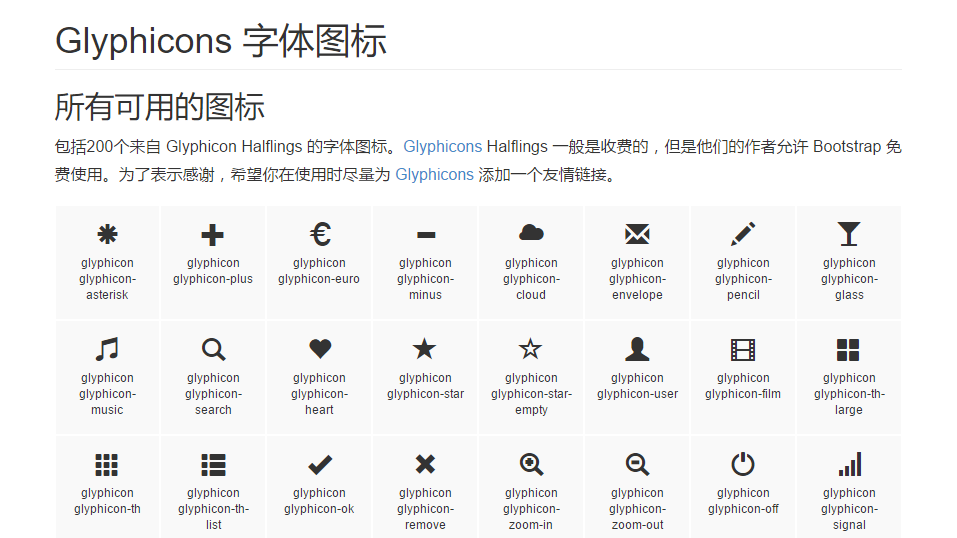
如果想使用一些图标,比如:
.png)
<link href="//cdn.bootcss.com/bootstrap/3.3.5/css/bootstrap.min.css" rel="stylesheet">
            <div class="form-group has-warning has-feedback">

                <label>test</label>

                <input class="form-control" type="text">

                <span class="glyphicon glyphicon-ok form-control-feedback" ></span>

            </div>
.png)

           <div class="form-group has-success has-feedback">

                <label class="control-label sr-only" for="inputGroupSuccess4">Input group with success</label>

                <div class="input-group">

                    <span class="input-group-addon">@</span>

                    <input type="text" class="form-control" id="inputGroupSuccess4" aria-describedby="inputGroupSuccess4Status">

                </div>

                <span class="glyphicon glyphicon-ok form-control-feedback" aria-hidden="true"></span>

                <span id="inputGroupSuccess4Status" class="sr-only">(success)</span>

            </div>
.png)

Bootstrap入门(五)表单的更多相关文章
- Bootstrap<基础六> 表单
Bootstrap 通过一些简单的 HTML 标签和扩展的类即可创建出不同样式的表单. 表单布局 Bootstrap 提供了下列类型的表单布局: 垂直表单(默认) 内联表单 水平表单 垂直或基本表单 ...
- bootstrap上传表单的时候上传的数据默认是0 一定要小心
bootstrap上传表单的时候上传的数据默认是0 一定要小心
- bootstrap+jQuery.validate表单校验
谈谈表单校验 这大概是一种惯例,学习前台后台最开始接触的业务都是用户注册和登录.现在社会坚持以人为本的理念,在网站开发过程同样如此.User是我们面对较多的对象,也是较核心的对象.最开始的用户注册和登 ...
- BootStrap 智能表单系列 五 表单依赖插件处理
这一章比较简单哦,主要就是生产表单元素后的一些后续处理操作,比如日期插件的渲染.一些autocomplete的处理等,在回调里面处理就可以了, demo: $("input.date-pic ...
- bootstrap 列表 表格 表单 复选 单选 多选 输入框组
一.列表 ul li 二.表格 table (http://www.runoob.com/bootstrap/bootstrap-tables.html) 1. 基本表格 <table cla ...
- Bootstrap学习(2)--表单
Bootstrap里的role属性,增强标签的语义化,提高识别力, 如:<form role="form"> input.select.textarea等元素,在Bo ...
- 黄聪: Bootstrap之Form表单验证神器: BootstrapValidator(转)
前言:做Web开发的我们,表单验证是再常见不过的需求了.友好的错误提示能增加用户体验.博主搜索bootstrap表单验证,搜到的结果大部分都是文中的主题:bootstrapvalidator.今天就来 ...
- Bootstrap系列 -- 21. 表单提示信息
平常在制作表单验证时,要提供不同的提示信息.在Bootstrap框架中也提供了这样的效果.使用了一个"help-block"样式,将提示信息以块状显示,并且显示在控件底部. < ...
- Bootstrap系列 -- 18. 表单控件大小
前面看到的表单控件都正常的大小.可以通过设置控件的height,line-height,padding和font-size等属性来实现控件的高度设置.不过Bootstrap框架还提供了两个不同的类名, ...
- Bootstrap系列 -- 14. 表单控件输入框input
每一个表单都是由表单控件组成.离开了控件,表单就失去了意义.接下来的我们简单的来了解Bootstrap框架中表单控件的相关知识. 单行输入框,常见的文本输入框,也就是input的type属性值为tex ...
随机推荐
- Mysql 技巧
order by条件: SELECT * FROM tablename WHERE id_one=27 OR id_two=27 ORDER BY CASE WHEN id_one=27 THEN t ...
- git archive
git archive --format zip --output ../g.zip 3.4.2 git archive --format=tar \ --remote=ssh://remote_se ...
- android缓存之Lrucache 和LinkedHashMap
两者的区别 网上有很多人使用软引用加载图片的多 ,但是现在已经不再推荐使用这种方式了,(1)因为从 Android 2.3 (API Level 9)开始,垃圾回收器会更倾向于回收持有软引用或弱引用的 ...
- CodeForces 662D International Olympiad
写出前几个找规律,然后直接输出. #include<cstdio> #include<cstring> #include<cmath> #include<al ...
- CodeForces 616C The Labyrinth
先预处理出所有连通块,对于每一个*,看他四周的连通块即可 #include<cstdio> #include<cstring> #include<queue> #i ...
- 滚动时div的背景图片随之滚动
在浏览一些网站时发现有一种效果是当滚动时看到某一DIV的背景也会随之滚动,如下: 当滚动时内容位置保持不变,但是内容后面的背景却在随着滚动.随之我通过审查元素看到了其是通过background-pos ...
- Apache2 三种MPM对比分析
就最新版本的Web服务器Apache(版本是Apache 2.4.10,发布于2014年7月21日)来说,一共有三种稳定的MPM(Multi-Processing Module,多进程处理模块)模式. ...
- (简单) POJ 3159 Candies,Dijkstra+差分约束。
Description During the kindergarten days, flymouse was the monitor of his class. Occasionally the he ...
- skip list跳跃表实现
跳表(skip List)是一种随机化的数据结构,基于并联的链表,实现简单,插入.删除.查找的复杂度均为O(logN).跳表的具体定义,跳表是由William Pugh发明的,这位确实是个大牛,搞出一 ...
- 反射技术在Android中的应用
本博客转自:http://blog.csdn.net/tiefeng0606/article/details/51700866 动态语言: 一般认为在程序运行时,允许改变程序结构或变量类型,这种语言称 ...