
Bootstrap入门(五)表单
<link href="css/bootstrap.min.css" rel="stylesheet">
.form-control 类的 <input>、<textarea> 和 <select> 元素都将被默认设置宽度属性为 width: 100%;。<form> 元素添加 .form-inline 类可使其内容左对齐并且表现为 inline-block 级别的控件。只适用于视口至少在 768px 宽度时(视口宽度再小的话就会使表单折叠)。width: 100%; 宽度。在内联表单,我们将这些元素的宽度设置为 width: auto;,因此,多个控件可以排列在同一行。根据你的布局需求,可能需要一些额外的定制化组件。label 标签:label 标签,屏幕阅读器将无法正确识别。对于这些内联表单,你可以通过为label 设置 .sr-only 类将其隐藏。<form role="form" class="form-inline">
...
</form>
            <div class="form-group">

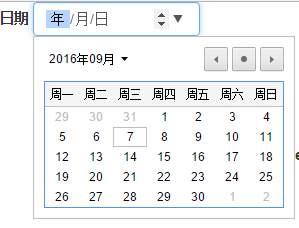
                <label>日期</label>

                <input type="date" class="form-control">

            </div>
            <div class="form-group">

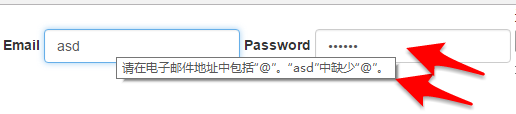
                <label>Email</label>

                <input type="email" class="form-control" placeholder="email">

                <label>Password</label>

                <input type="password" class="form-control" placeholder="password">

            </div>

            <div class="form-group">

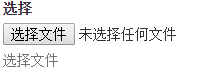
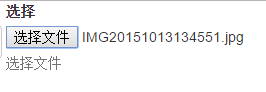
                <label>选择</label>

                <input type="file">

                <p class="help-block">选择文件</p>

            </div>
            <div class="radio">

                <label>

                    <input type="radio"> Check me out 1

                </label>

                <label>

                    <input type="radio"> Check me out2

                </label>

                <label>

                    <input type="radio"> Check me out3

                </label>

            </div>

            <br>

            <div class="checkbox">

                <label>

                    <input type="checkbox"> Check me out 1

                </label>

                <label>

                    <input type="checkbox"> Check me out2

                </label>

                <label>

                    <input type="checkbox"> Check me out3

                </label>

            </div>
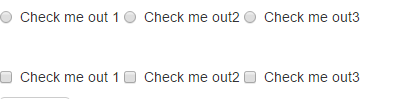
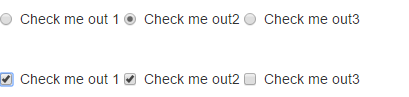
.png)
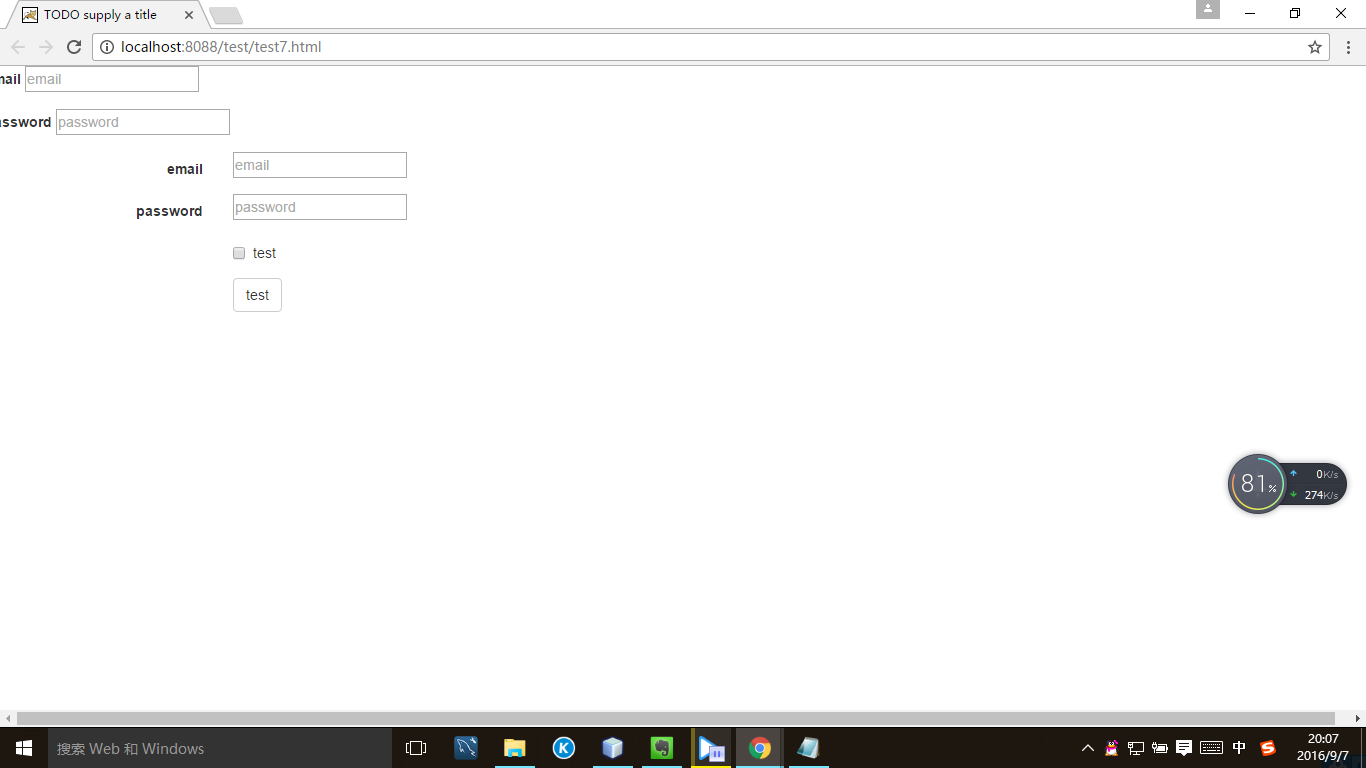
.form-horizontal 类,并联合使用 Bootstrap 预置的栅格类,可以将 label 标签和控件组水平并排布局。<form class="form-horizontal">
...
</form>
添加第一个内容
            <div class="form-group">

                <label>email</label>

                <input type='email' placeholder="email">

            </div>

            <div class="form-group">

                <label>password</label>

                <input type='password' placeholder="password">

            </div>
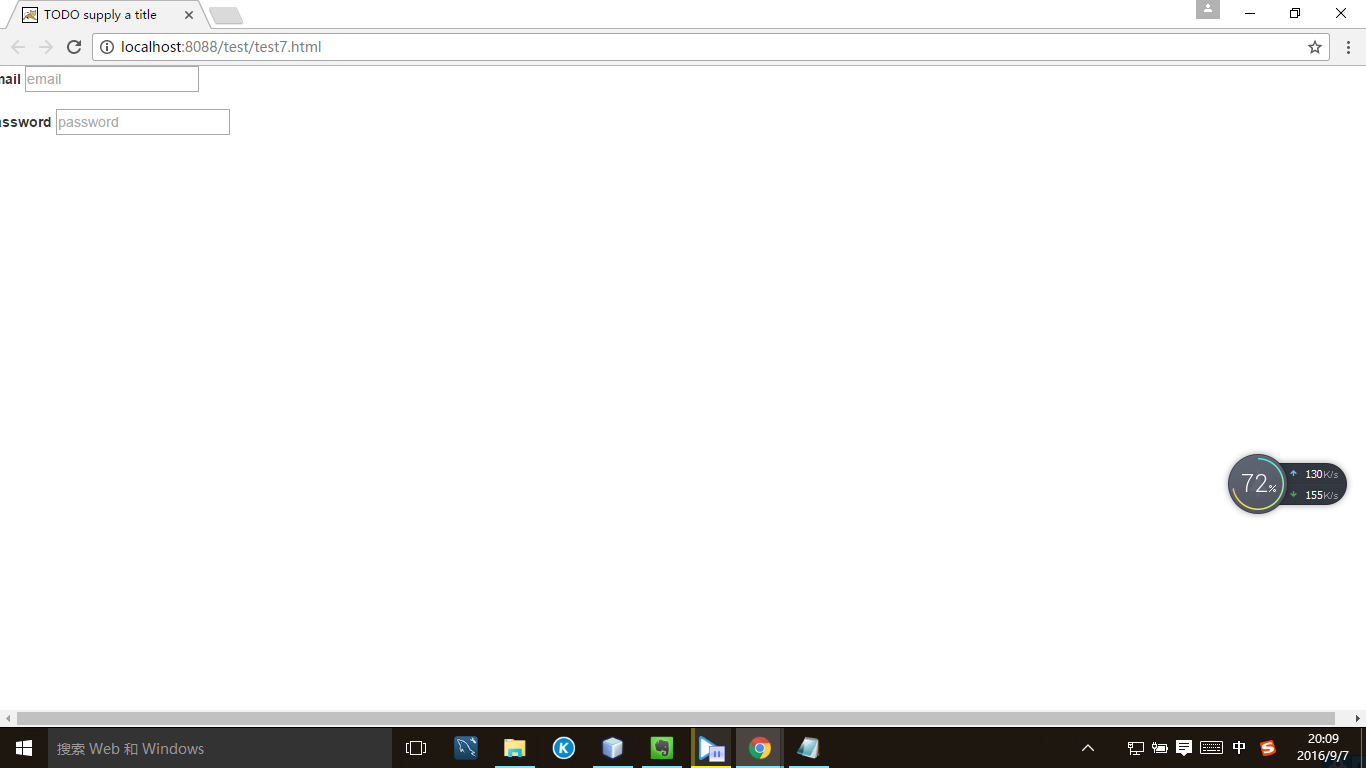
           <div class="form-group">

                <label class="col-sm-2 control-label">email</label>

                <div class="col-sm-10">

                    <input type='email' placeholder="email">

                </div>

            </div>

            <div class="form-group">

                <label class="col-sm-2 control-label">password</label>

                <div class="col-sm-10">

                <input type='password' placeholder="password">

                </div>

            </div>
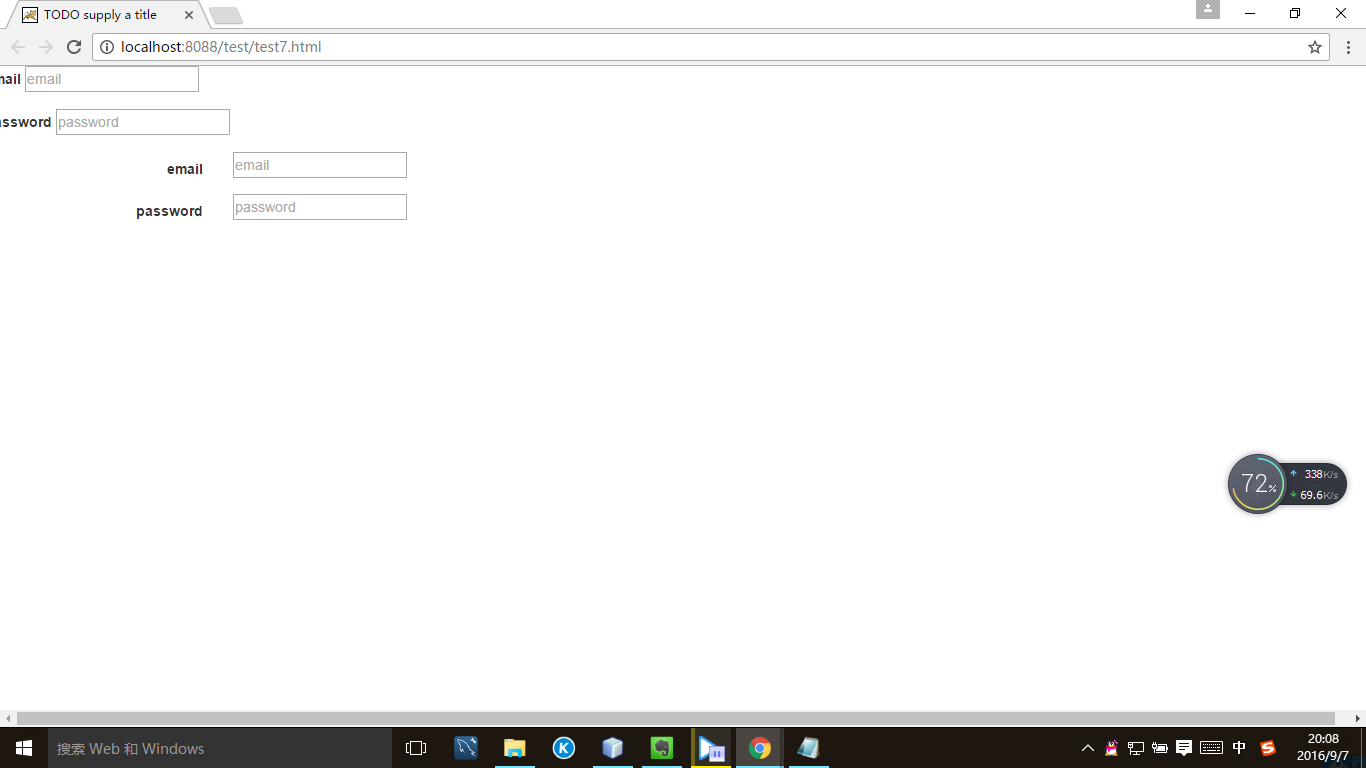
            <div class="form-group">

                <div class='col-sm-offset-2 col-sm-10'>

                    <div class='checkbox'>

                        <label>

                            <input type='checkbox'>test

                        </label>

                    </div>

                </div>

            </div>

            <div class='form-group'>

                <div class='col-sm-offset-2 col-sm-10'>

                    <button type='submit' class="btn btn-default">test</button>

                </div>

            </div>
            <input type="text" class='form-control' placeholder="asd">

            <input type="text" class='form-control' placeholder="asd" disabled>

            <textarea class="form-control" rows='5'>ASD</textarea>

        <form role="form">

          ...

        </form>
         <form role="form">

            <div class="form-group">

                <label>test</label>

                <input class="form-control" type="text">

            </div>

            <div class="form-group">

                <label>test</label>

                <input class="form-control" type="text">

            </div>

            <div class="form-group">

                <label>test</label>

                <input class="form-control" type="text">

            </div>

        </form>
.png)

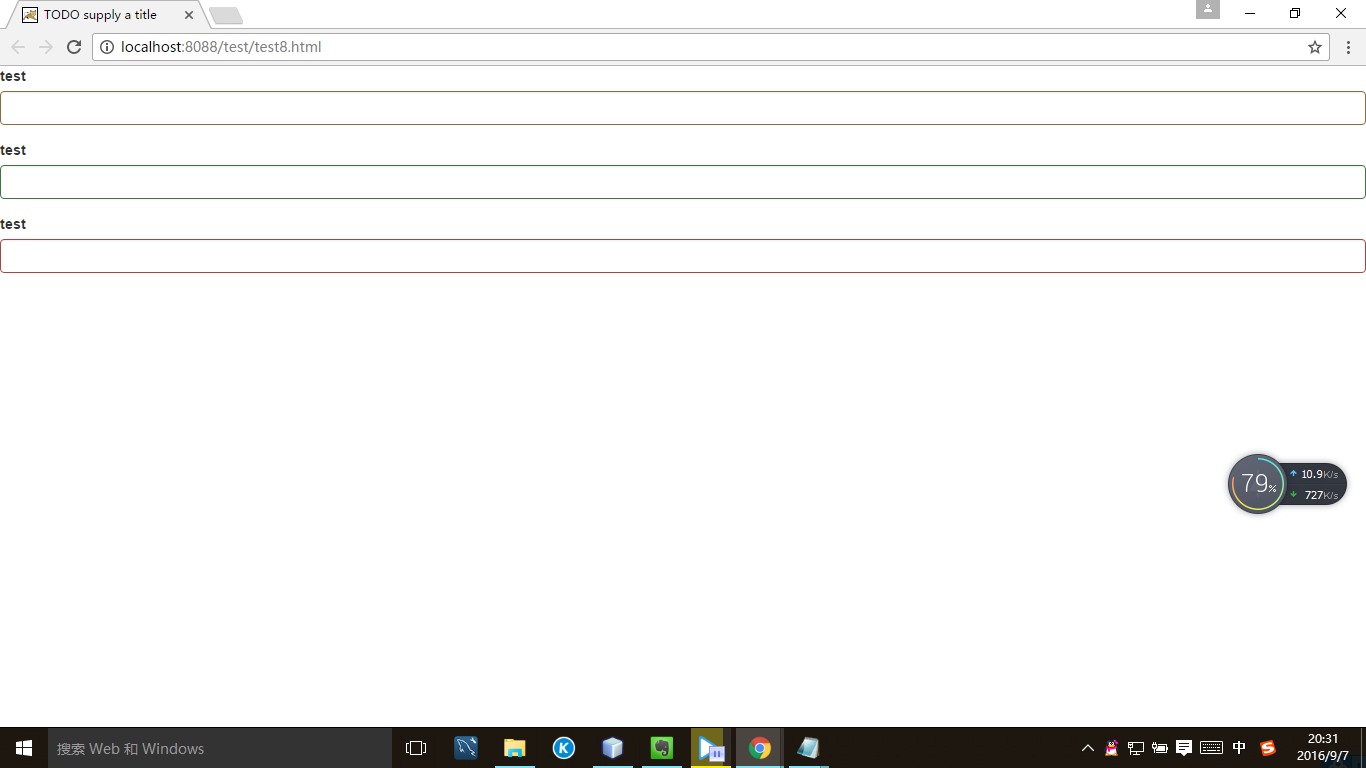
         <form role="form">

             <div class="form-group has-warning">

                <label>test</label>

                <input class="form-control" type="text">

            </div>

            <div class="form-group has-success">

                <label>test</label>

                <input class="form-control" type="text">

            </div>

            <div class="form-group has-error">

                <label>test</label>

                <input class="form-control" type="text">

            </div>

        </form>
.png)
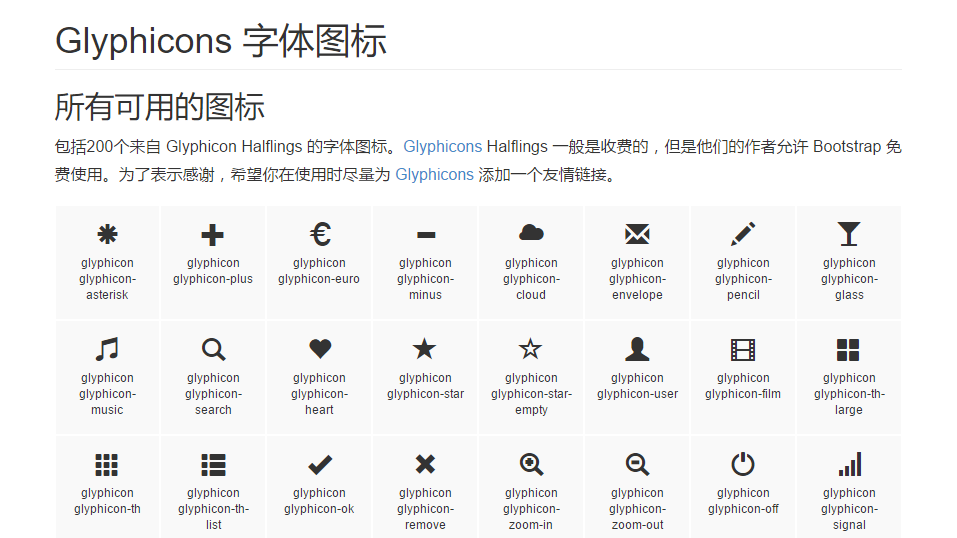
如果想使用一些图标,比如:
.png)
<link href="//cdn.bootcss.com/bootstrap/3.3.5/css/bootstrap.min.css" rel="stylesheet">
            <div class="form-group has-warning has-feedback">

                <label>test</label>

                <input class="form-control" type="text">

                <span class="glyphicon glyphicon-ok form-control-feedback" ></span>

            </div>
.png)

           <div class="form-group has-success has-feedback">

                <label class="control-label sr-only" for="inputGroupSuccess4">Input group with success</label>

                <div class="input-group">

                    <span class="input-group-addon">@</span>

                    <input type="text" class="form-control" id="inputGroupSuccess4" aria-describedby="inputGroupSuccess4Status">

                </div>

                <span class="glyphicon glyphicon-ok form-control-feedback" aria-hidden="true"></span>

                <span id="inputGroupSuccess4Status" class="sr-only">(success)</span>

            </div>
.png)

Bootstrap入门(五)表单的更多相关文章
- Bootstrap<基础六> 表单
Bootstrap 通过一些简单的 HTML 标签和扩展的类即可创建出不同样式的表单. 表单布局 Bootstrap 提供了下列类型的表单布局: 垂直表单(默认) 内联表单 水平表单 垂直或基本表单 ...
- bootstrap上传表单的时候上传的数据默认是0 一定要小心
bootstrap上传表单的时候上传的数据默认是0 一定要小心
- bootstrap+jQuery.validate表单校验
谈谈表单校验 这大概是一种惯例,学习前台后台最开始接触的业务都是用户注册和登录.现在社会坚持以人为本的理念,在网站开发过程同样如此.User是我们面对较多的对象,也是较核心的对象.最开始的用户注册和登 ...
- BootStrap 智能表单系列 五 表单依赖插件处理
这一章比较简单哦,主要就是生产表单元素后的一些后续处理操作,比如日期插件的渲染.一些autocomplete的处理等,在回调里面处理就可以了, demo: $("input.date-pic ...
- bootstrap 列表 表格 表单 复选 单选 多选 输入框组
一.列表 ul li 二.表格 table (http://www.runoob.com/bootstrap/bootstrap-tables.html) 1. 基本表格 <table cla ...
- Bootstrap学习(2)--表单
Bootstrap里的role属性,增强标签的语义化,提高识别力, 如:<form role="form"> input.select.textarea等元素,在Bo ...
- 黄聪: Bootstrap之Form表单验证神器: BootstrapValidator(转)
前言:做Web开发的我们,表单验证是再常见不过的需求了.友好的错误提示能增加用户体验.博主搜索bootstrap表单验证,搜到的结果大部分都是文中的主题:bootstrapvalidator.今天就来 ...
- Bootstrap系列 -- 21. 表单提示信息
平常在制作表单验证时,要提供不同的提示信息.在Bootstrap框架中也提供了这样的效果.使用了一个"help-block"样式,将提示信息以块状显示,并且显示在控件底部. < ...
- Bootstrap系列 -- 18. 表单控件大小
前面看到的表单控件都正常的大小.可以通过设置控件的height,line-height,padding和font-size等属性来实现控件的高度设置.不过Bootstrap框架还提供了两个不同的类名, ...
- Bootstrap系列 -- 14. 表单控件输入框input
每一个表单都是由表单控件组成.离开了控件,表单就失去了意义.接下来的我们简单的来了解Bootstrap框架中表单控件的相关知识. 单行输入框,常见的文本输入框,也就是input的type属性值为tex ...
随机推荐
- PAT (Advanced Level) 1009. Product of Polynomials (25)
简单模拟. #include<iostream> #include<cstring> #include<cmath> #include<algorithm&g ...
- 三种Dataase Mapping的系统架构
ORM - O/R M - Object/Relational Mapping: A technique/idea used to map objects and thier individual r ...
- Java笔记——XML解析
import java.io.File; import java.io.IOException; import javax.xml.parsers.DocumentBuilder; import ja ...
- Java面向对象设计
1.少了程序入口会在输出的地方报这个错: Syntax error, insert "... VariableDeclaratorId" to complete FormalPar ...
- S3C2440的RTC解析
位二-十进制交换码(BCD)值数据给CPU.这些数据包括年.月.日.星期.时.分和秒的时间信息.RTC单元工作在外部32.768kHz晶振并且可以执行闹钟功能 实时时钟模块保存的数据是DCD码形式. ...
- 关于iOS开发中info.plist文件的解读
我们建立一个工程后,会在Supporting files下面看到一个"工程名-Info.plist"的文件,这个是对工程做一些运行期配置的文件,很重要,不能删除. 下面就对其ke ...
- 步进控件——UIStepper
步进控件,可用于替换传统用于输入值的文本框.步进控件提供了“+”和“-”两个按钮,用来改变stepper内部value的增加或减少,调用的事件是UIControlEventValueChanged.由 ...
- 【java基础】接口VS抽象类
1.至少有一个被abstract修饰的方法,同时修饰类名的类为抽象类,抽象的方法必须被子类覆盖,抽象的类必须被继承,抽象的类可以包含非抽象方法,只能单继承. 2.接口中所有的变量是static fin ...
- ABP架构解析
ABP总体介绍 ABP是“ASP.NET Boilerplate Project (ASP.NET样板项目)”的简称. ASP.NET Boilerplate是一个用最佳实践和流行技术开发现代WEB应 ...
- Windows 7 Professional安装多语言包
本文出自 "王春海的博客" 博客,请务必保留此出处http://wangchunhai.blog.51cto.com/225186/223635 下载了Windows 7 Prof ...