
使用 Canvas 实现一个类似 Google 的可视化的页面错误反馈库
使用 Canvas 实现一个类似 Google 的可视化的页面错误反馈库
iframe 嵌套 iframe
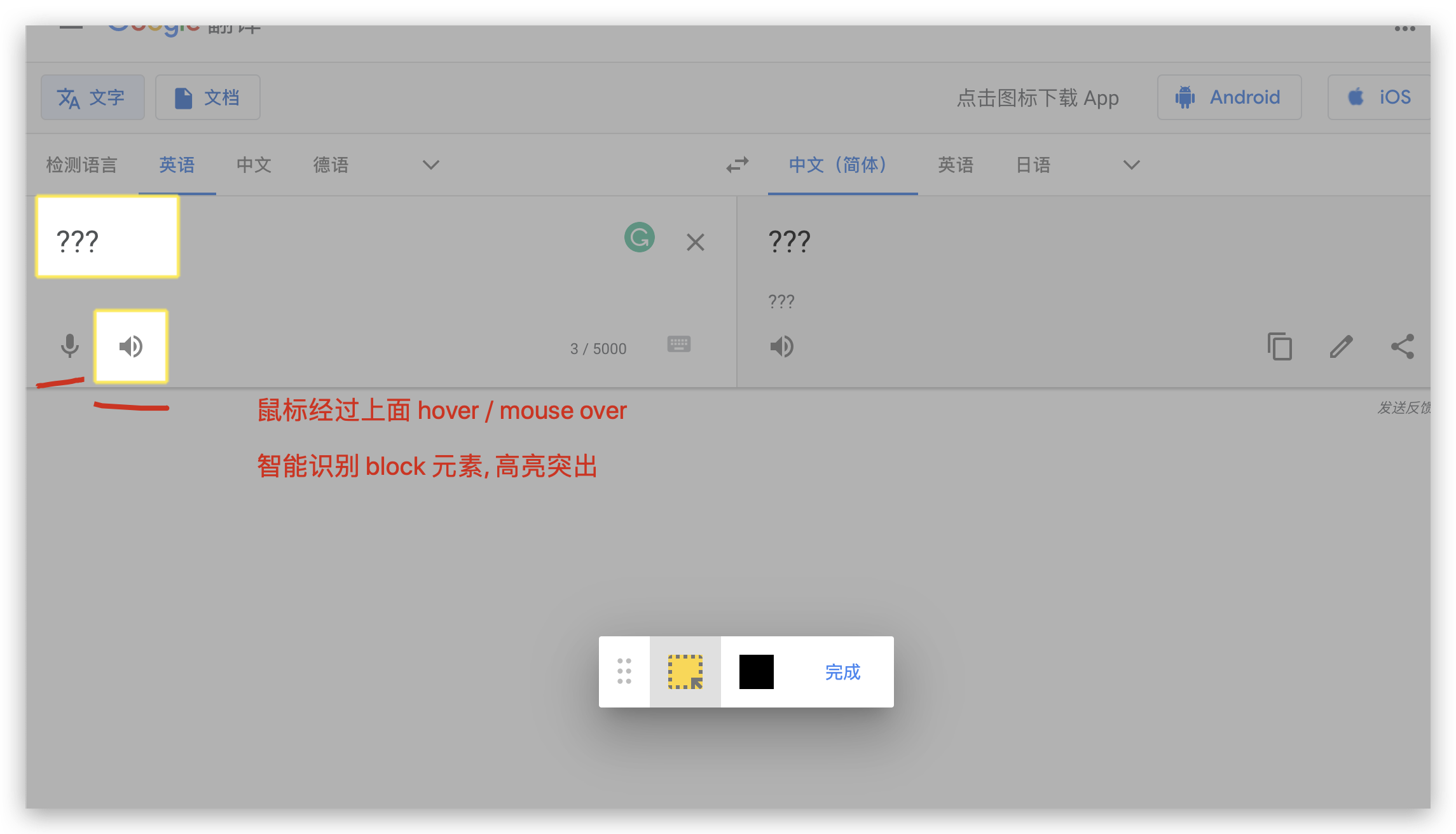
iframe 包含 复制的 HTML 页面 和支持可以拖拽的工具栏

鼠标经过上面,智能识别 block 元素,高亮突出显示
mouseover / hover
CSS 黑科技
UI 结构检测,加 1px 边框
// UI 结构检测,加 1px 边框

[].forEach.call($$("*"), function(a){

   a.style.outline="1px solid #"+(~~(Math.random()*(1<<24))).toString(16)

})

// OR

Array.prototype.forEach.call(document.querySelectorAll('*'),  dom => dom.style.outline = `1px solid #${parseInt(Math.random() * Math.pow(2,24)).toString(16)}`);
Command Line API
Chrome
$;

ƒ $(selector, [startNode]) { [Command Line API] }

$$;

ƒ $$(selector, [startNode]) { [Command Line API] }

Google Translate
https://translate.google.cn/?sl=en&tl=zh-CN&text=%3F%3F%3F&op=translate
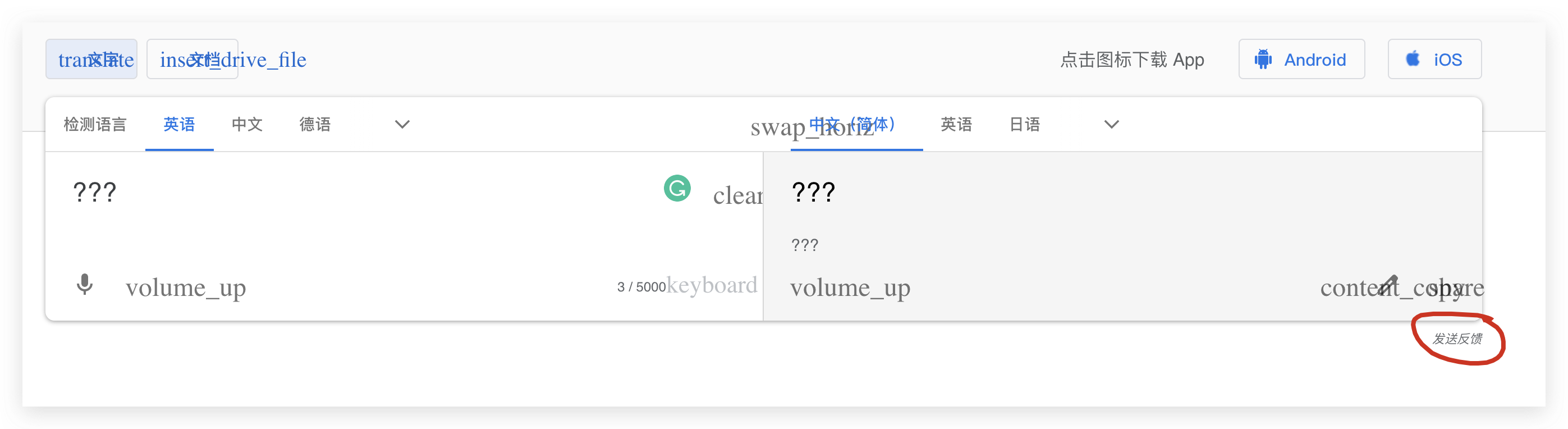

发送反馈
有反馈意见?我们非常期待收到您的宝贵意见,但请勿透露敏感信息。有问题?请访问帮助中心或联系支持团队。
附上屏幕截图
屏幕截图预览
点击可突显或隐藏信息
要出于法律原因请求更改内容,请前往法律帮助页面。系统可能会将部分帐号和系统信息发送给 Google。
我们将根据我们的隐私权政策和服务条款使用您提供的信息帮助解决技术问题和改进我们的服务。
发送

标上黄色可用于突显问题,涂黑则可用来隐藏敏感信息
标注
Base64 image
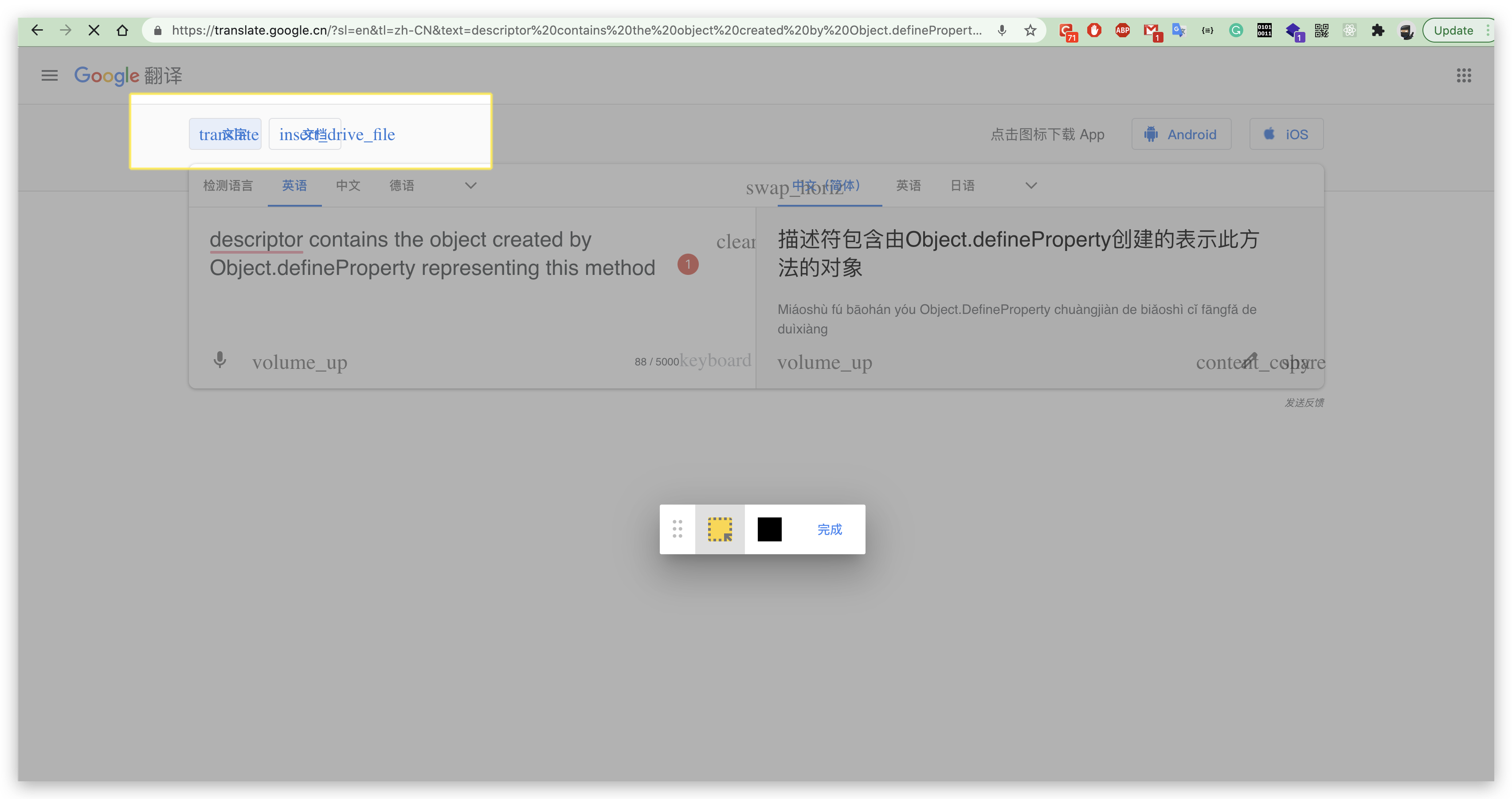
HTML Custom Elements
<div key="feedback-panel-container" style="">

<uf-annotate-page>

<div style="align-items: center; display: -webkit-flex; flex-direction: column; left: 50%; pointer-events: none; position: absolute; top: 50%; transform: translate(-50%, -50%); z-index: 2;">

<div aria-atomic="true" aria-live="polite" style="background-color: rgba(255, 255, 255, 0.6); border-radius: 12px; color: rgb(117, 117, 117); font: 400 34px / 40px Roboto, RobotoDraft, Helvetica, Arial, sans-serif; margin-bottom: 72px; padding: 22px 0px; text-align: center; visibility: hidden; width: 656px;">标上黄色可用于突显问题,涂黑则可用来隐藏敏感信息</div>

<div key="toolbar" role="toolbar" style="align-items: center; background-color: white; border-radius: 2px; box-shadow: rgba(0, 0, 0, 0.14) 0px 24px 38px 3px, rgba(0, 0, 0, 0.12) 0px 9px 46px 8px, rgba(0, 0, 0, 0.2) 0px 11px 15px -7px; cursor: pointer; display: -webkit-inline-flex; flex-direction: row; height: 56px; min-width: 232px; pointer-events: auto;">

<div key="grippy" role="button" aria-describedby="ADC667D4-7BC0-4A0C-8441-CE1CEC590BEB" style="cursor: -webkit-grab; height: 56px; padding: 0px 12px; position: relative;">

<svg xmlns="https://www.w3.org/2000/svg" focusable="false" aria-label="Drag" fill="#BDBDBD" height="56" width="16" viewBox="-2 2 12 12"><circle cx="1.5" cy="1.5" r="1.5"></circle><circle cx="1.5" cy="7.5" r="1.5"></circle><circle cx="1.5" cy="13.5" r="1.5"></circle><circle cx="6.5" cy="1.5" r="1.5"></circle><circle cx="6.5" cy="7.5" r="1.5"></circle><circle cx="6.5" cy="13.5" r="1.5"></circle>

</svg>

<div id="ADC667D4-7BC0-4A0C-8441-CE1CEC590BEB" key="tooltip" style="background-color: rgb(97, 97, 97); border-radius: 2px; box-sizing: border-box; color: white; display: none; left: 50%; font: 400 14px / 20px Roboto, RobotoDraft, Helvetica, Arial, sans-serif; height: 32px; opacity: 0.9; padding: 6px 16px; position: absolute; top: 70px; transform: translateX(-50%); white-space: nowrap;">移动工具栏</div>

</div>

<uf-annotator-button key="highlight" style="display: -webkit-flex; position: relative;">

<button type="button" aria-pressed="true" aria-describedby="F801D60C-16A7-4E50-9E21-2F57D94C4C7D" key="highlight" style="align-items: center; background-color: rgb(224, 224, 224); border: none; box-sizing: border-box; cursor: pointer; display: -webkit-flex; justify-content: center; outline: none; padding: 10px; pointer-events: auto; position: relative; height: 56px; width: 56px;">

<span style="display: inline-block; position: relative; height: 36px; width: 36px;">

<svg xmlns="https://www.w3.org/2000/svg" focusable="false" viewBox="0 0 24 24" height="36" width="36" fill="#FDD835"><path d="M3 3h18v18H3z"></path></svg>

<svg xmlns="https://www.w3.org/2000/svg" focusable="false" aria-label="" fill="#757575" viewBox="0 0 24 24" height="36" width="36" style="left: 0px; position: absolute; top: 0px;"><path d="M21 17h-2.58l2.51 2.56c-.18.69-.73 1.26-1.41 1.44L17 18.5V21h-2v-6h6v2zM19 7h2v2h-2V7zm2-2h-2V3.08c1.1 0 2 .92 2 1.92zm-6-2h2v2h-2V3zm4 8h2v2h-2v-2zM9 21H7v-2h2v2zM5 9H3V7h2v2zm0-5.92V5H3c0-1 1-1.92 2-1.92zM5 17H3v-2h2v2zM9 5H7V3h2v2zm4 0h-2V3h2v2zm0 16h-2v-2h2v2zm-8-8H3v-2h2v2zm0 8.08C3.9 21.08 3 20 3 19h2v2.08z"></path>

</svg>

</span>

</button>

<div id="F801D60C-16A7-4E50-9E21-2F57D94C4C7D" key="tooltip" style="background-color: rgb(97, 97, 97); border-radius: 2px; box-sizing: border-box; color: white; display: none; left: 50%; font: 400 14px / 20px Roboto, RobotoDraft, Helvetica, Arial, sans-serif; height: 32px; opacity: 0.9; padding: 6px 16px; position: absolute; top: 70px; transform: translateX(-50%); white-space: nowrap;">突显问题</div>

</uf-annotator-button>

<uf-annotator-button key="blackout" style="display: -webkit-flex; position: relative;">

<button type="button" aria-pressed="false" aria-describedby="429CB63E-C571-47F8-A9FF-31D8740609BD" key="blackout" style="align-items: center; background-color: rgb(255, 255, 255); border: none; box-sizing: border-box; cursor: pointer; display: -webkit-flex; justify-content: center; outline: none; padding: 10px; pointer-events: auto; position: relative; height: 56px; width: 56px;">

<span style="display: inline-block; position: relative; height: 36px; width: 36px;">

<svg xmlns="https://www.w3.org/2000/svg" focusable="false" viewBox="0 0 24 24" height="36" width="36" fill="#000"><path d="M3 3h18v18H3z"></path></svg>

</span>

</button>

<div id="429CB63E-C571-47F8-A9FF-31D8740609BD" key="tooltip" style="background-color: rgb(97, 97, 97); border-radius: 2px; box-sizing: border-box; color: white; display: none; left: 50%; font: 400 14px / 20px Roboto, RobotoDraft, Helvetica, Arial, sans-serif; height: 32px; opacity: 0.9; padding: 6px 16px; position: absolute; top: 70px; transform: translateX(-50%); white-space: nowrap;">隐藏敏感信息</div>

</uf-annotator-button>

<uf-material-button key="done" style="display: inline-flex;">

<label style="align-items: center; align-self: stretch; box-sizing: border-box; cursor: pointer; display: -webkit-inline-flex; min-height: 48px; padding: 0px 8px; color: rgb(66, 133, 244); pointer-events: auto;">

<button type="button" key="done" style="background-color: transparent; border-color: transparent; border-radius: 2px; box-sizing: border-box; color: inherit; cursor: pointer; font: 500 14px / 20px Roboto, RobotoDraft, Helvetica, Arial, sans-serif; height: 36px; margin: 0px; min-width: 64px; opacity: 1; outline: none; padding: 0px 8px;">

<span style="pointer-events: none;">完成</span>

</button>

</label>

</uf-material-button>

</div>

</div>

</uf-annotate-page>

</div>
refs
xgqfrms 2012-2020
www.cnblogs.com 发布文章使用:只允许注册用户才可以访问!
使用 Canvas 实现一个类似 Google 的可视化的页面错误反馈库的更多相关文章
- 【canvas系列】用canvas实现一个colorpicker(类似PS的颜色选择器)
每个浏览器都有自己的特点,比如今天要做的colorpicker就是,一千个浏览器,一千个哈姆雷特,一千个colorpicker.今天canvas系列就用canvas做一个colorpicker. ** ...
- 使用plupload做一个类似qq邮箱附件上传的效果
公司项目中使用的框架是springmvc+hibernate+spring,目前需要做一个类似qq邮箱附件上传的功能,暂时只是上传小类型的附件 处理过程和解决方案都需要添加附件,处理过程和解决方案都可 ...
- 如何制作一个类似Tiny Wings的游戏 Cocos2d-x 2.1.4
在第一篇<如何使用CCRenderTexture创建动态纹理>基础上,增加创建动态山丘,原文<How To Create A Game Like Tiny Wings with Co ...
- 定制一个类似地址选择器的view
代码地址如下:http://www.demodashi.com/demo/12832.html 前言: 这几天也是闲来无事,看看有什么和Scroller相关的控件需要巩固下,原因很简单,前几天看到相关 ...
- 【搜索引擎】 PostgreSQL 10 实时全文检索和分词、相似搜索、模糊匹配实现类似Google搜索自动提示
需求分析 要通过PostgreSQL实现类似Google搜索自动提示的功能,例如要实现一个查询海量数据中的商品名字,每次输入就提示用户各种相关搜索选项,例如淘宝.京东等电商查询 思路 这个功能可以用 ...
- 类似 Google Tips 页面的卡片式提示和翻转特效
这款 jQuery 插件用于实现类似 Google Tips 页面的卡片式提示和翻转的交互特效.你可以根据自己的需要定制动画效果参数,定义回调函数来控制行为.因为使用了 CSS3,所以只支持 Chro ...
- 制作一个类似苹果VFL的格式化语言来描述UIStackView
在项目中总是希望页面上各处的文字,颜色,字体大小甚至各个视图控件布局都能够在发版之后能够修改以弥补一些前期考虑不周,或者根据统计数据能够随时进行调整,当然是各个版本都能够统一变化.看到这样的要求后,第 ...
- 如何制作一个类似Tiny Wings的游戏(2) Cocos2d-x 2.1.4
在第二篇<如何制作一个类似Tiny Wings的游戏>基础上,增加添加主角,并且使用Box2D来模拟主角移动,原文<How To Create A Game Like Tiny Wi ...
- 深夜,用canvas画一个时钟
深夜,用canvas画一个时钟 查看demo 这几天准备阿里巴巴的笔试,可以说已经是心力交瘁,自从阿里和蘑菇街的内推被刷掉之后,开始越来越怀疑起自己的能力来,虽然这点打击应该是微不足道的.毕竟校招在刚 ...
随机推荐
- java中List元素移除元素的那些坑
https://blog.csdn.net/javageektech/article/details/96668890 List 的迭代器类 采用倒序移除 jdk1.8的写法 public sta ...
- 在不同情况下connect失败和ping不通的数据分析
- java 静态资源,非静态资源,父类子类,构造方法之间的初始化循序
java面试经常被问静态资源,非静态资源,父类子类,构造方法之间的执行顺序.下面添加两个类做个测试 class Parent { // 静态变量 public static String p_Stat ...
- Java服务端性能优化
<Java程序性能优化>说性能优化包含五个层次:设计调优.代码调优.JVM调优.数据库调优.操作系统调优. 常用的几个代码优化方案: 使用单例 对于IO处理.数据库连接.配置文件解析加载等 ...
- Cookie (设置与读取、超时设置、指定路径、显示用户上次登录时间)
Cooike简介 Cookie 是在 HTTP 协议下,服务器或脚本可以维护客户工作站上信息的一种方式.Cookie 是由 Web 服务器保存在用户浏览器(客户端)上的小文本文件,它可以包含有关用户的 ...
- Spark练习之通过Spark Streaming实时计算wordcount程序
Spark练习之通过Spark Streaming实时计算wordcount程序 Java版本 Scala版本 pom.xml Java版本 import org.apache.spark.Spark ...
- NodeRED常用操作
NodeRED常用操作 记录使用在云服务器操作NodeRED过程中常用的一些过程或方法 重启NodeRED 通过命令行重启 我的NodeRED在pm2的自启动管理下,因此使用pm2进行重启 pm2 r ...
- 阶段学习总结-坦克大战(2D)案例
这是前几天学习的案例,这两天学习了NGUI和UGUI,被UI搞得很烦躁,但是今天还是将前几天学习的坦克大战总结以下.这个游戏是小时候的经典红白机游戏的复刻,见截图: 一.游戏物体 游戏中包含地图元素( ...
- c++11新特性实战(二):智能指针
c++11添加了新的智能指针,unique_ptr.shared_ptr和weak_ptr,同时也将auto_ptr置为废弃(deprecated). 但是在实际的使用过程中,很多人都会有这样的问题: ...
- SpringMVC学习笔记2
一.日期赋值 目标:在springMVC中日期赋值兼容性更广泛 不能直接处理,必须使用转换器1.定义转换器,实现接口Converter<From,To> package com.zy.co ...