
springmvc中使用文件下载功能
项目代码:https://github.com/PeiranZhang/springmvc-fileupload
使用文件下载步骤
- 对请求处理方法使用void或null作为返回类型,并在方法中添加HttpServletResponse参数
- 将响应的内容类型设为文件的内容类型
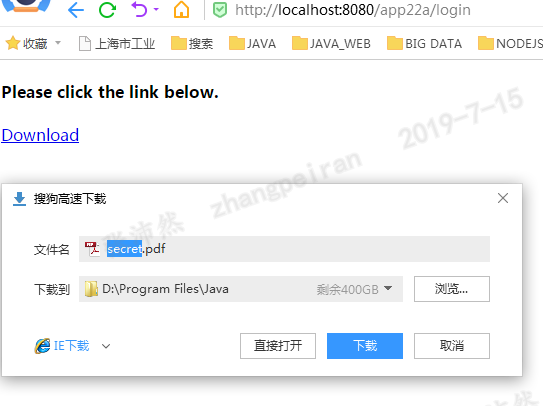
- 添加一个名为Content-Disposition的HTTP响应标题,并赋值attachment; filename= fileName,这里的fileName是默认文件名,应该出现在File Download(文件下载)对话框中。它通常与文件同名,但是也并非一定如此。(可选)
例子:下载服务器上的pdf文件
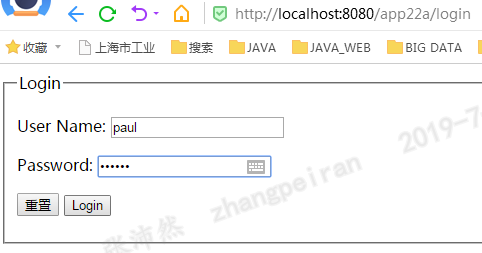
指定用户、密码登录表单之后,设置session,然后才可以下载文件:/WEB-INF/data/secret.pdf
Controller代码
@Controller

public class ResourceController {

private static final Log logger = LogFactory.getLog(ResourceController.class);

/**

 * @param login @ModelAttribute 注解接受表单中的login对象

 * @param session

 * @param model

 * @return

 */

@RequestMapping(value="/login")

public String login(@ModelAttribute Login login, HttpSession session, Model model) {

    System.out.println(login);

    //与jsp中的标签绑定

    model.addAttribute("login", new Login());

    if ("paul".equals(login.getUserName()) &&

            "secret".equals(login.getPassword())) {

        //设置session

        session.setAttribute("loggedIn", Boolean.TRUE);

        return "Main";

    } else {

        return "LoginForm";

    }

}

@RequestMapping(value="/resource_download")

public String downloadResource(HttpSession session, HttpServletRequest request,

        HttpServletResponse response) {

    if (session == null ||

            session.getAttribute("loggedIn") == null) {

        return "LoginForm";

    }

    String dataDirectory = request.

            getServletContext().getRealPath("/WEB-INF/data");

    System.out.println(dataDirectory);

    File file = new File(dataDirectory, "secret.pdf");

    if (file.exists()) {

        //设置响应类型,这里是下载pdf文件

        response.setContentType("application/pdf");

        //设置Content-Disposition,设置attachment,浏览器会激活文件下载框;filename指定下载后默认保存的文件名

        //不设置Content-Disposition的话,文件会在浏览器内打卡,比如txt、img文件

        response.addHeader("Content-Disposition",

                "attachment; filename=secret.pdf");

        byte[] buffer = new byte[1024];

        FileInputStream fis = null;

        BufferedInputStream bis = null;

        // if using Java 7, use try-with-resources

        try {

            fis = new FileInputStream(file);

            bis = new BufferedInputStream(fis);

            OutputStream os = response.getOutputStream();

            int i = bis.read(buffer);

            while (i != -1) {

                os.write(buffer, 0, i);

                i = bis.read(buffer);

            }

        } catch (IOException ex) {

            // do something,

            // probably forward to an Error page

        } finally {

            if (bis != null) {

                try {

                    bis.close();

                } catch (IOException e) {

                }

            }

            if (fis != null) {

                try {

                    fis.close();

                } catch (IOException e) {

                }

            }

        }

    }

    return null;

}

}
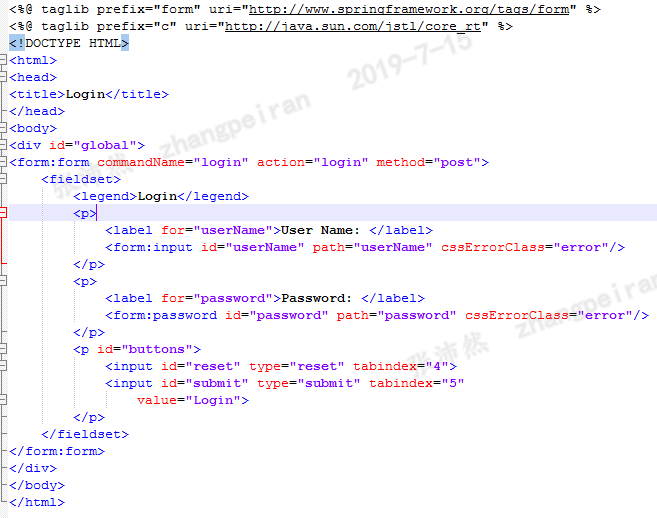
LoginForm.jsp
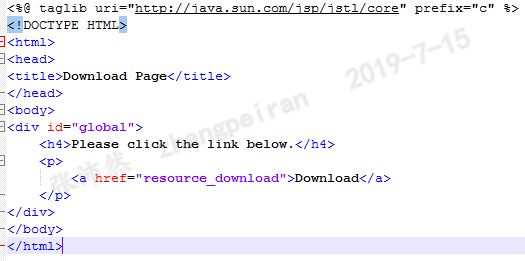
Main.jsp
结果
例子:浏览器内显示图片。图片放在WEN-INF目录下面,可以禁止直接请求
Controller代码
@Controller

public class ImageController {

private static final Log logger = LogFactory.getLog(ImageController.class);

@RequestMapping(value="/image_get/{id}", method = RequestMethod.GET)

public void getImage(@PathVariable String id,

        HttpServletRequest request,

        HttpServletResponse response,

        @RequestHeader String referer) {

    //referer记录了该请求是从哪个链接过来的,可以用来判断请求是否合法

    if (referer != null) {

        System.out.println(referer);

        String imageDirectory = request.getServletContext().

                getRealPath("/WEB-INF/image");

        File file = new File(imageDirectory,

                id + ".jpg");

        if (file.exists()) {

            response.setContentType("image/jpg");

            //不设置Content-Disposition的,图像在浏览器内打卡

            byte[] buffer = new byte[1024];

            FileInputStream fis = null;

            BufferedInputStream bis = null;

            // if you're using Java 7, use try-with-resources

            try {

                fis = new FileInputStream(file);

                bis = new BufferedInputStream(fis);

                OutputStream os = response.getOutputStream();

                int i = bis.read(buffer);

                while (i != -1) {

                    os.write(buffer, 0, i);

                    i = bis.read(buffer);

                }

            } catch (IOException ex) {

                // do something here

            } finally {

                if (bis != null) {

                    try {

                        bis.close();

                    } catch (IOException e) {

                    }

                }

                if (fis != null) {

                    try {

                        fis.close();

                    } catch (IOException e) {

                    }

                }

            }

        }

    }

}

}
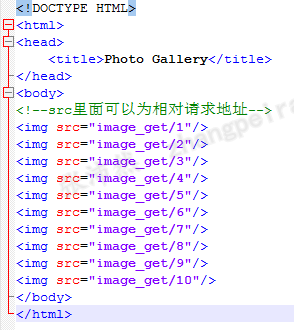
html文件
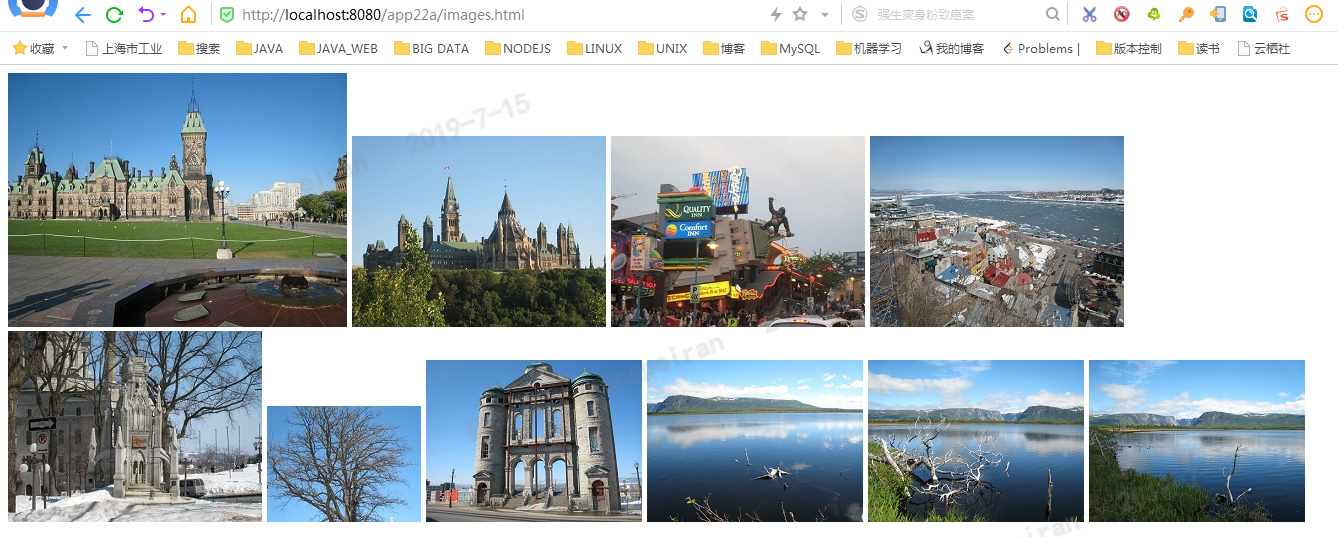
结果
直接请求html文件,html里面的img标签的src记录了请求地址,发出请求,后台控制,将图片的内容输出到浏览器上
参考
- 《JSP、Servlet和SpringMVC学习指南》
springmvc中使用文件下载功能的更多相关文章
- WebView中实现文件下载功能
WebView控制调用相应的WEB页面进行展示.当碰到页面有下载链接的时候,点击上去是一点反应都没有的.原来是因为WebView默认没有开启文件下载的功能,如果要实现文件下载的功能,需要设置Web ...
- asp.net中实现文件下载功能
//TransmitFile实现下载 protected void Button1_Click(object sender, EventArgs e) { /* ...
- shiro 基于springmvc中做登陆功能
1.添加依赖 <!-- shiro --> <dependency> <groupId>org.apache.shiro</groupId> <a ...
- 解决springmvc中文件下载功能中使用javax.servlet.ServletOutputStream out = response.getOutputStream();后运行出异常但结果正确的问题
问题描述: 在springmvc中实现文件下载功能一般都会使用javax.servlet.ServletOutputStream out = response.getOutputStream();封装 ...
- ASP.NET网页中RAR、DOC、PDF等文件下载功能实例源代码
以前做asp.net下载功能的时候都是采用:<a href="http://www.wang0214.com/wgcms">下载</a>的方式来实现下载. ...
- 分享知识-快乐自己:SpringMvc中的单多文件上传及文件下载
摘要:SpringMvc中的单多文件上传及文件下载:(以下是核心代码(拿过去直接能用)不谢) <!--设置文件上传需要的jar--> <dependency> <grou ...
- 用SpringMvc实现Excel导出功能
以前只知道用poi导出Excel,最近用了SpringMvc的Excel导出功能,结合jxl和poi实现,的确比只用Poi好,两种实现方式如下: 一.结合jxl实现: 1.引入jxl的所需jar包: ...
- JAVA文件下载功能问题解决日志
今天给报告系统做了个下载功能,遇到了挺多问题,通过查资料一一解决了. 1.首先遇到的问题是:java后台的输出流输出之后,没有任何报错,浏览器端不弹出保存文件的对话框,原本是ajax请求到后台的con ...
- springmvc中RequestMapping的解析
在研究源码的时候,我们应该从最高层来看,所以我们先看这个接口的定义: package org.springframework.web.servlet; import javax.servlet.htt ...
随机推荐
- 精尽 MyBatis 源码分析 - MyBatis 初始化(三)之 SQL 初始化(上)
该系列文档是本人在学习 Mybatis 的源码过程中总结下来的,可能对读者不太友好,请结合我的源码注释(Mybatis源码分析 GitHub 地址.Mybatis-Spring 源码分析 GitHub ...
- Flink处理函数实战之五:CoProcessFunction(双流处理)
欢迎访问我的GitHub https://github.com/zq2599/blog_demos 内容:所有原创文章分类汇总及配套源码,涉及Java.Docker.Kubernetes.DevOPS ...
- 金九银十已到!掌握这300道java高频面试题,助你面试BAT无忧!
前言 不知不觉已经到了九月了,回首看年初的时候简直像做梦一样.不得不说时间真的是无情一般的流逝,题外话就不多说了!回归正题,现在已经到了今年最后一波大好的跳槽涨薪的时机了,错过了这一次可能你就得等到明 ...
- SAP PI接口ESR IA配置,几种常用的 XSL 转换文档模板
在PI开发配置中字段映射一般分为Message Mapping(MM)和Imported Archives(IA)这两种形式.MM这种拉线的形式虽然看似方便,但是当接口更新和传输时往往比较麻烦,同时无 ...
- FL Studio钢琴卷轴之刷子工具以及其他
上一篇文章我们重点讲解了FL Studio钢琴卷轴的画笔工具,今天我们就来讲解钢琴卷轴窗口中剩下的工具.由于接下来的工具都很简单,所以我们将放在一起讲,现在就和小编一起来看看FL Studio钢琴卷轴 ...
- Mac读写ntfs软件究竟哪一款适合我们?
生活中我们免不了会使用一些硬盘设备来存储文件或者是数据,然而绝大多数的移动硬盘都是ntfs格式.Mac读写ntfs软件有很多,究竟哪一款适合我们? 首先,我们一起了解一下什么是ntfs格式.ntfs, ...
- web自动化测试--iframe切换
什么是iframe切换,我们在测试web网页过程中,可能会遇到一个网页中嵌套另一个网页的情况,如下图,就是一个ifame嵌套的例子 我们如何切换呢,别急,webdriver里有方法,可以切换到ifra ...
- HTTPS原理剖析
一.HTTP隐患 客户端向服务器发送HTTP请求,服务器收到请求后返回响应给客户端: 抓包如图: 我们可以发现:HTTP报文明文传输(而TCP/IP是可能被窃听的网络):且客户端跟服务器之间没有任何身 ...
- Java基础教程——线程通信
线程通信:等待.唤醒 Object方法 这些方法在拥有资源时才能调用 notify 唤醒某个线程.唤醒后不是立马执行,而是等CPU分配 wait 等待,释放锁,不占用CPU资源 notifyAll 唤 ...
- Fiddler 4 对app接口抓取
一.先打开模拟器 二.在Fiddler 4 选项中修改端口号和去掉一个勾选 三.在终端查看ip 输入ipconfig 四.点开模拟器的设置 五.点击WLAN 六.长按网络,修改网络 七.输入ip端口号 ...