
What is Vertical Align?
CSS has a property called vertical align. It can be a bit confusing when you first learn about it, so I thought we could go through it's use a little bit. The basic usage is like this:
img {

  vertical-align: middle;

}
Notice in this usage case, it is being applied to the img element. Images are naturally inline elements, meaning they sit right inline with text if they are able to. But what does "sit inline" mean exactly? That is where vertical-align comes in.
The valid values are: baseline, sub, super, top, text-top, middle, bottom, text-bottom, length, or a value in percentage.
The confusion, in my opinion, sets in when people try to use vertical-align on block level elements and get no results. If you have a small div inside a larger div and want to vertically center the smaller one within, vertical-align will not help you. Douglas Heriot has a good roundup of methods on In The Woods of ways to do this.
Baseline
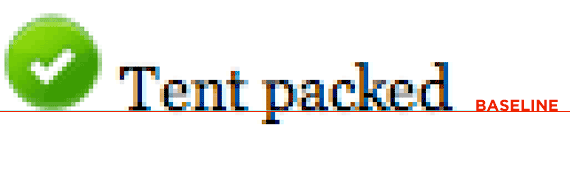
The default value of vertical-align (if you declare nothing), is baseline. Images will line up with the text at the baseline of the text. Note that descenders on letters dip below the baseline. Images don't line up with the lowest point of the descenders, that isn't the baseline.
Middle
Perhaps the most common use for vertical-align is setting it to 'middle' on icon-size images. The results are generally consistent cross-browser:
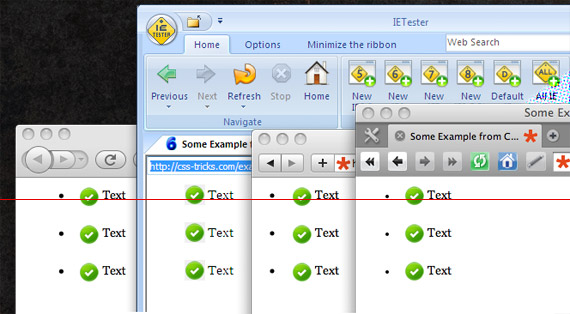
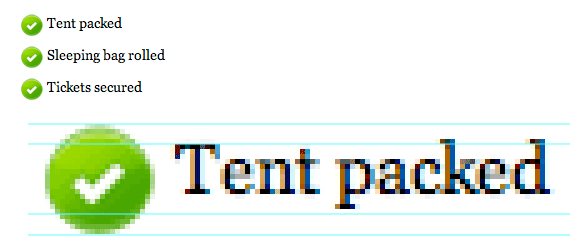
The browser does the best job it can centering the pixel height of the text with the pixel height of the image:
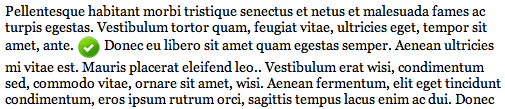
Be aware that if the image is larger than the current font-size and line-height, it will push the following lines down if need be:
Text-bottom
Different from the baseline of type, is the bottom of text, where the descenders go down to. Images can be aligned with this depth as well:
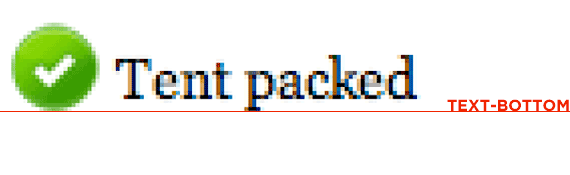
Text-top
Opposite of text-bottom, is text-top, the highest point of the current font-size. You can align to this as well. Note that the current font, Georgia, probably has some ascenders taller than those represented here hence the small gap.
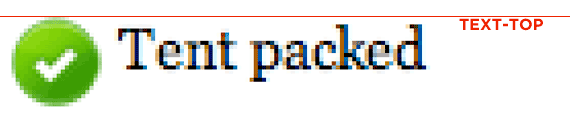
Top & Bottom
Top and Bottom work similarly to text-top and text-bottom, but they are not constrained by text but rather by anything at all on that line (like another image). So if there were two images on the same line, of different heights and both larger than the text on that line, their tops (or bottoms) would align regardless of that text size.
Sub & Super
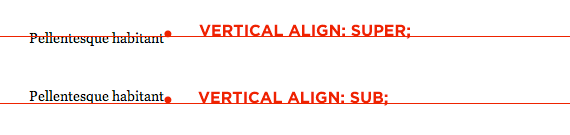
These values stand for superscript and subscript, so elements aligned with these methods align themselves as such:
Vertical Align on Table Cells
Unlike images, table cells default to middle vertical alignment:
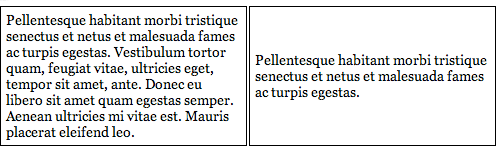
If you would rather see that text aligned to the top or bottom of the cell when it needs to stretch beyond the height that it needs, apply top or bottom vertical-alignment:
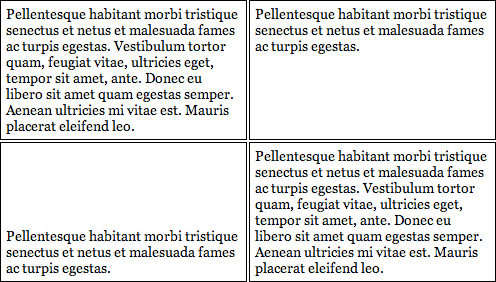
When using vertical-align on table cells, sticking with top, bottom, and middle is your best bet. None of the other values make a whole lot of sense anyway, and have unpredictable cross browser results. For example, setting a cell to text-bottom aligns the text to the bottom in IE 6, and to the top in Safari 4. Setting it to sub causes middle alignment in IE 6 and top in Safari 4.
vertical-align and inline-block
Images, while technically inline level elements, behave more like inline-block elements. You can set their width and height and they obey that, unlike most inline elements.
Inline-block elements behave just like images with vertical align, so refer to the above. However, be aware that not all browsers treat inline-block elements the same way, so vertical-align may be the least of your worries. That's another story though....
Deprecated as an attribute
Occasionally you will see "valign" used on table cells to accomplish vertical alignment. e.g. <td valign=top>. It should be noted that this attribute is deprecated and should not be used. There really isn't any reason for it anyway as you can do it with CSS anyway.
More Information
- vertical-align in the Almanac
- vertical-align on MDN
- Christopher Aue: All You Need To Know About Vertical-Align
- Trick with it for centering things in unknown height parents
What is Vertical Align?的更多相关文章
- 浏览器兼容CSS代码:按钮文字垂直居中(input button text vertical align)
经过测试的浏览器:IE6, IE7, IE8, IE9, Firefox, Chrome, Safiri, Maxthon 按钮的HTML代码: <input id="btn_comm ...
- 关于Vertical Align的理解
1:vertical-align 翻译就是垂直-对齐... 2:关于line-height的点 2.1:如果一个标签没有定义height属性,那么其最终表现的高度一定是由line-height起作用. ...
- 前端知识点回顾之重点篇——CSS中vertical align属性
来源:https://www.cnblogs.com/shuiyi/p/5597187.html 行框的概念 红色(line-height)为行框的顶部和底部,绿色(font-size)为字体的高度, ...
- CSS3与页面布局学习总结(二)——Box Model、边距折叠、内联与块标签、CSSReset
一.盒子模型(Box Model) 盒子模型也有人称为框模型,HTML中的多数元素都会在浏览器中生成一个矩形的区域,每个区域包含四个组成部分,从外向内依次是:外边距(Margin).边框(Border ...
- highcharts
preparation Highcharts Highcharts是一个制作图表的纯Javascript类库,主要特性如下: 兼容性:兼容当今所有的浏览器,包括iPhone.IE和火狐等等: 对个人用 ...
- FusionCharts和highcharts 饼图区别!
FusionCharts ---------------脚本--------------- <script src="../../../fashioncharts/js/FusionC ...
- 进一步封装highchart,打造自己的图表插件:jHighChart.js
Highcharts 是一个用纯JavaScript编写的一个图表库, 能够很简单便捷的在web网站或是web应用程序添加有交互性的图表.支持的图表类型有曲线图.区域图.柱状图.饼状图.散状点图和综合 ...
- Box Model,边距折叠,内联和块标签,CSSReset
一.盒子模型(Box Model) 1.1.宽度测试 1.2.溢出测试 1.3.box-sizing属性 1.4.利用CSS画图 二.边距折叠 2.1.概要 2.2.垂直方向外边距合并计算 三.内联与 ...
- HighCharts从数据库中读取数据
1.index.js router.get('/', function(req, res, next) { res.render('index', { title: 'Express' }); }); ...
随机推荐
- vue 数组 新增元素 响应式原理 7种方法
1.问题 思考一个问题,以下代码: <!DOCTYPE html> <html> <head> <meta charset="utf-8" ...
- jersey获取各个参数的总结
service端: @Path("/hello") public class HelloService { @GET @Produces("text/plain" ...
- exception java.lang.NoClassDefFoundError: Could not initialize class sun.awt.X11GraphicsEnvironment
exception java.lang.NoClassDefFoundError: Could not initialize class sun.awt.X11GraphicsEnvironmen ...
- c#委托是什么?事件是不是一种委托?
C#的委托是CTS(公共类型系统)规定的5中类型之一(类类型.结构类型.接口类型.枚举类型.委托类型).它类似于c或c++中的函数的指针,但函数指针只能引用静态方法,而委托既能引用静态方法,也能引用实 ...
- OpenWrt中wifidog的配置及各节点页面参数
修改/etc/wifidog.conf, 只需要修改文件的前半部分, 其他都保持默认 GatewayID default GatewayInterface br-lan GatewayAddress ...
- 简单易懂的Ubuntu生存战略:开启无线网卡的wifi热点,ap模式
在ubuntu下如何把无线网卡设置成可供wifi设备上网的接入点 因为某些移动设备对wifi热点的要求有些苛刻,p2p模式的无线连接方式虽然易设置,但是实用性不高. 相对而言,创建一个虚拟无线路由器成 ...
- 【LeetCode】34. Search for a Range
Search for a Range Given a sorted array of integers, find the starting and ending position of a give ...
- 设置当前Activity的屏幕亮度
设置当前的Activity的屏幕亮度,而不是设置系统的屏幕亮度,退出当前的Activity后恢复系统的亮度. 直接看代码好了 Java代码 WindowManager.LayoutParams lp ...
- Linux-Tmux使用初体验
Tmux使用初体验 tmux #开启tmux tmux ls #显示已有tmux列表(ctrl+b s) tmux attach-session -t 数字 #选择tmux ctrl+b c 创建一个 ...
- python学习笔记——守护进程
1 基本描述 守护进程:是系统中独立的后台服务进程, 特点:独立与终端并且周期性地执行某个任务,其生命周期长,一般随系统启动和终止. 缺点:进程的创建和销毁的时候需要消耗较多的计算机资源. 2 参考 ...