
第一行代码 -3-1 软件也要拼脸蛋-UI界面
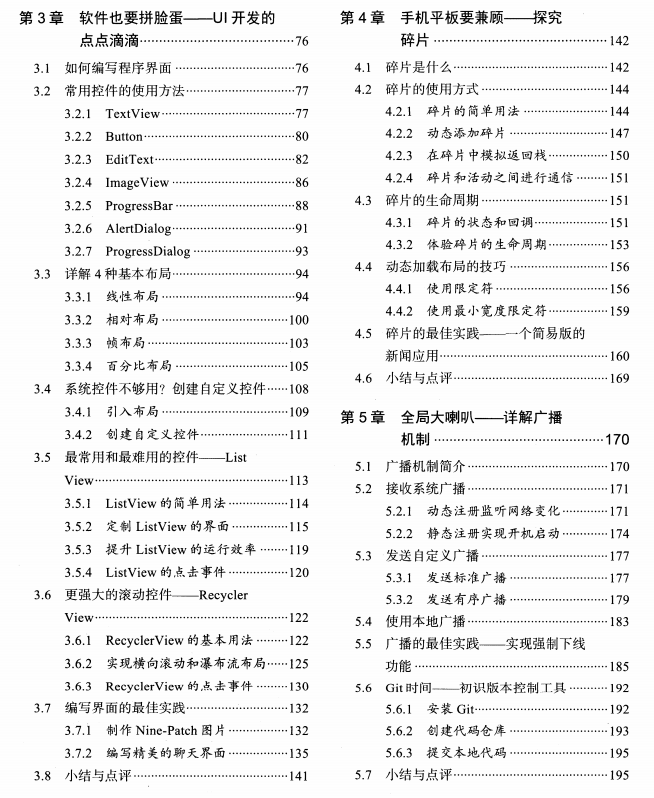
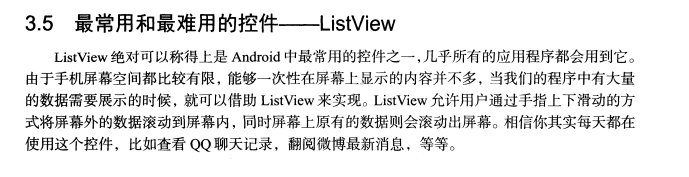
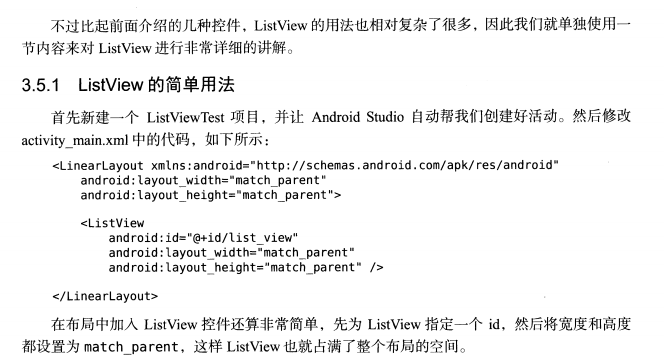
 <ListView

            android:id="@+id/list_view"

             android:layout_width="match_parent"

            android:layout_height="match_parent"

        />

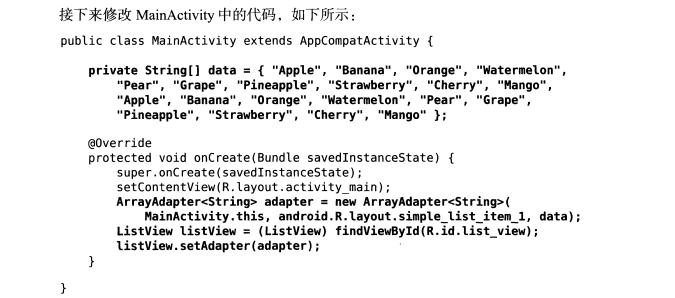
 private String[] data={"a","b","c","e"};

    @Override // 主界面初始构造函数

    protected void onCreate(Bundle savedInstanceState) {

        super.onCreate(savedInstanceState);

        setContentView(R.layout.first_layout);

        Button button1=(Button)findViewById(R.id.button1);

        button1.setOnClickListener(new View.OnClickListener(){

        @Override

        public void onClick(View v){

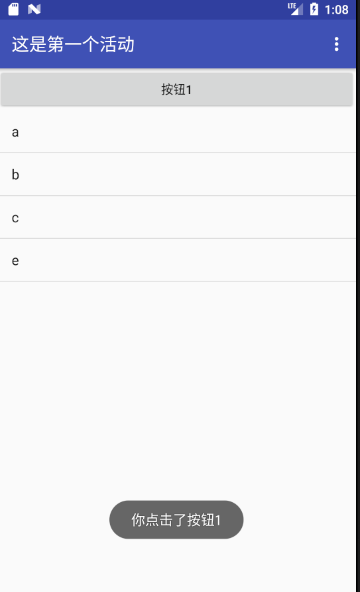
            Toast.makeText(FirstActivity.this,"你点击了按钮1",Toast.LENGTH_SHORT).show();

            ArrayAdapter<String> adapter= new ArrayAdapter<String>(FirstActivity.this,android.R.layout.simple_list_item_1,data);

            ListView listview=(ListView)findViewById(R.id.list_view);

            listview.setAdapter(adapter);

        }

        });

    }
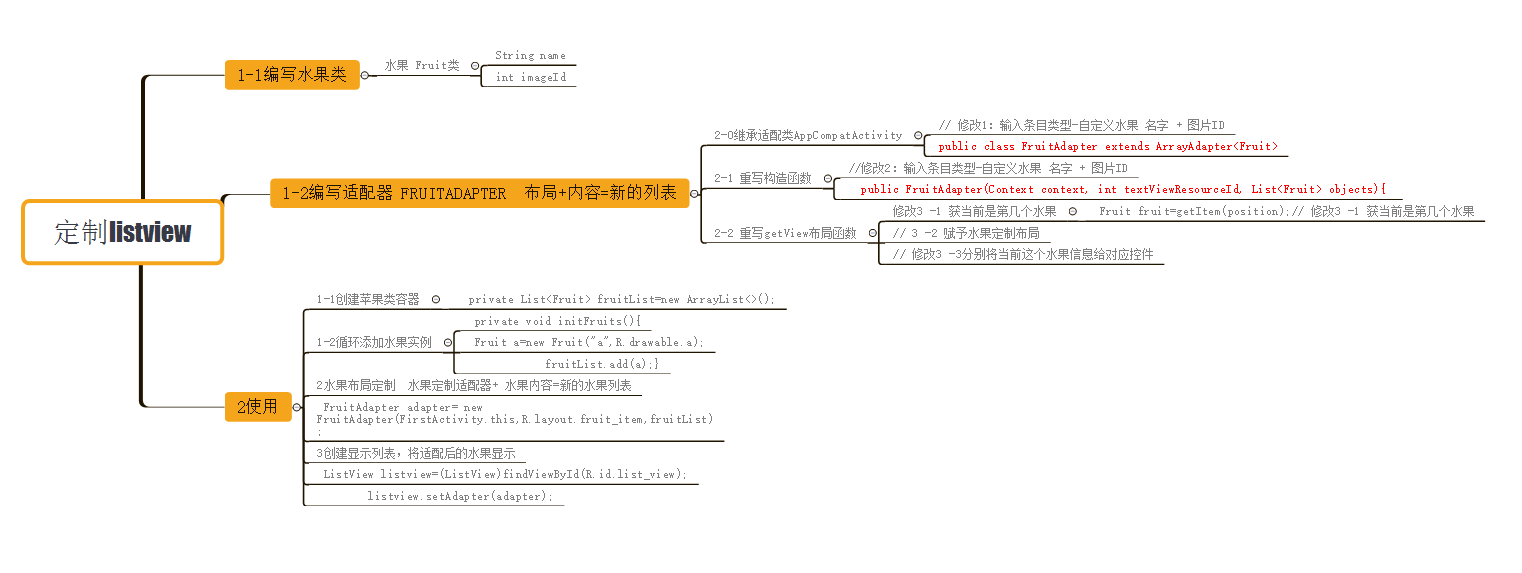
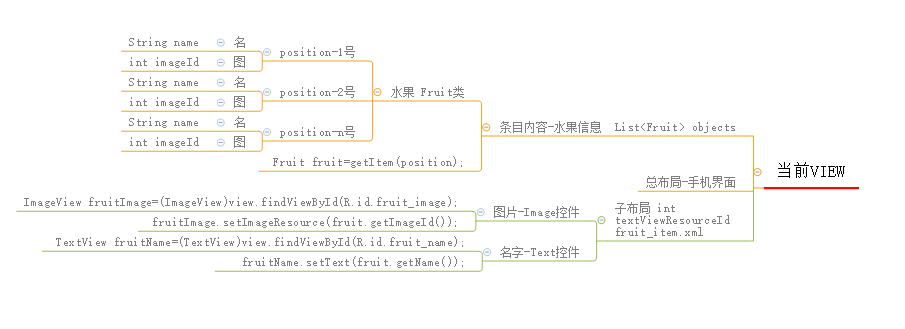
定制界面流程
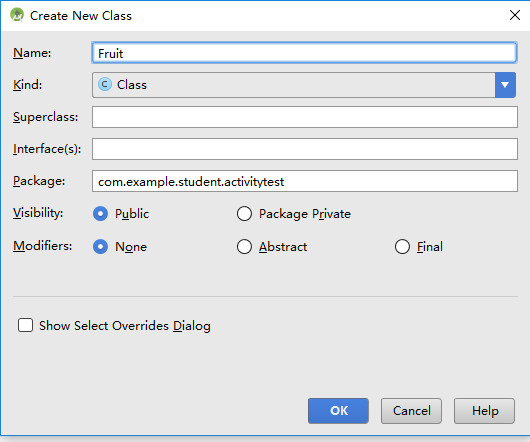
package com.example.student.activitytest;

/**

 * Created by student on 2018/6/16.

 */

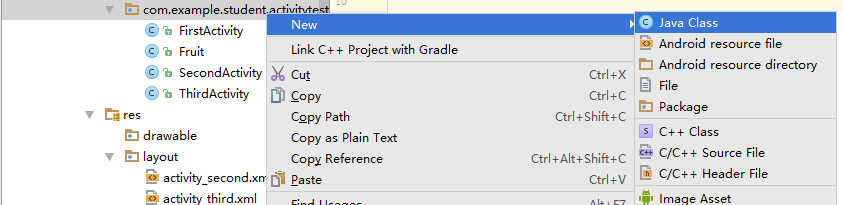
public class Fruit {

    private String name;

    private int imageId;

    public Fruit(String name,int imageId){

        this.imageId=imageId;

        this.name=name;

    }

    public String getName(){

        return name;

    }

    public int getImageId(){

        return imageId;

    }

}



<?xml version="1.0" encoding="utf-8"?>

<LinearLayout xmlns:android="http://schemas.android.com/apk/res/android"

    android:orientation="vertical" android:layout_width="match_parent"

    android:layout_height="match_parent">

    <ImageView

        android:id="@+id/fruit_image"

        android:layout_height="wrap_content"

        android:layout_width="match_parent"

    />

    <TextView

        android:id="@+id/fruit_name"

        android:layout_height="wrap_content"

        android:layout_width="match_parent"

        android:layout_gravity="center_vertical"

        android:layout_marginLeft="10dp"

        />

</LinearLayout>



package com.example.student.activitytest;

import android.content.Context;

import android.media.Image;

import android.view.LayoutInflater;

import android.view.View;

import android.view.ViewGroup;

import android.widget.ArrayAdapter;

import android.widget.ImageView;

import android.widget.TextView;

import java.util.List;

/**

 * Created by student on 2018/6/16.

 */

public class FruitAdapter extends ArrayAdapter<Fruit>{ // 修改1:输入条目类型-自定义水果 名字 + 图片ID

    private  int resourceId;// 水果定制布局  实参 fruit_item.xml

    // 输入

    // 参数1:总布局

    // 参数2:水果定制布局   实参 fruit_item.xml

    // 参数3:水果内容信息   名 + 图片Id

    public FruitAdapter(Context context, int textViewResourceId, List<Fruit> objects){  //修改2:输入条目类型-自定义水果 名字 + 图片ID

    super(context,textViewResourceId);

    resourceId=textViewResourceId;// 水果定制布局  实参 fruit_item.xml

    }

    @Override

    public View getView(int position, View convertView , ViewGroup parent){

        Fruit fruit=getItem(position);// 修改3 -1 获当前是第几个水果

        View view= LayoutInflater.from(getContext()).inflate(resourceId,parent,false);// 3 -2 赋予水果定制布局

        ImageView fruitImage=(ImageView)view.findViewById(R.id.fruit_image);// 修改3 -3分别将当前这个水果信息给对应控件

        TextView fruitName=(TextView)view.findViewById(R.id.fruit_name);

        fruitImage.setImageResource(fruit.getImageId());

        fruitName.setText(fruit.getName());

        return view;

    }

}



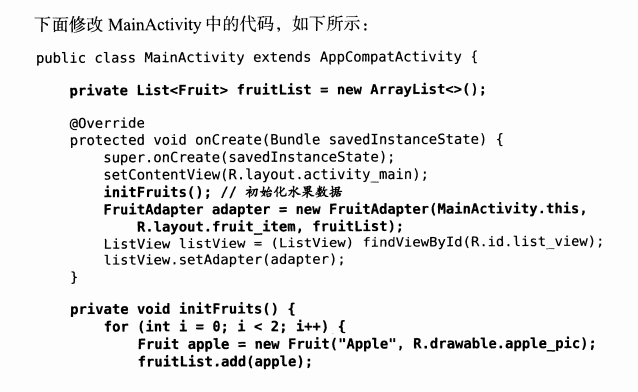
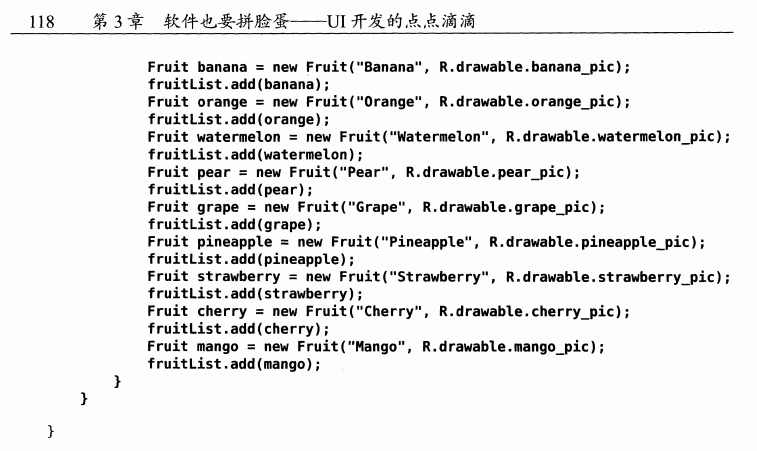
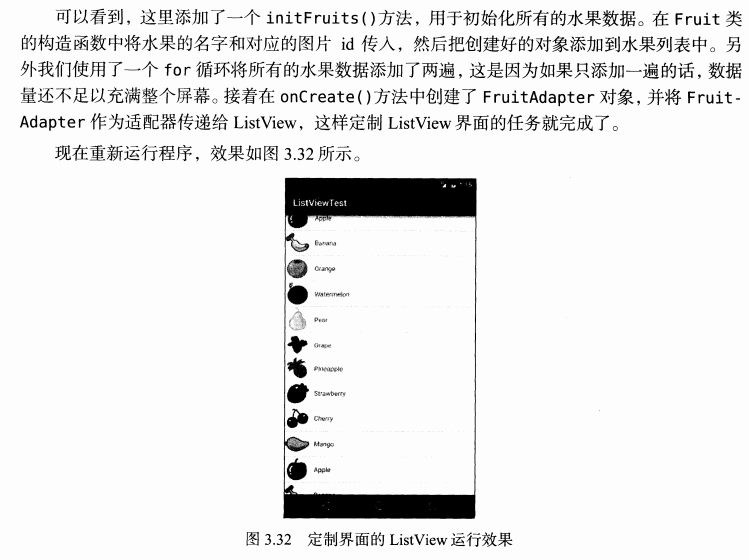

 // 1-1水果内容

    private List<Fruit> fruitList=new ArrayList<>();

    // 1-2水果内容赋值

    private void initFruits(){

        for(int i=0;i<4;i++){

            Fruit a=new Fruit("a",R.drawable.a);

            fruitList.add(a);

            Fruit b=new Fruit("a",R.drawable.c);

            fruitList.add(b);

            Fruit c=new Fruit("a",R.drawable.d);

            fruitList.add(c);

        }

    }

    @Override // 主界面初始构造函数

    protected void onCreate(Bundle savedInstanceState) {

        super.onCreate(savedInstanceState);

        setContentView(R.layout.first_layout);

        // 1-2水果内容赋值

        initFruits();

        // 2-1水果布局定制  水果定制适配器+ 水果内容=新的水果列表

        FruitAdapter adapter= new FruitAdapter(FirstActivity.this,R.layout.fruit_item,fruitList);

        // 3 创建显示列表,将适配后的水果显示

        ListView listview=(ListView)findViewById(R.id.list_view);

        listview.setAdapter(adapter);

        Button button1=(Button)findViewById(R.id.button1);

        button1.setOnClickListener(new View.OnClickListener(){

        @Override

        public void onClick(View v){

            Toast.makeText(FirstActivity.this,"你点击了按钮1",Toast.LENGTH_SHORT).show();}

        });

    }
第一行代码 -3-1 软件也要拼脸蛋-UI界面的更多相关文章
- 第一行代码 -3-2 软件也要拼脸蛋-UI界面-更强大的滚动条-RecyclerView
简述教程:https://www.jianshu.com/p/4fc6164e4709 一 基础准备 1 添加RecyclerView控件引用库文件 2 总布局添加RecyclerView控件 3 R ...
- 第一行代码 3-2-2 软件也要拼脸蛋-UI界面-更强大的滚动条- 卡片
<LinearLayout android:orientation="vertical" android:layout_width="match_parent&qu ...
- 第一行代码 3-5 软件也要拼脸蛋-UI界面-更强大的滚动条- 聊天室
动画 https://www.jianshu.com/p/4fc6164e4709 前面说过,RecyclerView可以设置列表中Item删除和添加的动画,在v7包中给我们提供了一种默认的Item删 ...
- 《第一行代码 android》 读书笔记:找出当前界面对应的Activity
在android开发中找出当前界面对应的Activity,步骤如下: 新建一个BaseActivity继承自Activity,然后在BaseActivity中重写onCreate()方法,通过getC ...
- 第三章:软件也要拼脸蛋-UI 开发的点点滴滴
常用控件 常用控件有:按钮 Button.文本显示框 TextView.图片显示框 ImageView.文本编辑框 EditText.进度条 ProgressBar.提示框 AlertDialog.进 ...
- 第一行代码 Android 第二版到货啦
今日android第一行代码[第二版]已到,收获的季节到了 先看一下封面 书签: 以后就把空闲时间送给它吧 先来看一下本书的目录: 第1章 开始启程--你的第1行Android代码 第2章 先从看得到 ...
- 通过《第一行代码》学习 Android 开发
第一行代码 Android --第 2 版-- 郭霖 著 第 1 章:开始启程--你的第一行 Android 代码 •1.2 手把手带你搭建开发环境 Android Studio 的安装及配置 A ...
- 第一行代码 Android (郭霖 著)
https://github.com/guolindev/booksource 第1章 开始启程----你的第一行Android代码 (已看) 第2章 先从看得到的入手----探究活动 (已看) 第3 ...
- HTML5 & CSS3初学者指南(1) – 编写第一行代码
介绍 网络时代已经到来.现在对人们来说,每天上网冲浪已经成为一种最为常见的行为. 在网页浏览器中输入一段文本地址,就像http://www.codeproject.com,等待一下,网页就加载到浏览器 ...
随机推荐
- [转]【Angular4】基础(二):创建组件 Component
本文转自:https://blog.csdn.net/u013451157/article/details/79445138 版权声明:本文为博主原创文章,未经博主允许不得转载. https://bl ...
- SqlServer 登录和卸载
一.数据库简介 SQLServer环境配置 安装好数据库以后怎么启用sa账号来访问数据库. 1.先用windows账号登录数据库. 2.启用windows身份验证方式和sql server身份验证方式 ...
- Perl爬虫的简单实现
由于工作中有个项目需要爬取第三方网站的内容,所以在Linux下使用Perl写了个简单的爬虫. 相关工具 1. HttpWatch/浏览器开发人员工具 一般情况下这个工具是用不到的,但是如果你发现要爬取 ...
- Docker第二章:docker基础1--镜像,容器&仓库
镜像介绍及操作:http://www.haveneed.cn/article-detials/115 容器介绍及操作:http://www.haveneed.cn/article-detials/11 ...
- PL/SQL Developer使用小技巧
1.PL/SQL Developer记住登陆密码 在使用PL/SQL Developer时,为了工作方便希望PL/SQL Developer记住登录Oracle的用户名和密码: ...
- loadrunner 脚本开发-字符串编码转换
字符串编码转换 by:授客 QQ:1033553122 相关函数 lr_convert_string_encoding函数 功能:字符串编码转换 原型: int lr_convert_string ...
- 自定义控件详解(二):Path类 相关用法
Path:路径 绘制路径:void drawPath (Path path, Paint paint) Path 可以绘制的路径 一.直线路径 1.基本方法 void moveTo (float st ...
- 《数据库系统概念》4-DDL、集合运算、嵌套子查询
一.DDLa) SQL Data DefinitionSQL的基本数据类型有char(n).varchar(n).int.smallint.numeric(p,d).real,double preci ...
- Android 打开文件或文件夹777权限
打开777权限 public class SystemManager extends Activity { public static boolean RootCommand(String comma ...
- 转 fiddler常见的应用场景
fiddler常见的应用场景 在移动互联网时代,作为软件测试工程师,fiddler绝对是值得掌握并添加进技术栈里的工具之一. 那么,fiddler在日常的测试工作中,一般都有哪些常见的应用场景呢? ...