
RBMQ案例四:路由模式

一、消息发布端
#!/usr/bin/env python

import pika

import sys

import json

import datetime

def get_message():

    # 产生消息入口处

    for i in range(100):  # 生成100条消息

        for str_t in ['info', 'warning', 'error']: # 生成三种类型的消息

            message = json.dumps({'id': "%s-90000%s" % (str_t, i), "amount": 100 * i, "name": "%s" % str_t,

                                  "createtime": str(datetime.datetime.now())})

            producer(message, str_t)

def producer(message, severity):

    # 登陆并创建信道

    connection = pika.BlockingConnection(

        pika.ConnectionParameters(virtual_host='/melon_demo', host='82.156.19.94', port=5672,

                                  credentials=pika.PlainCredentials('guest', 'guest')))

    channel = connection.channel()

    channel.exchange_declare(exchange='direct_logs', exchange_type='direct', durable=True)

    channel.basic_publish(exchange='direct_logs', routing_key=severity, body=message)

    print(" [x] Sent %r:%r" % (severity, message))

    connection.close()

if __name__ == "__main__":

    get_message()  # 程序执行入口
二、接收所有的消息all
#!/usr/bin/env python

import pika

import sys

connection = pika.BlockingConnection(pika.ConnectionParameters(virtual_host='/melon_demo', host='82.156.19.94', port=5672,

                              credentials=pika.PlainCredentials('guest', 'guest')))

channel = connection.channel()

channel.exchange_declare(exchange='direct_logs', exchange_type='direct',durable=True)

result = channel.queue_declare(queue='', exclusive=True)

queue_name = result.method.queue

for severity in ['info','warning','error']:

    channel.queue_bind( exchange='direct_logs', queue=queue_name, routing_key=severity)

print(' [*] Waiting for all logs. To exit press CTRL+C')

def callback(ch, method, properties, body):

    print(" [x] %r:%r" % (method.routing_key, body))

channel.basic_consume(queue=queue_name, on_message_callback=callback, auto_ack=True)

channel.start_consuming()
三、接收所有的消息info
#!/usr/bin/env python

import pika

import sys

connection = pika.BlockingConnection(pika.ConnectionParameters(virtual_host='/melon_demo', host='82.156.19.94', port=5672,

                              credentials=pika.PlainCredentials('guest', 'guest')))

channel = connection.channel()

channel.exchange_declare(exchange='direct_logs', exchange_type='direct',durable=True)

result = channel.queue_declare(queue='', exclusive=True)

queue_name = result.method.queue

# for severity in ['info','warning','error']:

#     channel.queue_bind( exchange='direct_logs', queue=queue_name, routing_key=severity)

channel.queue_bind( exchange='direct_logs', queue=queue_name, routing_key='info')

print(' [*] Waiting for info. To exit press CTRL+C')

def callback(ch, method, properties, body):

    print(" [x] %r:%r" % (method.routing_key, body))

channel.basic_consume(queue=queue_name, on_message_callback=callback, auto_ack=True)

channel.start_consuming()
四、接收所有的消息error
#!/usr/bin/env python

import pika

import sys

connection = pika.BlockingConnection(pika.ConnectionParameters(virtual_host='/melon_demo', host='82.156.19.94', port=5672,

                              credentials=pika.PlainCredentials('guest', 'guest')))

channel = connection.channel()

channel.exchange_declare(exchange='direct_logs', exchange_type='direct',durable=True)

result = channel.queue_declare(queue='', exclusive=True)

queue_name = result.method.queue

channel.queue_bind( exchange='direct_logs', queue=queue_name, routing_key='error')

print(' [*] Waiting for error. To exit press CTRL+C')

def callback(ch, method, properties, body):

    print(" [x] %r:%r" % (method.routing_key, body))

channel.basic_consume(queue=queue_name, on_message_callback=callback, auto_ack=True)

channel.start_consuming()
五、接收消息warning
#!/usr/bin/env python

import pika

import sys

connection = pika.BlockingConnection(pika.ConnectionParameters(virtual_host='/melon_demo', host='82.156.19.94', port=5672,

                              credentials=pika.PlainCredentials('guest', 'guest')))

channel = connection.channel()

channel.exchange_declare(exchange='direct_logs', exchange_type='direct',durable=True)

result = channel.queue_declare(queue='', exclusive=True)

queue_name = result.method.queue

# for severity in ['info','warning','error']:

channel.queue_bind( exchange='direct_logs', queue=queue_name, routing_key='warning')

print(' [*] Waiting for warning. To exit press CTRL+C')

def callback(ch, method, properties, body):

    print(" [x] %r:%r" % (method.routing_key, body))

channel.basic_consume(queue=queue_name, on_message_callback=callback, auto_ack=True)

channel.start_consuming()
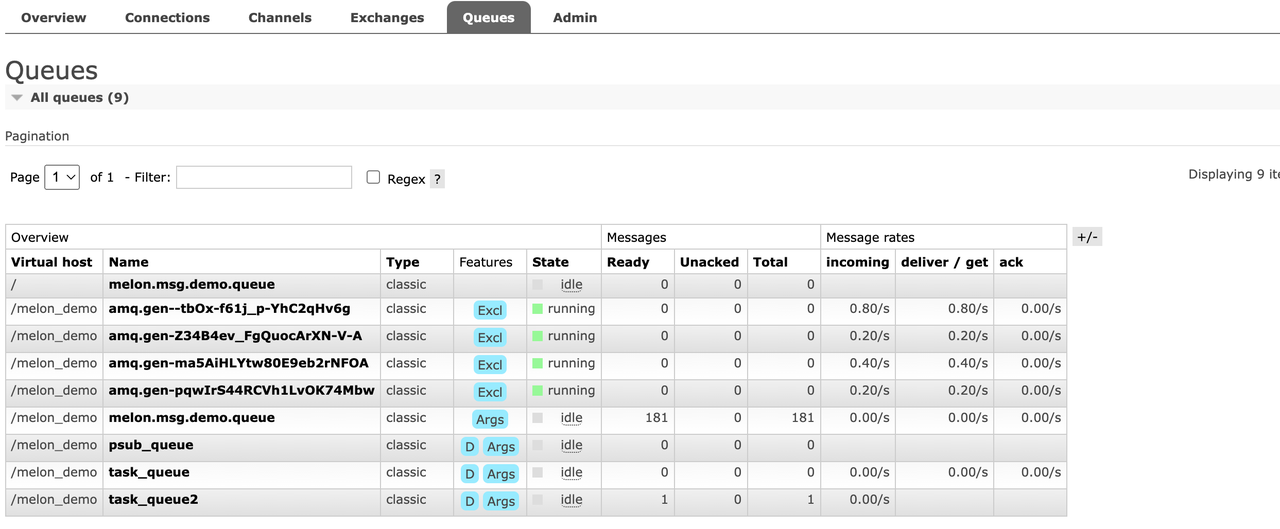

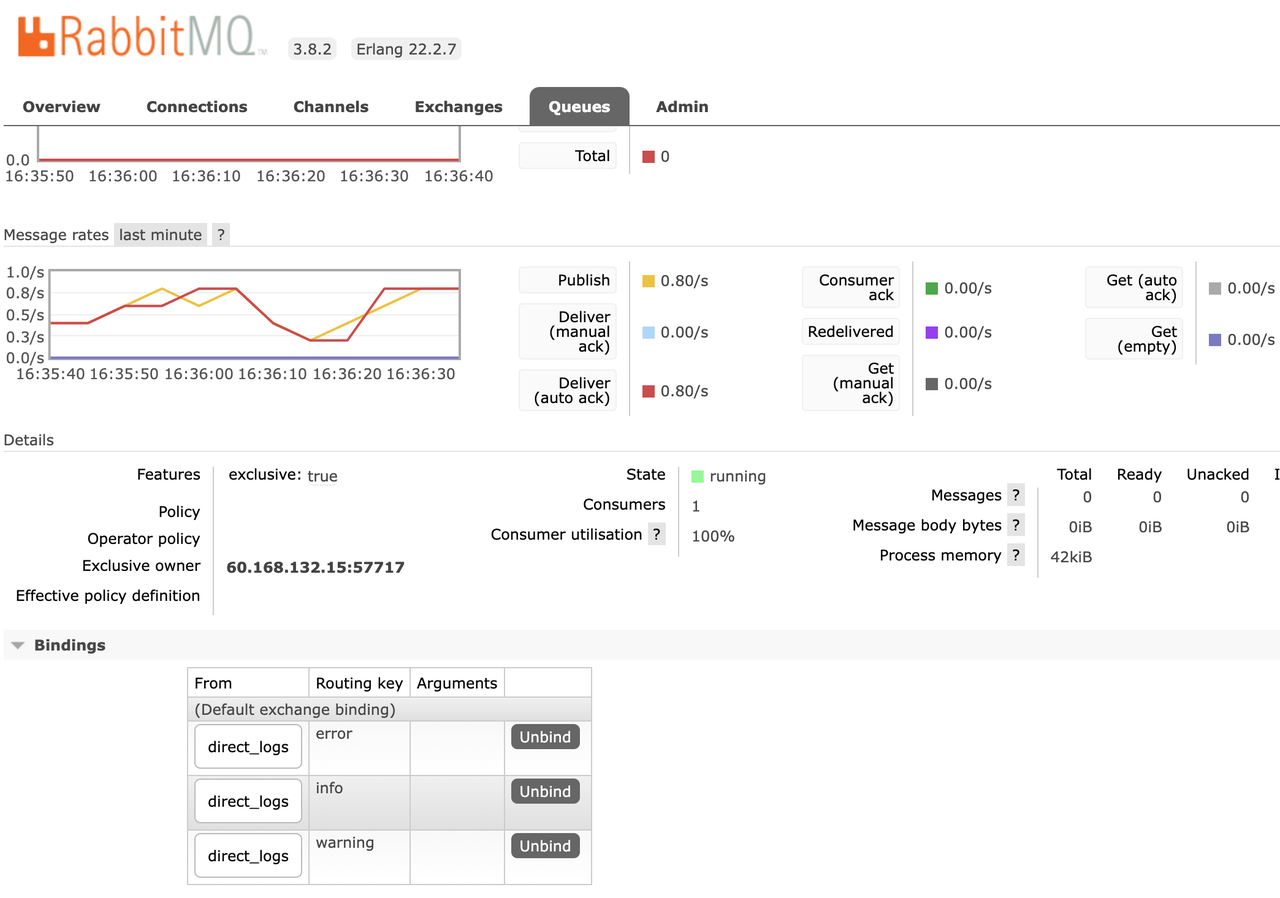
RBMQ案例四:路由模式的更多相关文章
- python使用rabbitMQ介绍四(路由模式)
一.模式介绍 路由模式,与发布-订阅模式一样,消息发送到exchange中,消费者把队列绑定到exchange上. 这种模式在exchange上添加添加了一个路由键(routing-key),生产者发 ...
- RabbitMQ学习第四记:路由模式(direct)
1.什么是路由模式(direct) 路由模式是在使用交换机的同时,生产者指定路由发送数据,消费者绑定路由接受数据.与发布/订阅模式不同的是,发布/订阅模式只要是绑定了交换机的队列都会收到生产者向交换机 ...
- LVS 原理(调度算法、四种模式、四层负载均衡和七层 的区别)
参考文档:http://blog.csdn.net/ioy84737634/article/details/44916241 目录 lvs的调度算法 lvs的四种模式 四层均衡负载和七层的区别 1.l ...
- history路由模式下的nginx配置
路由模式 众所周知,浏览器下的单页面应用的路由模式有下面两种: hash 模式和 history 模式.hash 模式通用性好,而且不依赖服务器的配置,省心省力,但是缺点是不够优雅.相比于 hash ...
- RabbitMQ六种队列模式-路由模式
前言 RabbitMQ六种队列模式-简单队列RabbitMQ六种队列模式-工作队列RabbitMQ六种队列模式-发布订阅RabbitMQ六种队列模式-路由模式 [本文]RabbitMQ六种队列模式-主 ...
- gRPC四种模式、认证和授权实战演示,必赞~~~
前言 上一篇对gRPC进行简单介绍,并通过示例体验了一下开发过程.接下来说说实际开发常用功能,如:gRPC的四种模式.gRPC集成JWT做认证和授权等. 正文 1. gRPC四种模式服务 以下案例演示 ...
- 修改thinkphp路由模式,去掉Home
第一步:入口文件增加 define('BIND_MODULE', 'Home'); 第二步:修改config文件,我这里路由模式设置为2 效果展示:
- Hibernate 查询MatchMode的四种模式
Hibernate 查询MatchMode的四种模式 MatchMode.START:字符串在最前面的位置.相当于"like 'key%'" MatchMode.END:字符串在最 ...
- Android 文件访问权限的四种模式
Linux文件的访问权限* 在Android中,每一个应用是一个独立的用户* drwxrwxrwx* 第1位:d表示文件夹,-表示文件* 第2-4位:rwx,表示这个文件的拥有者(创建这个文件的应用) ...
- RabbitMQ 一二事(4) - 路由模式介绍
路由模式其实和订阅模式差不多,只不过交换机的类型不同而已 路由模式可以用下图来表示,比订阅模式多了一个key,举个栗子就是根据不同的人群来订阅公众号,来收取消息 根据不同的key来获取不同的消息 最简 ...
随机推荐
- linux服务器压力/性能测试命令
linux命令下使用ab -c500 -n2000 http://www.test.cn 进行压力测试 在Linux命令行中,ab 是 Apache HTTP server benchmarki ...
- C# 生成缩略图方法
private static string CreateThumbnail(string filepath, int tWidth, int tHeight) { if (string.IsNullO ...
- C#弃元表达式的用法
原文地址:http://cshelloworld.com/home/detail/1803462343674433536 弃元符号是什么 弃元符号在C#中只是一个下划线 _,当程序员不想关注某些变量的 ...
- 【Python脚本】路径管理之pathlib
在Python的pathlib模块中,Path类和PurePath类是用于处理文件和目录路径的两个主要类.它们具有不同的目的和功能,以下是它们的主要异同点: 类的继承关系: Path类继承自PureP ...
- xpath 定位表格里面内容
向上找页面唯一元素,依次为: 表格体/第一行/第14列 实现代码 Xpath==//tbody/tr[1]/td[11]
- Selenium KPI接口 时间等待
常见的时间等待有三种: 固定.显示.隐士. 应用场景: 主要用于模拟真实的用户操作,有时时间过于短,页面响应不过来,从而造成元素定位不到. 使用格式: sleep(3):一般用于调试 implicit ...
- 使用PySide6/PyQt6实现Python跨平台表格数据分页打印预览处理
我曾经在前面使用WxPython开发跨平台应用程序的时候,写了一篇<WxPython跨平台开发框架之列表数据的通用打印处理>,介绍在WxPython下实现表格数据分页打印处理的过程,在Wi ...
- vue学习二(过滤器)
过滤器常用户来处理文本格式化的操作 过滤器还可以用在两个地方:花括号和v-bind 表达式 1.全局过滤器 {{user.gender|gfilter}} Vue.filter("gfil ...
- vue学习一(指令2.v-bind,v-model)
2.1.v-bind: 单向绑定(修改数据项,标签内容也改变:修改标签内容,数据项不会改变) 给html标签的属性绑定,可以用来动态修改class,简写 v-bind:style = ...
- 出现TypeError: float() argument must be a string or a number, not _NoValueType(机器学习 Win11)
博客地址:https://www.cnblogs.com/zylyehuo/ 如果出现以下报错 则说明是torch.numpy等库的版本不匹配 可以去以下网站寻找匹配的版本 https://mirro ...