
SpringBoot系列——admin服务监控
前言
springboot项目部署起来后,如何实时监控项目的运行状况呢?本文记录使用springboot-admin对服务进行监控。
springboot-admin介绍:https://codecentric.github.io/spring-boot-admin/current/#_what_is_spring_boot_admin
工程结构
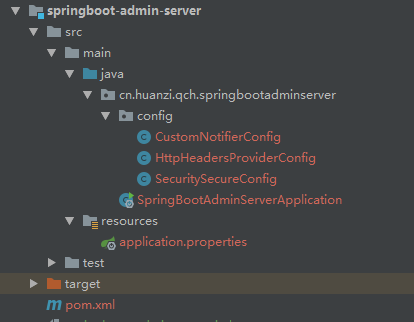
服务端
server服务端
客户端
client客户端
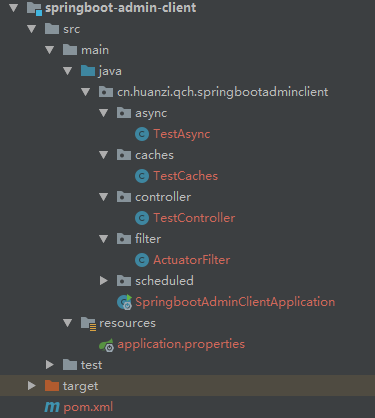
服务端、客户端都是独立的web项目,服务端是监控程序,客户端是被监控的程序,本文只测试了一个客户端接入
代码编写
服务端
server服务端引入相关依赖
2.2.0后admin的管理页面支持中文,因此我们引入此版本(parent不再是引入我们的父工程pom了,直接引入springboot的2.2.0)
        <!-- 引入admin相关依赖 2.2.0页面支持中文显示,需要springboot 2.2.0 -->

        <dependency>

            <groupId>de.codecentric</groupId>

            <artifactId>spring-boot-admin-starter-server</artifactId>

            <version>2.2.0</version>

        </dependency>
为了安全性,引入security
       <!--springboot security 安全相关-->

        <dependency>

            <groupId>org.springframework.boot</groupId>

            <artifactId>spring-boot-starter-security</artifactId>

        </dependency>
解决控制台报错,移除tomcat,改用jetty
        <!--

            报错:java.lang.IllegalStateException: Calling [asyncError()] is not valid for a request with Async state [MUST_DISPATCH]

            解决:移除tomcat,换成jetty

        -->

        <dependency>

            <groupId>org.springframework.boot</groupId>

            <artifactId>spring-boot-starter-web</artifactId>

            <exclusions>

                <exclusion>

                    <groupId>org.springframework.boot</groupId>

                    <artifactId>spring-boot-starter-tomcat</artifactId>

                </exclusion>

            </exclusions>

        </dependency>

        <dependency>

            <groupId>org.springframework.boot</groupId>

            <artifactId>spring-boot-starter-jetty</artifactId>

        </dependency>
监控系统,直接配置账号、密码,不用搞那么麻烦接入数据库
#配置一个账号和密码

spring.security.user.name=admin

spring.security.user.password=123456
做好security配置
/**

 * Security安全配置

 */

@Configuration

public class SecuritySecureConfig extends WebSecurityConfigurerAdapter {

    //项目应用路径

    private final String adminContextPath;

    public SecuritySecureConfig(AdminServerProperties adminServerProperties) {

        this.adminContextPath = adminServerProperties.getContextPath();

    }

    @Override

    protected void configure(HttpSecurity http) throws Exception {

        SavedRequestAwareAuthenticationSuccessHandler successHandler = new SavedRequestAwareAuthenticationSuccessHandler();

        successHandler.setTargetUrlParameter("redirectTo");

        successHandler.setDefaultTargetUrl(adminContextPath + "/");

        http.authorizeRequests()

                //无需登录即可访问

                .antMatchers(adminContextPath + "/assets/**").permitAll()

                .antMatchers(adminContextPath + "/login").permitAll()

                .anyRequest().authenticated()

                .and()

                //登录和登出路径

                .formLogin().loginPage(adminContextPath + "/login").successHandler(successHandler).and()

                .logout().logoutUrl(adminContextPath + "/logout").and()

                //开启http basic支持,admin-client注册时需要使用

                .httpBasic().and()

                .csrf()

                //开启基于cookie的csrf保护

                .csrfTokenRepository(CookieCsrfTokenRepository.withHttpOnlyFalse())

                //忽略这些路径的csrf保护以便admin-client注册

                .ignoringAntMatchers(

                        adminContextPath + "/instances",

                        adminContextPath + "/actuator/**"

                );

    }

}
客户端是要暴露actuator的web端口的,为了安全,客户端只允许服务端请求actuator的web接口,为了方便客户端区分请求来源,我们在请求头注入自定义参数
/**

 * 注入额外的请求头,方便客户端区分请求来源

 */

@Component

public class HttpHeadersProviderConfig implements HttpHeadersProvider {

    @Value("${server.port}")

    private String port;

    @Override

    public HttpHeaders getHeaders(Instance instance) {

        HttpHeaders httpHeaders = new HttpHeaders();

        //设置约定好的请求头参数

        httpHeaders.add("spring-boot-admin-service", port);

        return httpHeaders;

    }

}
我们不可能整天上系统看监控数据,做好自定义通知,当实例状态发生改变,及时通知(发邮件、企业微信、钉钉都可以,自己实现)
/**

 * 自定义通知

 * 继承 AbstractStatusChangeNotifier 类,实现了 doNotify 方法,

 * 当应用状态改变的时候会回调 doNotify 方法。

 */

@Component

public class CustomNotifierConfig extends AbstractStatusChangeNotifier {

    public CustomNotifierConfig(InstanceRepository repository) {

        super(repository);

    }

    @Override

    protected Mono<Void> doNotify(InstanceEvent event, Instance instance) {

        return Mono.fromRunnable(() -> {

            if (event instanceof InstanceStatusChangedEvent) {

                System.out.println("实例名称:"+instance.getRegistration().getName());

                System.out.println("实例服务地址:"+instance.getRegistration().getServiceUrl());

                String status = ((InstanceStatusChangedEvent) event).getStatusInfo().getStatus();

                switch (status) {

                    case "DOWN":

                        System.out.println("健康检查没通过!");

                        break;

                    case "OFFLINE":

                        System.out.println("服务离线!");

                        break;

                    case "UP":

                        System.out.println("服务上线!");

                        break;

                    case "UNKNOWN":

                        System.out.println("服务未知异常!");

                        break;

                    default:

                        System.out.println(status);

                        break;

                }

            }

        });

    }

}
最后在启动打上@EnableAdminServer注解,开启服务监控
@EnableAdminServer//开启AdminServer功能

@SpringBootApplication

public class SpringBootAdminServerApplication {

    public static void main(String[] args) {

        SpringApplication.run(SpringBootAdminServerApplication.class, args);

    }

    /**

     * 启动成功

     */

    @Bean

    public ApplicationRunner applicationRunner() {

        return applicationArguments -> {

            System.out.println("启动成功!");

        };

    }

}
客户端
服务端引入了2.2.0版本的依赖,因此客户端也要引入2.2.0依赖
        <!-- 引入admin相关依赖 -->

        <dependency>

            <groupId>de.codecentric</groupId>

            <artifactId>spring-boot-admin-starter-client</artifactId>

            <version>2.2.0</version>

        </dependency>
在配置文件中,开启端口、配置admin的server地址,以及账号、密码
#启用端点,默认情况下,除shutdown以外的所有端点均已启用

management.endpoint.shutdown.enabled=true

#显示db、redis、rabbti连接情况等

management.endpoint.health.show-details=always

#公开所有端点web接口

management.endpoints.web.exposure.include=*

#admin-server地址,以及登录账号、密码

spring.boot.admin.client.port=10010

spring.boot.admin.client.url=http://localhost:${spring.boot.admin.client.port}

spring.boot.admin.client.username=admin

spring.boot.admin.client.password=123456
为了方便测试其他东西
        <!--添加springdata-cache依赖 -->

        <dependency>

            <groupId>org.springframework.boot</groupId>

            <artifactId>spring-boot-starter-cache</artifactId>

        </dependency>

        <!--添加MySQL驱动依赖 -->

        <dependency>

            <groupId>mysql</groupId>

            <artifactId>mysql-connector-java</artifactId>

        </dependency>
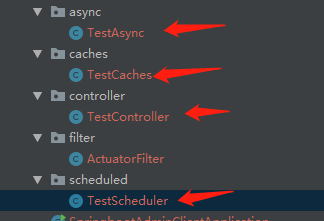
同时创建测试接口、定时器、cache缓存、异步任务,就是为了看服务端能否监控到
客户端是要暴露actuator的web端口的,为了安全,客户端只允许服务端请求actuator的web接口(通过约定好的请求头来判断)
/**

 * 针对actuator接口做安全限制,只允许服务端调用

 */

@WebFilter

@ServletComponentScan

@Component

public class ActuatorFilter implements Filter {

    @Value("${spring.boot.admin.client.port}")

    private String adminServicePort;

    @Override

    public void doFilter(ServletRequest servletRequest, ServletResponse servletResponse, FilterChain filterChain) throws IOException, ServletException {

        HttpServletRequest request = (HttpServletRequest) servletRequest;

        //判断约定好的请求头参数

        if (request.getRequestURI().contains("/actuator") && !adminServicePort.equals(request.getHeader("spring-boot-admin-service"))){

            throw new RuntimeException("抱歉,你无权限访问,Actuator端口受保护! Sorry, you have no permission to access it,Actuator port protected!");

        }

        filterChain.doFilter(servletRequest, servletResponse);

    }

}
效果演示
安全配置生效
首先先看安全配置都生效了没有
访问服务端,需要登录

登录上去,客户端已经注册成功

正常监控客户端中...
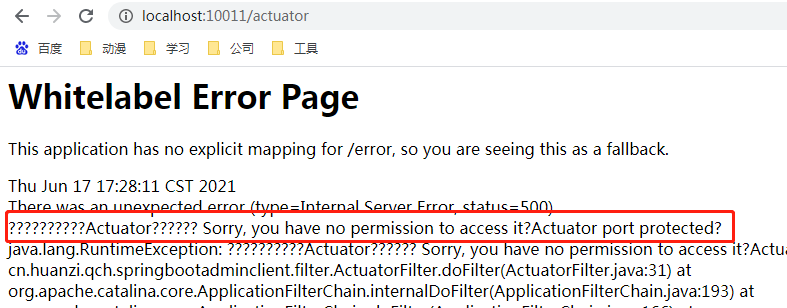
浏览器直接访问客户端的actuator接口,直接抛出异常
http://localhost:10011/actuator

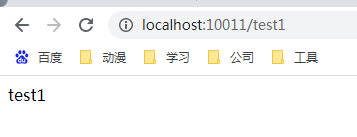
其他接口正常访问
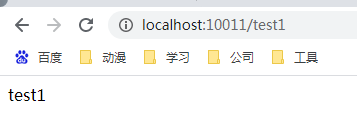
自定义通知
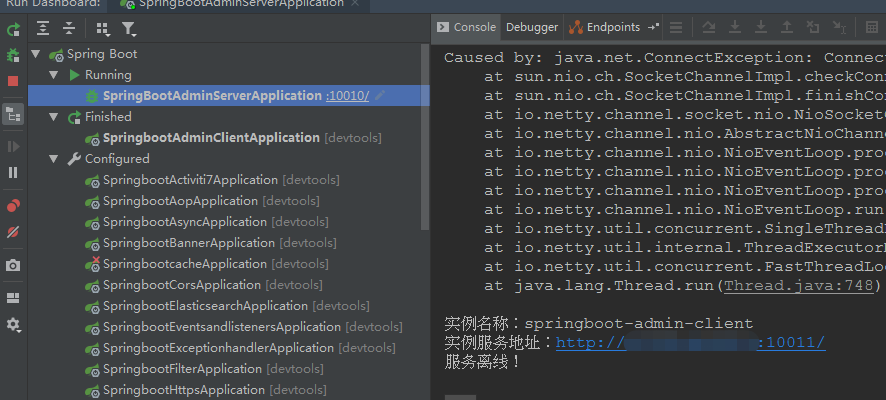
注:客户端首次在服务端注册,并没有触发自定义通知
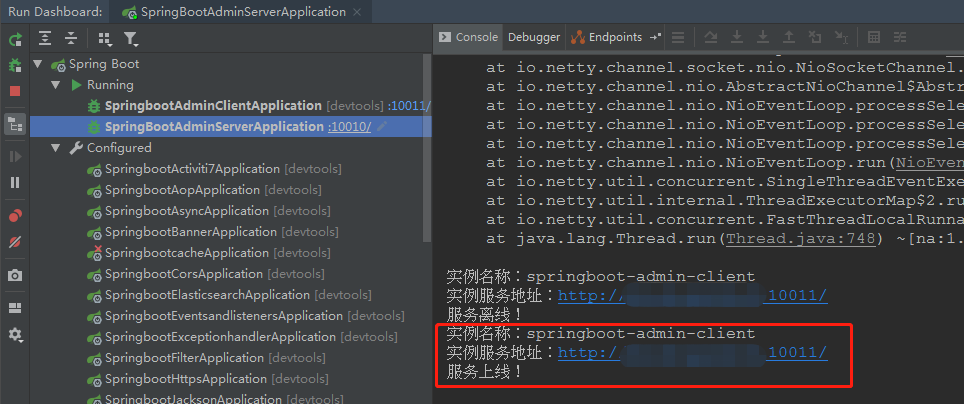
再看下自定义通知
停掉客户端服务、重启启动客户端,触发服务端自定义通知
具体监控项
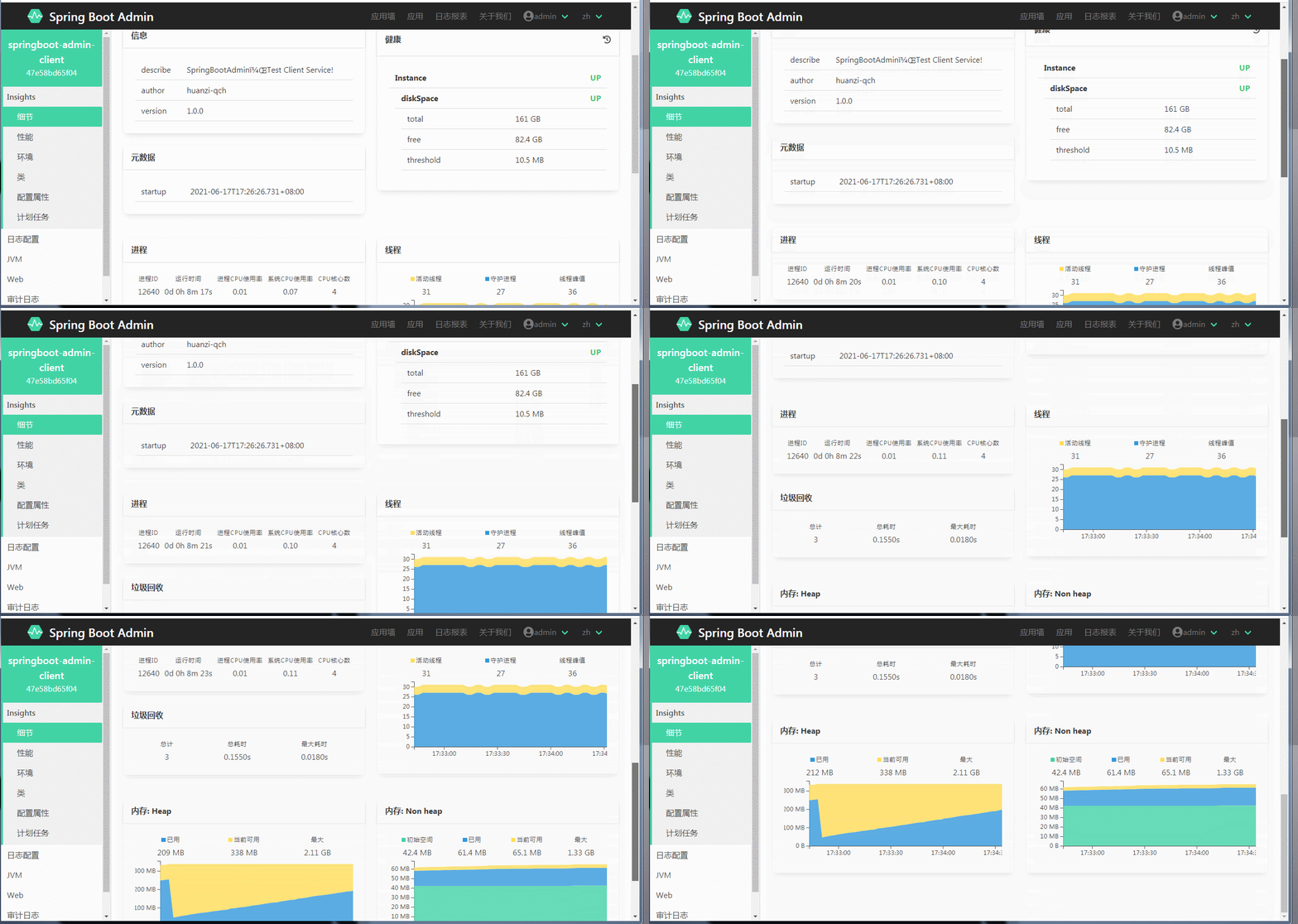
具体客户端的监控首页,有我们在客户端写的info信息、磁盘监控、堆、非堆内存监控、进程、线程监控、垃圾回收监控
#添加描述

info.describe=SpringBootAdmin,Test Client Service!

info.author=huanzi-qch

info.version=1.0.0


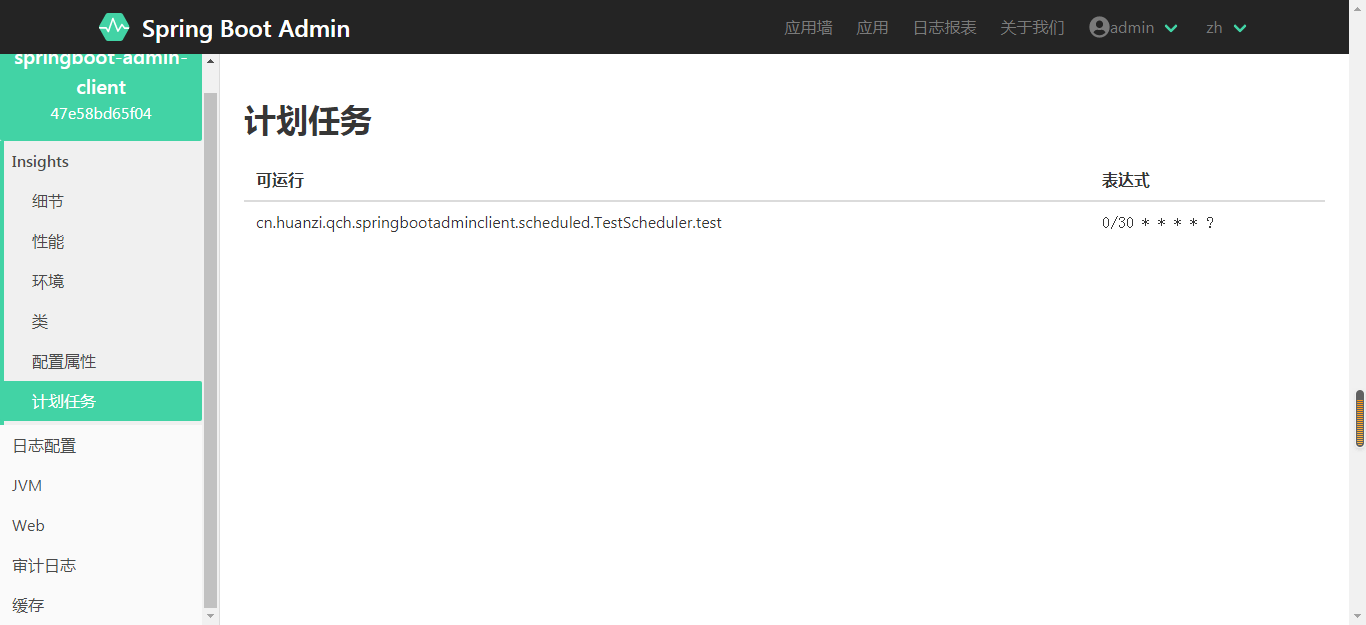
计划任务这里可以看到我们配置的定时器
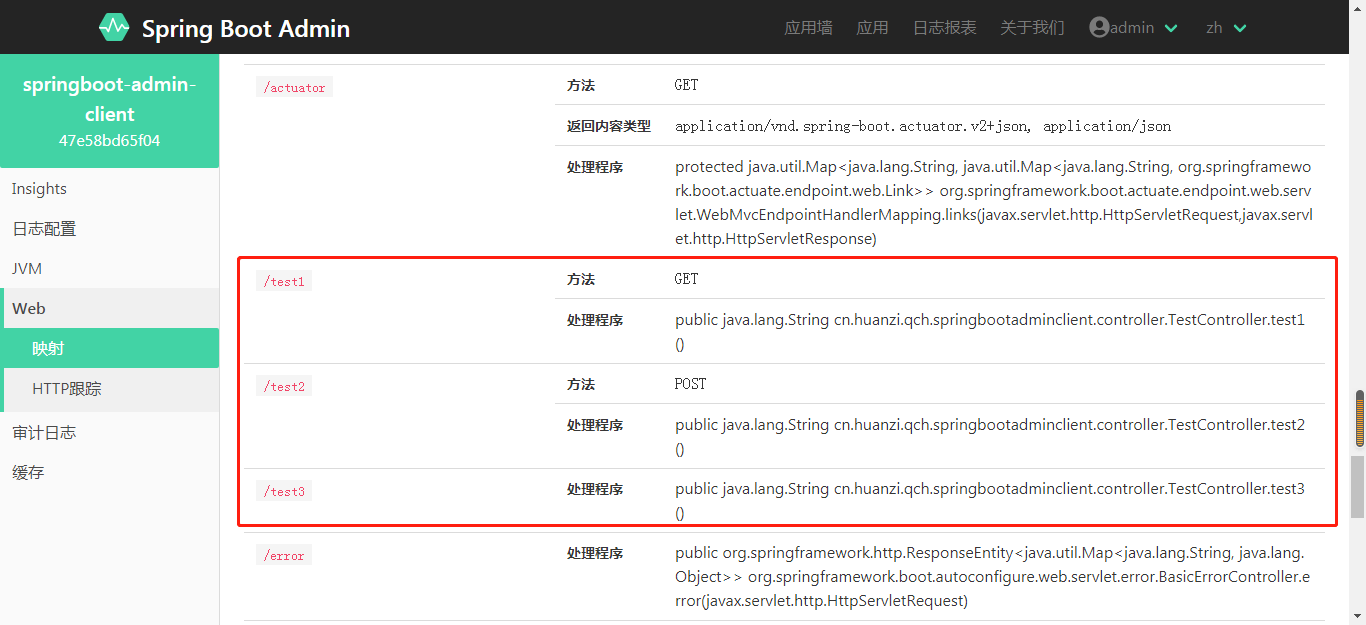
web映射可以看到所有的web接口
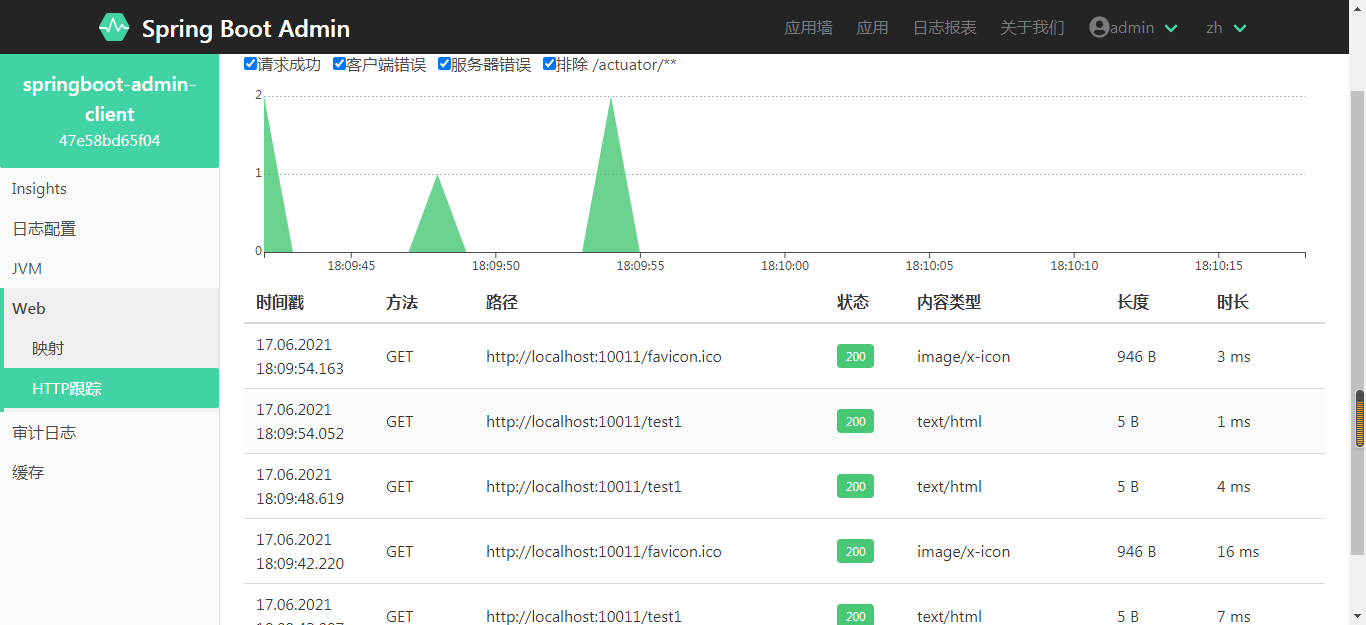
http跟踪,可以查看具体请求的响应情况
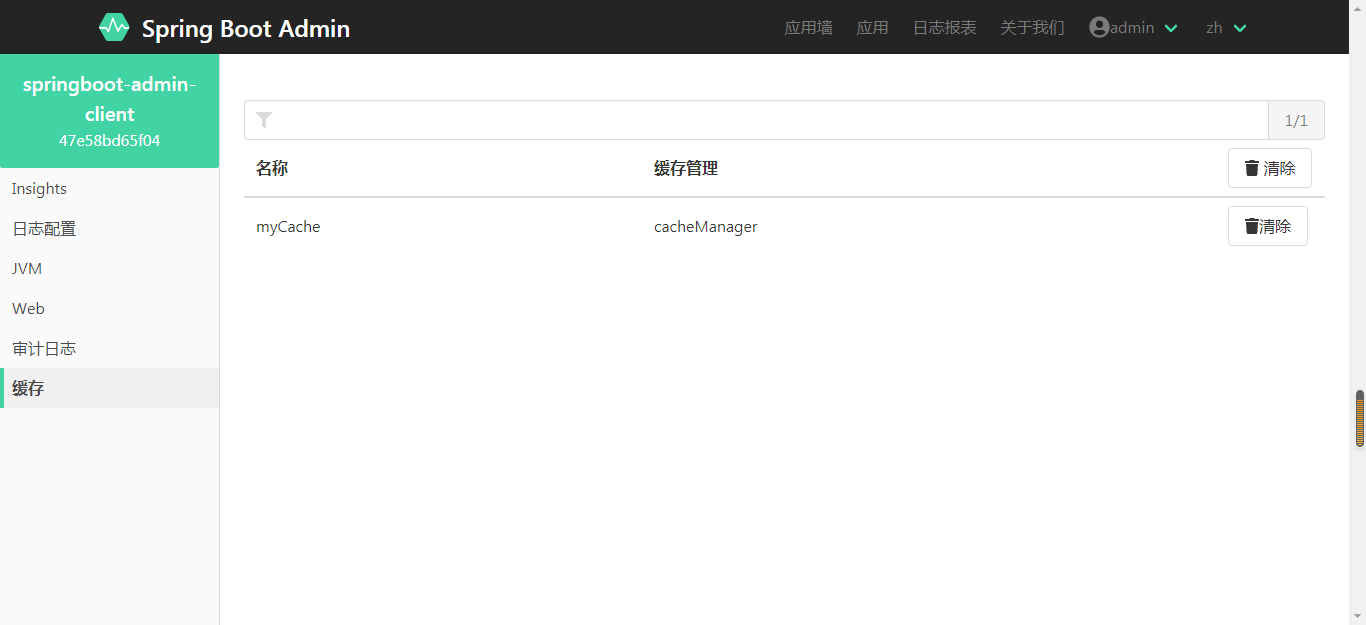
缓存菜单,可以看到我们使用到的缓存空间
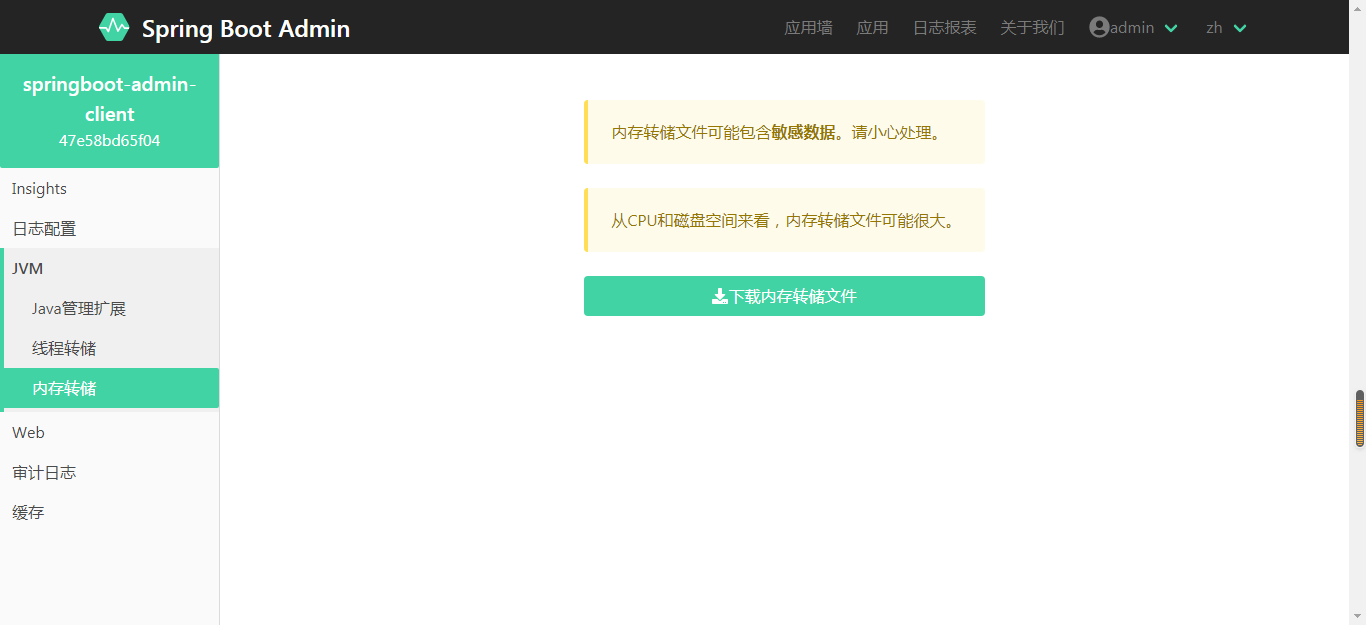
还可以下载jvm dump文件
其他就不一一列举,自己把项目跑起来再看
另外,这个版本好像不能查看异步任务?我并没有找到相关页面
后记
SpringBoot-Admin监控Client有两种模式:
一种是在Client端引入spring-boot-admin-starter-client依赖,配置好Server的相关信息。
另一种模式是将所有Client端注册到服务发现(Eureka)组件中去,同时把Server端也注册,这样Server端就可以监控所有Client端了,不用对Client都添加依赖。
SpringBoot系列——admin服务监控暂时先记录到这,后续有空再进行补充
代码开源
代码已经开源、托管到我的GitHub、码云:
GitHub:https://github.com/huanzi-qch/springBoot
码云:https://gitee.com/huanzi-qch/springBoot
SpringBoot系列——admin服务监控的更多相关文章
- Spring-Boot之Admin服务监控-9
一.Spring Boot Admin用于管理和监控一个或者多个Spring Boot程序.Spring Boot Admin分为Server端和Client 端,Client端可以通过向Http S ...
- Spring Cloud第十三篇 | Spring Boot Admin服务监控
本文是Spring Cloud专栏的第十三篇文章,了解前十二篇文章内容有助于更好的理解本文: Spring Cloud第一篇 | Spring Cloud前言及其常用组件介绍概览 Spring Clo ...
- spring boot 2.x 系列 —— actuator 服务监控与管理
文章目录 一.概念综述 1.1 端点 1.2 启用端点 1.3 暴露端点 1.4 健康检查信息 二.项目说明 1.1 项目结构说明 1.2 主要依赖 1.3 项目配置 1.4 查看监控状态 三.自定义 ...
- Springboot 系列(十七)迅速使用 Spring Boot Admin 监控你的 Spring Boot 程序,支持异常邮件通知
1. Spring Boot Admin 是什么 Spring Boot Admin 是由 codecentric 组织开发的开源项目,使用 Spring Boot Admin 可以管理和监控你的 S ...
- SpringBoot系列九:SpringBoot服务整合(整合邮件服务、定时调度、Actuator监控)
声明:本文来源于MLDN培训视频的课堂笔记,写在这里只是为了方便查阅. 1.概念:SpringBoot 服务整合 2.背景 在进行项目开发的时候经常会遇见以下的几个问题:需要进行邮件发送.定时的任务调 ...
- Springboot 系列(九)使用 Spring JDBC 和 Druid 数据源监控
前言 作为一名 Java 开发者,相信对 JDBC(Java Data Base Connectivity)是不会陌生的,JDBC作为 Java 基础内容,它提供了一种基准,据此可以构建更高级的工具和 ...
- springcloud(九) springboot Actuator + admin 监控
前一章讲的都是Feign项目(调用方)的监控.接下来讲的是服务提供方的监控 一.springboot actuator + springboot admin Spring Boot Admin 是一个 ...
- SpringBoot服务监控
SpringBoot服务监控分为客户端和服务端,即服务端是监控方,客户端为被监控方. 例如需要对线上的SpringBoot服务project-A进行监控,则project-A 为客户端.而监控的服务p ...
- SpringBoot系列之集成Druid配置数据源监控
SpringBoot系列之集成Druid配置数据源监控 继上一篇博客SpringBoot系列之JDBC数据访问之后,本博客再介绍数据库连接池框架Druid的使用 实验环境准备: Maven Intel ...
随机推荐
- NumPy之:使用genfromtxt导入数据
目录 简介 genfromtxt介绍 多维数组 autostrip comments 跳过行和选择列 简介 在做科学计算的时候,我们需要从外部加载数据,今天给大家介绍一下NumPy中非常有用的一个方法 ...
- 学习Python一年,这次终于弄懂了浅拷贝和深拷贝
官方文档:copy主题 源代码: Lib/copy.py 话说,网上已经有很多关于Python浅拷贝和深拷贝的文章了,不过好多文章看起来还是决定似懂非懂,所以决定用自己的理解来写出这样一篇文章. 当别 ...
- linux命令解压压缩rar文件
一.widonds下打包rar文件并上传 yum install lrzsz rz test.rar 二.下载并安装rar软件 2.1 下载 mkdir -p /home/oldboy/tools c ...
- CAS指令
原文链接:https://www.jianshu.com/p/00edb3d74a33 CAS是CPU的一条指令,其具有原子性,原子性是由CPU硬件层面保证的. CAS原语有三个操作数--内存 ...
- c语言编程学习之二维数组
二维数组 c语言按照行主序存储二维数组.也就是说,二维数组元素在内存中的位置是连续的,每行末尾元素(若不是最后一行)的下一个元素就是下一行的首元素. 如下图所示 接下来我们来分析一下如何将二维数组所有 ...
- Navicat操作MySQL简易教程
前言: 日常使用 MySQL 的过程中,我们可能会经常使用可视化工具来连接 MySQL ,其中比较常用的就是 Navicat 了.平时也会遇到某些同学问, Navicat 怎么安装,如何使用等问题.本 ...
- python爬虫——拉钩网python岗位信息
之前爬取的网页都是采用"GET"方法,这次爬取"拉勾网"是采取了"POST"的方法.其中,"GET"和"POS ...
- (转)解决c#自带的HttpClient(Http.GetFromJsonAsync Http.GetStringAsync等)返回中文乱码问题
Encoding.RegisterProvider(CodePagesEncodingProvider.Instance); var aa = await Http.GetByteArrayAsync ...
- linux基本命令随笔
cd(change directory) 不跟参数,直接进入当前登录用户的家目录 . 代表当前目录 .. 代表上级目录 ls(list) -l 显示文件详细信息 -a 显示隐藏文件 -S 以文件大小排 ...
- dstat命令
dstat命令 dstat命令是一个用来替换vmstat.iostat.netstat.nfsstat和ifstat这些命令的工具,是一个全能系统信息统计工具.与sysstat相比,dstat拥有一个 ...