
springcloud - alibaba - 2 - 集成Feign - 更新完成
1、依赖
- 依赖管理
<parent>

        <artifactId>spring-boot-parent</artifactId>

        <groupId>org.springframework.boot</groupId>

        <version>2.3.12.RELEASE</version>

        <relativePath/>

    </parent>
- 项目需要的依赖
<dependencies>

        <dependency>

            <groupId>org.springframework.boot</groupId>

            <artifactId>spring-boot-starter-web</artifactId>

        </dependency>

        <dependency>

            <groupId>org.projectlombok</groupId>

            <artifactId>lombok</artifactId>

        </dependency>

        <dependency>

            <groupId>org.springframework.boot</groupId>

            <artifactId>spring-boot-starter-test</artifactId>

        </dependency>

<!--        springcloud-alibaba需要的依赖-->

        <dependency>

            <groupId>com.alibaba.cloud</groupId>

            <artifactId>spring-cloud-starter-alibaba-nacos-discovery</artifactId>

        </dependency>

    </dependencies>

    <dependencyManagement>

        <dependencies>

            <dependency>

                <groupId>org.springframework.cloud</groupId>

                <artifactId>spring-cloud-dependencies</artifactId>

                <version>Hoxton.SR12</version>

                <type>pom</type>

                <scope>import</scope>

            </dependency>

            <dependency>

                <groupId>com.alibaba.cloud</groupId>

                <artifactId>spring-cloud-alibaba-dependencies</artifactId>

                <version>2.2.6.RELEASE</version>

                <type>pom</type>

                <scope>import</scope>

            </dependency>

        </dependencies>

    </dependencyManagement>

2、服务提供者
2.1)、yml配置
server:

  port: 8011

spring:

  application:

    name: ALIBABA-PUBLISHER

  cloud:

    nacos:

      discovery:

        server-addr: 162.14.66.60:8848  # 自己的服务器ip:8848

management:

  endpoints:

    web:

      exposure:

        include: "*" #健康检查

2.2)、启动类编写
package cn.zixieqing;

import org.springframework.boot.SpringApplication;

import org.springframework.boot.autoconfigure.SpringBootApplication;

import org.springframework.cloud.client.discovery.EnableDiscoveryClient;

/**

 * @ClassName PublisherApplication

 * @Author ZiXieQing

 * @Date 2021/12/7

 * Version 1.0

 **/

@SpringBootApplication

@EnableDiscoveryClient      // 开启nacos的客户端功能

public class PublisherApplication {

    public static void main(String[] args) {

        SpringApplication.run(PublisherApplication.class, args);

    }

}

2.3)、controller编写
package cn.zixieqing.controller;

import org.springframework.web.bind.annotation.GetMapping;

import org.springframework.web.bind.annotation.RequestMapping;

import org.springframework.web.bind.annotation.RestController;

@RestController

@RequestMapping("/provider")

public class ProvideService {

    @GetMapping("/service")

    public String provideService() {

        return "this is my son";

    }

}
3、Feign
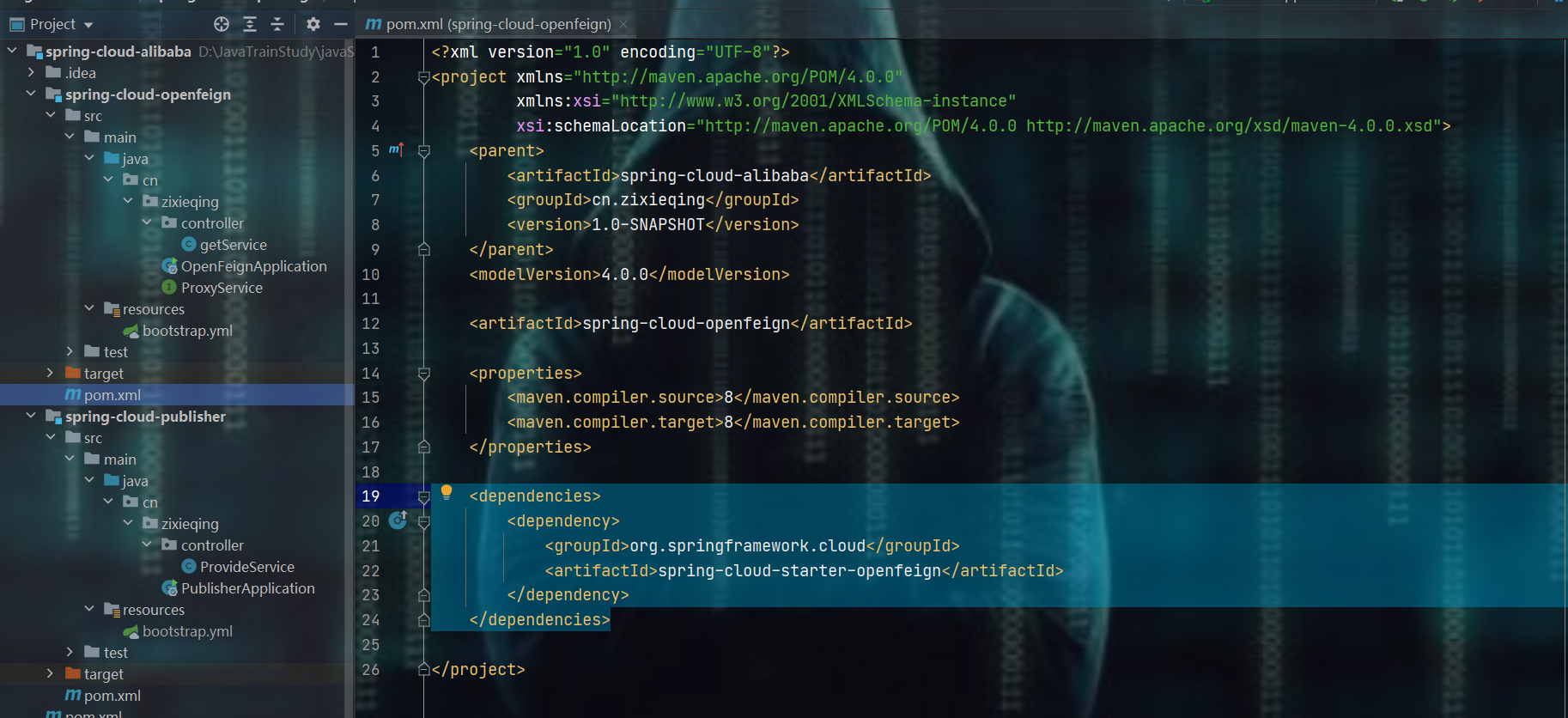
3.1)、导入依赖
    <dependencies>

        <dependency>

            <groupId>org.springframework.cloud</groupId>

            <artifactId>spring-cloud-starter-openfeign</artifactId>

        </dependency>

    </dependencies>
3.2)、编写yml
server:

  port: 8012

spring:

  cloud:

    nacos:

      discovery:

        server-addr: 162.14.66.60:8848  # 自己的服务器ip:8848

  application:

    name: ALIBABA-OPENFEIGN

3.3)、接口编写
package cn.zixieqing;

import org.springframework.cloud.openfeign.FeignClient;

import org.springframework.web.bind.annotation.RequestMapping;

import org.springframework.web.bind.annotation.RequestMethod;

@FeignClient(value = "ALIBABA-PUBLISHER")  // publisher中注册进去的服务名

public interface ProxyService {

    @RequestMapping(value = "/provider/service" , method = RequestMethod.GET)

    String provideService();

}

3.4)、启动类编写
package cn.zixieqing;

import org.springframework.boot.SpringApplication;

import org.springframework.boot.autoconfigure.SpringBootApplication;

import org.springframework.cloud.client.discovery.EnableDiscoveryClient;

import org.springframework.cloud.openfeign.EnableFeignClients;

@SpringBootApplication

@EnableDiscoveryClient

@EnableFeignClients

public class OpenFeignApplication {

    public static void main(String[] args) {

        SpringApplication.run(OpenFeignApplication.class, args);

    }

}

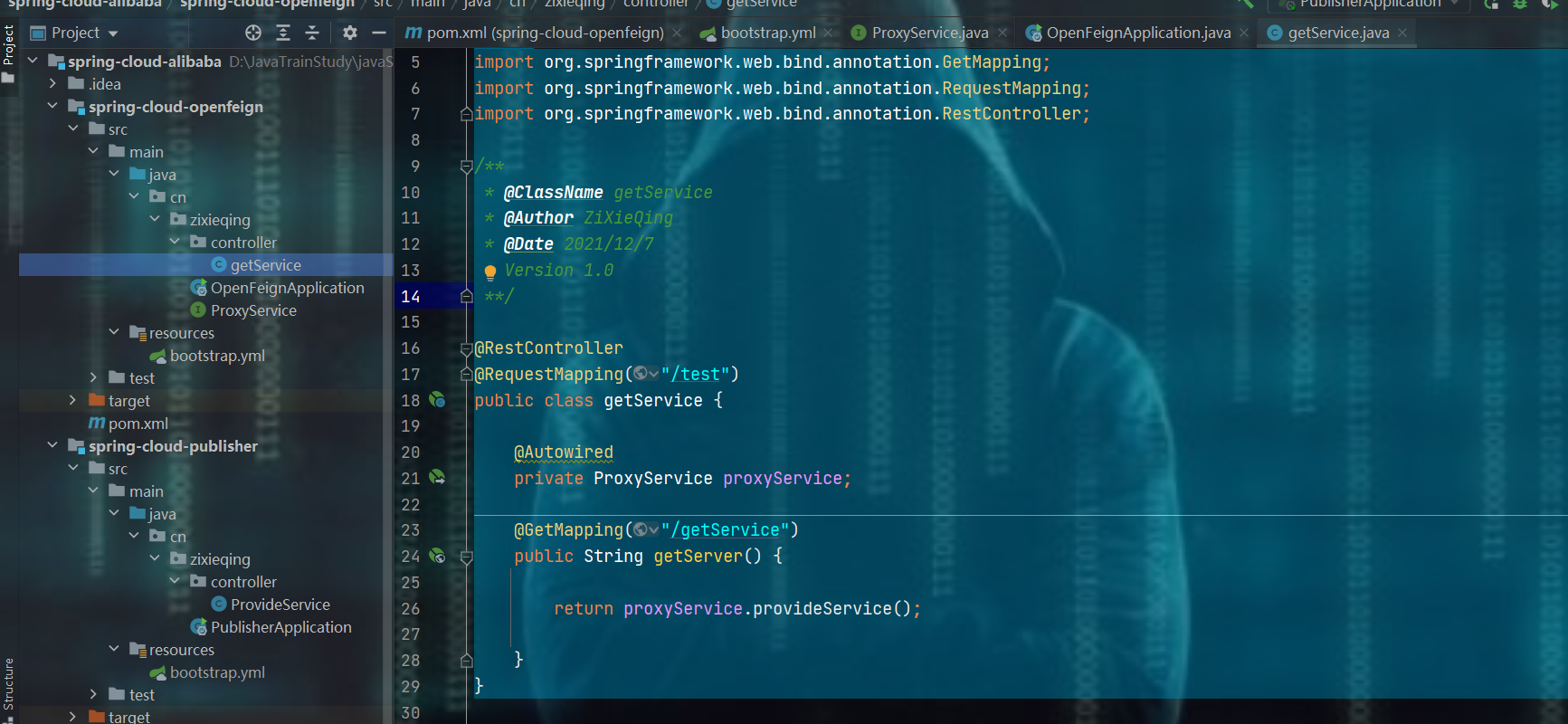
3.5)、服务消费层编写
package cn.zixieqing.controller;

import cn.zixieqing.ProxyService;

import org.springframework.beans.factory.annotation.Autowired;

import org.springframework.web.bind.annotation.GetMapping;

import org.springframework.web.bind.annotation.RequestMapping;

import org.springframework.web.bind.annotation.RestController;

/**

 * @ClassName getService

 * @Author ZiXieQing

 * @Date 2021/12/7

 * Version 1.0

 **/

@RestController

@RequestMapping("/test")

public class getService {

    @Autowired

    private ProxyService proxyService;

    @GetMapping("/getService")

    public String getServer() {

        return proxyService.provideService();

    }

}
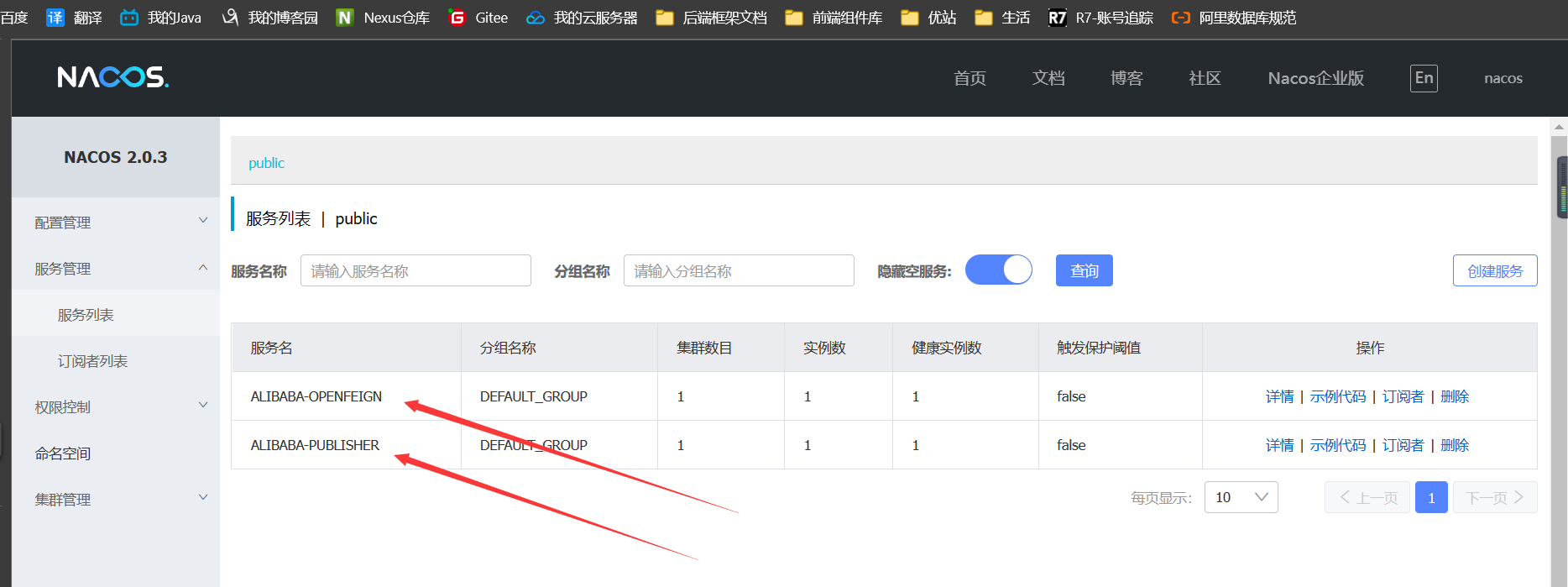
4、启动publisher 和 Feign
springcloud - alibaba - 2 - 集成Feign - 更新完成的更多相关文章
- springcloud - alibaba - 3 - 整合config - 更新完毕
0.补充 1.需求 如果我有这么一个请求:我想要gitee中的配置改了之后,我程序yml中的配置也可以跟着相应产生变化,利用原生的方式怎么做?一般做法如下: 而有了SpringCloud-alibab ...
- 十一. SpringCloud Alibaba
1. SpringCloud Alibaba简介 1.1 为什么会出现SpringCloud Alibaba Spring Cloud Netflix项目进入到维护模式 什么是维护模式?=> 将 ...
- SpringCloud Alibaba微服务实战三 - 服务调用
导读:通过前面两篇文章我们准备好了微服务的基础环境并让accout-service 和 product-service对外提供了增删改查的能力,本篇我们的内容是让order-service作为消费者远 ...
- SpringCloud系列之集成分布式事务Seata应用篇
目录 前言 项目版本 项目说明 Seata服务端部署 Seata客户端集成 cloud-web module-order module-cart module-goods module-wallet ...
- SpringCloud Alibaba实战(7:nacos注册中心管理微服务)
源码地址:https://gitee.com/fighter3/eshop-project.git 持续更新中-- 在上一节我们已经完成了Nacos Server的本地部署,这一节我们学习如何将Nac ...
- SpringCloud Alibaba实战(8:使用OpenFeign服务调用)
源码地址:https://gitee.com/fighter3/eshop-project.git 持续更新中-- 在上一个章节,我们已经成功地将服务注册到了Nacos注册中心,实现了服务注册和服务发 ...
- SpringCloud Alibaba实战(9:Hystrix容错保护)
源码地址:https://gitee.com/fighter3/eshop-project.git 持续更新中-- 在上一节我们已经使用OpenFeign完成了服务间的调用.想一下,假如我们一个服务链 ...
- 【springcloud alibaba】注册中心之nacos
1.为什么需要注册中心 1.1 没有注册中心会怎么样 1.2 注册中心提供什么功能以及解决什么问题 2.常用的微服务注册中心对比 3.案例项目父工程 4.nacos作为注册中心的使用 4.1 单机版的 ...
- SpringCloud Alibaba入门之Nacos(SCA)
SpringCloud Alibaba Spring Cloud Alibaba 致力于提供微服务开发 的一站式解决方案.此项目包含开发分布式应用微服务的必需组件,方便开发者通过 Spring Clo ...
随机推荐
- jQuery中onload与ready区别
onload和ready的区别document.ready和onload的区别为:加载程度不同.执行次数不同.执行速度不同.1.加载程度不同 document.ready:是DOM结构绘制完毕后就执行 ...
- openssh 7.4 升级 8.3
1.删除旧版本(如果是远程连接升级,不能卸载旧版本,否则连接会断开.安装8.3完也不能卸载7.4,否则要到服务器直连重新安装8.3.) # rpm -qa |grep openssh #rpm -e ...
- Tomcat 内存马(一)Listener型
一.Tomcat介绍 Tomcat的主要功能 tomcat作为一个 Web 服务器,实现了两个非常核心的功能: Http 服务器功能:进行 Socket 通信(基于 TCP/IP),解析 HTTP 报 ...
- 测试平台系列(72) 了解ApScheduler基本用法
大家好~我是米洛! 我正在从0到1打造一个开源的接口测试平台, 也在编写一套与之对应的完整教程,希望大家多多支持. 欢迎关注我的公众号测试开发坑货,获取最新文章教程! 回顾 上一节我们调研了一下市面上 ...
- GO 字符串反转
字符串反转 即 abc 反转后成 cba 思路:两边都设置一个游标,然后互换位置,游标同步向中间移动,再互换. for i, j := 0, len(s)-1; i < j; i, j = i+ ...
- 3D 穿梭效果?使用 UWP 也能搞定
昨天 ChokCoco 大佬搞了个 3D 穿梭效果出来,具体可见这里: 3D 穿梭效果?使用 CSS 轻松搞定 这个效果太神奇了,他还问我能不能用 WPF 搞出来,因为我完全没用过 WPF 的 3D, ...
- JVM 核心参数
JVM 内存相关的几个核心参数 参数部分看我笔记 https://note.youdao.com/s/Ch3awnVu JVM模板 1. ParNew + CMS 版 根据服务调整 -Xmx -X ...
- vuex基础(vuex基本结构与调用)
import Vue from 'vue'; import Vuex from 'vuex'; Vue.use(Vuex); const modulesA = { state:{//状态 count: ...
- 详解电子表格中的json数据:序列化与反序列化
从XML到JSON 当下应用开发常见的B/S架构之下,我们会遇到很多需要进行前后端数据传输的场景.而在这个传输的过程中,数据通过何种格式传输.方式是否迅速便捷.书写方式是否简单易学,都成为了程序员在开 ...
- Typora常用命令
目录 Typora编辑器所用语法--Markdown 简介 1.Markdown --标题 2. Markdown --列表(子标题) 3. Markdown --列表嵌套 4. Markdown - ...