
laravel notification
mail篇
 public function via($notifiable)

{

    return ['mail'];

}
1.新建notification类
php artisan make:notification PostNotification
2.设置路由
//notification 注意默认发送到user模型中的email邮箱账号 所以要确认user邮箱可用

Route::get('/notification',function(){

    $user = \App\User::find(1);

    $post = \App\Post::find(2);

    $user->notify(new \App\Notifications\PostNotification($post));

});
3.访问/notification 收到邮件
4.常用设置方法 PostNotification.php
 public function toMail($notifiable)

{

    return (new MailMessage)

        ->subject('A post published'.$this->post->title) //自定义主体

        ->success()  //定义按钮颜色

                ->line('The introduction to the notification.')

                ->action('Notification Action', url('/'))

                ->line('Thank you for using our application!');

}
database篇 将通知都存储在数据库里
1.修改PostNotification.php
public function via($notifiable)

{

    //return ['mail'];

    return ['database'];

}
2.创建notification迁移文件
 php artisan notifications:table

 php artisan migrate
3.PostNotification.php 中可添加 toDatabase方法 如果没写的话默认用的是toArray方法
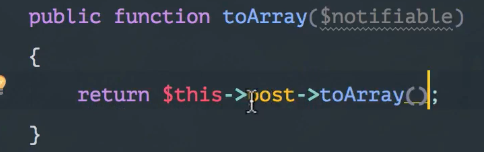
4.修改web.php
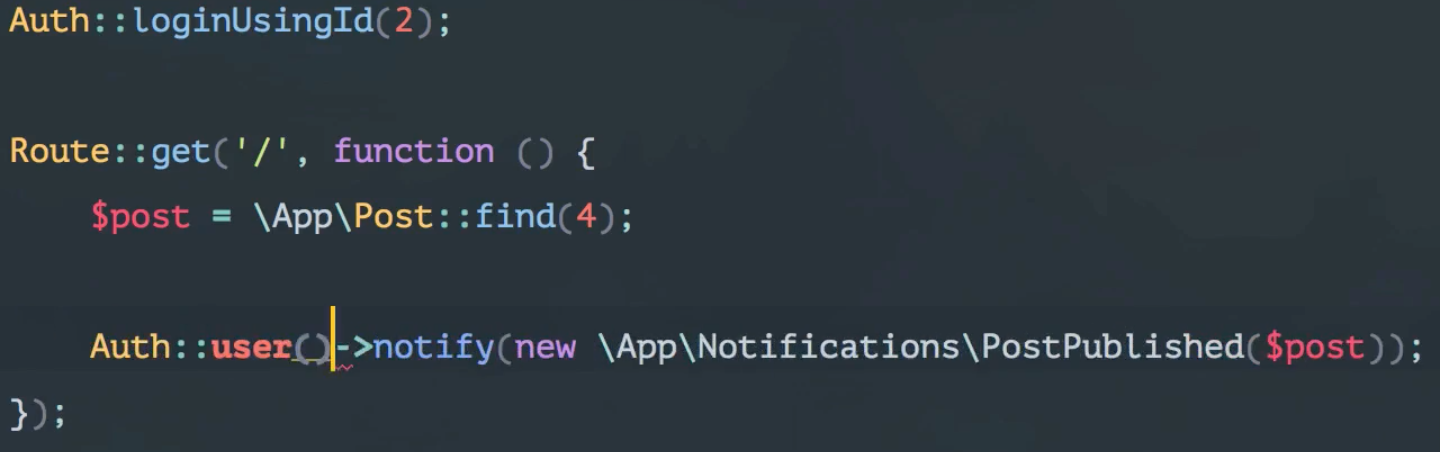
5.查看当前用户下的notifications
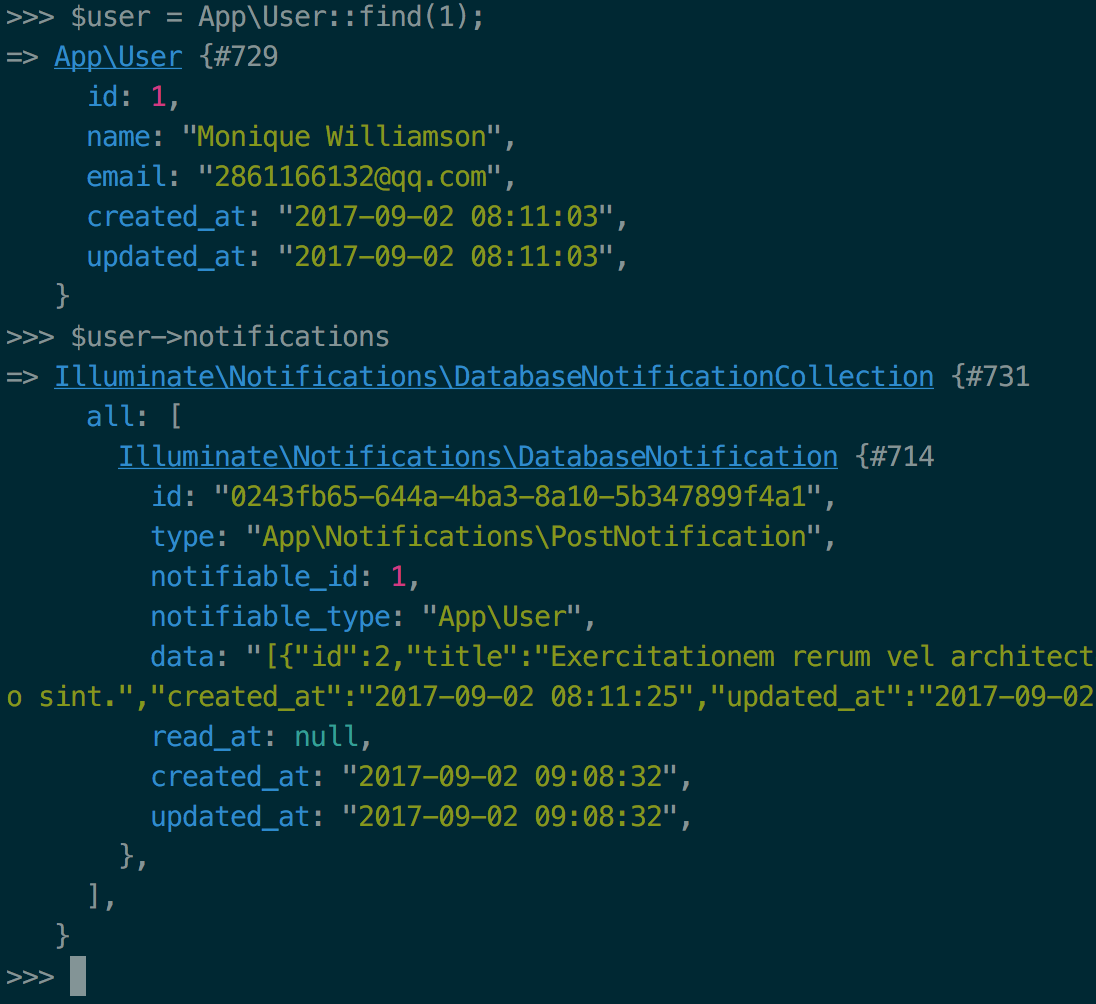
6.新建一个notification
php artisan make:notification UserSubscribe
7.UserSubscribe.php 修改如下
public function via($notifiable)

{

    return ['database'];

}

/**

 * Get the array representation of the notification.

 *

 * @param  mixed  $notifiable

 * @return array

 */

public function toArray($notifiable)

{

    return [

        'subscribed_at' => Carbon::now()

    ];

}
8.修改web.php
//notification

Route::get('/notification', function () {

    $user = \App\User::find(1);

    $post = \App\Post::find(2);

    //$user->notify(new \App\Notifications\PostNotification($post));

    $user->notify(new \App\Notifications\UserSubscribe());

});
9.再次查看当前用户的notifications
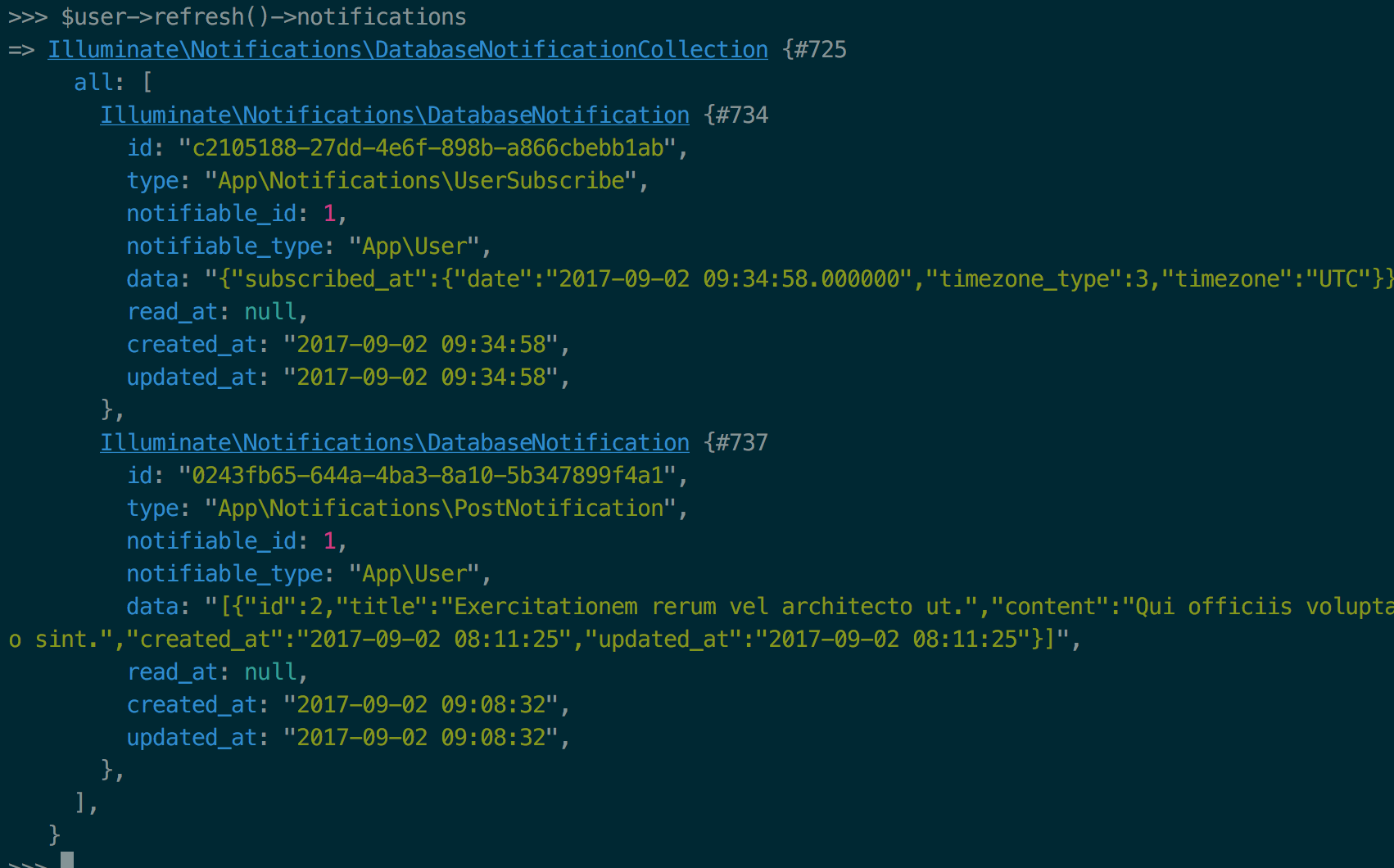
10.列出未读notifications并标识为已读
web.php
//notification

Route::get('/show-notification', function () {

    return view('notifications.index');

});

//标识未读

Route::delete('user/notification',function (){

    Auth::user()->unreadNotifications->markAsRead();

    return redirect()->back();

});
notifications.index.blade
@extends('app')

@section('content')

    <h1>我的通知:</h1>

    <ul>

    @foreach(Auth::user()->unreadNotifications as $notification)

        @include('notifications/'.snake_case( class_basename($notification->type) ))

    @endforeach

    </ul>

    <form action="/user/notification" method="POST">

        {{csrf_field()}}

        {{method_field('DELETE')}}

        <input type="submit" value="标识已读">

    </form>

@stop
user_subscribe.blade.php
<h2>user</h2>

{{$notification->data['subscribed_at']['date']}}
post_notification.blade.php
<h2>post</h2>

<li>{{$notification->data['title']}}</li>
标识某条已读
$user->refresh()->unreadNotifications->where('id','57bb0e0e-8d35-4da8-850b-121a5317c9b9')->first()->markAsRead();
总结:
database
- php artisan make:notification someNotification
- 对于需要传入的参数做修改 例如依赖模式 Post $post
- php artisan notification:table
- 获取notification $user->notifications
- 标识已读 所有的 $user->unreadNotifications->markAsRead()
单条标识:$user->refresh()->unreadNotifications->where('id','57bb0e0e-8d35-4da8-850b-121a5317c9b9')->first()->markAsRead();
laravel notification的更多相关文章
- laravel 自带消息notification通知
原文地址:https://blog.csdn.net/zhangxh1013/article/details/53130490
- [php]laravel框架容器管理的一些要点
本文面向php语言的laravel框架的用户,介绍一些laravel框架里面容器管理方面的使用要点.文章很长,但是内容应该很有用,希望有需要的朋友能看到.php经验有限,不到位的地方,欢迎帮忙指正. ...
- Laravel系列 目录结构
Where Is The Models Directory? app directory by default 其中 app:,core code of your application, almos ...
- 【转】下载量最高的 100 个 Laravel 扩展包推荐
说明 Laravel 另一个令人喜欢的地方,是拥有活跃的开发者社区,而活跃的开发者社区带来的,是繁华的扩展包生态. 本文对 Packagist 上打了 Laravel 标签 的扩展包进行整理,截止到现 ...
- get started with laravel
Browsing the API (http://laravel.com/api) can be somewhat intimidating at first.But it is often the ...
- laravel扩展包开发步骤总结
1. 创建包 php artisan workbench vendor/package --resources 注: vendor:开发商名 package:包名 2.修改下包里co ...
- 【社交系统研发日记】如何在 Laravel 中 “规范” 的开发验证码发送功能
顺便发个小通知:7月15日ThinkSNS+开源版发布,同时非开源的APP也走出内测阶段,体验二维码也全面发布体验. 什么是ThinkSNS ? ThinkSNS(简称TS),一款全平台综合性社交系统 ...
- Laravel 和 Spring Boot 两个框架比较创业篇(一:开发效率)
我个人是比较不喜欢去正儿八经的比较两个框架的,这样没有意义,不过欲善其事先利其器! 技术是相通的,但是在某个特定的领域的某个阶段肯定有相对最适合的一个工具! 这里比较不是从技术角度比较,而是从公司技术 ...
- [ Laravel 5.5 文档 ] 快速入门 —— 目录结构篇
简介 Laravel 默认的目录结构试图为不管是大型应用还是小型应用提供一个良好的起点.当然,你也可以按照自己的喜好重新组织应用的目录结构,因为 Laravel 对于指定类在何处被加载没有任何限制 — ...
随机推荐
- R Programming week2 Control Structures
Control Structures Control structures in R allow you to control the flow of execution of the program ...
- 使用Jenkins进行android项目的自动构建(2)
Maven and POM 1. 什么是Maven? 官方的解释是: http://maven.apache.org/guides/getting-started/index.html#What_is ...
- 契约式设计(DbC)感想(二)
契约式设计6大原则的理解 在<Design by Contract原则与实践>中,作者定义了契约式设计的6大原则: 区分命令和查询: 将基本查询和派生查询区分开: 针对每个派生查询,设定一 ...
- 解决qt提示:qt.network.ssl: QSslSocket: cannot call unresolved function DH_free和qt.network.ssl: QSslSocket: cannot call unresolved function d2i_DHparams
转载请注明出处:https://i.cnblogs.com/EditPosts.aspx?postid=7127254 运行环境:VS2015&Qt5.8 方法一(未能解决):把C:\Qt\Q ...
- 谈谈如何学习Linux操作系统
献给初学者:为了能把这篇不错的文章分享给大家.所以请允许我暂时用原创的形式展现给大家. @hcy 更多资源:http://blog.sina.com.cn/iihcy 一. 选择适合自己的linux ...
- 大写URL转小写
添加LowercaseRoutesMVC.dll引用.通过“管理—NuGet程序包”搜索LowercaseRoutesMVC,然后点击安装.安装成功后会自动引用LowercaseRoutesMVC.d ...
- 数据结构算法 - ConcurrentHashMap 源码解析
五个线程同时往 HashMap 中 put 数据会发生什么? ConcurrentHashMap 是怎么保证线程安全的? 在分析 HashMap 源码时还遗留这两个问题,这次我们站在 Java 多线程 ...
- fedora配置ip
fedora20配置静态ip 原创 2015年08月08日 14:36:01 标签: fedora / linux / 网络配置 / ip配置 / 网络设置 2403 在linux的世界里,给主机设置 ...
- CREATE TABLE - 定义一个新表
SYNOPSIS CREATE [ [ GLOBAL | LOCAL ] { TEMPORARY | TEMP } ] TABLE table_name ( { column_name data_ty ...
- CAD控件使用教程 自定义实体的实现
自定义实体的实现 1 . 自定义实体... 3 1.1 说明... 3 1.2 类的类型信息... 3 1.3 worldDraw.. 4 1.4 ...