
Django之kindeditor
1、什么是kindeditor?
KindEditor是一套开源的HTML可视化编辑器,主要用于让用户在网站上获得所见即所得编辑效果,兼容IE、Firefox、Chrome、Safari、Opera等主流浏览器。
2、下载
-官网下载:http://kindeditor.net/down.php
-本地下载:http://files.cnblogs.com/files/wupeiqi/kindeditor_a5.zip
3、文件夹说明
├── asp                          asp示例

├── asp.net                    asp.net示例

├── attached                  空文件夹,放置关联文件attached

├── examples                 HTML示例

├── jsp                          java示例

├── kindeditor-all-min.js 全部JS(压缩)

├── kindeditor-all.js        全部JS(未压缩)

├── kindeditor-min.js      仅KindEditor JS(压缩)

├── kindeditor.js            仅KindEditor JS(未压缩)

├── lang                        支持语言

├── license.txt               License

├── php                        PHP示例

├── plugins                    KindEditor内部使用的插件

└── themes                   KindEditor主题
4、基本使用
<!DOCTYPE html>

<html lang="en">

<head>

    <meta charset="UTF-8">

    <title></title>

</head>

<body>

    <textarea name="content" id="content"></textarea>


    <script src="/static/js/jquery-1.12.4.js"></script>

    <script src="/static/kindeditor-4.1.10/kindeditor-all.js"></script>

    <script>

        $(function () {

            initKindEditor();

        });


        function initKindEditor() {

            var kind = KindEditor.create('#content', {

                width: '100%',       // 文本框宽度(可以百分比或像素)

                height: '300px',     // 文本框高度(只能像素)

                minWidth: 200,       // 最小宽度(数字)

                minHeight: 400      // 最小高度(数字)

            });

        }

    </script>

</body>

</html>
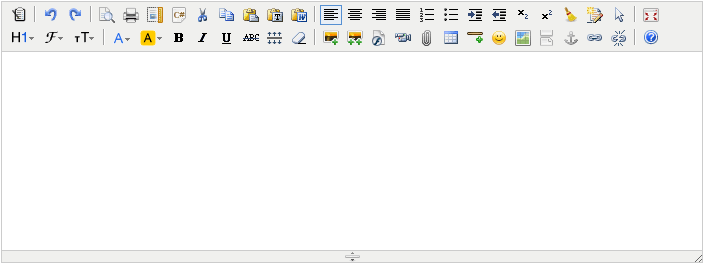
效果显示为:

5、详细参数
http://kindeditor.net/docs/option.html
6、上传文件示例
kind.html

<!DOCTYPE html>

<html lang="en">

<head>

    <meta charset="UTF-8">

    <title></title>

</head>

<body>

<form>

    {% csrf_token %}

    <div style="width: 500px;margin: 0 auto">

        <textarea id="content"></textarea>

    </div>

    <input type="submit" value="提交"/>

</form>

<script src="/static/js/jquery-1.12.4.js"></script>

<script src="/static/kindeditor-4.1.10/kindeditor-all.js"></script>

<script>

    $(function () {

        KindEditor.create('#content', {

            {#                items: ['superscript', 'clearhtml', 'quickformat', 'selectall']#}

            {#                noDisableItems: ["source", "fullscreen"],#}

            {#                designMode: false#}

            uploadJson: '/upload_img/',

            fileManagerJson: '/file_manager/',

            allowImageRemote: true,

            allowImageUpload: true,

            allowFileManager: true,

            extraFileUploadParams: {

                csrfmiddlewaretoken: "{{ csrf_token }}"

            },

            filePostName: 'fafafa'

        });

    })

</script>

</body>

</html>
views.py

def kind(request):

    return render(request, 'kind.html')

def upload_img(request):

    request.GET.get('dir')

    print(request.FILES.get('fafafa'))

    # 获取文件保存

    import json

    dic = {                             #后台向前端返回的值

        'error': 0,                    #0表示的是正确的,1代表错误

        'url': '/static/image/图片.jpg',

        'message': '错误了...'

    }

    return HttpResponse(json.dumps(dic))

import os

import time

import json

def file_manager(request):

    dic = {}

    root_path = 'E:/week_23_1/static'

    static_root_path = '/static/'

    request_path = request.GET.get('path')

    if request_path:

        abs_current_dir_path = os.path.join(root_path, request_path)

        move_up_dir_path = os.path.dirname(request_path.rstrip('/'))

        dic['moveup_dir_path'] = move_up_dir_path + '/' if move_up_dir_path else move_up_dir_path

    else:

        abs_current_dir_path = root_path

        dic['moveup_dir_path'] = ''     #  上一级目录

    dic['current_dir_path'] = request_path  #current_dir_path 指当前的路径

    dic['current_url'] = os.path.join(static_root_path, request_path)

    file_list = []            #文件目录

    for item in os.listdir(abs_current_dir_path):         #listdir 就是把某一路径下的东西全部拿下来

        abs_item_path = os.path.join(abs_current_dir_path, item)

        a, exts = os.path.splitext(item)

        is_dir = os.path.isdir(abs_item_path)

        if is_dir:

            temp = {

                'is_dir': True,   #是否是dir

                'has_file': True, #目录下面是否存在文件

                'filesize': 0,   #文件大小是多少

                'dir_path': '',  #当前的路径是在哪

                'is_photo': False,  #是否是图片

                'filetype': '',    #文件的类型是什么

                'filename': item,  #文件名是什么

                'datetime': time.strftime('%Y-%m-%d %H:%M:%S', time.gmtime(os.path.getctime(abs_item_path))) #文件创始时间是什么

            }

        else:

            temp = {

                'is_dir': False,

                'has_file': False,

                'filesize': os.stat(abs_item_path).st_size,

                'dir_path': '',

                'is_photo': True if exts.lower() in ['.jpg', '.png', '.jpeg'] else False,

                'filetype': exts.lower().strip('.'),

                'filename': item,

                'datetime': time.strftime('%Y-%m-%d %H:%M:%S', time.gmtime(os.path.getctime(abs_item_path)))

            }

        file_list.append(temp)

    dic['file_list'] = file_list

    return HttpResponse(json.dumps(dic))
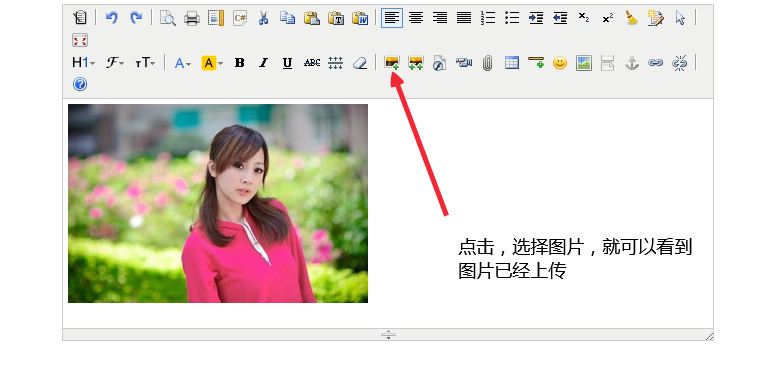
操作页面展示:
Django之kindeditor的更多相关文章
- django的admin或者应用中使用KindEditor富文本编辑器
由于django后台管理没有富文本编辑器,看着好丑,展示出来的页面不美观,无法做到所见即所得的编辑方式,所以我们需要引入第三方富文本编辑器. 之前找了好多文档已经博客才把这个功能做出来,有些博客虽然写 ...
- Django(九)下:Ajax操作、图片验证码、KindEditor使用
三.Ajax操作 ajax操作基于浏览器的xmlHttpRequest对象,IE低版本是另外一个对象,jQuery 1 版本对那两个对象做了封装,兼容性最好,2 .3版本不再支持IE低版本了. Aja ...
- Django 中使用kindeditor
KindEditor 是一套开源的在线HTML编辑器,主要用于让用户在网站上获得所见即所得编辑效果,开发人员可以用 KindEditor 把传统的多行文本输入框(textarea)替换为可视化的富文本 ...
- Django配置富文本编辑器kindeditor
一.简介 django是一个容易快速上手的web框架,用它来创建内容驱动型的网站(比如独立博客)十分方便.遗憾的是,django并没有提供官方的富文本编辑器,而后者恰好是内容型网站后台管理中不可或缺的 ...
- Python开发【Django】:图片验证码、KindEditor
图片验证码 生成图片验证码需要以下: session check_code.py(依赖:Pillow,字体文件) 模块安装 pip install Pillow src属性后面加? 在utils下拷贝 ...
- python笔记-20 django进阶 (model与form、modelform对比,三种ajax方式的对比,随机验证码,kindeditor)
一.model深入 1.model的功能 1.1 创建数据库表 1.2 操作数据库表 1.3 数据库的增删改查操作 2.创建数据库表的单表操作 2.1 定义表对象 class xxx(models.M ...
- django admin富文本编辑kindeditor
最近在做django项目,需要在后台管理系统加入富文本编辑 其实加入富文本编辑很简单,就是导入几个编辑器的js脚本到admin页面内,下面说说怎么做 第一步,下载想要的富文本编辑器如kindedito ...
- Django之富文本编辑器kindeditor 及上传
1.什么是富文本编辑器 百度百科(https://baike.baidu.com/item/%E5%AF%8C%E6%96%87%E6%9C%AC%E7%BC%96%E8%BE%91%E5%99%A8 ...
- Django项目开发,XSS攻击,图片防盗链,图片验证码,kindeditor编辑器
目录 一.Django项目开发 1. 项目开发流程 2. auth模块的补充 (1)django的admin可视化管理页面 (2)将admin可视化管理页面的模型表显示成中文 (3)auth模块的用户 ...
随机推荐
- android android.mk中:= ?= +=之间的区别
转自:http://blog.csdn.net/love_xsq/article/details/50395138 在Makefile中我们经常看到 = := ?= +=这几个赋值运算符,那么他们有什 ...
- Struts2拦截器配置和使用
拦截器是Struts2最强大的特性之一,它是一种可以让用户在Action执行之前和Result执行之后进行一些功能处理的机制. 说到拦截器interceptor,就会想到过滤器filter: 过滤器f ...
- elasticsearch6 学习之基础CURD
环境:elasticsearch6.1.2 kibana6.1.2 基础概念: 1._index元数据 (1)代表一个document存放在哪个index中(2)类似的数据放在一个索引 ...
- 使用Runtime.getRuntime().exec()方法的几个陷阱
Process 子类的一个实例,该实例可用来控制进程并获得相关信息.Process 类提供了执行从进程输入.执行输出到进程.等待进程完成.检查进程的退出状态以及销毁(杀掉)进程的方法. 创建进程的方法 ...
- Xmind8破解,以及相关的流程和破解包
一.下载XMindCrack.jar文件:(传的貌似被屏蔽了:如果需要请留下邮箱,抽空会发给你) 百度云 ,里面破解文件,安装包都给了,但Xmind安装包不一定是最新的,有需求的可自行去官网下载 . ...
- 超链接提示效果jQuery+CSS+html
我们知道浏览器自带了超链接提示, 只需要在超链接中加入 title 属性就可以了. <a href="#" title="吉大砍人案致1死1伤 受害者死前大喊他手里 ...
- 【洛谷】CYJian的水题大赛【第二弹】解题报告
点此进入比赛 T1: JerryC Loves Driving 第一题应该就是一道水分题(然而我只水了130分),我的主要做法就是暴力模拟,再做一些小小的优化(蠢得我自己都不想说了). My Code ...
- BZOJ3261:最大异或和——题解
http://www.lydsy.com/JudgeOnline/problem.php?id=3261 给定一个非负整数序列{a},初始长度为N. 有M个操作,有以下两种操作类型: 1.A x:添加 ...
- 序列计数(count)
Portal -->broken qwq Description 给你一个长度为\(n\)的序列,序列中的每个数都是不超过\(m\)的正整数,求满足以下两个条件的序列数量: 1.序列中至 ...
- C++并发编程 thread
std::thread C++11在标准库中为多线程提供组件, 使用线程需要包含头文件 thread, 其命名空间为 std. 启动新线程 每个进程至少有一个线程: 执行main()函数的线程, 其余 ...