
Django之富文本编辑器kindeditor 及上传
1.什么是富文本编辑器
2.Django配置
STATIC_URL = '/static/'

STATICFILES_DIRS = (

    os.path.join(BASE_DIR,  'static'),

)

MEDIA_URL = '/uploads/'

MEDIA_ROOT = os.path.join(BASE_DIR,  'uploads')
2.2 下载
http://kindeditor.net/down.php
2.3 解压并复制到项目目录下
2.4 定义Media类并编辑kindeditor配置
class ArticleAdmin(admin.ModelAdmin):

	list_display = ('title', 'desc','click_count','date_publish')#显示列

	list_display_links = ('title', 'desc',)#显示列上的链接效果

	list_editable = ('click_count',)#可编辑的列

	fieldsets = (

		(None, {

			'fields': ('title', 'desc', 'content', 'user', 'category', 'tag',)

		}),

		('高级设置', {

			'classes': ('collapse',),#折叠状态

			'fields': ('click_count', 'is_recommend',)

		}),

	)

	class Media:

		js = (

			'/static/js/kindeditor-4.1.10/kindeditor-min.js',

			'/static/js/kindeditor-4.1.10/lang/zh_CN.js',

			'/static/js/kindeditor-4.1.10/config.js',

		)
config.js
KindEditor.ready(function (K) {

    K.create('textarea[name=content]', {/*css元素*/

        width: '800px',

        height: '200px',

        uploadJson: '/admin/upload/kindeditor',/*请求url*/

    });

});
2.5 配置url
urlpatterns = [

	url(r'^admin/', admin.site.urls),

	url(r'^admin/upload/(?P<dir_name>[^/]+)$', upload.upload_image, name='upload_image'),

]
upload.py
# -*- coding: utf-8 -*-

from django.http import HttpResponse

from django.conf import settings

from django.views.decorators.csrf import csrf_exempt

import os

import uuid

import json

import datetime as dt

@csrf_exempt

def upload_image(request, dir_name):

    ##################

    #  kindeditor图片上传返回数据格式说明:

    # {"error": 1, "message": "出错信息"}

    # {"error": 0, "url": "图片地址"}

    ##################

    result = {"error": 1, "message": "上传出错"}

    files = request.FILES.get("imgFile", None)

    if files:

        result =image_upload(files, dir_name)

    return HttpResponse(json.dumps(result), content_type="application/json")

#目录创建

def upload_generation_dir(dir_name):

    today = dt.datetime.today()

    dir_name = dir_name + '/%d/%d/' %(today.year,today.month)

    if not os.path.exists(settings.MEDIA_ROOT + dir_name):

        os.makedirs(settings.MEDIA_ROOT + dir_name)

    return dir_name

# 图片上传

def image_upload(files, dir_name):

    #允许上传文件类型

    allow_suffix =['jpg', 'png', 'jpeg', 'gif', 'bmp']

    file_suffix = files.name.split(".")[-1]

    if file_suffix not in allow_suffix:

        return {"error": 1, "message": "图片格式不正确"}

    relative_path_file = upload_generation_dir(dir_name)

    path=os.path.join(settings.MEDIA_ROOT, relative_path_file)

    if not os.path.exists(path): #如果目录不存在创建目录

        os.makedirs(path)

    file_name=str(uuid.uuid1())+"."+file_suffix

    path_file=os.path.join(path, file_name)

    file_url = settings.MEDIA_URL + relative_path_file + file_name

    open(path_file, 'wb').write(files.file.read()) # 保存图片

    return {"error": 0, "url": file_url}
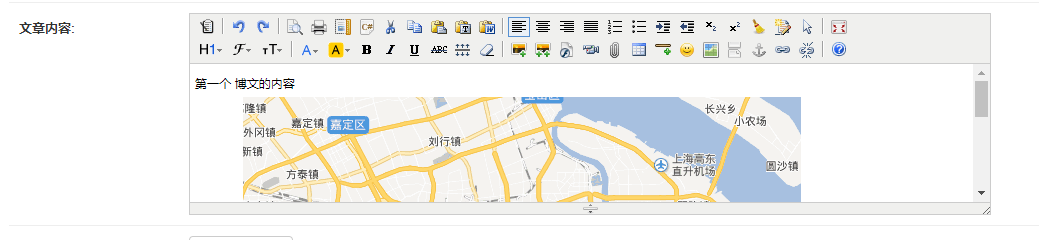
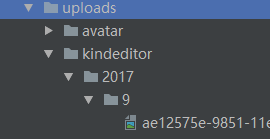
3.测试
4.参考
http://kindeditor.net/docs/usage.html
http://kindeditor.net/docs/upload.html
https://docs.djangoproject.com/en/1.8/howto/static-files/
https://docs.djangoproject.com/en/1.8/topics/forms/media/
Django之富文本编辑器kindeditor 及上传的更多相关文章
- uedit富文本编辑器及图片上传控件
微力后台 uedit富文本编辑器及文件上传控件的使用,无时间整理,暂略,参考本地代码.能跑起来.
- Django配置富文本编辑器kindeditor
一.简介 django是一个容易快速上手的web框架,用它来创建内容驱动型的网站(比如独立博客)十分方便.遗憾的是,django并没有提供官方的富文本编辑器,而后者恰好是内容型网站后台管理中不可或缺的 ...
- Asp.Net Core中配置使用Kindeditor富文本编辑器实现图片上传和截图上传及文件管理和上传(开源代码.net core3.0)
KindEditor使用JavaScript编写,可以无缝的于Java..NET.PHP.ASP等程序接合. KindEditor非常适合在CMS.商城.论坛.博客.Wiki.电子邮件等互联网应用上使 ...
- 关于移动手机端富文本编辑器qeditor图片上传改造
日前项目需要在移动端增加富文本编辑,上网找了下,大多数都是针对pc版的,不太兼容手机,当然由于手机屏幕小等原因也限制富文本编辑器的众多强大功能,所以要找的编辑器功能必须是精简的. 找了好久,发现qed ...
- 改造百度UMeditor(UEditor-min)富文本编辑器的图片上传功能
最近项目需要新增一个发布文章的模块,用的是百度的Ueditor富文本编辑器. 公司用的是阿里云的图片服务器,需要直接把文章中图片上传到服务器上,但是这个编辑器的上传图片是直接上传到Tomcat的根目录 ...
- 在Asp.Net Core中配置使用MarkDown富文本编辑器实现图片上传和截图上传(开源代码.net core3.0)
我们的富文本编辑器不能没有图片上传尤其是截图上传,下面我来教大家怎么实现MarkDown富文本编辑器截图上传和图片上传. 1.配置编辑器到html页 <div id="test-edi ...
- 富文本编辑器handyeditor,上传和预览图片的host地址不一样
使用富文本编辑器(官网)时,大多时候都会用到图片上传,但是下载的富文本编辑器的默认配置是只有一个上传地址的host的. var he = HE.getEditor('editor', { autoHe ...
- Ueditor富文本编辑器--上传图片自定义上传操作
最近负责将公司官网从静态网站改版成动态网站,方便公司推广营销人员修改增加文案,避免官网文案维护过于依赖技术人员.在做后台管理系统时用到了富文本编辑器Ueditor,因为公司有一个阿里云文件资源服务器, ...
- vue-quill-editor + iview 实现富文本编辑器及图片上传
1.npm 安装 vue-quill-editor npm install vue-quill-editor 2.再main.js中引入 import VueQuillEditor from 'vue ...
随机推荐
- 轻松学习Linux之Shell的常用过滤器
下载高清视频: http://down.51cto.com/data/157818 大小3:MB 时长: 7分钟 更多内容见: Linux爱好者的圣诞大餐-轻松学习Linux系列多媒体 ...
- android audio
package com.javacodegeeks.android.audiocapturetest; import java.io.IOException; import android.media ...
- Android Notification.setLatestEventInfo弃用和Notification.Builder用法
今天在学习小米便签的源码的时候,至于源码的地址,http://m.blog.csdn.net/article/details?id=50544248 ,里面有好多github的开源项目,打开项目,报错 ...
- Python编写Appium测试用例(2)
#coding=utf-8import os,sysimport unittestfrom appium import webdriverimport timefrom selenium.webdri ...
- 洛谷——P1598 垂直柱状图
https://www.luogu.org/problem/show?pid=1598 题目描述 写一个程序从输入文件中去读取四行大写字母(全都是大写的,每行不超过72个字符),然后用柱状图输出每个字 ...
- macOS 上配置 Lua
[最新版]从零开始在 macOS 上配置 Lua 开发环境 脚本语言,你可能更需要的是 Lua 不同的脚本语言有不同的特性,第一接触的脚本语言,可能会影响自己对整个脚本语言的理解和认知.我以前接触 ...
- 手动删除RMAN备份的方法
查询 RMAN> list backup; using target database control file instead of recovery catalog List of Back ...
- Storm新特性之Flux
Storm新特性之Flux Flux是Storm版本号0.10.0中的新组件,主要目的是为了方便拓扑的开发与部署.原先在开发Storm拓扑的时候整个拓扑的结构都是硬编码写在代码中的,当要对其进行改动时 ...
- 卫星网络中使用TCP协议的劣势(所以才有TCP优化版用来卫星通信啊,比如TCP-Peach和ADolar)
卫星网络中使用TCP协议的劣势 为了避免产生网络拥塞,原TCP协议综合采用了慢启动.拥塞避免.快速重传以及快速恢复等算法.但这些算法应用的前提是网络发生拥塞造成丢包,然而在误码率相对较高的卫星通信系统 ...
- 8.2 Android灯光系统_led_class驱动
android-5.0.2\hardware\libhardware\include\hardware\lights.h //系统一些宏定义 android源码只带的灯光驱动在linux内核的dri ...