
Material Designer的低版本兼容实现(二)—— Theme
Theme
material主题可以定义为如下形式:
- @android:style/Theme.Material
- @android:style/Theme.Material.Light
- @android:style/Theme.Material.Light.DarkActionBar
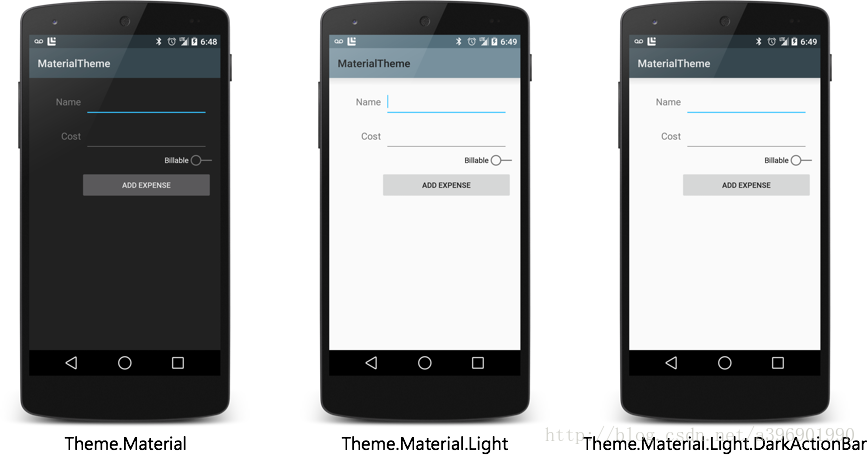
我们可以在vlues-v21中的styles.xml文件中继承这些主题,然后定制一些属性。在v21中可以做如下修改
<resources>

  <!-- inherit from the material theme -->

  <style name="AppTheme" parent="android:Theme.Material">

    <!-- Main theme colors -->

    <!--   your app's branding color (for the app bar) -->

    <item name="android:colorPrimary">@color/primary</item>

    <!--   darker variant of colorPrimary (for status bar, contextual app bars) -->

    <item name="android:colorPrimaryDark">@color/primary_dark</item>

    <!--   theme UI controls like checkboxes and text fields -->

    <item name="android:colorAccent">@color/accent</item>

  </style>

</resources>
这里设置了几个主题颜色
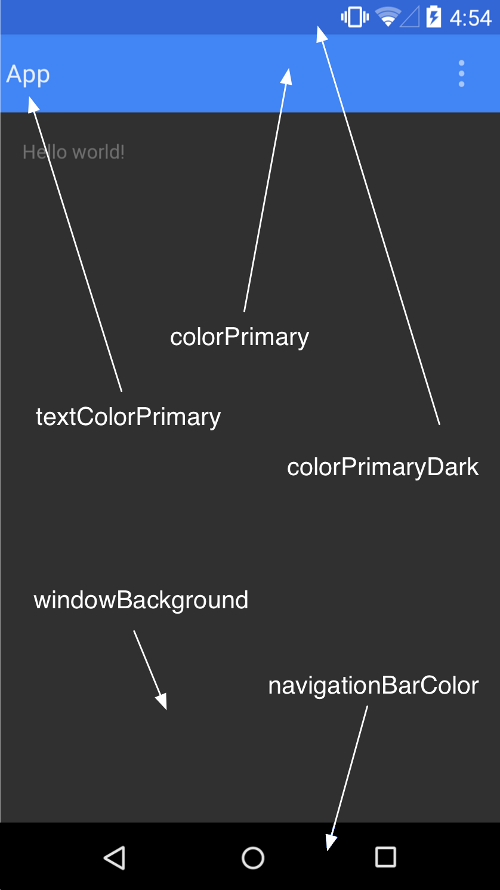
注:
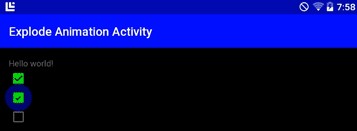
<item name="android:colorAccent">#00FF00</item>
colorAccent是设置像是CheckBox的颜色
接下来,我们主要来看看在低版本中应该如何设置
color.xml
<?xml version="1.0" encoding="utf-8"?>

<resources>

    <color name="colorPrimaryDark">#3367d6</color>

    <color name="colorPrimary">#4285f4</color>

    <color name="windowBackground">#eeeeee</color>

</resources>
styles.xml
<resources xmlns:android="http://schemas.android.com/apk/res/android">

    <!--

        Base application theme, dependent on API level. This theme is replaced

        by AppBaseTheme from res/values-vXX/styles.xml on newer devices.

    -->

    <style name="AppBaseTheme" parent="Theme.AppCompat">

        <!--

            Theme customizations available in newer API levels can go in

            res/values-vXX/styles.xml, while customizations related to

            backward-compatibility can go here.

        -->

    </style>

    <!-- Application theme. -->

    <style name="AppTheme" parent="AppBaseTheme">

        <!-- All customizations that are NOT specific to a particular API-level can go here. -->

        <item name="colorPrimary">@color/colorPrimary</item>

        <item name="colorPrimaryDark">@color/primary_material_light</item>

        <item name="android:textColorPrimary">@android:color/white</item>

        <item name="android:windowNoTitle">true</item>

        <item name="windowActionBar">false</item>

    </style>

</resources>
这样我们就设置好了类似于下面的效果:

现在我们终于在高版本上能改变status bar的颜色了,这个在以前是不可能的。话说4.4也支持这个。下面我们来详细看看在低版本中我们如何让自己的主题完美工作。
1.首先继承一个Compat的主题
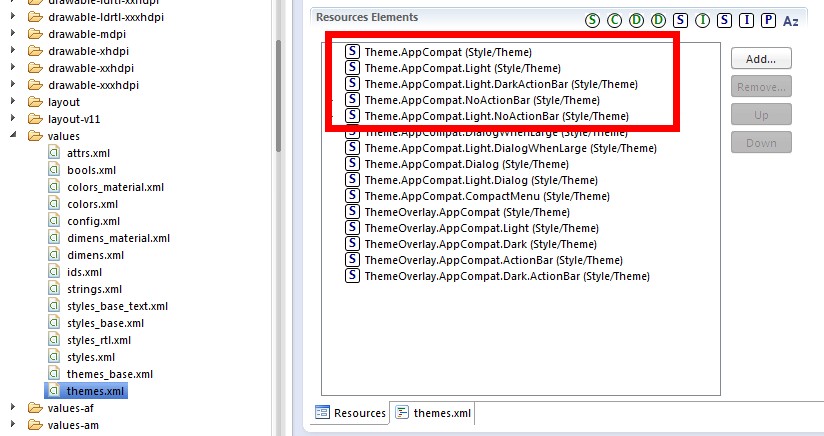
在compat包中我们可以看到有很多主题,我们找到给activity用的,发现也就下面红框里这么几个,看名字就能知道是什么了。
<resources>

    <!-- Themes in the "Theme.AppCompat" family will contain an action bar by default.

         If Holo themes are available on the current platform version they will be used.

         A limited Holo-styled action bar will be provided on platform versions older

         than 3.0. (API 11)

         These theme declarations contain any version-independent specification. Items

         that need to vary based on platform version should be defined in the corresponding

         "Theme.Base" theme. -->

    <!-- Platform-independent theme providing an action bar in a dark-themed activity. -->

    <style name="Theme.AppCompat" parent="Base.Theme.AppCompat" />

    <!-- Platform-independent theme providing an action bar in a light-themed activity. -->

    <style name="Theme.AppCompat.Light" parent="Base.Theme.AppCompat.Light" />

    <!-- Platform-independent theme providing an action bar in a dark-themed activity. -->

    <style name="Theme.AppCompat.Light.DarkActionBar" parent="Base.Theme.AppCompat.Light.DarkActionBar" />

    <style name="Theme.AppCompat.NoActionBar">

        <item name="windowActionBar">false</item>

        <item name="android:windowNoTitle">true</item>

    </style>

    <style name="Theme.AppCompat.Light.NoActionBar">

        <item name="windowActionBar">false</item>

        <item name="android:windowNoTitle">true</item>

    </style>
继承Theme.AppCompat,效果↓
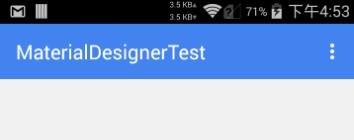
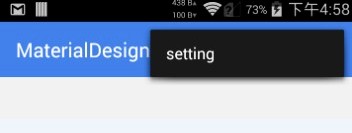
继承Theme.AppCompat.Light效果↓
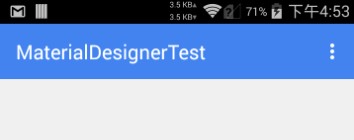
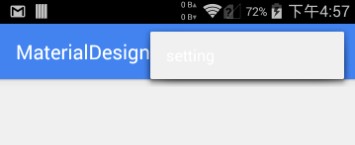
继承Theme.AppCompat.Light.DarkActionBar效果↓
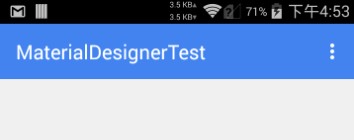
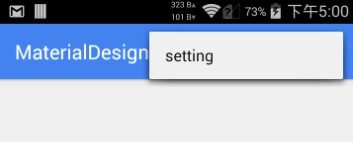
此外,在Android的4.4添加了View.SYSTEM_UI_FLAG_IMMERSIVE和View.SYSTEM_UI_FLAG_IMMERSIVE_STICKY。这两个标记可以实现所谓的沉浸式状态栏,个人感觉翻译的不好,应该叫做一种状态栏模式。这些标记的作用是在应用(比如视频)在需要全屏时抹去状态栏,但是在退出视频时又能回来。准确来说是叫:ImmersiveMode或者是Translucent Modes,总之是一种模式。
详细可以看这篇文章:http://www.tuicool.com/articles/RVRneq
在Smooth中已经实现了4.4上的效果,具体如下:
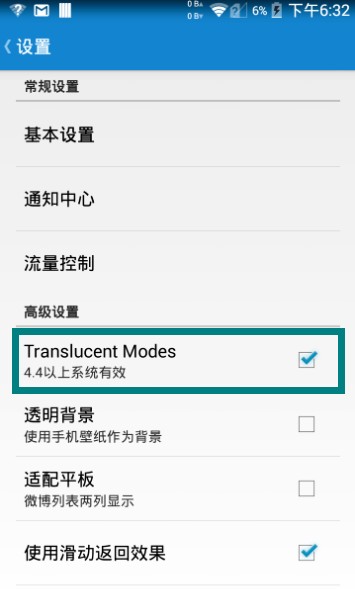

总之呢,在之前的版本上状态栏上面还是不能由我们随意定制的,4.4除外。但也有好消息,那就是ActionBar可以被我们再一次定制了,而且可以兼容之前的设备,利用的是ToolBar这个新控件。关于Toolbar的使用,我们以后会讲到。
Material Designer的低版本兼容实现(二)—— Theme的更多相关文章
- Material Designer的低版本兼容实现(一)—— 简介 & 目录
很长一段时间没写东西了,其实是因为最近在研究Material Designer这个东西,熬夜熬的身体也不是很好了.所以就偷懒没写东西,这回开的这个系列文章是讲如何将Material Designer在 ...
- Material Designer的低版本兼容实现(五)—— ActivityOptionsCompat
extends:http://www.cnblogs.com/tianzhijiexian/p/4087917.html 本文是对API中的方法做了介绍,如果想要看如何让这些方法兼容4.x或2.x可以 ...
- Material Designer的低版本兼容实现(三)——Color
在Material Designer中,色彩再一次被摆到了重要的位置上.官方文档中竟然给出了500种配色方案进行选择.就是为了给不同的手机.电视.手表上带来一直的用户体验. 更多用于控制色彩的属性,可 ...
- Material Designer的低版本兼容实现(十)—— CheckBox & RadioButton
ChekBox的用途我们就不必多说了,算是一个很古老的控件了,何其类似的还有RadioButton,这个东西因为我目前还没写出来,所以用了别人的一个lib,这下面会说到.顺便说一句,如果你的app是在 ...
- Material Designer的低版本兼容实现(十二)—— Slider or SeekBar
Slider,我更喜欢叫他SeekBar,其实是一个东西啦,就是拖动条.5.0的拖动条和4.x上的HOLO风格完全不同,平添了一些精致.此外还加入了数值指示器,让用户在滑动的时候就能知道现在到了什么位 ...
- Material Designer的低版本兼容实现(十四)—— CardView
今天说的又是一个5.0中才有的新控件——CardView(卡片视图).这个东东其实我们早就见过了,无论是微博还是人人客户端,它都有出现.通常我们都是通过自定义一个背景图片,然后通过给layout进行设 ...
- Material Designer的低版本兼容实现(十三)—— ProgressBar
进度条我们都很常见了,新的设计规范中提出了各式各样的进度条,本篇就会介绍大部分进度条的实现.实现方式和规范的示例图可能略有差异,还是那句话根据具体需求进行改变吧. PS:本文较长 参考文档:http: ...
- Material Designer的低版本兼容实现(十一)—— Switch
5.0中的switch和之前完全不同了,漂亮不漂亮咱们另说,总之4.x上是没有这样的效果了.实现方式有两种,一种是用这个兼容包来做类似的效果,一种是用传统的checkbox来代替.我感觉兼容包的效果是 ...
- Material Designer的低版本兼容实现(九)—— Float Button & Small Float Button
5.0一个新特性就是出现了这么一个圆形的悬浮指示按钮,这个按钮可以用来体现一个全局的重要功能,比如添加账户什么的.这个按钮有两种大小,一种是正常的按钮大小,一种是小型的按钮.官方文档中介绍的是小心的按 ...
随机推荐
- 切换Intellij ieda 调试为Visual Studio风格
- [转] 使用moment.js轻松管理日期和时间
当前时间:moment().format('YYYY-MM-DD HH:mm:ss'); 2017-03-01 16:30:12 今天是星期几:moment().format('d'); 3 Unix ...
- Latex常用整理
会不断更新添加,以便写论文的时候快速查找. 项目 带编号 \begin{enumerate} \setlength{\itemsep}{0pt} \setlength{\parsep}{0pt} \s ...
- Codeforces 908F New Year and Rainbow Roads
New Year and Rainbow Roads 思路:我们考虑两个绿点之间的红点和蓝点, 首先把这些红点和蓝点接到绿点上面绝对不会超过绿点距离的两倍. 然后我们先把两个绿点连上, 再把绿点经过蓝 ...
- P1616 疯狂的采药 洛谷
题目描述 LiYuxiang是个天资聪颖的孩子,他的梦想是成为世界上最伟大的医师.为此,他想拜附近最有威望的医师为师.医师为了判断他的资质,给他出了一个难题.医师把他带到一个到处都是草药的山洞里对他说 ...
- q.size()
在队列中,q.empty()比q.size()要慢,如果可能就用q.size(); 比如spfa的 while(q.size()>0) better than while(!q.empty())
- queue模块回顾
queue queue是python中的标准库,俗称队列. 在python中,多个线程之间的数据是共享的,多个线程进行数据交换的时候,不能够保证数据的安全性和一致性,所以当多个线程需要进行数据交换的时 ...
- 【dfs】BZOJ1703-[Usaco2007 Mar]Ranking the Cows 奶牛排名
[题目大意] 农夫约翰有N(1≤N≤1000)头奶牛,每一头奶牛都有一个确定的独一无二的正整数产奶率.约翰想要让这些奶牛按产奶率从高到低排序,约翰已经比较了M(1≤M≤10000)对奶牛的产奶率,但他 ...
- ThreadLocal 详解
什么是ThreadLocal 根据JDK文档中的解释:ThreadLocal的作用是提供线程内的局部变量,这种变量在多线程环境下访问时能够保证各个线程里变量的独立性. 从这里可以看出,引入Thread ...
- JNI之String类型
JNI使用的是改良的UTF-8格式的Strings. 以下文档来自官方: Modified UTF-8 Strings The JNI uses modified UTF-8 strings to r ...