
Angular记录(9)
文档资料
- 箭头函数--MDN:https://developer.mozilla.org/zh-CN/docs/Web/JavaScript/Reference/Functions/Arrow_functions
箭头函数--ES6文档:http://es6.ruanyifeng.com/#docs/function#箭头函数
- Promise 对象--JS教程:https://wangdoc.com/javascript/async/promise.html
- Promise--ES6文档:http://es6.ruanyifeng.com/#docs/promise
- Promise--MDN:https://developer.mozilla.org/zh-CN/docs/Web/JavaScript/Reference/Global_Objects/Promise
Promise.prototype.then()--MDN:https://developer.mozilla.org/zh-CN/docs/Web/JavaScript/Reference/Global_Objects/Promise/then
- 教程:英雄指南:https://www.angular.cn/tutorial#tutorial-tour-of-heroes
- 工作区与项目文件的结构:https://www.angular.cn/guide/file-structure
- 组件简介:https://www.angular.cn/guide/architecture-components
CLI 命令参考手册:https://www.angular.cn/cli
HTTP
HTTP:https://www.angular.cn/tutorial/toh-pt6#http
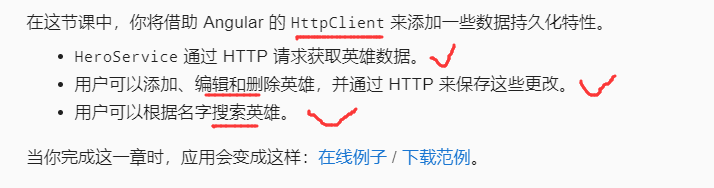
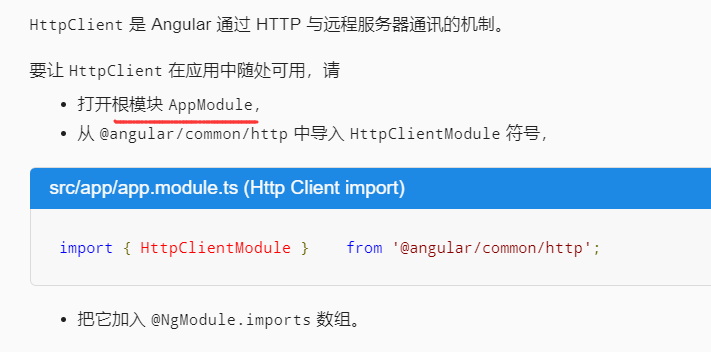
启用 HTTP 服务
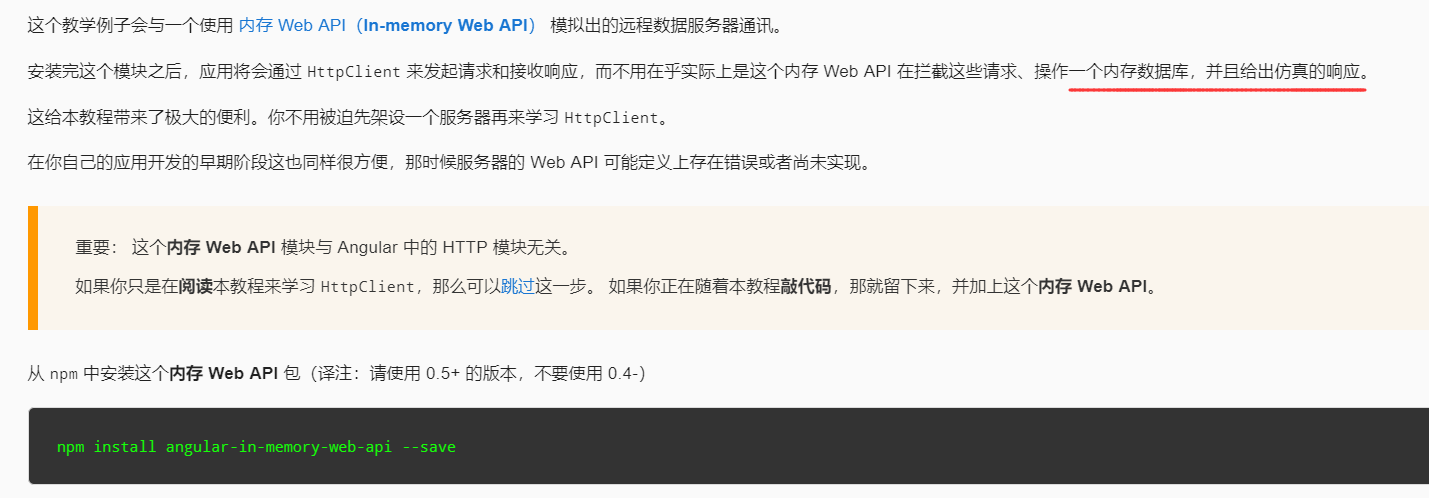
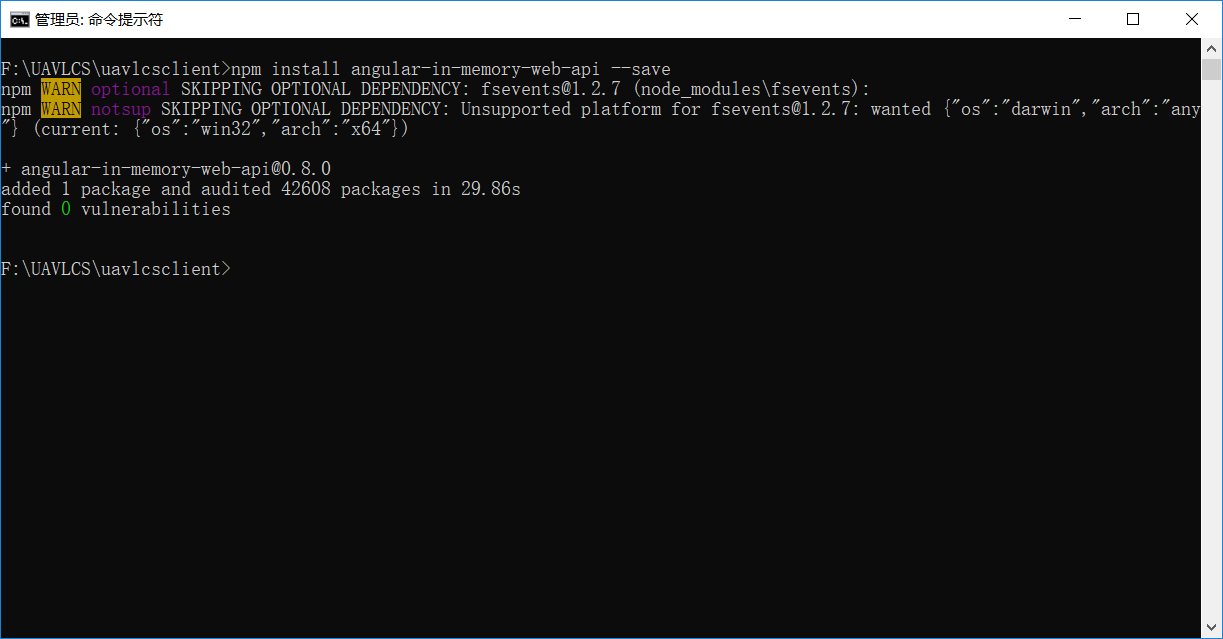
模拟数据服务器
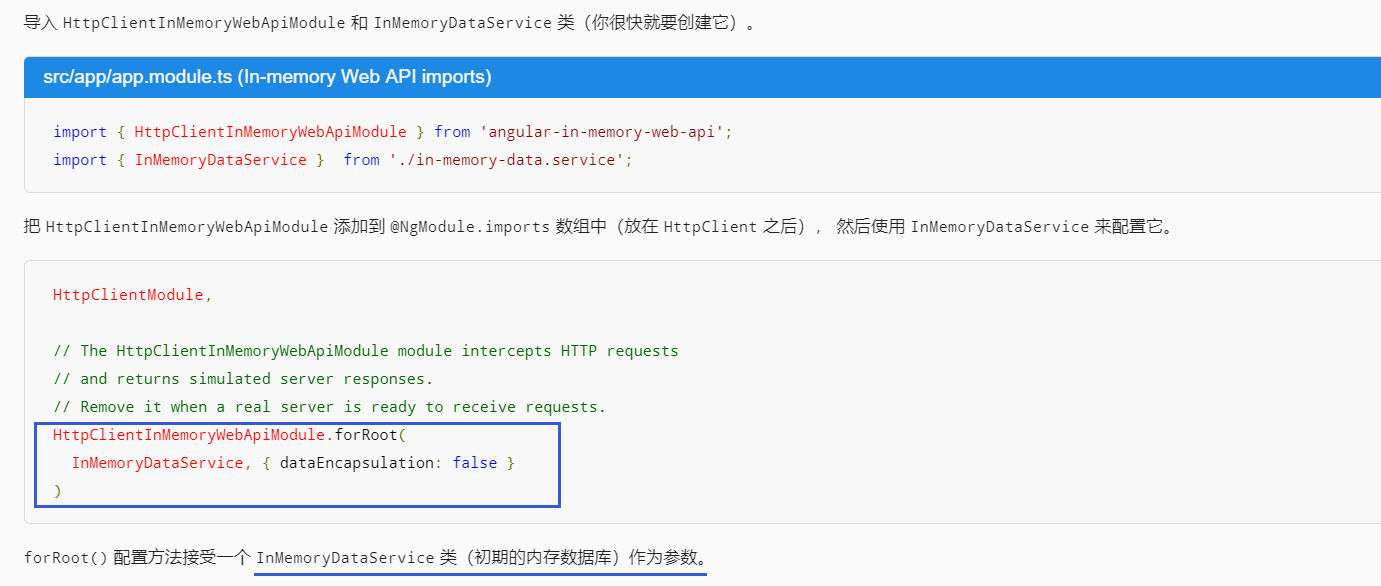
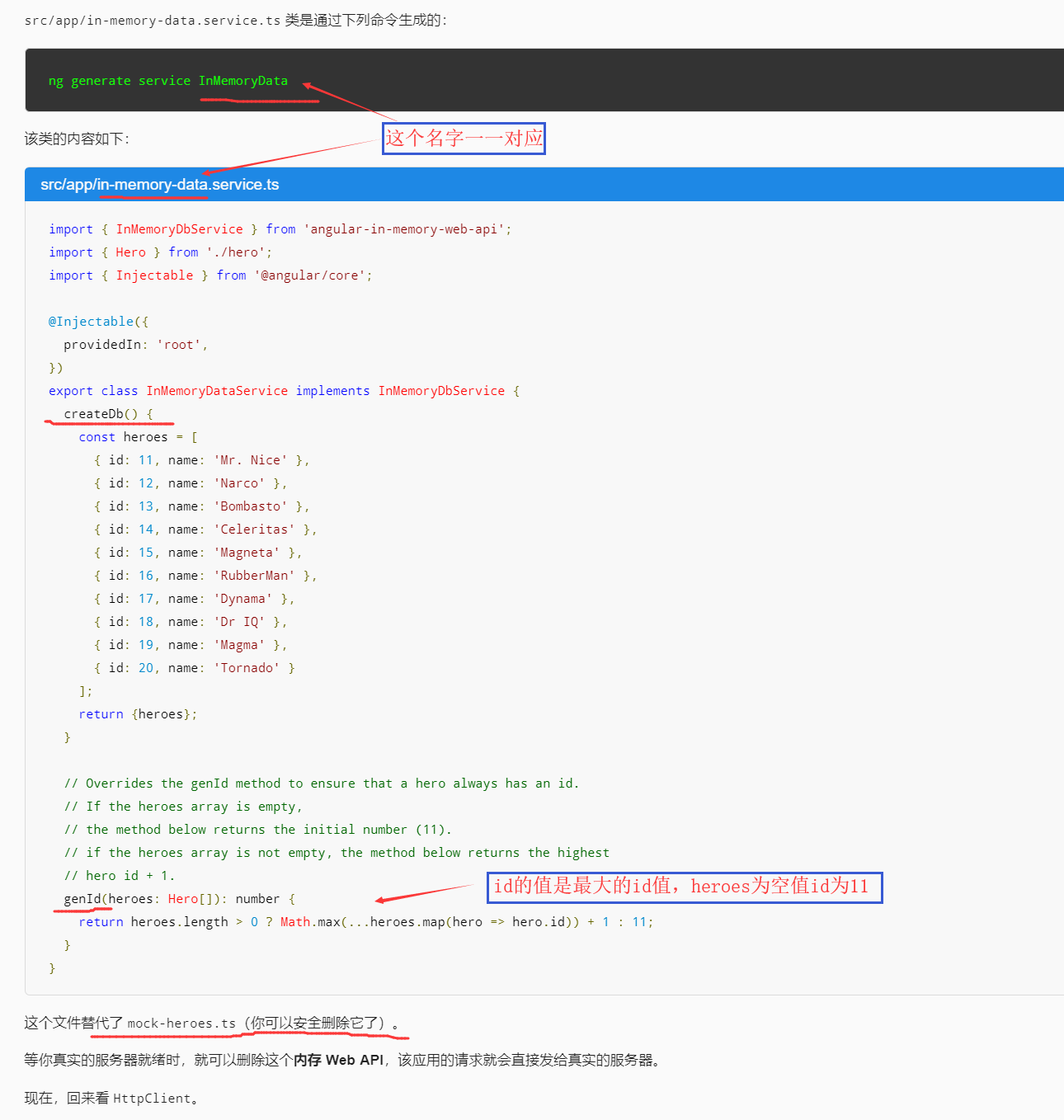
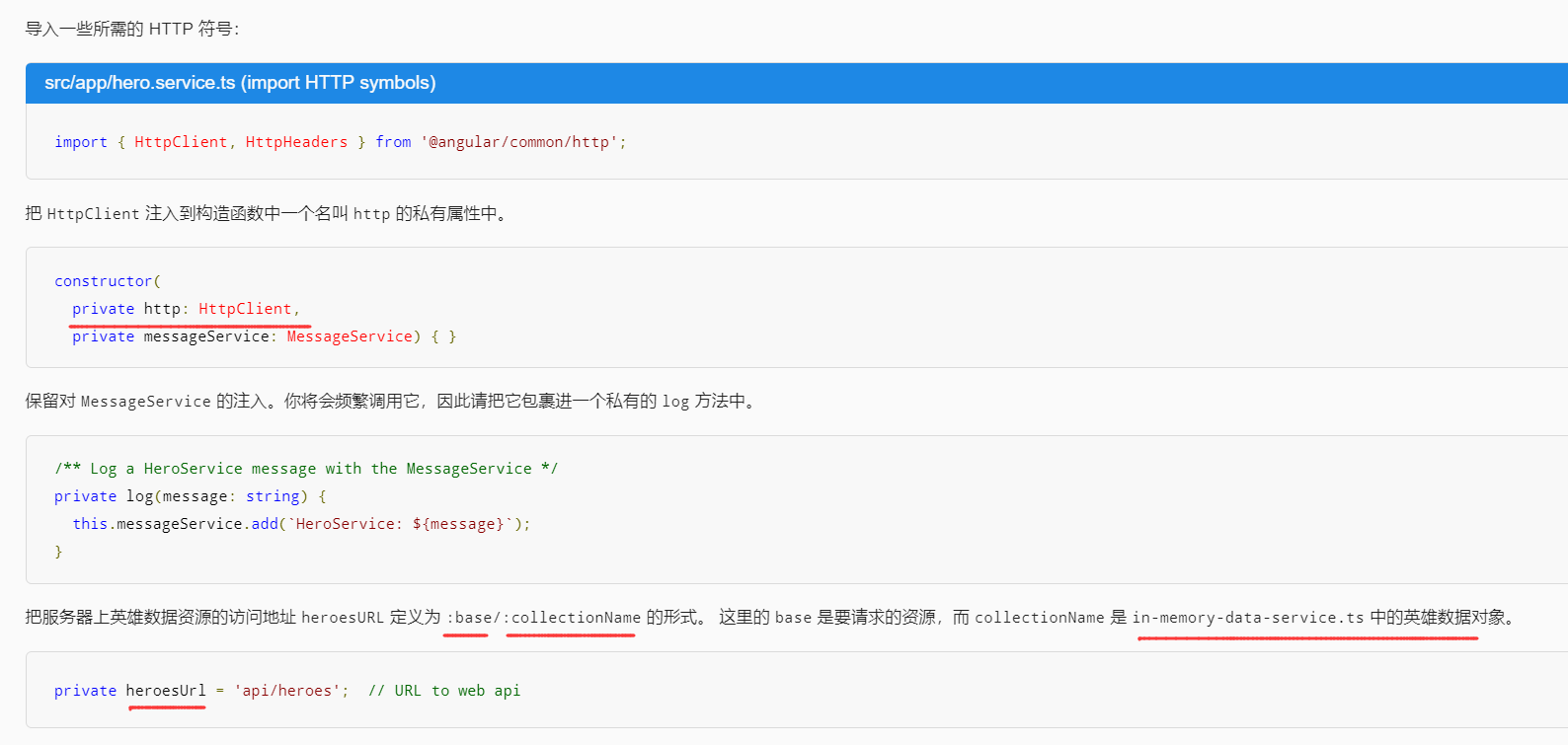
英雄与 HTTP
通过 HttpClient 获取英雄
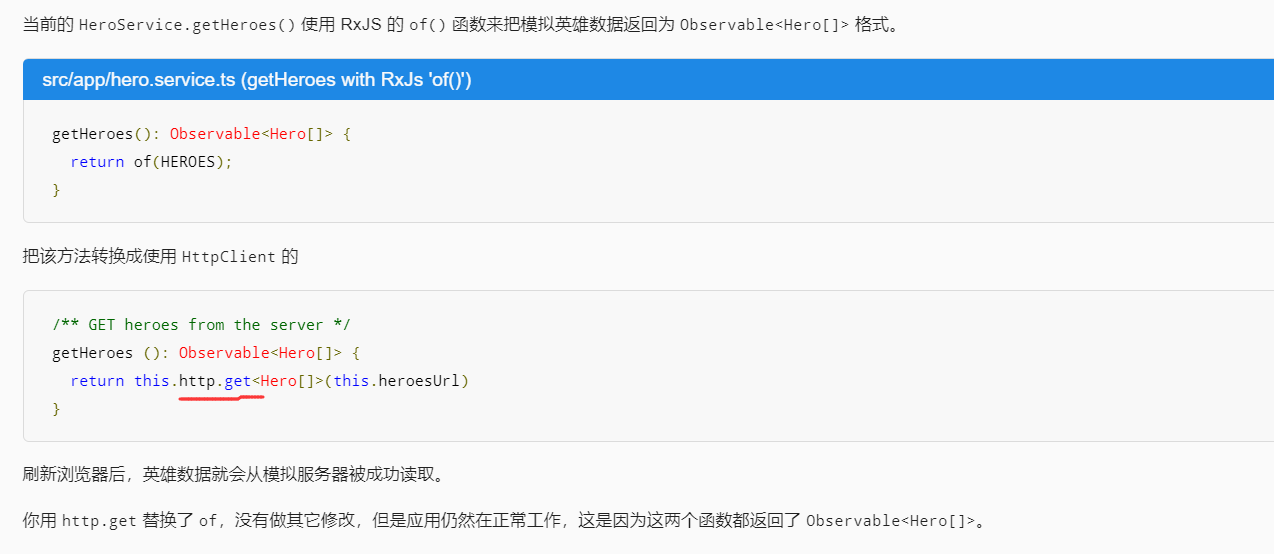
Http 方法返回单个值

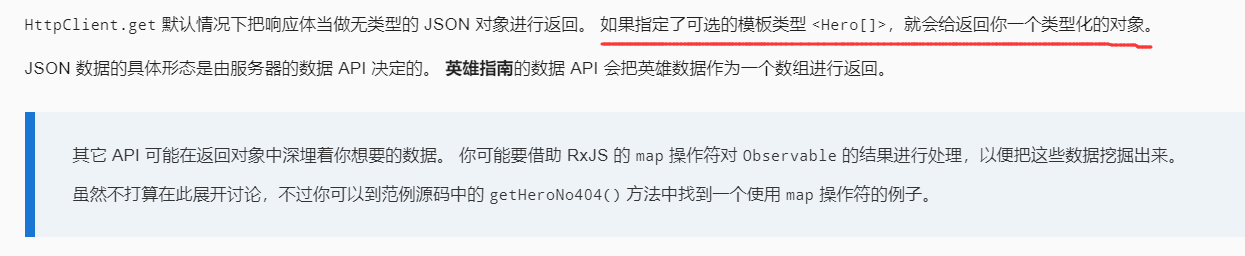
HttpClient.get 返回响应数据
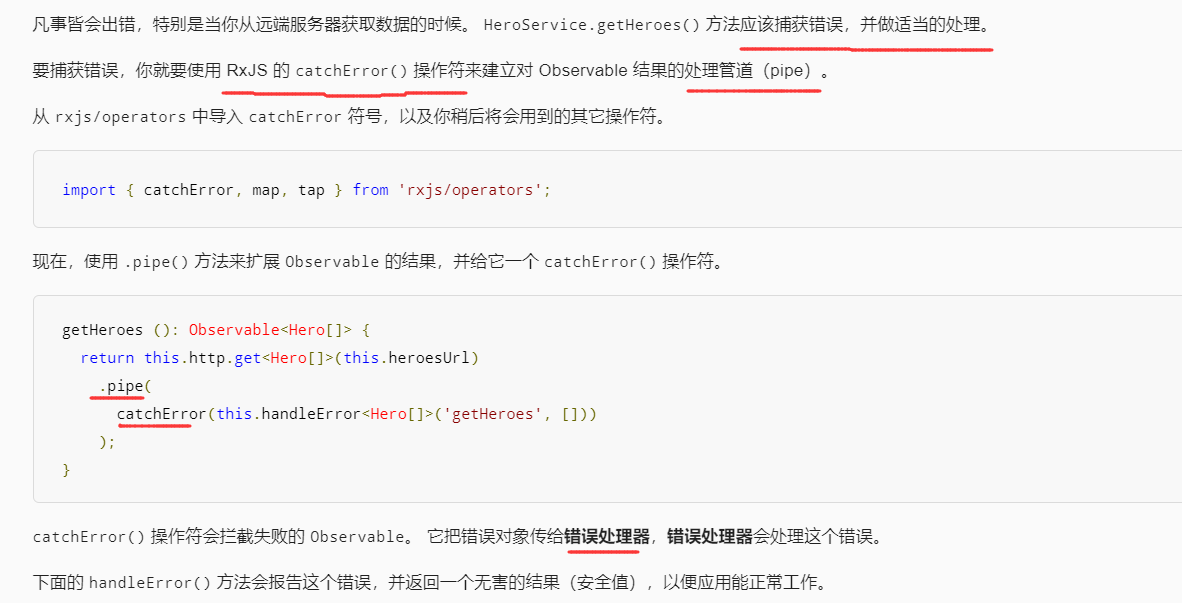
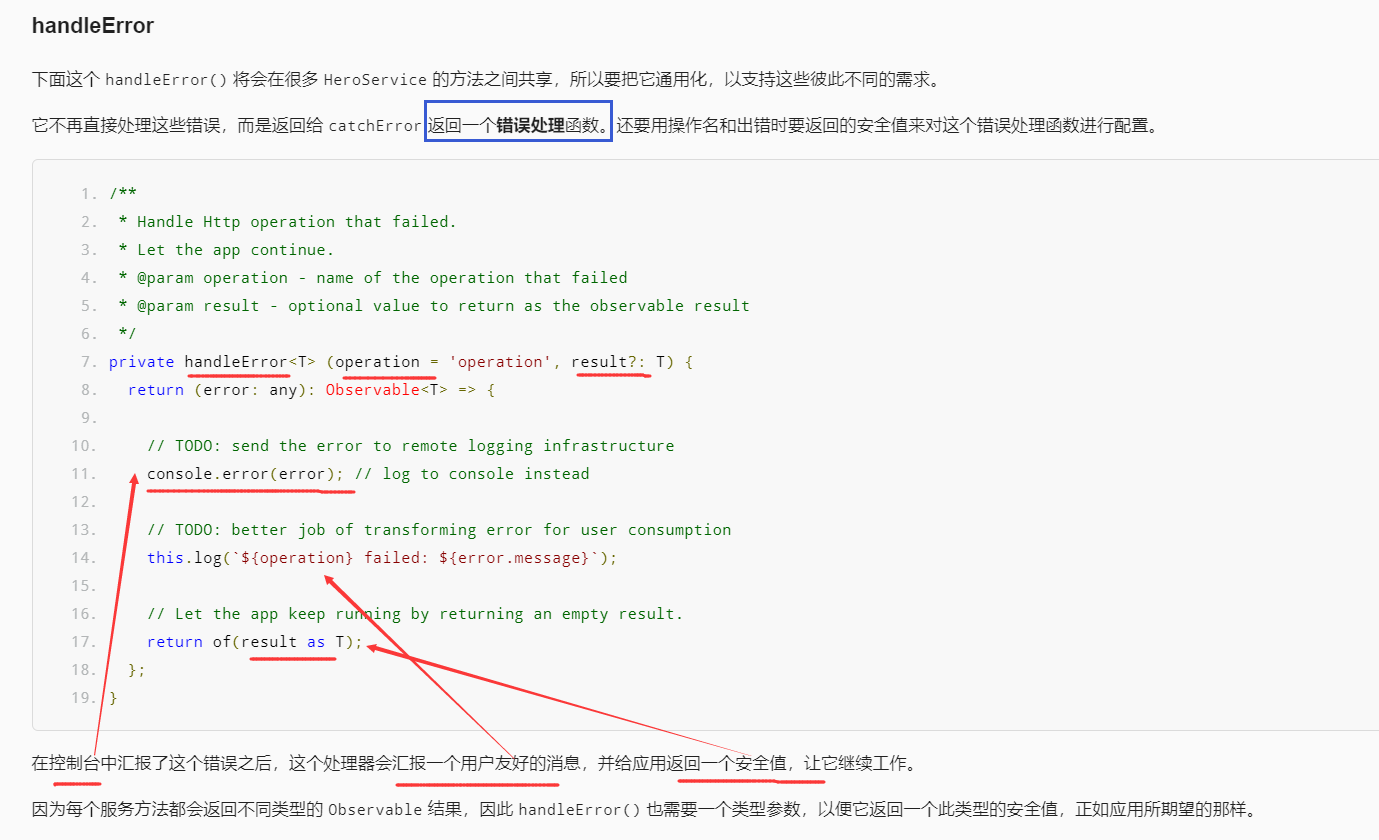
错误处理
窥探 Observable

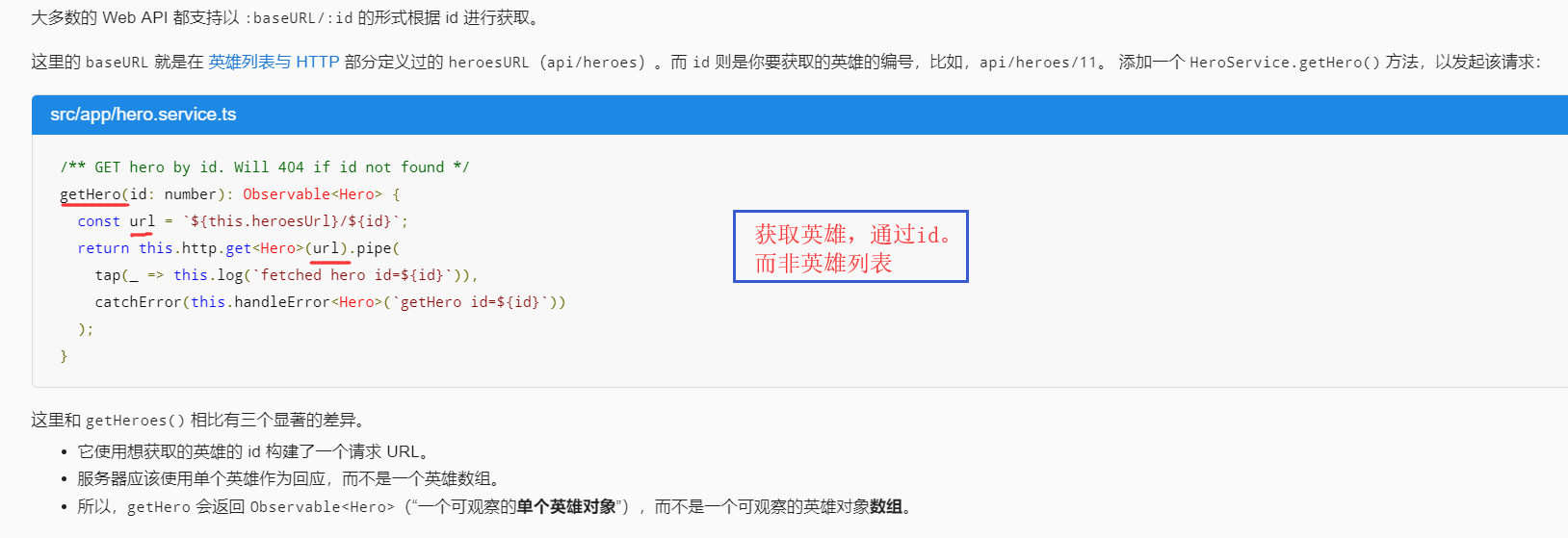
通过 id 获取英雄
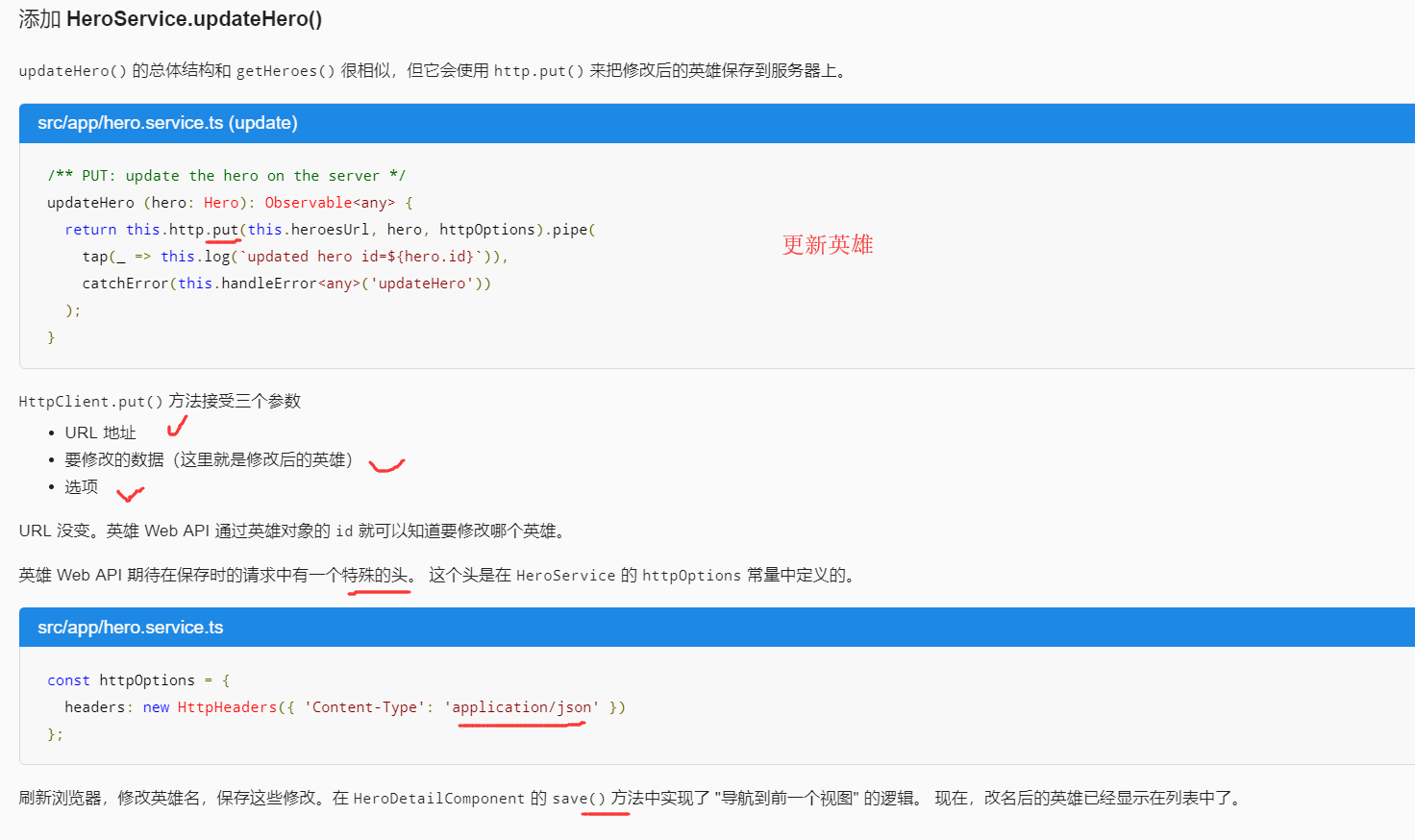
修改英雄
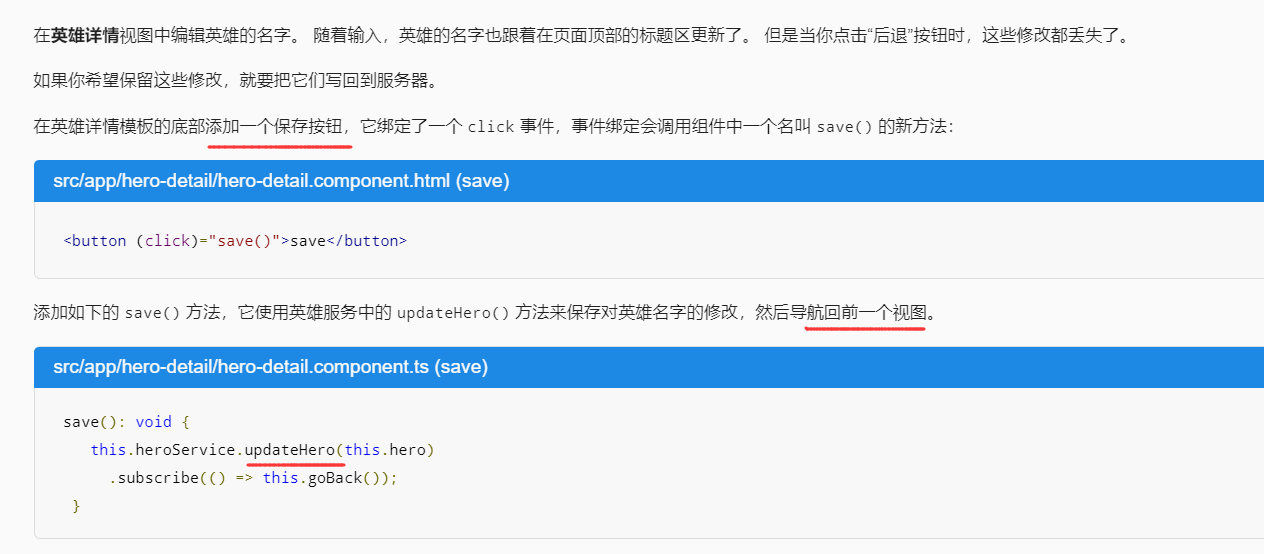
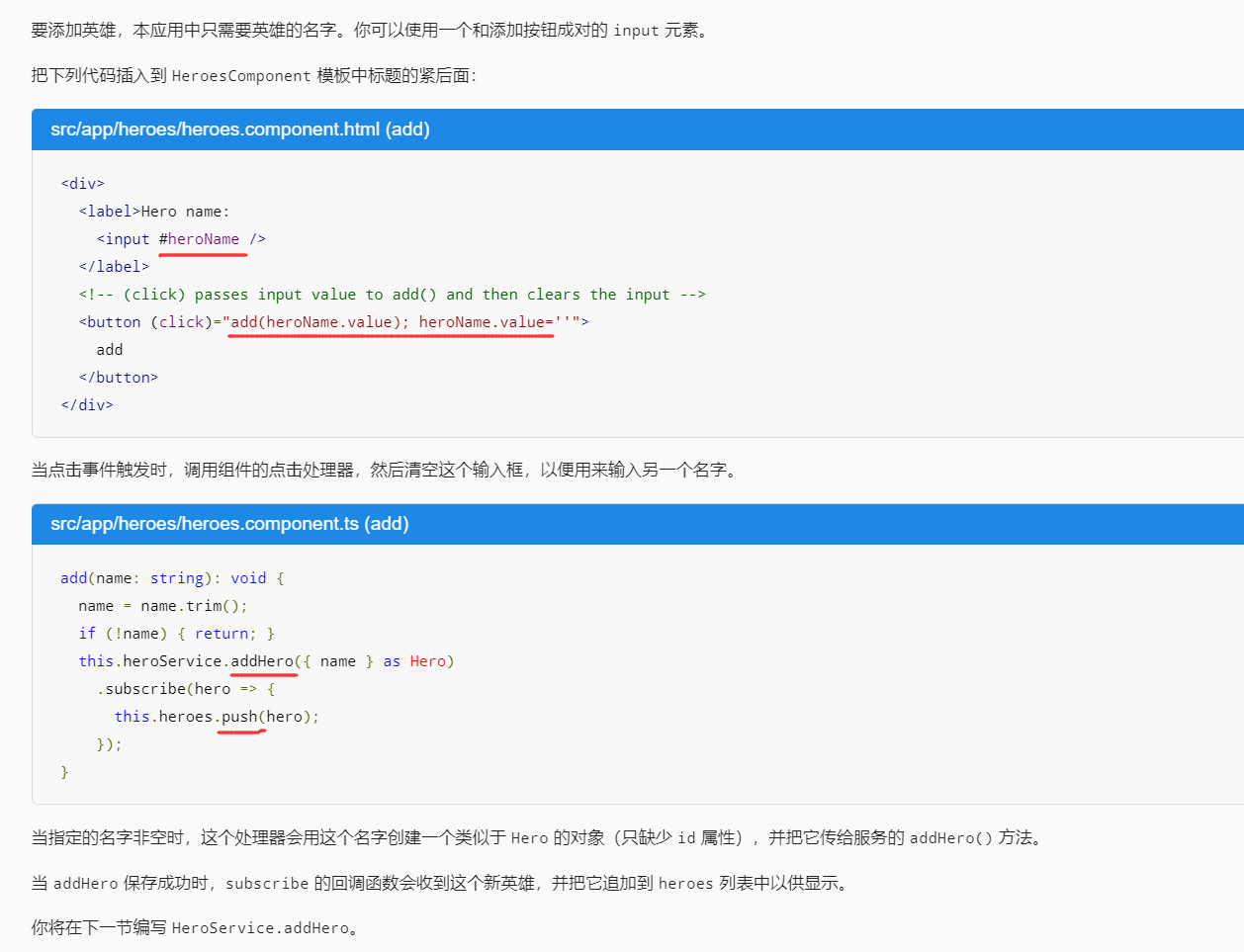
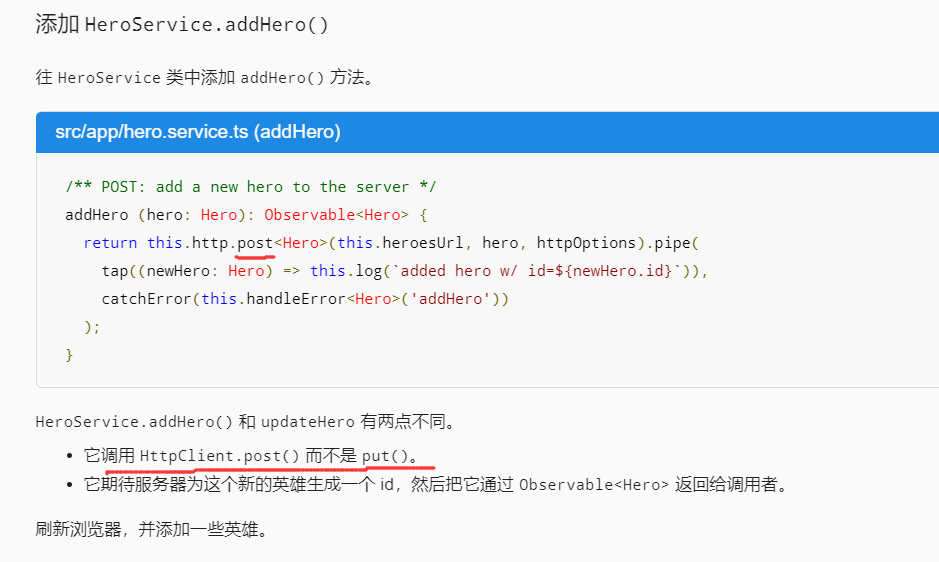
添加新英雄
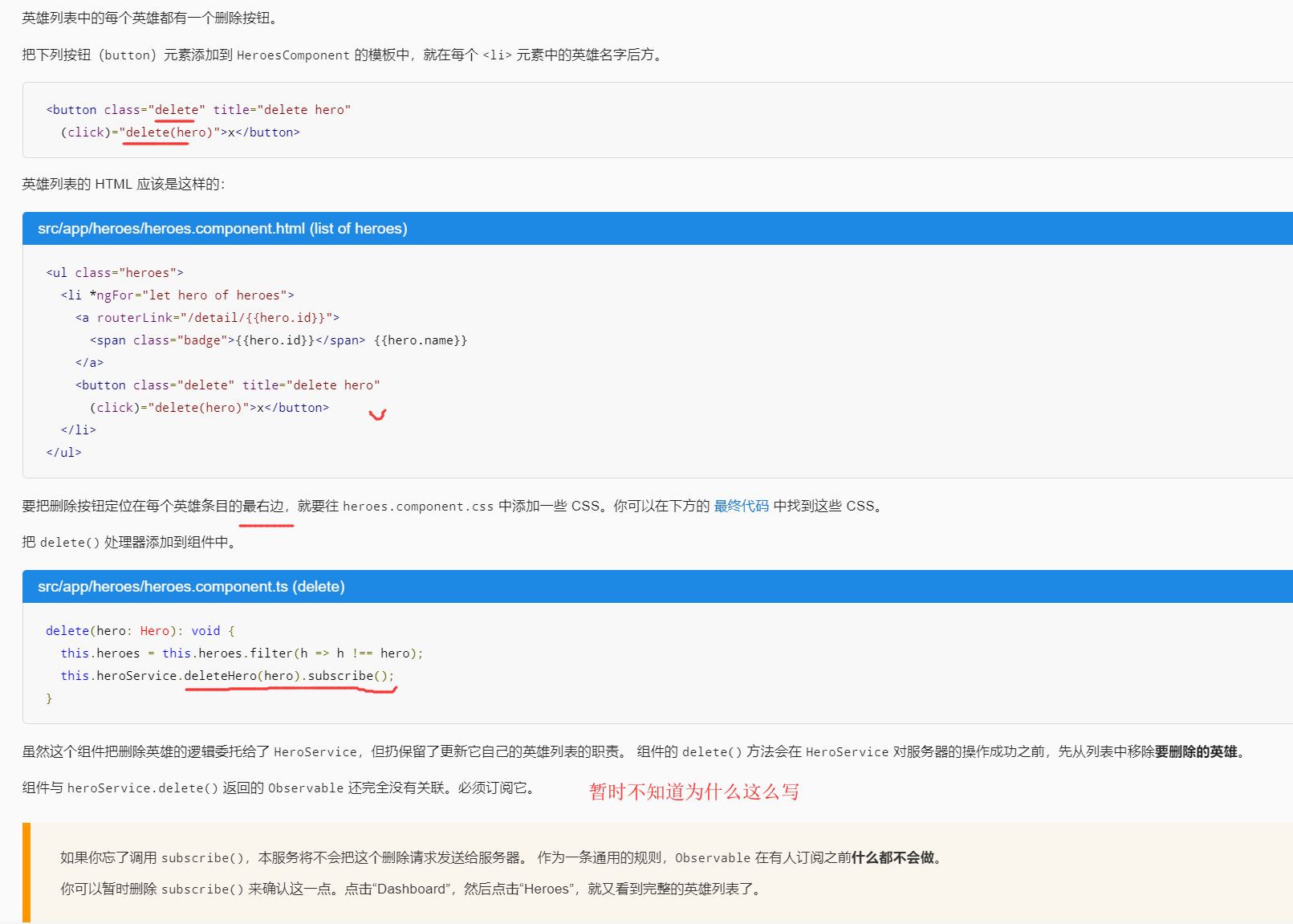
删除某个英雄

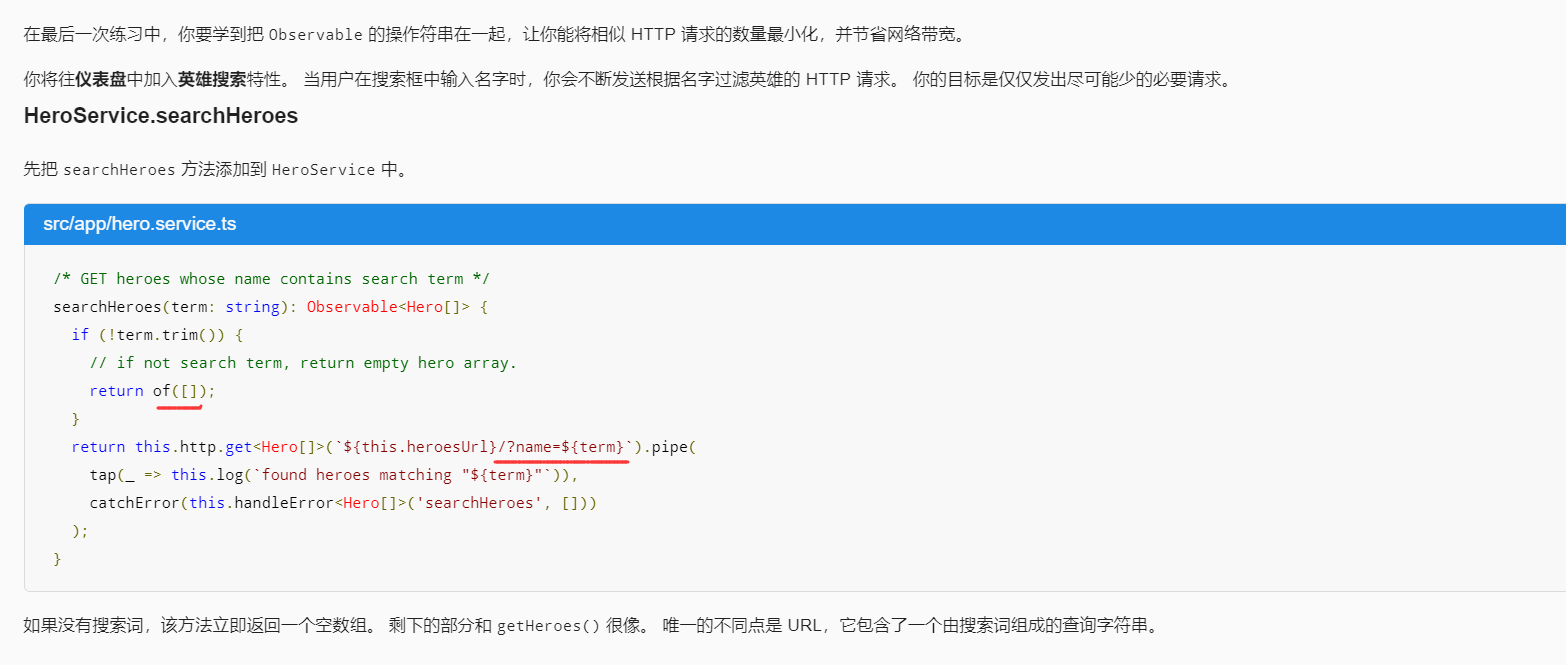
根据名字搜索
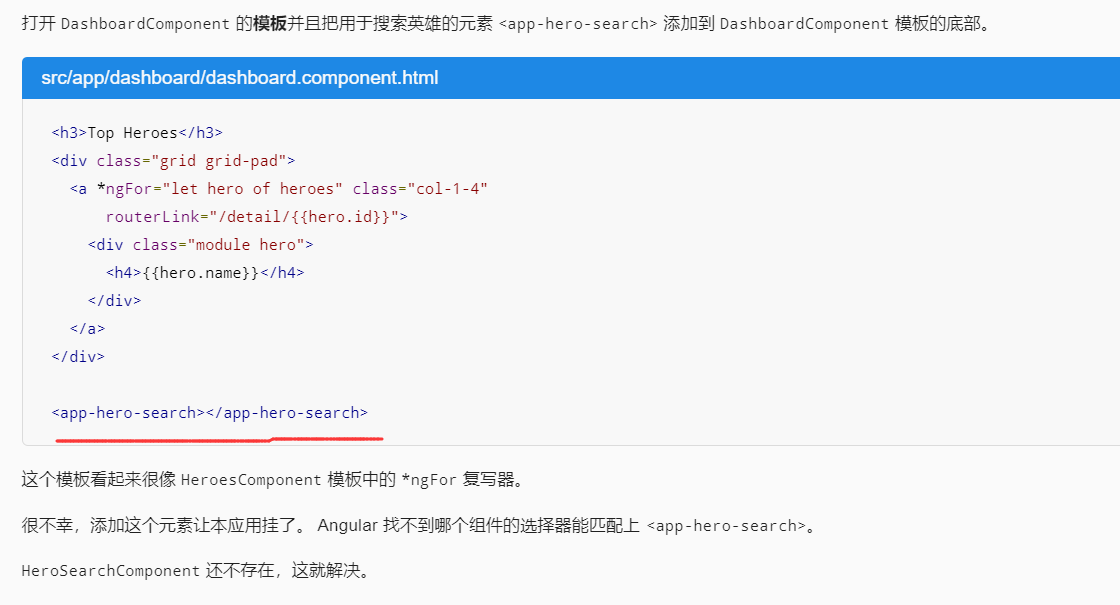
为仪表盘添加搜索功能
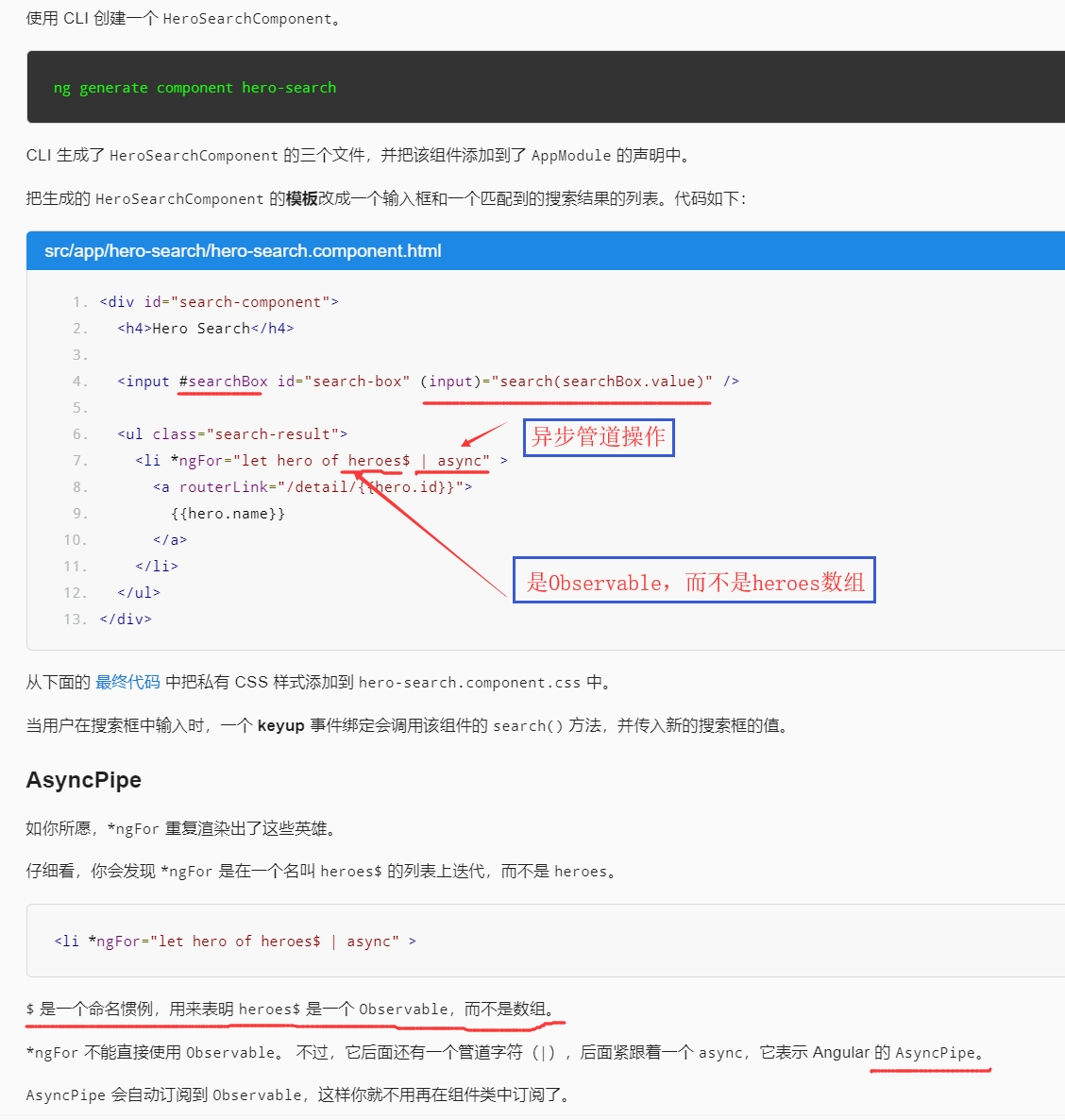
创建 HeroSearchComponen
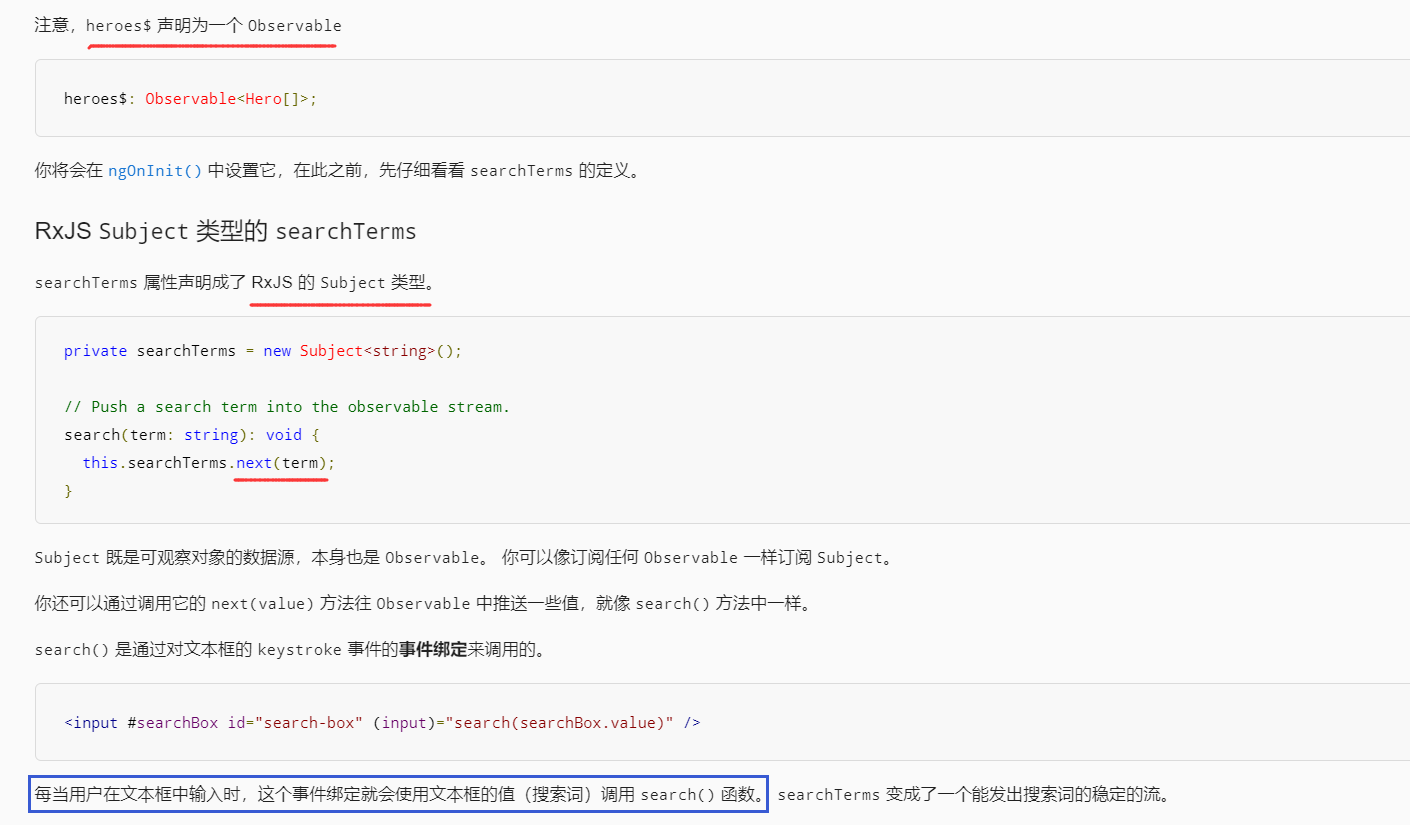
修正 HeroSearchComponent 类,RxJS Subject 类型的 searchTerms
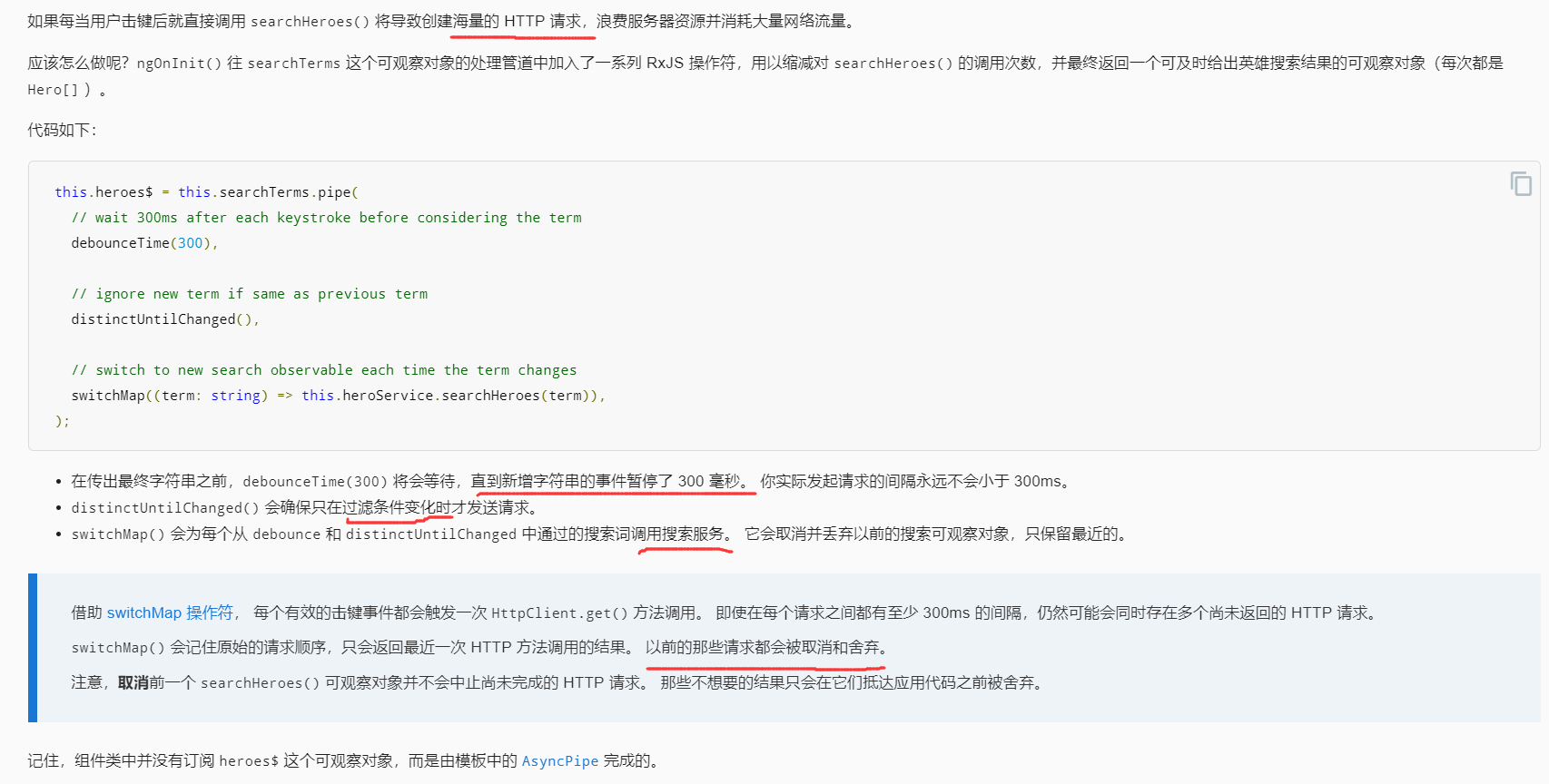
串联 RxJS 操作符
最终代码
hero.service.ts的代码
import { Injectable } from '@angular/core';
import { HttpClient, HttpHeaders } from '@angular/common/http';

import { Observable, of } from 'rxjs';
import { catchError, map, tap } from 'rxjs/operators';

import { Hero } from './hero';
import { MessageService } from './message.service';

const httpOptions = {
  headers: new HttpHeaders({ 'Content-Type': 'application/json' })
};

@Injectable({ providedIn: 'root' })
export class HeroService {

  private heroesUrl = 'api/heroes';  // URL to web api

  constructor(
    private http: HttpClient,
    private messageService: MessageService) { }

  /** GET heroes from the server */
  getHeroes (): Observable<Hero[]> {
    return this.http.get<Hero[]>(this.heroesUrl)
      .pipe(
        tap(_ => this.log('fetched heroes')),
        catchError(this.handleError<Hero[]>('getHeroes', []))
      );
  }

  /** GET hero by id. Return `undefined` when id not found */
  getHeroNo404<Data>(id: number): Observable<Hero> {
    const url = `${this.heroesUrl}/?id=${id}`;
    return this.http.get<Hero[]>(url)
      .pipe(
        map(heroes => heroes[0]), // returns a {0|1} element array
        tap(h => {
          const outcome = h ? `fetched` : `did not find`;
          this.log(`${outcome} hero id=${id}`);
        }),
        catchError(this.handleError<Hero>(`getHero id=${id}`))
      );
  }

  /** GET hero by id. Will 404 if id not found */
  getHero(id: number): Observable<Hero> {
    const url = `${this.heroesUrl}/${id}`;
    return this.http.get<Hero>(url).pipe(
      tap(_ => this.log(`fetched hero id=${id}`)),
      catchError(this.handleError<Hero>(`getHero id=${id}`))
    );
  }

  /* GET heroes whose name contains search term */
  searchHeroes(term: string): Observable<Hero[]> {
    if (!term.trim()) {
      // if not search term, return empty hero array.
      return of([]);
    }
    return this.http.get<Hero[]>(`${this.heroesUrl}/?name=${term}`).pipe(
      tap(_ => this.log(`found heroes matching "${term}"`)),
      catchError(this.handleError<Hero[]>('searchHeroes', []))
    );
  }

  //////// Save methods //////////

  /** POST: add a new hero to the server */
  addHero (hero: Hero): Observable<Hero> {
    return this.http.post<Hero>(this.heroesUrl, hero, httpOptions).pipe(
      tap((newHero: Hero) => this.log(`added hero w/ id=${newHero.id}`)),
      catchError(this.handleError<Hero>('addHero'))
    );
  }

  /** DELETE: delete the hero from the server */
  deleteHero (hero: Hero | number): Observable<Hero> {
    const id = typeof hero === 'number' ? hero : hero.id;
    const url = `${this.heroesUrl}/${id}`;

    return this.http.delete<Hero>(url, httpOptions).pipe(
      tap(_ => this.log(`deleted hero id=${id}`)),
      catchError(this.handleError<Hero>('deleteHero'))
    );
  }

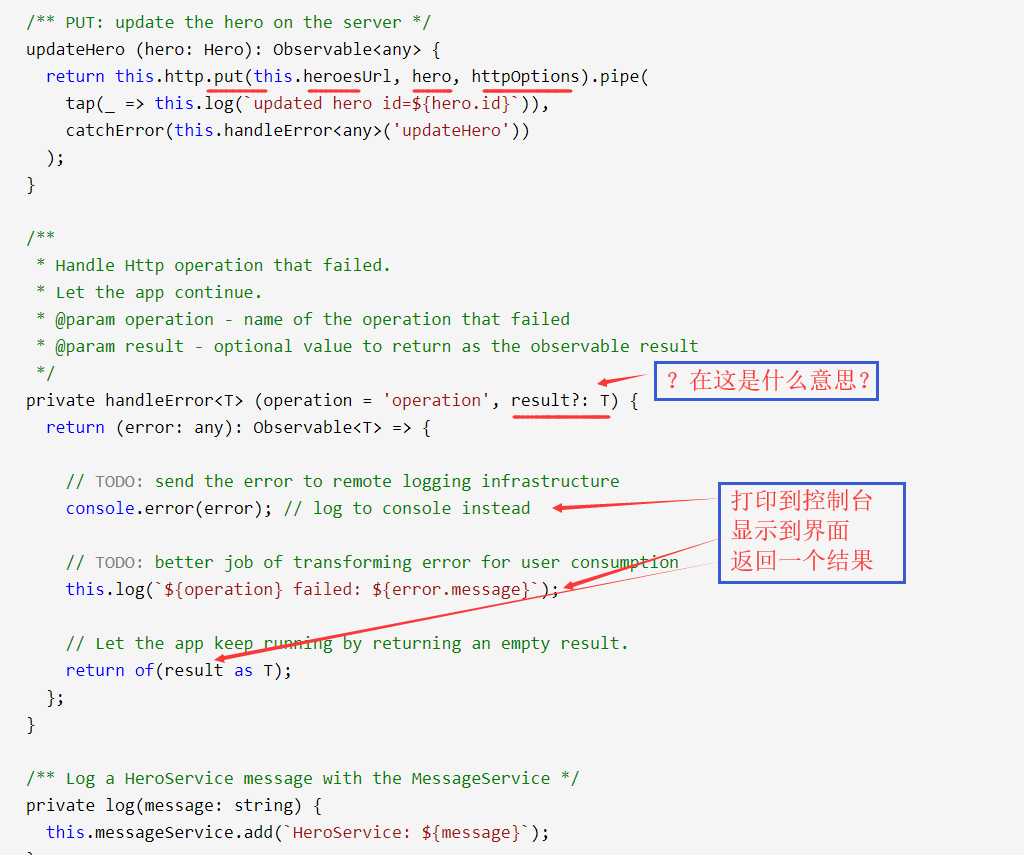
  /** PUT: update the hero on the server */
  updateHero (hero: Hero): Observable<any> {
    return this.http.put(this.heroesUrl, hero, httpOptions).pipe(
      tap(_ => this.log(`updated hero id=${hero.id}`)),
      catchError(this.handleError<any>('updateHero'))
    );
  }

  /**
   * Handle Http operation that failed.
   * Let the app continue.
   * @param operation - name of the operation that failed
   * @param result - optional value to return as the observable result
   */
  private handleError<T> (operation = 'operation', result?: T) {
    return (error: any): Observable<T> => {

      // TODO: send the error to remote logging infrastructure
      console.error(error); // log to console instead

      // TODO: better job of transforming error for user consumption
      this.log(`${operation} failed: ${error.message}`);

      // Let the app keep running by returning an empty result.
      return of(result as T);
    };
  }

  /** Log a HeroService message with the MessageService */
  private log(message: string) {
    this.messageService.add(`HeroService: ${message}`);
  }
}
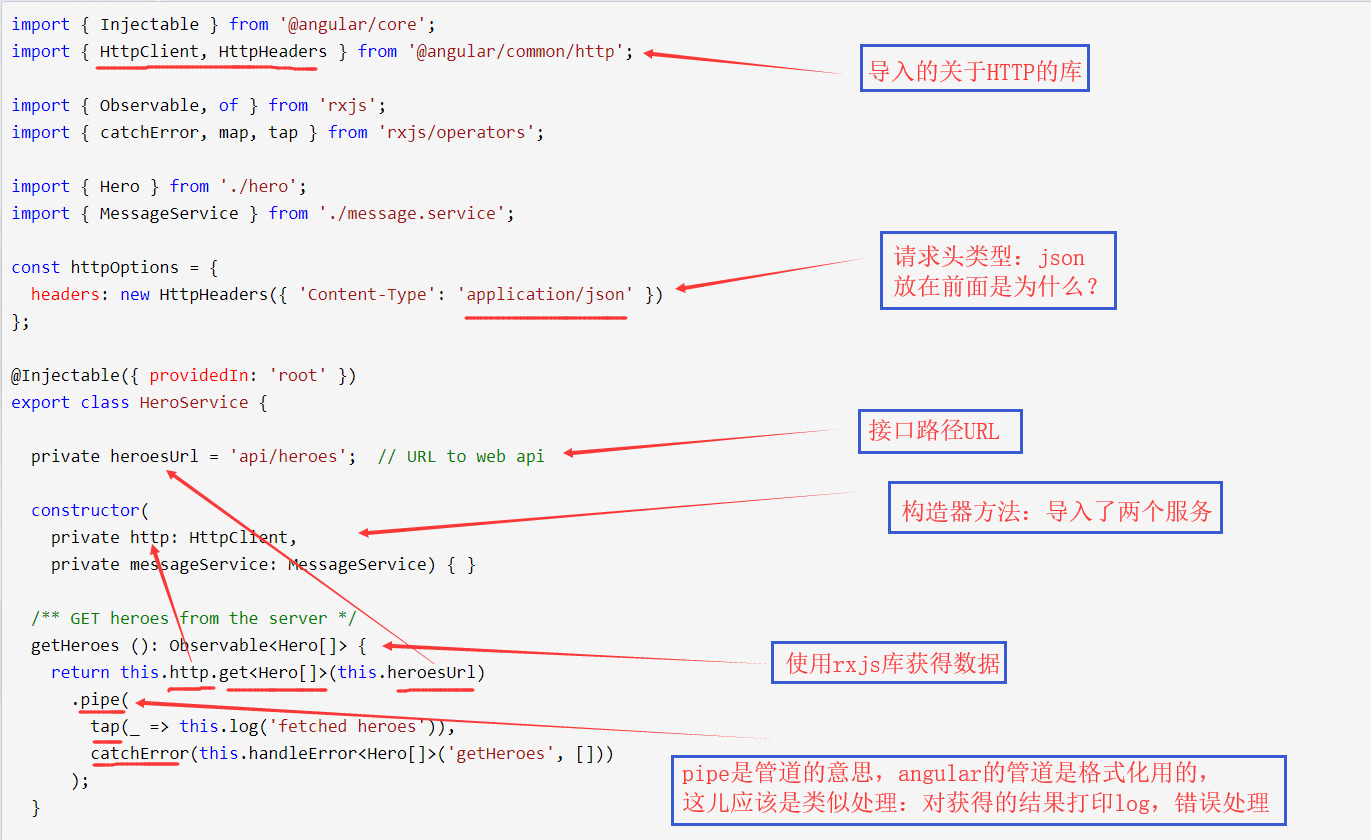
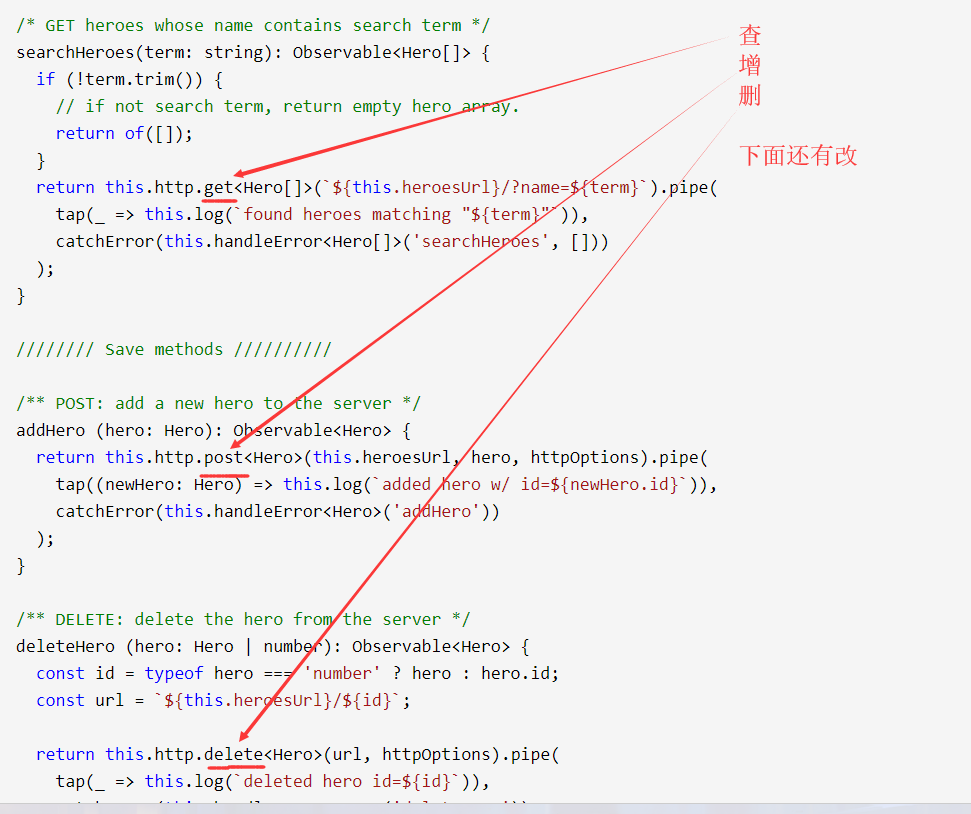
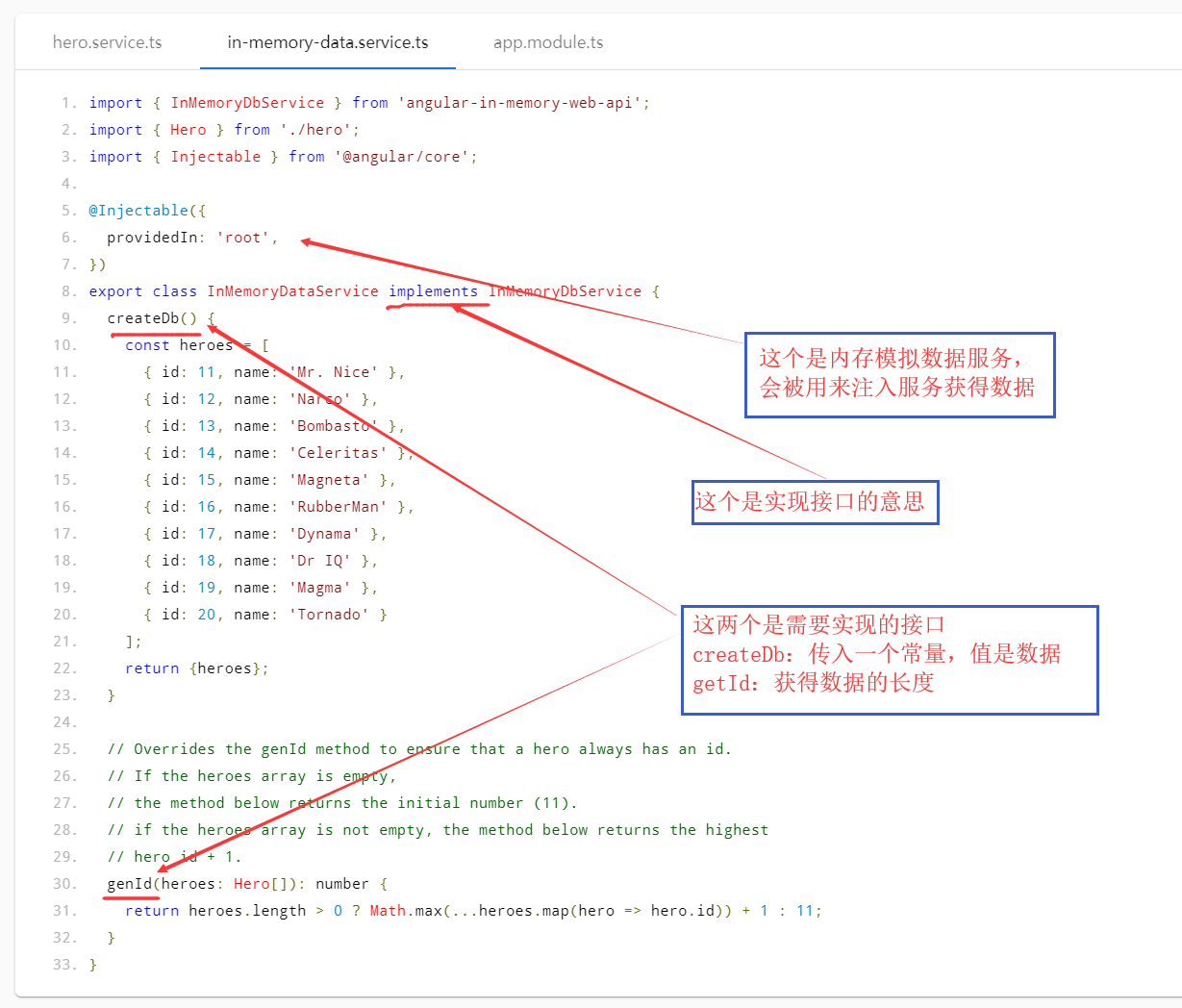
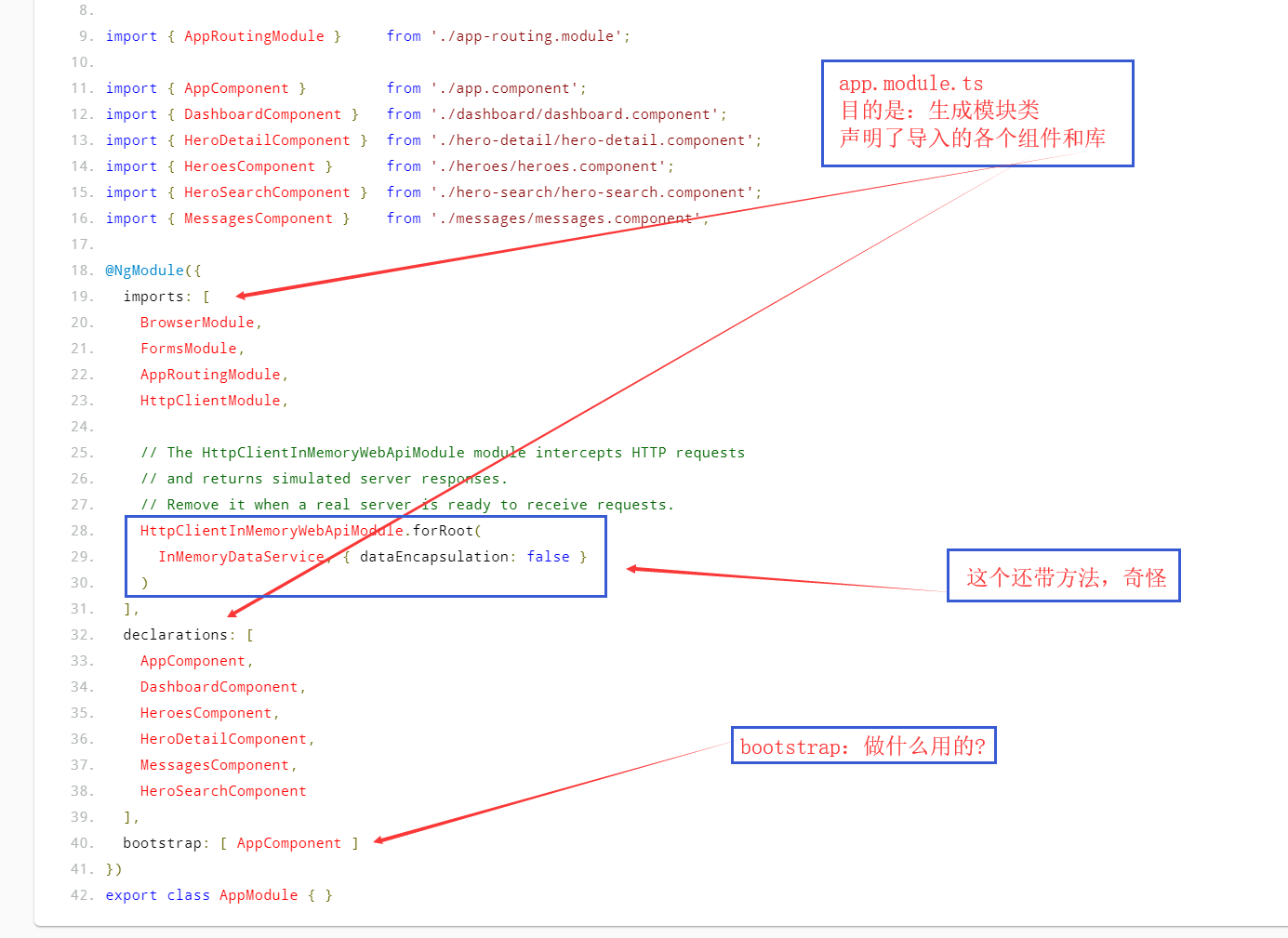
代码理解:hero.service.ts

Angular记录(9)的更多相关文章
- Angular记录(2)
文档资料 箭头函数--MDN:https://developer.mozilla.org/zh-CN/docs/Web/JavaScript/Reference/Functions/Arrow_fun ...
- Angular记录(11)
开始使用Angular写页面 使用WebStorm:版本2018.3.5 官网资料 资料大部分有中文翻译,很不错 速查表:https://www.angular.cn/guide/cheatsheet ...
- Angular记录(10)
文档资料 速查表:https://www.angular.cn/guide/cheatsheet 风格指南:https://www.angular.cn/guide/styleguide Angula ...
- Angular记录(8)
文档资料 箭头函数--MDN:https://developer.mozilla.org/zh-CN/docs/Web/JavaScript/Reference/Functions/Arrow_fun ...
- Angular记录(7)
文档资料 箭头函数--MDN:https://developer.mozilla.org/zh-CN/docs/Web/JavaScript/Reference/Functions/Arrow_fun ...
- Angular记录(6)
文档资料 箭头函数--MDN:https://developer.mozilla.org/zh-CN/docs/Web/JavaScript/Reference/Functions/Arrow_fun ...
- Angular记录(5)
文档资料 箭头函数--MDN:https://developer.mozilla.org/zh-CN/docs/Web/JavaScript/Reference/Functions/Arrow_fun ...
- Angular记录(4)
文档资料 箭头函数--MDN:https://developer.mozilla.org/zh-CN/docs/Web/JavaScript/Reference/Functions/Arrow_fun ...
- Angular记录(3)
文档资料 箭头函数--MDN:https://developer.mozilla.org/zh-CN/docs/Web/JavaScript/Reference/Functions/Arrow_fun ...
随机推荐
- 章节十、3-CSS Selector---用CSS Selector - ID定位元素
一.如果元素的 ID 不唯一,或者是动态的,或者 name 以及 linktext 属性值也不唯一,对于这样的元素,我们 就需要考虑用 xpath或者css selector 来查找元素了,然后再对元 ...
- Eclipse 模板
Eclipse 的模板:推荐一个好的内容 设置注释模板的入口:Window->Preference->Java->Code Style->Code Template 然后展开C ...
- yum方式安装kubernetes
环境准备 master01 node01 node02,连通网络,修改hosts文件,确认3台主机相互解析 vim /etc/hosts 127.0.0.1 localhost localhost.l ...
- [题解]洛谷P2709 小B的询问
地址 是一道莫队模板题. 分析 设\(\text{vis[i]}\)表示元素\(\text{i}\)出现的次数 当一个元素进入莫队时,它对答案的贡献增加.有\(\delta Ans=(X+1)^2-X ...
- win 10 精简组件列表
轻松访问工具 操作中心 应用程序虚拟化(App-V) Telemetry Client (Asimov)(遥测) Assigned Access(按需访问) 自动播放 网络后台传输 备份 生物识别服务 ...
- [C#6] 8-异常增强
0. 目录 C#6 新增特性目录 1. 在catch和finally块中使用await 在C#5中引入一对关键字await/async,用来支持新的异步编程模型,使的C#的异步编程模型进一步的简化(A ...
- php支持解密的加密算法示例
其实只是对位运算符的一种简单的应用. <?php class Helper_Inpass{ private $keys='thisismytoken';//token function inpa ...
- 解决mySQL数据库锁表问题。
先用这条命令查询数据库阻塞的进程 SELECT * FROM information_schema.innodb_trx 找到后在根据下图这个字段:try_mysql_thread_id 作为这条数据 ...
- C#需要在项目程序生成前后执行相关的事件
分享4: 需求:需要在项目程序生成前后执行相关的事件,比如:需要将某个文件拷贝到bin\Debug中,或者创建某文件夹等. 分析:我们可利用项目属性(选择项目右键,选择属性)中的“生成事件”预定义相关 ...
- Django(九)下:Ajax操作、图片验证码、KindEditor使用
三.Ajax操作 ajax操作基于浏览器的xmlHttpRequest对象,IE低版本是另外一个对象,jQuery 1 版本对那两个对象做了封装,兼容性最好,2 .3版本不再支持IE低版本了. Aja ...