
Angular记录(3)
文档资料
- 箭头函数--MDN:https://developer.mozilla.org/zh-CN/docs/Web/JavaScript/Reference/Functions/Arrow_functions
箭头函数--ES6文档:http://es6.ruanyifeng.com/#docs/function#箭头函数
- Promise 对象--JS教程:https://wangdoc.com/javascript/async/promise.html
- Promise--ES6文档:http://es6.ruanyifeng.com/#docs/promise
- Promise--MDN:https://developer.mozilla.org/zh-CN/docs/Web/JavaScript/Reference/Global_Objects/Promise
Promise.prototype.then()--MDN:https://developer.mozilla.org/zh-CN/docs/Web/JavaScript/Reference/Global_Objects/Promise/then
- 教程:英雄指南:https://www.angular.cn/tutorial#tutorial-tour-of-heroes
- 工作区与项目文件的结构:https://www.angular.cn/guide/file-structure
- 组件简介:https://www.angular.cn/guide/architecture-components
CLI 命令参考手册:https://www.angular.cn/cli
应用的外壳
应用的外壳:https://www.angular.cn/tutorial/toh-pt0#the-application-shell
设置开发环境
- 安装
nodejs - 安装
Angular CLI:npm install -g @angular/cli
创建新的工作区和一个初始应用
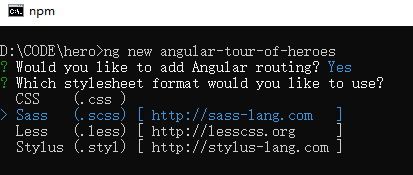
ng new angular-tour-of-heroes
是否安装路由插件:Y
选择css:学习使用scss,(之前要安装
git,配置github)
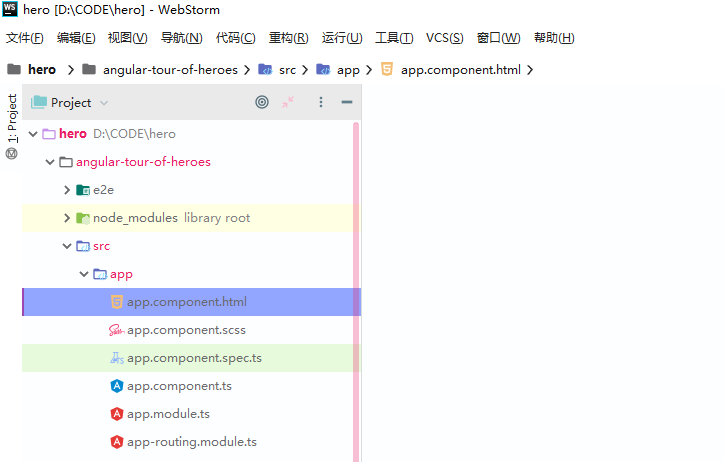
看一下生成的文件

因为装了WebStorm,所以用它打开
启动应用服务器
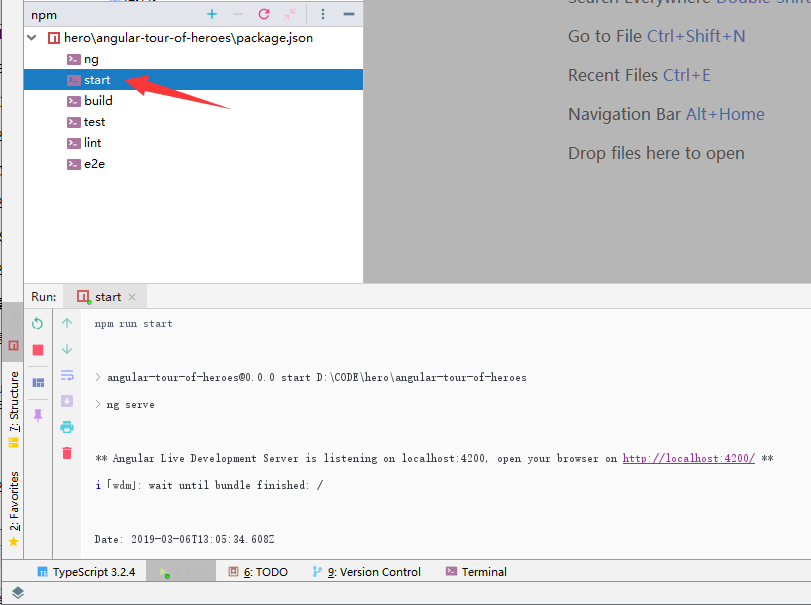
进入工作区目录,并启动这个应用。
cd angular-tour-of-heroes
ng serve --open
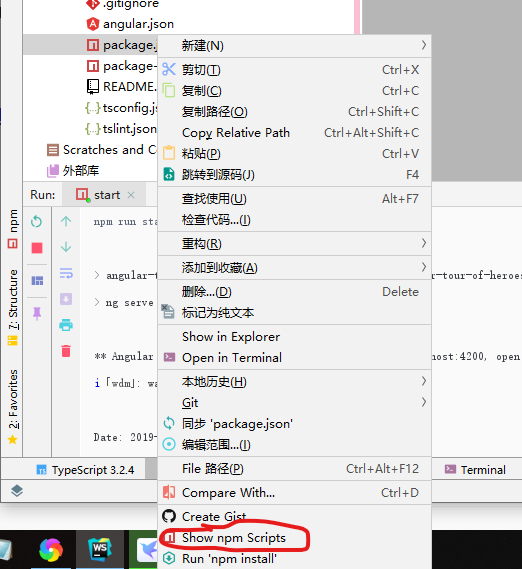
用WS打开
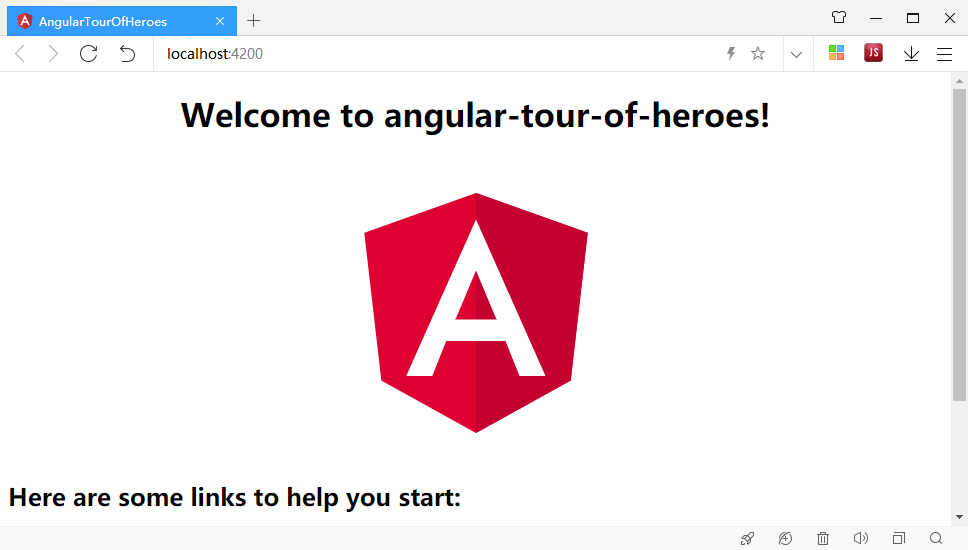
Angular 组件
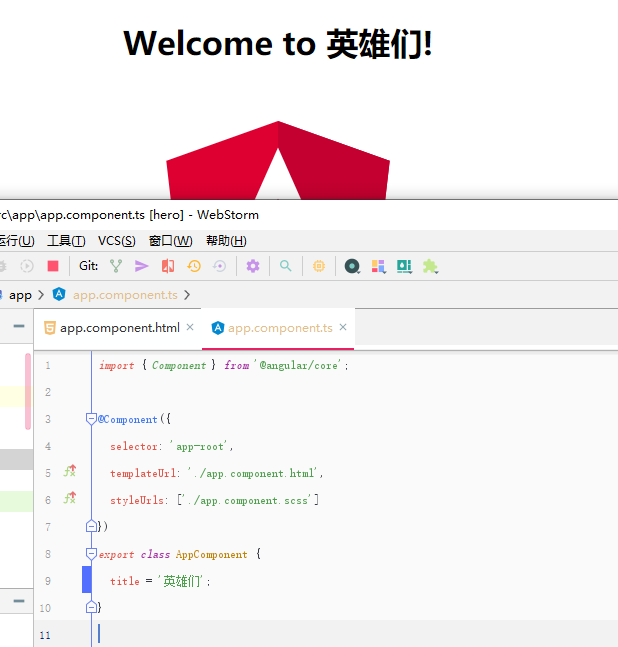
你所看到的这个页面就是应用的外壳。 这个外壳是被一个名叫 AppComponent 的 Angular 组件控制的。
组件是 Angular 应用中的基本构造块。 它们在屏幕上显示数据,监听用户输入,并且根据这些输入执行相应的动作。
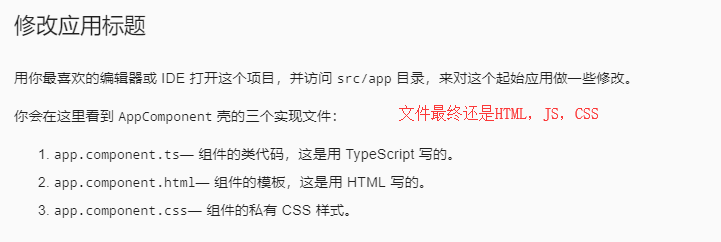
快捷键:Ctrl + 鼠标点击变量
Angular记录(3)的更多相关文章
- Angular记录(2)
文档资料 箭头函数--MDN:https://developer.mozilla.org/zh-CN/docs/Web/JavaScript/Reference/Functions/Arrow_fun ...
- Angular记录(11)
开始使用Angular写页面 使用WebStorm:版本2018.3.5 官网资料 资料大部分有中文翻译,很不错 速查表:https://www.angular.cn/guide/cheatsheet ...
- Angular记录(10)
文档资料 速查表:https://www.angular.cn/guide/cheatsheet 风格指南:https://www.angular.cn/guide/styleguide Angula ...
- Angular记录(9)
文档资料 箭头函数--MDN:https://developer.mozilla.org/zh-CN/docs/Web/JavaScript/Reference/Functions/Arrow_fun ...
- Angular记录(8)
文档资料 箭头函数--MDN:https://developer.mozilla.org/zh-CN/docs/Web/JavaScript/Reference/Functions/Arrow_fun ...
- Angular记录(7)
文档资料 箭头函数--MDN:https://developer.mozilla.org/zh-CN/docs/Web/JavaScript/Reference/Functions/Arrow_fun ...
- Angular记录(6)
文档资料 箭头函数--MDN:https://developer.mozilla.org/zh-CN/docs/Web/JavaScript/Reference/Functions/Arrow_fun ...
- Angular记录(5)
文档资料 箭头函数--MDN:https://developer.mozilla.org/zh-CN/docs/Web/JavaScript/Reference/Functions/Arrow_fun ...
- Angular记录(4)
文档资料 箭头函数--MDN:https://developer.mozilla.org/zh-CN/docs/Web/JavaScript/Reference/Functions/Arrow_fun ...
随机推荐
- 评估指标【交叉验证&ROC曲线】
# -*- coding: utf-8 -*- """ Created on Mon Sep 10 11:21:27 2018 @author: zhen "& ...
- IOS以无线方式安装企业内部应用(开发者)
请先阅读:http://help.apple.com/deployment/ios/#/apda0e3426d7 操作系统:osx yosemite 10.10.5 (14F1509) xcode:V ...
- linux驱动简单介绍
linux驱动简单介绍 驱动基本介绍 驱动.顾名思义就是“驱使硬件设备行动”.设备驱动与底层硬件之间打交道,按照硬件设备的具体操作方式来读写设备寄存器,最终完成一系列操作. 设备 驱动充当了应用程序 ...
- ASP.NET Core 2.2 十九. Action参数的映射与模型绑定
前文说道了Action的激活,这里有个关键的操作就是Action参数的映射与模型绑定,这里即涉及到简单的string.int等类型,也包含Json等复杂类型,本文详细分享一下这一过程.(ASP.NET ...
- 随心测试_数据库_003 <数据库存储结构>
接上篇:了解了_数据库系统组成,继续理解必备知识点:数据库存储_逻辑结构 快速理解 数据存储结构:数据库系统_数据库_表 1. 理解什么是数据库 数据库发展:大致由 人工管理.文件系统.数据库系统(高 ...
- Linux SHELL中sh和bash的区别
什么是SHELL? shell的中文意思就是贝壳,其实比较类似于我们内核的壳.简而言之就是只要能够操作应用程序的接口都能够称为SHELL.狭义的shell指的是命令行方面的软件,广义的SHELL则包括 ...
- .a 文件 和 so 文件
所谓静态链接是指把要调用的函数或者过程链接到可执行文件中,成为可执行文件的一部分.当多个程序都调用相同函数时,内存中就会存在这个函数的多个拷贝,这样就浪费了宝贵的内存资源..so文件是共 ...
- I used to know
曾经我以为, 这世上满是痛苦. 必须靠坚强过活, 必须在深夜的被窝里默默痛哭. 后来我才发现, 这个世上, 只有快乐.
- 最大k乘积问题
68.最大k乘积问题 (15分)C时间限制:3000 毫秒 | C内存限制:3000 Kb题目内容:设I是一个n位十进制整数.如果将I划分为k段,则可得到k个整数.这k个整数的乘积称为I的一个k乘积. ...
- React生命周期详解
React生命周期图解: 一.旧版图解: 二.新版图解: 从图中,我们可以清楚知道React的生命周期分为三个部分: 实例化.存在期和销毁时. 旧版生命周期如果要开启async rendering, ...