
(转)CGMA - Organic World Building in UE4: week 6
原文:丢失,这篇是艺术家博客上发现的,小道整理笔记中,临时放于效果案例目录。
|
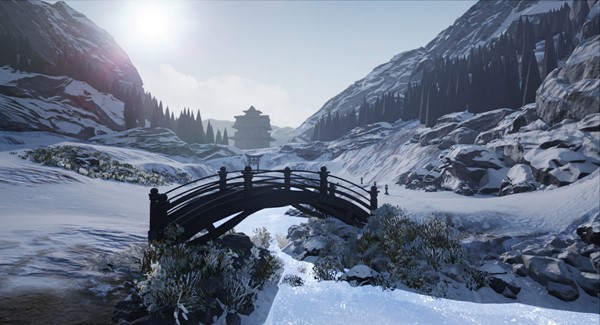
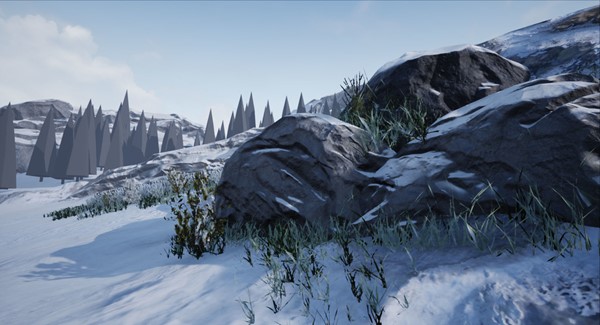
In this week we focused on creating the grass and flora to decorate your map. I used a bunch of Megascan assets I got from some time ago that I thought they worked well for the scene. We also created some roots we can use in our environment. I wanted to share with you some tips and advice I got during this week on creating foliage. This is how the scene looks with some foliage on:
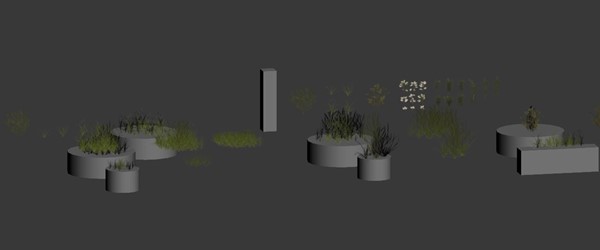
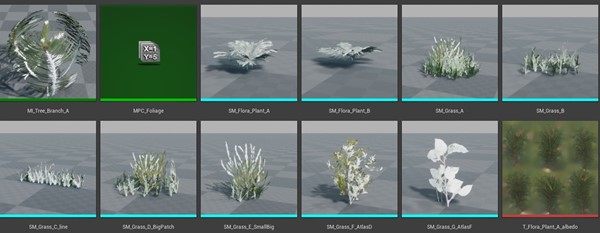
Foliage I brake down the assets so that they can be used in different situations and can blend with the environment different. These are some of the foliage I created for this scene:
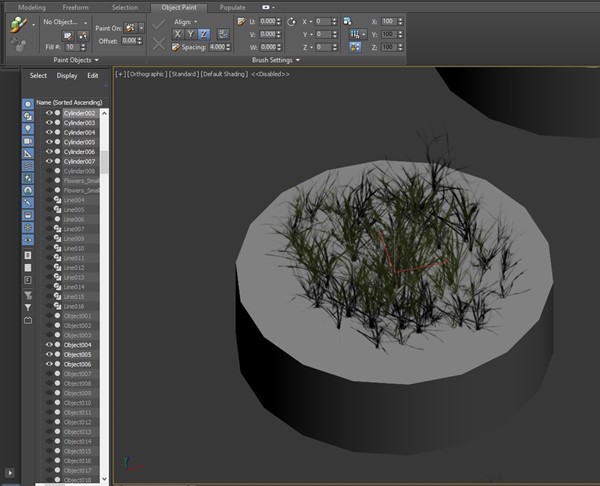
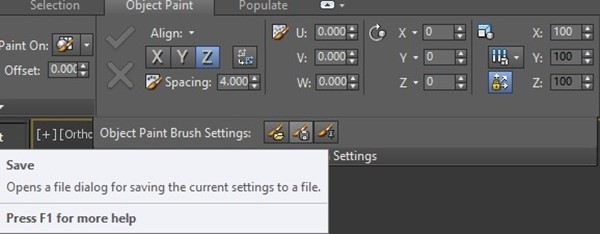
As you can see, I have some big patches and some small patches. Also, different kinds of grass i grabbed from my references and some flowers I could use to break up the repetition when painting foliage. It's important to arrange the grass planes so that they go around a circle instead of a box. To speed up the workflow I used the Object Paint mode inside 3ds Max to paint different grass planes with different variations. I can then adjust them manually if I don't like the result but I found this was a good way to start creating the assets.
I would just play with the settings and find something I like that works for what I'm looking for. After that, I can save the preset and use it in the rest of the assets I want to create.
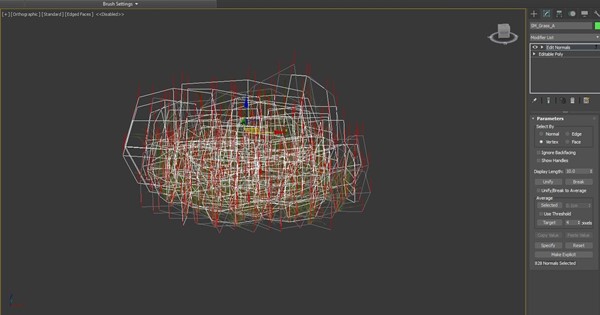
After that's done, I would adjust the vertex normals so they can blend nicely with the ground. I do that by using the Edit Normals tool and move them so that they can point upwards.
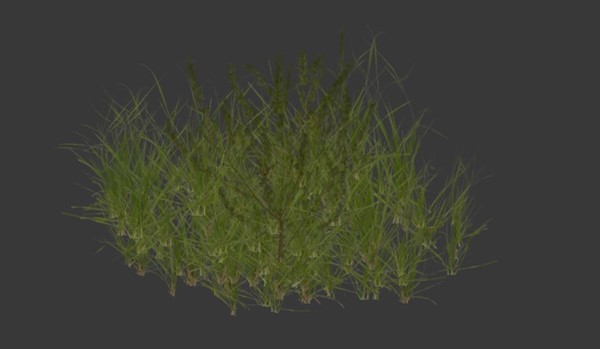
This is how the asset looks with the vertex normals changed:
This is how the asset looks without the vertex normals changed:
As you can see, the asset can blend nicely with the light when you change the normals. You can also transfer the vertex normals of a sphere and make it look nicer, which is something I may do to tweak the scene later on. Finally, you want to add some vertex colors to mask the vertices you don't want to move when applying a vertex offset to simulate wind in the environment.
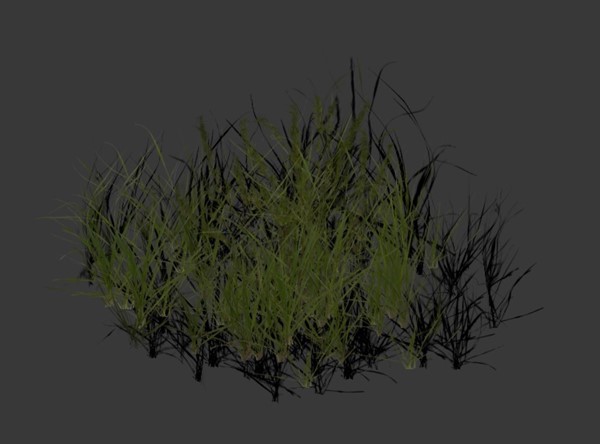
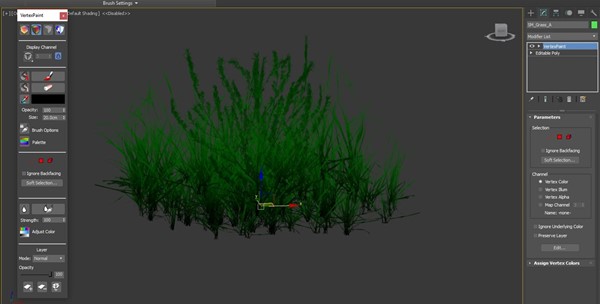
In this case, I painted green on the vertices I wanted to be affected by the wind and black for the vertices I wanted to stay still. You want to have enough variations to have big, medium and small shapes. That way you can have really cool transitions in your environments and apply the same principle of Primary, Secondary and Tertiary shapes with all the assets you create.
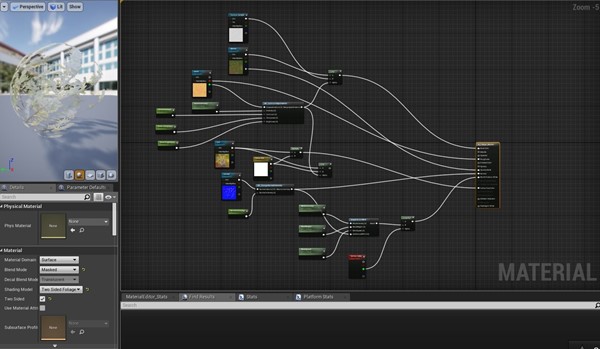
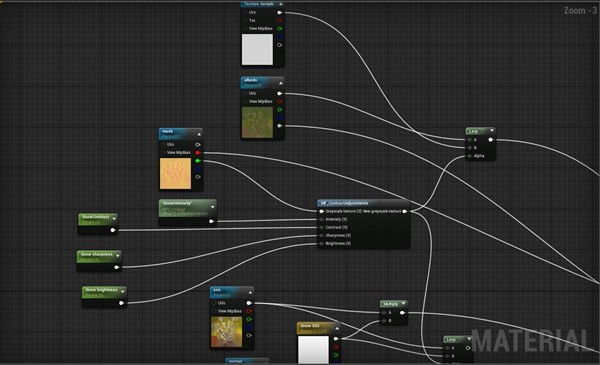
For the Material, I'm using 4 textures: Albedo with opacity, SSS color, normals and a mask texture with roughness, height and spec map.
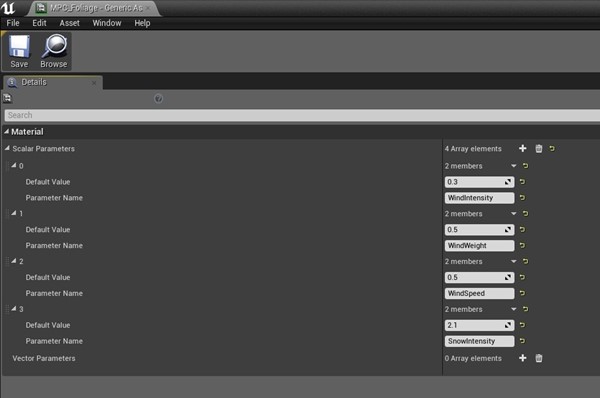
As you can see I'm using a Material parameter collection to change the values instead of using a common Parameter. The reason is that I want to iterate on all the assets at once to have an overall look of the scene. I can later change each material instance indivitualy but this is a good way to add global parameters to your scene. It can be used to change the roughness of all your assets in a rainy day or add a snow parameter on top. Really powerful stuff. This is how my Material Parameter Collection looks like:
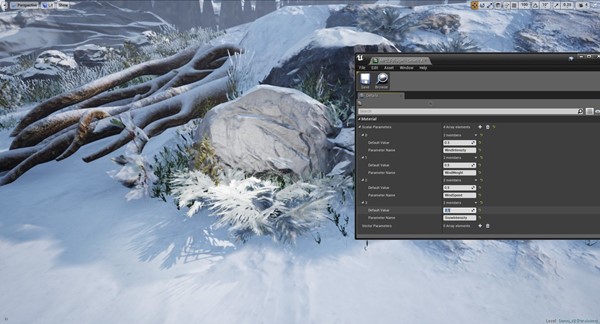
That way I can change global parameters in the scene like the snow: Snow intensity at 2.1:
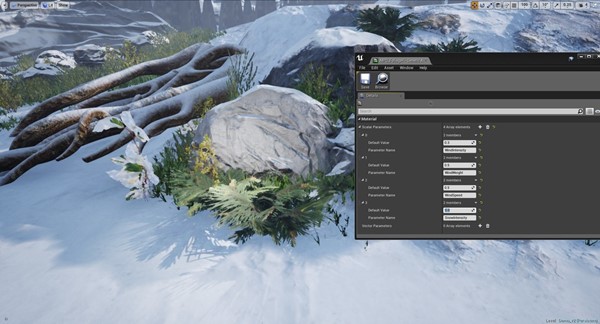
Snow intensity at 0:
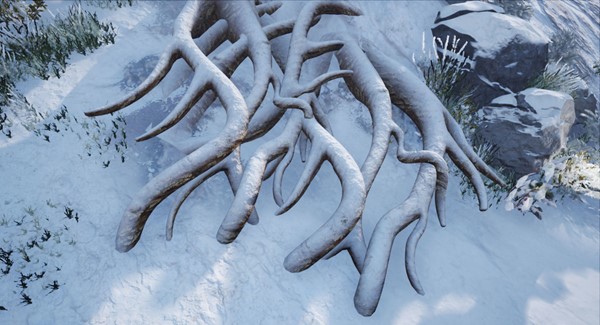
I still need to change the textures so it can look nicer with the snow but it is a good start. Roots A great thing about the course is that Anthony teaches us how to create roots for your scene. They can make it look really believable and add an extra layer of complexity to the scene.
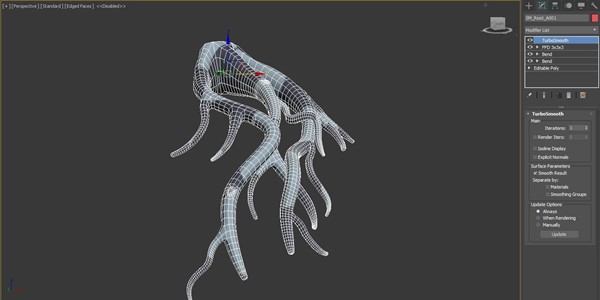
The way you create the roots is by using splines and then add some geometry and connect the vertices. You don't necessarily need to make a high poly model since the textures can do the work and also you can also smooth the mesh and add extra little details like bumps in the geometry to help sell the asset. Here is a video when I show the process since it can be easier be explained there than a text: After that is done, it is just a matter of UV the mesh so you can then apply some tiling materials on it and use an FFD modifier to rotate the mesh and create different variations. You can also use bones and skin the mesh to manipulate the roots individually. This is how the mesh looks with the materials applied:
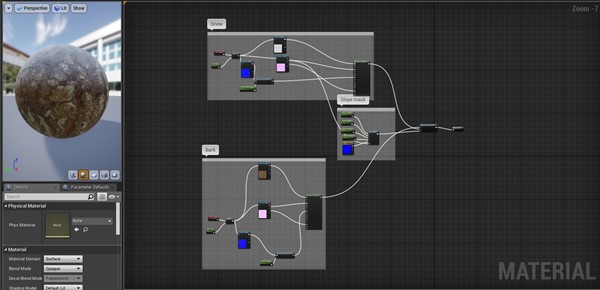
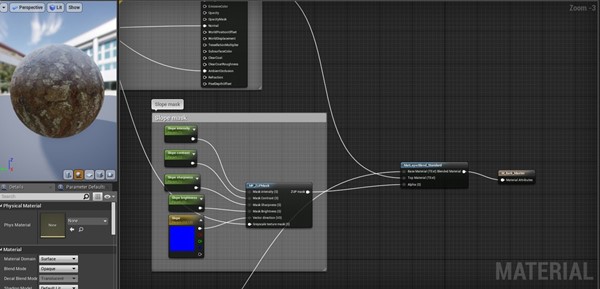
Here is how the material graph looks, it is simply blending 2 different materials using the slope shader:
Biggest takeaways:
|

(转)CGMA - Organic World Building in UE4: week 6的更多相关文章
- UDKtoUE4Tool-UDKUE3资源移植UE4工具
UDKtoUE4Tool UDKtoUE4Tool 是一个把UE3/UDK资源包(T3D格式)转换成UE4(T3D格式)的工具.作者Matt3D使用C#实现,未来考虑发布到Unreal Marketp ...
- [UE4]The global shader cache file missing 运行错误解决办法
UE4项目在VS中对项目代码编译时报如错,找了好久在UE4论坛上查到了别人的解决方案,贴出来仅供大家参考. 看到一位开发者解释出错的原因如下: There are a number of build ...
- Ubuntu 15.04 编译UE4 for Linux版
源 起 Unreal Engine 4 是全球最先进的Realtime Illumination & Physical 引擎: 长期以来,UE4都只有Windows版和Mac版,今年终于向Li ...
- Aery的UE4 C++游戏开发之旅(4)加载资源&创建对象
目录 资源的硬引用 硬指针 FObjectFinder<T> / FClassFinder<T> 资源的软引用 FSoftObjectPaths.FStringAssetRef ...
- 【UE4】虚幻引擎技术直播汇总(含中英文直播)
B站虚幻引擎官方账号 中文直播 [中文直播]第35期 | 使用GIS在UE中创造真实地球风貌 | Epic 周澄清 [中文直播]第34期 | 包教包会的Epic MegaGrants申请之道 | Ep ...
- UE4新手引导之下载和安装虚幻4游戏引擎
1) 进入虚幻4的官方主页(https://www.unrealengine.com/) 这里你可以获得关于虚幻4的最新资讯,包括版本更新.博客更新.新闻和商城等.自2015年起,该引擎已经提供免费下 ...
- UE4新手引导入门教程
请大家去这个地址下载:file:///D:/UE4%20Doc/虚幻4新手引导入门教程.pdf
- Building the Testing Pipeline
This essay is a part of my knowledge sharing session slides which are shared for development and qua ...
- BZOJ 4742: [Usaco2016 Dec]Team Building
4742: [Usaco2016 Dec]Team Building Time Limit: 10 Sec Memory Limit: 128 MBSubmit: 21 Solved: 16[Su ...
随机推荐
- c++构造函数详解(转)
c++构造函数的知识在各种c++教材上已有介绍,不过初学者往往不太注意观察和总结其中各种构造函数的特点和用法,故在此我根据自己的c++编程经验总结了一下c++中各种构造函数的特点,并附上例子,希望对初 ...
- Django全面讲解(2/2)
前戏 Django是Python语言编写的一个全栈式Web框架(其他的还有Tornado,Flask),可帮助我们快速编写一个具有数据库功能,增删改查.后台管理等功能的网站,若不考虑很高的执行速度,去 ...
- HTML&CSS 问题
1.子div使用浮动,父div高度自适应(个人感觉好用) 方法: css: <style> .clear{ clear:both} </style> html:在父div关闭之 ...
- Notes 20180306 : 变量与常量
1.1 变量与常量 我们在开发中会经常听到常量和变量,那么常量和变量指的又是什么呢?顾名思义,在程序执行过程中,其值不能被改变的量称为常量,其值能被改变的量称为变量.变量与常量的命名都必须使用合法的标 ...
- Oracle 体系结构三 后台进程
实例后台进程在启动实例时启动,在终止实例时终止运行. SMON SMON(system monitor)起初的任务是安装和打开数据.SMON通过查找和验证数据库控制文件来安装数据库.此后,它通过查找和 ...
- 【oracle笔记1】基础知识大集锦:增删改,数据类型,用户操作,持续更新中···
什么是数据库?数据库就是用来存储和管理数据的仓库.首先我来简单介绍一下各数据库的背景,常见的数据库如下,oracle:甲骨文公司(市场占用率最高),oracle也是一个公司名,翻译过来就是甲骨文的意思 ...
- 确认框,confirm工具封装
用bootstrap封装了个确认框工具 效果如下 代码如下: /** * 以模态窗做确认框的函数,title为标题栏内容,body为消息体,yesFun为点击确认按钮后执行的函数,执行后会执行关闭并删 ...
- #leetcode刷题之路8-字符串转换整数 (atoi)
请你来实现一个 atoi 函数,使其能将字符串转换成整数.首先,该函数会根据需要丢弃无用的开头空格字符,直到寻找到第一个非空格的字符为止.当我们寻找到的第一个非空字符为正或者负号时,则将该符号与之后面 ...
- Windows远程常见问题
1.window2003远程桌面“已达最大连接数”解决:1)mstsc /v:(此处为服务器IP) /console 任务管理器注销已断开用户 mstsc /v:192.168.4.3 /cons ...
- Python-知识点小计
1.python赋值.浅拷贝.深拷贝区别:https://www.cnblogs.com/xueli/p/4952063.html: 2.python的hasattr(),getattr(),sett ...