
爱心代码_HTML
直接上效果
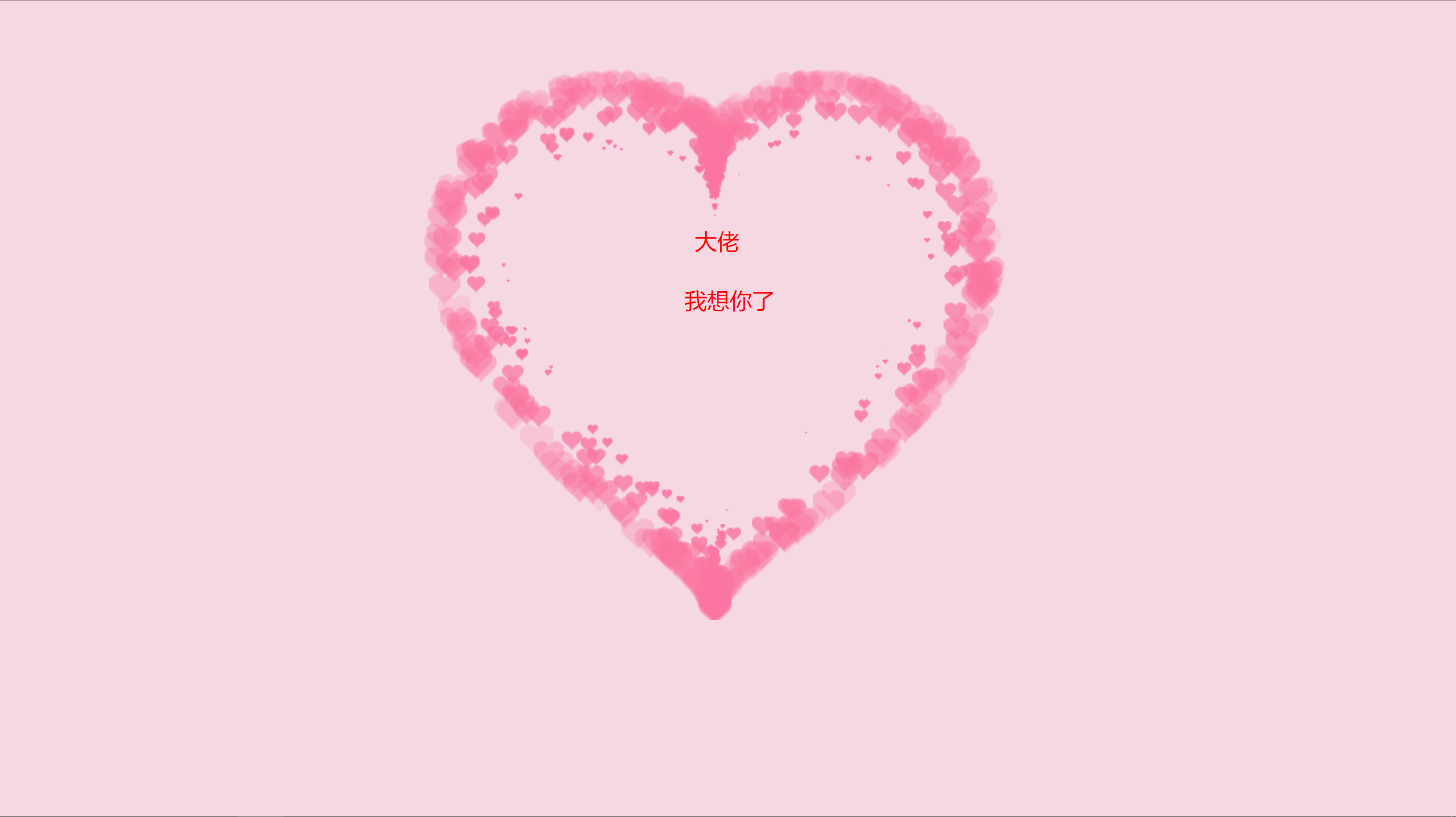
<!doctype html>

<html>

<head>

    <meta charset="utf-8">

    <title>love++</title>

    <style>

        html,

        body {

            width: 500px;

            height: 300px;

            left: 50px;

            top: 30px;

            margin: 100px 289px;

            background: #f6d8e2;

        }

        pp1 {

            position: absolute;

            top: 20px;

            left: 20px;

        }

        canvas {

            position: absolute;

            width: 1000px;

            height: 500px;

            left: 135px;

            top: 50px;

        }

    </style>

    <link href="css/default.css" type="text/css" rel="stylesheet">

    <script type="text/javascript" src="d.js"></script>

    <script language="javascript" type="text/javascript">

        // 18秒以后再跳转

        setTimeout("javascript:location.href='./index.html'", 35000);

    </script>

</head>

<div id="myContent"></div>

<div id="contentToWrite" class="comments"

 style="margin-left: 39px;color: red;">大佬</div>

<div id="contentToWrite" class="comments"

 style="margin-left: 39px;color:#f6d8e2;">00</div>

<div id="contentToWrite" class="comments"

 style="margin-left: 30px;color: red;">我想你了</div>

<script type="text/javascript"> writeContent(true); </script>

</body>

<body>

    <canvas id="pinkboard"></canvas>

    <script>

        /*

         * Settings

         */

        var settings = {

            particles: {

                length: 500, // maximum amount of particles

                duration: 2, // particle duration in sec

                velocity: 100, // particle velocity in pixels/sec

                effect: -0.75, // play with this for a nice effect

                size: 30, // particle size in pixels

            },

        };

        /*

         * RequestAnimationFrame polyfill by Erik M?ller

         */

        (function () { var b = 0; var c = ["ms", "moz", "webkit", "o"]; for (var a = 0; a < c.length && !window.requestAnimationFrame; ++a) { window.requestAnimationFrame = window[c[a] + "RequestAnimationFrame"]; window.cancelAnimationFrame = window[c[a] + "CancelAnimationFrame"] || window[c[a] + "CancelRequestAnimationFrame"] } if (!window.requestAnimationFrame) { window.requestAnimationFrame = function (h, e) { var d = new Date().getTime(); var f = Math.max(0, 16 - (d - b)); var g = window.setTimeout(function () { h(d + f) }, f); b = d + f; return g } } if (!window.cancelAnimationFrame) { window.cancelAnimationFrame = function (d) { clearTimeout(d) } } }());

        /*

         * Point class

         */

        var Point = (function () {

            function Point(x, y) {

                this.x = (typeof x !== 'undefined') ? x : 0;

                this.y = (typeof y !== 'undefined') ? y : 0;

            }

            Point.prototype.clone = function () {

                return new Point(this.x, this.y);

            };

            Point.prototype.length = function (length) {

                if (typeof length == 'undefined')

                    return Math.sqrt(this.x * this.x + this.y * this.y);

                this.normalize();

                this.x *= length;

                this.y *= length;

                return this;

            };

            Point.prototype.normalize = function () {

                var length = this.length();

                this.x /= length;

                this.y /= length;

                return this;

            };

            return Point;

        })();

        /*

         * Particle class

         */

        var Particle = (function () {

            function Particle() {

                this.position = new Point();

                this.velocity = new Point();

                this.acceleration = new Point();

                this.age = 0;

            }

            Particle.prototype.initialize = function (x, y, dx, dy) {

                this.position.x = x;

                this.position.y = y;

                this.velocity.x = dx;

                this.velocity.y = dy;

                this.acceleration.x = dx * settings.particles.effect;

                this.acceleration.y = dy * settings.particles.effect;

                this.age = 0;

            };

            Particle.prototype.update = function (deltaTime) {

                this.position.x += this.velocity.x * deltaTime;

                this.position.y += this.velocity.y * deltaTime;

                this.velocity.x += this.acceleration.x * deltaTime;

                this.velocity.y += this.acceleration.y * deltaTime;

                this.age += deltaTime;

            };

            Particle.prototype.draw = function (context, image) {

                function ease(t) {

                    return (--t) * t * t + 1;

                }

                var size = image.width * ease(this.age / settings.particles.duration);

                context.globalAlpha = 1 - this.age / settings.particles.duration;

                context.drawImage(image, this.position.x - size / 2, this.position.y - size / 2, size, size);

            };

            return Particle;

        })();

        /*

         * ParticlePool class

         */

        var ParticlePool = (function () {

            var particles,

                firstActive = 0,

                firstFree = 0,

                duration = settings.particles.duration;

            function ParticlePool(length) {

                // create and populate particle pool

                particles = new Array(length);

                for (var i = 0; i < particles.length; i++)

                    particles[i] = new Particle();

            }

            ParticlePool.prototype.add = function (x, y, dx, dy) {

                particles[firstFree].initialize(x, y, dx, dy);

                // handle circular queue

                firstFree++;

                if (firstFree == particles.length) firstFree = 0;

                if (firstActive == firstFree) firstActive++;

                if (firstActive == particles.length) firstActive = 0;

            };

            ParticlePool.prototype.update = function (deltaTime) {

                var i;

                // update active particles

                if (firstActive < firstFree) {

                    for (i = firstActive; i < firstFree; i++)

                        particles[i].update(deltaTime);

                }

                if (firstFree < firstActive) {

                    for (i = firstActive; i < particles.length; i++)

                        particles[i].update(deltaTime);

                    for (i = 0; i < firstFree; i++)

                        particles[i].update(deltaTime);

                }

                // remove inactive particles

                while (particles[firstActive].age >= duration && firstActive != firstFree) {

                    firstActive++;

                    if (firstActive == particles.length) firstActive = 0;

                }

            };

            ParticlePool.prototype.draw = function (context, image) {

                // draw active particles

                if (firstActive < firstFree) {

                    for (i = firstActive; i < firstFree; i++)

                        particles[i].draw(context, image);

                }

                if (firstFree < firstActive) {

                    for (i = firstActive; i < particles.length; i++)

                        particles[i].draw(context, image);

                    for (i = 0; i < firstFree; i++)

                        particles[i].draw(context, image);

                }

            };

            return ParticlePool;

        })();

        /*

         * Putting it all together

         */

        (function (canvas) {

            var context = canvas.getContext('2d'),

                particles = new ParticlePool(settings.particles.length),

                particleRate = settings.particles.length / settings.particles.duration, // particles/sec

                time;

            // get point on heart with -PI <= t <= PI

            function pointOnHeart(t) {

                return new Point(

                    180 * Math.pow(Math.sin(t), 3),

                    160 * Math.cos(t) - 50 * Math.cos(2 * t) - 20 * Math.cos(3 * t) - 10 * Math.cos(4 * t) + 25

                );

            }

            // creating the particle image using a dummy canvas

            var image = (function () {

                var canvas = document.createElement('canvas'),

                    context = canvas.getContext('2d');

                canvas.width = settings.particles.size;

                canvas.height = settings.particles.size;

                // helper function to create the path

                function to(t) {

                    var point = pointOnHeart(t);

                    point.x = settings.particles.size / 2 + point.x * settings.particles.size / 350;

                    point.y = settings.particles.size / 2 - point.y * settings.particles.size / 350;

                    return point;

                }

                // create the path

                context.beginPath();

                var t = -Math.PI;

                var point = to(t);

                context.moveTo(point.x, point.y);

                while (t < Math.PI) {

                    t += 0.01; // baby steps!

                    point = to(t);

                    context.lineTo(point.x, point.y);

                }

                context.closePath();

                // create the fill

                context.fillStyle = '#fa759f';

                context.fill();

                // create the image

                var image = new Image();

                image.src = canvas.toDataURL();

                return image;

            })();

            // render that thing!

            function render() {

                // next animation frame

                requestAnimationFrame(render);

                // update time

                var newTime = new Date().getTime() / 1000,

                    deltaTime = newTime - (time || newTime);

                time = newTime;

                // clear canvas

                context.clearRect(0, 0, canvas.width, canvas.height);

                // create new particles

                var amount = particleRate * deltaTime;

                for (var i = 0; i < amount; i++) {

                    var pos = pointOnHeart(Math.PI - 2 * Math.PI * Math.random());

                    var dir = pos.clone().length(settings.particles.velocity);

                    particles.add(canvas.width / 2 + pos.x, canvas.height / 2 - pos.y, dir.x, -dir.y);

                }

                // update and draw particles

                particles.update(deltaTime);

                particles.draw(context, image);

            }

            // handle (re-)sizing of the canvas

            function onResize() {

                canvas.width = canvas.clientWidth;

                canvas.height = canvas.clientHeight;

            }

            window.onresize = onResize;

            // delay rendering bootstrap

            setTimeout(function () {

                onResize();

                render();

            }, 50);

        })(document.getElementById('pinkboard'));</script>

</body>

<script>

    var charIndex = -1;

    var stringLength = 0;

    var inputText;

    function writeContent(init) {

        if (init) {

            inputText = document.getElementById('contentToWrite').innerHTML;

        }

        if (charIndex == -1) {

            charIndex = 0;

            stringLength = inputText.length;

        }

        var initString = document.getElementById('myContent').innerHTML;

        initString = initString.replace(/<SPAN.*$/gi, "");

        var theChar = inputText.charAt(charIndex);

        var nextFourChars = inputText.substr(charIndex, 4);

        if (nextFourChars == '<BR>' || nextFourChars == '<br>') {

            theChar = '<BR>';

            charIndex += 3;

        }

        initString = initString + theChar + "<SPAN id='blink'>_</SPAN>";

        document.getElementById('myContent').innerHTML = initString;

        charIndex = charIndex / 1 + 1;

        if (charIndex % 2 == 1) {

            document.getElementById('blink').style.display = 'none';

        } else {

            document.getElementById('blink').style.display = 'inline';

        }

        if (charIndex <= stringLength) {

            setTimeout('writeContent(false)', 300);

        } else {

            blinkSpan();

        }

    }

    var currentStyle = 'inline';

    function blinkSpan() {

        if (currentStyle == 'inline') {

            currentStyle = 'none';

        } else {

            currentStyle = 'inline';

        }

        document.getElementById('blink').style.display = currentStyle;

        setTimeout('blinkSpan()', 300);

    }

</script>

</html>
爱心代码_HTML的更多相关文章
- 纯css爱心代码-最近超级火的打火机与公主裙中的爱心代码(简易版)
theme: cyanosis 最近打火机与公主裙中的爱心代码超级火,看着特别心动,让俺用css来写个简易版!!! 先看效果: 代码拆解: 主要是分为3大部分 分子颗粒 爱心 动画 代码实现: 分子颗 ...
- Python之——爱心代码参与情人节
一行代码实现输出爱心图,参考https://zhuanlan.zhihu.com/p/23321351 原理: 1.借助数学函数——((x * 0.05) ** 2 + (y * 0.1) ** 2 ...
- 3d爱心代码
<!doctype html> <html> <head> <meta charset="UTF-8"> <title> ...
- 用CSS画基本图形
用CSS画基本图形 1.正方形 代码如下: #square { width: 100px; height: 100px; background: red; } 2.长方形 代码如下: #recta ...
- phpcms编辑器添加一键排版控件
CKEditor添加一键排版插件实例,大家都知道phpcms也是ckeditor编辑器,那么如果增加这个一键排版这个牛逼功能呢增加好了后,效果图是这样的 废话不多说,直接说步骤第一步:config.j ...
- 六行python代码的爱心曲线
前些日子在做绩效体系的时候,遇到了一件囧事,居然忘记怎样在Excel上拟合正态分布了,尽管在第二天重新拾起了Excel中那几个常见的函数和图像的做法,还是十分的惭愧.实际上,当时有效偏颇了,忽略了问题 ...
- HTML5 Canvas爱心时钟代码
这是一款数字时钟动画,数字又多个小爱心组成,又何问起整理,随着时间推进,每一秒钟新数字替换旧数字,旧数字离去使用天女散花动画,花是五颜六色的. 查看效果:http://hovertree.com/te ...
- javascript博客爱心特效代码与代码解析
这个鼠标点击出现爱心的特效经常在别的博客里见到,于是我查了度娘后拿来直接用上了. 虽然不知道原作者是谁,但肯定是个大神,只有通过观摩他/她的代码膜拜一下啦. 直接上代码(解析在代码注释里): // 自 ...
- 程序员式优雅表白,教你用python代码画爱心
还能用python代码画爱心?还有这种操作?这是什么原理? 不相信python代码可以画爱心?先来一张效果图来看看效果吧! 用python代码画爱心的思路是怎样的? 1.怎么画心形曲线 2.怎么填满心 ...
- 利用snowfall.jquery.js实现爱心满屏飞
小颖在上一篇一步一步教你用CSS画爱心中已经分享一种画爱心的方法,这次再分享一种方法用css画爱心,并利用snowfall.jquery.js实现爱心满屏飞的效果. 第一步: 利用伪元素before和 ...
随机推荐
- Java基础——IO设计模式总结
- 删除 gnome自带的Videos软件
gnome3自带的Videos粗看感觉听简洁挺流畅的,可是细看不仅电影中文名乱码显示还搞得字幕慢半拍,这一点完全不能忍,太难受了. 还是Vlc牛.而且Videos在应用商店不能卸载,命令行搜索已安装软 ...
- IDEA EduTools Plugin Learning Cause
背景 编程培训需求,能够检测学生的输入内容与预期一致,有课程大纲 IDEA Plugin EduTools 是一个非常出色的培训工具,具备在IDE中学习,能够通过单元测试验证正确错误,能够设置用户输入 ...
- guava冲突导致的报错
Exception in thread "main" java.lang.IllegalAccessError: tried to access method com.google ...
- h5页面回到顶部
1.锚点 <aname="top"></a> <ahref="#top"></a> 2.回到顶部 documen ...
- HIVE - HIVEQL学习笔记
Hive Learning HIVEQL和MYSQL最为接近 数据操作 SHOW TABLES IN crm_integration Show tables 'dim_con*' DESCRIBE E ...
- 关系型数据库,基表Guid 主键设值
在我们开发过程,为了自动适应新增修改,可以对基表,Guid 类型进行如下设置: public bool IsTransient() { return this.Id == Guid.Emp ...
- [CQOI2006]凸多边形 /【模板】半平面交
洛谷 题意:逆时针给出\(n(n<=10)\)个凸多边形的顶点坐标,求它们交的面积. 学长博客,计算几何知识全面 半平面交问题详细讲解 其他模板题推荐 [ICPC2020 WF] Domes [ ...
- UltiSnips安装及设置
2022-10-05 10:56:50 星期三 安装了UltiSnips插件,然后开始学习 第一个命令 UltiSnipsEdit 不好使,创建了~/.vim/UltiSnips 还是 can not ...
- tp5上传图片常规
前端不多说,就是使用input标签的file格式. tp5用request()->file('input的名字')接收图片,是binary格式的数据: $file = request()-> ...