
极简 Node.js 入门 - 5.3 静态资源服务器
极简 Node.js 入门系列教程:https://www.yuque.com/sunluyong/node
在创建 HTTP 服务器实现了一个最简单的静态资源服务器,可以对代码进行写改造,增加文件夹预览功能,暴露出一些配置,变成一个可定制的静态资源服务器模块
模块化
可定制的静态资源服务器理想的使用方式应该是这样的
const StaticServer = require('YOUR_STATIC_SERVER_FILE_PATH');

const staticServer = new StaticServer({

	port: 9527,

  root: '/public',

});

staticServer.start();

staticServer.close();
这样的使用方式就要求代码实现模块化,Node.js 实现一个模块非常简单
const http = require('http');

const fs = require('fs');

const path = require('path');

const mime = require('mime-types');

const defaultConf = require('./config');

class StaticServer {

  constructor(options = {}) {

    this.config = Object.assign(defaultConf, options);

  }

  start() {

    const { port, root } = this.config;

    this.server = http.createServer((req, res) => {

      const { url, method } = req;

      if (method !== 'GET') {

        res.writeHead(404, {

          'content-type': 'text/html',

        });

        res.end('请使用 GET 方法访问文件!');

        return false;

      }

      const filePath = path.join(root, url);

      fs.access(filePath, fs.constants.R_OK, err => {

        if (err) {

          res.writeHead(404, {

            'content-type': 'text/html',

          });

          res.end('文件不存在!');

        } else {

          res.writeHead(200, {

            'content-type': mime.contentType(path.extname(url)),

          });

          fs.createReadStream(filePath).pipe(res);

        }

      });

    }).listen(port, () => {

      console.log(`Static server started at port ${port}`);

    });

  }

  stop() {

    this.server.close(() => {

      console.log(`Static server closed.`);

    });

  }

}

module.exports = StaticServer;
完整代码:https://github.com/Samaritan89/static-server/tree/v1
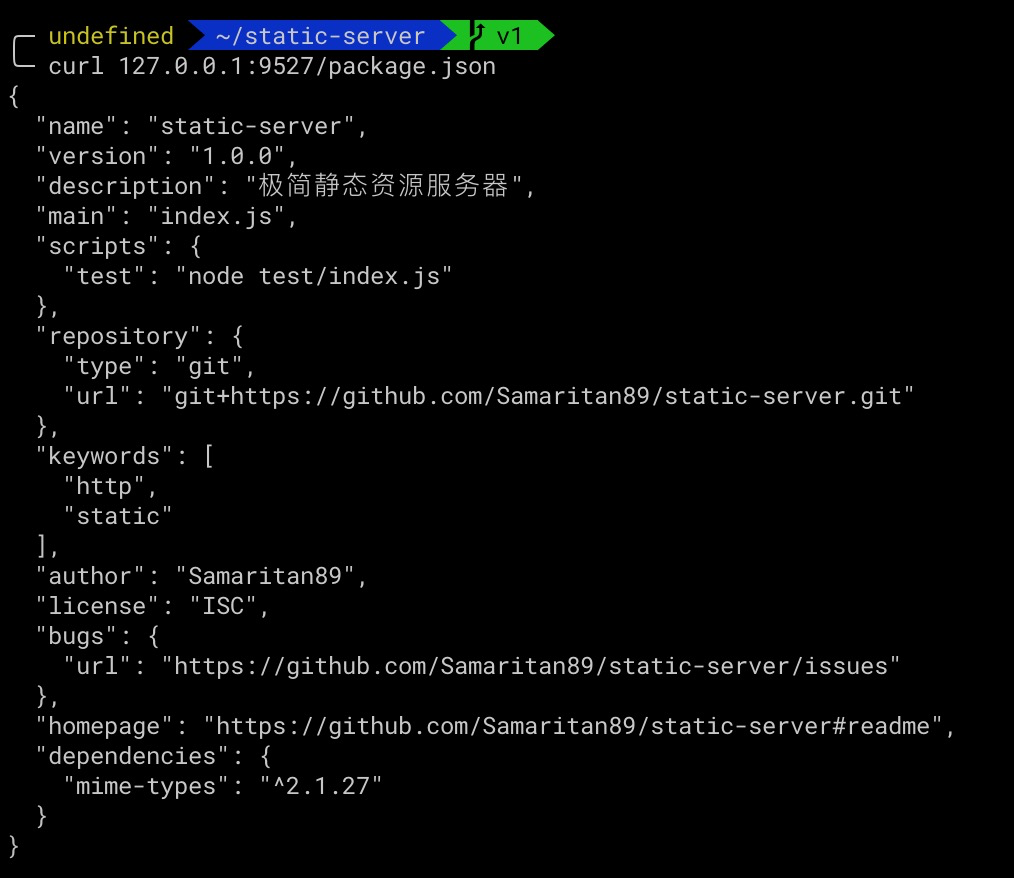
执行 npm run test 可以测试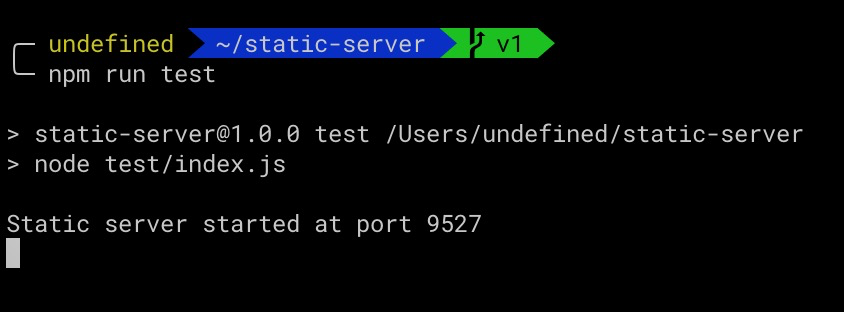
支持文件夹预览
当访问的路径是文件夹的时候程序会报错
Error: EISDIR: illegal operation on a directory, read

Emitted 'error' event on ReadStream instance at:

    at internal/fs/streams.js:217:14

    at FSReqCallback.wrapper [as oncomplete] (fs.js:524:5) {

  errno: -21,

  code: 'EISDIR',

  syscall: 'read'

}
因为 fs.createReadStream 尝试读取文件夹,需要兼容下访问路径是文件夹的时候,返回一个目录页,也就是在 fs.access 之后判断文件类型
fs.access(filePath, fs.constants.R_OK, err => {

  if (err) {

    res.writeHead(404, {

      'content-type': 'text/html',

    });

    res.end('文件不存在!');

  } else {

    const stats = fs.statSync(filePath);

    const list = [];

    if (stats.isDirectory()) {

      // 如果是文件夹则遍历文件夹,生成改文件夹内的文件树

      // 遍历文件内容,生成 html

    } else {

      res.writeHead(200, {

        'content-type': mime.contentType(path.extname(url)),

      });

      fs.createReadStream(filePath).pipe(res);

    }

  }

});
遍历生成 html 部分需要用到 文件夹操作 章节介绍的知识,为了方便生成 HTML,demo 使用了 Handlebar 模板引擎,主要逻辑
if (stats.isDirectory()) {

  // 如果是文件夹则遍历文件夹,生成改文件夹内的文件树

  const dir = fs.opendirSync(filePath);

  let dirent = dir.readSync();

  while (dirent) {

    list.push({

      name: dirent.name,

      path: path.join(url, dirent.name),

      type: dirent.isDirectory() ? 'folder' : 'file',

    });

    dirent = dir.readSync();

  }

  dir.close();

  res.writeHead(200, {

    'content-type': 'text/html',

  });

  // 对文件顺序重排,文件夹在文件前面,相同类型按字母排序,不区分大小写

  list.sort((x, y) => {

    if (x.type > y.type) {

      // 'folder' > 'file', 返回 -1,folder 在 file 之前

      return -1;

    } else if (x.type == y.type) {

      return compare(x.name.toLowerCase(), y.name.toLowerCase());

    } else {

      return 1;

    }

  });

  // 使用 handlebars 模板引擎,生成目录页面 html

  const html = template({ list });

  res.end(html);

}
通过 git 代码修改记录可以清晰看到本次的变更:https://github.com/Samaritan89/static-server/commit/5565788dc317f29372f6e67e6fd55ec92323d0ea
同样在项目根目录执行 npm run test ,使用浏览器访问 127.0.0.1:9527 可以看到目录文件的展示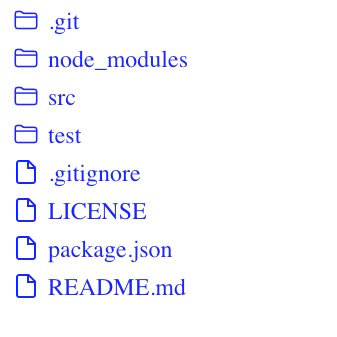
完整代码:https://github.com/Samaritan89/static-server/tree/v2
极简 Node.js 入门 - 5.3 静态资源服务器的更多相关文章
- 极简 Node.js 入门 - 5.1 创建 HTTP 服务器
极简 Node.js 入门系列教程:https://www.yuque.com/sunluyong/node 本文更佳阅读体验:https://www.yuque.com/sunluyong/node ...
- 极简 Node.js 入门 - Node.js 是什么、性能有优势?
极简 Node.js 入门系列教程:https://www.yuque.com/sunluyong/node 本文更佳阅读体验:https://www.yuque.com/sunluyong/node ...
- 极简 Node.js 入门 - 1.2 模块系统
极简 Node.js 入门系列教程:https://www.yuque.com/sunluyong/node 本文更佳阅读体验:https://www.yuque.com/sunluyong/node ...
- 极简 Node.js 入门 - 1.3 调试
极简 Node.js 入门系列教程:https://www.yuque.com/sunluyong/node 本文更佳阅读体验:https://www.yuque.com/sunluyong/node ...
- 极简 Node.js 入门 - 1.4 NPM & package.json
极简 Node.js 入门系列教程:https://www.yuque.com/sunluyong/node 本文更佳阅读体验:https://www.yuque.com/sunluyong/node ...
- 极简 Node.js 入门 - 2.1 Path
极简 Node.js 入门系列教程:https://www.yuque.com/sunluyong/node 本文更佳阅读体验:https://www.yuque.com/sunluyong/node ...
- 极简 Node.js 入门 - 2.2 事件
极简 Node.js 入门系列教程:https://www.yuque.com/sunluyong/node 本文更佳阅读体验:https://www.yuque.com/sunluyong/node ...
- 极简 Node.js 入门 - 2.3 process
极简 Node.js 入门系列教程:https://www.yuque.com/sunluyong/node 本文更佳阅读体验:https://www.yuque.com/sunluyong/node ...
- 极简 Node.js 入门 - 2.4 定时器
极简 Node.js 入门系列教程:https://www.yuque.com/sunluyong/node 本文更佳阅读体验:https://www.yuque.com/sunluyong/node ...
随机推荐
- maven-shade-plugin插件未生效原因分析
今天在项目的pom文件中引入maven-shade-plugin插件,构建一个uber-jar(包含所有依赖的jar包),但是诡异的事情出现了,执行mvn package后生成的jar包竟然没有包含被 ...
- C#开发PACS医学影像处理系统(十九):Dicom影像放大镜
在XAML代码设计器中,添加canvas画布与圆形几何对象,利用VisualBrush笔刷来复制画面内容到指定容器: <Canvas x:Name="CvsGlass" Wi ...
- 10.Atomic-原子性操作
- python与Oracle
1.python 3.6.6 2.使用cx_Oracle -----------安装方法:pip install cx_Oracle 3.游标 cursor -----游标是系统为用户开创的 ...
- ansible-doc到底有多好用,助你玩转各种模块
#使用ansible-doc:查看各种模块的帮助 #命令格式: ansible-doc -l #列出所有的模块列表 ansible-doc -s 模块名 #查看指定模块的参数 ansible-doc ...
- Spring学习(七)bean装配详解之 【通过注解装配 Bean】【自动装配的歧义解决】
自动装配 1.歧义性 我们知道用@Autowired可以对bean进行注入(按照type注入),但如果有两个相同类型的bean在IOC容器中注册了,要怎么去区分对哪一个Bean进行注入呢? 如下情况, ...
- 《Linux从入门到精通》笔记
第一篇 基础篇 第1章 Linux概述 1.1 Linux的起源 1991年芬兰学生Linus Torvalds写的磁盘驱动和文件系统开源发布,Linux即"Linus的Minix&qu ...
- Akka Netty 比较
从Akka出现背景来说,它是基于Actor的RPC通信系统,它的核心概念也是Message,它是基于协程的,性能不容置疑:基于scala的偏函数,易用性也没有话说,但是它毕竟只是RPC通信,无法适用大 ...
- [ERROR] Aborting
where? mysql 5.7 启动时候,报错 [ERROR] Aborting why? /etc/my.cnf 中有错误的配置参数 way? 检查参数是否出错,通过一行一行注释排错
- IPV6介绍已经IPV6改造基本步骤
IPV6介绍 地址资源无限多 通常见到的124.33.24.116这种形式的是ipv4版本的地址,这种地址由32位二进制数表示. ipv6是一种新的ip地址的表示方式形如fc80::2367:7cff ...