
Excel在线预览(通过poi转html,含里面的图片)
支持03和07excel转html,直接上代码
测试类
 /**

  * 主方法

  * @author asus

  *

  */

 public class App2 {

     public static void main(String[] args) {

             ExcelToHtml.excelToHtml("C:\\Users\\asus\\Desktop\\xxx.xlsx", "E:/test.html");

     }

 }
主类
package com.topcheer.html; import java.io.File;
import java.io.FileInputStream;
import java.io.FileOutputStream;
import java.io.IOException;
import java.io.InputStream;
import java.io.PrintStream;
import java.text.DecimalFormat;
import java.text.SimpleDateFormat;
import java.util.Date;
import java.util.HashMap;
import java.util.List;
import java.util.Map; import org.apache.poi.POIXMLDocumentPart;
import org.apache.poi.hssf.usermodel.HSSFCellStyle;
import org.apache.poi.hssf.usermodel.HSSFClientAnchor;
import org.apache.poi.hssf.usermodel.HSSFDataFormat;
import org.apache.poi.hssf.usermodel.HSSFDateUtil;
import org.apache.poi.hssf.usermodel.HSSFFont;
import org.apache.poi.hssf.usermodel.HSSFPalette;
import org.apache.poi.hssf.usermodel.HSSFPicture;
import org.apache.poi.hssf.usermodel.HSSFPictureData;
import org.apache.poi.hssf.usermodel.HSSFShape;
import org.apache.poi.hssf.usermodel.HSSFSheet;
import org.apache.poi.hssf.usermodel.HSSFWorkbook;
import org.apache.poi.hssf.util.HSSFColor;
import org.apache.poi.ss.usermodel.Cell;
import org.apache.poi.ss.usermodel.CellStyle;
import org.apache.poi.ss.usermodel.PictureData;
import org.apache.poi.ss.usermodel.Row;
import org.apache.poi.ss.usermodel.Sheet;
import org.apache.poi.ss.usermodel.Workbook;
import org.apache.poi.ss.usermodel.WorkbookFactory;
import org.apache.poi.ss.util.CellRangeAddress;
import org.apache.poi.xssf.usermodel.XSSFCellStyle;
import org.apache.poi.xssf.usermodel.XSSFClientAnchor;
import org.apache.poi.xssf.usermodel.XSSFColor;
import org.apache.poi.xssf.usermodel.XSSFDrawing;
import org.apache.poi.xssf.usermodel.XSSFFont;
import org.apache.poi.xssf.usermodel.XSSFPicture;
import org.apache.poi.xssf.usermodel.XSSFShape;
import org.apache.poi.xssf.usermodel.XSSFSheet;
import org.apache.poi.xssf.usermodel.XSSFWorkbook;
import org.openxmlformats.schemas.drawingml.x2006.spreadsheetDrawing.CTMarker;
/**
* Excel转html
*
*/
public class ExcelToHtml { private static String UPLOAD_FILE="E:/"; /**
* 测试
*
* @param args
*/
public static void excelToHtml(String path,String htmlPositon) {
InputStream is = null;
String htmlExcel = null;
String[] str = path.split("/");
String fileName = str[str.length-1];
try {
File sourcefile = new File(path);
is = new FileInputStream(sourcefile);
Workbook wb = WorkbookFactory.create(is);// 此WorkbookFactory在POI-3.10版本中使用需要添加dom4j
if (wb instanceof XSSFWorkbook) {
XSSFWorkbook xWb = (XSSFWorkbook) wb;
htmlExcel = ExcelToHtml.getExcelInfo(xWb, true);
} else if (wb instanceof HSSFWorkbook) {
HSSFWorkbook hWb = (HSSFWorkbook) wb;
htmlExcel = ExcelToHtml.getExcelInfo(hWb, true);
}
writeFile(htmlExcel,htmlPositon,fileName);
} catch (Exception e) {
e.printStackTrace();
} finally {
try {
is.close();
} catch (IOException e) {
e.printStackTrace();
}
}
} @SuppressWarnings("resource")
private static void writeFile(String content,String htmlPath, String fileName){
File file2 = new File(htmlPath);
StringBuilder sb = new StringBuilder();
try {
file2.createNewFile();//创建文件 sb.append("<html><head><meta http-equiv=\"Content-Type\" charset=\"utf-8\"><title>"+fileName+"</title></head><body>");
sb.append("<div>");
sb.append(content);
sb.append("</div>");
sb.append("</body></html>"); PrintStream printStream = new PrintStream(new FileOutputStream(file2)); printStream.println(sb.toString());//将字符串写入文件 } catch (IOException e) { e.printStackTrace();
} } /**
* 程序入口方法
*
* @param filePath
* 文件的路径
* @param isWithStyle
* 是否需要表格样式 包含 字体 颜色 边框 对齐方式
* @return
* <table>
* ...
* </table>
* 字符串
*/
public String readExcelToHtml(String filePath, boolean isWithStyle) { InputStream is = null;
String htmlExcel = null;
try {
File sourcefile = new File(filePath);
is = new FileInputStream(sourcefile);
Workbook wb = WorkbookFactory.create(is);
if (wb instanceof XSSFWorkbook) {
XSSFWorkbook xWb = (XSSFWorkbook) wb;
htmlExcel = ExcelToHtml.getExcelInfo(xWb, isWithStyle);
} else if (wb instanceof HSSFWorkbook) {
HSSFWorkbook hWb = (HSSFWorkbook) wb;
htmlExcel = ExcelToHtml.getExcelInfo(hWb, isWithStyle);
}
} catch (Exception e) {
e.printStackTrace();
} finally {
try {
is.close();
} catch (IOException e) {
e.printStackTrace();
}
}
return htmlExcel;
} public static String getExcelInfo(Workbook wb, boolean isWithStyle) { StringBuffer sb = new StringBuffer();
for(int i=0;i<wb.getNumberOfSheets();i++) {
Sheet sheet = wb.getSheetAt(i);// 获取第一个Sheet的内容
String sheetName = sheet.getSheetName();
int lastRowNum = sheet.getLastRowNum();
Map<String, String> map[] = getRowSpanColSpanMap(sheet);
sb.append("<h3>"+sheetName+"</h3>");
sb.append("<table style='border-collapse:collapse;' width='100%'>");
// map等待存储excel图片
Map<String, PictureData> sheetIndexPicMap = getSheetPictrues(i, sheet, wb);
Map<String, String> imgMap = new HashMap<String, String>();
if (sheetIndexPicMap != null) {
imgMap = printImg(sheetIndexPicMap);
printImpToWb(imgMap, wb);
}
Row row = null; // 兼容
Cell cell = null; // 兼容
for (int rowNum = sheet.getFirstRowNum(); rowNum <= lastRowNum; rowNum++) {
row = sheet.getRow(rowNum);
if (row == null) {
sb.append("<tr><td > </td></tr>");
continue;
}
sb.append("<tr>");
int lastColNum = row.getLastCellNum();
for (int colNum = 0; colNum < lastColNum; colNum++) {
cell = row.getCell(colNum);
if (cell == null) { // 特殊情况 空白的单元格会返回null
sb.append("<td> </td>");
continue;
}
String imageHtml = "";
String imageRowNum = i + "_" + rowNum + "_" + colNum;
if (sheetIndexPicMap != null && sheetIndexPicMap.containsKey(imageRowNum)) {
String imagePath = imgMap.get(imageRowNum);
imageHtml = "<img src='" + imagePath + "' style='height:auto;'>";
}
String stringValue = getCellValue(cell);
if (map[0].containsKey(rowNum + "," + colNum)) {
String pointString = map[0].get(rowNum + "," + colNum);
map[0].remove(rowNum + "," + colNum);
int bottomeRow = Integer.valueOf(pointString.split(",")[0]);
int bottomeCol = Integer.valueOf(pointString.split(",")[1]);
int rowSpan = bottomeRow - rowNum + 1;
int colSpan = bottomeCol - colNum + 1;
sb.append("<td rowspan= '" + rowSpan + "' colspan= '" + colSpan + "' ");
} else if (map[1].containsKey(rowNum + "," + colNum)) {
map[1].remove(rowNum + "," + colNum);
continue;
} else {
sb.append("<td ");
}
// 判断是否需要样式
if (isWithStyle) {
dealExcelStyle(wb, sheet, cell, sb);// 处理单元格样式
}
sb.append(">");
if (sheetIndexPicMap != null && sheetIndexPicMap.containsKey(imageRowNum)) {
sb.append(imageHtml);
}
if (stringValue == null || "".equals(stringValue.trim())) {
sb.append(" ");
} else {
// 将ascii码为160的空格转换为html下的空格( )
sb.append(stringValue.replace(String.valueOf((char) 160), " "));
}
sb.append("</td>");
}
sb.append("</tr>");
} sb.append("</table>");
} return sb.toString();
} /**
* 获取Excel图片公共方法
*
* @param sheetNum 当前sheet编号
* @param sheet 当前sheet对象
* @param workbook 工作簿对象
* @return Map key:图片单元格索引(0_1_1)String,value:图片流PictureData
*/
public static Map<String, PictureData> getSheetPictrues(int sheetNum, Sheet sheet, Workbook workbook) {
if (workbook instanceof HSSFWorkbook) {
return getSheetPictrues03(sheetNum, (HSSFSheet) sheet, (HSSFWorkbook) workbook);
} else if (workbook instanceof XSSFWorkbook) {
return getSheetPictrues07(sheetNum, (XSSFSheet) sheet, (XSSFWorkbook) workbook);
} else {
return null;
}
} /**
* 获取Excel2003图片
*
* @param sheetNum 当前sheet编号
* @param sheet 当前sheet对象
* @param workbook 工作簿对象
* @return Map key:图片单元格索引(0_1_1)String,value:图片流PictureData
* @throws IOException
*/
private static Map<String, PictureData> getSheetPictrues03(int sheetNum,
HSSFSheet sheet, HSSFWorkbook workbook) {
Map<String, PictureData> sheetIndexPicMap = new HashMap<String, PictureData>();
List<HSSFPictureData> pictures = workbook.getAllPictures();
if (pictures.size() != 0) {
for (HSSFShape shape : sheet.getDrawingPatriarch().getChildren()) {
HSSFClientAnchor anchor = (HSSFClientAnchor) shape.getAnchor();
shape.getLineWidth();
if (shape instanceof HSSFPicture) {
HSSFPicture pic = (HSSFPicture) shape;
int pictureIndex = pic.getPictureIndex() - 1;
HSSFPictureData picData = pictures.get(pictureIndex);
String picIndex = String.valueOf(sheetNum) + "_"
+ String.valueOf(anchor.getRow1()) + "_"
+ String.valueOf(anchor.getCol1());
sheetIndexPicMap.put(picIndex, picData);
}
}
return sheetIndexPicMap;
} else {
return null;
}
} /**
* 获取Excel2007图片
*
* @param sheetNum 当前sheet编号
* @param sheet 当前sheet对象
* @param workbook 工作簿对象
* @return Map key:图片单元格索引(0_1_1)String,value:图片流PictureData
*/
private static Map<String, PictureData> getSheetPictrues07(int sheetNum,
XSSFSheet sheet, XSSFWorkbook workbook) {
Map<String, PictureData> sheetIndexPicMap = new HashMap<String, PictureData>();
for (POIXMLDocumentPart dr : sheet.getRelations()) {
if (dr instanceof XSSFDrawing) {
XSSFDrawing drawing = (XSSFDrawing) dr;
List<XSSFShape> shapes = drawing.getShapes();
for (XSSFShape shape : shapes) {
XSSFPicture pic = (XSSFPicture) shape;
XSSFClientAnchor anchor = pic.getPreferredSize();
CTMarker ctMarker = anchor.getFrom();
String picIndex = String.valueOf(sheetNum) + "_"
+ ctMarker.getRow() + "_"
+ ctMarker.getCol();
sheetIndexPicMap.put(picIndex, pic.getPictureData());
}
}
}
return sheetIndexPicMap;
} /**
* 对图片单元格赋值使其可读取到
* <p>add by CJ 2018年5月21日</p>
*
* @param imgMap
* @param wb
*/
@SuppressWarnings("unused")
private static void printImpToWb(Map<String, String> imgMap, Workbook wb) {
Sheet sheet = null;
Row row = null;
String[] sheetRowCol = new String[3];
for (String key : imgMap.keySet()) {
sheetRowCol = key.split("_");
sheet = wb.getSheetAt(Integer.parseInt(sheetRowCol[0]));
row = sheet.getRow(Integer.parseInt(sheetRowCol[1])) == null ? sheet.createRow(Integer.parseInt(sheetRowCol[1])) :
sheet.getRow(Integer.parseInt(sheetRowCol[1]));
Cell cell = row.getCell(Integer.parseInt(sheetRowCol[2])) == null ? row.createCell(Integer.parseInt(sheetRowCol[2])) :
row.getCell(Integer.parseInt(sheetRowCol[2]));
}
} public static Map<String, String> printImg(Map<String, PictureData> map) {
Map<String, String> imgMap = new HashMap<String, String>();
String imgName = null;
try {
Object key[] = map.keySet().toArray();
for (int i = 0; i < map.size(); i++) {
// 获取图片流
PictureData pic = map.get(key[i]);
// 获取图片索引
String picName = key[i].toString();
// 获取图片格式
String ext = pic.suggestFileExtension();
byte[] data = pic.getData();
File uploadFile = new File(UPLOAD_FILE);
if (!uploadFile.exists()) {
uploadFile.mkdirs();
}
imgName = picName + "_" + new Date().getTime() + "." + ext;
FileOutputStream out = new FileOutputStream(UPLOAD_FILE + imgName);
imgMap.put(picName, UPLOAD_FILE + imgName);
out.write(data);
out.flush();
out.close();
}
} catch (Exception e) {
}
return imgMap;
} @SuppressWarnings("unchecked")
private static Map<String, String>[] getRowSpanColSpanMap(Sheet sheet) {
Map<String, String> map0 = new HashMap<String, String>();
Map<String, String> map1 = new HashMap<String, String>();
int mergedNum = sheet.getNumMergedRegions();
CellRangeAddress range = null;
for (int i = 0; i < mergedNum; i++) {
range = sheet.getMergedRegion(i);
int topRow = range.getFirstRow();
int topCol = range.getFirstColumn();
int bottomRow = range.getLastRow();
int bottomCol = range.getLastColumn();
map0.put(topRow + "," + topCol, bottomRow + "," + bottomCol);
// System.out.println(topRow + "," + topCol + "," + bottomRow + ","
// + bottomCol);
int tempRow = topRow;
while (tempRow <= bottomRow) {
int tempCol = topCol;
while (tempCol <= bottomCol) {
map1.put(tempRow + "," + tempCol, "");
tempCol++;
}
tempRow++;
}
map1.remove(topRow + "," + topCol);
} @SuppressWarnings("rawtypes")
Map[] map = { map0, map1 };
return map;
} /**
* 获取表格单元格Cell内容
*
* @param cell
* @return
*/
private static String getCellValue(Cell cell) {
String result = new String();
switch (cell.getCellType()) {
case Cell.CELL_TYPE_NUMERIC:// 数字类型
if (HSSFDateUtil.isCellDateFormatted(cell)) {// 处理日期格式、时间格式
SimpleDateFormat sdf = null;
if (cell.getCellStyle().getDataFormat() == HSSFDataFormat.getBuiltinFormat("h:mm")) {
sdf = new SimpleDateFormat("HH:mm");
} else {// 日期
sdf = new SimpleDateFormat("yyyy-MM-dd");
}
Date date = cell.getDateCellValue();
result = sdf.format(date);
} else if (cell.getCellStyle().getDataFormat() == 58) {
// 处理自定义日期格式:m月d日(通过判断单元格的格式id解决,id的值是58)
SimpleDateFormat sdf = new SimpleDateFormat("yyyy-MM-dd");
double value = cell.getNumericCellValue();
Date date = org.apache.poi.ss.usermodel.DateUtil.getJavaDate(value);
result = sdf.format(date);
} else {
double value = cell.getNumericCellValue();
CellStyle style = cell.getCellStyle();
DecimalFormat format = new DecimalFormat();
String temp = style.getDataFormatString();
// 单元格设置成常规
if (temp.equals("General")) {
format.applyPattern("#");
}
result = format.format(value);
}
break;
case Cell.CELL_TYPE_STRING:// String类型
result = cell.getRichStringCellValue().toString();
break;
case Cell.CELL_TYPE_BLANK:
result = "";
break;
default:
result = "";
break;
}
return result;
} /**
* 处理表格样式
*
* @param wb
* @param sheet
* @param cell
* @param sb
*/
private static void dealExcelStyle(Workbook wb, Sheet sheet, Cell cell, StringBuffer sb) { CellStyle cellStyle = cell.getCellStyle();
if (cellStyle != null) {
short alignment = cellStyle.getAlignment();
sb.append("align='" + convertAlignToHtml(alignment) + "' ");// 单元格内容的水平对齐方式
short verticalAlignment = cellStyle.getVerticalAlignment();
sb.append("valign='" + convertVerticalAlignToHtml(verticalAlignment) + "' ");// 单元格中内容的垂直排列方式
if (wb instanceof XSSFWorkbook) {
XSSFFont xf = ((XSSFCellStyle) cellStyle).getFont();
short boldWeight = xf.getBoldweight();
sb.append("style='");
sb.append("font-weight:" + boldWeight + ";"); // 字体加粗
sb.append("font-size: " + xf.getFontHeight() / 2 + "%;"); // 字体大小
int columnWidth = sheet.getColumnWidth(cell.getColumnIndex());
sb.append("width:" + columnWidth + "px;");
XSSFColor xc = xf.getXSSFColor();
if (xc != null && !"".equals(xc)) {
String string = xc.getARGBHex();
if(string!=null&& !"".equals(string)) {
sb.append("color:#" + string.substring(2) + ";"); // 字体颜色
}
} XSSFColor bgColor = (XSSFColor) cellStyle.getFillForegroundColorColor();
if (bgColor != null && !"".equals(bgColor) && bgColor!=null) {
String argbHex = bgColor.getARGBHex();
if(argbHex!=null && !"".equals(argbHex)) {
sb.append("background-color:#" + argbHex.substring(2) + ";"); // 背景颜色
}
}
sb.append(getBorderStyle(0, cellStyle.getBorderTop(),
((XSSFCellStyle) cellStyle).getTopBorderXSSFColor()));
sb.append(getBorderStyle(1, cellStyle.getBorderRight(),
((XSSFCellStyle) cellStyle).getRightBorderXSSFColor()));
sb.append(getBorderStyle(2, cellStyle.getBorderBottom(),
((XSSFCellStyle) cellStyle).getBottomBorderXSSFColor()));
sb.append(getBorderStyle(3, cellStyle.getBorderLeft(),
((XSSFCellStyle) cellStyle).getLeftBorderXSSFColor())); } else if (wb instanceof HSSFWorkbook) { HSSFFont hf = ((HSSFCellStyle) cellStyle).getFont(wb);
short boldWeight = hf.getBoldweight();
short fontColor = hf.getColor();
sb.append("style='");
HSSFPalette palette = ((HSSFWorkbook) wb).getCustomPalette(); // 类HSSFPalette用于求的颜色的国际标准形式
HSSFColor hc = palette.getColor(fontColor);
sb.append("font-weight:" + boldWeight + ";"); // 字体加粗
sb.append("font-size: " + hf.getFontHeight() / 2 + "%;"); // 字体大小
String fontColorStr = convertToStardColor(hc);
if (fontColorStr != null && !"".equals(fontColorStr.trim())) {
sb.append("color:" + fontColorStr + ";"); // 字体颜色
}
int columnWidth = sheet.getColumnWidth(cell.getColumnIndex());
sb.append("width:" + columnWidth + "px;");
short bgColor = cellStyle.getFillForegroundColor();
hc = palette.getColor(bgColor);
String bgColorStr = convertToStardColor(hc);
if (bgColorStr != null && !"".equals(bgColorStr.trim())) {
sb.append("background-color:" + bgColorStr + ";"); // 背景颜色
}
sb.append(getBorderStyle(palette, 0, cellStyle.getBorderTop(), cellStyle.getTopBorderColor()));
sb.append(getBorderStyle(palette, 1, cellStyle.getBorderRight(), cellStyle.getRightBorderColor()));
sb.append(getBorderStyle(palette, 3, cellStyle.getBorderLeft(), cellStyle.getLeftBorderColor()));
sb.append(getBorderStyle(palette, 2, cellStyle.getBorderBottom(), cellStyle.getBottomBorderColor()));
} sb.append("' ");
}
} /**
* 单元格内容的水平对齐方式
*
* @param alignment
* @return
*/
private static String convertAlignToHtml(short alignment) { String align = "left";
switch (alignment) {
case CellStyle.ALIGN_LEFT:
align = "left";
break;
case CellStyle.ALIGN_CENTER:
align = "center";
break;
case CellStyle.ALIGN_RIGHT:
align = "right";
break;
default:
break;
}
return align;
} /**
* 单元格中内容的垂直排列方式
*
* @param verticalAlignment
* @return
*/
private static String convertVerticalAlignToHtml(short verticalAlignment) { String valign = "middle";
switch (verticalAlignment) {
case CellStyle.VERTICAL_BOTTOM:
valign = "bottom";
break;
case CellStyle.VERTICAL_CENTER:
valign = "center";
break;
case CellStyle.VERTICAL_TOP:
valign = "top";
break;
default:
break;
}
return valign;
} private static String convertToStardColor(HSSFColor hc) { StringBuffer sb = new StringBuffer("");
if (hc != null) {
if (HSSFColor.AUTOMATIC.index == hc.getIndex()) {
return null;
}
sb.append("#");
for (int i = 0; i < hc.getTriplet().length; i++) {
sb.append(fillWithZero(Integer.toHexString(hc.getTriplet()[i])));
}
} return sb.toString();
} private static String fillWithZero(String str) {
if (str != null && str.length() < 2) {
return "0" + str;
}
return str;
} static String[] bordesr = { "border-top:", "border-right:", "border-bottom:", "border-left:" };
static String[] borderStyles = { "solid ", "solid ", "solid ", "solid ", "solid ", "solid ", "solid ", "solid ",
"solid ", "solid", "solid", "solid", "solid", "solid" }; private static String getBorderStyle(HSSFPalette palette, int b, short s, short t) {
if (s == 0)
return bordesr[b] + borderStyles[s] + "#d0d7e5 1px;";
String borderColorStr = convertToStardColor(palette.getColor(t));
borderColorStr = borderColorStr == null || borderColorStr.length() < 1 ? "#000000" : borderColorStr;
return bordesr[b] + borderStyles[s] + borderColorStr + " 1px;"; } private static String getBorderStyle(int b, short s, XSSFColor xc) { if (s == 0)
return bordesr[b] + borderStyles[s] + "#d0d7e5 1px;";
if (xc != null && !"".equals(xc)) {
String borderColorStr = xc.getARGBHex();// t.getARGBHex();
borderColorStr = borderColorStr == null || borderColorStr.length() < 1 ? "#000000"
: borderColorStr.substring(2);
return bordesr[b] + borderStyles[s] + borderColorStr + " 1px;";
} return "";
}
}
pom.xml (包含部分ppt转html的包)
<!-- 二.具体依赖配置 -->

    <dependencies>

        <dependency>

            <groupId>fr.opensagres.xdocreport</groupId>

            <artifactId>fr.opensagres.xdocreport.document</artifactId>

            <version>1.0.5</version>

        </dependency>

        <dependency>

            <groupId>fr.opensagres.xdocreport</groupId>

            <artifactId>org.apache.poi.xwpf.converter.xhtml</artifactId>

            <version>1.0.5</version>

        </dependency>

        <dependency>

            <groupId>org.apache.poi</groupId>

            <artifactId>poi-ooxml</artifactId>

            <version>3.9</version>

        </dependency>

        <dependency>

            <groupId>org.apache.poi</groupId>

            <artifactId>poi-scratchpad</artifactId>

            <version>3.9</version>

        </dependency>

        <!-- https://mvnrepository.com/artifact/commons-io/commons-io -->

        <dependency>

            <groupId>commons-io</groupId>

            <artifactId>commons-io</artifactId>

            <version>2.4</version>

        </dependency>

        <!-- https://mvnrepository.com/artifact/com.itextpdf/itextpdf -->

        <dependency>

            <groupId>com.itextpdf</groupId>

            <artifactId>itextpdf</artifactId>

            <version>5.4.3</version>

        </dependency><!-- https://mvnrepository.com/artifact/org.apache.pdfbox/pdfbox -->

        <dependency>

            <groupId>org.apache.pdfbox</groupId>

            <artifactId>pdfbox</artifactId>

            <version>2.0.1</version>

        </dependency>

    </dependencies>
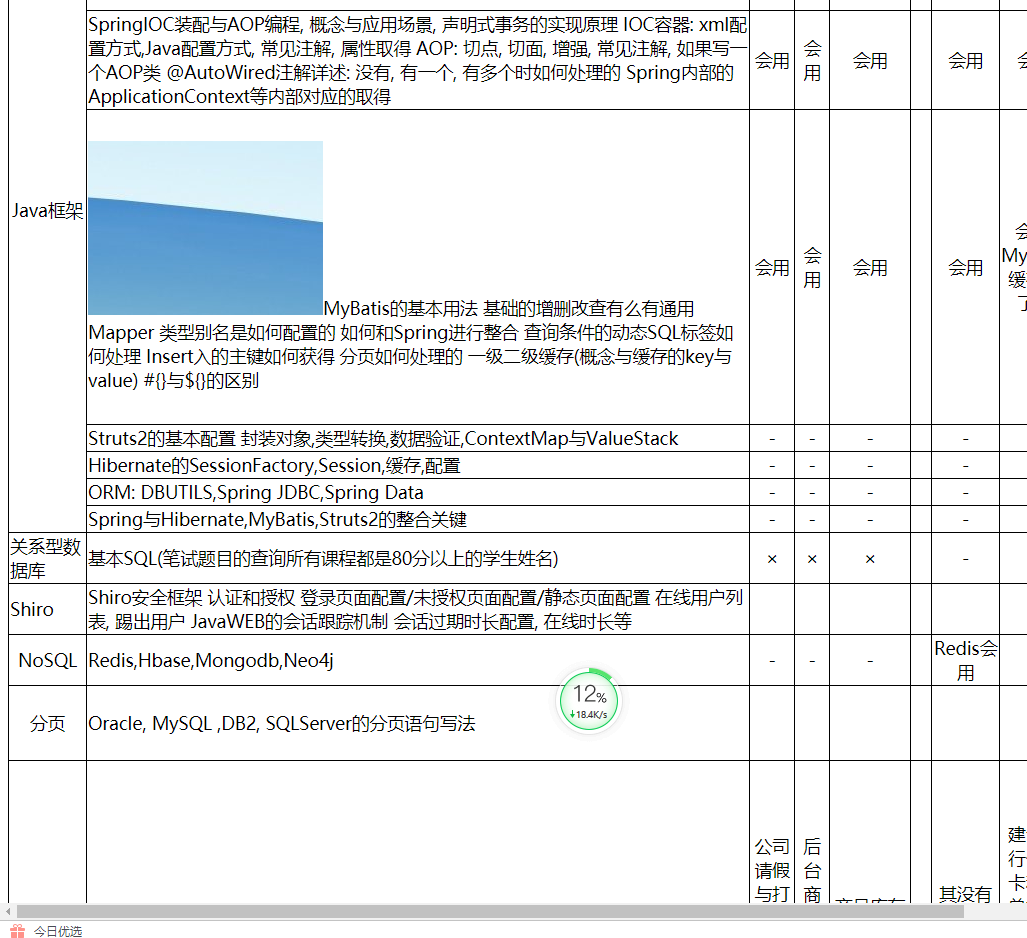
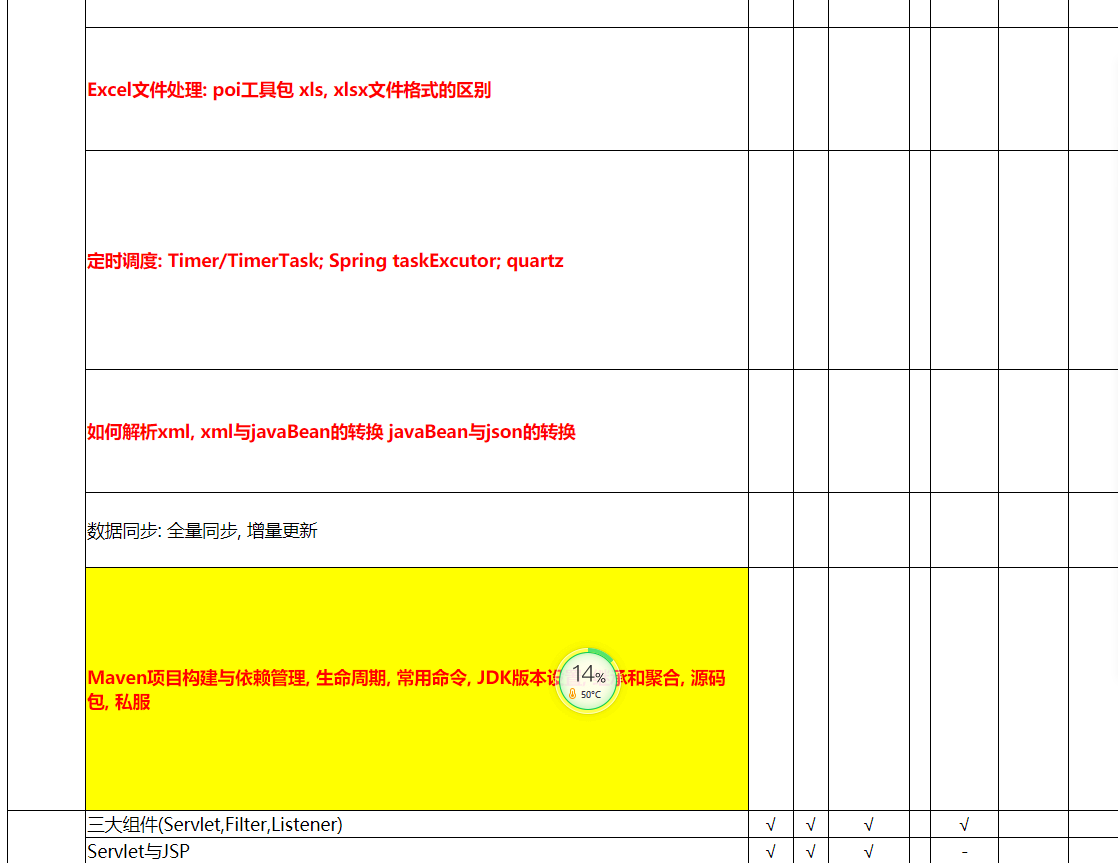
结果
有问题的可以私聊我,探讨一些。
Excel在线预览(通过poi转html,含里面的图片)的更多相关文章
- java实现在线预览 - -之poi实现word、excel、ppt转html
简介 java实现在线预览功能是一个大家在工作中也许会遇到的需求,如果公司有钱,直接使用付费的第三方软件或者云在线预览服务就可以了,例如永中office.office web 365(http://w ...
- Word/Excel 在线预览
前言 近日项目中做到一个功能,需要上传附件后能够在线预览.之前也没做过这类似的,于是乎就查找了相关资料,.net实现Office文件预览大概有这几种方式: ① 使用Microsoft的Office组件 ...
- .net mvc使用FlexPaper插件实现在线预览PDF,EXCEL,WORD的方法
FlexPaper插件可以实现在浏览器中在线预览pdf,word,excel等. 在网上看到很多关于这个插件实现预览的技术,但是很难做到word和excel在线预览. pdf很好实现. 首先下载相关的 ...
- java实现在线预览--poi实现word、excel、ppt转html
java实现在线预览 - -之poi实现word.excel.ppt转html 简介 java实现在线预览功能是一个大家在工作中也许会遇到的需求,如果公司有钱,直接使用付费的第三方软件或者云在线预览服 ...
- [Asp.net]常见word,excel,ppt,pdf在线预览方案,有图有真相,总有一款适合你!
引言 之前项目需要,查找了office文档在线预览的解决方案,顺便记录一下,方便以后查询. 方案一 直接在浏览器中打开Office文档在页面上的链接.会弹出如下窗口: 优点:主流浏览器都支持. 缺点: ...
- ASP.NET MVC在线预览Excel、Word、TXT、PDF文件
代码: using System; using System.Collections.Generic; using System.Linq; using System.Web; using Syste ...
- Atitit.office word excel ppt pdf 的web在线预览方案与html转换方案 attilax 总结
Atitit.office word excel ppt pdf 的web在线预览方案与html转换方案 attilax 总结 1. office word excel pdf 的web预览要求 ...
- uploadify 下载组件使用技巧和在线预览 word,excel,ppt,pdf的方案
http://www.cnblogs.com/wolf-sun/p/3565184.html uploadify 上传工具的使用技巧 http://www.cnblogs.com/wolf-sun/p ...
- [Asp.net]常见word,excel,ppt,pdf在线预览方案(转)
引言 之前项目需要,查找了office文档在线预览的解决方案,顺便记录一下,方便以后查询. 方案一 直接在浏览器中打开Office文档在页面上的链接.会弹出如下窗口: 优点:主流浏览器都支持. 缺点: ...
随机推荐
- 从壹开始学习NetCore 45 ║ 终于解决了事务问题
一.项目说明 哈喽,又来写文章了,原来放假可以这么爽,可以学习和分享,
- Janus安装教程,ubuntu18.04系统
Janus安装教程,ubuntu18.04系统 本文介绍Jansu如何安装,操作系统为Ubuntu 18.04. (1)安装git 执行命令:“sudo apt-get install ...
- spring boot 配置访问其他模块包中的mapper和xml
maven项目结构如下,这里只是简单测试demo,使用的springboot版本为2.1.3.RELEASE 1.comm模块主要是一些mybatis的mapper接口和对应的xml文件,以及数据库表 ...
- Springboot2.x整合RabbitMQ
1.RabbitMQ介绍 可参照RabbitMQ笔记 2.接入配置 pom依赖 <!--amqp依赖--> <dependency> <groupId>org.sp ...
- 【ASP.NET 基础】WCF入门教程一(什么是WCF)?
一.概述 Windows Communication Foundation(WCF)是由微软发展的一组数据通信的应用程序开发接口,可以翻译为Windows通讯接口,它是.NET框架的一部分.由 .NE ...
- Spring IOC(1)----容器刷新(refresh())之前
首先本次分析是基于注解形式的,想来xml格式的原理都是类似的. 首先说一下什么是Bean定义(beandefinition):bean定义并不是实例化的bean,而是bean对象的一些信息,根据这些定 ...
- Linux上编译安装PHP
这篇文章主要介绍了关于Linux上编译安装PHP,有着一定的参考价值,现在分享给大家,有需要的朋友可以参考一下 之前在服务器上编译安装了PHP运行环境,但是安装完过了一段时间就差不多忘记了,只是零零星 ...
- python编程基础之二十
字符串的其他常用方法: ord(char) # 返回char字符对应的码值,可以是中文字符 chr(x) # 输入一个unicode码,返回对应的字符 eval(str) # 将str 中的内容 ...
- 【网络安全】CSRF攻击详解
目录 什么是CSRF攻击 CSRF攻击的流程 常见的CSRF攻击类型 CSRF漏洞测试 预防CSRF攻击 参考 什么是CSRF攻击 CSRF(Cross-Site Request Forgery)的全 ...
- m*n 矩阵中求正方形个数
<?php /** * Notes: * User: liubing17 * DateTime: 2019-10-17 17:10 */ function get($m, $n){ /* * 获 ...