
跟我一起使用socket.io创建聊天应用
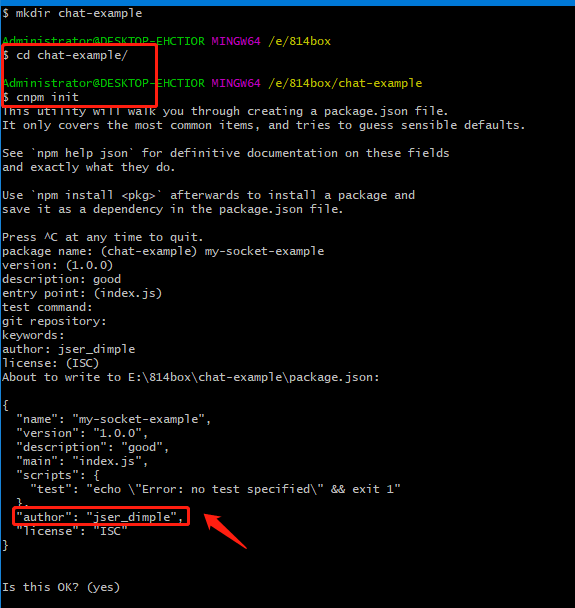
安装express插件
新建index.js
var app = require('express')();

var http = require('http').Server(app);

app.get('/', function(req, res){

  res.send('<h1>Hello world</h1>');

});

http.listen(9000, function(){

  console.log('listening on *:9000');

});
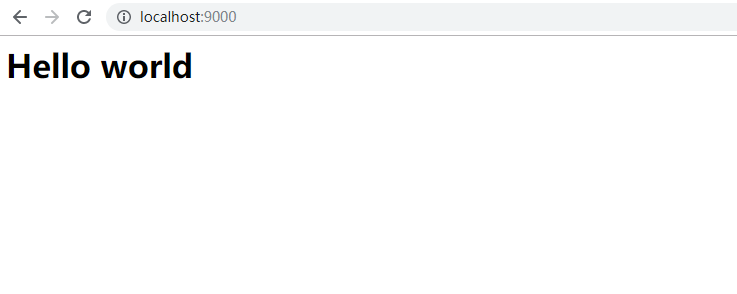
使用node index.js运行
页面中展示
目前在index.js中我们是通过res.send返回一个HTML字符串,如果我们将整个应用的HTML代码都放到应用代码里,代码结构将变得混乱。
替代方法是新建一个index.html作为服务器响应
//index.js

var app = require('express')();

var http = require('http').Server(app);

app.get('/', function(req, res){

//   res.send('<h1>Hello world</h1>');

res.sendFile(__dirname + '/index.html');

});

http.listen(9000, function(){

  console.log('listening on *:9000');

});
index.html中的内容为
<!doctype html>

<html>

  <head>

    <title>Socket.IO chat</title>

    <style>

      * { margin: 0; padding: 0; box-sizing: border-box; }

      body { font: 13px Helvetica, Arial; }

      form { background: #000; padding: 3px; position: fixed; bottom: 0; width: 100%; }

      form input { border: 0; padding: 10px; width: 90%; margin-right: .5%; }

      form button { width: 9%; background: rgb(130, 224, 255); border: none; padding: 10px; }

      #messages { list-style-type: none; margin: 0; padding: 0; }

      #messages li { padding: 5px 10px; }

      #messages li:nth-child(odd) { background: #eee; }

    </style>

  </head>

  <body>

    <ul id="messages"></ul>

    <form action="">

      <input id="m" autocomplete="off" /><button>Send</button>

    </form>

  </body>

</html>
重新运行为

我们发送消息里面什么反应都没有
我们在这个里面集成Socket.io
Socket.io由两部分组成:
一个服务端用于集成或挂载到Node.jsHTTP服务器:socket.io
一个加载到浏览器中的客户端:socket.io-client
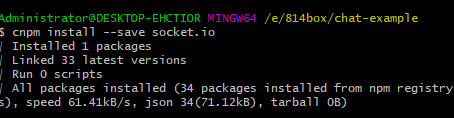
开发环境下,socket.io会自动提供客户端,安装socket.io
在index.js中添加模块
var app = require('express')();

var http = require('http').Server(app);

var io = require('socket.io')(http);

app.get('/', function(req, res){

  res.sendFile(__dirname + '/index.html');

});

io.on('connection', function(socket){

  console.log('a user connected');

});

http.listen(9000, function(){

  console.log('listening on *:9000');

});
在index.html中添加
  <script src="/socket.io/socket.io.js"></script>

    <script>

    var socket = io();

    </script>
现在index.html为
<!doctype html>

<html>

  <head>

    <title>Socket.IO chat</title>

    <style>

      * { margin: 0; padding: 0; box-sizing: border-box; }

      body { font: 13px Helvetica, Arial; }

      form { background: #000; padding: 3px; position: fixed; bottom: 0; width: 100%; }

      form input { border: 0; padding: 10px; width: 90%; margin-right: .5%; }

      form button { width: 9%; background: rgb(130, 224, 255); border: none; padding: 10px; }

      #messages { list-style-type: none; margin: 0; padding: 0; }

      #messages li { padding: 5px 10px; }

      #messages li:nth-child(odd) { background: #eee; }

    </style>

  </head>

  <body>

    <ul id="messages"></ul>

    <form action="">

      <input id="m" autocomplete="off" /><button>Send</button>

    </form>

    <script src="/socket.io/socket.io.js"></script>

    <script>

    var socket = io();

    </script>

  </body>

</html>
运行效果为

socket.io的核心理念是允许发送,接收任意事件和任意数据,任意能被编码为JSON的对象都可以用于传输,二进制也是支持的
在客户端中,我们捕获 chat message 事件,并将消息添加到页面中。现在客户端代码应该如下:
<!doctype html>

<html>

  <head>

    <title>Socket.IO chat</title>

    <style>

      * { margin: 0; padding: 0; box-sizing: border-box; }

      body { font: 13px Helvetica, Arial; }

      form { background: #000; padding: 3px; position: fixed; bottom: 0; width: 100%; }

      form input { border: 0; padding: 10px; width: 90%; margin-right: .5%; }

      form button { width: 9%; background: rgb(130, 224, 255); border: none; padding: 10px; }

      #messages { list-style-type: none; margin: 0; padding: 0; }

      #messages li { padding: 5px 10px; }

      #messages li:nth-child(odd) { background: #eee; }

    </style>

  </head>

  <body>

    <ul id="messages"></ul>

    <form action="">

      <input id="m" autocomplete="off" /><button>Send</button>

    </form>

    <script src="/socket.io/socket.io.js"></script>

    <script src="https://code.jquery.com/jquery-1.11.1.js"></script>

    <script>

    var socket = io();

    </script>

    <script>

        $(function () {

            var socket = io();

            $('form').submit(function(){

            socket.emit('chat message', $('#m').val());

            $('#m').val('');

            return false;

            });

            socket.on('chat message', function(msg){

            $('#messages').append($('<li>').text(msg));

            });

        });

    </script>

  </body>

</html>
index的代码为
var app = require('express')();

var http = require('http').Server(app);

var io = require('socket.io')(http);

app.get('/', function(req, res){

  res.sendFile(__dirname + '/index.html');

});

io.on('connection', function(socket){

    socket.on('chat message', function(msg){

        io.emit('chat message', msg);

      });

});

http.listen(9000, function(){

  console.log('listening on *:9000');

});
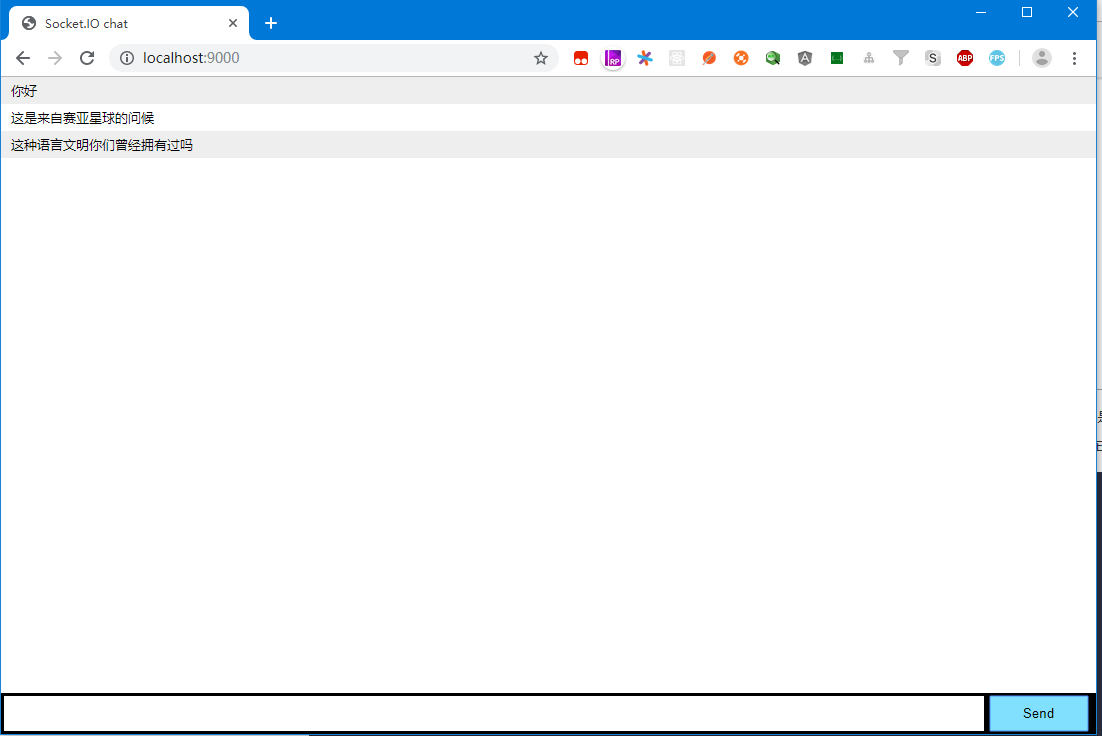
运行项目为
本文学习自:https://www.w3cschool.cn/socket/socket-ulbj2eii.html
跟我一起使用socket.io创建聊天应用的更多相关文章
- 基于Node.js+socket.IO创建的Web聊天室
这段时间进了一个新的项目组,项目是用Appcan来做一个跨平台的移动运维系统,其中前台和后台之间本来是打算用WebSocket来实现的,但写好了示例后发现android不支持WebSocket,大为受 ...
- 使用socket.io搭建聊天室
最近在学习nodejs,需要找一些项目练练手.找来找去发现了一个聊天室的教程,足够简单,也能从中学到一些东西.下面记录我练习过程中待一些笔记. nodeJS模块 共用到了2个模块,express和so ...
- node.js + socket.io实现聊天室一
前段时间,公司打算在社区做一个聊天室.决定让我来做.本小白第一次做聊天类功能,当时还想着通过ajax请求来实现.经过经理提示,说试试当前流行的node.js 和socket.io来做.于是就上网学习研 ...
- 使用 Socket.IO 开发聊天室
前言 Socket.IO 是一个用来实现实时双向通信的框架,其本质是基于 WebSocket 技术. 我们首先来聊聊 WebSocket 技术,先设想这么一个场景: · 用户小A,打开了某个网站的充值 ...
- NodeJS + Socket.io搭建聊天服务器
第一步:安装node git clone https://github.com/joyent/node.git cd node git checkout v0.10.33-release ./conf ...
- 我的学习笔记之node----node.js+socket.io实时聊天(2)
废话不多说,直接贴代码吧.注释很详细了. 服务端代码: /** * Created by LZX on 2015/10/7. */(function () { var d = document, w ...
- 我的学习笔记之node----node.js+socket.io实时聊天(1) (谨此纪念博客开篇)
本想着从hello word开篇,也确实写了相关学习笔记.各种原因吧,现在又着急写出作品,便作罢. 这里将记录一个node.js+socket.io的实时聊天程序.(当然我也是跟着网上各种教程资料学习 ...
- Socket.io在线聊天室
从零开始nodejs系列文章,将介绍如何利Javascript做为服务端脚本,通过Nodejs框架web开发.Nodejs框架是基于V8的引擎,是目前速度最快的Javascript引擎.chrome浏 ...
- nodejs+socket.io即时聊天实例
在这之前你应该先安装好 Node.js,安装过程不再讲解 首先在你的电脑上创建一个新目录,姑且命名为 chat,然后在该目录创建两个文件,分别是 app.js 和 index.html. app.js ...
随机推荐
- NX二次开发-UFUN适应窗口UF_VIEW_fit_view
NX9+VS2012 #include <uf.h> #include <uf_view.h> #include <uf_modl.h> UF_initialize ...
- <转载>深入 理解char * ,char ** ,char a[ ] ,char *a[] 的区别
C语言中由于指针的灵活性,导致指针能代替数组使用,或者混合使用,这些导致了许多指针和数组的迷惑,因此,刻意再次深入探究了指针和数组这玩意儿,其他类型的数组比较简单,容易混淆的是字符数组和字符指针这两个 ...
- ArcGIS中QueryTask,FindTask,IndentifyTask 之间的区别
1:QueryTask是一个进行空间和属性查询的功能类,它可以在某个地图服务的某个子图层内进行查询,顺便需要提一下的是,QueryTask进行查询的地图服务并 不必项加载到Map中进行显示.Query ...
- Qt5编译使用QFtp
使用 QNetworkAccessManager 可以实现 Ftp 的上传/下载功能(参考:Qt之FTP上传/下载),但有些原本 QFtp 有的功能 QNetworkAccessManager 却没有 ...
- 得益于AI,这五个行业岗位需求将呈现显著增长趋势
得益于AI,这五个行业岗位需求将呈现显著增长趋势 人工智能与人类工作是当下许多人津津乐道的一个话题,而讨论的重点大多是围绕在"未来人工智能会不会抢走我们的工作"这个方面.本文作者 ...
- java发送http的get/post请求(一)
HTTP请求类 import java.io.BufferedReader; import java.io.IOException; import java.io.InputStreamReader; ...
- java-day16
FileWriter 文件字符输出流 extends Writer 构造方法 FileWriter(String filename) FileWriter(File file) flush()方法:刷 ...
- jmeter 实战
JMeter 接口测试 什么是接口测试 概念 内部接口 方法与方法之间的交互 模块与模块之间的交互 一种调用对外包装的接口 Web接口分类 web接口分类:https.http.webService ...
- 应用Dubbo框架打造仿猫眼项目 理解微服务核心思想
1:传统应用带来的问题 单一业务开发的迭代问题 扩容困难 部署回滚困难2:微服务概述 微服务是一种将业务系统进一步拆分的架构风格 ...
- linux mysql主从复制配置
1.设置主库master的servie-id值并且开启bin-log功能参数vi /etc/my.cnf修改my.cnf的参数:[mysqld]server-id=1 //每一个库的server-id ...