
springcloud(六) Hystrix 熔断,限流
Hystrix 熔断:
首先仍然启动Eureka,这里就不说了。
OrderController.java:
package com.tuling.cloud.study.user.controller;

import org.slf4j.Logger;

import org.slf4j.LoggerFactory;

import org.springframework.beans.factory.annotation.Autowired;

import org.springframework.web.bind.annotation.GetMapping;

import org.springframework.web.bind.annotation.PathVariable;

import org.springframework.web.bind.annotation.RestController;

import org.springframework.web.client.RestTemplate;

import com.netflix.hystrix.contrib.javanica.annotation.HystrixCommand;

import com.tuling.cloud.study.user.entity.User;

@RestController

public class OrderController {

  private static final Logger logger = LoggerFactory.getLogger(OrderController.class);

  @Autowired

  private RestTemplate restTemplate;

  @HystrixCommand(fallbackMethod = "findByIdFallback")

  @GetMapping("/user/{id}")

  public User findById(@PathVariable Long id) {

	logger.error("================请求用户中心接口,用户id:" + id + "==============");

    return restTemplate.getForObject("http://microservice-provider-user/" + id, User.class);

  }

  //降级方法

  public User findByIdFallback(Long id) {

    User user = new User();

    user.setId(-1L);

    user.setName("默认用户");

    return user;

  }

}
order 服务和上一章一样唯一修改的是yml文件:
server:

  port: 9010

spring:

  application:

    name: microservice-consumer-order

eureka:

  client:

    serviceUrl:

      defaultZone: http://localhost:8761/eureka/

  instance:

    prefer-ip-address: true

hystrix:

  command:

    default:

      circuitBreaker:

        requestVolumeThreshold: 3 #默认20,熔断的阈值,如何user服务报错满足3次,熔断器就会打开,就算order之后请求正确的数据也不行。

        sleepWindowInMilliseconds: 5000 #默认5S , 等5S之后熔断器会处于半开状态,然后下一次请求的正确和错误讲决定熔断器是否真的关闭和是否继续打开
user服务修改UserController.java其余不变
package com.tuling.cloud.study.controller;

import java.util.Random;

import org.apache.log4j.Logger;

import org.springframework.beans.factory.annotation.Autowired;

import org.springframework.cloud.client.serviceregistry.Registration;

import org.springframework.web.bind.annotation.GetMapping;

import org.springframework.web.bind.annotation.PathVariable;

import org.springframework.web.bind.annotation.RestController;

import com.tuling.cloud.study.entity.User;

import com.tuling.cloud.study.repository.UserRepository;

@RestController

public class UserController {

  private final Logger logger = Logger.getLogger(getClass());

  @Autowired

  private UserRepository userRepository;

  @Autowired

  private Registration registration;

  @GetMapping("/{id}")

  public User findById(@PathVariable Long id) throws Exception {

	  logger.info("用户中心接口:查询用户"+ id +"信息");

	  //测试熔断,传入不存在的用户id模拟异常情况

	  if (id == 10) {

	    throw new NullPointerException();

	  }

	  User findOne = userRepository.findOne(id);

	  return findOne;

  }

  @GetMapping("/getIpAndPort")

  public String findById() {

	  return registration.getHost() + ":" + registration.getPort();

  }

}
user服务模拟接口报错,order服务在调用的时候如果id传入的是10 ,就会导致user服务报错,那么满足3次报错之后,熔断器就会打开。注意:之后在5S内浏览器继续请求order服务的findById()接口是不会进入的,hystrix会直接执行降级方法。
等5S过去之后,hytrix不会全打开,而是处于半开状态,接下来的第一个请求决定熔断器是否继续打开,还是关闭。
演示:
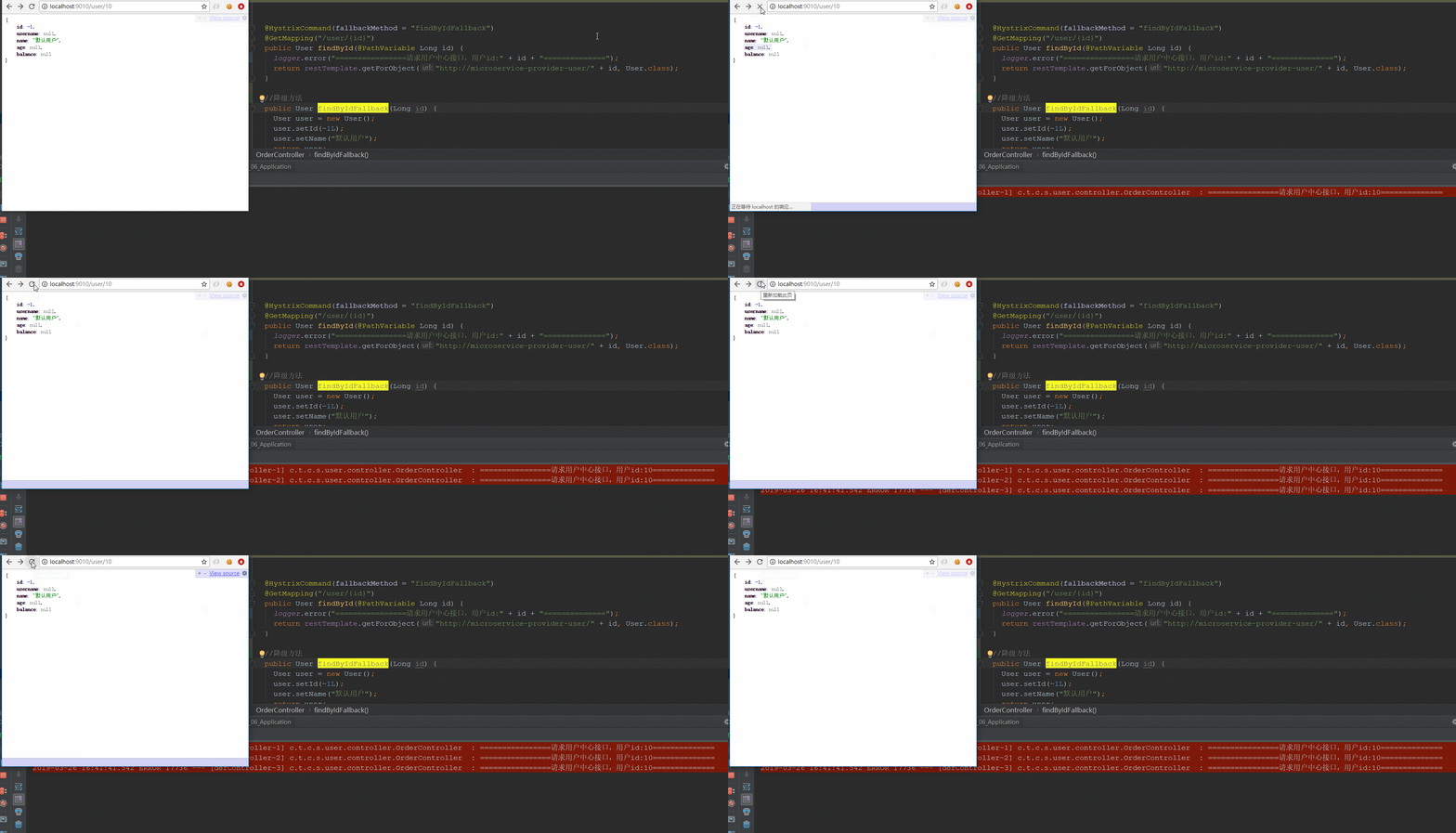
特别注意“:user服务报错满足3次,就导致调用方order的 findById() 进不去了,而是直接进入降级方法。这就是熔断。
Hystrix 限流:
Eureka 还是用同样的(略)
order工程截图:
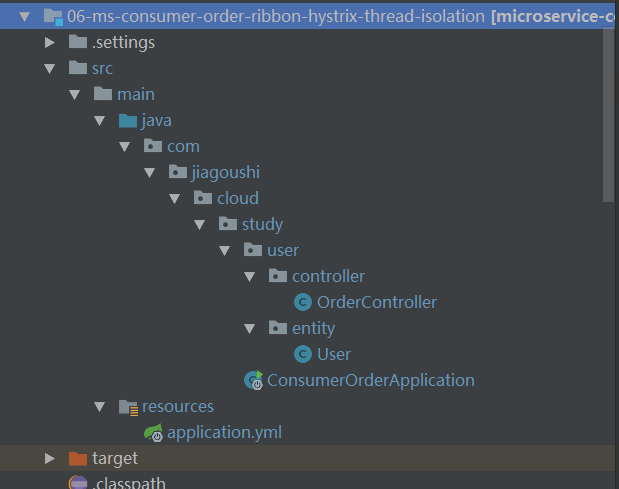
pom.xml 和上一章一样(略)
OrderController.java:
package com.jiagoushi.cloud.study.user.controller;

import com.jiagoushi.cloud.study.user.entity.User;

import org.slf4j.Logger;

import org.slf4j.LoggerFactory;

import org.springframework.beans.factory.annotation.Autowired;

import org.springframework.web.bind.annotation.GetMapping;

import org.springframework.web.bind.annotation.PathVariable;

import org.springframework.web.bind.annotation.RestController;

import org.springframework.web.client.RestTemplate;

import com.netflix.hystrix.contrib.javanica.annotation.HystrixCommand;

import com.netflix.hystrix.contrib.javanica.annotation.HystrixProperty;

@RestController

public class OrderController {

	private static final Logger logger = LoggerFactory.getLogger(OrderController.class);

	@Autowired

	private RestTemplate restTemplate;

	@HystrixCommand(fallbackMethod = "findByIdFallback",

					groupKey = "orderUserGroup",

					threadPoolKey = "orderUserIdThreadPool",

					threadPoolProperties = {

	        			@HystrixProperty(name = "coreSize", value = "2"),

	        			@HystrixProperty(name = "maxQueueSize", value = "2"),

	        			@HystrixProperty(name = "queueSizeRejectionThreshold", value = "1") }) //maxQueueSize和queueSizeRejectionThreshold 简单理解两者取最小值做为队列长度

	@GetMapping("/user/{id}")

	public User findById(@PathVariable Long id) {

		logger.info("================请求用户中心接口,用户id:" + id + "==============");

		return restTemplate.getForObject("http://microservice-provider-user/" + id, User.class);

	}

	@HystrixCommand(fallbackMethod = "findByIdFallback",

			groupKey = "orderUserGroup",

			threadPoolKey = "orderUserIdThreadPool",

			threadPoolProperties = {

					@HystrixProperty(name = "coreSize", value = "2"), //配置线程池线程数量

					@HystrixProperty(name = "maxQueueSize", value = "2"),

					@HystrixProperty(name = "queueSizeRejectionThreshold", value = "1") })

	@GetMapping("/user/{userName}")

	public User findByUserName(@PathVariable String userName) {

		logger.info("================请求用户中心接口,用户userName:" + userName + "==============");

		return restTemplate.getForObject("http://microservice-provider-user/" + userName, User.class);

	}

	//降级方法

	public User findByIdFallback(Long id) {

		User user = new User();

		user.setId(-1L);

		user.setName("默认用户");

		return user;

	}

}
说明:
- hystix 默认线程池大小是10。
- groupKey 是 服务分组 , threadPoolKey 是 线程池标识 , 也就是说当groupKey和threadPoolKey 同时修饰findById() 和findByUserName() 时 ,他们共用一个线程池,大小共10。
ThreadPoolProperties:配置线程池参数,coreSize配置核心线程池大小和线程池最大大 小,keepAliveTimeMinutes是线程池中空闲线程生存时间(如果不进行动态配置,那么是没 有任何作用的),maxQueueSize配置线程池队列最大大小, queueSizeRejectionThreshold限定当前队列大小,即实际队列大小由这个参数决定,通过 改变queueSizeRejectionThreshold可以实现动态队列大小调整。
applciation.xml:
server:

  port: 9010

spring:

  application:

    name: microservice-consumer-order

eureka:

  client:

    serviceUrl:

      defaultZone: http://localhost:8761/eureka/

  instance:

    prefer-ip-address: true

hystrix:

  command:

    default:

      execution:

        isolation:

          thread:

            timeoutInMilliseconds: 20000 #命令执行超时时间,默认1000ms,就是调接口的响应时间超过20S就执行降级,不管提供者是否挂机还是延迟超过时间就走降级
user工程截图:
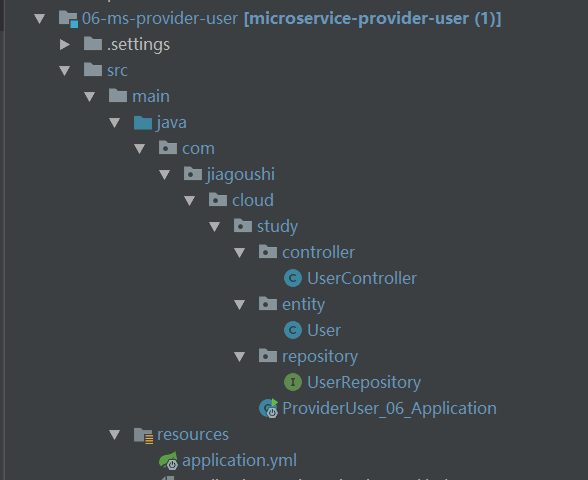
pom.xml 和上一章一样(略)
UserController.java:
package com.jiagoushi.cloud.study.controller;

import com.jiagoushi.cloud.study.entity.User;

import org.apache.log4j.Logger;

import org.springframework.beans.factory.annotation.Autowired;

import org.springframework.cloud.client.serviceregistry.Registration;

import org.springframework.web.bind.annotation.GetMapping;

import org.springframework.web.bind.annotation.PathVariable;

import org.springframework.web.bind.annotation.RestController;

import com.jiagoushi.cloud.study.repository.UserRepository;

@RestController

public class UserController {

  private final Logger logger = Logger.getLogger(getClass());

  @Autowired

  private UserRepository userRepository;

  @Autowired

  private Registration registration;

  @GetMapping("/{id}")

  public User findById(@PathVariable Long id) throws Exception {

	  logger.info("用户中心接口:查询用户"+ id +"信息");

	  // 配合限流演示,模拟业务耗时3S

         Thread.sleep(3000);

	  User findOne = userRepository.findOne(id);

	  return findOne;

  }

  @GetMapping("/getIpAndPort")

  public String findById() {

	  return registration.getHost() + ":" + registration.getPort();

  }

}
application.yml:
server:

  port: 8002

spring:

  application:

    name: microservice-provider-user

  jpa:

    generate-ddl: false

    show-sql: true

    hibernate:

      ddl-auto: none

  datasource:                           # 指定数据源

    platform: h2                        # 指定数据源类型

    schema: classpath:schema.sql        # 指定h2数据库的建表脚本

    data: classpath:data.sql            # 指定h2数据库的数据脚本

logging:                                # 配置日志级别,让hibernate打印出执行的SQL

  level:

    root: INFO

    org.hibernate: INFO

    org.hibernate.type.descriptor.sql.BasicBinder: TRACE

    org.hibernate.type.descriptor.sql.BasicExtractor: TRACE

eureka:

  client:

    serviceUrl:

      defaultZone: http://localhost:8761/eureka/

  instance:

    prefer-ip-address: true
使用jemeter 来演示 hystrix 的限流:
先默认order接口什么都不配置:
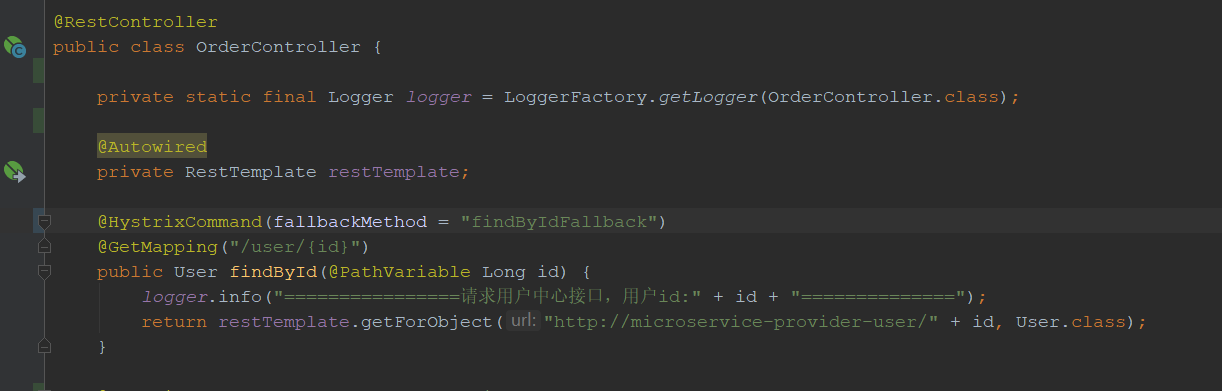
上图:
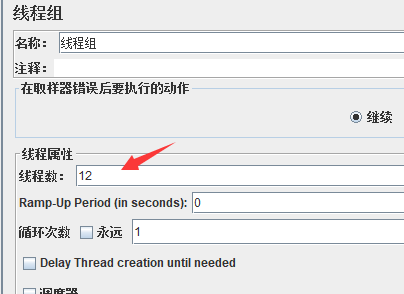
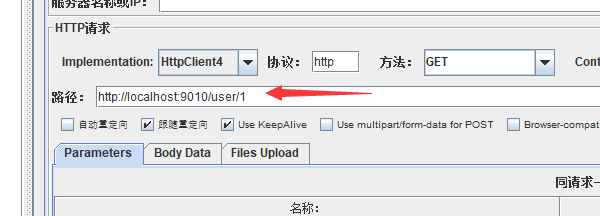
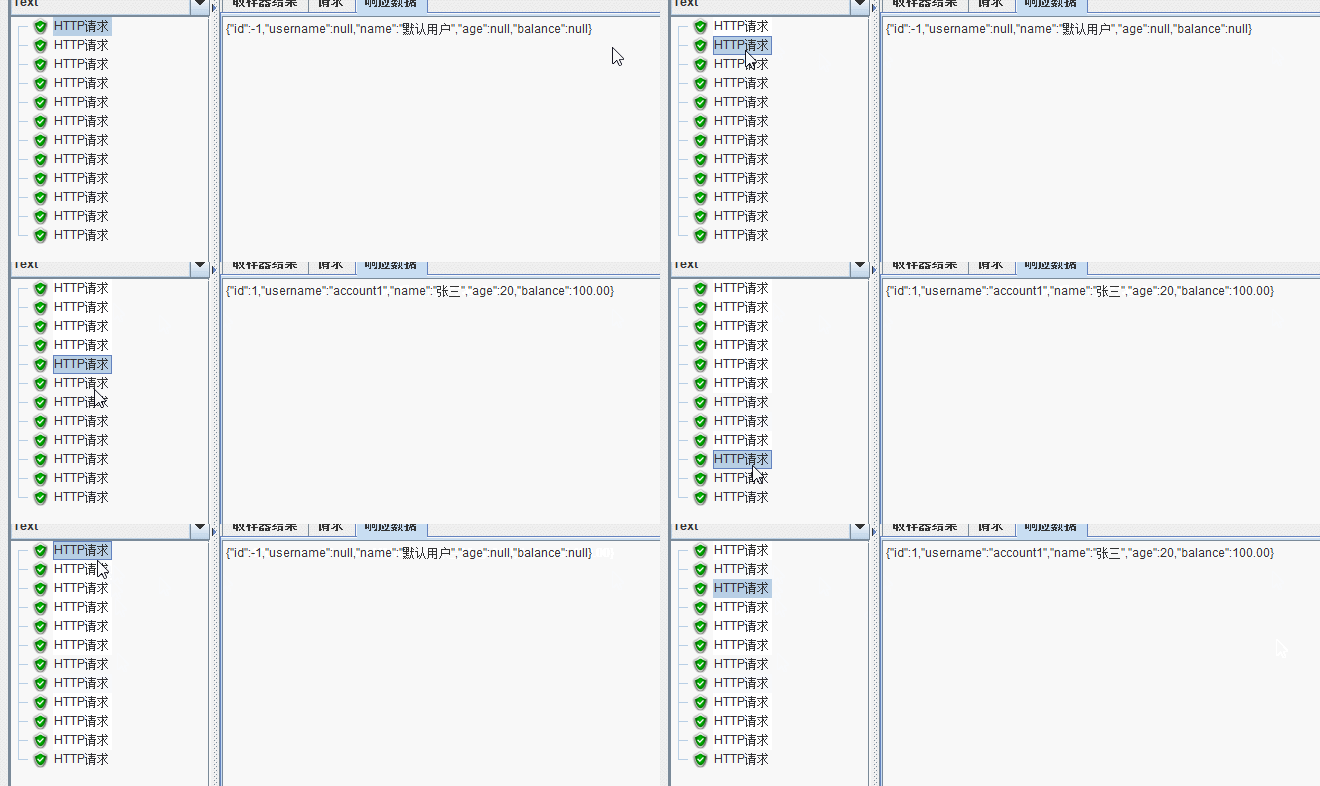
结果发现: 12个线程有10成功,2个被降级处理,说明hystrix 默认的线程池大小是10,
接下来配置一下order接口:
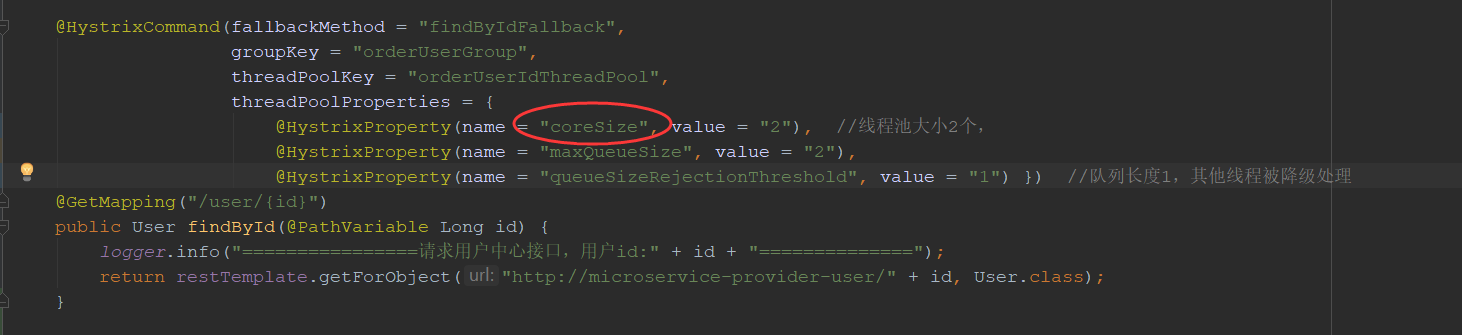
上图:
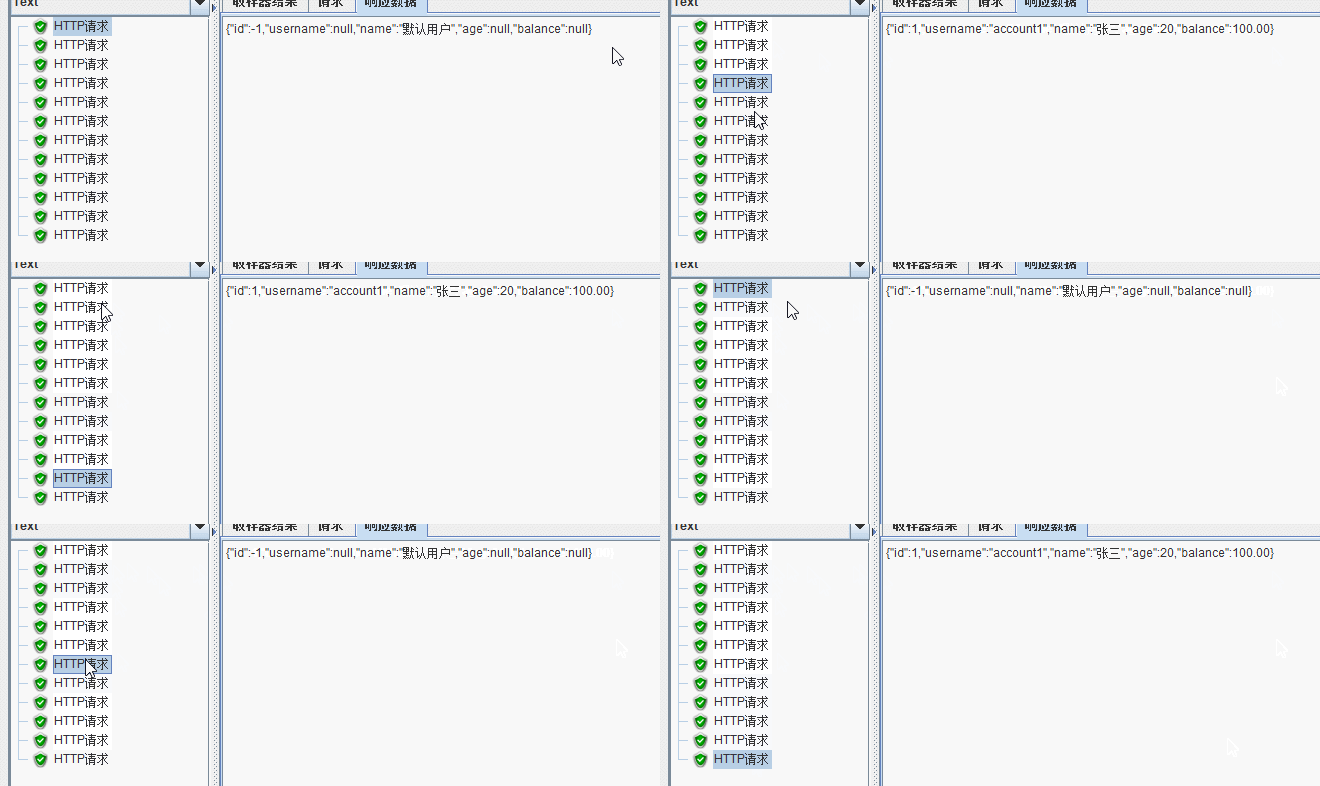
结果发现:12个线程访问只有3个成功,9个被降级。因为hystrix 线程池被配置成2个,队列长度1,所以9个线程立即被降级。
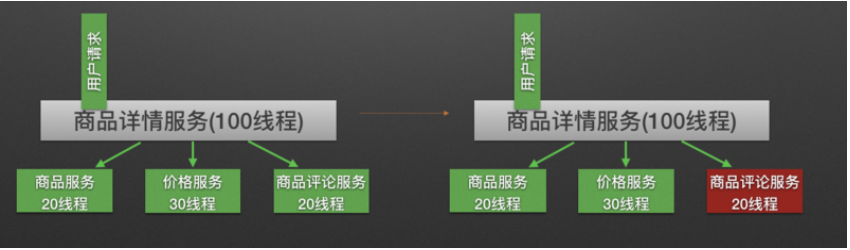 就好比商品详情服务一共100个线程,只允许20线程可以调用评论接口,如果并发是50,那么其他30就被降级,线程就立即回收,防止服务雪崩
欢迎来QQ群:592495675 搞事情
springcloud(六) Hystrix 熔断,限流的更多相关文章
- 微服务熔断限流Hystrix之流聚合
简介 上一篇介绍了 Hystrix Dashboard 监控单体应用的例子,在生产环境中,监控的应用往往是一个集群,我们需要将每个实例的监控信息聚合起来分析,这就用到了 Turbine 工具.Turb ...
- 阿里熔断限流Sentinel研究
1. 阿里熔断限流Sentinel研究 1.1. 功能特点 丰富的应用场景:例如秒杀(即突发流量控制在系统容量可以承受的范围).消息削峰填谷.集群流量控制.实时熔断下游不可用应用等 完备的实时监控:S ...
- springcloud3(六) 服务降级限流熔断组件Resilience4j
代码地址:https://github.com/showkawa/springBoot_2017/tree/master/spb-demo/spb-gateway/src/test/java/com/ ...
- SpringBoot进阶教程(六十七)RateLimiter限流
在上一篇文章nginx限流配置中,我们介绍了如何使用nginx限流,这篇文章介绍另外一种限流方式---RateLimiter. v限流背景 在早期的计算机领域,限流技术(time limiting)被 ...
- Envoy熔断限流实践(二)Rainbond基于RLS服务全局限流
Envoy 可以作为 Sevice Mesh 微服务框架中的代理实现方案,Rainbond 内置的微服务框架同样基于 Envoy 实现.本文所描述的全局限速实践也是基于 Envoy 已有的方案所实现. ...
- 微服务熔断限流Hystrix之Dashboard
简介 Hystrix Dashboard是一款针对Hystrix进行实时监控的工具,通过Hystrix Dashboard可以直观地看到各Hystrix Command的请求响应时间,请求成功率等数据 ...
- Envoy熔断限流实践(一)基于Rainbond插件实现熔断
Envoy 可以作为 Sevice Mesh 微服务框架中的代理实现方案,Rainbond 内置的微服务框架同样基于 Envoy 实现.本文所描述的熔断实践基于 Rainbond 特有的插件机制实现. ...
- springcloud组件之hystrix服务熔断,降级,限流
hystrix 简介 Hystrix是什么 在分布式环境中,许多服务依赖项中的一些必然会失败.Hystrix是一个库,通过添加延迟容忍和容错逻辑,帮助你控制这些分布式服务之间的交互.Hystrix通过 ...
- SpringCloud系列——限流、熔断、降级
前言 分布式环境下,服务直接相互调用,一个复杂的业务可能要调用多个服务,例如A -> B -> C -> D,当某个服务出现异常(调用超时.调用失败等)将导致整个流程阻塞崩溃,严重的 ...
随机推荐
- data模块
这个模块原本应该存放Excel文件,提供utils目录下的config模块调用: 这里公司内部无法使用Excel读取数据,顾使用了ddt,其实里面就是.xslx文件
- 80端口未被占用,无法启动wamp的解决方法(原创)
起床之后想要弄弄侧边栏的东西,打开wamp居然无法启动apache服务,上网查了之后才知道是需要启动httpd.exe这个程序,测试了很久,80端口也没有被占用,点击启动apache服务的时候弹出co ...
- 网络安全:攻击和防御练习(全战课), DDos压力测试
XSS 跨站脚本攻击: Cross-site scripting(简称xss)跨站脚本. 一种网站的安全漏洞的攻击,代码注入攻击的一种.XSS攻击通常指的是通过利用网页开发时留下的漏洞,通过巧妙的方法 ...
- UVA-820 Internet Bandwidth (最大流)
题目大意:单源单汇无向网络求最大流. 题目分析:入门级别的题.但是ISAP在这儿好像不大好使?... 代码如下: # include<iostream> # include<cstd ...
- 改变VO中的sql
cuxOptionVO.setFullSqlMode(cuxOptionVO.FULLSQL_MODE_AUGMENTATION); cuxOptionVO.setQuery(null); cuxOp ...
- MySQL多表关联查询与存储过程
-- **************关联查询(多表查询)**************** -- 需求:查询员工及其所在部门(显示员工姓名,部门名称) -- 1.1 交叉连接查询(不推荐.产生笛卡尔乘积 ...
- 蓝桥杯练习系统历届试题 剪格子 dfs
问题描述 如下图所示,3 x 3 的格子中填写了一些整数. +--*--+--+|10* 1|52|+--****--+|20|30* 1|*******--+| 1| 2| 3|+--+--+--+ ...
- windows安装mysql方法 mysql5.7以后的安装方法
mysql 安装步骤: 1.www.mysql.com 下载mysql 2.解压mysql到E盘,或者其他盘解压后 E:\mysql\bin (bin一定要按照这个目录) 3.这bin目录 ...
- New Concept English Two 22 58
$课文56 比声音还快! 579. Once a year, a race is held for old cars. 旧式汽车的比赛每年举行一次. 580. A lot of cars enter ...
- Shell排序算法和合并排序算法
Shell排序(希尔排序)算法Shell排序严格来说基于插入排序的思想,其又称为希尔排序或者缩小增量排序. Shell排序的流程:1.将由n个元素的数组分成n/2个数字序列,第1个数据和第n/2+1个 ...