
详解offset
offset
offset 译为“偏移量”,是javascript很重要的一个概念。涉及到便宜量的主要有offsetLeft、offsetTop、offHeight、offsetWidth这四个属性还有一个偏移参照--定位父级offsetParent
参照图:
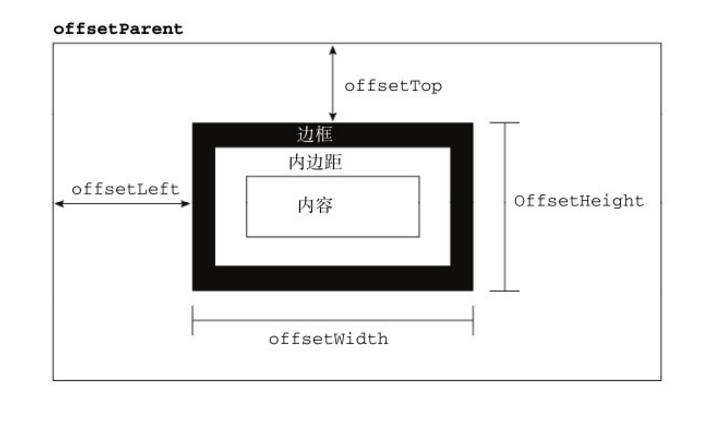
在理解偏移量之前,首先要理解offsetParent。从字面上来理解。应该是翻译为“偏移父级”,但并非如此,它被译为“定位父级”
以下是对offsetParent的定义:
与当前元素最近的经过定位(不是static)的父级元素。主要分为下列几种情况:
1.元素自身有fixed定位,offsetParent的结果为null
当元素自身有fixed固定定位时,我们知道固定定位的元素相对于窗口进行定位,此时没有定位父级,故offsetParent为null
注意firefox浏览器有兼容问题
<!DOCTYPE html>

<html lang="en">

<head>

    <meta charset="UTF-8">

    <title>Document</title>

</head>

<body>

    <div id="test" style="position: fixed"></div>

    <script>

        var test=document.getElementById('test');

        console.log(test.offsetParent);

    </script>

</body>

</html>
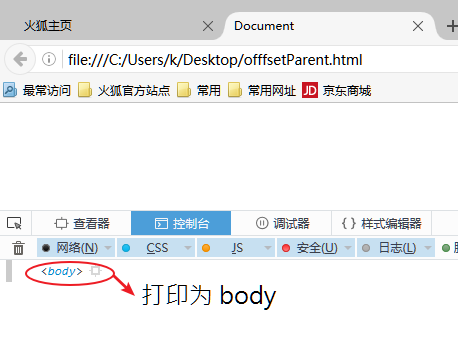
在chrome中的执行结果:

在firefox的执行结果:
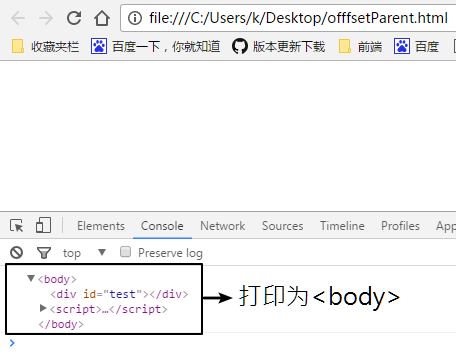
2.当元素自身无fixed定位时,且父级元素都未经过定位,offParent的结果为<body>
<!DOCTYPE html>

<html lang="en">

<head>

    <meta charset="UTF-8">

    <title>Document</title>

</head>

<body>

    <div id="test"></div>

    <script>

        var test=document.getElementById('test');

        console.log(test.offsetParent);

    </script>

</body>

</html>
效果如下:
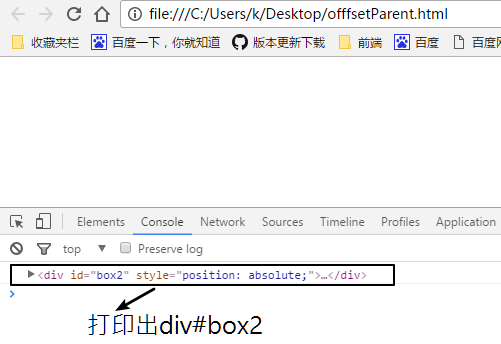
3.元素自身无fixed定位,且父级元素存在经过定位的元素,offsetParent的结果为离自身元素最近的经过定位的父级元素
<!DOCTYPE html>

<html lang="en">

<head>

    <meta charset="UTF-8">

    <title>Document</title>

</head>

<body>

    <div id="box1" style="position: absolute;">

        <div id="box2" style="position: absolute;">

            <div id="test"></div>

        </div>

    </div>

    <script>

        var test=document.getElementById('test');

        console.log(test.offsetParent);

    </script>

</body>

</html>
效果如下:
偏移量
偏移量共包括offsetTop、offsetLeft、offsetWidth、offsetHeight这四个属性
offsetWidth
offsetWidth表示元素在水平方向上占用的空间大小(包括边框和padding) 无单位(以px计)
offsetWidth = border-left-width + padding-left + width + padding-right + border-right-width;
<!DOCTYPE html>

<html lang="en">

<head>

    <meta charset="UTF-8">

    <title>Document</title>

    <style>

        #test{

            border: 2px solid #000;

            width: 200px;

            height: 200px;

            padding: 10px;

            margin: 10px;

        }

    </style>

</head>

<body>

    <div id="box1" style="position: absolute;">

        <div id="box2" style="position: absolute;">

            <div id="test"></div>

        </div>

    </div>

    <script>

        var test=document.getElementById('test');

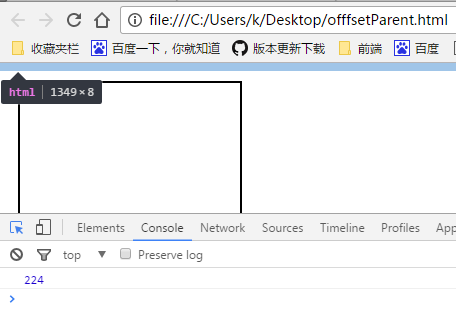
        console.log(test.offsetWidth);

    </script>

</body>

</html>
输出为:
offsetHeight
offsetHeight表示元素在垂直方向上占用的空间大小(包括边框和padding),无单位(以px计)
offsetHeight = border-top-width + padding-top + height + padding-bottom + border-bottom-width
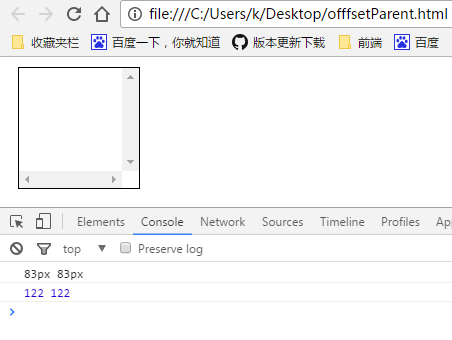
[注意]如果存在垂直滚动条,offsetWidth也包括垂直滚动条的宽度;如果存在水平滚动条,offsetHeight也包括水平滚动条的高度
<!DOCTYPE html>

<html lang="en">

<head>

    <meta charset="UTF-8">

    <title>Document</title>

</head>

<body>

    <div id="test" style="width:100px; height:100px; padding:10px; margin:10px; border:1px solid black; overflow: scroll;"></div>

<script>

//IE8-浏览器将垂直滚动条的宽度计算在width宽度和height高度中,width和height的值仍然是100px;

//而其他浏览器则把垂直滚动条的宽度从width宽度中移出,把水平滚动条的高度从height高度中移出,则滚动条宽度为17px,width宽度和height高度为剩下的83px

if(window.getComputedStyle){

    console.log(getComputedStyle(test).width,getComputedStyle(test).height)//83px

}else{

    console.log(test.currentStyle.width,test.currentStyle.height);//100px

}

//122=1+10+100+10+1

console.log(test.offsetWidth,test.offsetHeight);

</script>

</body>

</html>
chrome显示如下:
offsetTop
offsetTop表示元素的上外边框至offsetParent元素的上内边框之间的像素距离
offsetLeft
offsetLeft表示元素的左外边框至offsetParent元素的左内边框之间的像素距离
注意事项:
【1】所有偏移量属性都是只读的
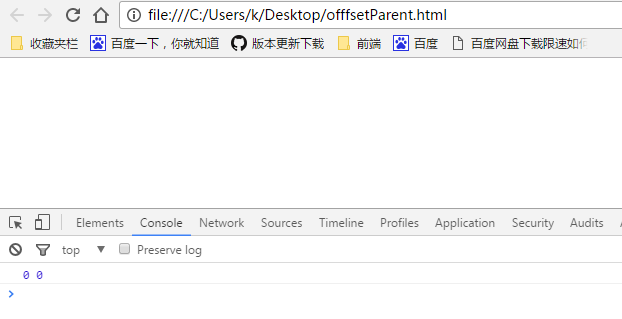
【2】如果给元素设置了display:none,则它的偏移量属性都为0
<!DOCTYPE html>

<html lang="en">

<head>

    <meta charset="UTF-8">

    <title>Document</title>

</head>

<body>

    <div id="test" style="width:100px; height:100px; padding:10px; margin:10px; display: none;"></div>

<script>

console.log(test.offsetWidth,test.offsetTop);

</script>

</body>

</html>
chrome显示如下:
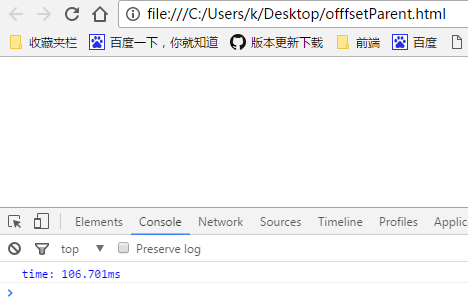
【3】每次访问偏移量属性都需要重新计算
<!DOCTYPE html>

<html lang="en">

<head>

    <meta charset="UTF-8">

    <title>Document</title>

</head>

<body>

    <div id="test" style="width:100px; height:100px; padding:10px; margin:10px; display: none;"></div>

<script>

    console.time("time");

    for(var i = 0; i < 100000; i++){

        var a = test.offsetWidth;

    }

    console.timeEnd('time');//106.701ms

</script>

</body>

</html>
chrome显示如下:
<!DOCTYPE html>

<html lang="en">

<head>

    <meta charset="UTF-8">

    <title>Document</title>

</head>

<body>

    <div id="test" style="width:100px; height:100px; padding:10px; margin:10px; display: none;"></div>

<script>

    console.time("time");

    var a = test.offsetWidth;

    for(var i = 0; i < 100000; i++){

        var b = a;

    }

    console.timeEnd('time');//6.274ms

</script>

</body>

</html>
chrome显示如下:
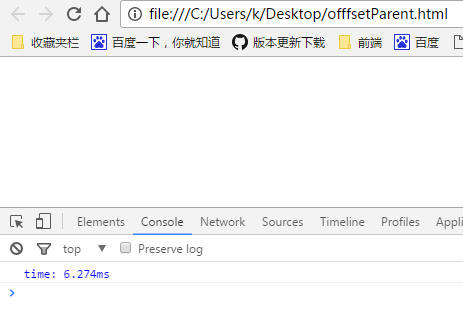
由上面代码对比可知,重复访问偏移量属性需要耗费大量的性能,所以要尽量避免重复访问这些属性。如果需要重复访问,则把它们的值保存在变量中,以提高性能
OK offset讲解暂告一段落!
详解offset的更多相关文章
- 图文详解Unity3D中Material的Tiling和Offset是怎么回事
图文详解Unity3D中Material的Tiling和Offset是怎么回事 Tiling和Offset概述 Tiling表示UV坐标的缩放倍数,Offset表示UV坐标的起始位置. 这样说当然是隔 ...
- JQ的offset().top与js的offsetTop区别详解
一.前言 最近在做一个图片懒加载的插件,就纵轴(Y轴)而言,我需要时时获取图片的上偏移量,好判断是否已进入视图区域,而我所理解的是offsetTop应该是跟offset().top一样的,然后陷入了因 ...
- JQ的offset().top与JS的getBoundingClientRect区别详解,JS获取元素距离视窗顶部可变距离
壹 ❀ 引 我在 JQ的offset().top与js的offsetTop区别详解 这篇博客中详细分析了JQ方法offset().top与JS属性offsetTop的区别,并得出了一条offset( ...
- js的client、scroll、offset详解与兼容性
clientWidth:可视区宽说明:样式宽+padding参考:js的client详解 scrollTop : 滚动条滚动距离说明:chrome下他会以为滚动条是文档元素的,所以需要做兼容:var ...
- C#进阶系列——WebApi 接口返回值不困惑:返回值类型详解
前言:已经有一个月没写点什么了,感觉心里空落落的.今天再来篇干货,想要学习Webapi的园友们速速动起来,跟着博主一起来学习吧.之前分享过一篇 C#进阶系列——WebApi接口传参不再困惑:传参详解 ...
- Android图片缓存之Bitmap详解
前言: 最近准备研究一下图片缓存框架,基于这个想法觉得还是先了解有关图片缓存的基础知识,今天重点学习一下Bitmap.BitmapFactory这两个类. 图片缓存相关博客地址: Android图片缓 ...
- redis配置详解
##redis配置详解 # Redis configuration file example. # # Note that in order to read the configuration fil ...
- Linux C 字符串函数 sprintf()、snprintf() 详解
一.sprintf() 函数详解 在将各种类 型的数据构造成字符串时,sprintf 的强大功能很少会让你失望. 由于 sprintf 跟 printf 在用法上几乎一样,只是打印的目的地不同而已,前 ...
- python之OS模块详解
python之OS模块详解 ^_^,步入第二个模块世界----->OS 常见函数列表 os.sep:取代操作系统特定的路径分隔符 os.name:指示你正在使用的工作平台.比如对于Windows ...
随机推荐
- Linux系统——shell脚本
shell脚本编程 作用:通过命令行解析的方式,自动执行设定好的程序或命令代码.(若将脚本挂到定时任务中,就会自动在非工作时间里自动触发执行程序) Shell脚本文件以“.sh”结尾 规范的Shell ...
- jQuery动态效果学习笔记
资料来源 W3Cschool 1.元素的显示与隐藏 1.1显示元素show() 语法 $(selector).show(speed,callback); 显示已经设置隐藏的元素 1.2隐藏元素hide ...
- log4j的配置和使用
日志记录 在应用程序中添加日志记录总的来说基于三个目的: 监视代码中变量的变化情况,周期性的记录到文件中供其他应用进行统计分析工作: 跟踪代码运行时轨迹,作为日后审计的依据:担当集成开发环境中的调试器 ...
- WEB项目异常处理
package cn.rest.advice; import javax.servlet.http.HttpServletResponse; import org.slf4j.Logger;impor ...
- 联想笔记本电脑的F1至F12键盘问题。怎么设置才能不按FN就使用F1
在BIOS中有相应调整开关,开机时进入BIOS----CONFIG----Keyboard/Mouse----Change to "f1-f12 keys"选项设置为Legacy ...
- Python面试题之Python中__repr__和__str__区别
看下面的例子就明白了 class Test(object): def __init__(self, value='hello, world!'): self.data = value >> ...
- 20145103《JAVA程序设计》第十周学习总结
网络编程 网络编程就是在两个或两个以上的设备(例如计算机)之间传输数据.程序员所作的事情就是把数据发送到指定的位置,或者接收到指定的数据,这个就是狭义的网络编程范畴.在发送和接收数据时,大部分的程序设 ...
- SublimeText3 编辑器使用小结
1. 快捷键: Command + shift + D : 复制当前行 Command + shift + K : 删除当前行 Command + J : 合并一行 Command + Enter : ...
- python2与python3语法区别之_重定向
python2与python3两版本的区别是众所周知的,今天主要记录python下版本2 与版本3的区别 python2 In [7]: logfile = open('/tmp/mylog.log' ...
- 资源 | TensorFlow推出新工具Seedbank:即刻使用的预训练模型库【转】
本文转载自:http://tech.ifeng.com/a/20180713/45062331_0.shtml 选自TensorFlow 作者:Michael Tyka 机器之心编译 参与:路.王淑婷 ...