
【Tools】-NO.10.Tools.2.IDEA.1.001-【IDEA Configuration】-
1.0.0 Summary
Tittle:【Tools】-NO.10.Tools.2.IDEA.1.001-【IDEA Configuration】-
Style:Tools
Series:IDEA
Since:2017-04-23
End:2017-04-23
Total Hours:0.5
Degree Of Diffculty:1
Degree Of Mastery:1
Practical Level:1
Desired Goal:1
Archieve Goal:1
Gerneral Evaluation:1
Writer:kingdelee
Related Links:
http://www.cnblogs.com/kingdelee/
http://www.phperz.com/special/83.html
1.1.1 Settings-Appearance
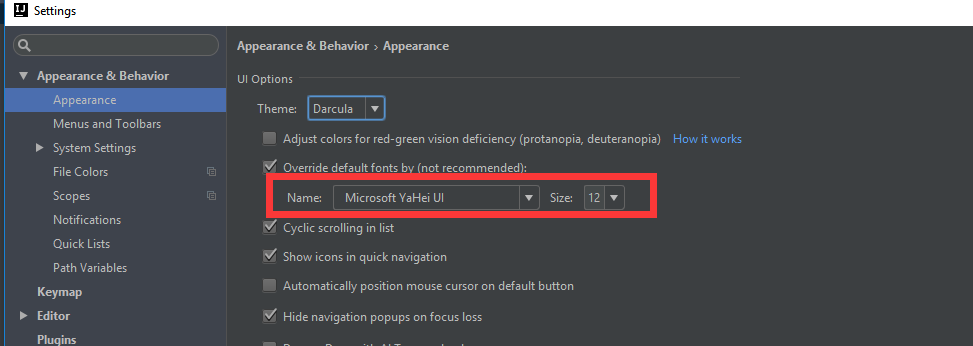
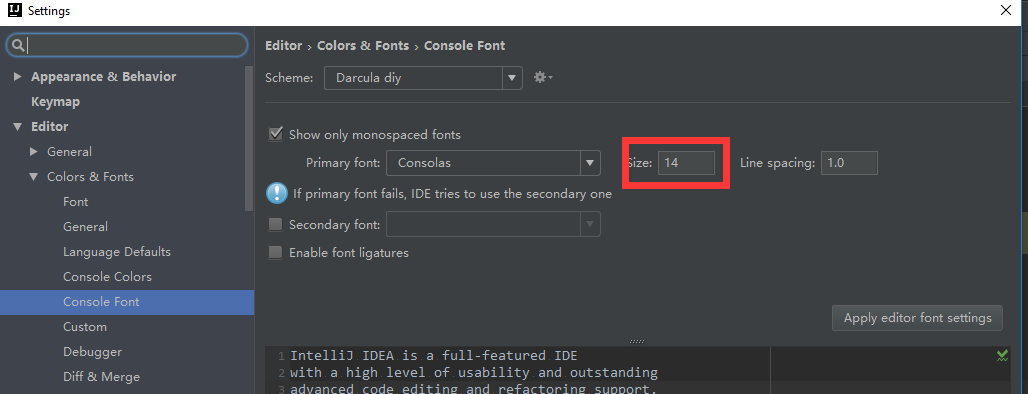
1.1.2 Settings-Font

1.1.3 Default Settings- File Encodings
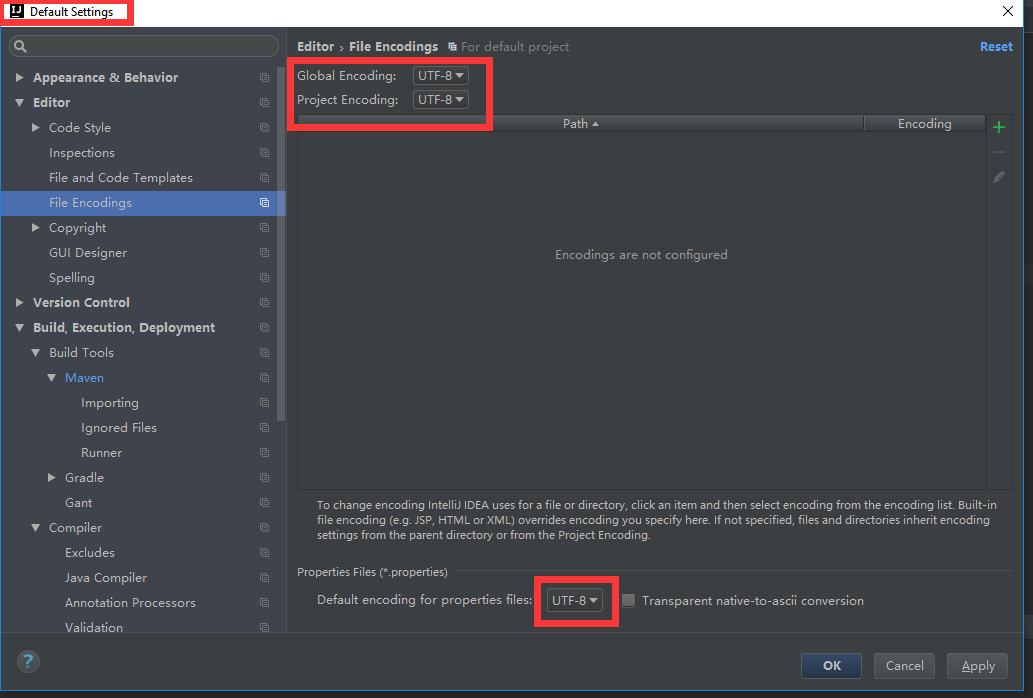
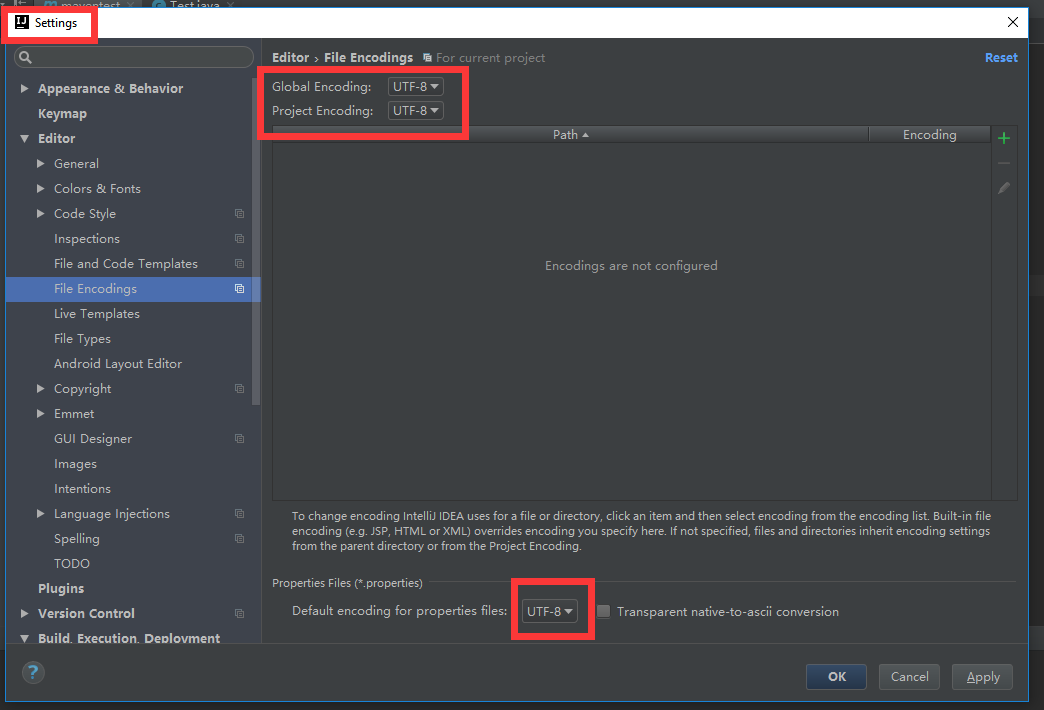
1.1.4 Settings - File Encodings
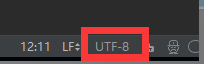
1.1.5 Lower Right
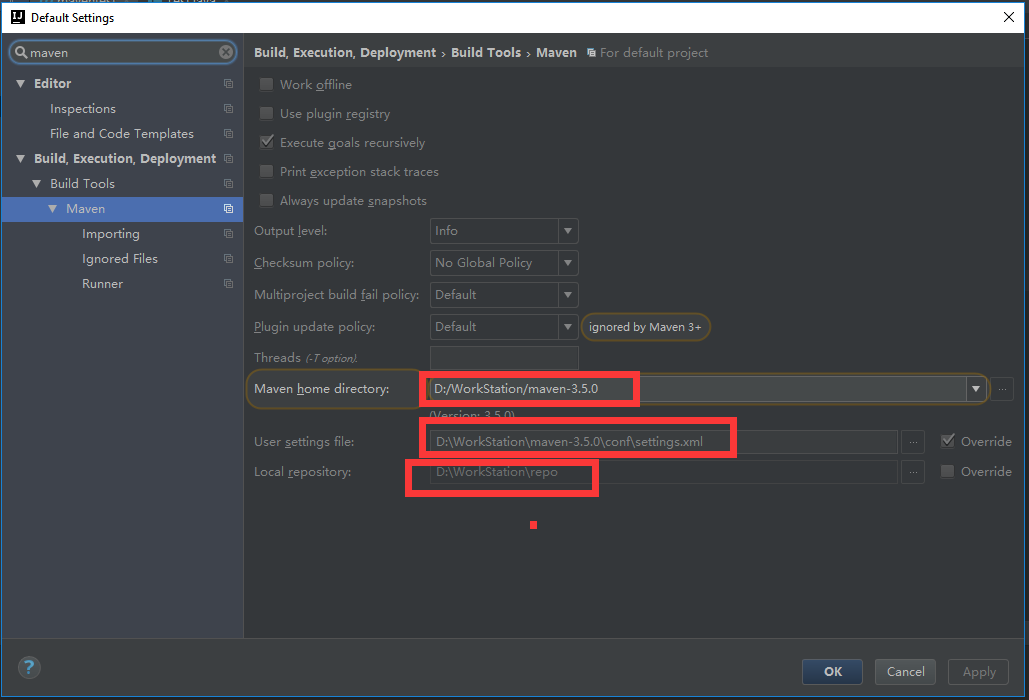
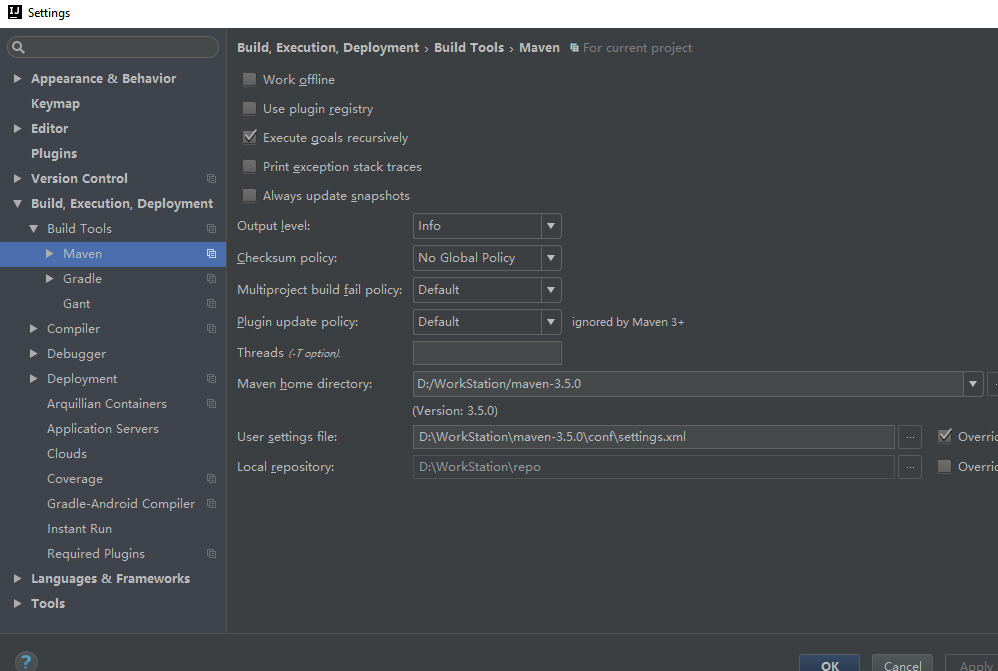
1.1.6 Default Settings - Maven
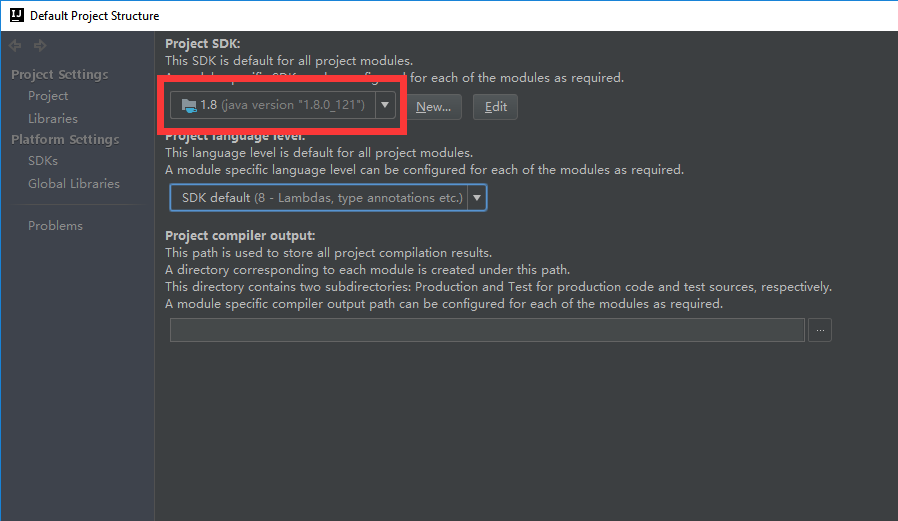
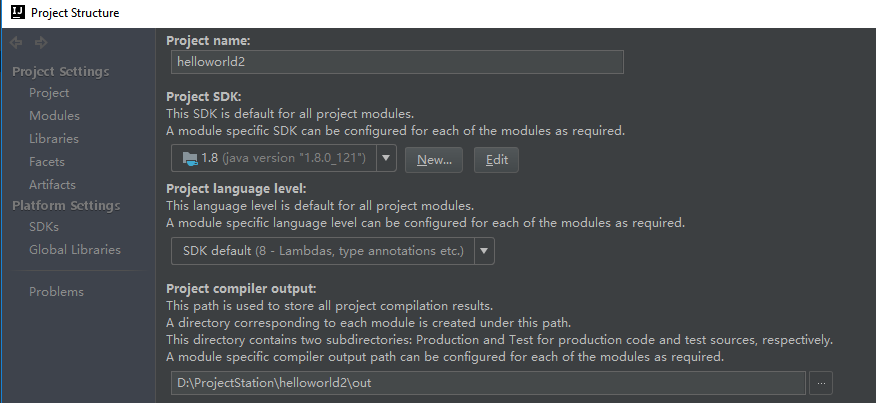
1.1.7 Default Project Structure - SDK
1.1.8 Settings - General
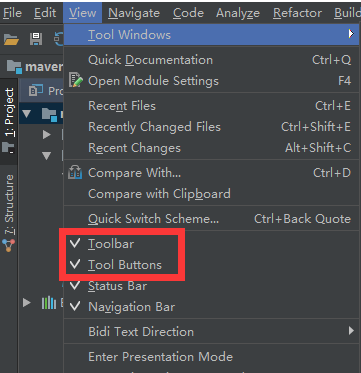
1.1.9 show toolbar
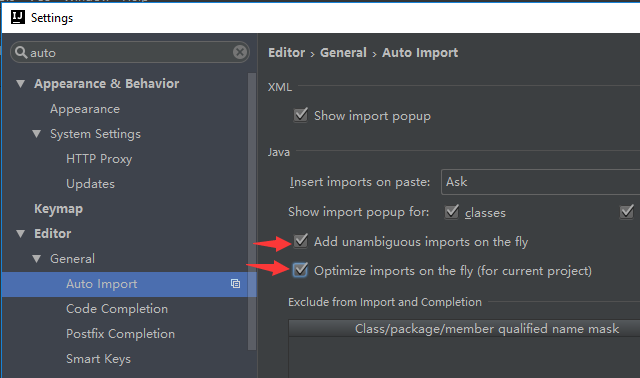
1.1.10 auto import package
"Add unambiguous imports on the fly" means auto import package
"opimize import on the fly" means delete unuseful package
1.1.11 make annotation more beautiful and standard
unrecommend:

recommend:

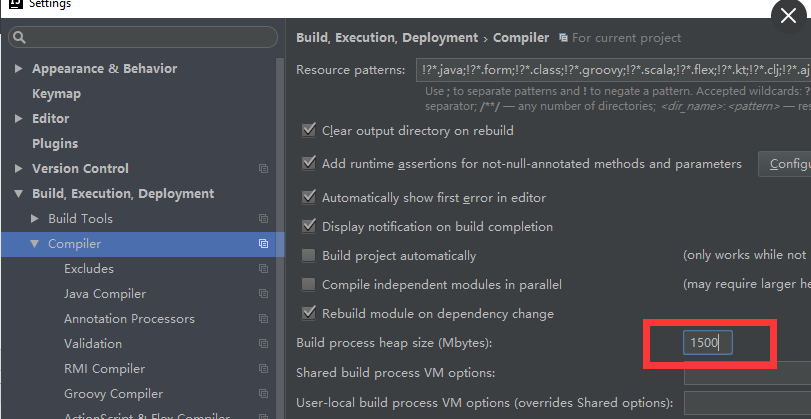
1.1.12 make bigger cache
1.1.13 soft-wrap


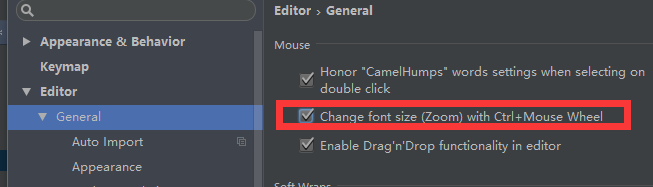
1.1.14 change size with Ctrl + Mouse Wheel
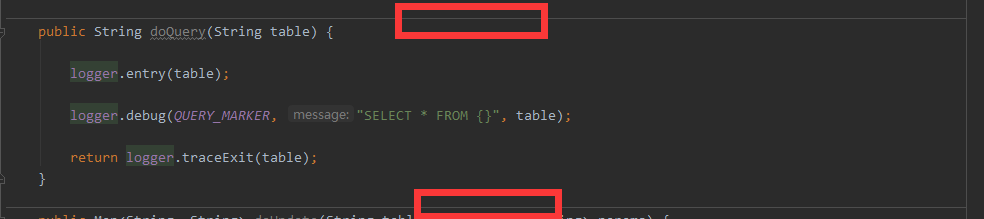
1.1.15 add method separators
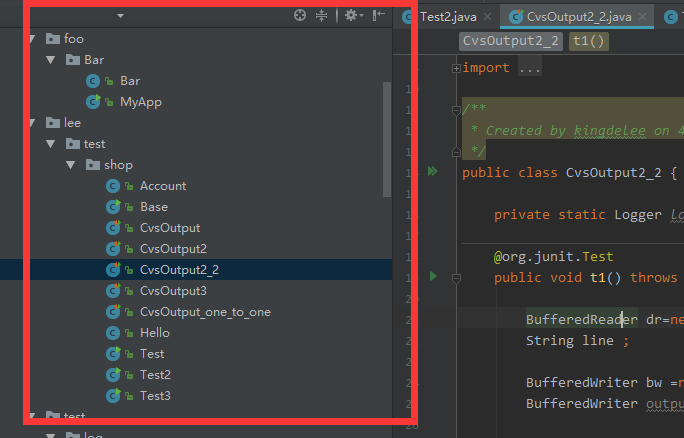
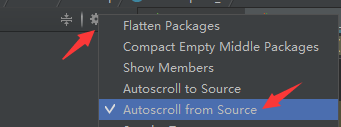
1.1.16 auto location to source
if use manual, click the circle button:

or use auto:
1.1.17
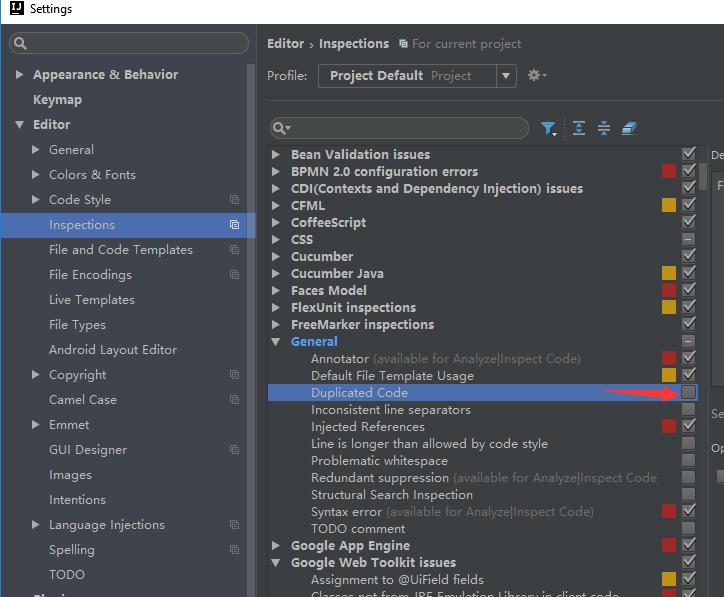
cancel the duplicated code inspection

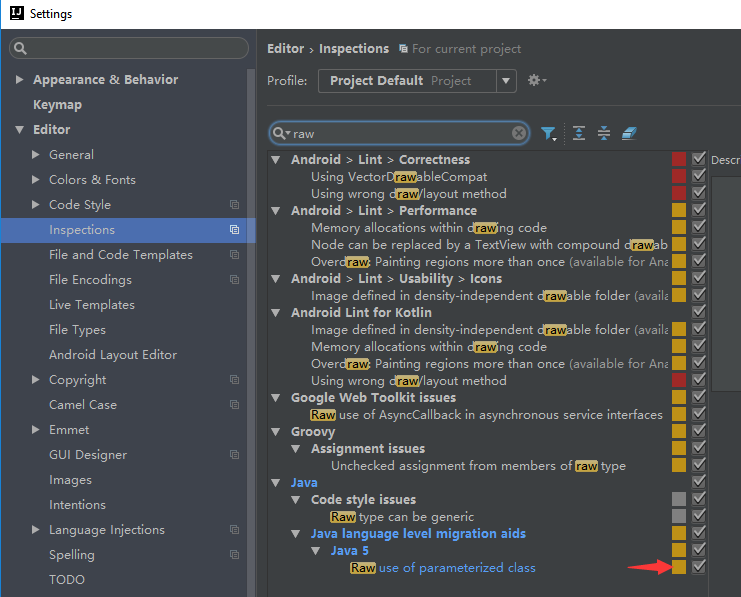
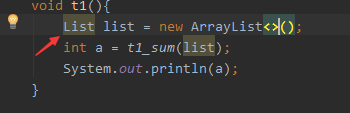
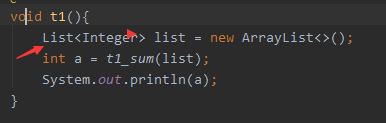
1.1.18 Add generic check
2.1.0
D:\WorkStation\JetBrains\IntelliJIDEA2017.1\bin\
idea64.exe.vmoptions
-Xms512m

-Xmx1500m

-XX:ReservedCodeCacheSize=500m

-XX:+UseConcMarkSweepGC

-XX:SoftRefLRUPolicyMSPerMB=50

-ea

-Dsun.io.useCanonCaches=false

-Djava.net.preferIPv4Stack=true

-XX:+HeapDumpOnOutOfMemoryError

-XX:-OmitStackTraceInFastThrow
idea.properties
#---------------------------------------------------------------------

# This option controls console cyclic buffer: keeps the console output size not higher than the specified buffer size (Kb).

# Older lines are deleted. In order to disable cycle buffer use idea.cycle.buffer.size=disabled

#---------------------------------------------------------------------

idea.cycle.buffer.size=disabled
Synchronize Configuration, If use other PC, copy here to there.
C:\Users\13721\.IntelliJIdea2017.1\*
to
D:\ProjectStation\.IntelliJIdea\*
#---------------------------------------------------------------------

# Uncomment this option if you want to customize path to IDE config folder. Make sure you're using forward slashes.

#---------------------------------------------------------------------

# idea.config.path=${user.home}/.IntelliJIdea/config

idea.config.path=D:/ProjectStation/.IntelliJIdea/config

#---------------------------------------------------------------------

# Uncomment this option if you want to customize path to IDE system folder. Make sure you're using forward slashes.

#---------------------------------------------------------------------

# idea.system.path=${user.home}/.IntelliJIdea/system

idea.system.path=D:/ProjectStation/.IntelliJIdea/system
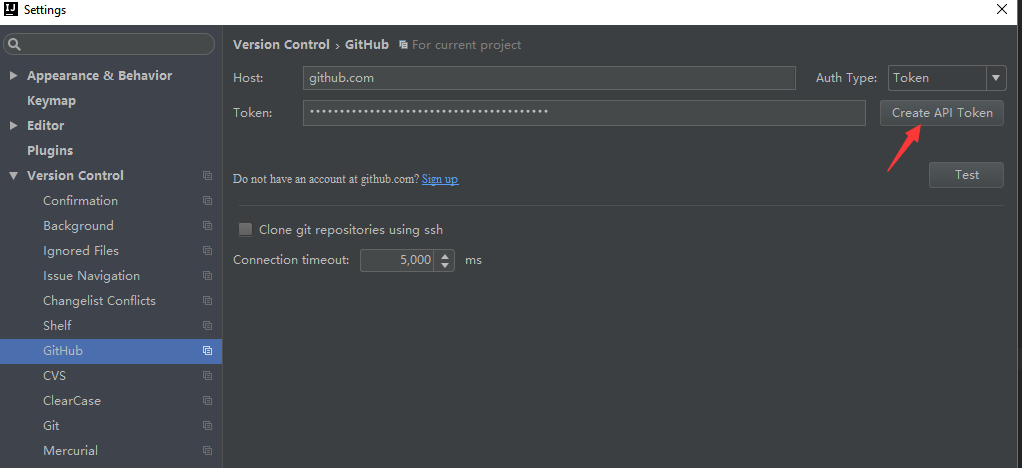
3.1.0
- Subversion 官网下载:https://subversion.apache.org/download/#recommended-release
- TortoiseSVN 官网下载:http://tortoisesvn.net/downloads.zh.html
- Git 官网下载:http://git-scm.com/
- TortoiseGit 官网下载:http://download.tortoisegit.org/tgit/

4.plugin
GsonFormat
5.debug
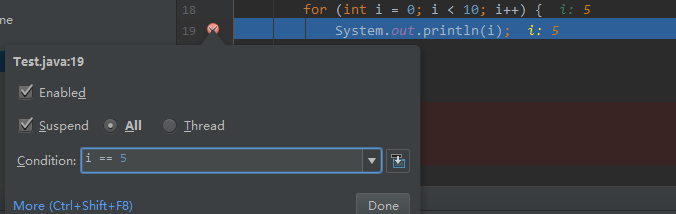
5.1.0 stop in condition
left-click add a breakpoint
right-click make a condition
8.1.0 HotKey:
8.1.1 Ctrl + Alt + S: Show Settings
8.1.2 Ctrl + Shift + Alt + S: Project structure
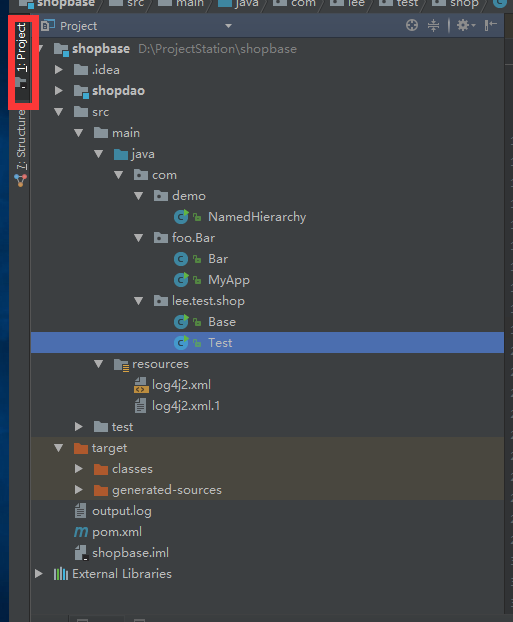
8.1.3 Alt + 1: Show Project Tree
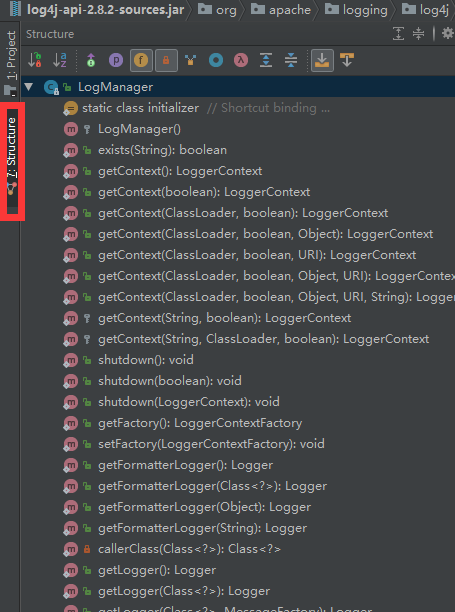
8.1.4 Alt + 7: Show Structure
8.1.5 Alt + 4: Show Console
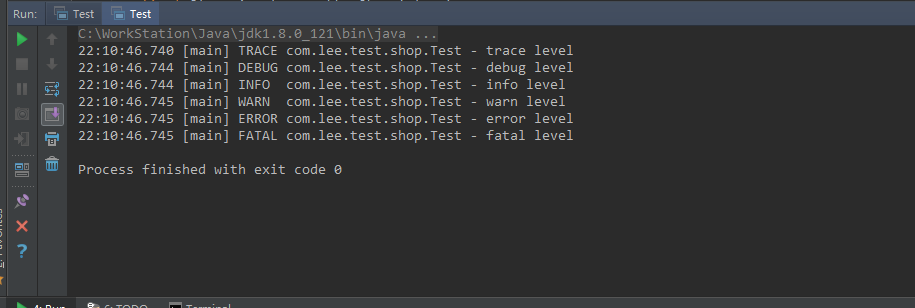
8.1.6 create a new package/class ect : Alt + Inert

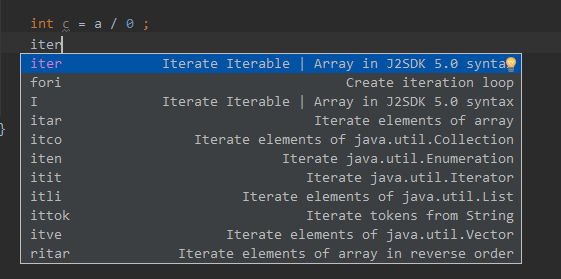
8.2.1 Ctrl + J: for ,systemout....
for:iter
sout:System.out.println
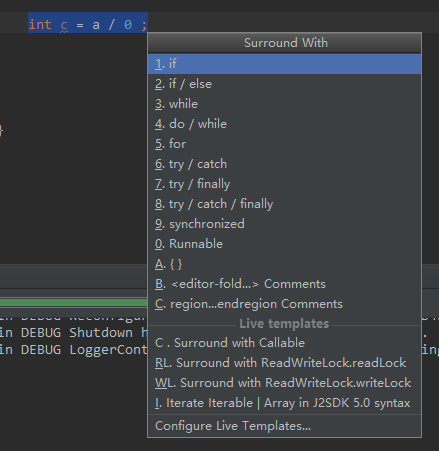
8.2.2 Ctrl + Alt + T: if, try...
8.3.1 Alt + Shift + "up"/"down": move this line to up/down
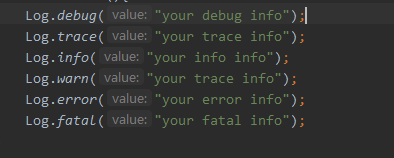
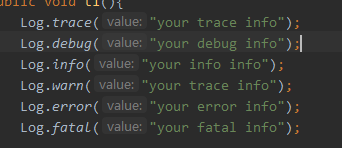
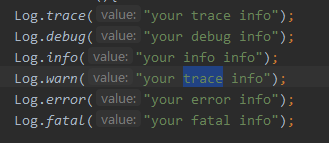
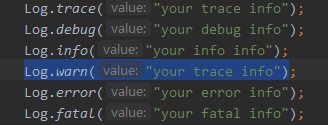
8.3.2 Ctrl + W: Choose whole word/line
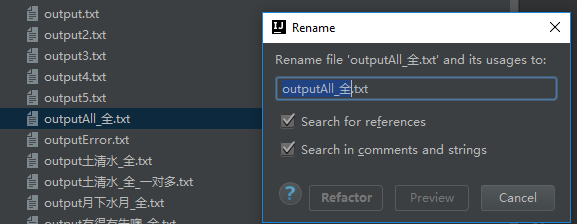
8.3.3 Shift + F6: Rename file
8.3.4 Ctrl + R: replease

8.3.5 Ctrl + Shift + U : lower to higher/ higher to lower


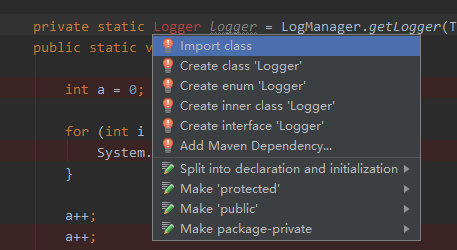
8.3.6 Alt + Enter: import package
F2 to the word without package
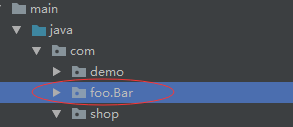
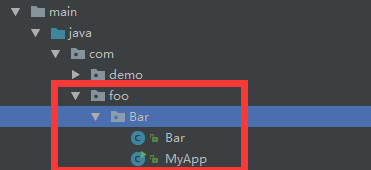
8.3.7 Don't compact empty package

8.4.1 Ctrl + Shift + F10 : Run

9.1.0 Show duplicate viewer
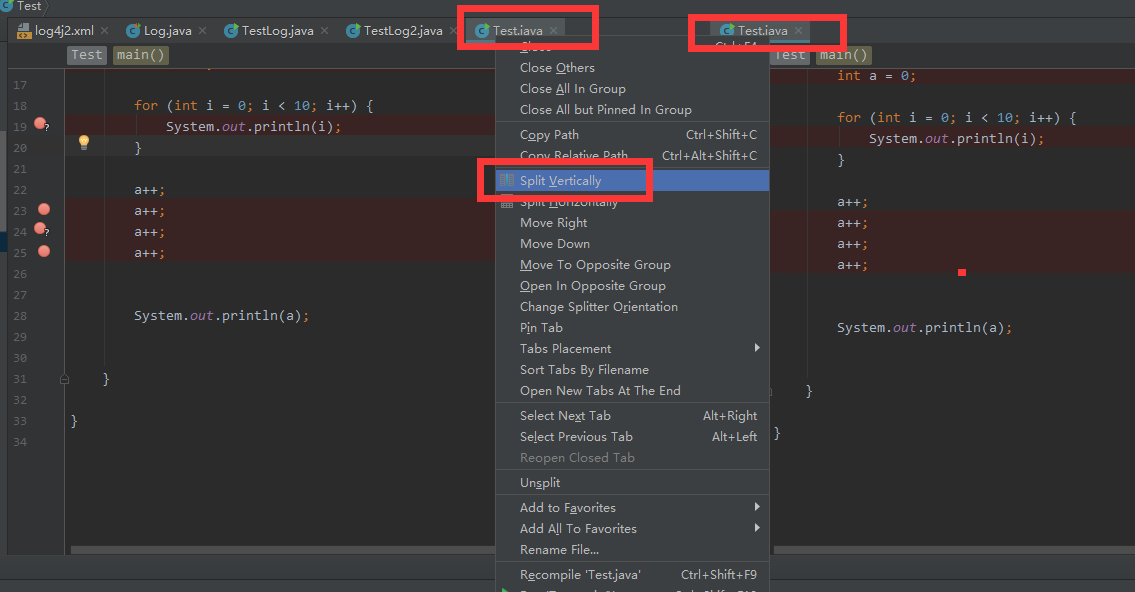
9.1.1 favorite
add to favorite : Alt + Shift + F
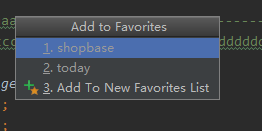
show favorite: Ctrl + Tab


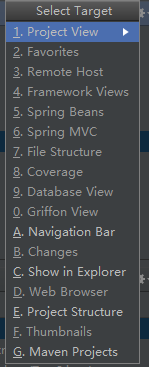
9.1.2 show target: Alt + F1
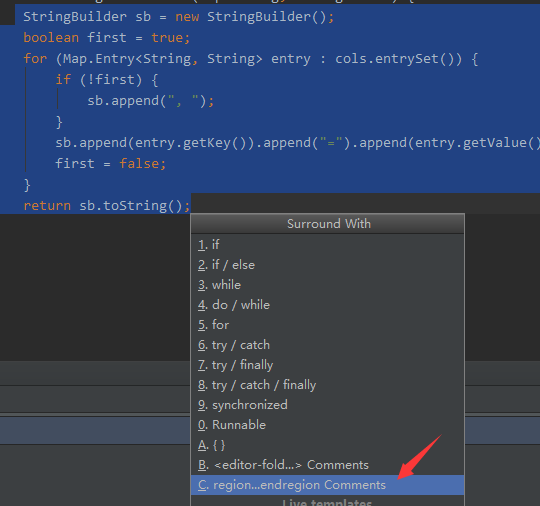
9.1.3 hide some code

select need hide code region, Ctrl + Alt + T, 8


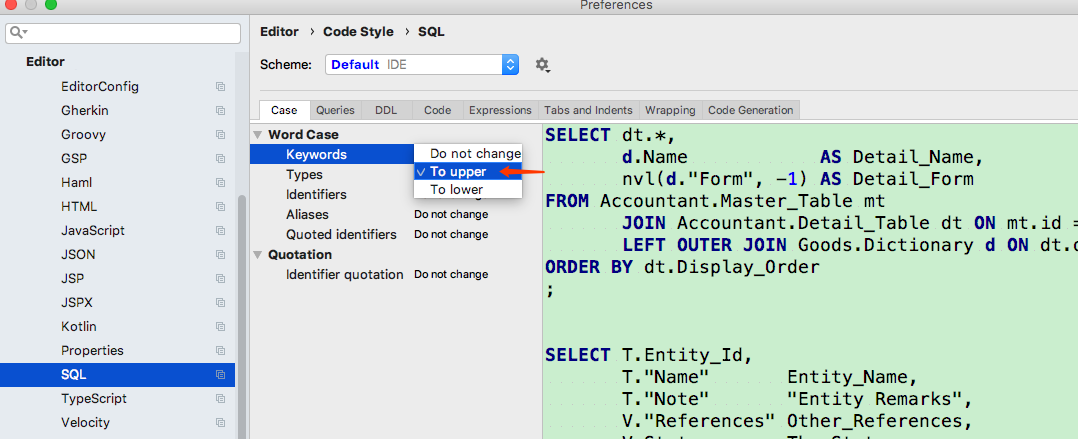
10. update sql format
install plugins
插件推荐
【Tools】-NO.10.Tools.2.IDEA.1.001-【IDEA Configuration】-的更多相关文章
- 【Tools】-NO.93.Tools.5.pyCharm-【pyCharm 安装与破解配置】-
1.0.0 Summary Tittle:[Tools]-NO.93.Tools.5.pyCharm-[pyCharm 安装与破解配置]- Style:Tools Series:Tools Since ...
- 【Tools】-NO.89.Tools.4.Visual Studio 2017.1.001-【Visual Studio 2017 安装与卸载】-
1.0.0 Summary Tittle:[Tools]-NO.89.Tools.4.Visual Studio 2017.1.001-[Visual Studio 2017 安装与卸载]- Styl ...
- 【Tools】-NO.4.Tools.1.VM.1.001-【VMware Workstation PRO 12 Install CentOS 7.1】-
1.0.0 Summary Tittle:[Tools]-NO.4.Tools.1.VM.1.001-[VMware Workstation PRO 12 Install CentOS 7.1]- S ...
- 【Docker 在 windows 10 / windows 8 下安装】
步骤: 1. 下载: a.https://github.com/boot2docker/windows-installer/releases 下载一个 windows 客户端: 安装时建议勾选:Boo ...
- 【Windows 10 IoT - 3】Windows 10 RTM安装及新特性(树莓派 Pi2)
在<[Window 10 IoT - 1]Window 10系统安装(树莓派 Pi2)>中,我们介绍了Windows 10 IoT预览版的安装,正式版Windows 10 IOT(OS版本 ...
- 【Lucene3.6.2入门系列】第10节_Tika
首先贴出来的是演示了借助Tika创建索引的HelloTikaIndex.java PS:关于Tika的介绍及用法,详见下方的HelloTika.java package com.jadyer.luce ...
- Bashu2445 -- 【网络流24题-10】餐巾问题
2445 -- [网络流24题-10]餐巾问题 Description 一个餐厅在相继的n天里,每天需要用的餐巾数不尽相同.假设第i天需要ri块餐巾(i=1,2,…,n).餐厅可以购买新的餐巾,每块餐 ...
- 【Spark深入学习 -10】基于spark构建企业级流处理系统
----本节内容------- 1.流式处理系统背景 1.1 技术背景 1.2 Spark技术很火 2.流式处理技术介绍 2.1流式处理技术概念 2.2流式处理应用场景 2.3流式处理系统分类 3.流 ...
- 【opencv入门篇】 10个程序快速上手opencv【下】
导言:本系列博客目的在于能够在vs快速上手opencv,理论知识涉及较少,大家有兴趣可以查阅其他博客深入了解相关的理论知识,本博客后续也会对图像方向的理论进一步分析,敬请期待:) 上篇传送:http: ...
随机推荐
- VMWare共有3种网络连接模式
VMWare共有3种网络连接模式,分别是: 1. bridged(桥接模式):虚拟机将直接连接到物理局域网,使自身独立于宿主机外,从局域网路由器获取IP.这种方式虚拟OS可以和局域网中其他终端实现互 ...
- easyui treegrid 动态展开数据(暂记)
ClassifyAdminSynMsgSvr.GetCLFLList("<%=CurUTag %>", 1, "", function (ret) ...
- 矩阵游戏|ZJOI2007|BZOJ1059|codevs1433|luoguP1129|二分图匹配|匈牙利算法|Elena
1059: [ZJOI2007]矩阵游戏 Time Limit: 10 Sec Memory Limit: 162 MB Description 小Q是一个非常聪明的孩子,除了国际象棋,他还很喜欢玩 ...
- vins-mono调试教程
https://www.cnblogs.com/Jessica-jie/p/6950604.html
- {Django基础七之Ajax} 一 Ajax简介 二 Ajax使用 三 Ajax请求设置csrf_token 四 关于json 五 补充一个SweetAlert插件(了解)
Django基础七之Ajax 本节目录 一 Ajax简介 二 Ajax使用 三 Ajax请求设置csrf_token 四 关于json 五 补充一个SweetAlert插件(了解) 一 Ajax简介 ...
- [No0000189]改善C#程序的建议10:用Parallel简化Task
在命名空间System.Threading.Tasks下,有一个静态类Parallel简化了在同步状态下的Task的操作.Parallel主要提供了3个有用的方法:For.ForEach.Invoke ...
- 【每日一题】 UVA - 1588 Kickdown
题意:uva的题,每道都是有背景的orz,都是阅读理解 题解:暴力模拟,拿着短的那个串,对着长的一格一格往左滑,每滑一格暴力扫一遍.然后再从头往右滑,我这里wa了三发,wa了后习惯性瞎改,改到后来循环 ...
- ST表模板 Balanced Lineup POJ3264
http://poj.org/problem?id=3264 题意 rmq max min之差 模板: #define _CRT_SECURE_NO_WARNINGS #include<cmat ...
- 使用Dom4j的xPath解析xml文件------xpath语法
官方语法地址:http//www.w3school.com.cn/xpath/index.asp xpath使用路径表达式来选取xml文档中的节点或节点集.节点是通过沿着路径(path)或者步(ste ...
- python的一些基本概念知识和面试题
对于机器学习算法工程师而言,Python是不可或缺的语言,它的优美与简洁令人无法自拔.那么你了解过Python编程面试题吗?从Python基础到网页爬虫你是否能全方位Hold住?今天,机器之心为读者们 ...